![[H]ard|Forum](/styles/hardforum/xenforo/logo_dark.png)

- Joined
- May 5, 2006
- Messages
- 5,937
Nvidia vs AMD text quality on LG CX48
As pretext to this: I am neither fan of AMD or NVIDIA or any vendor, I am only interested in quality screen output
I had used the CX48 paired with a Gigabyte RTX 3060ti since 01/2021 and had notice the decline in text sharpness compared to my previous IPS monitors but had accepted that loss as OLED inherent and the other qualities in gaming and consuming streams/videos/movies made up for that.
I recently have the possibility to test various GPUs of various vendors and I was instantly blown away when I replaced the 3060ti with a MSI 6600XT, really at the first look I realized the change in text sharpness.
I have since tested forth and back to see if it could be card specific, vendor specific or a setting. With no setting could I get nvidia cards to that level of clarity regarding text sharpness. I tried that in 01/2021 a lot when I first had the combo of 3060ti+cx48, and I tried now.
For both AMD and NVIDIA I targetted: 120Hz freeysnc/gsync, 3840x2160, YCBCCR444 10b 4L10, and confirmed that with the CX48s onscreen info (9x green button)
So for all the cards I tested (list below) I have immediately superb text clarity on AMD cards, and struggle to get that up to par on NVIDIA cards:
NVIDIA:
Gigabyte 3060ti Aorus Master
EVGA 3070 XC3
Nvidia 3090 FE
AMD
MSI 6600 XT Gaming X
Gigabyte 6600 XT Eagle OC
Powercolor 6600 XT Fighter
Attached you can find photos taken with a Huawei Mate 20 Pro, all in Standard mode, all with adjusted 4x zoom. I won't comment on my findings, but focus text and object edges/lines
Looking forward to your feedback.
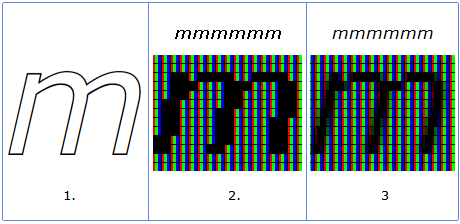
Very interesting but I would again point out that your camera is up close to the screen. The closer your eyes are to a screen, the more obvious the pixel structure is going to be so everything will be aliased to one degree or another. The same thing happens with newsprint/magazine's dots or even a billboard up close. If you zoom in close enough with a camera you can see the subpixels.
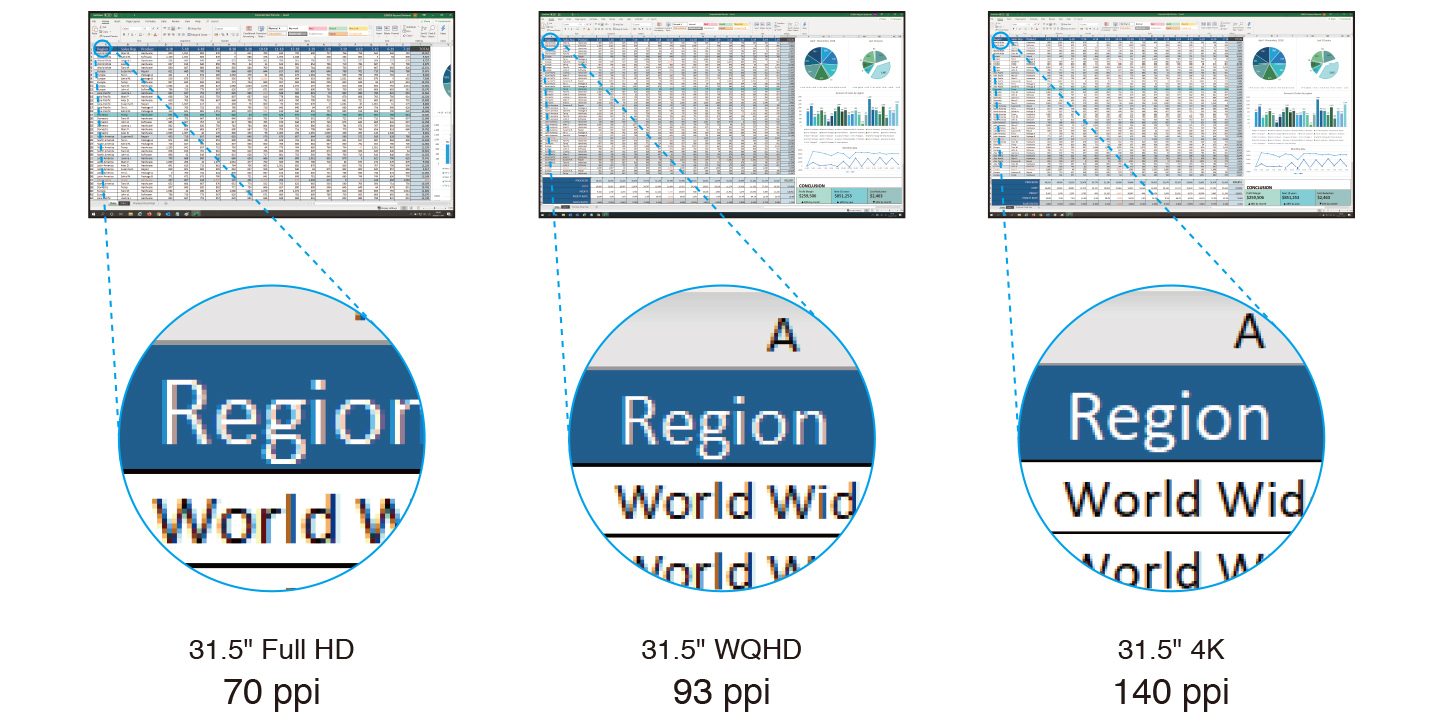
At 33.5" away on a 48" 4k, 60PPD, you still get obvious aliasing and text fringing to your eyes and brain because people (most people actually can see 20/15) can still see the pixel structure as fairly aggressive. You end up using medium to high level of AA in games and on the desktop you try to tweak text subsampling or try using a different kind of subsampling from window's default.
At 80 PPD on a 48" 4k screen ~ 47", few people can see a more obvious pixel structure, AA only necessary in very high contrasted areas where light/dark meet so little AA is necessary and you can probably get away with no AA depending on the game and how you feel about it. Approaching the same view distance as the screen's diagonal measurement this results in a much better viewing angle to the extents of the screen and HUD elements (more or less an equilateral triangle/pyramid viewing angle cone) anyway so it's a win-win.
If you are really going to assess pixel fringing/aliasing or it bothers you, I recommend doing so at 60PPD+ (33.5"+) with heavy subsampling and trying other sub-sampling types, and I recommend using ~ 47"+ distance 80PPD if you want a much finer pixel structure and better viewing angle. That is for 48" 4k. 8k screen would halve those distances as the pixel structure would be 2x more fine.
View Distances
----------------------
Below 60PPD
= below 20/20 vision; most everyone can see individual pixels obviously. You likely need strong anti-aliasing to hide artifacts (at a performance hit).
= requires aggressive text subsampling tweaking, experimenting with alternate forms of subsampling, etc but it will never look as good.
= jumbo pixels to your eyes, aliased graphics, bad text fringing
= bad viewing angle like sitting near to a wall
60 PPD+ is above the 20/20 vision threshold.
..Requires moderate anti aliasing (at a performance hit) and tweaking text sub-sampling.
..The minimum view distance you can use without having a more aggresive pixel structure with jumbo pixels that result in pixelated and fringed graphics that AA struggles to compensate for and text subsampling can't compensate for enough.
..Still displays some more visible pixelization on desktop (or tv viewing) lacking AA or softening - though subsampling helps text look good enough so overall not bad looking even outside of game's AA.
..Not the best viewing angle to the extents of the screen for HUDs. It's pretty narrow.
..64 deg viewing angle at 4k.
80 PPD+
..moderate, slightly above the average visual acuity; few can see individual pixels obviously.
..Anti-aliasing is only necessary in medium- and high-contrast areas
..you still see some fringing where the contrasted areas mesh but can probably get away with more modest and less demanding AA levels or no AA depending on the game and how you feel about it
..approaching the same view distance as the screen's diagonal measurement this results in a much better viewing angle to the extents of the screen and HUD elements (more or less an equilateral triangle/pyramid viewing angle cone)
..48 degree viewing angle at 4k.
120PPD+
..better than 20/10 vision; no one can "see" individual pixels as an obvious/aggressive structure. Anti-aliasing is only necessary in very high-contrast cases if at all.
..pretty extreme and practically unusable distance for a pc on 4k screens (that will change with 8k screens someday, where all these PPD distances will be halved).
..more useful for living room/home theater room environment viewing distances where you watch media without AA and text subsampling
..32 degree viewing angle at 4k.
Viewing Angle regardless of PPD:
..in my opinion, the best case is 45deg - 50 deg viewing angle so you can actually see the extents of the screen and the HUD elements, pointers, notifications, chat, etc without turning away from center in a more extreme amount to see them.
..as a rule of thumb you get what's more or less an equilateral triangle or pyramid viewing angle cone when your view distances is nearing the diagonal screen measurement.
=================================
Last edited: