• Some users have recently had their accounts hijacked. It seems that the now defunct EVGA forums might have compromised your password there and seems many are using the same PW here. We would suggest you UPDATE YOUR PASSWORD and TURN ON 2FA for your account here to further secure it. None of the compromised accounts had 2FA turned on.
    Once you have enabled 2FA, your account will be updated soon to show a badge, letting other members know that you use 2FA to protect your account. This should be beneficial for everyone that uses FSFT.

RTX 5090 Benchmarks

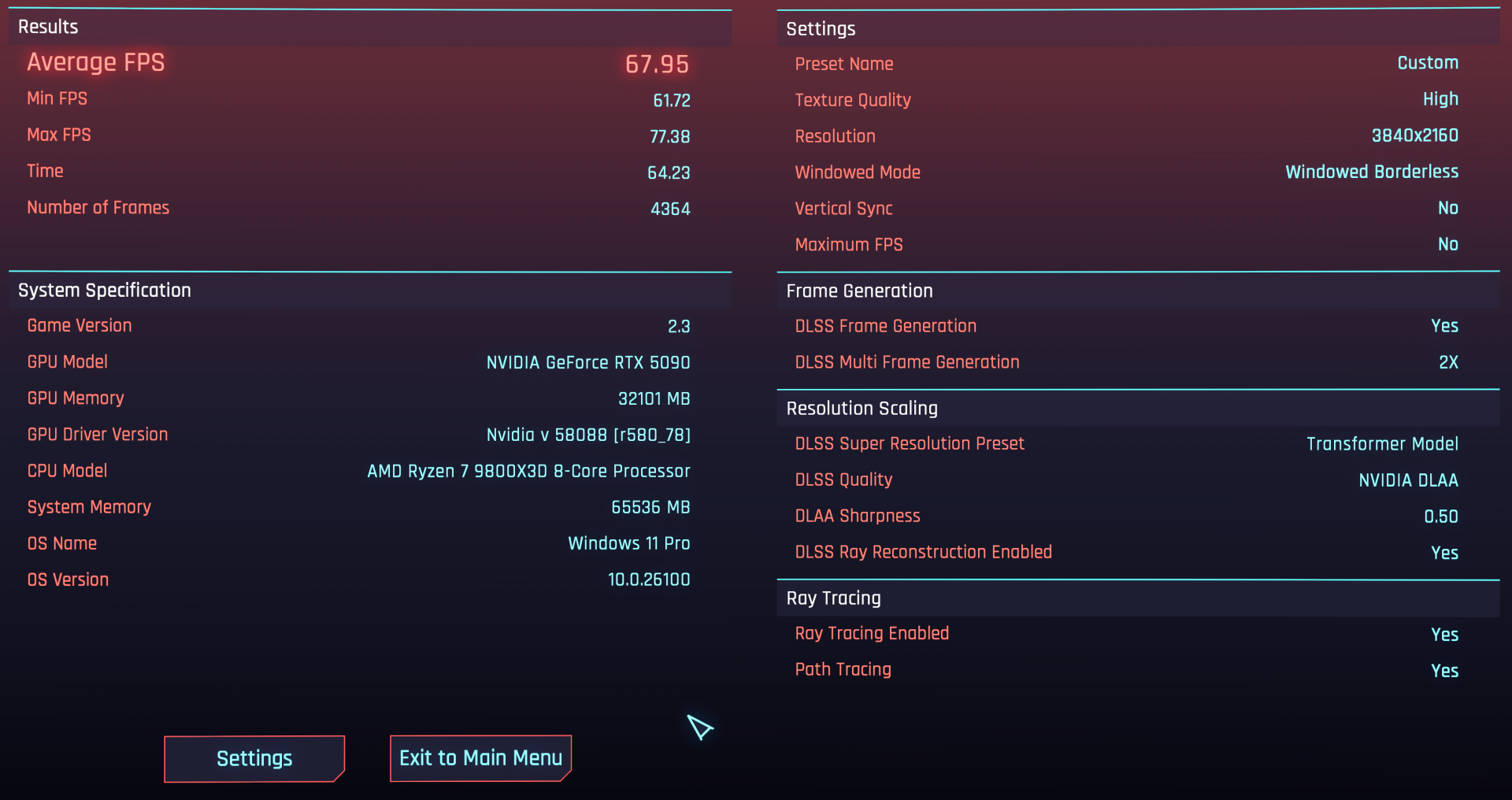
I assume that "Stock" GPU, as in absolutely no V/F modifications either? If I run the benchmark with the same settings, default GPU (out of the box), not even loading MSI AB, I get around 64.50 FPS.
No stock meaning I tuned it to run undervolt that matched my out of box performance. So my card runs 2850-2900 without any undervolt but I do the same with a .95 @ 2950 curve which nets about 2800-2900 MHz. Also I forgot my memory was at +1000 for daily.

If I run an actual overclock it would hit maybe about 70 or higher. I can run it tomorrow as it is 1 32 AM right now. 👀

Edit: it is 69.38 with a decent overclock on the card and not touching the processor.
 
Last edited:
I agree, even with water I just wouldn't want the incredible amounts of heat they put out when OC'd hugely. Cool and quiet ftw for me.

Reposting from the news thread:

"Yep, no power limit, voltage raising, unlimited memory clock, XOC BIOS being distributed under nda to influencers and extreme ocers now by gigabyte, Asus, and others. Add in ln2 for some of them and they'll hit absurd scores. "
I overclock more in the winter because when it's really cold outside we only heat to 65 degrees fahrneheit so we can burn things for fun and the holiday folding and such benefits from higher oc's in the rooms furthest from the stoves as well as the space heater aspect.
 
Recent top score with low effort overclock 15525
Daily with Gigabyte bios 14999
Highest score 15887 (9800X3D, Gainward bios and max clocks)
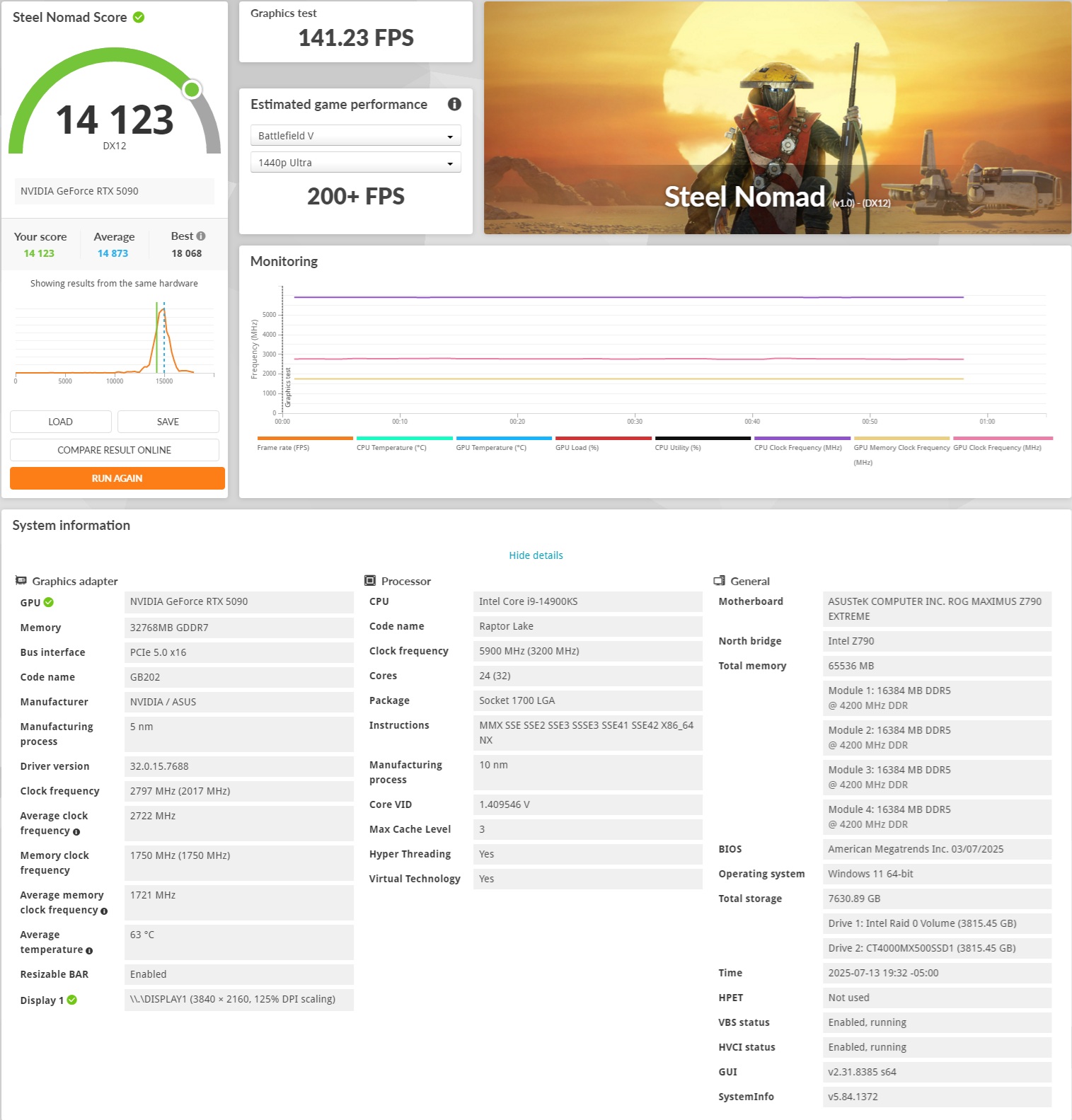
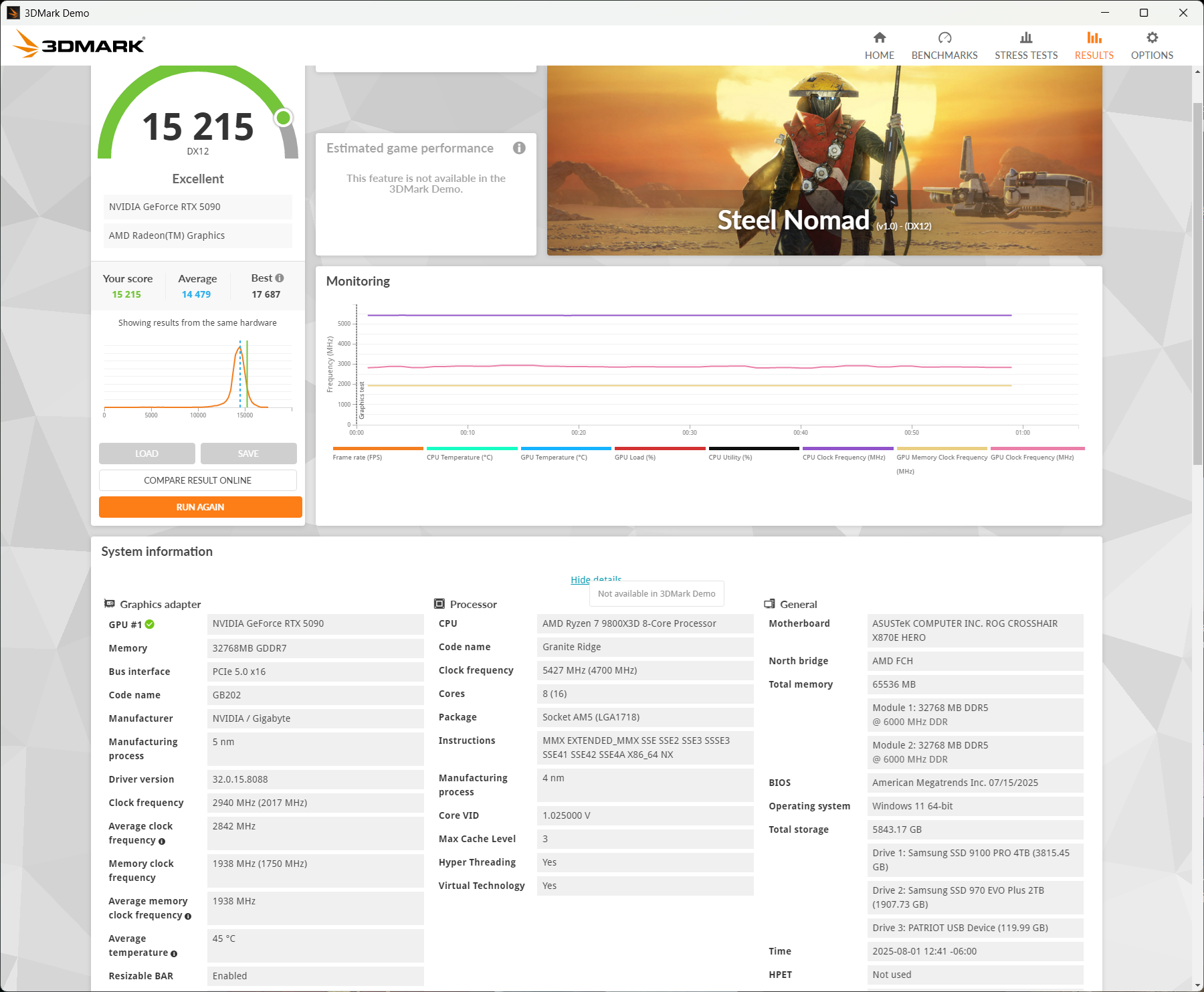
Ok, seems like my SW benchmarks are in line comparing those clock vs. clock and very similar 9950X3D setup. I wonder why my SN then scores consistently lower. Maybe a driver setting or some background apps eating enough resources then, will have to dig deeper, but SW was helpful.
 
Steel14123.jpg
 
Last edited:
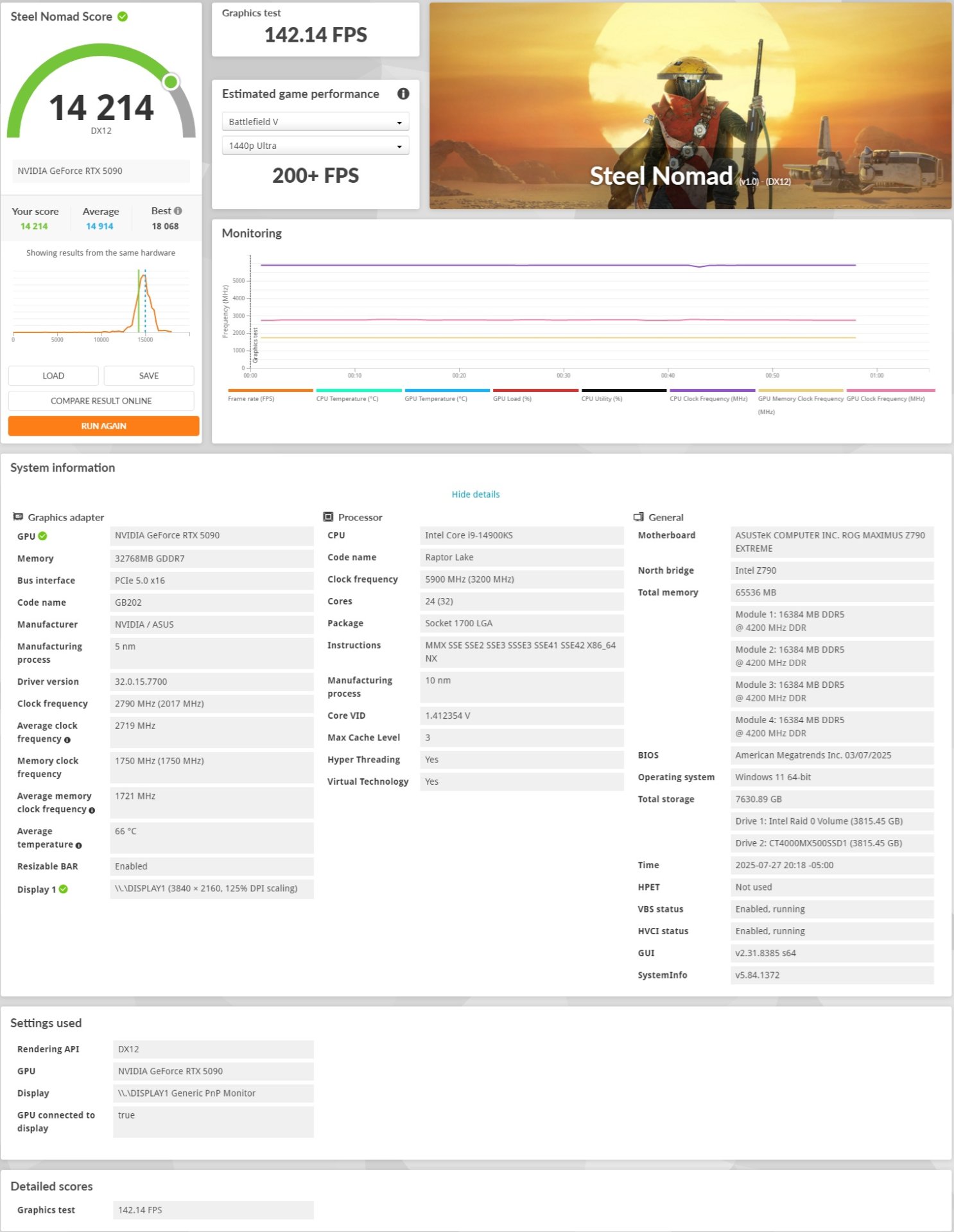
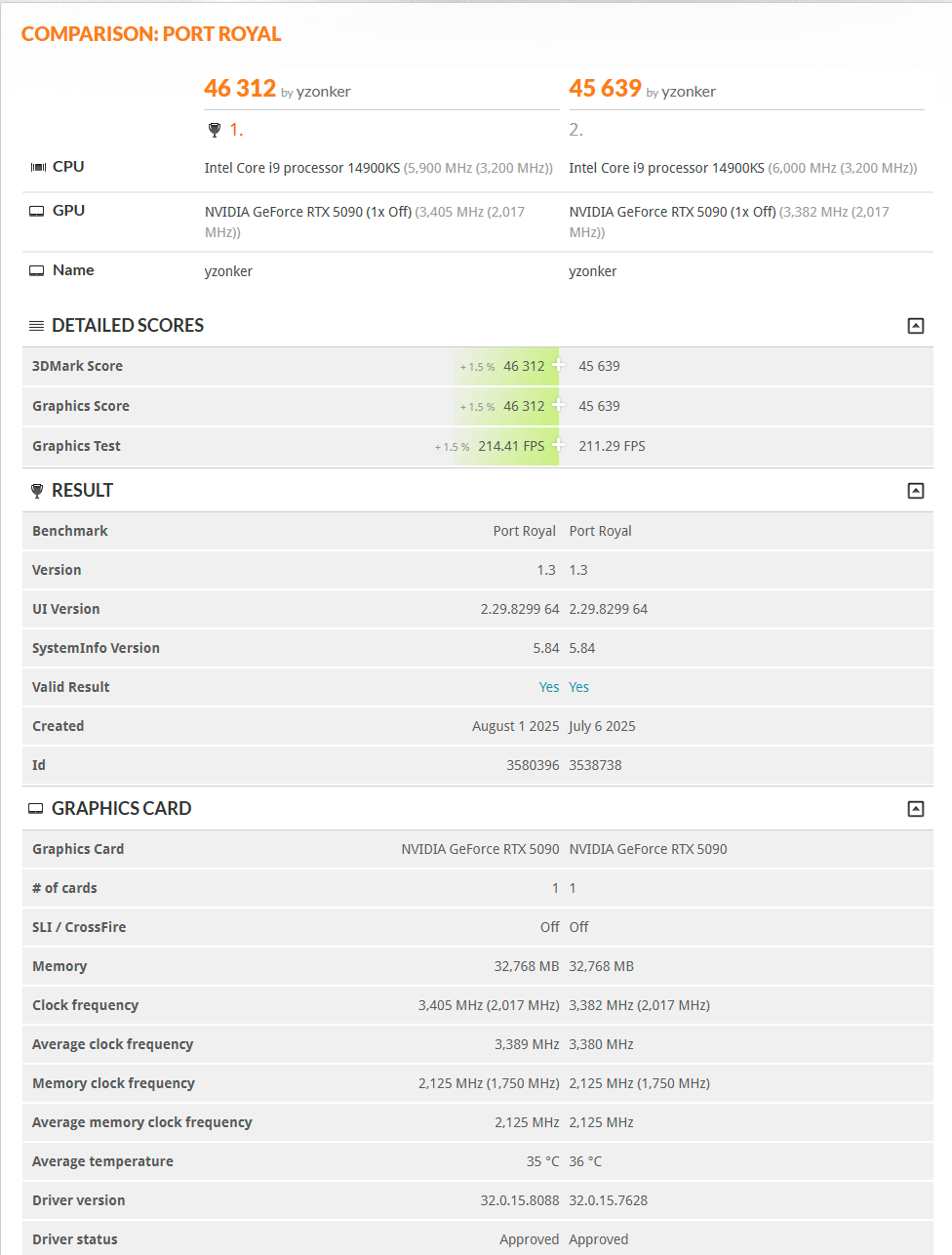
Nice boost in PR too. No improvement for me in SN, but close to 576.28 which is waaaay better than recent drivers. talon95 is my old old username.

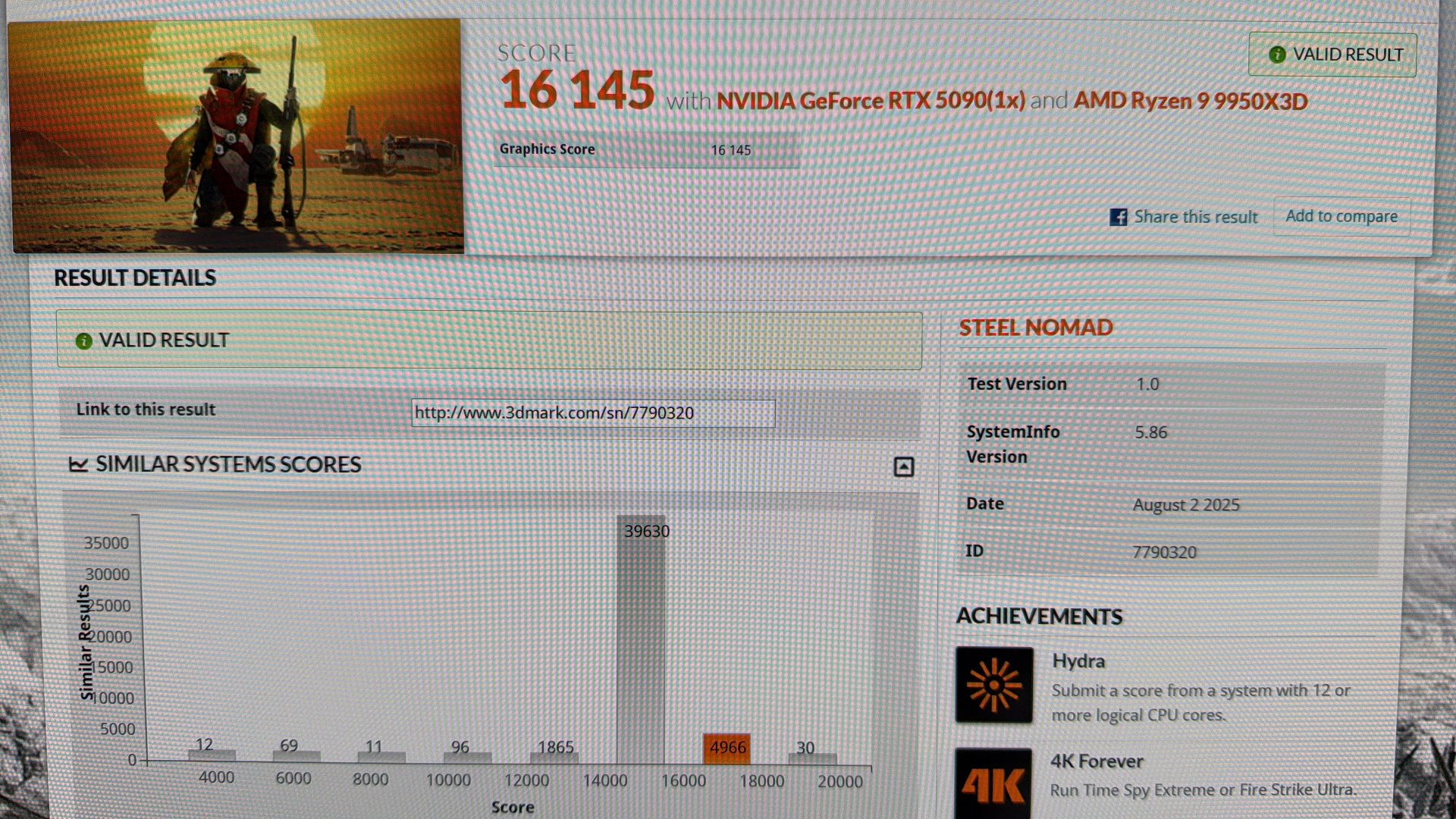
1754066654997.png
 
Low effort, no CPU clocking run.
 

Attachments

  • 8769ADBD-9DFD-496C-AF14-F71C6650F7A0.jpeg
    8769ADBD-9DFD-496C-AF14-F71C6650F7A0.jpeg
    528.4 KB · Views: 0
What software are you guys using to overclock your 5090s?

I usually just go with the software from manufacturer of the card I'm using, but since I have an MSI 5090, I don't want to use afterburner as it's pretty much discontinued
 
Last edited:
What software are you guys using to overclock your 5090s?

I usually just go with the software from manufacturer of the card I'm using, but since I have an MSI 5090, I don't want to use afterburner as it's pretty much discontinued
Huh? It's still in active development.
yup, and was just patched to fully support 5000 series
https://forums.guru3d.com/threads/m...-mp29816a-voltage-controllers-support.457788/ (this is the official forum and beta downloads)
 
  • Like
Reactions: FRZ
like this
Ah ok I must have been going off old news.

Thank you for letting me know, will go ahead and download afterburner :)
dev was paused for a bit over the ukr/rus war due to payment issues, but they sorted it out ages ago. if you go to the official d/l page though, that version is 7 months old....
 
  • Like
Reactions: FRZ
like this
First set of 5090 benchmarks after a little OC

290mhz+ clock and 2000mhz+ memory I get around 14500 in SN paired with a 13900k

300+ on the core and I get driver crashes and increasing the memory higher doesn't seem to offer any performance increase.

This is a MSI Ventus so cooling is pretty weak. Should have my waterblock next week so hoping I can crank it higher then
 
First set of 5090 benchmarks after a little OC

290mhz+ clock and 2000mhz+ memory I get around 14500 in SN paired with a 13900k

300+ on the core and I get driver crashes and increasing the memory higher doesn't seem to offer any performance increase.

This is a MSI Ventus so cooling is pretty weak. Should have my waterblock next week so hoping I can crank it higher then
You might get higher scores by undervolting the 5090 since it can hit power limits fairly easily.
 
  • Like
Reactions: FRZ
like this
Updated my bios and now I can set the GPU to 375mhz+ core. Getting about 14700 SN now.

Definetely will start tweaking voltage once it's under water
 
Updated my bios and now I can set the GPU to 375mhz+ core. Getting about 14700 SN now.

Definetely will start tweaking voltage once it's under water
Bump it up. Should be doing 15,500 easy.
 
  • Like
Reactions: FRZ
like this
You might get higher scores by undervolting the 5090 since it can hit power limits fairly easily.
For the record, when adding a positive offset like +250mhz to the core, you ARE undervolting. Its applying an offset to the entire curve, so less voltage per clock point. People get that confused, then castrate their 5090 by locking it to a max speed and voltage point with a plateau well below what it can run. If it has a massive HSF or is under water and you don't care about power usage, max that voltage slider, power slider and see how high ur clock offset can go for the entire curve. If you really want to spend tons of time, u can also do it point by point for each step in voltage/speed.
 
Fwiw, the PCIE 5.0 issues are mostly limited to FE cards, my PNY 5090 is working fine at 5.0 speeds. The 5080 FE would turn into a slide show and while I never tried it on my 5090 fe, the member who bought couldn't get it to boot at 5.0 on his rig, so FE cards are basically 4.0 by design unless you get lucky. No performance difference but something to be aware of.
 
Got my 5090 WB installed and doing some preliminary OC work. Temps reach around 54c core and 62c memory under load.

Maxed out voltage to 100% and set memory clocks to the max 3000mhz+

I can push my core to about 465mhz+ on SN without crashing but my score won't go above about 15k. Seems like my core won't go above 2900mhz no matter how far I push the core OC.

Am I pretty much maxed out at this point?
 
Got my 5090 WB installed and doing some preliminary OC work. Temps reach around 54c core and 62c memory under load.

Maxed out voltage to 100% and set memory clocks to the max 3000mhz+

I can push my core to about 465mhz+ on SN without crashing but my score won't go above about 15k. Seems like my core won't go above 2900mhz no matter how far I push the core OC.

Am I pretty much maxed out at this point?
15K seems a low score. Are you also limiting voltage or just maxing out sliders? Limiting voltage with a curve is how I hit my best scores.

Having said that 15K still feels a bit low for an overclocked score.
 
15K seems a low score. Are you also limiting voltage or just maxing out sliders? Limiting voltage with a curve is how I hit my best scores.

Having said that 15K still feels a bit low for an overclocked score.

Just maxing out the slider. I am also using a 13900k which might be limiting my score.
 
Got my new system up and running and still getting just over 15k in steel nomad with the 9800x3d. Thought I'd get a boost moving from a 13900k to the 9800x3d.
 
Limiting voltage with a curve is how I hit my best scores.
Pardon my ignorance, but is there a writeup out there you can link on how to achieve this? I've always done as FRZ is doing and just bumped the slider a little. I don't typically OC for daily use but I like to know what the card is capable of when I buy it with benchmarks.
 
  • Like
Reactions: FRZ
like this
Back
Top