• Some users have recently had their accounts hijacked. It seems that the now defunct EVGA forums might have compromised your password there and seems many are using the same PW here. We would suggest you UPDATE YOUR PASSWORD and TURN ON 2FA for your account here to further secure it. None of the compromised accounts had 2FA turned on.
    Once you have enabled 2FA, your account will be updated soon to show a badge, letting other members know that you use 2FA to protect your account. This should be beneficial for everyone that uses FSFT.

RTX 5090 Benchmarks

Yeah, I already have a "set and forget profile" that provides a nice boost, now I am just trying to see if I can configure the curve in such a way to start breaking top 100 on some / any of the 3dmark tests with this card :) And if it happens to be gaming stable too, sweet... lol.
Do post scores when you max out. That’s what this thread is about. 😀
 
All that curve tweaking and this was the best I could do... :( I'll probably just wait till Winter to try and break top 100's or top 50's when my gaming room is cooler than 70F... lol.

Still, not a bad score though, above average and at least stable gaming (ran 2 hours with it last night).

https://www.3dmark.com/sn/6872629 - SN 15447
 
All that curve tweaking and this was the best I could do... :( I'll probably just wait till Winter to try and break top 100's or top 50's when my gaming room is cooler than 70F... lol.

Still, not a bad score though, above average and at least stable gaming (ran 2 hours with it last night).

https://www.3dmark.com/sn/6872629 - SN 15447
That’s a bit low. With the same drivers I am around 15800+.
 
That’s a bit low. With the same drivers I am around 15800+.
Can ya post some links with runs on your 9950X3D? Cause mine shows above average for 9950X3D + 5090 setups... lol.

But mostly, I'd like to see what your run stats looks like (average clocks, etc.)

Also, when you do runs, do you try and kill all other processes, etc.? For reference, I'm just loading up 3dmark in Steam and giving it a go with clocks, no other tweaking.
 
Can ya post some links with runs on your 9950X3D? Cause mine shows above average for 9950X3D + 5090 setups... lol.

But mostly, I'd like to see what your run stats looks like (average clocks, etc.)

Also, when you do runs, do you try and kill all other processes, etc.? For reference, I'm just loading up 3dmark in Steam and giving it a go with clocks, no other tweaking.
I don't close processes as my windows is quite optimized for what it does. Only things I close are monitoring softwares except MSI AB.
 
Can ya post some links with runs on your 9950X3D? Cause mine shows above average for 9950X3D + 5090 setups... lol.
.
You have to remind yourself that “about average” for these benchmarks also mean you’re likely running a rig thats in the top .1% of all gaming pcs in the world. It’s like the guy that finishes 15 hours back in the Tour de France - you’re still in Elite company and blazing fast vs mere mortals
 
Latest drivers. Ran this bench rn: https://www.3dmark.com/sn/6876671 15813
Older drivers. Best score: https://www.3dmark.com/sn/5811180 16269
9950X3D best score. https://www.3dmark.com/sn/6563969 16222

III_Slyflyer_III
Dude, perfect, I did a compare. So I think I'll have to try again at some point and kill monitoring utilities and whatnot for the run to see. Speed and temp wise, they are very close, within a margin of error, but I am losing points somewhere.

https://www.3dmark.com/compare/sn/6563969/sn/6872629#
 
Dude, perfect, I did a compare. So I think I'll have to try again at some point and kill monitoring utilities and whatnot for the run to see. Speed and temp wise, they are very close, within a margin of error, but I am losing points somewhere.

https://www.3dmark.com/compare/sn/6563969/sn/6872629#
Compare 15813 to your score as .28 driver is best version to run benches.
You also need to tweak your ram. Running 96 GB or whatever you are running is going to be a bitch in benches as you can't tighten timings the way I have done for my daily.
 
Last edited:
FYI guys, make sure ReBAR is actually on. Apparently this is a driver issue that affects both AMD and Intel platforms (Kudos to Jayztwocents!) :

This setting gave us HUGE performance gains!! Check yours now!

The TLDW:
*Download and open Nvidia Profile Inspector.
*Under _GLOBAL_DRIVER_PROFILE (Base Profile):
5 - Common
set "rBAR - Enable" to Enabled (Mine was Disabled by default!)
"rBAR - Options" to 0x00000001
"rBAR - Size Limit" to 0x0000000040000000
*Apply changes
 
Last edited:
FYI guys, make sure ReBAR is actually on. Apparently this is a driver issue that affects both AMD and Intel platforms (Kudos to Jayztwocents!) :

This setting gave us HUGE performance gains!! Check yours now!

The TLDW:
*Download and open Nvidia Profile Inspector.
*Under _GLOBAL_DRIVER_PROFILE (Base Profile):
5 - Common
set "rBAR - Enable" to Enabled (Mine was Disabled by default!)
"rBAR - Options" to 0x00000001
"rBAR - Size Limit" to 0x0000000040000000
*Apply changes
Tried this. Didn’t do anything for me.
 
It's supposed to be disabled globally, it has always been like this. Nvidia enables it per profile on whitelisted games only.

There is a possibility that very recent games may lack the whitelisting though, that would be one source of gains... or losses.
 

Attachments

  • IMG_9199.jpeg
    IMG_9199.jpeg
    336.9 KB · Views: 0
  • Like
Reactions: Niner
like this
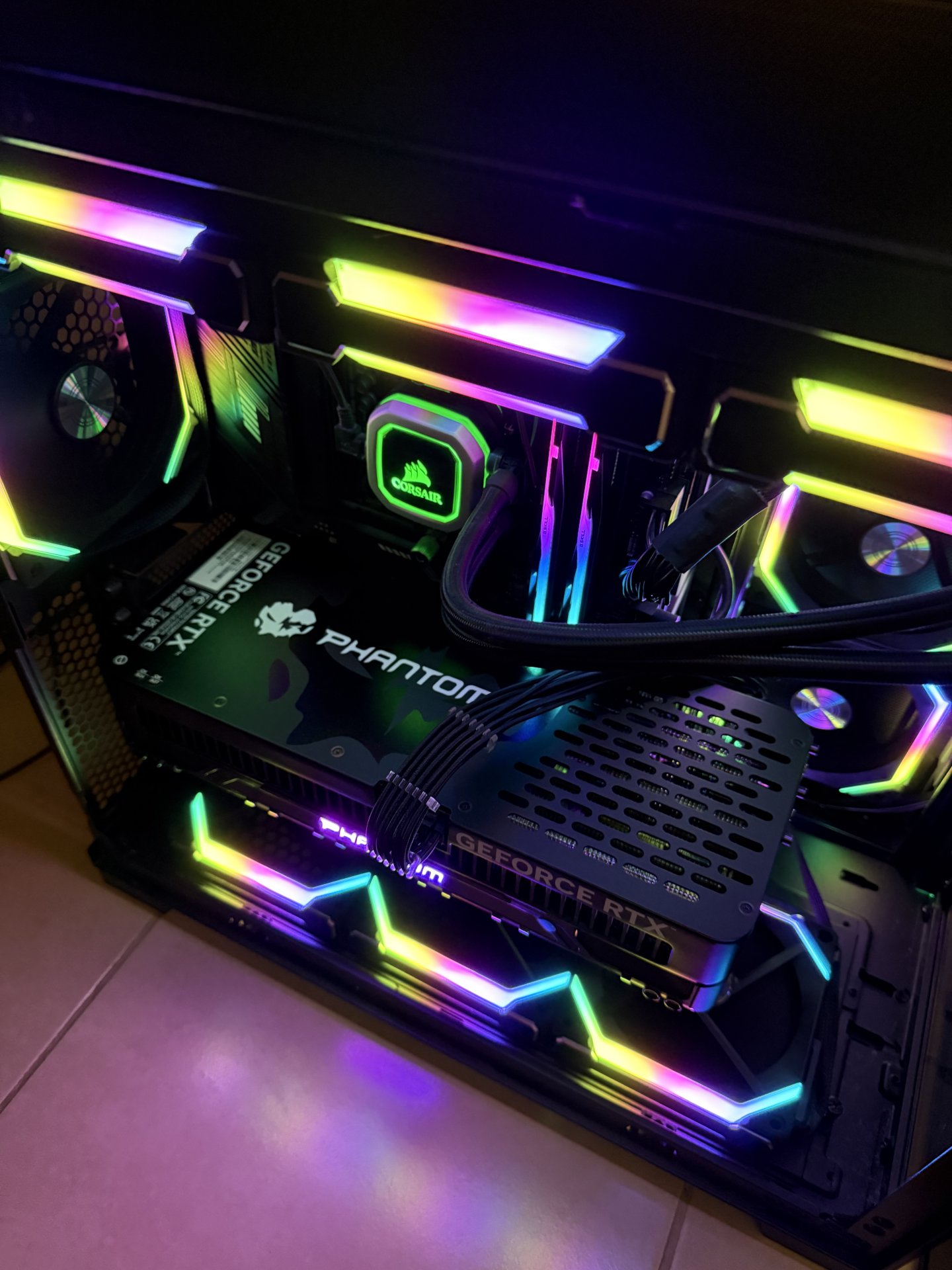
Finally, beat my old 3dmark score using Aorus bios and clocking the living shiznit out of my putter. https://www.3dmark.com/sn/6965787 16302

However, settled for a daily that is a bit lower https://www.3dmark.com/sn/6966058. About 200 points higher than my previous daily. Testing now for stability. 15620
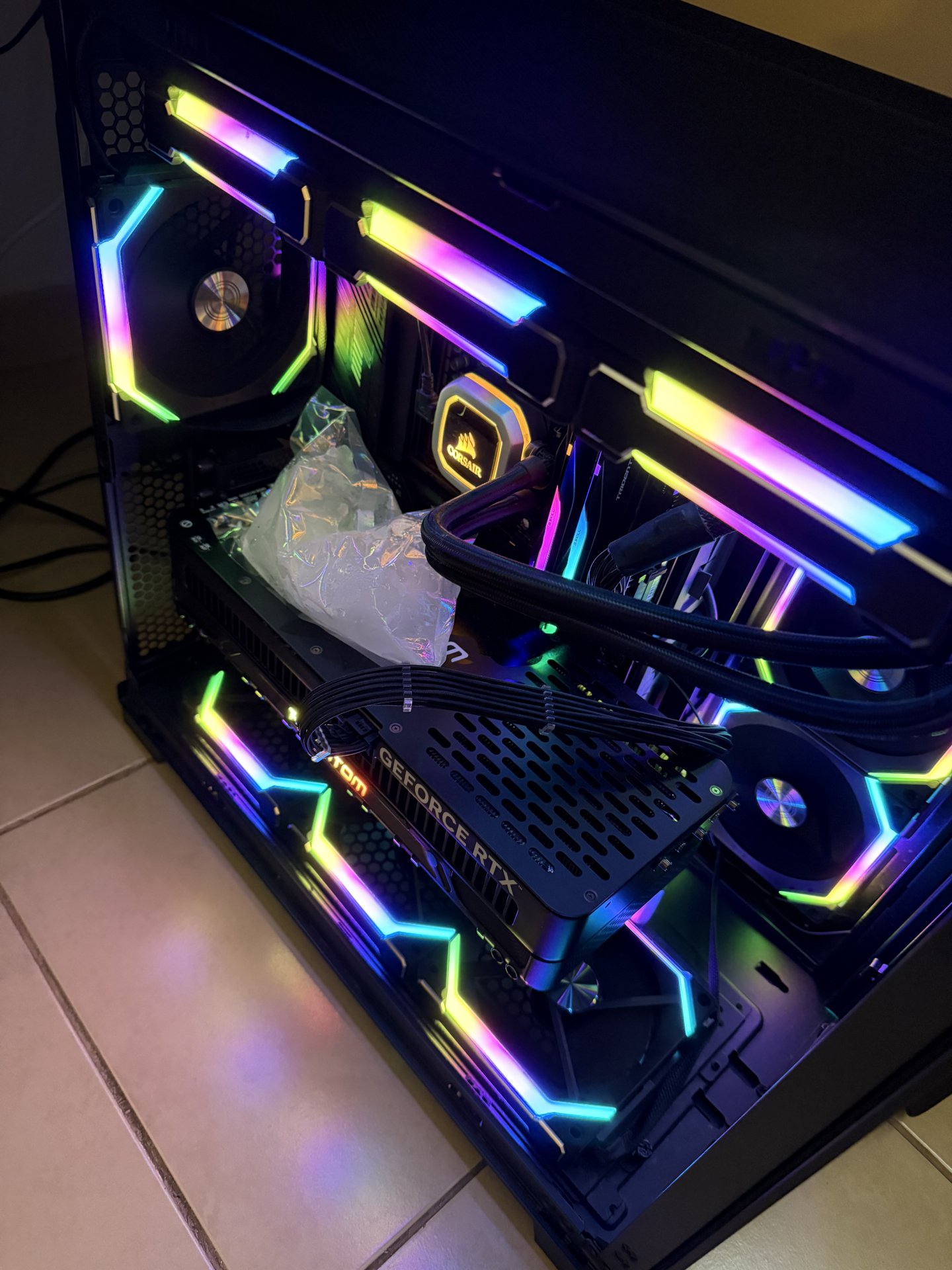
Is that a bag of freaking ice? 🤣🤣🤣🧐

Also, anything special about that bios? I think only the locked down XOC allows anything more, but do any of them have ever slightly tighter timings on the DDR7 or simply run slightly better? I have dual bios, so I'd try it if it makes sense too.

Also, nice score.... lol. I'd be worried about moisture, but my back plate coveres the entire card, so the back above the gpu is not showing, so tempting.... ha
 
Is that a bag of freaking ice? 🤣🤣🤣🧐

Also, anything special about that bios? I think only the locked down XOC allows anything more, but do any of them have ever slightly tighter timings on the DDR7 or simply run slightly better? I have dual bios, so I'd try it if it makes sense too.

Also, nice score.... lol. I'd be worried about moisture, but my back plate coveres the entire card, so the back above the gpu is not showing, so tempting.... ha
The AORUS BIOs is generally considered the best. I can confirm from when I owned one.
 
It’s a solid metal backplate. Condensation needs to get to the electrical first.
 

Attachments

  • IMG_8711.jpeg
    IMG_8711.jpeg
    298.4 KB · Views: 0
I'm curious, do you think a cold drink can isn't solid when it starts sweating from condensation?
It’s not freezing or 4 degrees and as I said, I wipe it off. Less than 2 minute runs isn’t going to do much. The backplate is barely cold and personally I think the block of ice didn’t do anything as temps were largely the same on the readout.

I just found it funny and took a photo.
 
Last edited:
  • Like
Reactions: Niner
like this
ASUS ROG Astral RTX 5090 OC with LN2 cooling breaks 3DMark Port Royal world record (Tweaktown)

47,375! "Surpassing the average RTX 5090 score by 31%." Love what these guys are doing for science, but I'm good running mine at 78% power, 60c and whisper quiet on air. Still mostly hitting my 130+ FPS targets with DLAA, much-improved Frame Generation, and Smooth Motion hacks. :)

Here's hoping for 240Hz OLED TVs in 2026!

I agree, even with water I just wouldn't want the incredible amounts of heat they put out when OC'd hugely. Cool and quiet ftw for me.

Reposting from the news thread:

"Yep, no power limit, voltage raising, unlimited memory clock, XOC BIOS being distributed under nda to influencers and extreme ocers now by gigabyte, Asus, and others. Add in ln2 for some of them and they'll hit absurd scores. "
 
I'll just be happy maxing out power at 600W+, voltage, core/memory sliders as high as stable.... and cooling my gaming room with a portable AC in the summer cause central AC doesn't have a prayer cooling this room with my setups... :ROFLMAO: No, I'm not joking, I run this full steam ahead. However, most games (so far) it uses way less power, only seems like Path Tracing games with DLAA really push it to 600W+.
 
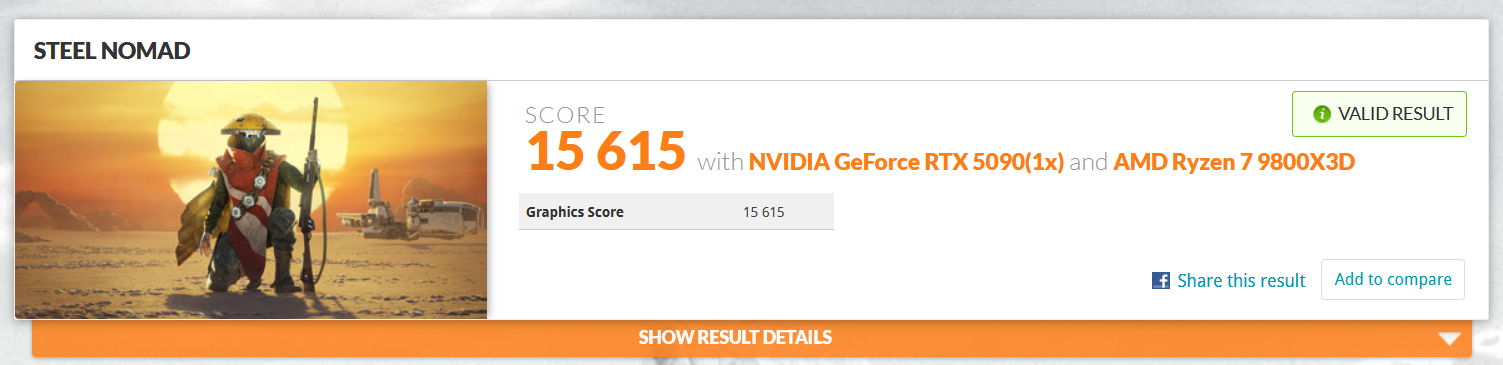
Against my better judgement I ended up getting an Asus TUF 5090 base model. So far this is my best score running on 576.80:

View attachment 740469

https://www.3dmark.com/sn/7301133

Unfortunately I lost the curve that produced this and am now around the 15,300-15,500 mark.
Nice, do you close all other items down in Windows 11 when you bench or have you configured things slightly different? I did a compare, and have no clue how you (or some others) are scoring higher than me, when even my sustained clocks are on average higher in the same run... lol. I really want to see where I might be leaving performance on the table.

https://www.3dmark.com/compare/sn/7301133/sn/7306720#
 
Nice, do you close all other items down in Windows 11 when you bench or have you configured things slightly different? I did a compare, and have no clue how you (or some others) are scoring higher than me, when even my sustained clocks are on average higher in the same run... lol. I really want to see where I might be leaving performance on the table.

https://www.3dmark.com/compare/sn/7301133/sn/7306720#
I’ve heard the newer driver loses some performance so that might be the difference, although I have seen the same thing on other runs where I have higher clocks but get lower scores. One thing I haven’t tried yet is dialling back the memory clock. I might not be stable at that speed and ECC could be kicking in.

As far as programs I have steam open since that is where I purchased 3dmark and I have GPU-Z running on the sensor screen along with Afterburner.
 
So I reran SN with slightly lower memory clocks, and my score did get a slight boost, but then I ran the test again, with the same settings and it went back down again... lol. Must just be background processes or something, I dunno. Either way, I did hit a new personal best at least!

https://www.3dmark.com/sn/7325373
 
So I reran SN with slightly lower memory clocks, and my score did get a slight boost, but then I ran the test again, with the same settings and it went back down again... lol. Must just be background processes or something, I dunno. Either way, I did hit a new personal best at least!

https://www.3dmark.com/sn/7325373
My daily is higher than that with a lower CPU and GPU clock. :unsure:
 
My daily is higher than that with a lower CPU and GPU clock. :unsure:
Yeah, it's gotta be all the "background" stuff that's just "running", and I do not care enough to use a clean OS for testing purposes as games run smooth as butter. I suppose it could also be the newest drivers, but I'm not using old ass drivers for benchmarks as I need the newer features for games. I was hoping it would be easy to figure out what was going on...

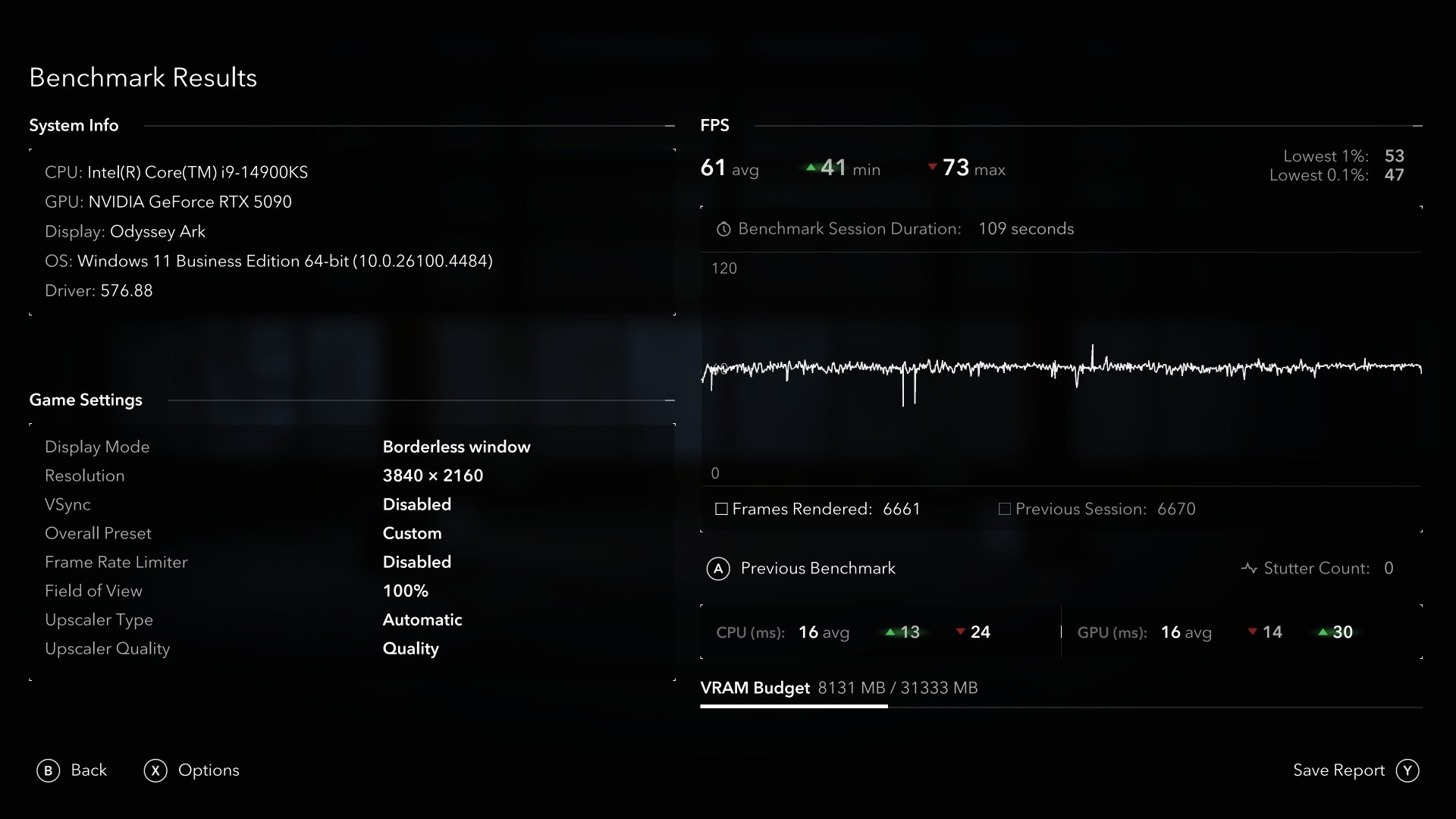
Anyone have any real gaming benchmark tests to compare? Like actual games? As that is what matters most and typically less sensitive to background tasks. I can test CP2077, SOTTR, Doom TDA, COD BO6, all have great benchmark utilities, would love to compare those.
 
Yeah, it's gotta be all the "background" stuff that's just "running", and I do not care enough to use a clean OS for testing purposes as games run smooth as butter. I suppose it could also be the newest drivers, but I'm not using old ass drivers for benchmarks as I need the newer features for games. I was hoping it would be easy to figure out what was going on...

Anyone have any real gaming benchmark tests to compare? Like actual games? As that is what matters most and typically less sensitive to background tasks. I can test CP2077, SOTTR, Doom TDA, COD BO6, all have great benchmark utilities, would love to compare those.
My daily was on latest drivers. .88s.
I can compare whatever you want to compare.
 
My daily was on latest drivers. .88s.
I can compare whatever you want to compare.
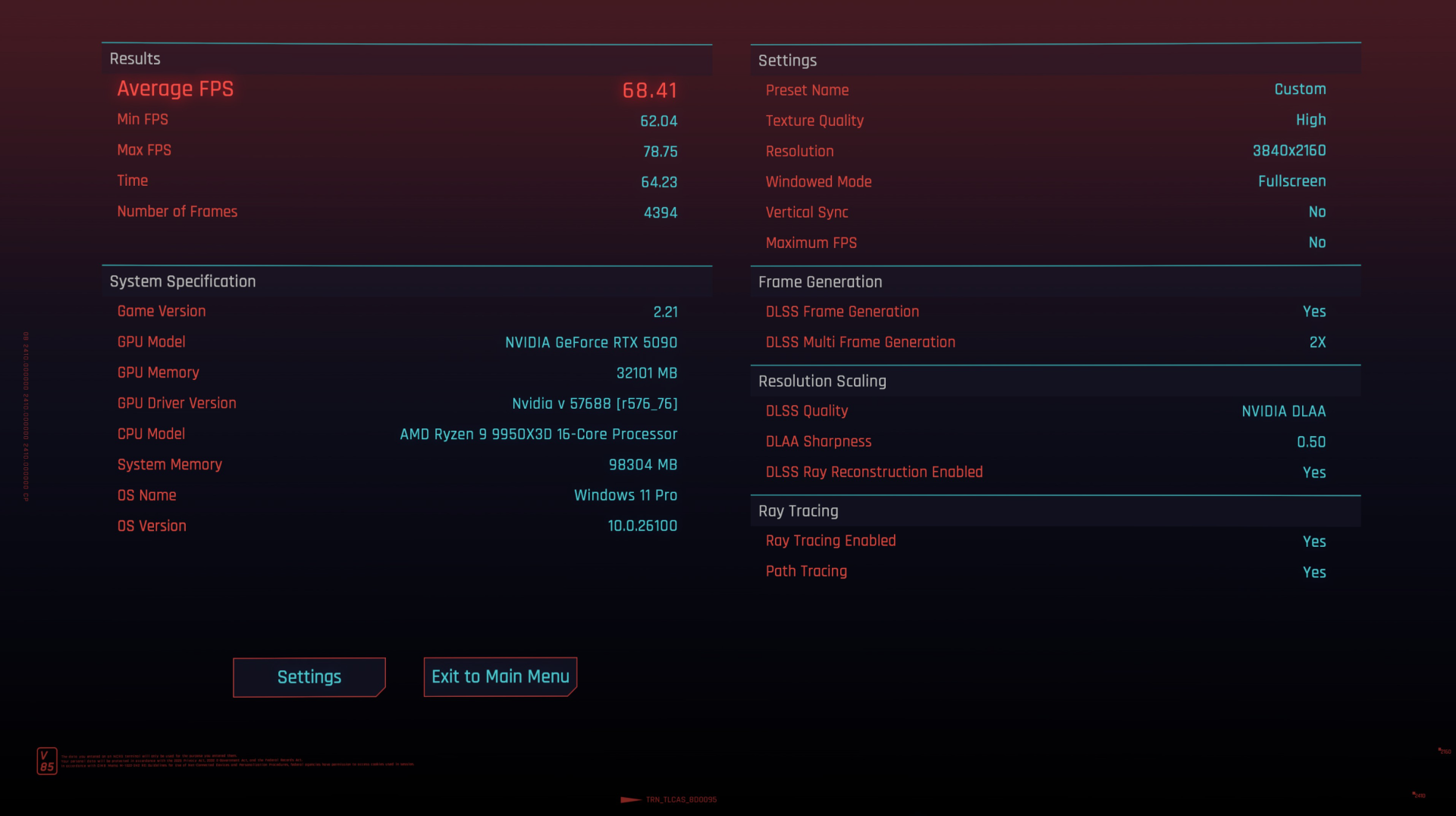
Alright, CP2077 is a good start, removes system bottlenecks and pure GPU push. Fully maxed settings everywhere, HDR on, 4K resolution, DLAA and only 2X FG.

Looking forward to seeing what you get to help me determine if my 3dmark SN is GPU or system related.

1752070682366.png
 
Alright, CP2077 is a good start, removes system bottlenecks and pure GPU push. Fully maxed settings everywhere, HDR on, 4K resolution, DLAA and only 2X FG.

Looking forward to seeing what you get to help me determine if my 3dmark SN is GPU or system related.

View attachment 740635
67.41 on my daily setup. My CPU is not overclocked and GPU is only stock.
 
67.41 on my daily setup. My CPU is not overclocked and GPU is only stock.
I assume that "Stock" GPU, as in absolutely no V/F modifications either? If I run the benchmark with the same settings, default GPU (out of the box), not even loading MSI AB, I get around 64.50 FPS.
 
Back
Top