• Some users have recently had their accounts hijacked. It seems that the now defunct EVGA forums might have compromised your password there and seems many are using the same PW here. We would suggest you UPDATE YOUR PASSWORD and TURN ON 2FA for your account here to further secure it. None of the compromised accounts had 2FA turned on.
    Once you have enabled 2FA, your account will be updated soon to show a badge, letting other members know that you use 2FA to protect your account. This should be beneficial for everyone that uses FSFT.

LG 48CX

For one, we are using actual refresh cycles to insert the black frames. The more black frames we insert, the fewer image frames we can show. So even though we have this working at up to 240Hz, we can only display up to 120 unique frames – the other 120 frames are necessarily black (Figure 7). This means that while BFI is active, Spectrum effectively behaves like a 120Hz monitor. Albeit a 120Hz monitor with very little motion blur!

Another limitation of this method is that we don’t have nearly as much control over that balance between brightness and blur reduction. With every other frame, image persistence is 50%, and that’s it. Our firmware team is working on settings that allow a new frame every third (Figure 8), or every fourth refresh cycle (Figure 9), with the frames in-between being black. This would offer settings for 33% and 25% persistence respectively, and would further reduce motion blur. Of course, this would now not only reduce the brightness, but also the maximum frame rate (in these cases, down to 80 and 60fps).

https://dough.community/t/project-spectrum-bfi-coming-to-spectrum-oled/38266

I thought for a moment they were talking about achieving a persistence lower then 4.17ms, but I guess the monitor will be fixed at 240Hz. And that they're just talking about getting that same 4.17ms, but also at 60 and 80 frames/sec.

By the same reckoning, I guess the CX with its apparent 3.13ms of persistence at 120 Hz BFI High is in terms of motion the equivalent of 320 Hz. If I understand this correctly.
Correct me if I am wrong, but isn't the LG BFI like a rolling scan rather than every other frame being black?

Plus I would read anything Dough/Eve puts out with a huge grain of salt. They are a garbage company incapable of fullfilling their orders. They also kept "altering the deal" with their previous monitor model where things like open source firmware went and several other features went out of the window.
 
Indeed a rolling scan for the LG CX.

In contrast, FWIW, the Dough folks appear to be talking actual black frames inserted into the 240 total/sec.
 
I'm actually tempted to hook up my main PC back to my CX for BFI use seeing how some games even in 2023 is still shipping with such shitty HDR (Or even NO HDR at all) that you are better off just playing in SDR instead. A few examples:


I'm actually tempted to hook up my main PC back to my CX for BFI use seeing how some games even in 2023 is still shipping with such shitty HDR (Or even NO HDR at all) that you are better off just playing in SDR instead. A few examples:


Yeah, it seems like some games still look great in SDR, but some games, in my still limited experience with it, really need HDR like Doom Eternal. (Though this room is pretty dim and it still looks good to me with HDR+BFI.)

I don't understand the specifics of LG's BFI mechanism for the CX/C1. However, I remember seeing the rolling scan effect captured by a high speed camera. And as RTINGS determined that for each 120Hz/8.33ms frame, 3 parts where on and 5 parts off, I think the effective 320Hz figure.

Was 2020/21 just a brief moment in time when LG was alone in the OLED TV space and could offer a relative niche such awesomeness? There was some speculation about LG removing 120Hz BFI from the TV's so they could feature this in their monitors, but which didn't turn out to be the case either...
 
I'm actually tempted to hook up my main PC back to my CX for BFI use seeing how some games even in 2023 is still shipping with such shitty HDR (Or even NO HDR at all) that you are better off just playing in SDR instead.

Still pretty rarely and if the game has no HDR at all, it still looks better than SDR with SpecialK HDR or Reshade AutoHDR Addon in every case I tested it. Especially Stray in SDR was AWFUL compared to SpecialK HDR.

Remnant 2 is currently a great example how much better it looks with SpecialK HDR or Reshade AutoHDR compared to shitty flat SDR. Reshade AutoHDR even works with frame generation.
 
  • Like
Reactions: elvn
like this
Yeah, it seems like some games still look great in SDR, but some games, in my still limited experience with it, really need HDR like Doom Eternal. (Though this room is pretty dim and it still looks good to me with HDR+BFI.)

I don't understand the specifics of LG's BFI mechanism for the CX/C1. However, I remember seeing the rolling scan effect captured by a high speed camera. And as RTINGS determined that for each 120Hz/8.33ms frame, 3 parts where on and 5 parts off, I think the effective 320Hz figure.

Was 2020/21 just a brief moment in time when LG was alone in the OLED TV space and could offer a relative niche such awesomeness? There was some speculation about LG removing 120Hz BFI from the TV's so they could feature this in their monitors, but which didn't turn out to be the case either...

Elden ring, Nioh2, the Jedi games, shadow of war, tomb raider, assassin's odyssey, immortals fenxy rising, witcher3 wild hunt, etc look great in HDR. I played a lot of vermintide 2 at one point which also had nice HDR, and borderlands 3. There are a bunch of others. I've heard forza and a number of other games have good HDR too but I won't comment on ones I didn't play. But yes, not all games have great hdr implementations. Windows hdr calibration tool has helped some titles quite a bit though since before they would clip/blow out detail since some poorly implemented titles were using something like a hdr4000 curve or something instead of being within the range of the screen. Between calibration and auto HDR there are a lot more good HDR/quasi-HDR games.

I did use reshade's autoHDR along with some other filters on darksiders 3's SDR to great effect though when I played that so that or special K can do a lot .. That was before autoHDR in windows. They are all trying to do the same thing more or less. Reshade/special K give you a lot more control to micromanage settings, and even non-HDR settings so can give a better result overall (than windows' autoHDR) . . customized to that particular game too.


https://www.thegamer.com/pc-games-best-hdr-support/#god-of-war


The first vid in the quotation grouped area below is very informative visually on hdr vs sdr if you watch the whole thing. I watched it on my 77" C1 OLED in the LG webOS's youtube app in HDR.

 
Last edited:
Remnant (1) with special K retrofit/autoHDR:


..


..

According to a video I watched, special K peak brightness with colors mapped properly is around 480nit but that's still way higher than SDR so is great for titles that don't support HDR/windows autoHDR . . and regarding BFI, from what I understand it was usually described as cutting brightness 1:1 , by about 50% for 50% blur reduction, and it's essentially incompatible with VRR in anything released so far. You can go higher peaks on specialK's sliders but it won't be reference anymore. According this this vid, Halo SDR exceeds 250nit SDR by default so special K can utilize that to go to 1000nit, so there are some outliers.


.

PS5 version of remnant 2 has HDR apparently so you can get an idea of what it might look like with specialK (or if native HDR ever gets natively patched in on PC in the long view).

 
Last edited:
Still pretty rarely and if the game has no HDR at all, it still looks better than SDR with SpecialK HDR or Reshade AutoHDR Addon in every case I tested it. Especially Stray in SDR was AWFUL compared to SpecialK HDR.

Remnant 2 is currently a great example how much better it looks with SpecialK HDR or Reshade AutoHDR compared to shitty flat SDR. Reshade AutoHDR even works with frame generation.

Yeah I used SpecialK for a few games that don't have any native HDR support and it is better than nothing at all, but not every game will work flawlessly with SpecialK (Sometimes SpecialK HDR just ends up turning my 32M2V into literal TORCH mode also) and seriously it's 2023 already games need to start shipping with proper HDR by now. I've just started to grow tired of the lack of good native HDR support in games as HDR has been around for almost 10 years now so you would think devs would get a hang of implementing it.
 
Last edited:
  • Like
Reactions: lors
like this
PS5 version of remnant 2 has HDR apparently so you can get an idea of what it might look like with specialK (or if native HDR ever gets natively patched in on PC in the long view).

No it does not. Not even AutoHDR works on Xbox Series X afaik. HDR is only possible on PC with SpecialK/Reshade.

Edit: Right, you can force HDR "always on" on PS5, but that's obviously not gonna look good.
 
PS5 version of remnant 2 has HDR apparently so you can get an idea of what it might look like with specialK (or if native HDR ever gets natively patched in on PC in the long view).


lol PS5's "HDR" for games that don't have HDR is like literally 200 nits. And as far as I can tell, only two games have ever had native HDR patched in, which is Control and Witcher 3 with the next gen remaster. Every other game, don't expect HDR to get patched in ever.


1690219503667.png
 
lol PS5's "HDR" for games that don't have HDR is like literally 200 nits. And as far as I can tell, only two games have ever had native HDR patched in, which is Control and Witcher 3 with the next gen remaster. Every other game, don't expect HDR to get patched in ever.


View attachment 585409


good to know. I don't have a ps5 anyway so special K it is I guess (~ 480nit accurately, maybe a little more if you want to push it) .. if not windows autoHDR. So your are saying remnant2 doesn't have native HDR on ps5 I guess. I mentioned the 2nd remnant clip just to give some hint of what specialK might be able to do since I could find no remnant 2 + specialK vids posted yet. I could really not give a damn about ps5 tbh.

There's no spectrograph shown but what did you think of the remnant 1 (PC) + special K clip?

I can deal with 480nit specialK or windows autoHDR on a few titles I really can't do without but otherwise I prioritize (native)HDR much like over 30fps/60fpsHz limited games. Was so glad elden ring had HDR. Thats a game I put the most time into since nioh 2 (which also had great hdr). I've played other games, some with hdr (jedi, odysssey, shadow/war, witcher, a few other misc.) but those are a few Iived in for a lot longer.

While not "patched in" .. some full remastered releases may get hdr like dead space remake.
 
Last edited:
good to know. I don't have a ps5 anyway so special K it is I guess (~ 480nit accurately, maybe a little more if you want to push it) .. if not windows autoHDR. So your are saying remnant2 doesn't have native HDR on ps5 I guess. I mentioned the 2nd remnant clip just to give some hint of what specialK might be able to do since I could find no remnant 2 + specialK vids posted yet. I could really not give a damn about ps5 tbh.

There's no spectrograph shown but what did you think of the remnant 1 (PC) + special K clip?

I can deal with 480nit specialK or windows autoHDR on a few titles I really can't do without but otherwise I prioritize (native)HDR much like over 30fps/60fpsHz limited games. Was so glad elden ring had HDR. Thats a game I put the most time into since nioh 2 (which also had great hdr). I've played other games, some with hdr (jedi, odysssey, shadow/war, witcher, a few other misc.) but those are a few Iived in for a lot longer.

While not "patched in" .. some full remastered releases may get hdr like dead space remake.

So SpecialK is only accurate up to 480 nits? Guess that makes sense why it turns certain games into full on torch mode when used with my 32M2V and setting it to target 1300 nits, latest example I can think of is Like A Dragon Isshin. At that point it doesn't even look like HDR anymore, it just looks like I cranked my screen brightness to 500% and was giving me legit eye strain from playing like that.
 
So SpecialK is only accurate up to 480 nits? Guess that makes sense why it turns certain games into full on torch mode when used with my 32M2V and setting it to target 1300 nits, latest example I can think of is Like A Dragon Isshin. At that point it doesn't even look like HDR anymore, it just looks like I cranked my screen brightness to 500% and was giving me legit eye strain from playing like that.

Yes that would explain it I think. Past 480nit it probably lifts the whole curve relatively like sdr brightness does and that would look bad.


According to that one comparison video I posted it tops out at around 480nit or so if you want to maintain accuracy and not wreck the curve raising blacks, etc.

The reviewer did state that there are a few titles whose curve goes higher in SDR to begin with, so that those could reach 1000nit peak curve settings and stay accurate. Namely Halo which he stated could get over 1000nit using the same reference settings. Idk which if any others.

The youtube narrator JDSP stated:

"I've tuned these values not to give you the most contrast or to give you the most peak brightness possible but to more accurately match the native HDR presentations in terms of average picture level, contrast, saturation, black levels, and leaving the peak brightness to wherever those sliders leave the peak brightness to - in this case, it's about 480nits. There is not much you can do about this currently with special K. This is the brightness you are limited at. It is still significantly higher than it will ever be in SDR if you're watching SDR in a reference grade environment - and it gives you some little fine tuning adjustments if you want a more punchy image or if you want a more contrasty, less saturated . . whatever you want the image."

"To go over it again, if you were to play a game like Farcry 3 which doesn't have a HDR presentation at all , without having to guesswork where to slide the sliders to - you can just use these pin values and know in the back of your mind that 'if this game had a HDR presentation, this is roughly what it would look like'. "

"There are some limitations with special K currently. Special K currently does not allow you to have a peak brightness whilst retaining the average picture level as dim as it should be, past ~ 480-ish nits and this is just a limitation of how the tone mapper and such works. There are some edge cases or different examples for example Halo Infinite - because the game's native SDR presentation has pixels that exceed 255 RGB value it goes past that and special K can extract this information when you inject it in and it will present it in a brighter format. Halo infinite with these settings goes above 1000nits whereas most games where I can't get that extra information will cap at around 480. You can go past this, obviously the slider is there you can do whatever you want. However for a reference image, the settings in the description are what you see on screen" <in the youtube video>

..


.


. . .

Remnant (1) with special K retrofit/autoHDR:


..
 
Last edited:
TBH the fact that even resorting to SpecialK will only get you around 480 nits in the majority of games is kind of disappointing, although I guess it's still better than 120 nits SDR. Anyway the point I'm trying to make is that these "fake HDR" hacks like AutoHDR and SpecialK can certainly be better than having nothing at all, but it just pales in comparison to a game that properly implements HDR and lets me unleash the full 1200+ nits of my display. With such games still looking like an exception rather than the norm even in 2023 is what's makes me tempted to just forget about HDR gaming for a while again and go have some BFI fun because I'm getting tired of the inconsistent experiences with HDR. Some games absolutely blow me away like RE4 Remake while others are more like "That's it?"
 
Understandable opinion. Years ago telling someone they'd get an amplified, separated high color range increase from reference SDR of +360nit or so, also getting that dark floor that the reference range is focused on maintaining in the other direction, would probably be jaw dropping. I find even HDR ~500 a nice increase on a per pixel emissive OLED next to blacks down to oblivion, compared to SDR that is . . but I agree much higher native HDR ranges, even those OLEDs are limited to, look way better.

Not certain what windows autoHDR's limitations are while retaining full black depth/reference paperwhite/etc as compared to special K's limitation so I looked around alittle.

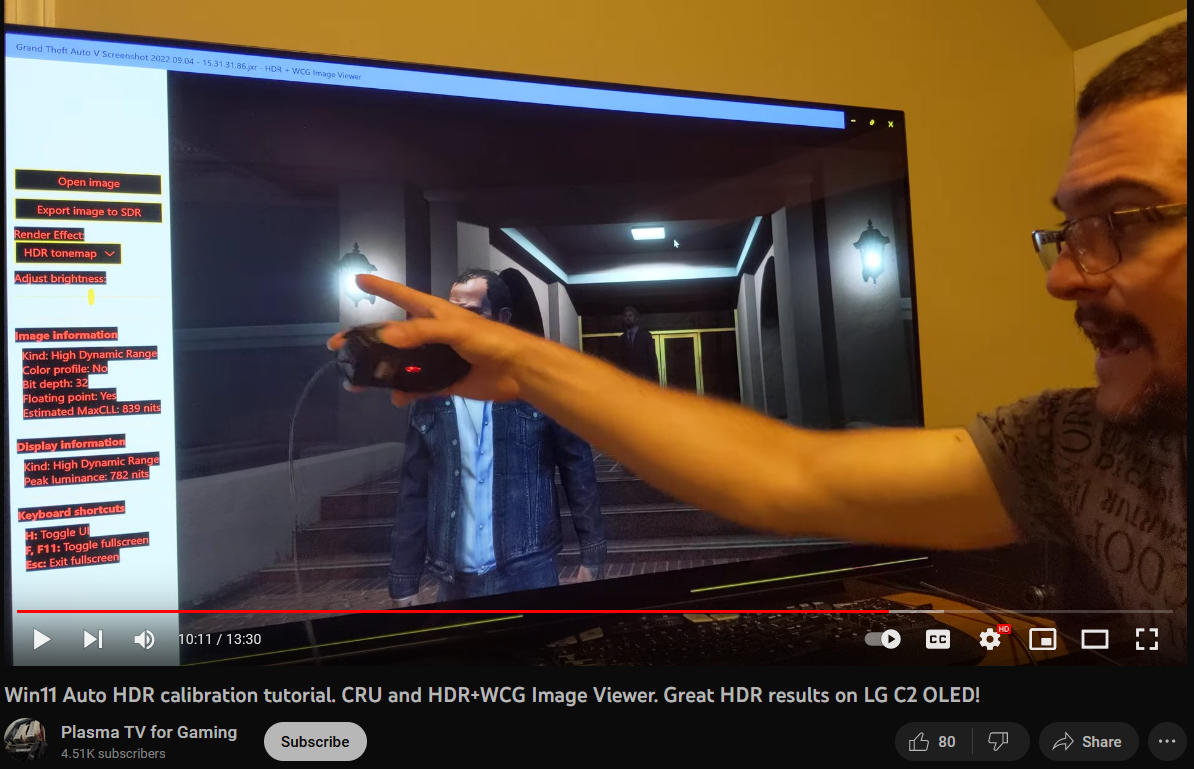
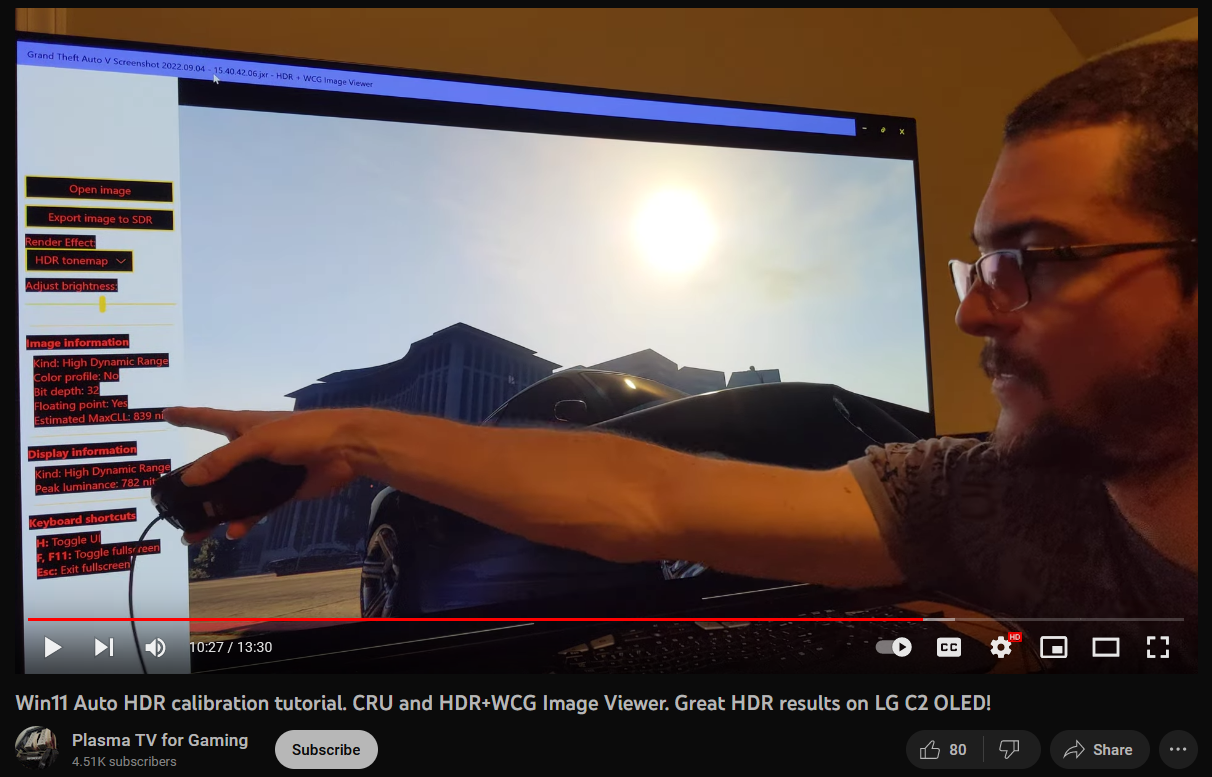
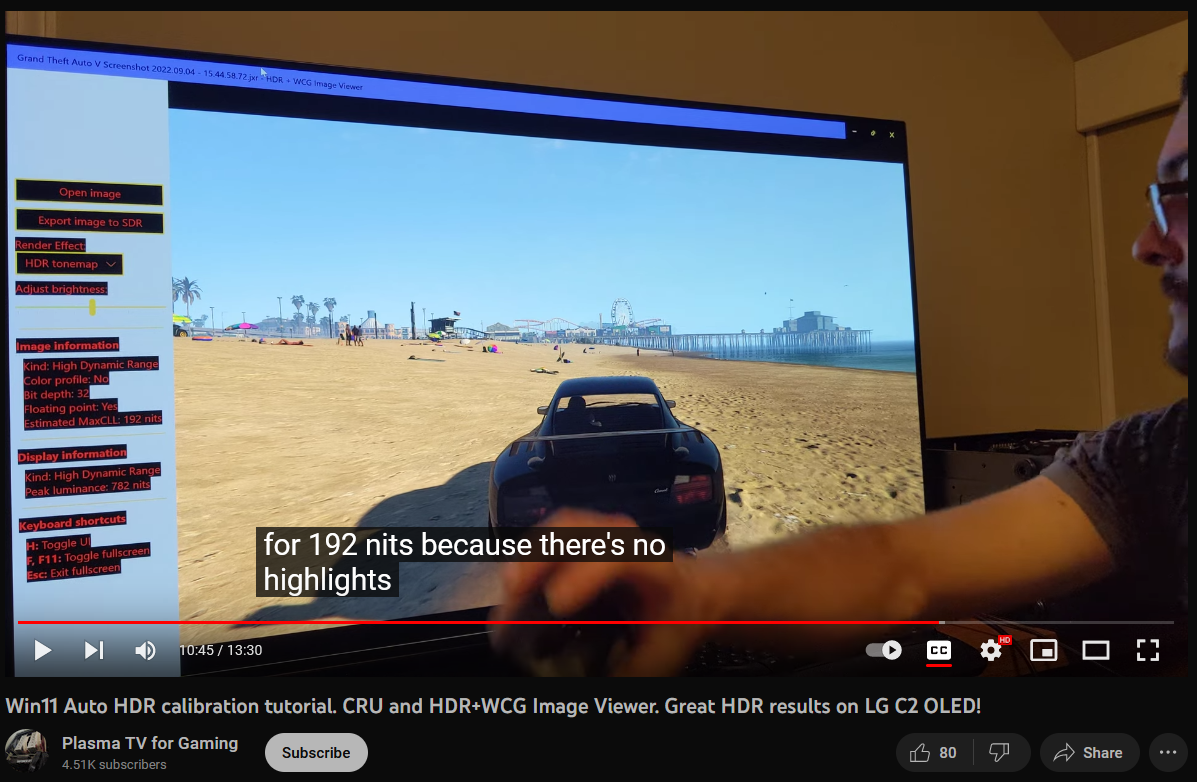
From the "PlasmaForTVGaming" youtube channel (he actually runs LG OLEDs now but the name remained) . . . I watched a video from just before the windows hdr calibration tool came out. He used CRU edit to similar effect so it should be comparable. The GTA5 and Spiderman screenshots he took seem to show the max nits of his screen being displayed on highlights/point light sources. Not sure if the black levels and mids were raised though. That was the point the special K guy was making, he was being sure that his black depths remained the same and reference point was retained. You can move the slider higher in specialK but it won't be reference anymore so everything will be raised relatively (raising blacks, mids, maybe ending up washing some things out, clipping detail out, etc.) . . instead of maintaining values in the full HDR range. Not sure what windows autoHDR is doing in relation to the rest of the curve at reference when outputting peak nit of the display (if/when calibrated to match that peak, you could calibrate it differently using the tool).


PLASMATV-g_Win11.auto.hdr.tutorial_A.png


PLASMATV-g_Win11.auto.hdr.tutorial_B.png


PLASMATV-g_Win11.auto.hdr.tutorial_C.png
 
Last edited:
I read that there is a nvidia streamline error code that pops up when trying to use special K with Remnant 2. I don't have remnant 2 but Remnant 1 works with special K.

There might be a workaround replacing the streamline dll in the game's directories but it could screw up playing online potentially if they have modified files filtering/banning like blizzard/battle-net has. Remnant doesn't seem that competitive to me but rather a fun co-op game with some difficulty levels to it so they might not scan for it. (Not saying it can't be difficult or require skill, like vermintide 2's highest difficulties and mod items for example - just that it's not laddered or persistent world or anything like that).

Use at your own risk, but there are a few mods for remnant 2 already including a higher trait cap so the file replacement might work fine.


Informational link on the wiki also has links to the replacement file:

https://wiki.special-k.info/en/Compatibility/Streamline

The file in question has something to do with upscaling, DLSS, frame generation, etc (aka "Frame amplification tech")

. . . . . .

Nvidia Streamline is an open-source solution for developers that simplifies integration of the latest upscaling/super resolution technologies from AMD, Intel, and Nvidia by using a plug-and-play framework through a single integration with the game or application. Instead of implementing and integrating multiple different upscaling SDKs separately, game developers just need to integrate Streamline and then enable the different upscaling plug-ins as desired.

. . . .

In some cases, the game may still launch with Special K after pressing the OK button. Alternatively, you could try a global injection delay or try Special K with local injection (either method could also get rid of the Special K Incompatibility pop-up message). However, while the game may still launch with Special K in some cases using global or local injection, replacing the game’s Streamline interposer file might be needed for Special K’s scRGB HDR to work.
 
Last edited:
In addition to lacking native HDR, Remnant 2 also runs like trash getting under 50fps on an RTX 4090 without even any ray tracing in the game. Hard pass.

1690395390034.png
 
Last edited:
Add in dlss2 + DLSS3 frame gen and you'll be capping a 120hz 4k display :D.

I don't like frame gen when using kb/m as I would for shooter games as it's noticeably laggier. And I'm nowhere near a professional player and yet even I can feel the added latency. On controller though I can't a difference so I happily used frame gen in Hogwart's Legacy to overcome cpu limits.
 
In addition to lacking native HDR, Remnant 2 also runs like trash getting under 50fps on an RTX 4090 without even any ray tracing in the game. Hard pass.

View attachment 585742

I guess that makes sense if all you care about graphics. Kind of a silly way to judge a game like this though. Graphics certainly add to the experience, but I really don't think this is the type of game where matters much at all. It's a very gameplay focused and coop game. It's not a single player game with a super engaging story.
And it's not like the graphics are bad or the performance makes it unplayable like Cyberpuhnk on consoles.
The graphics are great, even though the performance for the graphics is average. The people saying this barely looks better than the old game are simply wrong. This looks way better than the first game.

I don't like that they rely on upscaling tech, I think they should have lower settings, or just made it run better overall, but it feels like there is a lot of over the top unwarranted outrage from people.


Personally I won't be buying this game any time soon, but maybe a few years down the road when it's on sale or free on EGS. I got the first one free on EGS and enoyed it quite a bit playing coop with friends. The graphics did not matter in that experience. Some of my friends have very old hardware and wouldn't be able to run this game at all.
 
I don't like frame gen when using kb/m as I would for shooter games as it's noticeably laggier. And I'm nowhere near a professional player and yet even I can feel the added latency. On controller though I can't a difference so I happily used frame gen in Hogwart's Legacy to overcome cpu limits.

Remnant 2 at 120FPS with frame gen does not feel laggy at all using m+kb. Neither does Cyberpunk or Warhammer with frame gen.

Really blows my mind everytime I read such things.
 
Remnant 2 at 120FPS with frame gen does not feel laggy at all using m+kb. Neither does Cyberpunk or Warhammer with frame gen.

Really blows my mind everytime I read such things.

Well I haven't tried Cyberpunk or Warhammer with frame gen yet so I can't comment. Not sure how it blows your mind just because someone else has a difference experience than you. And I already stated that on controller I really cannot tell a difference at all, just the few kb/m games that I tried out.
 
I guess it also depends on your hardware and settings. Ideally edit: After testing with VRR off: You absolutely need to have a Gsync/VRR display, reflex in the game and also don't use any framerate caps at all. This will ensure the input lag penalty of DLSS3 is minimal.

The game just feels snappy with frame gen hitting 120FPS on my setup and I played competitive quake for many years.
 
Last edited:
Remnant 2 at 120FPS with frame gen does not feel laggy at all using m+kb. Neither does Cyberpunk or Warhammer with frame gen.

Really blows my mind everytime I read such things.
A few games you can feel the latency with frame generation. The Witcher 3 is of particular note. It's also pretty bad in Portal RTX. Remnant II and Ratchet & Clank feel fine, though, with Reflex on.
I guess it also depends on your hardware and settings. Ideally edit: After testing with VRR off: You absolutely need to have a Gsync/VRR display, reflex in the game and also don't use any framerate caps at all. This will ensure the input lag penalty of DLSS3 is minimal.

The game just feels snappy with frame gen hitting 120FPS on my setup and I played competitive quake for many years.
Yeah, I'm pretty sure Reflex doesn't work without a VRR display. If you don't have a VRR display you can use the low latency setting in the NVCP, but that has its own quirks.
 
A few games you can feel the latency with frame generation. The Witcher 3 is of particular note. It's also pretty bad in Portal RTX. Remnant II and Ratchet & Clank feel fine, though, with Reflex on.

Yeah, I'm pretty sure Reflex doesn't work without a VRR display. If you don't have a VRR display you can use the low latency setting in the NVCP, but that has its own quirks.

I don't think you're feeling the latency of frame generation, you're simply feeling the latency of low framerate.
If Portal is only running at a real 20 fps you're getting the laggy feel of 20 fps input no matter what, it doesn't matter if you have frame gen getting you 60 or you're just displaying the raw 20.

Reflex type tech is the only way to mitigate low FPS input lag, but it does it the same with or without frame gen.
 
  • Like
Reactions: elvn
like this
A few games you can feel the latency with frame generation. The Witcher 3 is of particular note. It's also pretty bad in Portal RTX. Remnant II and Ratchet & Clank feel fine, though, with Reflex on.

Just tested Witcher3. Honestly, FG on vs off feels equally bad. I remember the bad inputlag in general in this game, but I don't remember being it SO bad. Kinda feels like a bug. If you press sprint and rotate it feels like 500ms lag, wtf lol

Yeah, I'm pretty sure Reflex doesn't work without a VRR display. If you don't have a VRR display you can use the low latency setting in the NVCP, but that has its own quirks.

In any case, I was not able to achieve a satisfactory result in Cyberpunk without VRR + FG. Completely hopeless.
 
Just tested Witcher3. Honestly, FG on vs off feels equally bad. I remember the bad inputlag in general in this game, but I don't remember being it SO bad. Kinda feels like a bug. If you press sprint and rotate it feels like 500ms lag, wtf lol


In any case, I was not able to achieve a satisfactory result in Cyberpunk without VRR + FG. Completely hopeless.
Instant Game Response turned on?
 
It was the game settings, setting movement to "alternative" fixed it.

I'm switching back and forth between FG off/DLSS performance/reflex and FG on/DLSS quality/reflex at 4K maxed out, running on the market in Novigrad and I feel the increase in input lag with xbox pad as extremely minimal. Just plain stupid to not use FG in this game, as you can switch to DLSS quality instead of performance, while getting additional 30-35FPS and therefore better motion clarity. Also more stable frametimes if you compare DLSS quality with FG off an on.

FG is a godsent feature in my eyes.
 
Last edited:
It was the game settings, setting movement to "alternative" fixed it.

I'm switching back and forth between FG off/DLSS performance/reflex and FG on/DLSS quality/reflex at 4K maxed out, running on the market in Novigrad and I feel the increase in input lag with xbox pad as extremely minimal. Just plain stupid to not use FG in this game, as you can switch to DLSS quality instead of performance, while getting additional 30-35FPS and therefore better motion clarity. Also more stable frametimes if you compare DLSS quality with FG off an on.

FG is a godsent feature in my eyes.
Matches my experience. I was iffy on FG in Portal but it has worked well in Witcher 3 and Cyberpunk.
 
It was the game settings, setting movement to "alternative" fixed it.

I'm switching back and forth between FG off/DLSS performance/reflex and FG on/DLSS quality/reflex at 4K maxed out, running on the market in Novigrad and I feel the increase in input lag with xbox pad as extremely minimal. Just plain stupid to not use FG in this game, as you can switch to DLSS quality instead of performance, while getting additional 30-35FPS and therefore better motion clarity. Also more stable frametimes if you compare DLSS quality with FG off an on.

FG is a godsent feature in my eyes.

Just tried it in Ratchet and Clank. Playing on a controller I can't tell any increase in latency with FG and the game looks and feels incredible. A real bummer that no new 4K 240Hz monitors are coming out this year since my 4090 with DLSS + FG can get frame rates well above 120/144 so now it just feels like my CX and InnoCN are sorta holding back my setup.
 
Just tried it in Ratchet and Clank. Playing on a controller I can't tell any increase in latency with FG and the game looks and feels incredible. A real bummer that no new 4K 240Hz monitors are coming out this year since my 4090 with DLSS + FG can get frame rates well above 120/144 so now it just feels like my CX and InnoCN are sorta holding back my setup.

Yeah feels great in R&C too. After Digital Foundry's video I will wait for a patch though. Indeed, 240Hz would be better now :)
If I have performance left I usually use DLDSR on top or I use DLAA instead of DLSS at 4K for better image quality.
 
Since getting my CX48 3 years ago I occasionally drop by this thread to check in on what others are saying. Me personally, I have checked off the "I'm looking for a new monitor, which one should I buy" box. I won't be needing one until this one dies. Then I'll just buy another Oled. I love easy peasy!
 
Since getting my CX48 3 years ago I occasionally drop by this thread to check in on what others are saying. Me personally, I have checked off the "I'm looking for a new monitor, which one should I buy" box. I won't be needing one until this one dies. Then I'll just buy another Oled. I love easy peasy!

Yeah because advancements in this size category have literally been non existent for the last 3 years lol. CX C1 C2 C3 all the same shit. If I was looking to upgrade to another 48" I too would be holding off.
 
Yeah because advancements in this size category have literally been non existent for the last 3 years lol. CX C1 C2 C3 all the same shit. If I was looking to upgrade to another 48" I too would be holding off.
It looks like we'll have to wait until the MLA tech from larger G models is implemented in the smaller C models.

Review: LG G3 (MLA OLED)

And preferably with moar Hz for the FPS'sss 😉
 
Last edited:
It looks like we'll have to wait until the MLA tech from larger G models is implemented in the smaller C models.

Review: LG G3 (MLA OLED)

And preferably with moar Hz for the FPS'sss 😉
The ABL is even more aggressive than on the C3, but at least it still closely follows the EOTF curve. 2% peak brightness may look impressive, but real scene brightness isn't a huge improvement over the C3. It's still good to see progress being made.
 
The ABL is even more aggressive than on the C3, but at least it still closely follows the EOTF curve. 2% peak brightness may look impressive, but real scene brightness isn't a huge improvement over the C3. It's still good to see progress being made.

I'd personally go for QD-OLED as my next OLED display since the color performance seems to be quite a bit better than WOLED despite overall brightness between the two being similar.

1691686847250.png
 
So....does anyone have any good methods to get Starfield looking good on the CX? The game has no native HDR support as well as horrible black level raise in SDR. Special K currently doesn't work for me in this game as it just crashes immediately after loading a save, and since SK is incompatible with DLSS FG and Rivatuner I'm just not going to bother using it at all. So my goal for Starfield is to just get the best looking SDR picture possible with no raised black levels. Any mod recommendations or even TV setting recommendations? John from DigitalFoundry says that he fixed the image quality by adjusting his OLED TV settings but didn't go into detail on what exactly he changed.
 
Isn't there some way to get AutoHDR working on it? I don't have the game but I heard about that, I think by renaming the .exe and maybe with some mod too.

Quite shocking to have no HDR support though...
 
So....does anyone have any good methods to get Starfield looking good on the CX? The game has no native HDR support as well as horrible black level raise in SDR. Special K currently doesn't work for me in this game as it just crashes immediately after loading a save, and since SK is incompatible with DLSS FG and Rivatuner I'm just not going to bother using it at all. So my goal for Starfield is to just get the best looking SDR picture possible with no raised black levels. Any mod recommendations or even TV setting recommendations? John from DigitalFoundry says that he fixed the image quality by adjusting his OLED TV settings but didn't go into detail on what exactly he changed.
This mod might be of interest: https://www.nexusmods.com/starfield/mods/323?tab=description

Apparently the game has HDR on Xbox but even that has the elevated blacks etc. Bethesda never ceases to amaze with their incompetence.
 
Back
Top