![[H]ard|Forum](/styles/hardforum/xenforo/logo_dark.png)

- Joined
- May 5, 2006
- Messages
- 5,937
Yeah, same setup here (77CX and 3090.) Man it's nice, I love that TVs outperform monitors now. My 165hz gsync monitor hasn't been used for gaming in months now..
Right now I'm mostly just playing controller games (Fenyx Rising and Rocket League) on it, I've tried couch mouse/keyboard and still not sure how I feel about it to be honest. Hurts my wrist a bit but I may just need to adjust my setup a bit. If they had low input lag wireless half keyboards ala Logitech lightsync like this I think it might be easier. Not interested in bluetooth keyboards.
https://www.amazon.com/Mechanical-K...&keywords=half+keyboard&qid=1610999731&sr=8-3
This works well at a couch. The couchmaster can provide full elbow-forearm-wrist support if set up properly. I'd also recommend some head and neck support so you can sit upright at times rather than slouching/sinking into the couch all of the time.
Couchmaster couch desk
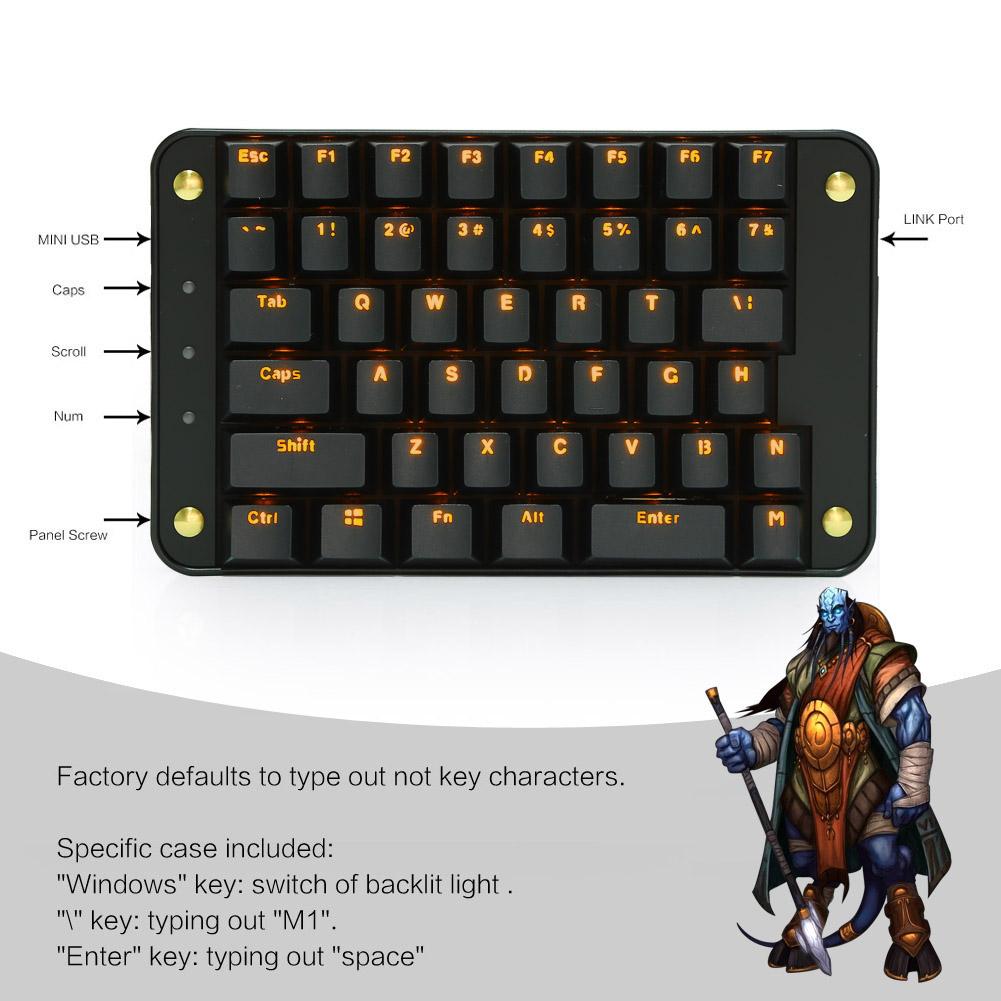
I use this keyboard for gaming at my desk, not at my couch.. It's a "half plus" keyboard since it has a few more keys than exactly half. MX red keys, fully programmable.
https://www.amazon.com/gp/product/B071VRV8FW/
I set the "enter" bar key as the spacebar and the \ | key as "Y", and I on a few profiles I macro the tab key to repeat an action or as a hold an action toggle (e.g. a game that doesn't have a crouch toggle or zoom toggle). There is a lot you can do with it since you can assign any key or combo of keys (including words if you wanted for some reason), macro, etc. to any key. It holds several profiles changeable with Fn + F key # but I don't do too much with it. One other thing it's nice for is reassigning the keys in games that won't let you assign your own movement keys. Like if you don't use WASD or if the game only uses the arrow keys and other locked in key assignments, etc. You can turn off the backlight by pressing the windows key by itself. Mine is MX red mechanical keys which imo are better for gaming. I keep a another split keyboard with MX brown keys for typing and use this gaming 1/2+ board to the left of those in line with my chair arm more or less.
-------------------------------------------------
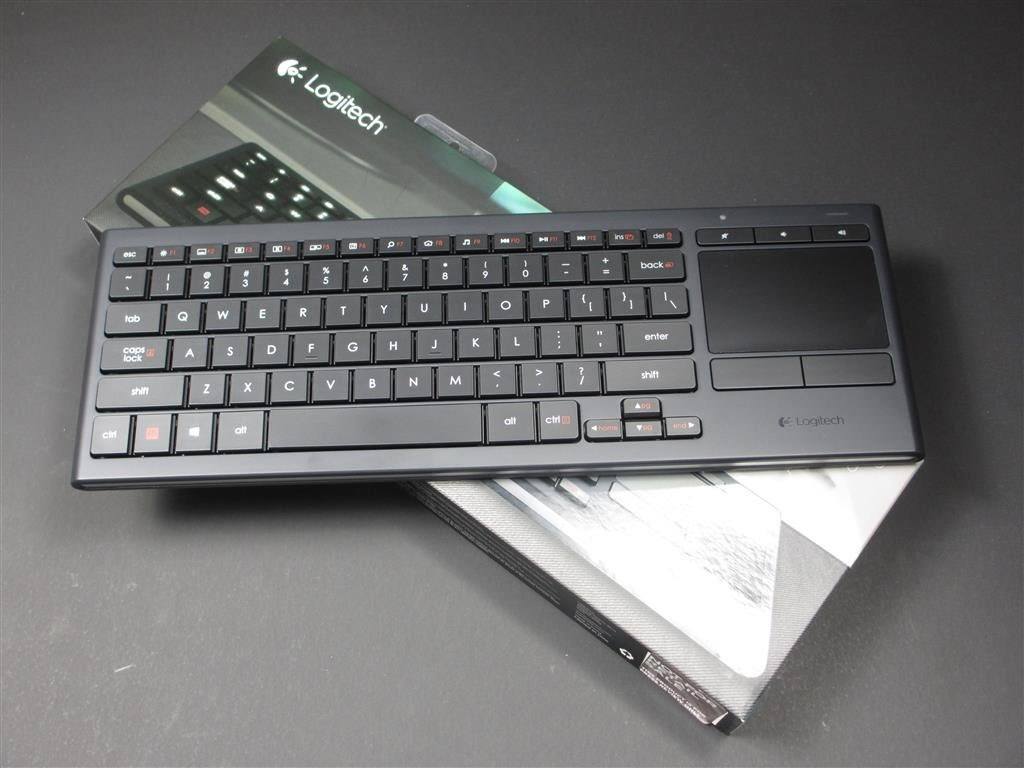
I use one of these at the couch desk since I don't really game in the living room much and if I did it would be ps4. At least for now. They are backlit and hold a charge for an extremely long time.
https://www.amazon.com/Logitech-Illuminated-Living-Room-Keyboard-Touchpad/dp/B00ZOPVSKW/
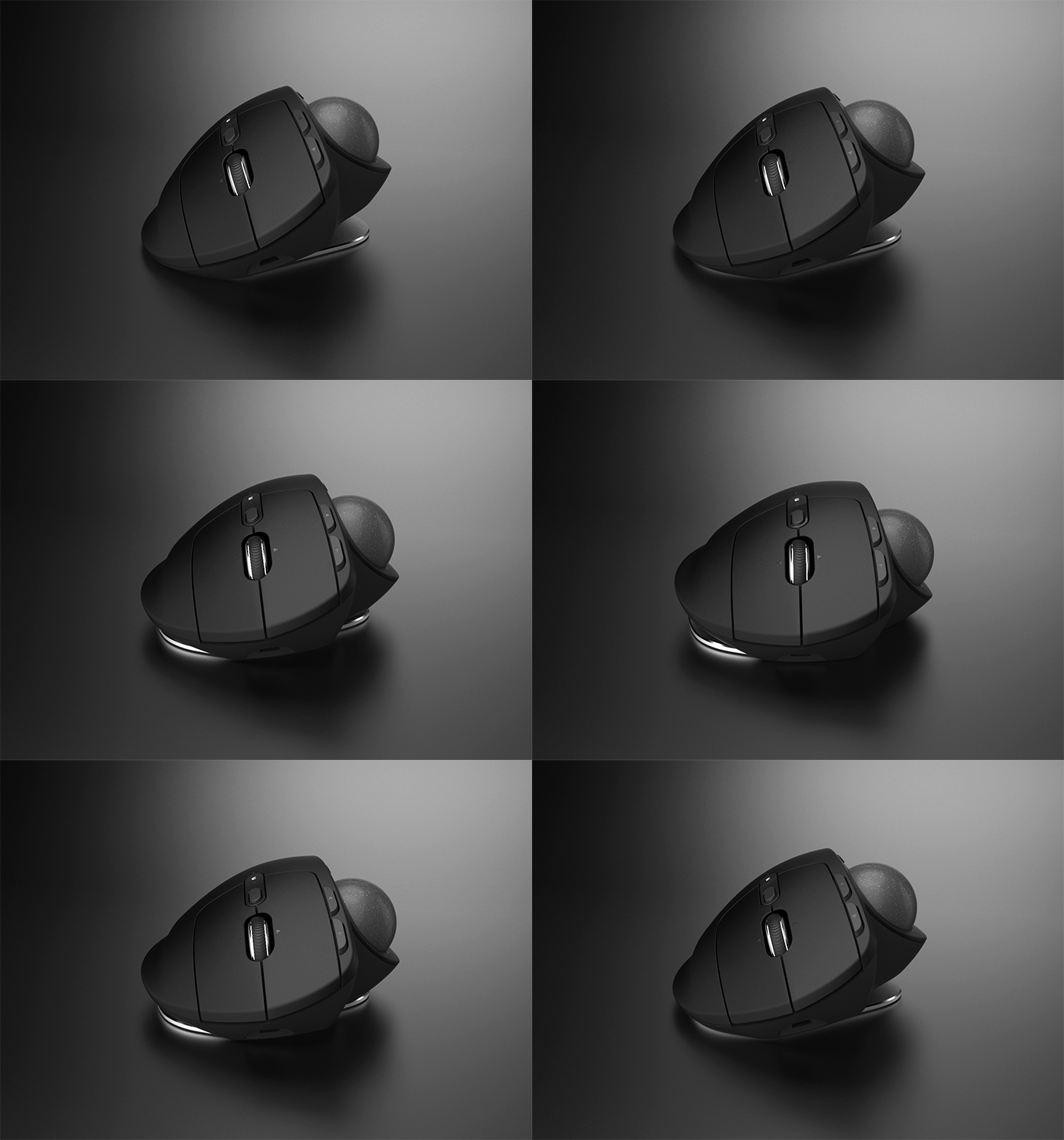
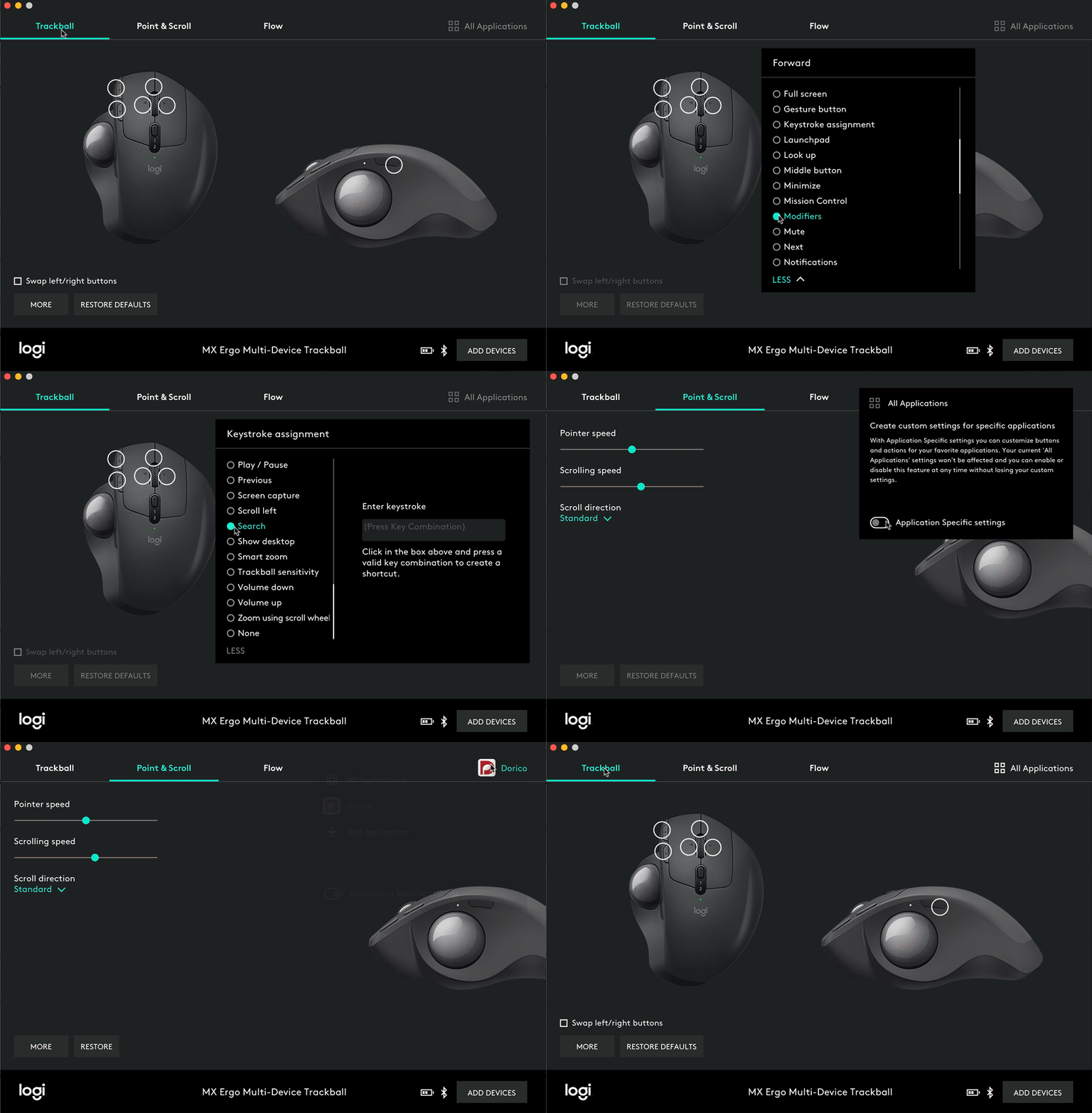
Along with this mouse below since I don't have to scrub the mouse on a mousepad with one of these. They work really well if you configure them so that the mouse cursor crosses the screen when rolling the trackball 90deg either way from center or 180 deg across it's cradle. That is, rather than having the sensitivity too low and "paddling" the track ball. A potentially useful feature of this bluetooth mouse is it can connect to two different machines which you swap between with a button that toggles between a 1 and 2 under the mouse wheel that light up according to which is active. There is also a high speed and low speed button toggle and a fwd and back buttons but you can reconfig the buttons or assign them on a per app basis in the mouse's software.
Last edited:
As an Amazon Associate, HardForum may earn from qualifying purchases.


 Clearly we need to get Forbes to report on it or it won't ever be fixed.