![[H]ard|Forum](/styles/hardforum/xenforo/logo_dark.png)
Navigation
Install the app
How to install the app on iOS
Follow along with the video below to see how to install our site as a web app on your home screen.
Note: This feature may not be available in some browsers.
More options
You are using an out of date browser. It may not display this or other websites correctly.
You should upgrade or use an alternative browser.
You should upgrade or use an alternative browser.
LG 48CX
- Thread starter gan7114
- Start date
jincuteguy
Limp Gawd
- Joined
- Jul 25, 2008
- Messages
- 408
Isn't the new 3090 card coming out on Sept 1st?

- Joined
- May 5, 2006
- Messages
- 5,948
The founders/default one will be out at some point but it might take longer for some of the other models like the neptune one I'm interested in. There could also be +$200 or more price hikes at first from vendors due to "limited availability" and OOS periods. Right now things are at "insider rumor yet likely exposed" phase still as far as I know, details wise but we do know they are due to come out and that nvidia is doing a "showcase event" september 1st.
https://www.trustedreviews.com/news/nvidia-ampere-release-date-price-specs-3972062
We should get some good november pricing deals on OLED TVs. I don't think covid-19 will affect that but who knows. Some or all of the november deals could be the 55" and larger models, and in some short time windows for the deals as people eat them up. The vizio's default retail pricing will be lower than LGs regular pricing to start with anyway if you are putting them into consideration before deciding. They will have a different gaming chip and electronics which might be good or bad by comparison. Will have to see some reviews.
I'm going to wait for a deal and for the smoke to clear on the reviews of a few things, depending on the timing of everything. I'll still probably end up with a 48" CX just for the smaller size though.
https://www.trustedreviews.com/news/nvidia-ampere-release-date-price-specs-3972062
We should get some good november pricing deals on OLED TVs. I don't think covid-19 will affect that but who knows. Some or all of the november deals could be the 55" and larger models, and in some short time windows for the deals as people eat them up. The vizio's default retail pricing will be lower than LGs regular pricing to start with anyway if you are putting them into consideration before deciding. They will have a different gaming chip and electronics which might be good or bad by comparison. Will have to see some reviews.
I'm going to wait for a deal and for the smoke to clear on the reviews of a few things, depending on the timing of everything. I'll still probably end up with a 48" CX just for the smaller size though.
Last edited:
SixFootDuo
Supreme [H]ardness
- Joined
- Oct 5, 2004
- Messages
- 5,839
Just a friendly reminder. HDMI 2.1 4K @ 120hz is out within a handful of weeks guys  nVidia and AMD both.
I'm sure the AMD top car will be around $900 - $1000 ... nVidia 3090 around $1550 with tax.
I am sooooo excited. I am positive that I will be able to run COD Warzone at 120FPS @ 4K with zero issues in the performance dept.
nVidia and AMD both.I'm sure the AMD top car will be around $900 - $1000 ... nVidia 3090 around $1550 with tax.
I am sooooo excited. I am positive that I will be able to run COD Warzone at 120FPS @ 4K with zero issues in the performance dept.
Just a friendly reminder. HDMI 2.1 4K @ 120hz is out within a handful of weeks guys
I'm sure the AMD top car will be around $900 - $1000 ... nVidia 3090 around $1550 with tax.
I am sooooo excited. I am positive that I will be able to run COD Warzone at 120FPS @ 4K with zero issues in the performance dept.
Depends on if it's a paper release or not. Actual availability might be a shitshow with scalpers, early adopter extra high prices, out of stock everywhere unless you are putting things into your cart at 4 AM and can buy it within 30 seconds.
I justified the 2080 Ti to myself a few years back by 1080 Ti used prices being very high in my country, 2080 not being any faster and cheaper end 2080 Ti was just a bit more expensive than a good 2080 at the time. I don't think I will be able to justify a 3090 to myself it the rumored prices end up being true. In my country if a 2080 Ti is currently still selling for around 1300 euros for an ASUS Strix and I am definitely not paying that much for a GPU.
Since I am already on the 4K 120 Hz train with the Club3D adapter, I can tell it is very nice in the games that can run at those rates and of course it's more pleasant on the desktop too. Doom Eternal for me is one of the few games that can actually maintain 90-120 fps fairly consistently but even on games that are just above 60 fps it can help avoid tearing and being able to go to say 70-80 fps is still an improvement over 60.
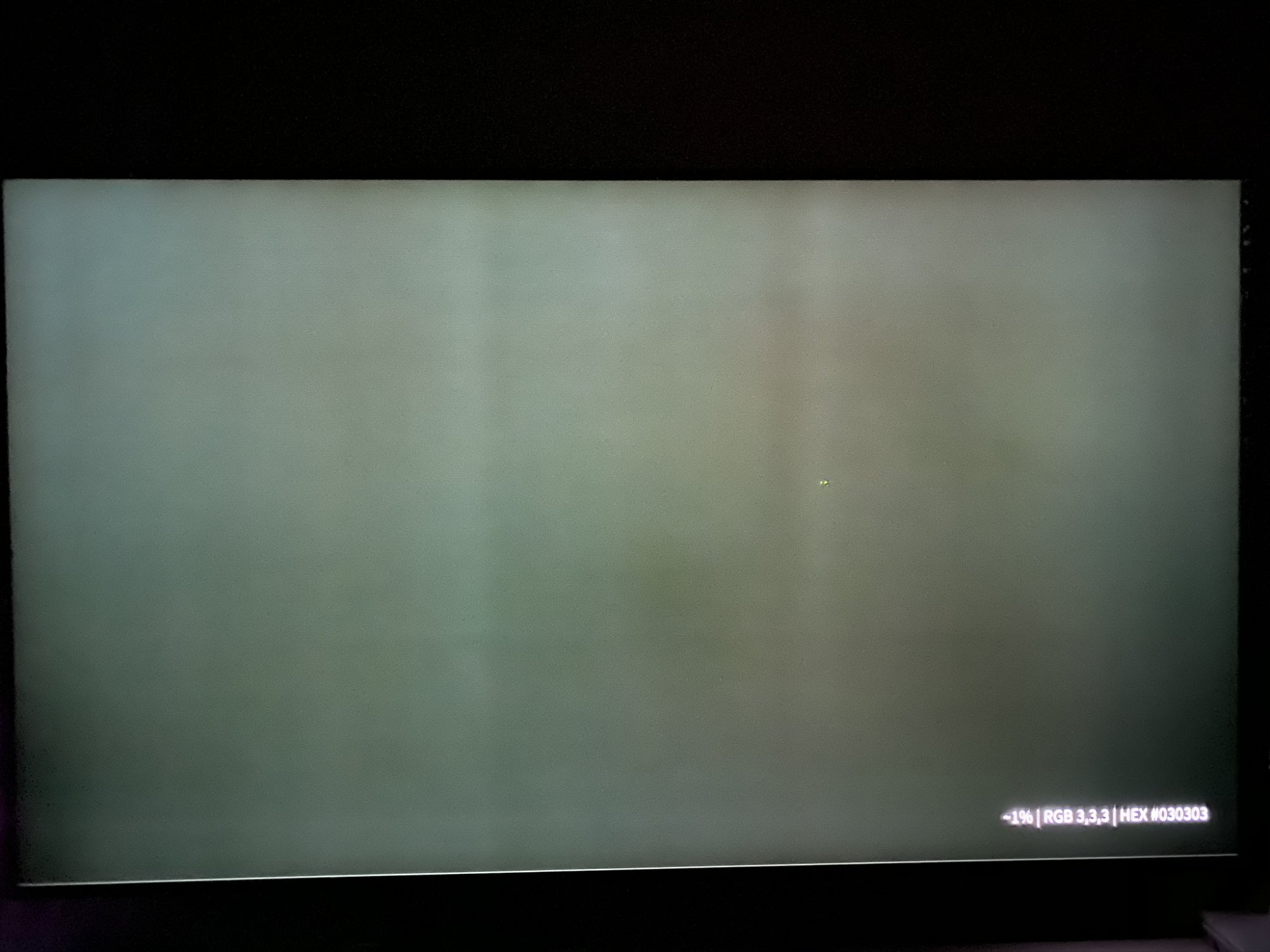
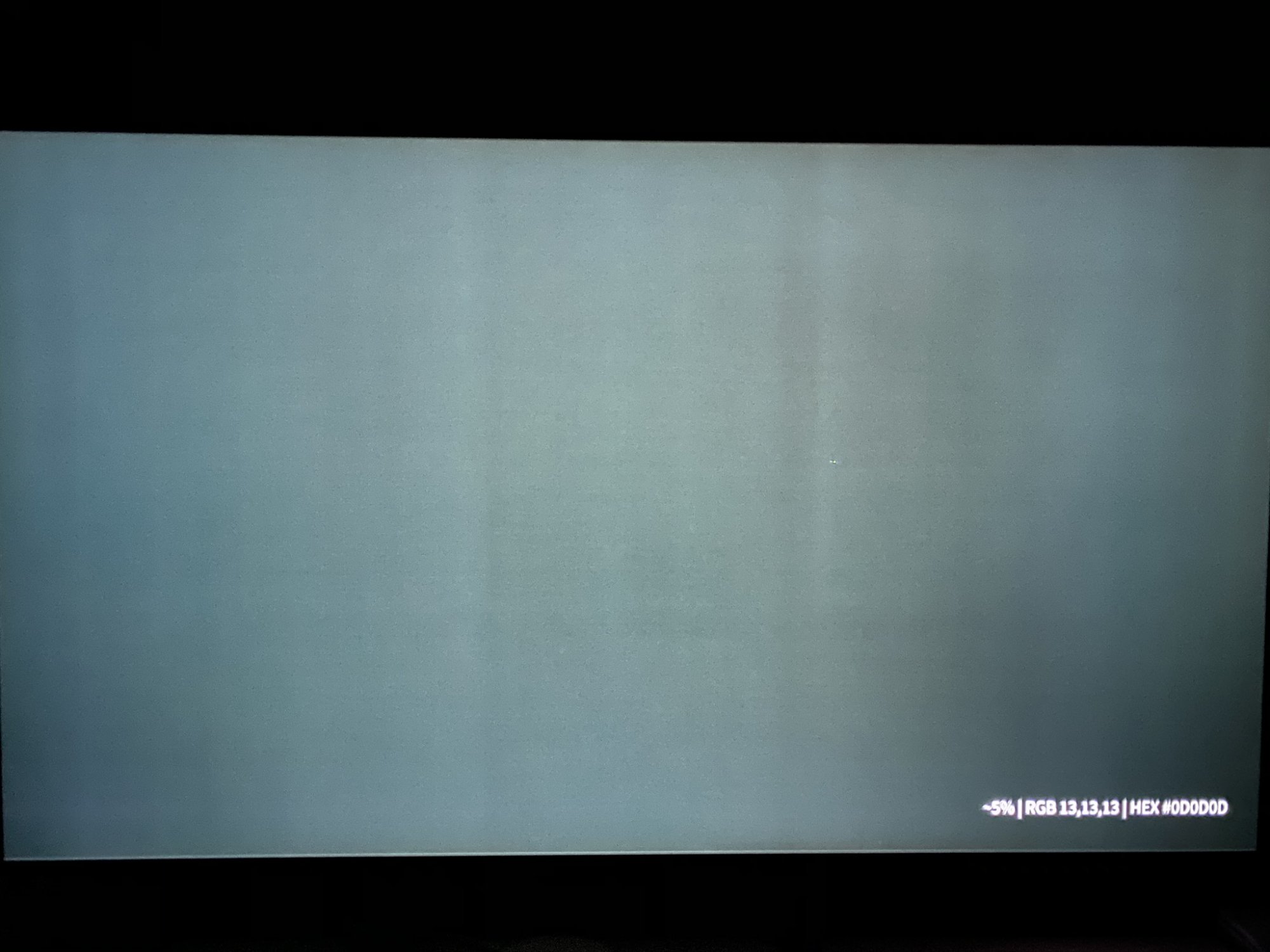
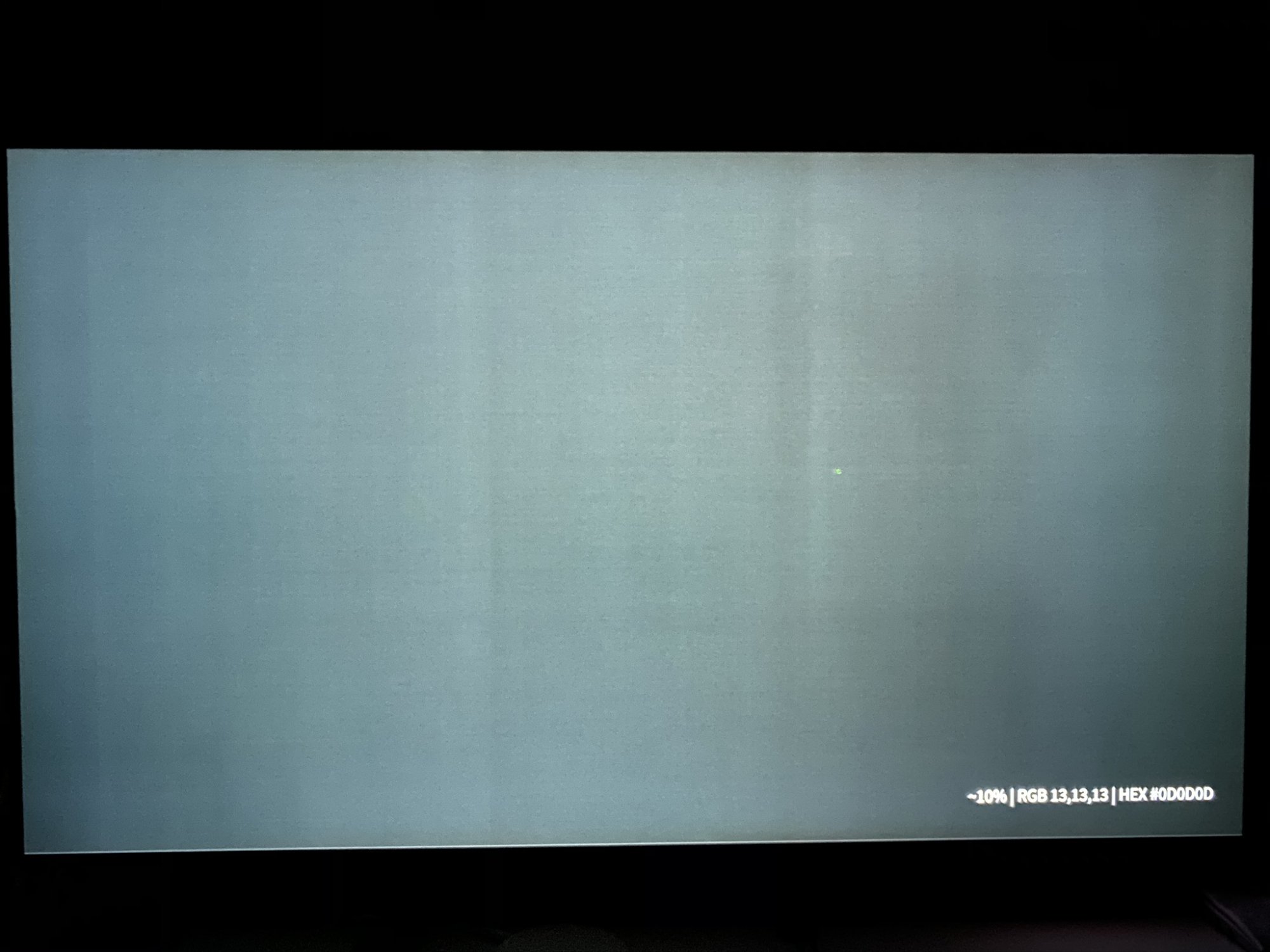
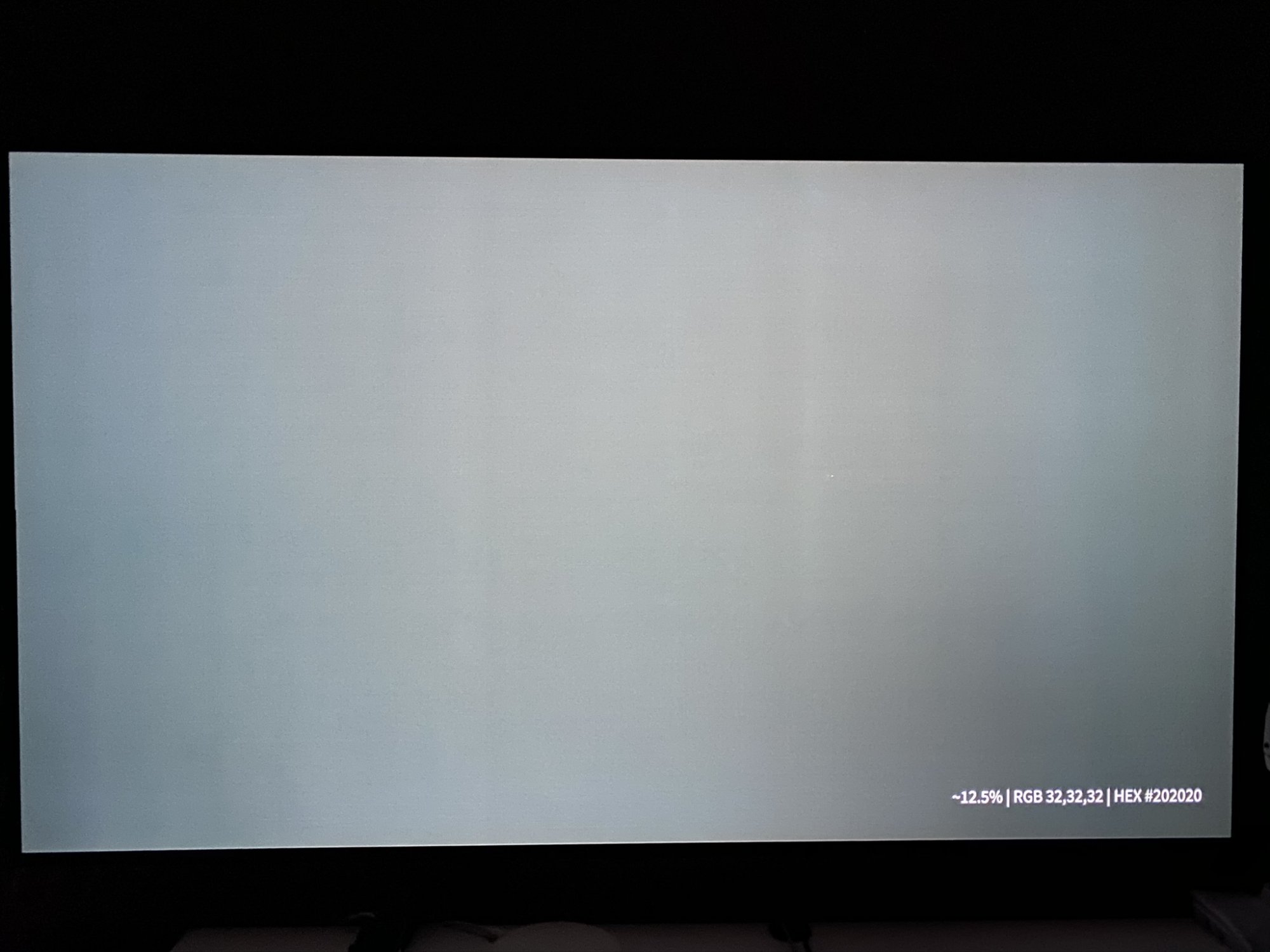
hi,
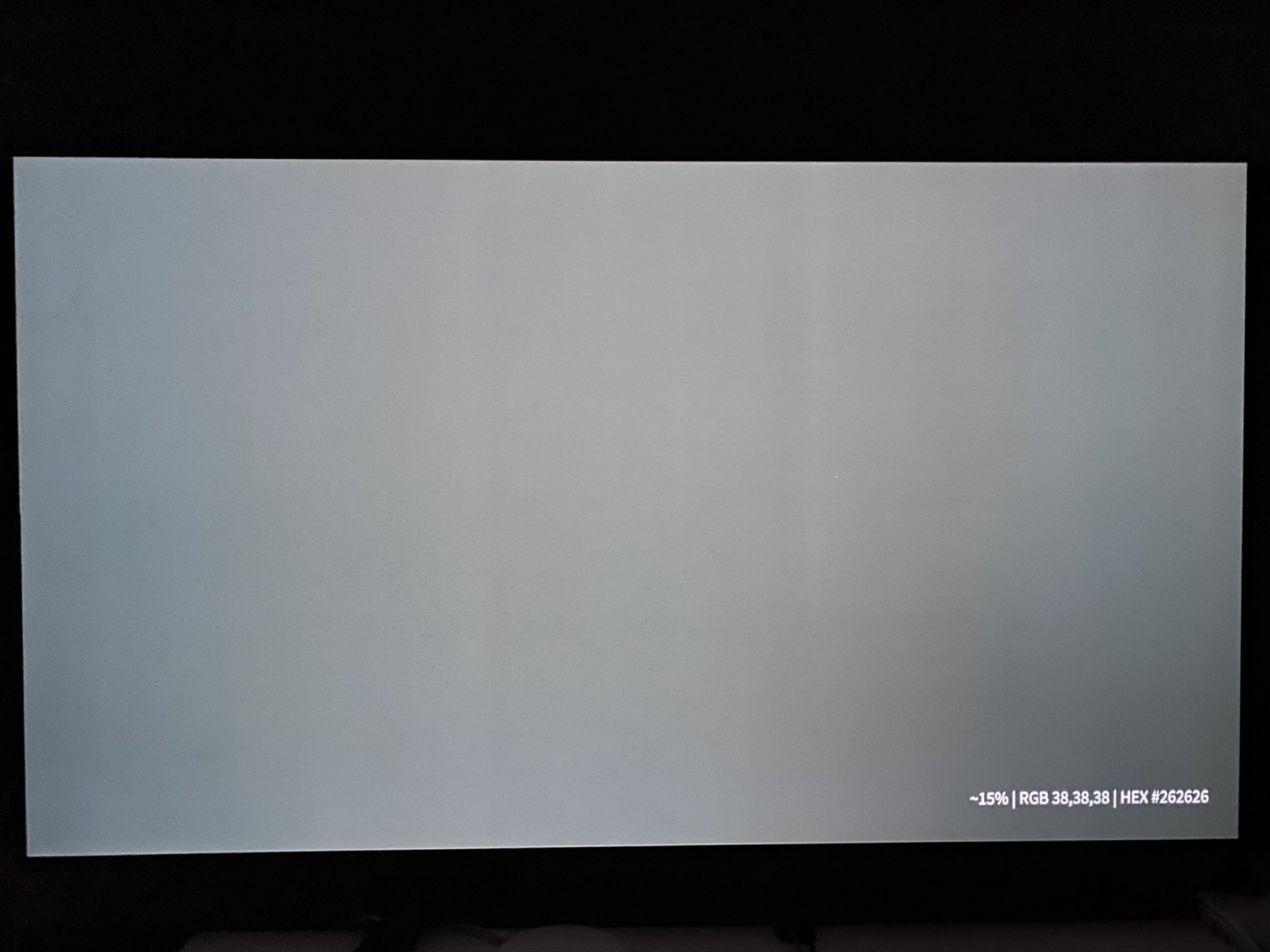
did anyone get a cx48 without vertical banding mainly with <15% grey?
on mine it is quite clearly visible (dark room, oled light 10) in games (e.g. hunt showdown with lots of dark scenes for which the oled should be perfect for) - which sucks.
can easily be confirmed with e.g.:
.
i have no other issues (e.g. stuck pixels), thinking about exchanging it if its not a common issue...
did anyone get a cx48 without vertical banding mainly with <15% grey?
on mine it is quite clearly visible (dark room, oled light 10) in games (e.g. hunt showdown with lots of dark scenes for which the oled should be perfect for) - which sucks.
can easily be confirmed with e.g.:
.
i have no other issues (e.g. stuck pixels), thinking about exchanging it if its not a common issue...
hi,
did anyone get a cx48 without vertical banding mainly with <15% grey?
on mine it is quite clearly visible (dark room, oled light 10) in games (e.g. hunt showdown with lots of dark scenes for which the oled should be perfect for) - which sucks.
can easily be confirmed with e.g.:
.
i have no other issues (e.g. stuck pixels), thinking about exchanging it if its not a common issue...
100% no vertical banding? Don't think anyone has that, even the cleanest screen has some tiny amount of vertical banding. But yours might be more noticeable, some people on AVS forum put some hours on their sets then try a manual refresh to see if it helps even it out. Have a pic by any chance of how the vertical banding is?
hi,
did anyone get a cx48 without vertical banding mainly with <15% grey?
on mine it is quite clearly visible (dark room, oled light 10) in games (e.g. hunt showdown with lots of dark scenes for which the oled should be perfect for) - which sucks.
can easily be confirmed with e.g.:
.
i have no other issues (e.g. stuck pixels), thinking about exchanging it if its not a common issue...
Can't see any significant banding on mine with that video at any stage of the video. I have a good amount of hours on mine because it's been used as a desktop display.
I have seen people on other forums drive themselves and others crazy talking about banding. Common recommendation seems to be to check again after you have a good amount of hours on it. Of course you may always end up with a particularly bad one.
- Joined
- Jul 5, 2012
- Messages
- 4,732
Depends on if it's a paper release or not. Actual availability might be a shitshow with scalpers, early adopter extra high prices, out of stock everywhere unless you are putting things into your cart at 4 AM and can buy it within 30 seconds.
I justified the 2080 Ti to myself a few years back by 1080 Ti used prices being very high in my country, 2080 not being any faster and cheaper end 2080 Ti was just a bit more expensive than a good 2080 at the time. I don't think I will be able to justify a 3090 to myself it the rumored prices end up being true. In my country if a 2080 Ti is currently still selling for around 1300 euros for an ASUS Strix and I am definitely not paying that much for a GPU.
Since I am already on the 4K 120 Hz train with the Club3D adapter, I can tell it is very nice in the games that can run at those rates and of course it's more pleasant on the desktop too. Doom Eternal for me is one of the few games that can actually maintain 90-120 fps fairly consistently but even on games that are just above 60 fps it can help avoid tearing and being able to go to say 70-80 fps is still an improvement over 60.
Playing more games lately, the lack of VRR on the adapter is a huge dealbreaker for me. Yeah I know as long as you CAN stick to games where you always maintain 70+ fps at all times then it's not so big of a deal. But recently I went back to Guild Wars 2 and even on hardware that should be able to brute force that game (3700x + 2080 Ti), it's less than stellar optimization means I was dropping into the 40's in a lot of areas. Gsync helped out a lot in maintaining smoothness throughout the wildly fluctuation frame rates and that's not something I'm willing to give up anymore.
mirkendargen
Limp Gawd
- Joined
- Dec 29, 2006
- Messages
- 435
here are some example pictures (taken with an iphone 11 - 2 seconds exposure). don't mind the small white dot near center - its a tiny reflection from behind.
View attachment 273327
View attachment 273328
View attachment 273329
View attachment 273330
View attachment 273331
how to I check the operating hours on an EU model? its been running for about 50 hours.
Mine had more of this when it was newer. I can't see any at all anymore, I'm at 599 hours (yeah I'm at the computer a lot!).
![20200710_231515[3726].jpg](https://hardforum.com/data/attachment-files/2020/08/375129_20200710_2315153726.jpg)
ChronoDetector
2[H]4U
- Joined
- Apr 1, 2008
- Messages
- 2,784
Do you guys leave screen shift on or off on your TV? It's very noticeable especially on the desktop and looks awkward and is annoying at times when the image is not aligned properly. Will it actually reduce the chances of burn in?
SixFootDuo
Supreme [H]ardness
- Joined
- Oct 5, 2004
- Messages
- 5,839
Hey guys! I have been on the fence still after reading all of these 95 pages, am I right in thinking there is not a HUGE difference between the 55" CX vs last years model? I have the 2015 Samsung JS TV and REALLY wanted an upgrade so I could get better picture, lower latency with G-Sync with the new Nvidia GPU and FINALLY get 60 fps in skyrim at 4k.
If you have a Microcenter near you, they carry brand new reconditioned LG C9 55" for $999 that come with the full one year warranty. Mine was brand new in the box, new remote, new everything. Best deal out there for an amazing $999.
mirkendargen
Limp Gawd
- Joined
- Dec 29, 2006
- Messages
- 435
Do you guys leave screen shift on or off on your TV? It's very noticeable especially on the desktop and looks awkward and is annoying at times when the image is not aligned properly. Will it actually reduce the chances of burn in?
I don't. Stuff that would be a "burn in risk" that I do are things like windows sitting around during the work day while I'm WFH and similar productivity/coding things, and moving them around a few pixels wouldn't change that.
Mine had more of this when it was newer. I can't see any at all anymore, I'm at 599 hours (yeah I'm at the computer a lot!).
sounds good, thank you - i will just wait a few more weeks and hope for the best.
Do you guys leave screen shift on or off on your TV? It's very noticeable especially on the desktop and looks awkward and is annoying at times when the image is not aligned properly. Will it actually reduce the chances of burn in?
Pretty much have to leave it off because it's bugged in 4K 120 Hz and causes blurriness. I would not mind that it cuts a bit of the screen off otherwise. I don't think it's hugely important for burn-in reduction compared to just running at lower brightness, which you would do anyway when not watching HDR content.
I have also disabled automatic static brightness limited via the service menu because it's too annoying for desktop use.
can somebody explain to me how exactly the "automatic OLED Light" setting works (Energy Saving)?
what I want to achieve is, that depending on the ambient light, the "OLED Light" setting is adjusted accordingly. Since I seem to prefer a quite low brightness, it would be ideal if i could have an influence on that (e.g. 50 max, no ambient light 10)
Is the following observation correct?:
what I want to achieve is, that depending on the ambient light, the "OLED Light" setting is adjusted accordingly. Since I seem to prefer a quite low brightness, it would be ideal if i could have an influence on that (e.g. 50 max, no ambient light 10)
Is the following observation correct?:
- Energy Saving AUTO setting should adjust the brightness (OLED Light) depending on the ambient light
- Energy Saving AUTO does not set a brightness higher than what has been set manually for the OLED Light setting (before setting AUTO)?
Last edited:
chimera991
[H]ard|Gawd
- Joined
- Sep 4, 2010
- Messages
- 1,170
I missed several pages of post, but who is hoping the 3090 can handle MS Flight Sim at 4k? I'm not even sure it will fit my case.
Has anyone played the flight sim on this tv? Got any screenshots?
Has anyone played the flight sim on this tv? Got any screenshots?

IdiotInCharge
NVIDIA SHILL
- Joined
- Jun 13, 2003
- Messages
- 14,669
I'm more interested in Star Wars: SquadronsI missed several pages of post, but who is hoping the 3090 can handle MS Flight Sim at 4k? I'm not even sure it will fit my case.
Has anyone played the flight sim on this tv? Got any screenshots?
Flight Simulator just does not sound interesting to me. But then again, most normal flying doesn't really either, or even most combat flying, because most of it is just keeping the nose of the aircraft pointed at the destination for hours on end.
Further, I'm not sure how much the contrast available is going to make a difference, nor the refresh rates or pixel response. If any non-combat aircraft is changing vectors fast enough for that stuff to make a visible difference, there are problems
chimera991
[H]ard|Gawd
- Joined
- Sep 4, 2010
- Messages
- 1,170
^ it does get boring since flight takes hours to get anywhere. Even nearby locations take several minutes. Just like IRL
chimera991
[H]ard|Gawd
- Joined
- Sep 4, 2010
- Messages
- 1,170
Yo, did you get the LG 48 CX? I remember you having the wasabi mango monitor.. LolThat will be a peice of junk compared. Non FALD LCD with slow/inverted pixel structure.
- Joined
- May 5, 2006
- Messages
- 5,948
The problem with flight sims is the same with very open world games, or games like GTA V or even WoW (especially on flying mounts) back in the day when you'd mod them to have immensely increased view distances and zoom-out with animated objects viewable in the distances, instead of greying out/fogging/fog of war , low detail past a point and no objects past a point, using terrain and level design to limit view distance, etc. When you get view to the horizon you are going to take a massive frame rate hit. I think MS flight simulator tries to compensate for this by rendering the whole ground as a flat texture past a certain elevation but you are still generally going to get much lower frame rates on games that have very far view distances. You often hear people complain that open world games have lower graphics and stylized graphics for this reason, when really they are showing a lot more things going on. That said, things like mmo's could be much better optimized usually but the point still stands.
- Joined
- Jul 5, 2012
- Messages
- 4,732
I swear if Ampere does not have HDMI 2.1, gonna sell this CX because I can't handle 60hz desktop much longer.
It's a real possibility like when the R9 Fury released with HDMI 1.4 ports and I had to use and active adapter.
I'd rather buy Big Navi than get rid of my CX.
It's 99% gonna have HDMI 2.1 (the remaining 1% is just confirmation directly from Nvidia on Sept 1).I swear if Ampere does not have HDMI 2.1, gonna sell this CX because I can't handle 60hz desktop much longer.
It's a real possibility like when the R9 Fury released with HDMI 1.4 ports and I had to use and active adapter.
"With GeForce RTX Ampere, NVIDIA introduces 2nd Generation Ray Tracing Cores and 3rd Generation Tensor Cores. The new cards will also support PCI Express 4.0. Additionally, Ampere supports HDMI 2.1 and DisplayPort 1.4a display connectors."
Have a read: https://videocardz.com/newz/nvidia-geforce-rtx-3090-and-geforce-rtx-3080-specifications-leaked
It's 99% gonna have HDMI 2.1 (the remaining 1% is just confirmation directly from Nvidia on Sept 1).
"With GeForce RTX Ampere, NVIDIA introduces 2nd Generation Ray Tracing Cores and 3rd Generation Tensor Cores. The new cards will also support PCI Express 4.0. Additionally, Ampere supports HDMI 2.1 and DisplayPort 1.4a display connectors."
Have a read: https://videocardz.com/newz/nvidia-geforce-rtx-3090-and-geforce-rtx-3080-specifications-leaked
My prayers have been answered. It's unfortunate no DP 2.0 though.
Lack of DP 2.0 is interesting because it means we will be using DP 1.4 with DSC for quite some time now. It also means we probably won't see much improvement in 4K+ res displays for a couple of years, e.g. ultrawide 5120x2160 at above 60 Hz. HDMI 2.1 might even become the display connector to use on desktop monitors at this rate.
It would be really nice if the new GPUs had two HDMI 2.1 and two DP + USB-C.
Also looking at those specs, I'm now pretty sure we will see a 3080 Ti/Super and 3070 Super sometime next year or perhaps to combat Big Navi.
It would be really nice if the new GPUs had two HDMI 2.1 and two DP + USB-C.
Also looking at those specs, I'm now pretty sure we will see a 3080 Ti/Super and 3070 Super sometime next year or perhaps to combat Big Navi.
mirkendargen
Limp Gawd
- Joined
- Dec 29, 2006
- Messages
- 435
Lack of DP 2.0 is interesting because it means we will be using DP 1.4 with DSC for quite some time now. It also means we probably won't see much improvement in 4K+ res displays for a couple of years, e.g. ultrawide 5120x2160 at above 60 Hz. HDMI 2.1 might even become the display connector to use on desktop monitors at this rate.
It would be really nice if the new GPUs had two HDMI 2.1 and two DP + USB-C.
Also looking at those specs, I'm now pretty sure we will see a 3080 Ti/Super and 3070 Super sometime next year or perhaps to combat Big Navi.
Yeah double HDMI would be nice, I'm sure some non-reference cards will have that. I think GPU USB-C (vr link or whatever they called it?) is a failed experiment at this point and going away though.
- Joined
- Jul 5, 2012
- Messages
- 4,732
My prayers have been answered. It's unfortunate no DP 2.0 though.
DP 2.0 wouldn't benefit the CX though, and most likely it won't benefit any TV ever. Unless OLED monitors become a real thing and use DP 2.0 for higher refresh rates, I will never be going back to an LCD monitor for DP 2.0.
Lack of DP 2.0 is interesting because it means we will be using DP 1.4 with DSC for quite some time now. It also means we probably won't see much improvement in 4K+ res displays for a couple of years, e.g. ultrawide 5120x2160 at above 60 Hz. HDMI 2.1 might even become the display connector to use on desktop monitors at this rate.
It would be really nice if the new GPUs had two HDMI 2.1 and two DP + USB-C.
Also looking at those specs, I'm now pretty sure we will see a 3080 Ti/Super and 3070 Super sometime next year or perhaps to combat Big Navi.
Monitors have been evolving at a snail's pace anyways.
It boils down to a 3080 or 3090 for me. Depends on price and the performance gap between the two.
Don't really care about the launch 3080's being limited to 10GB since I'll have sold it and bought the latest and greatest before it even matters.
Don't really care about the launch 3080's being limited to 10GB since I'll have sold it and bought the latest and greatest before it even matters.

- Joined
- Aug 7, 2004
- Messages
- 19,742
It boils down to a 3080 or 3090 for me. Depends on price and the performance gap between the two.
Don't really care about the launch 3080's being limited to 10GB since I'll have sold it and bought the latest and greatest before it even matters.
Based on what I've read so far, the rumor is $799 for the 3080 and $1399 for the 3090. The 3090 is going to have to have a massive performance boost over the 3080 in order to justify a $600 difference (if rumors are true). So, IDK. Strange that they didn't slot a 3080Ti in at a $1000-$1100 price point, but I suppose a 3080Ti or Super may come during the refresh cycle as kasakka alluded to above.
Really hoping the 3080 markedly outperforms a 2080Ti at the lower price point, as I really don't want to pay ~$1500 after tax for a GPU, but I guess we'll see how things shake out soon enough. The 3080 is going to be significantly faster than my 1080Ti at any rate, so I might be tempted to go with that now so I can get 4:4:4 @ 120Hz and then a Ti/Super later if they provide a large boost that's closer to how the 3090 performs at launch.
- Joined
- Jul 5, 2012
- Messages
- 4,732
Based on what I've read so far, the rumor is $799 for the 3080 and $1399 for the 3090. The 3090 is going to have to have a massive performance boost over the 3080 in order to justify a $600 difference (if rumors are true). So, IDK. Strange that they didn't slot a 3080Ti in at a $1000-$1100 price point, but I suppose a 3080Ti or Super may come during the refresh cycle as kasakka alluded to above.
Really hoping the 3080 markedly outperforms a 2080Ti at the lower price point, as I really don't want to pay ~$1500 after tax for a GPU, but I guess we'll see how things shake out soon enough. The 3080 is going to be significantly faster than my 1080Ti at any rate, so I might be tempted to go with that now so I can get 4:4:4 @ 120Hz and then a Ti/Super later if they provide a large boost that's closer to how the 3090 performs at launch.
So you're going to buy a 3080 and then a 3080 Ti? Even if you sell the 3080 for a good amount($500?), you are now spending almost the same amount as just buying a 3090 right from the start.
My prayers have been answered. It's unfortunate no DP 2.0 though.
The lack of DP 2.0 is very odd as that means no uncompressed 4k at 10-bit 120hz on the DP connector whereas it will be possible on HDMI 2.1. Come to think of it, I've never seen a card where HDMI had more bandwidth than DP.
mirkendargen
Limp Gawd
- Joined
- Dec 29, 2006
- Messages
- 435
The lack of DP 2.0 is very odd as that means no uncompressed 4k at 10-bit 120hz on the DP connector whereas it will be possible on HDMI 2.1. Come to think of it, I've never seen a card where HDMI had more bandwidth than DP.
Do any DP 2.0 displays exist yet?
And I imagine if it becomes an actual problem active adapters for HDMI 2.1->DP 2.0 will come out to give 48Gbps bandwidth to a DP 2.0 display at least.
- Joined
- Jul 5, 2012
- Messages
- 4,732
Do any DP 2.0 displays exist yet?
And I imagine if it becomes an actual problem active adapters for HDMI 2.1->DP 2.0 will come out to give 48Gbps bandwidth to a DP 2.0 display at least.
DP 2.0 is suppose to offer 80Gbps of bandwidth though so even with HDMI 2.1 adapters you are still far off from that.
mirkendargen
Limp Gawd
- Joined
- Dec 29, 2006
- Messages
- 435
DP 2.0 is suppose to offer 80Gbps of bandwidth though so even with HDMI 2.1 adapters you are still far off from that.
I know, but 48Gbps gets over the 4k120hz 10bit 4:4:4 hump that DP 1.4 can't at least. I haven't done the math but I think 48Gbps would get you to 4k 144hz 10bit 4:4:4 if/when there are displays that support that.
And it'll take more than a 3090 to push demanding games above 4k 144FPS....so by the time the lack of DP 2.0 bandwidth is a problem you'll need a new GPU anyway.
Last edited:
- Joined
- Aug 7, 2004
- Messages
- 19,742
So you're going to buy a 3080 and then a 3080 Ti? Even if you sell the 3080 for a good amount($500?), you are now spending almost the same amount as just buying a 3090 right from the start.
I didn’t say that I was going to do anything. I was just spitballing... I’m waiting for confirmed price points and benchmarks/reviews. I see what you’re saying, though. But if it turns out that the 3090 is only 10-15% better than the 3080, that’s gonna be a hard nope. If that’s the case then I’ll get the 3080 and then re-evaluate when the next cards come out. If the 3090 destroys the 3080 then yeah, it would be beneficial to buy it day one assuming you’re willing to keep signaling to Nvidia that price is no object as they start the development of a $2K 4090.