MelonSplitter
[H]ard|Gawd
- Joined
- Aug 6, 2006
- Messages
- 1,141
Please don't listen to Advil for this advice. I've disabled ASBL a long time ago with no issues at all. You will not regret it. Sorry Advil,no disrespect.Thanks, will do.
![[H]ard|Forum](/styles/hardforum/xenforo/logo_dark.png)
Follow along with the video below to see how to install our site as a web app on your home screen.
Note: This feature may not be available in some browsers.
Please don't listen to Advil for this advice. I've disabled ASBL a long time ago with no issues at all. You will not regret it. Sorry Advil,no disrespect.Thanks, will do.
OK, well, I would like to stop the LG48cx from dimming itself automatically so if a few others can weigh in on any possible risks from doing that, then I'll know with a bit more confidence whether to proceed with that.Please don't listen to Advil for this advice. I've disabled ASBL a long time ago with no issues at all. You will not regret it. Sorry Advil,no disrespect.
Can you guys give the gradients here a look and let me know what you see: https://www.eizo.be/monitor-test/
After calibration in SDR mode, they are all quite good for me -- no color cast in the greyscale, colors all decent and relatively smooth (though not as good as a half decent LCD). I went down the calibration path in the first place due to very poor gradients in HDR mode but starting to wonder if it's actually a Windows 10 or Nvidia problem. The problem is there was an obvious color cast depending on luminance especially noticeable in greyscale, but present in blended colors as well (i.e. CMY, not RGB). Calibration didn't really help, but in my testing I noticed that gradient video files played from a USB stick in Cinema mode at least looked good (no game mode available in USB video player mode). Switch to cinema mode playing same files from my PC, gradients look like crap again. One thing I just discovered that helped significantly and seems to have removed color cast from greyscale is going into Windows advanced display settings and changing refresh rate from 119.998 Hz to 120 Hz even -- no idea why it was set there, the NVCP just displayed 120. Yellow still looks bad though.
Anyway I was hoping to just use HDR mode full time with brightness slider set appropriately, but looks like there are some bugs still. In normal usage it looks totally fine but I wouldn't trust it for photo editing, while I do trust SDR post-cal. This is all with a 3080 on the latest hotfix driver by the way.
The gradients look pretty awful here. Both calibrated and uncalibrated. How did you calibrate them in SDR to get them decent? Wonder if you could take a pic of how it looks for you.
I used the standard Calman routine with an i1display pro. Read some stuff online about how using the 1D LUT can create artifacts (no idea what they mean by that though, just sorting through thousands of confusing forum posts) but honestly it looks really good to me. No luminance-dependent color cast whatsoever anywhere in SDR mode. HDR mode is not quite as good but I am not as worried about it since it’s just for gaming and regular desktop use with the windows brightness slider way down when I’m too lazy to switch back to SDR. I had to do a full 42-pt greyscale cal to make color cast in greyscale gradients go away.
I removed both cals with picture mode reset after too much forum reading but will reapply and take some before and after pictures with my real non-phone camera tomorrow ..
avsforum and calibrating this TV is a total nerd trap. I have spent more time on it than just enjoying the TV in the last 2 weeks. And my results seem "okay" but not amazing - I still have a bit of washed out look to everything and the gradients are pretty awful. My last attempt was using the d-nice AWP but it makes everything green. Anyways, I think you sold me on calman, I just want to be done w/ calibrating this TV and not worry about it anymore.
I think the problem with avforums calibration threads is they are filled with experts but also a lot of those experts are biased towards their own commercial products, so you can get really conflicting information sometimes. Almost feels like disinformation sometimes, to push you towards a particular product.
avsforum and calibrating this TV is a total nerd trap. I have spent more time on it than just enjoying the TV in the last 2 weeks. And my results seem "okay" but not amazing - I still have a bit of washed out look to everything and the gradients are pretty awful. My last attempt was using the d-nice AWP but it makes everything green. Anyways, I think you sold me on calman, I just want to be done w/ calibrating this TV and not worry about it anymore.
I think the problem with avforums calibration threads is they are filled with experts but also a lot of those experts are biased towards their own commercial products, so you can get really conflicting information sometimes. Almost feels like disinformation sometimes, to push you towards a particular product.


It is possible that D-Nice's AWP does not work for you eyes as it was determined based on his own perception. So you should use whatever WP that looks better to you.
If you have time to spare, some pros on AVS have suggested 0.3163x 0.3345y (plasma-ish) and 0.312x 0.3356y.
While the i1 Display is unbeatable for the price, the level of accuracy varies by unit and can deteriorate over time (humidity, etc.)... so could explain the green push you are observing.
BTW, I fixed the red push of my i1 Display on WOLED by profiling it to a spectrophotometer (but $$$).

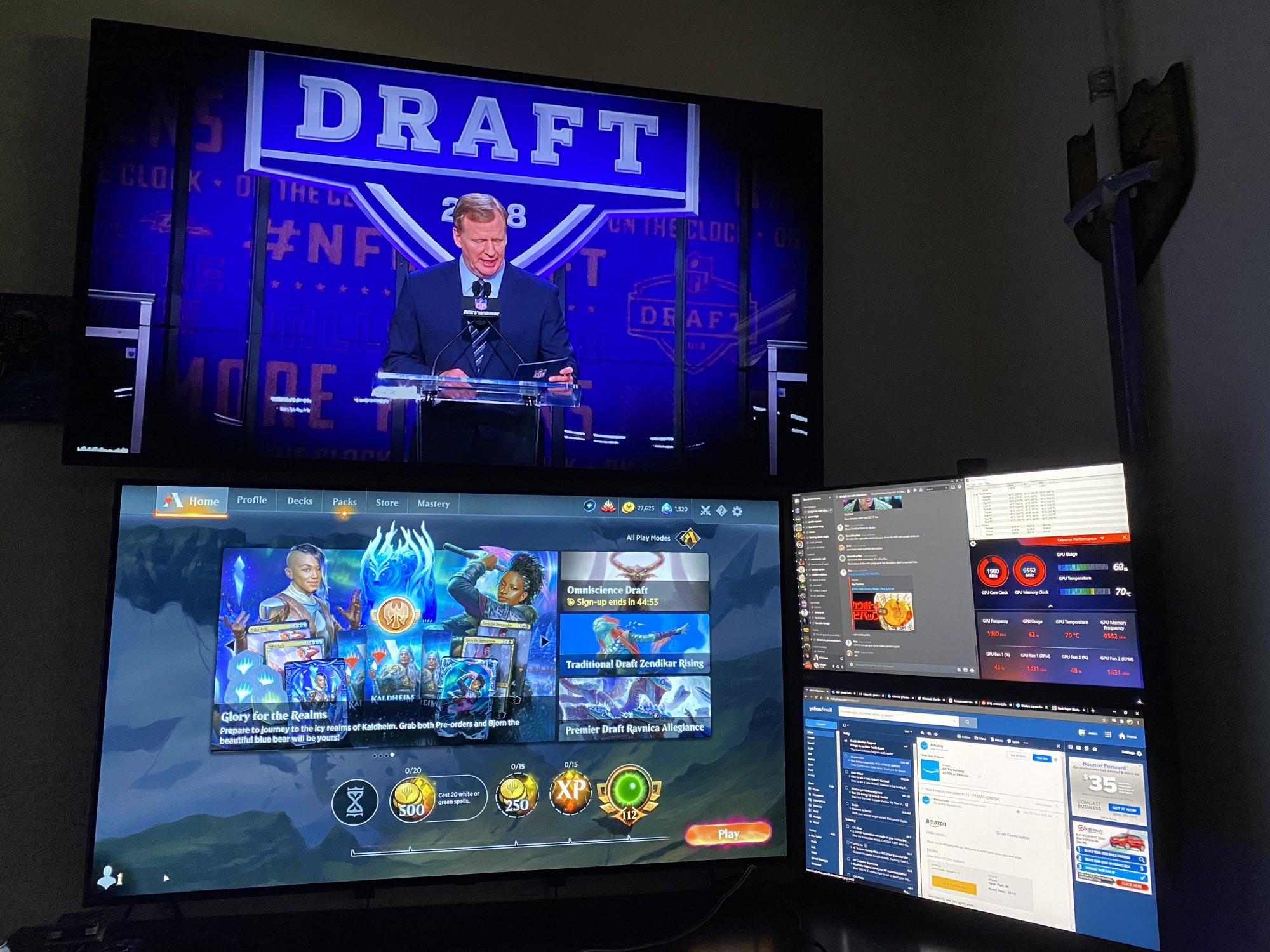
*looks at upper screen*View attachment 317763
Got around to raising my 55 C6 up and mounting the 48 CX under it.
New desk coming this week but done for the most part now.
Haha for sure!*looks at upper screen*
*irrational yelling* BOOOOO!
Nice to see the scale difference. The 55" somehow does not look as big as I thought it would.View attachment 317763
Got around to raising my 55 C6 up and mounting the 48 CX under it.
New desk coming this week but done for the most part now.
Sides are 2560x1440, they are just slightly larger stacked than the 48".Nice to see the scale difference. The 55" somehow does not look as big as I thought it would.
What are the sizes and resolutions of the two side displays? I like that they are almost the same height as the 48".
24" monitors stacked would be the same height as a 48", adjusting slightly for bezel differences. 24" 1080p monitors are also the same DPI for no scaling differences.Nice to see the scale difference. The 55" somehow does not look as big as I thought it would.
What are the sizes and resolutions of the two side displays? I like that they are almost the same height as the 48".
2117 hours power on time including WFH during the day. No burn in. I WFH with OLED light 0, dark mode where available, etc.Has anyone experienced significant and permanent burn-in? I am still trying to determine whether or not this TV would be suitable for a daily driver for WFH (in addition to gaming/media consumption). I do a lot of Excel, Word, PDF, Power-Point 8:00-17:00 Mon-Fri. Then game/media 20:00-:23:00.
I know that this isn't the "TV" for office use, but I still haven't heard any real negative anecdotes around WFH office use. Obviously I know the mitigations that can be used, but at the end of the day 7-9 hours of bright office documents is a PITA for an OLED! Right?
Probably just going to go with the incoming alienware 38" AW3821DW - but I would love some OLED goodness as my daily driver.
OLED light 0 sounds pretty rough - is it usable during the day with a bit of light? Text is readable etc.?2117 hours power on time including WFH during the day. No burn in. I WFH with OLED light 0, dark mode where available, etc.
Completely usable, with a window shining on the TV even. You think it looks a bit dim right when you turn it down, but you don't even notice after 5 minutes.OLED light 0 sounds pretty rough - is it usable during the day with a bit of light? Text is readable etc.?
That's great to hear an example of no burn in. Is it a pain to switch from OLED 0 to something more pleasant at night when gaming/media consuming and back to 0? Or just routine by now?
Has anyone experienced significant and permanent burn-in? I am still trying to determine whether or not this TV would be suitable for a daily driver for WFH (in addition to gaming/media consumption). I do a lot of Excel, Word, PDF, Power-Point 8:00-17:00 Mon-Fri. Then game/media 20:00-:23:00.
I know that this isn't the "TV" for office use, but I still haven't heard any real negative anecdotes around WFH office use. Obviously I know the mitigations that can be used, but at the end of the day 7-9 hours of bright office documents is a PITA for an OLED! Right?
Probably just going to go with the incoming alienware 38" AW3821DW - but I would love some OLED goodness as my daily driver.
I can only speak to my B6, which is almost four years old now.Has anyone experienced significant and permanent burn-in? I am still trying to determine whether or not this TV would be suitable for a daily driver for WFH (in addition to gaming/media consumption). I do a lot of Excel, Word, PDF, Power-Point 8:00-17:00 Mon-Fri. Then game/media 20:00-:23:00.
I know that this isn't the "TV" for office use, but I still haven't heard any real negative anecdotes around WFH office use. Obviously I know the mitigations that can be used, but at the end of the day 7-9 hours of bright office documents is a PITA for an OLED! Right?
Probably just going to go with the incoming alienware 38" AW3821DW - but I would love some OLED goodness as my daily driver.
Has anyone experienced significant and permanent burn-in? I am still trying to determine whether or not this TV would be suitable for a daily driver for WFH (in addition to gaming/media consumption). I do a lot of Excel, Word, PDF, Power-Point 8:00-17:00 Mon-Fri. Then game/media 20:00-:23:00.
I know that this isn't the "TV" for office use, but I still haven't heard any real negative anecdotes around WFH office use. Obviously I know the mitigations that can be used, but at the end of the day 7-9 hours of bright office documents is a PITA for an OLED! Right?
Probably just going to go with the incoming alienware 38" AW3821DW - but I would love some OLED goodness as my daily driver.
Has anyone experienced significant and permanent burn-in? I am still trying to determine whether or not this TV would be suitable for a daily driver for WFH (in addition to gaming/media consumption). I do a lot of Excel, Word, PDF, Power-Point 8:00-17:00 Mon-Fri. Then game/media 20:00-:23:00.
I know that this isn't the "TV" for office use, but I still haven't heard any real negative anecdotes around WFH office use. Obviously I know the mitigations that can be used, but at the end of the day 7-9 hours of bright office documents is a PITA for an OLED! Right?
Probably just going to go with the incoming alienware 38" AW3821DW - but I would love some OLED goodness as my daily driver.
LG substantially improved burn in issues with 7 series and later, by changing the subpixel structure to reduce effect of reds on burn in. I believe rtings showed this improved burn in for bright static logos from 600 hours on 6 series to 5000 hours on 7 series. So you should get way better burn in protection if you upgrade.I can only speak to my B6, which is almost four years old now.
I can say that I do have some permanent burn in from early use, due to not reducing brightness and some other poor usage (specifically: The Windows taskbar and the overlay for one of the games I was playing).
Since WFH however, the situation has gotten noticeably worse. With static backgrounds up I can see the parts of the screen where I normally dock my various windows has begun to wear. Nothing blatantly permanent yet, but I can see the screen is visibly starting to wear in areas.
It's honestly enough of a concern where I'm seriously considering going with Samsungs newest 2021 models instead of another OLED display. WFH is kinda the worst-cast honestly, and unless you have apps that support dark-themed backgrounds, then you are eventually going to run into some wear.
Again: I can only speak to my B6. I know additional anti-burn-in tech has gone into newer models, but I can't speak for those.

 .
.42" LG OLED panel announced: https://www.theverge.com/2021/1/11/22224137/lg-display-42-inch-oled-tv-panel-announced. Awesome!
there is also video about one as monitor. LG UltraFine OLED Pro
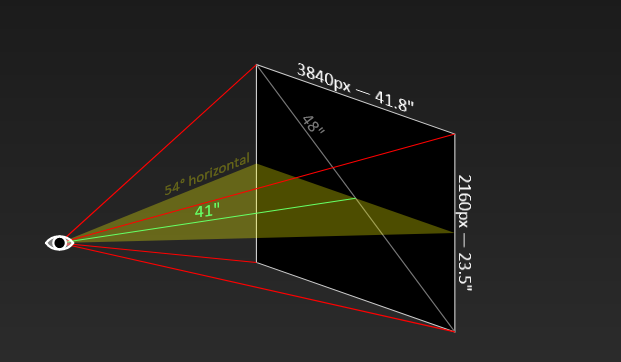
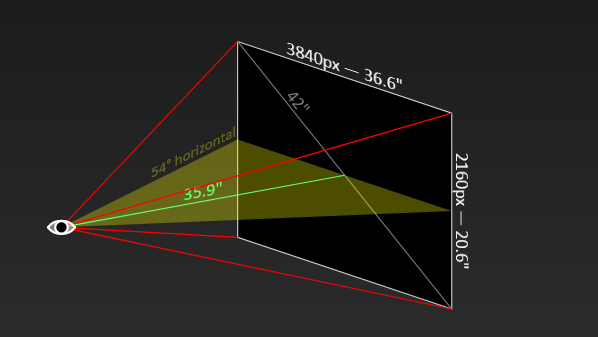
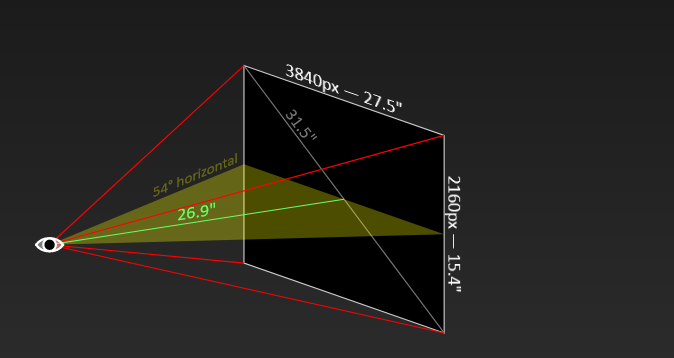
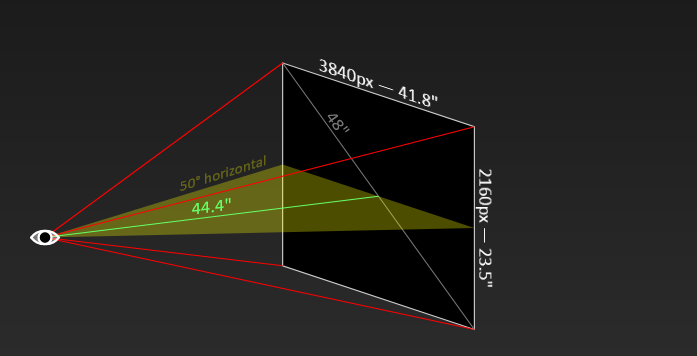
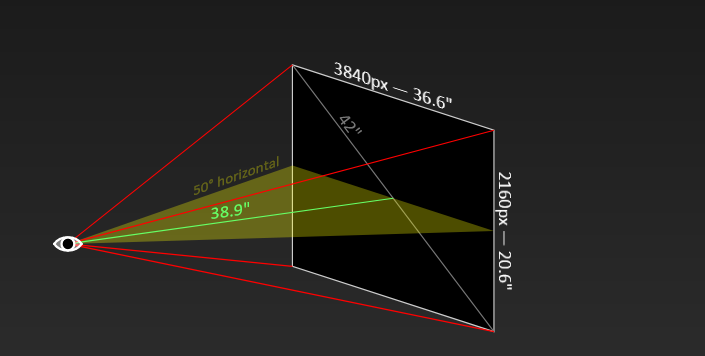
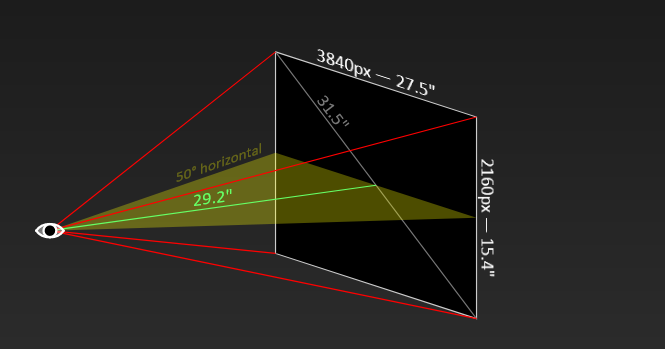
Now all the people who keep whining that 48" is "too big" no longer have any excuses.
Professionals get their OLED monitor.there is also video about one as monitor. LG UltraFine OLED Pro
I would try to enable vsync on driver and disable in game, sometimes it helps.I managed to snag a 3080 FE this weekend. I have it hooked to my CX48 (4k 120Hz 10bpc RGB Full) and an Acer Predator XB271HU (1440p 144Hz). I set Gsync to be on for fullscreen and windowed, limit fps to 117 in NVCP, and Vsync to be based on ingame. When I tested a game (Genshin Impact) that's ingame capped at 60fps, I get massive stutters. When I turn Gsync off, I get smooth gameplay like my previous GTX 1080. I also tested having Gsync on BUT having the Acer monitor set at 60Hz (or unplugged) and I get no (or almost no) stutter. Has anyone experienced something like this? Could it be the GPU is not capable of providing Gsync at 120-144Hz for BOTH displays? Or is my settings wrong somewhere causing the stutters? Or Nvidia driver/LG firmware problem?
I managed to snag a 3080 FE this weekend. I have it hooked to my CX48 (4k 120Hz 10bpc RGB Full) and an Acer Predator XB271HU (1440p 144Hz). I set Gsync to be on for fullscreen and windowed, limit fps to 117 in NVCP, and Vsync to be based on ingame. When I tested a game (Genshin Impact) that's ingame capped at 60fps, I get massive stutters. When I turn Gsync off, I get smooth gameplay like my previous GTX 1080. I also tested having Gsync on BUT having the Acer monitor set at 60Hz (or unplugged) and I get no (or almost no) stutter. Has anyone experienced something like this? Could it be the GPU is not capable of providing Gsync at 120-144Hz for BOTH displays? Or is my settings wrong somewhere causing the stutters? Or Nvidia driver/LG firmware problem?