• Some users have recently had their accounts hijacked. It seems that the now defunct EVGA forums might have compromised your password there and seems many are using the same PW here. We would suggest you UPDATE YOUR PASSWORD and TURN ON 2FA for your account here to further secure it. None of the compromised accounts had 2FA turned on.
    Once you have enabled 2FA, your account will be updated soon to show a badge, letting other members know that you use 2FA to protect your account. This should be beneficial for everyone that uses FSFT.

LG 48CX

I have a 50" TV now, would I notice a a difference in size with the 48"? All the 55" are out of stock, except amazon. What about the Samsung Q80?
It’s only 2” so the perceived difference is going to be next to nothing. You are gaining PPI and may want to sit slightly closer to the 48” if you want the exact same FOV, but I doubt you would need to do that. I would choose the CX 48 over any size Q80, personally.
 
It’s only 2” so the perceived difference is going to be next to nothing. You are gaining PPI and may want to sit slightly closer to the 48” if you want the exact same FOV, but I doubt you would need to do that. I would choose the CX 48 over any size Q80, personally.
our current viewing distance is about 13ft. this is a tv for normal use, not really gaming right now.
 
our current viewing distance is about 13ft. this is a tv for normal use, not really gaming right now.
I was responding with PC monitor use in mind, but my post is still valid. For me, when it comes to regular TV use size makes a bigger difference (especially at 13’ viewing distance) so I would probably wait until you can find the 55” CX in stock.
 
our current viewing distance is about 13ft. this is a tv for normal use, not really gaming right now.
At that viewing distance you could go for even the 65 inch model if you have the room for it. Otherwise I would wait to get the 55". IMO the 48" is not worth buying unless it's for PC use as the smaller size is great for that but for TV watching bigger is better in general.

My parents have my old 50" Panasonic plasma and I was watching it at their place during Christmas holidays and it looks great for a 1080p model but at that size and viewing distance similar to yours, 4K seems like a waste unless you go much bigger size. I use the 65" in my own living room at maybe 8-9 feet viewing distance and find it great and very immersive. It felt huge initially but now it seems just normal.
 
Can you guys give the gradients here a look and let me know what you see: https://www.eizo.be/monitor-test/

After calibration in SDR mode, they are all quite good for me -- no color cast in the greyscale, colors all decent and relatively smooth (though not as good as a half decent LCD). I went down the calibration path in the first place due to very poor gradients in HDR mode but starting to wonder if it's actually a Windows 10 or Nvidia problem. The problem is there was an obvious color cast depending on luminance especially noticeable in greyscale, but present in blended colors as well (i.e. CMY, not RGB). Calibration didn't really help, but in my testing I noticed that gradient video files played from a USB stick in Cinema mode at least looked good (no game mode available in USB video player mode). Switch to cinema mode playing same files from my PC, gradients look like crap again. One thing I just discovered that helped significantly and seems to have removed color cast from greyscale is going into Windows advanced display settings and changing refresh rate from 119.998 Hz to 120 Hz even -- no idea why it was set there, the NVCP just displayed 120. Yellow still looks bad though.

Anyway I was hoping to just use HDR mode full time with brightness slider set appropriately, but looks like there are some bugs still. In normal usage it looks totally fine but I wouldn't trust it for photo editing, while I do trust SDR post-cal. This is all with a 3080 on the latest hotfix driver by the way.
 
what's up the Sound Share prompt that always pops up when I resume the computer from standy/sleep mode and power back on the monitor? I find myself having to exit the Sound Share prompt most times and didn't see a settings location to disable it.

Thanks.
 
At this point in the game would it be worth upgrading to the CX or wait for the new C1's? I haven't seen any specs yet but I would hate to upgrade now and them include something new or better in a new model.
 
It seems like from any insider info I've seen so far, that there will be no 48 inch "C1". So if the larger 55inch or greater sizes are a problem that would be something to consider.

 
At this point in the game would it be worth upgrading to the CX or wait for the new C1's? I haven't seen any specs yet but I would hate to upgrade now and them include something new or better in a new model.
When does the 2021 line typically drop? I am considering just buying the 48CX from Costco and use the 90-day return period if the 2021 models drop with a upgraded variant of the 48" model.
 
It seems like from any insider info I've seen so far, that there will be no 48 inch "C1". So if the larger 55inch or greater sizes are a problem that would be something to consider.


Makes no sense considering this: https://www.t3.com/us/news/new-lg-c1-oled-tv-lined-up-for-jan-11th-announcement

"It's also important to note that a second LG factory in China is now busying away with a new production method that apparently allows the easier mass production of both 48-inch and 77-inch screens. "
 
will see. nothing showing in model leaks so far anyway according to that vid. That is, they seem to have registered every other 2021 LG Oled model and size in that Korean database he is referencing yet there is no 48 registered for 2021. Maybe that could change though.
 
will see. nothing showing in model leaks so far anyway according to that vid. That is, they seem to have registered every other 2021 LG Oled model and size in that Korean database he is referencing yet there is no 48 registered for 2021. Maybe that could change though.
Yikes... Hope the 48" sticks around. I want one for pc use but won't be in the market for a few (budget).
 
Anyone know where to download older firmwares? 3.21.09 is killing me...I've gotta unplug the power every time I wanna use my monitor. I think 3.11.25 was the one that was working perfectly for me.
 
Anyone know where to download older firmwares? 3.21.09 is killing me...I've gotta unplug the power every time I wanna use my monitor. I think 3.11.25 was the one that was working perfectly for me.
I don't think it allows you to downgrade :(.
 
Yikes... Hope the 48" sticks around. I want one for pc use but won't be in the market for a few (budget).
It's possible that LG's ROI on it is just too small. There's no doubt that the 48" model was a success, but if you look at Best Buy's website, the 77" model has more customer reviews than the 48". That's not good, as I'm sure the 77" makes LG a lot more money than the 48" model.
 
It sounds like they are gearing facilities for it (hdtvtest also previously mentioned the more efficient 48 cut from a larger panel method in one of the vids if i remember correctly)... so it seems like they will be making or at least able to make a 48" at some point in the newer chinese production facilities. The question posed was if they are going to have a 48 inch model released in 2021 (or the first half of 2021?) since the question was framed as - having waited this long for the 48 inch, should they wait a little longer for "the 2021 48inch model".

Specifically:
At this point in the game would it be worth upgrading to the CX or wait for the new C1's? I haven't seen any specs yet but I would hate to upgrade now and them include something new or better in a new model.
When does the 2021 line typically drop? I am considering just buying the 48CX from Costco and use the 90-day return period if the 2021 models drop with a upgraded variant of the 48" model.

.....

A lot of different tech is shown at CES that doesn't make it to market the same year (or ever) so time will tell about that curve-able one and at what price.

Will also see if they add a 48" C1 to that korean registry of models that it is apparently missing from. Could happen but no 48" model showing as registered yet afaik while all of the other 2021 models+sizes are.

----------------------------

Personally I'm sticking with the 48cx which was a considerable purchase. I'm not one to flip expensive screen purchases. If I was that interested in 2021 models I'd just return mine as I'm still within the return window. With my setup, even a 55" model would work. I'm very happy with the 48" CX though it looks incredible.

There has been speculation that the newer models might use a different subpixel layout. If the speculation turned out to be true, instead of WRGB it would be RBWG like it is on the 8k models which could make them a bit brighter at smaller % windows for HDR highlights, maybe up to 1000nit. That would open up the peak color volume a bit and possibly be a better basis for static tone mapping of HDR content. I don't know if that different pixel layout would affect RGB pc text adversely though.
 
Last edited:
Can you guys give the gradients here a look and let me know what you see: https://www.eizo.be/monitor-test/

After calibration in SDR mode, they are all quite good for me -- no color cast in the greyscale, colors all decent and relatively smooth (though not as good as a half decent LCD). I went down the calibration path in the first place due to very poor gradients in HDR mode but starting to wonder if it's actually a Windows 10 or Nvidia problem. The problem is there was an obvious color cast depending on luminance especially noticeable in greyscale, but present in blended colors as well (i.e. CMY, not RGB). Calibration didn't really help, but in my testing I noticed that gradient video files played from a USB stick in Cinema mode at least looked good (no game mode available in USB video player mode). Switch to cinema mode playing same files from my PC, gradients look like crap again. One thing I just discovered that helped significantly and seems to have removed color cast from greyscale is going into Windows advanced display settings and changing refresh rate from 119.998 Hz to 120 Hz even -- no idea why it was set there, the NVCP just displayed 120. Yellow still looks bad though.

Anyway I was hoping to just use HDR mode full time with brightness slider set appropriately, but looks like there are some bugs still. In normal usage it looks totally fine but I wouldn't trust it for photo editing, while I do trust SDR post-cal. This is all with a 3080 on the latest hotfix driver by the way.
Did you try calibrating white balance in the service menu? That bypasses all processing and affects all modes and should give better results. But yeah Windows/Nvidia has its own range of problems which might be affecting things. I personally leave windows HDR off as it seems to make ABL more aggressive, and I dislike the super bright TV menu for normal usage.
 
When does the 2021 line typically drop? I am considering just buying the 48CX from Costco and use the 90-day return period if the 2021 models drop with a upgraded variant of the 48" model.
Revealed at CES and actually available in stores sometime around summer. At least that's how it went for the CX 48". If you want one now don't expect to be within a return period for a newer one.
 
Uhh not exactly what I was expecting but interesting none the less:

https://www.tweaktown.com/news/7704...le-oled-gaming-display-at-ces-2021/index.html

LG 48” curved & bendable OLED that can also go flat it appears.
The one in the pic looks like it would be something else than 16:9 aspect ratio but not sure if it's a real pic or just some Photoshop mockup or if the curve makes it appear longer horizontally. I would be all in on a 48" curved ultrawide OLED though, especially if it was 5120x2160. Unlikely to happen.

I don't see much need for it to be able to bend from flat to curved but it's still a neat feature if it can be user controlled to anything in between. As is I would definitely like if my CX 48 was curved as it would make the edges nicer to use but I would not upgrade just to have that feature. Let's see what is out there 2-3 years from now.
 
Anyone have a simple approach to basic calibration?

I probably spent 5 hours reading avsforums today to try and understand how to calibrate this TV.

After wading through thousands of pages of conflicting information, I'm about to give up. It seems even CalMAN has issues - the 1D LUT (for greyscale/white balance) it generates causes various artifacts.

I was thinking that just a simple white balance correction might be all I need - and there is advice on loading a 109% patch and adjusting the service menu WB to hit a 6500k target. But will this really be better than the factory WB calibration, which uses a 20k+ calorimeter compared to my 200$ i1 display?

Anyways, I'm totally lost and confused on calibration, maybe I'll just forget about it and go back to enjoying my screen. :LOL: It does seem to be overly red though on the Warm2 / 6500k setting...
 
I like towards the end of the video when he says he believes prices may come down on the 48 inch models because they should have more panels available. Don't really know about a bendable panel though. That I will have to wait to see.
 
Yeah I'm all for more 48" models, I was just saying there apparently were no 2021 48" models in the korean registry he referenced in his other video even though there was every other model and size for 2021. Of course that could change I guess, but people were inquiring as to whether it would be wise to wait a little bit longer and pass on the 48cx, instead looking toward a 48" C1 if they were imminent.


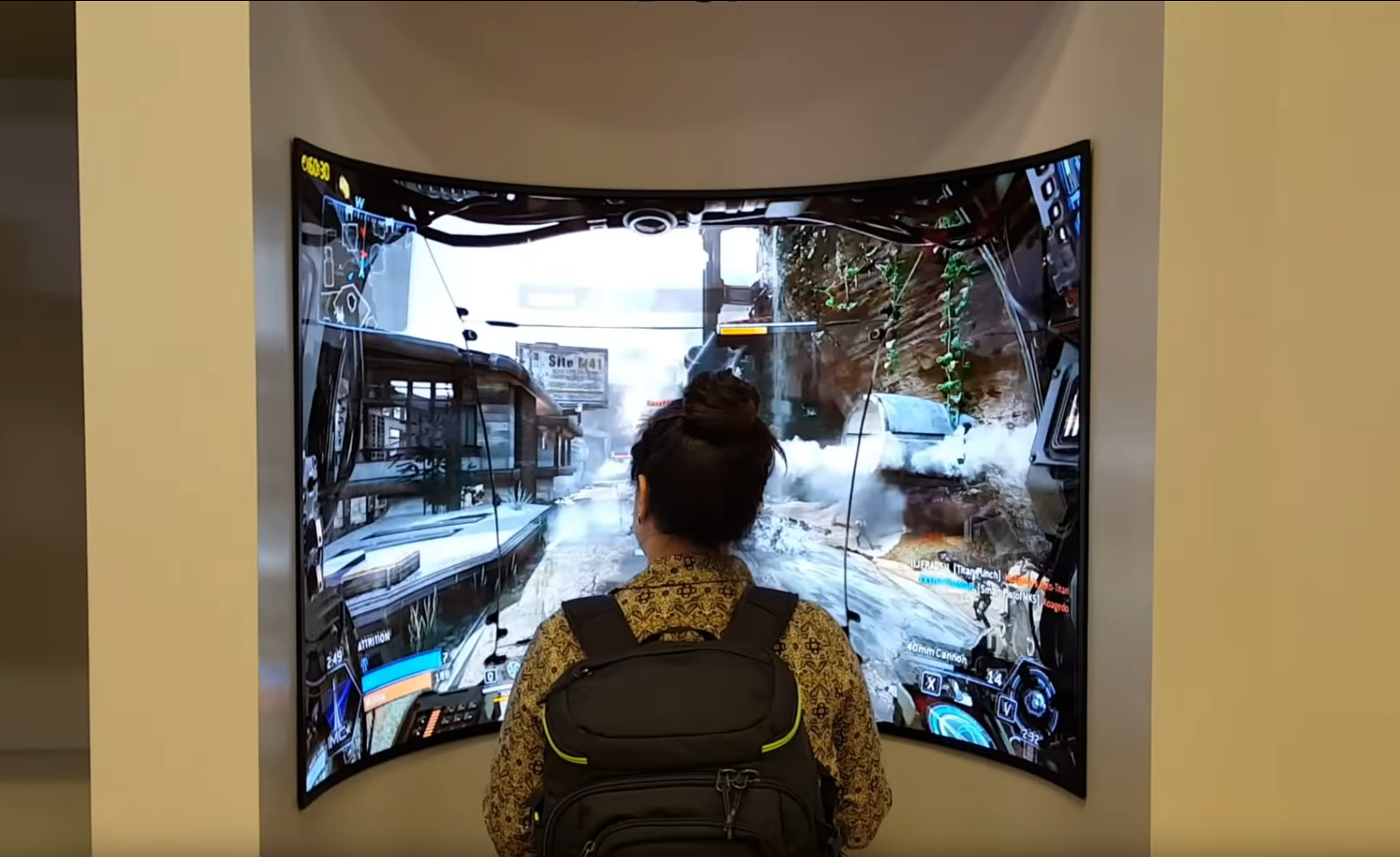
I at first took the curved 48" one mentioned from this year's CES with a grain of salt because I've seen a lot of other things shown from CES that never made it to market. For example this curved OLED was showcased several years ago:

IlB5Ect.png
 
Anyone have a simple approach to basic calibration?

I probably spent 5 hours reading avsforums today to try and understand how to calibrate this TV.

After wading through thousands of pages of conflicting information, I'm about to give up. It seems even CalMAN has issues - the 1D LUT (for greyscale/white balance) it generates causes various artifacts.

I was thinking that just a simple white balance correction might be all I need - and there is advice on loading a 109% patch and adjusting the service menu WB to hit a 6500k target. But will this really be better than the factory WB calibration, which uses a 20k+ calorimeter compared to my 200$ i1 display?

Anyways, I'm totally lost and confused on calibration, maybe I'll just forget about it and go back to enjoying my screen. :LOL: It does seem to be overly red though on the Warm2 / 6500k setting...

Yes, the forum is a mess and a rabbit hole. I agree that AutoCal is problematic (1D Lut creates artifcat and 3D Lut may be overly simplistic)

My 48CX greatly benefited from a manual calibration since the factory calibration was poorly done. This varies by unit.
So maybe you can perform a pre-calibration run to see how your WB looks like and see if a calibration is necessary?

Here is the manual approach that I propose for SDR using CALMAN.. No need to go in the Service Menu to achieve very good results...
1) Turns off all the Image Enhancement features (Noise reduction, screen shift, etc.)
2) Use either IFS Dark or Day. Set gamma to 2.2 (Bright room) or 2.4 (Dark room) and temperature to Warm 2. Contrast should be set to 85. Black Level should be set to low.
3) Ensure that CALM is set to REC709 and gamma is consistent with the TV setting (Power 2.2 or 2.4)
3) Ensure that brightness is set properly using a black test image (usually from an USB stick)
4) Set OLED Light to achieve desired luminance at White 100% patch.
If is recommended to add 15 nits to the target since the white balance calibration will reduce the luminance.
For example, aim for 115 nits if your target is 100 nits (the usual target for dark room).
5) For white balance, you could do the following
Option A:
Adjust 2-point RGB-High and Low. I personally like 20%/80% but some prefer 30%/100%
Option B (More complicated and more precise... this is consistent with D-Nice recommended settings):
Step 1: 2-point: set optimal RGB-High at 100% white. Generally, blue needs to be lowered. As opposed to Option A, do not modify RGB Low.
Step 2: 22-point: update RGB for each IRE, starting from 100%. Only point 1 should ever go +- 15 or more from the default of 0. Point 2 +- 10 from the default of 0. All other points should be be +-4 of 0 and +-2 of the previous and next point. I recommend to use a spreadsheet to monitor the progression. BTW, do not modify luminance as it will likely introduce artifacts.
6) Do not modify CSM, tint, colors, etc.
7) Re-test luminance and adjust OLED light if necessary
8)
 
Yeah I'm all for more 48" models, I was just saying there apparently were no 2021 48" models in the korean registry he referenced in his other video even though there was every other model and size for 2021. Of course that could change I guess, but people were inquiring as to whether it would be wise to wait a little bit longer and pass on the 48cx, instead looking toward a 48" C1 if they were imminent.


I at first took the curved 48" one mentioned from this year's CES with a grain of salt because I've seen a lot of other things shown from CES that never made it to market. For example this curved OLED was showcased several years ago:

View attachment 315622
That's hilariously silly.


...and I want it. :D I'd still run an ultrawide resolution and then it would be perfect.
 
I'm continuing to have some issues with maintaining a stable sync, primarily on power-up or resuming from sleep. Perhaps 50% of the time, when Windows boots to the desktop I either get no picture, occasional "invalid format" messages or various rates of blinking. Sometimes a reset of the PC fixes this. That said, unplugging the HDMI cable and re-inserting it *almost always* fixes the issue and gives me a Windows desktop. Still a possible cable issue? (I am using the Zeskit 2m cable; I have a 1m on order now.)

Running 4k / 120 / 8bpp. I have found some skittishness with signal at 10bpp. 12bpp is not showing up as an option for me.
Wanted to follow up on this - I replaced the Zeskit 2m cable with a 1m cable and my sync problems (up to 10bpp) have decidedly gone away. This tells me their cables may not be exactly up to snuff, or I got a bad 2m sample. Wanted to share that.

I do not see a 12bpp option in the control panel. Should I? I am using 120Hz and HDR with a RTX 3080.
 
Yeah, I have been waiting for a jump-off point from this JS9000 and like what you say above, it seems to be the time.
Some feedback from my perspective:
- I had a JU7100 which though a somewhat lower end (and much less common) model was of a similar ilk to the JS9000, so my comments are versus that
- Burn-in can be mitigated if you're at a markedly-under-max-nits-and-Win10-HDR setup and/or you have reliable use of a screen saver.
- That said, if you're using Windows then you must know that "reliable use of xyz" and Windows are often mutually exclusive. Several times my screen saver, set for 1 minute, never went off while I went about doing whatever, and I came back 5 hours later with a static Windows desktop... and absolutely fairly substantial shadowing that stopped my heart
- THAT said, each time it's happened, the retention has disappeared within minutes/hours/by the following morning so I've as yet had no permanent harm. I use 100% brightness and HDR - it's best for my particular use case.
- This has led to a behavioral change... I often wait for the screen saver to take hold (or power down the PC) before stepping away. It's an annoyance, but I'd describe it as on par with moving to an EV: worth it.

Overall, I think it's worth it. The image quality, VRR, 120Hz all more than make up for it. As a pleasant side effect, I had to ditch flanking speakers from my JU7100 due to size but the CX48's integrated speakers are more than a satisfactory replacement. In fact I like the audio setup better than before.

The only real frustration I've had is fairly substantial video sync issues at 120Hz 4k HDR 10bpp. At least for me, it's proven to be highly sensitive to HDMI cable quality and I've had to go through several cables to get to a modicum of stability. And my Samsung still is superior in that regard. Hopefully further improvements in firmware (and a still-better cable if I can find one) will help. One side note: the CX48 syncs to basic text mode / 720x480 signals faster than the Samsungs. This makes working with BIOS, retro hardware etc. far more productive. My Samsung often wouldn't sync signal until I was past the POST messages and into the Windows boot. which was super annoying when I was troubleshooting or something was wrong.

Going from 40" to 48" has been fully manageable. I suppose I'd still prefer 40" if I had my druthers. But this also is more in the "annoyance" category than anything else.

Overall, zero regrets so far.
 
Last edited:
I replaced the Zeskit 2m cable with a 1m cable and my sync problems (up to 10bpp) have decidedly gone away. This tells me their cables may not be exactly up to snuff, or I got a bad 2m sample. Wanted to share that.

I've been using the Zeskit 1m cable with this TV since April and it's been great. I wonder if length is playing a role here.
 
You have to run the modded profile to get 120hz 12bit. It essentially lets the screen take a 48Gbps signal instead of topping out at 40.
 
Yes, the forum is a mess and a rabbit hole. I agree that AutoCal is problematic (1D Lut creates artifcat and 3D Lut may be overly simplistic)

My 48CX greatly benefited from a manual calibration since the factory calibration was poorly done. This varies by unit.
So maybe you can perform a pre-calibration run to see how your WB looks like and see if a calibration is necessary?

Here is the manual approach that I propose for SDR using CALMAN.. No need to go in the Service Menu to achieve very good results...
1) Turns off all the Image Enhancement features (Noise reduction, screen shift, etc.)
2) Use either IFS Dark or Day. Set gamma to 2.2 (Bright room) or 2.4 (Dark room) and temperature to Warm 2. Contrast should be set to 85. Black Level should be set to low.
3) Ensure that CALM is set to REC709 and gamma is consistent with the TV setting (Power 2.2 or 2.4)
3) Ensure that brightness is set properly using a black test image (usually from an USB stick)
4) Set OLED Light to achieve desired luminance at White 100% patch.
If is recommended to add 15 nits to the target since the white balance calibration will reduce the luminance.
For example, aim for 115 nits if your target is 100 nits (the usual target for dark room).
5) For white balance, you could do the following
Option A:
Adjust 2-point RGB-High and Low. I personally like 20%/80% but some prefer 30%/100%
Option B (More complicated and more precise... this is consistent with D-Nice recommended settings):
Step 1: 2-point: set optimal RGB-High at 100% white. Generally, blue needs to be lowered. As opposed to Option A, do not modify RGB Low.
Step 2: 22-point: update RGB for each IRE, starting from 100%. Only point 1 should ever go +- 15 or more from the default of 0. Point 2 +- 10 from the default of 0. All other points should be be +-4 of 0 and +-2 of the previous and next point. I recommend to use a spreadsheet to monitor the progression. BTW, do not modify luminance as it will likely introduce artifacts.
6) Do not modify CSM, tint, colors, etc.
7) Re-test luminance and adjust OLED light if necessary
8)

Thanks for the detailed reply!

Just wondering, do I really need to buy CALMAN if just doing a greypoint adjustment like this? HCFR should suffice, right?

Also - I think it was suggested to calibrate the high point using a 109% white point. I assume that means you generate 255/255/255 white over a limited range connection? And the TV accepts that as 109% white? I wonder if this is even possible to do from a PC.

Indeed it seems super complicated compared to when I used to calibrate my PC monitors!
 
The only real frustration I've had is fairly substantial video sync issues at 120Hz 4k HDR 10bpp. At least for me, it's proven to be highly sensitive to HDMI cable quality and I've had to go through several cables to get to a modicum of stability. And my Samsung still is superior in that regard. Hopefully further improvements in firmware (and a still-better cable if I can find one) will help. One side note: the CX48 syncs to basic text mode / 720x480 signals faster than the Samsungs. This makes working with BIOS, retro hardware etc. far more productive. My Samsung often wouldn't sync signal until I was past the POST messages and into the Windows boot. which was super annoying when I was troubleshooting or something was wrong.

That sounds like purely cable issues. 4K 120 Hz with bells and whistles and HDMI 2.1 put a whole different requirement on cables than short HDMI 2.0. Long HDMI 2.0 tends to be finicky about cable quality as well and I see similar issues with HDMI 2.1. Easily solved by simply getting a "known good" cable. I have had great success with CableMatters "48 Gbps Ultra HDMI 8K" and Club3D CAC-1372 cables.

I don't know what it is about Samsung and slow resolution switching. My CRG9 has very slow resolution switching and if I remember correctly my KS8000 is not that snappy either.
 
Official press release of the 48" bendable version:

"SEOUL, Korea (Jan. 3, 2021) – LG Display, the world’s leading innovator of display technologies, announced today that it will showcase the world's first 48-inch Bendable Cinematic Sound OLED (CSO) optimized for gaming at CES 2021.

The 48-inch Bendable CSO display utilizes OLED’s advantages as its paper-thin screen bends and unfolds with a curvature radius of up to 1,000R, meaning that it can be made to bend up to a radius of 1,000mm without affecting the function of the display. It can therefore be turned into a flat screen while watching TV and used as a curved screen while gaming. The curved display offers a uniform viewing distance from the middle of the screen to its edge, maximizing the visual immersion that is popular among gamers.

In addition, the company’s CSO technology enables OLED displays to vibrate and make their own sound without the use of any speakers, offering a vivid sense of reality as if the on-screen characters were talking directly to the viewer. The 48-inch Bendable CSO display’s ultra slim film exciter, which is the part that vibrates the display, has been reduced to a thickness of just 0.6mm from 9mm and therefore allows viewers to enjoy a thinner screen as well as highly impressive sound.

OLED technology has recently been gaining attention in the gaming TV market for its superiority, as each pixel emits its own light, offering an infinite contrast ratio. This creates another level of vivid picture quality, along with the seamless experience delivered by a response time of 0.1 milliseconds (ms), a refresh rate of 120Hz per second, and a wide variable refresh rate range from 40Hz to 120Hz.

Moreover, for gamers who view screens for an extended period of time, LG Display’s OLED displays are particularly suitable because they are known for their eye comfort. They have been recognized and certified by leading global certification organizations as emitting low levels of blue light and being flicker-free.

“LG Display’s 48-inch Bendable CSO display is optimized for gaming as it maximizes the use of advanced technology that produces another level in terms of providing an immersive experience. In other words, it offers the very best gaming environment to gamers,” said Dr. Chang-ho Oh, Executive Vice President & Head of the TV Business Unit at LG Display.

LG Display will unveil a teaser film on January 4 to announce its participation in CES 2021 via its official company YouTube site"
Source: http://www.lgdisplay.com/eng/prcenter/newsList#

EDIT: The teaser film was a load of nothing and not worth watching.
 
Last edited:
Some feedback from my perspective:
- I had a JU7100 which though a somewhat lower end (and much less common) model was of a similar ilk to the JS9000, so my comments are versus that
- Burn-in can be mitigated if you're at a markedly-under-max-nits-and-Win10-HDR setup and/or you have reliable use of a screen saver.
- That said, if you're using Windows then you must know that "reliable use of xyz" and Windows are often mutually exclusive. Several times my screen saver, set for 1 minute, never went off while I went about doing whatever, and I came back 5 hours later with a static Windows desktop... and absolutely fairly substantial shadowing that stopped my heart
- THAT said, each time it's happened, the retention has disappeared within minutes/hours/by the following morning so I've as yet had no permanent harm. I use 100% brightness and HDR - it's best for my particular use case.
- This has led to a behavioral change... I often wait for the screen saver to take hold (or power down the PC) before stepping away. It's an annoyance, but I'd describe it as on par with moving to an EV: worth it.

Overall, I think it's worth it. The image quality, VRR, 120Hz all more than make up for it. As a pleasant side effect, I had to ditch flanking speakers from my JU7100 due to size but the CX48's integrated speakers are more than a satisfactory replacement. In fact I like the audio setup better than before.

The only real frustration I've had is fairly substantial video sync issues at 120Hz 4k HDR 10bpp. At least for me, it's proven to be highly sensitive to HDMI cable quality and I've had to go through several cables to get to a modicum of stability. And my Samsung still is superior in that regard. Hopefully further improvements in firmware (and a still-better cable if I can find one) will help. One side note: the CX48 syncs to basic text mode / 720x480 signals faster than the Samsungs. This makes working with BIOS, retro hardware etc. far more productive. My Samsung often wouldn't sync signal until I was past the POST messages and into the Windows boot. which was super annoying when I was troubleshooting or something was wrong.

Going from 40" to 48" has been fully manageable. I suppose I'd still prefer 40" if I had my druthers. But this also is more in the "annoyance" category than anything else.

Overall, zero regrets so far.
My advice: Don't rely on the Windows screensaver to save you. Had a similar thing happen to me: Had an app minimized that disabled the screensaver, came back an hour later to find some image retention. Faded over the course of a day, but now I make damn sure to turn off my TV when I walk away.

The bigger problem is just wear over time. Working from home over a year doing a lot of code development has basically ruined my B6; white uniformity is basically gone at this point. It's not really noticeable in games but it's quite clear with uniform backgrounds that panel wear is starting to become an issue after four years of heavy use.
 
  • Like
Reactions: elvn
like this
Thanks for the detailed reply!

Just wondering, do I really need to buy CALMAN if just doing a greypoint adjustment like this? HCFR should suffice, right?

Also - I think it was suggested to calibrate the high point using a 109% white point. I assume that means you generate 255/255/255 white over a limited range connection? And the TV accepts that as 109% white? I wonder if this is even possible to do from a PC.

Indeed it seems super complicated compared to when I used to calibrate my PC monitors!

Yes, HCFR should be fine but you will need a pattern generator... don't think that HCFR can "talk" to LG internal pattern generator (which is a great feature BTW)

109% white method is only recommended when you perform an elaborate calibration (which does not seem to be your intention).
More precisely, 109% only makes sense if you plan to calibrate the detailed full gray scale... if you only do 2 points then 100% or 80% is recommended for the upper range... this maximizes the accuracy for the subset of the spectrum that is the most common in real content.

If you use a PC make sure that your black level is set to low in the TV menu and your graphic card's dynamic range is set to limited (16-235).

My view is that sure an elaborate calibration that is done correctly results in great looking post-calibration charts but the difference with a simple calibration may not generally be visually impactful for most consumers. (the good old 80/20 rule).
 
  • Like
Reactions: hhkb
like this
My advice: Don't rely on the Windows screensaver to save you. Had a similar thing happen to me: Had an app minimized that disabled the screensaver, came back an hour later to find some image retention. Faded over the course of a day, but now I make damn sure to turn off my TV when I walk away.

The bigger problem is just wear over time. Working from home over a year doing a lot of code development has basically ruined my B6; white uniformity is basically gone at this point. It's not really noticeable in games but it's quite clear with uniform backgrounds that panel wear is starting to become an issue after four years of heavy use.

Regarding the operating system or 3rd party app (like displayfusion) screensavers and avoiding static content on the OLED in general:

..Some app notifications or app crash ~ "ok" windows etc. can show up above the screensaver layer.
..Your video card could crash leaving video "noise" or slanted color lines etc on the screen, even if that would be a very rare occurrence.
..Your pc could spontaneously reboot and get stuck on a bios screen
..If using multiple monitors, a monitor could drop out of the array connectivity wise (HDMI issues especially) resulting in windows shuffling the wrong content onto the OLED.

I agree with you. Like you said, I just turn my screen off. Even if it shuffles my window placements around when I turn it back on I can use displayfusion's saved window layout hotkey to deal the windows back to their saved positions like playing cards (in my case on a single key-press on my streamdeck mapped to the displayfusion saved window position profile hotkey).

----------------------------------------------

Regarding desktop/app use I'm keeping my OLED on a full black background and using other screen(s) on the side(s) for desktop/apps.

...I also use dark themes in every app that can, and I fine tune a windows high contrast theme to use dark/medium gray backgrounds. Not only for burn in safety concerns on the OLED but because I have big screens on the sides and I like graphics, images, and video windows to look as bright and saturated as they should be without blasting my eyes for reading.
...Another thing I used to do is mod firefox so that it doesn't do a white blank page flash when loading a new web page. That white flash between page loads is very annoying, especially in a dim viewing environment on large screen(s). Afaik chrome has no way to get rid of it with modifications, at least last time I looked. It's been a problem forever. If your dark windows theme changes the backgrounds to dark it shouldl use that color color on the blank page load though, so mine are dark or medium grey which doesn't blast my eyes like white pre-page loading did.
....I have "turn off the lights" browser add-on for both chrome and firefox that allows me to keep a brightness slider on the bottom of each page. I have a color changer add-on on both browsers as well that allows a quick dropdown + 1 click to grey blackground (or color wheel) and contrasted text that it remembers on a per page basis. I put sites like Hardforum on the color changer addon's whitelist since it is dark to start with though. There is also a whitelist for "turn off the lights".

.. As mentioned previously, I use taskbarhider and translucent taskbar apps to hide the taksbar, but now I've also dragged that windows primary monitor taskbar to my non primary (and non-oled) screen and hid it there at the top of that portrait mode screen. I don't have any need for a taskbar on the OLED screen. I can hit Win+S to search, Win+A for the action center. ALT+TAB or CTRL+ATL+TAB (persistent popup) only shows what is open on the active screen thanks to displayfusion.

-------------------------------------------

So I'm playing vids, streams, and games on the oled. I also sometimes open an image link from a browser into it's own window and put it on the oled. I'm going to see if I can streamline that somehow with an addon that would let me right click and re-open images onto the oled full screen automatically.
 
I think my CX might be starting to lose some brightness, or perhaps it's just window HDR. I re-adjust my white point and brightness every 6 months and now I need to adjust the windows SDR brightness slider to 18 in order to hit 120 nits, whereas before a slider value of 12 was 120 nits. This is with OLED light at 100 running windows HDR.
 

Attachments

  • 20210103_122755.jpg
    20210103_122755.jpg
    394.5 KB · Views: 0
Back
Top