Automatic Static brightness limiter basically resets itself if you show it very different content on screen. Usually this means a bright window. It really should be a feature you can disable without venturing into the service menu and something I hope LG adds to the C11 if they plan to pass this as a gaming monitor.Sooooo I took the plunge! Flipping love this TV as a monitor. Quick question though, it went into that auto dimming mode yesterday and had trouble coming out of it.... anything I can do to help with this? I know we can’t remove.
![[H]ard|Forum](/styles/hardforum/xenforo/logo_dark.png)
Navigation
Install the app
How to install the app on iOS
Follow along with the video below to see how to install our site as a web app on your home screen.
Note: This feature may not be available in some browsers.
More options
You are using an out of date browser. It may not display this or other websites correctly.
You should upgrade or use an alternative browser.
You should upgrade or use an alternative browser.
LG 48CX
- Thread starter gan7114
- Start date
Thank you! This works early on, however, after longer stretches, 15mins or so, it’s tough to bring back.Automatic Static brightness limiter basically resets itself if you show it very different content on screen. Usually this means a bright window. It really should be a feature you can disable without venturing into the service menu and something I hope LG adds to the C11 if they plan to pass this as a gaming monitor.
Although I think I found the culprit that was keeping it dimmed, Wallpaper Engine! I use it extensively and even more so now, to protect from burn in. Disabling it and re enabling it got the screen back.

Porter_
[H]F Junkie
- Joined
- Sep 10, 2007
- Messages
- 8,467
Thanks man. I didn’t notice any screen tearing in 4:2:0 but some of the games were running at 100+hz so it’s hard to tell sometimes. It’s not just the demo that doesn’t work - the NVCP G-SYNC Display indicator also doesn’t show up when gaming.The G-SYNC demo is broken at 4:2:0. G-SYNC should still work in games. Make sure you've selected Fullscreen Exclusive mode if G-SYNC is not enabled for windowed applications.
Anyone have any experience with Club3D CAC-1372 ?? It does not have any premium look but no zeskit or another officialy certified cable available here in EU and have some random disconect issues so I would like to get something better for 4k 120hz HDR VRR 4:4:4 usage.
mirkendargen
Limp Gawd
- Joined
- Dec 29, 2006
- Messages
- 435
People in this thread talked about using the Club3d cable with the Club3d adapter pre-Ampere and seemed to have success with it (their problems were with the adapter not the cable).Anyone have any experience with Club3D CAC-1372 ?? It does not have any premium look but no zeskit or another officialy certified cable available here in EU and have some random disconect issues so I would like to get something better for 4k 120hz HDR VRR 4:4:4 usage.
I really doubt that's actually true as LG only make one 48" OLED panel, and that would bork up the built-in interpolation engine for 60Hz sources and in fact would mean you couldn't even use the exact same algorithm because 60Hz to 100Hz takes quite a bit more computational grunt than 60Hz to 120Hz due to the former being a fraction.Seems the 3LB uses 100Hz instead ofn120Hz native refresh rate
3LB vs 9LB
If anything I would expect the 100Hz listing to simply be a case of it being a Euro-specific model, and European broadcasts are 50Hz so the marketing focuses on 100Hz rather than 120Hz (because much like 60Hz to 120Hz, it's better and much easier to interpolate 50Hz to 100Hz rather than 50Hz to 120Hz).
To put things into perspective, most 60Hz territory TV can run a custom resolution of 50Hz even if that refresh rate is not exposed in the stock EDID, and the same goes for running 100Hz if its a TV capable of 120Hz input (unless it's a panel not sold in 50HZ territories, like some Vizio TVs). For this reason, there's little reason to expect any LG OLED to not be able to run 120Hz input, especially for something like LG's 48" OLEDs where they are definitely using the same panel world-wide due to being supply-contained and selling every 48" panel that they make.
And just a point of clarification, custom resolutions and refresh rates tend to work very differently on TVs than monitors; on a monitor you can usually use any weird refresh rate as long as it's above the minimum and below the maximum of your panel's capabilities and you'll be fine (e.g. running 67Hz on a 75Hz monitor). But on a TV, running oddball refresh rates like 56Hz almost always does not work correctly (you may get judder or tearing) despite it being able to run both 50Hz and 60Hz.
Last edited:
Hey guys,
Started down the rabbit hole of upgrading my Acer Predator x34 for one of these.
I did upgrade my living room tv to a CX 65 about 2 weeks ago from Costco, which looks great with the Series X.
Currently in my office I have my older C6 55 mounted above my monitor, with 2 24" stacked on the side.
Would require me raising my C6 a bit to fit the CX 48 under it.
Does anyone know if Costco actually carries these in store or is it online only?
How are you fears about burn in and using this as a daily driver?
My PC has a 2080ti with a i9900k, anyone have a similar setup and how is 4k with it?
Thanks for the help.
Started down the rabbit hole of upgrading my Acer Predator x34 for one of these.
I did upgrade my living room tv to a CX 65 about 2 weeks ago from Costco, which looks great with the Series X.
Currently in my office I have my older C6 55 mounted above my monitor, with 2 24" stacked on the side.
Would require me raising my C6 a bit to fit the CX 48 under it.
Does anyone know if Costco actually carries these in store or is it online only?
How are you fears about burn in and using this as a daily driver?
My PC has a 2080ti with a i9900k, anyone have a similar setup and how is 4k with it?
Thanks for the help.

- Joined
- Jun 10, 2011
- Messages
- 441
Get rid of the old one and buy the CX 55 if you want a bigger screen. You need only one of these as they're all equally good as a monitor.Hey guys,
Started down the rabbit hole of upgrading my Acer Predator x34 for one of these.
I did upgrade my living room tv to a CX 65 about 2 weeks ago from Costco, which looks great with the Series X.
Currently in my office I have my older C6 55 mounted above my monitor, with 2 24" stacked on the side.
Would require me raising my C6 a bit to fit the CX 48 under it.
Does anyone know if Costco actually carries these in store or is it online only?
How are you fears about burn in and using this as a daily driver?
My PC has a 2080ti with a i9900k, anyone have a similar setup and how is 4k with it?
Thanks for the help.

- Joined
- May 5, 2006
- Messages
- 5,960
With my second Xbox controller ~ kidney shaped desk and my chair both on caster wheels I could have rolled back farther than I'm sitting currently. Right now I have the rolling desk butted right up against the long rectangular desk my monitors are on, with the leading edge overlapping an inch or so. That works out well for me space wise but considering my separate desk configuration I could have easily moved back farther and bought the 55 inch version, saving 200 bucks on the bb cybermonday deal. That would have made the side monitors a little farther apart and farther away but it would have worked.
I just use a full black, solid wallpaper which is like the TV is off when it's a blank screen.
Thank you! This works early on, however, after longer stretches, 15mins or so, it’s tough to bring back.
Although I think I found the culprit that was keeping it dimmed, Wallpaper Engine! I use it extensively and even more so now, to protect from burn in. Disabling it and re enabling it got the screen back.
I just use a full black, solid wallpaper which is like the TV is off when it's a blank screen.
Last edited:
Sorcerer_Tim
Limp Gawd
- Joined
- Oct 8, 2009
- Messages
- 183
I ran my CX48 with a 9900KS and 2080Ti for a couple of weeks before I got my 3080. It was great. I only game on it and only noticed some subsampling in SWTOR. It ran everything I played on it just fine. I am not sure about Costco, I got mine from Amazon.Hey guys,
Started down the rabbit hole of upgrading my Acer Predator x34 for one of these.
I did upgrade my living room tv to a CX 65 about 2 weeks ago from Costco, which looks great with the Series X.
Currently in my office I have my older C6 55 mounted above my monitor, with 2 24" stacked on the side.
Would require me raising my C6 a bit to fit the CX 48 under it.
Does anyone know if Costco actually carries these in store or is it online only?
How are you fears about burn in and using this as a daily driver?
My PC has a 2080ti with a i9900k, anyone have a similar setup and how is 4k with it?
Thanks for the help.
equinox654
Gawd
- Joined
- Apr 7, 2005
- Messages
- 996
I'm getting noblechairs epic for Christmas. Thinking about getting a new desk to go along with it.
Do yall have a recommendation on a desk for the cx48?
Right now I have your typical glass elbow desk. Think its 30" deep and 4' on each leg.
Do yall have a recommendation on a desk for the cx48?
Right now I have your typical glass elbow desk. Think its 30" deep and 4' on each leg.
- Joined
- May 5, 2006
- Messages
- 5,960
I'm putting this on my wish list as a potential upgrade someday. Though I like my current setup of a somewhat smaller desk on wheels that is separate from a long desk my monitors are on, this desk I'm suggesting is much wider. These studio desks aren't cheap at just under $500 but compared to some studio desks that's not a bad deal. The desks look very spacious at 71 x 40 x 37 inches and with a large tray.
Just search studio desk on amazon and some variations of this desk will show up. I'd omit the installation of the upper shelves if I ever get this (I do on any desk that has those) and would probably put the CX on a floor stand at whatever distance on the wall in front of the desk. Since the desk is on wheels like my current peripheral desk is,, it would be very easy to modify viewing distances as long as the screen is mounted separately from the "command center" desk.


Tray measures 39.5” and has 5.5” vertical clearance. Comfortably fits most 61 key keyboard controllers, but anything over 39” might bump up against the tray suspension/supports
Just search studio desk on amazon and some variations of this desk will show up. I'd omit the installation of the upper shelves if I ever get this (I do on any desk that has those) and would probably put the CX on a floor stand at whatever distance on the wall in front of the desk. Since the desk is on wheels like my current peripheral desk is,, it would be very easy to modify viewing distances as long as the screen is mounted separately from the "command center" desk.


sharknice
Supreme [H]ardness
- Joined
- Nov 12, 2012
- Messages
- 5,254
I'm getting noblechairs epic for Christmas. Thinking about getting a new desk to go along with it.
Do yall have a recommendation on a desk for the cx48?
Right now I have your typical glass elbow desk. Think its 30" deep and 4' on each leg.
If you do get a new desk get something narrow with just enough room to comfortably fit your keyboard and mouse surface. Then you can have the screen lower than the desk without it being obscured.
I custom built a desk so I could do this with multiple rows of monitors years ago and the 48" basically just replaced 4 24" screens and fits perfectly. I'm not sure if there are good buyable options yet.
Just a bit worried about sitting that close to a 55" display for my monitor. As a tv now its more background noise above my setup.Get rid of the old one and buy the CX 55 if you want a bigger screen. You need only one of these as they're all equally good as a monitor.
Just a bit worried about sitting that close to a 55" display for my monitor. As a tv now its more background noise above my setup.
It's all about viewing distance. My CX 48 looks pretty nice with 120% scaling at about 100-110cm viewing distance. With a 55" you would definitely want more than that to make it more palatable both in terms of size and how sharp text looks.
equinox654
Gawd
- Joined
- Apr 7, 2005
- Messages
- 996
If you are using it with a normal desk and chair at normal monitor viewing distances you won't be able to see the title bar or task bar in full screen applications when looking dead center of the screen. The 48" is a much better solution for pc use. I use solidworks on mine 16 hours a week working from home and it's no problem. The two days I had a 55" I had a neck pain from looking up all day. You would have to wall mount it or put it on a stand and slide the desk back.Just a bit worried about sitting that close to a 55" display for my monitor. As a tv now its more background noise above my setup.
Plus the dpi on the 48" is similar to a 24" 1080p monitor. You really don't want to go down from that for text clarity. The WRGB pixel arrangement already does funky shit to fonts.
- Joined
- May 5, 2006
- Messages
- 5,960
If you don't have an exceptionally deep desk or table then the floor tv stands are probably the easiest if you have room to move your desk or the stand away from each other. Those Vesa floor stands are around $100 to $130. You could also use something like a smallish wooden microwave stand or mini table top hutch type thing behind your desk to put the monitor on for the extra space. I used to do that with a fw900 (because otherwise it would have taken over the whole desk), and I later did it with a 37" westinghouse 1080p I used briefly in order to increase the distance.
Old pic in a different room with different desk .. 2006

........
I mentioned the pricier desks I was looking at because equinox554 asked for suggestions and it already sounded like he was getting a more expensive quality chair.
In regard to having the screen beneath the desk - all three of my screens are on the top of the desk surface. I have a chair with full arm-elbow wrist support across the desk arms aligned to my desk surface and it also has full head and neck support. So I just tilt the chair back like 5 degrees or so to a sniffing position. You'd be suprised at how much higher up that puts an invisible line from your eyeballs to the middle of a tall screen when sitting 3ft + away. My desk also has a foot board across the bottom incidentally so overall it's extremely comfortable. Again it's just a sniffing angle not a nosebleed angle (actually you aren't supposed to tilt your headback for nosebleeds anymore but you get what I mean). I have a 43" 4k in portrait mode on each side of the LG 48CX currently and they are even taller. Only the top 6" requires me to really glance upward more than my regular neutral head position on the headrest so I prioritize my windows and readout apps, etc accordingly regarding how high on the monitors I place them.
Old pic in a different room with different desk .. 2006

........
I mentioned the pricier desks I was looking at because equinox554 asked for suggestions and it already sounded like he was getting a more expensive quality chair.
In regard to having the screen beneath the desk - all three of my screens are on the top of the desk surface. I have a chair with full arm-elbow wrist support across the desk arms aligned to my desk surface and it also has full head and neck support. So I just tilt the chair back like 5 degrees or so to a sniffing position. You'd be suprised at how much higher up that puts an invisible line from your eyeballs to the middle of a tall screen when sitting 3ft + away. My desk also has a foot board across the bottom incidentally so overall it's extremely comfortable. Again it's just a sniffing angle not a nosebleed angle (actually you aren't supposed to tilt your headback for nosebleeds anymore but you get what I mean). I have a 43" 4k in portrait mode on each side of the LG 48CX currently and they are even taller. Only the top 6" requires me to really glance upward more than my regular neutral head position on the headrest so I prioritize my windows and readout apps, etc accordingly regarding how high on the monitors I place them.
Last edited:
MelonSplitter
[H]ard|Gawd
- Joined
- Aug 6, 2006
- Messages
- 1,142
Is anyone still using the ASBL "fix" in the service menu? How's it still working for you guys with all the updates we've had? I'd like to try it.
I have a 5 yr BB warranty on my set and get annoyed with the auto dimming.
I have a 5 yr BB warranty on my set and get annoyed with the auto dimming.
Is anyone still using the ASBL "fix" in the service menu? How's it still working for you guys with all the updates we've had? I'd like to try it.
I have a 5 yr BB warranty on my set and get annoyed with the auto dimming.
I have ASBL turned off and it works fine for desktop use now.
I have a 43" 4k in portrait mode on each side of the LG 48CX currently and they are even taller. Only the top 6" requires me to really glance upward more than my regular neutral head position on the headrest so I prioritize my windows and readout apps, etc accordingly regarding how high on the monitors I place them.
Do you have a pic of your current setup? I remember you had some massive battlestation thing but interested in how the 43 screens look compared to 48". How do you feel about the difference in PPI?
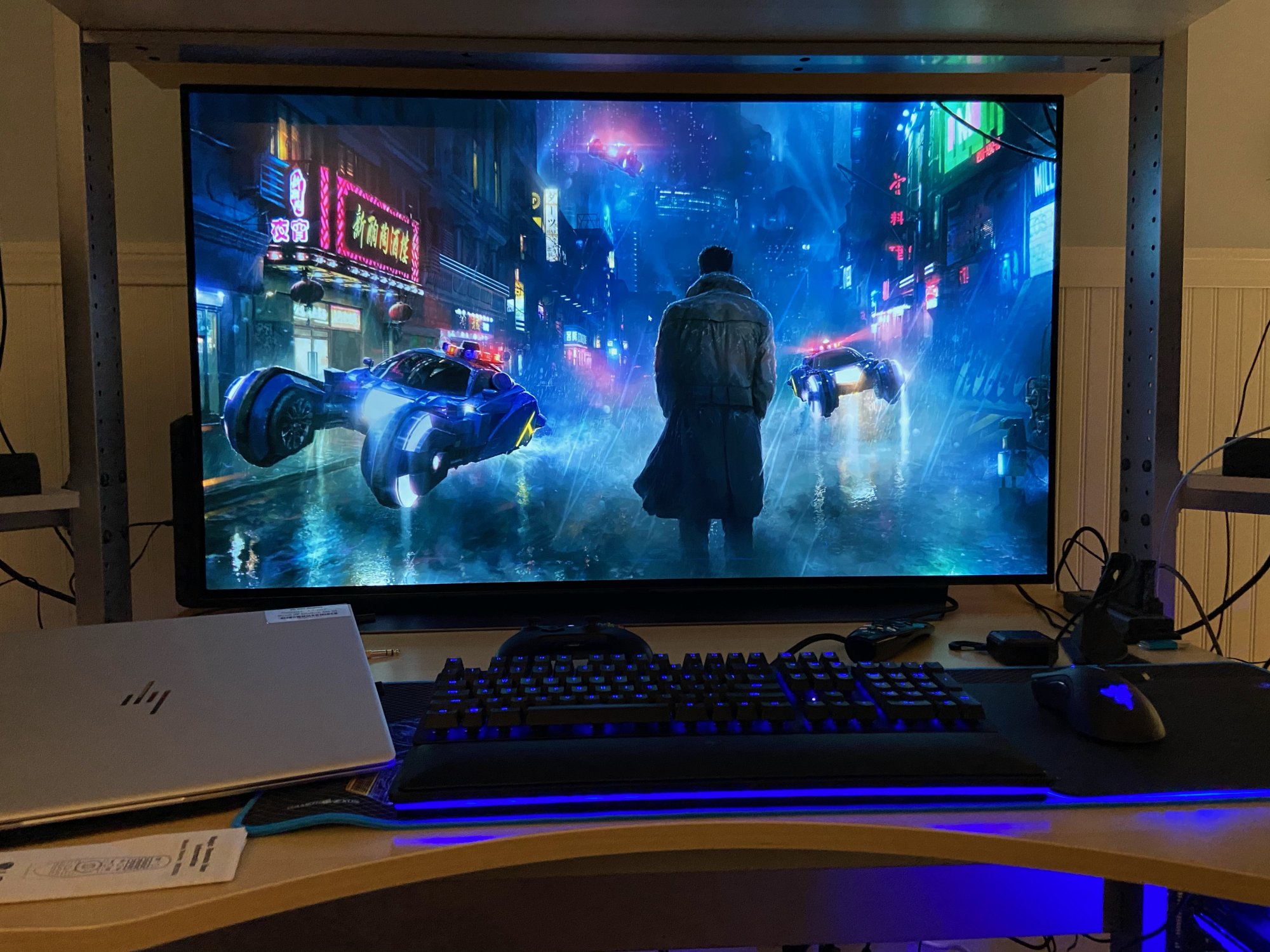
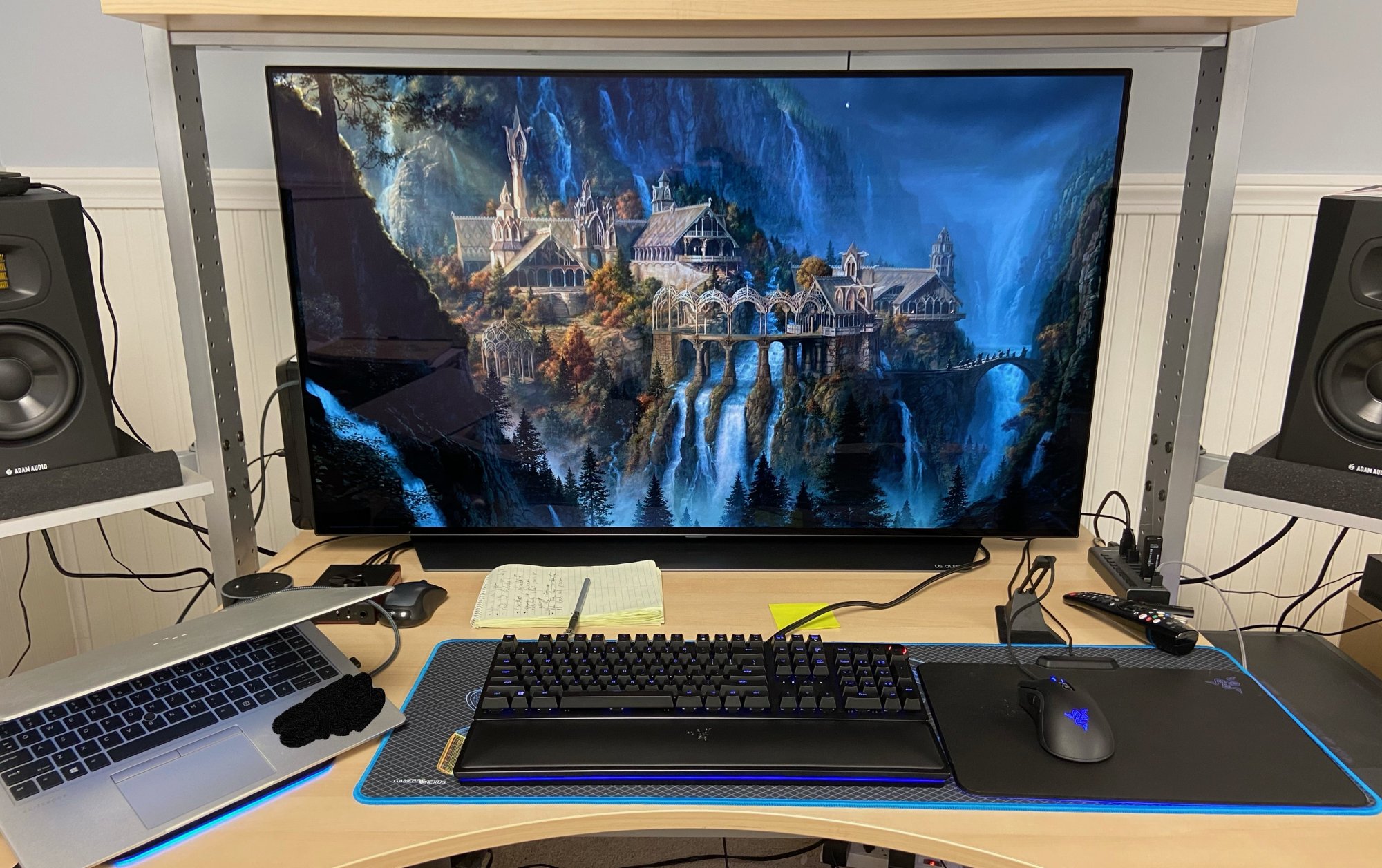
I'm still using that desk as well! Good old jerker. The 48" fits perfectly in the 'frame' made with the desk and the top shelfHere's my setup, still needs some cleaning. Using a older IKEA desk I've had for like 15yrs, maybe more haha.
View attachment 305590View attachment 305596
Sorcerer_Tim
Limp Gawd
- Joined
- Oct 8, 2009
- Messages
- 183
I use an Arozzi Arena Gaming Desk that I got for under $300 on Massdrop. It is plenty big and holds everything, but when I bump the front of it, there is more movement than I like. It does not feel unstable or in danger of failing, just wobbles.
sharknice
Supreme [H]ardness
- Joined
- Nov 12, 2012
- Messages
- 5,254
Ideally you want your arms slightly angled from your sides and your forearms to be parallel with the ground resting on your keyboard and mouse. Your legs should also be parallel with the ground and the surface should barely be above them. This minimizes strain on your wrists.
You want your eyes to line up with the top of your screen so you only need to look down which minimizes stress to your neck and eyes.
I have a custom desk with separate motorized height adjustments for the monitors and keybard/mouse surface and plenty of depth to move the screens as far back as I want so I could play around with it to get perfect ergonomics.
This is what I've found to be ideal positioning ergonomically for me. I'm 6'2":
30" distance from my eyes to the screen - I can comfortably read everything with 100% scaling. I use it like a grid of four 24" 1080p screens for normal PC use and a large field of view big screen for gaming.
27.5" height keyboard/mouse surface - my elbows form a 90 degree angle and my forearms are parallel with the ground
21.5" height screen surface using the stand it came with - my eyes line up with the top of the screen which ends up around 47"
This puts the screen surface 6 inches below the keyboard/mouse surface.
This is the complete opposite of what a typical desk is designed for where the screen surface is higher than the keyboard and mouse. You can't use a normal desk if you want ideal ergonomics with a screen this large. If you can't get a new desk/stand/etc you'll just have to make the best out of what you've got, but I definitely recommend going the extra step and getting everything perfectly setup if you're already spending $1500 on the screen plus whatever hardware you needed to drive it.
This is what mine looks like:

You want your eyes to line up with the top of your screen so you only need to look down which minimizes stress to your neck and eyes.
I have a custom desk with separate motorized height adjustments for the monitors and keybard/mouse surface and plenty of depth to move the screens as far back as I want so I could play around with it to get perfect ergonomics.
This is what I've found to be ideal positioning ergonomically for me. I'm 6'2":
30" distance from my eyes to the screen - I can comfortably read everything with 100% scaling. I use it like a grid of four 24" 1080p screens for normal PC use and a large field of view big screen for gaming.
27.5" height keyboard/mouse surface - my elbows form a 90 degree angle and my forearms are parallel with the ground
21.5" height screen surface using the stand it came with - my eyes line up with the top of the screen which ends up around 47"
This puts the screen surface 6 inches below the keyboard/mouse surface.
This is the complete opposite of what a typical desk is designed for where the screen surface is higher than the keyboard and mouse. You can't use a normal desk if you want ideal ergonomics with a screen this large. If you can't get a new desk/stand/etc you'll just have to make the best out of what you've got, but I definitely recommend going the extra step and getting everything perfectly setup if you're already spending $1500 on the screen plus whatever hardware you needed to drive it.
This is what mine looks like:

- Joined
- Feb 15, 2011
- Messages
- 2,889
I'm getting noblechairs epic for Christmas.
Grats, I love my Icon. A noblechair and a CX for Christmas, what's not to love about that?

I'm still using that desk as well! Good old jerker. The 48" fits perfectly in the 'frame' made with the desk and the top shelf
Ha that's awesome! I didn't realize there was such a following for the IKEA Jerker series. Those side swivel shelves are worth their weight in gold.
equinox654
Gawd
- Joined
- Apr 7, 2005
- Messages
- 996
ThanksGrats, I love my Icon. A noblechair and a CX for Christmas, what's not to love about that?
Got a ps5 too
But yeah I have been complaining since I got the CX that I wished I had room for a recliner in our office,because I like to kick back when I play things with a controller and my wife remembered that and sent me a bunch of amazon links for $150-$180 gaming chairs that recline, so I sent her back the link for the noblechair and told her I would cover a couple of hundred of it if she ordered it... Still cost me a bit, but not bad. Now I need to find a foot stool.
- Joined
- May 5, 2006
- Messages
- 5,960
Ideally you want your arms slightly angled from your sides and your forearms to be parallel with the ground resting on your keyboard and mouse. Your legs should also be parallel with the ground and the surface should barely be above them. This minimizes strain on your wrists.
You want your eyes to line up with the top of your screen so you only need to look down which minimizes stress to your neck and eyes.
I have a custom desk with separate motorized height adjustments for the monitors and keybard/mouse surface and plenty of depth to move the screens as far back as I want so I could play around with it to get perfect ergonomics.
This is what I've found to be ideal positioning ergonomically for me. I'm 6'2":
30" distance from my eyes to the screen - I can comfortably read everything with 100% scaling. I use it like a grid of four 24" 1080p screens for normal PC use and a large field of view big screen for gaming.
27.5" height keyboard/mouse surface - my elbows form a 90 degree angle and my forearms are parallel with the ground
21.5" height screen surface using the stand it came with - my eyes line up with the top of the screen which ends up around 47"
This puts the screen surface 6 inches below the keyboard/mouse surface.
This is the complete opposite of what a typical desk is designed for where the screen surface is higher than the keyboard and mouse. You can't use a normal desk if you want ideal ergonomics with a screen this large. If you can't get a new desk/stand/etc you'll just have to make the best out of what you've got, but I definitely recommend going the extra step and getting everything perfectly setup if you're already spending $1500 on the screen plus whatever hardware you needed to drive it.
This is what mine looks like:
View attachment 305625
I like how you have the arms of your chair in line with the top of the desk surface to the peripherals. That is a key facet. For me being broad-shouldered I like having a chair with inward/outward adjustment on the arms (not V tilting) as well as up and down. That allows me to sit in a full "throne style" seating position. Full head/neck support is also great for tilting a few degrees to change that invisible dotted line between your eyeballs and your monitor a little higher. It's also relaxing. Foot support helps too with either a cross board on the bottom of the desk built in or a 3rd party foot rest.
While not exact in types of desks , chair etc., your setup is still reminiscent of mine. Instead of two monitors stacked on each side I have a tall 43" 4k in portrait mode on each side. Instead of sinking the monitors below the desk I keep them directly on the desk and slightly tilt my chair.
It only takes a very small tilt to bring my center line up slightly across ~ 42" distance from the OLED and ~ 47" from the side screens. I'm staring dead center at the center 1/3 of the oled so that is perfect for me. On the side portrait monitors I'm staring at the second 1/4 up on the side monitors when I look over to either of them. So I can foucs on about 1/2 of each side monitor at a time. That means focusing on the top 1/2, the bottom half, or the.. "middle half" (with 1/4 top and bottom outside of my focal view). It works out well at this distance , logically setting up windows by priority placement and sizing on the side monitors. I use displayfusion window placements in a saved hotkeyed overall window placement profile as well as individual window/app launch - placement - min/restore function for each of my most used apps which each are tied to a single hotkey-button per app on my streamdeck.
Last edited:
You obviously haven't read this thread then:Ha that's awesome! I didn't realize there was such a following for the IKEA Jerker series. Those side swivel shelves are worth their weight in gold.
https://hardforum.com/threads/ikea-desk-gallery.1341821/
Last edited:
quovadis123
n00b
- Joined
- Nov 4, 2014
- Messages
- 18
Lol! I think you should add a 6th monitor on top of the tv. Great set up by the way...Ideally you want your arms slightly angled from your sides and your forearms to be parallel with the ground resting on your keyboard and mouse. Your legs should also be parallel with the ground and the surface should barely be above them. This minimizes strain on your wrists.
You want your eyes to line up with the top of your screen so you only need to look down which minimizes stress to your neck and eyes.
I have a custom desk with separate motorized height adjustments for the monitors and keybard/mouse surface and plenty of depth to move the screens as far back as I want so I could play around with it to get perfect ergonomics.
This is what I've found to be ideal positioning ergonomically for me. I'm 6'2":
30" distance from my eyes to the screen - I can comfortably read everything with 100% scaling. I use it like a grid of four 24" 1080p screens for normal PC use and a large field of view big screen for gaming.
27.5" height keyboard/mouse surface - my elbows form a 90 degree angle and my forearms are parallel with the ground
21.5" height screen surface using the stand it came with - my eyes line up with the top of the screen which ends up around 47"
This puts the screen surface 6 inches below the keyboard/mouse surface.
This is the complete opposite of what a typical desk is designed for where the screen surface is higher than the keyboard and mouse. You can't use a normal desk if you want ideal ergonomics with a screen this large. If you can't get a new desk/stand/etc you'll just have to make the best out of what you've got, but I definitely recommend going the extra step and getting everything perfectly setup if you're already spending $1500 on the screen plus whatever hardware you needed to drive it.
This is what mine looks like:
View attachment 305625
- Joined
- May 5, 2006
- Messages
- 5,960
I've considered it before.... with a 43" uw or two 24" above.. (5 and 6 just being as split 43" window wise)

sharknice
Supreme [H]ardness
- Joined
- Nov 12, 2012
- Messages
- 5,254
The problem with screens above is it hurts your neck to look at them, even if it's just something you're glancing at once and a while it becomes a pain in the neck and you just don't want to use them. Also they become kind of distracting while gaming whereas the ones to the side are on the outer edge of your peripheral vision.
I would wrap additional screens around further to the sides before I went above.
I would wrap additional screens around further to the sides before I went above.
- Joined
- May 5, 2006
- Messages
- 5,960
Coming from years of sitting right up against a wall at a screen more or less I can see your point of view (no pun intended) in that scenario. Like sit up near a wall reading a newspaper and then try to look above your head at a clock up high on the wall kind of thing.. However it really depends how far away you are and if you have a full head/neck rest chair on a slight angle so that you can just tilt your eyes up. I can easily look up at the gap above my 48" cx right now without moving my neck. It's probably 45 degrees higher than me looking straight ahead. But to each their own. I'd prob just put readouts up there like rainmeter widgets connected to HW64 data and maybe chat app windows (irc, sms 3rd party, discord, myphone app) and such if I ever bothered mounting screen(s) up there in the first place. My side monitors are already that tall anyway in portrait mode as you can see from the schematic - so I'm looking up at the top 1/3 of those two screens the same way.
Incidentally regarding multiple monitors, it can be a pain to page off of a HDR game since I think the one I've played so far, Jedi Fallen Order, requires you to play it full screen rather than windowed+full in order for HDR to be active. It's pretty clunky to alt tab out of HDR which makes the OLED blink a few times and everything get laggy on all of the displays for a few seconds. I can turn HDR on my fake HDR side monitors but unless I was running HDR material I don't think it would be activated. Maybe if all three had activated HDR mode it would work cleaner. HDR movie playback doesn't have that disable/enable alt-tab issue when moving off of the OLED but fullscreen HDR mode active games like "Jedi:Fallen Order" do.
Incidentally regarding multiple monitors, it can be a pain to page off of a HDR game since I think the one I've played so far, Jedi Fallen Order, requires you to play it full screen rather than windowed+full in order for HDR to be active. It's pretty clunky to alt tab out of HDR which makes the OLED blink a few times and everything get laggy on all of the displays for a few seconds. I can turn HDR on my fake HDR side monitors but unless I was running HDR material I don't think it would be activated. Maybe if all three had activated HDR mode it would work cleaner. HDR movie playback doesn't have that disable/enable alt-tab issue when moving off of the OLED but fullscreen HDR mode active games like "Jedi:Fallen Order" do.
Nope! That’s awesome, gonna share some picsYou obviously haven't read this thread then:
https://hardforum.com/threads/ikea-desk-gallery.1341821/
Hooked and and man this is a biggie lmao.
Impressed with my 2080ti so far with it, played a Bit of WoW looks amazing on this.
Once I wall mount it will help push it back some.
Paid 1166 for it plus tax, happy with it so far.
Hopefully can sell off my Acer Predator x 34 now.
Impressed with my 2080ti so far with it, played a Bit of WoW looks amazing on this.
Once I wall mount it will help push it back some.
Paid 1166 for it plus tax, happy with it so far.
Hopefully can sell off my Acer Predator x 34 now.
equinox654
Gawd
- Joined
- Apr 7, 2005
- Messages
- 996
Damn! How did you get it so cheap?Hooked and and man this is a biggie lmao.
Impressed with my 2080ti so far with it, played a Bit of WoW looks amazing on this.
Once I wall mount it will help push it back some.
Paid 1166 for it plus tax, happy with it so far.
Hopefully can sell off my Acer Predator x 34 now.
I know the GM of ABC Warehouse in MI, he always gives me great deals for the amount of people I send him.Damn! How did you get it so cheap?
I was pretty surprised also, they had 2 at the warehouse I drove over and picked this one up.
Has anybody tried the 49” LG NANO85? It has HDMI 2.1 for 4K@120Hz, an IPS panel (like most gaming monitors) with no burn-in problem, and it’s only $499 at Best Buy.
Last edited:
mirkendargen
Limp Gawd
- Joined
- Dec 29, 2006
- Messages
- 435
The LG non-OLED TV's in larger sizes are hot garbage. It's possible the smaller ones are better...but I doubt it.Has anybody tried the 49” LG Nano 85? It has HDMI 2.1 for 4K@120Hz, an IPS panel (like most gaming monitors) with no burn-in problem, and it’s only $499 at Best Buy.