• Some users have recently had their accounts hijacked. It seems that the now defunct EVGA forums might have compromised your password there and seems many are using the same PW here. We would suggest you UPDATE YOUR PASSWORD and TURN ON 2FA for your account here to further secure it. None of the compromised accounts had 2FA turned on.
    Once you have enabled 2FA, your account will be updated soon to show a badge, letting other members know that you use 2FA to protect your account. This should be beneficial for everyone that uses FSFT.

How much RAM you got?

How much RAM is installed on your rig?

  • 4GB or less

    Votes: 1 0.1%
  • 4GB+

    Votes: 0 0.0%
  • 8GB+

    Votes: 14 2.0%
  • 12GB+

    Votes: 1 0.1%
  • 16GB+

    Votes: 115 16.8%
  • 32GB+

    Votes: 309 45.1%
  • 64GB+

    Votes: 207 30.2%
  • 128GB+

    Votes: 23 3.4%
  • 256GB+

    Votes: 9 1.3%
  • 512GB+

    Votes: 6 0.9%

  • Total voters
    685
My old Z77 board had 32GB of RAM. When it came time to upgrade, I didn't want to drop down to 16GB, and couldn't justify paying for 64GB, so I wound up with 32GB again...
 
haha well im sure they could easily fill 128gb of ram. was told this was worst idea for ryzen as it was 2 dimms not 4. i managed toget this kit to cl 14 cl 3600mhz, i dont see any issues,
 
It's become an important point now looking at laptops to buy. 16gb should be enough but what if I somehow start doing the more demanding tasks? Laptops OEMs love to solder things on so you're stuck.
 
I stuffed 32GB even in my laptop. :D Ram is the one thing that will keep older stuff running well. (y)
 
Last edited:
yeah havea nice old AMD Opteron duel socket 32 core system 256gb its my F@H rig got 4 Titan Blacks running on her lol and use it for compiling stuff since i setup at 128gb ram drive. (DDR 3 ECC)
 
yeah havea nice old AMD Opteron duel socket 32 core system 256gb its my F@H rig got 4 Titan Blacks running on her lol and use it for compiling stuff since i setup at 128gb ram drive. (DDR 3 ECC)
Nice! Those compiles have to be pretty quick even by modern standards.
 
yeah the ram really helps remove the bottleneck. cpus could be better but if you got software that can utilize duel socket cpus it helps alot.
 
Last edited:
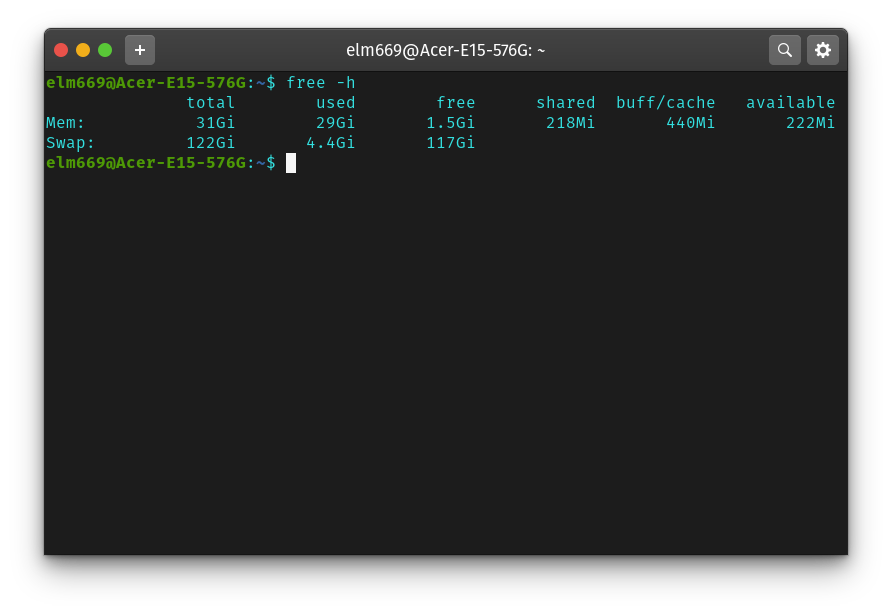
Still 32GB in my laptop, Wishing I could up it to 64GB but the machine is incapable. Between VMs, multiple build projects and multiple browsers with untold tabs open I'm running deep in swap these days. 4GB is a light day, Have seen it upwards of 30GB of swap partition use. nEeD mOrE POWAH.

mem.png
 
32GB for me. It just made sense when I was building my system earlier this year. Most of the time 16GB is sufficient, it is nice to have a bit extra when running VMs etc. from time to time. Also worry a bit less about what I have running in the background when gaming.
 
16GB, not one game I have played has needed near that.
And much higher speeds are easily attainable on 2x8GB vs 2x16GB or 4x8GB, for much less dosh.
I like being able to tweak something on my system, CPU and GFX card speeds gain jack these days.
All thats left is ram speed so I got my 3000c15 boosted to 3866c17, regained some sanity ;)
 
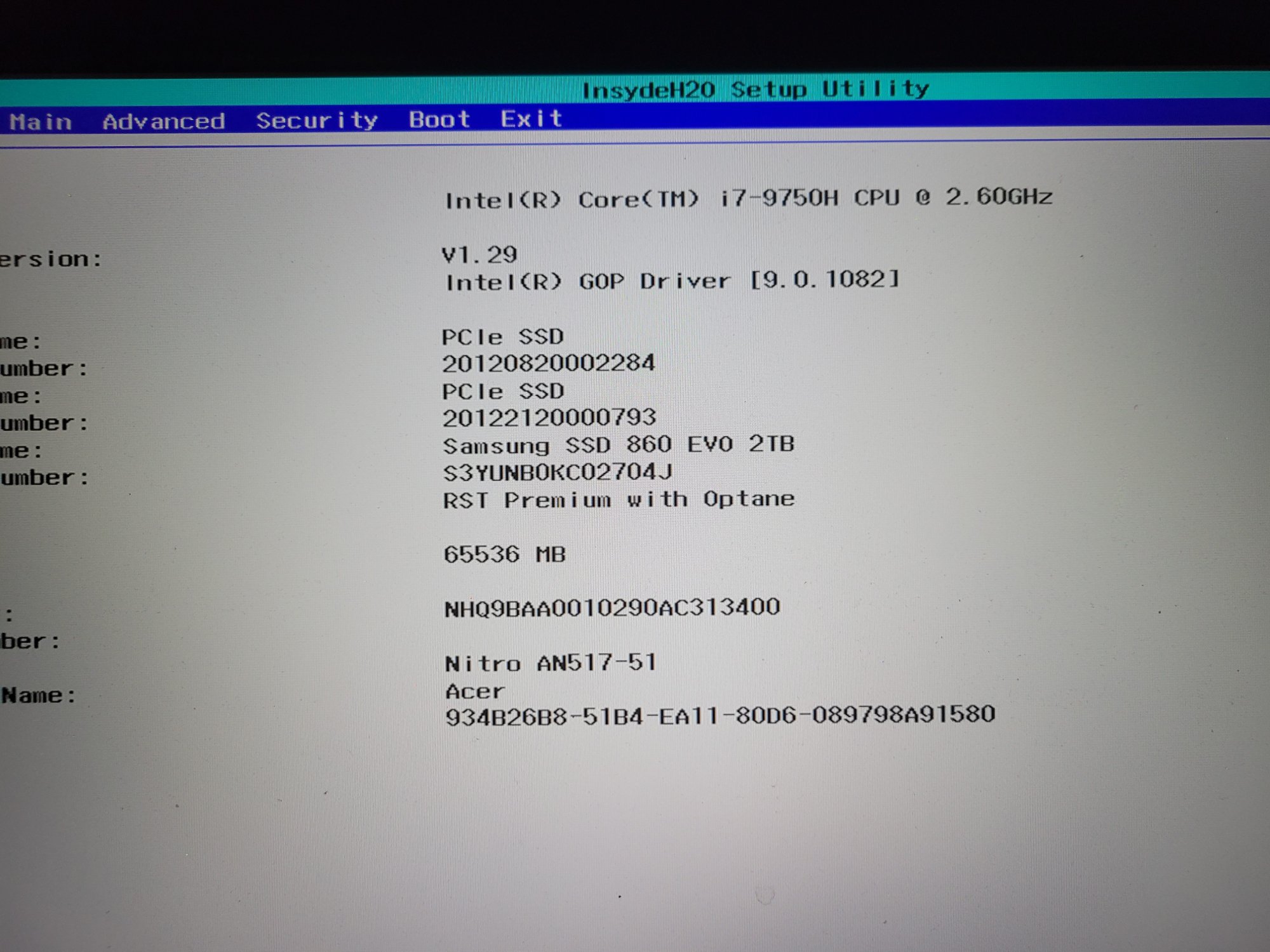
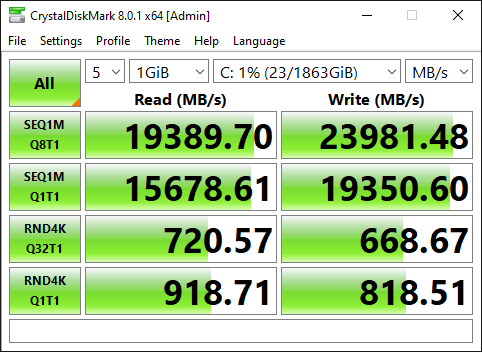
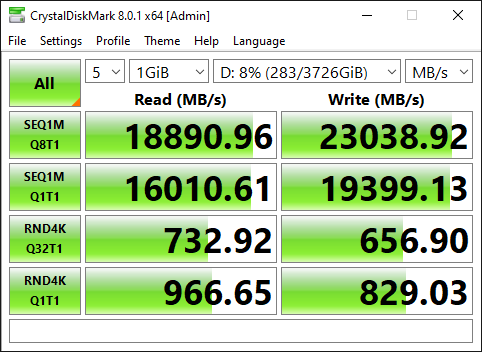
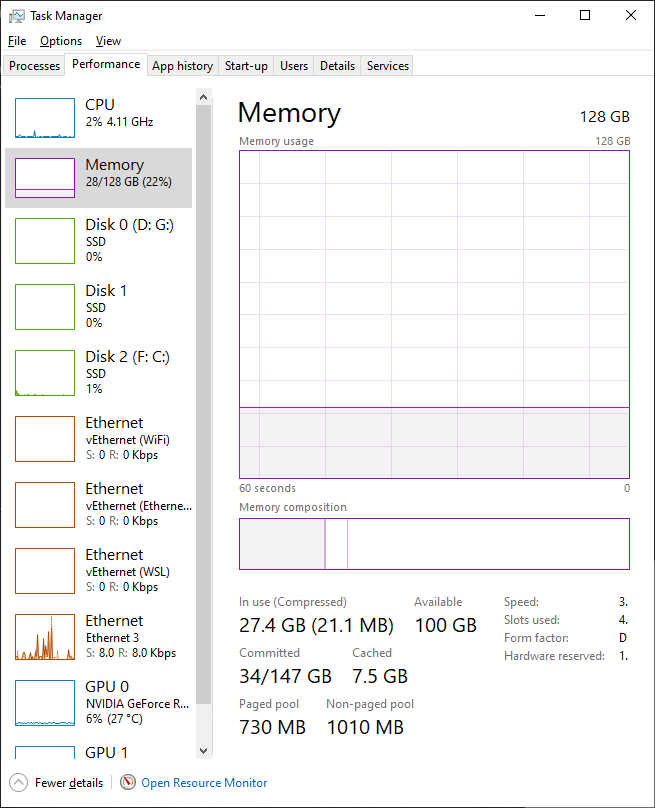
Upgraded my Acer Nitro 5 laptop to 64GB DDR4 2666 late last week. Needed it to enhance ENB for games. Games run a bit smoother now.
 
Originally built my current TR 2950x rig with 32 GB (figured I probably didn't need more, save a little $$), but VMs & work-related memory pigs like Visual Studio/SQL Server/Chrome (lol) have been eating most of that up regularly for some time.

Finally got tired of bumping into my memory limits and upgraded to 128 GB. Bit of overkill at the moment but given how long I keep computers nowadays I didn't want to regret not going big later on. :D
 
What are you using this for? Video rendering?

General purpose. I collapsed all my machines into one. So I can do computer vision, games, development, ML and my office machine… all at the same time if I want. Generally all just runs as a vm on Linux but I can boot to windows if I want.

keep meaning to play around with https://www.notebookcheck.net/Hack-...nality-on-consumer-NVIDIA-cards.531761.0.html

Get myself 3*8 core, 32gb ram machines with an 8gb gpu running all at once, just for a giggle.
 
128 Gb on my desktop machine and 40 AFB on my laptop (32Gb + 8 Gb fixed to the mobo)
 
I think the better question to ask oneself during speccing out would be what are your daily memory hogs.

In my case the usual (daily) offenders are VMware, worldcommunitygrid, RAWTherapee (I take photos in RAW) and Firefox.

Now, the thing with operating systems is they'll adapt to the amount you have and will use less for caching and buffers, but you'll get to pay for that in wasted IO time.
I'm at 58% usage right now, and it's important to me that there's still around 10-15 gigs easily in case I need to quickly edit a photo, video or spin up a VM for something.
16 is enough for me, but seeing as I was paying close to a thousand for everything, I simply preferred to get the other 2x8 for around $130 so I won't get mad at myself down the line.
 
32GB (4x8, quad channel) here. Up until this year I ran 16GB since 2018 and was still enough now, I just wanted to be prepared for memory hungry game releases in the future. Happy to have the extra buffer for now and faster memory speed.
 
Has the situation changed over the last 6 months for anyone?

Yeah, I bought a 64GB G.Skill 3733 kit, and it's sitting in my X99 rig right now running at 3200. The price was really good so I couldn't pass it up, and I'll probably use half of it to build something faster eventually.
 
I swapped out my 4x 16gb@3200 to 2x 16gb@4000 in my main rig. Will migrate the old ram to other rigs - still have 2x boxes running 2400 ram - so nice all around upgrade for the entire house.
 
I doubt i'll upgrade past 64GB anytime soon.

However, because I pretty much never go backwards when it comes to system upgrades, there's a damn good chance that my future DDR5 system is gonna be using 128GB just because. Ask again in 2 years. ;)
 
Back
Top