• Some users have recently had their accounts hijacked. It seems that the now defunct EVGA forums might have compromised your password there and seems many are using the same PW here. We would suggest you UPDATE YOUR PASSWORD and TURN ON 2FA for your account here to further secure it. None of the compromised accounts had 2FA turned on.
    Once you have enabled 2FA, your account will be updated soon to show a badge, letting other members know that you use 2FA to protect your account. This should be beneficial for everyone that uses FSFT.

Everex XT5000T Support thread

Now this summertime...temp getting hot as your laptop temp go up pretty much so, try use small square or round fan blow around your laptop will temp down little.

I never have any throttling problems either (Vista running), I don't know about XP with throttling problems.

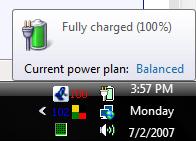
I remove Power Manager (silent mode switch 800/1600) is junk and just use Vista's Power Options, for 3 level power plan changes very simple, currently I use balanced for surf web, chatter, For high performance for gaming.


phatbx133
 
Wow, i didn't realize this until a little while ago when my brother pointed it out to me, but i can't use more than three keys at a time on this laptop.

For Example, holding W, E, and A at the same time pressing in that order, the w functions, the E functions, but the A does nothing.. Is there an end around this? or an update of some driver that i missed? :confused:

I really don't like that idea as it really hinders my gameplay on video games where multiple key presses are common place.. If anyone has ideas i'd love to hear them. thanks

-eSteve
 
Hi,
I use the Laptop to go drivers and inf, v158.43.

Also I have, with RMClock, lowered my core voltages to 4x 0.750 and 8x 1.000. Pime 95 over the week end showed no errors bashing the cpu on either setting. Also it runs much cooler.
 
i upgraded my CPU to a tl-56 1.8 ghz 1meg cache

i also have undervolted it to 1.0 volts 1.8ghz from stock 1.125 with RMClock
and i dont even reach 65c degrees under full load :)

ran 3dmark 06 got scroe 2650 and looped the test with no issues
able to run prime95 on both cores for over an hour and got to errors
i may try .975 next:cool:

now if I or someone else could find a program for overclocking and fan control for this notebook i know we could get many more MHZ on stock voltage
 
From the bottom up, you have the core of the processor, on top of that you have a copper block with a heat pipe running through it, and on top of that you have the retention bracket holding the whole assembly together.

What I did was remove the retention bracket, pull the copper block/heat pipe assembly aside, and use some AS5 thermal paste in place of the thermal pad that came with the notebook. After putting the heat pipe assembly back in place over the core, I stacked a dime on top of back of the assembly, and then installed the retention bracket back on top of that. The dime makes up for the lost thickness of the thermal pad, and keeps the whole cooling assembly snug against the core.

Unknown did you reuse the thermal pad or use AS5 where the heat pipe attaches to the gpu heatsink?

Andy
 
Very cool!!!! I'll ask though, how is the difference with the larger L2? I'm thinking of either a TL-60 or TL-64 and undervolting it but my main reason is the larger L2. is there a percievable difference running the desktop and apps?

I already have 2 160Gig Seagate Momentus 7200.2 drives coming, need to order a usb case for the existing 100Gig. It would be nice if Raid appeard in the next day or two but I doubt it.

The restore disk gives the 4 gig and 2 other equal partitions. this should yeild 2 70+ gig partitions on the main drive which should feel less crowded. Raid would be nice as then the 4 Gig and then two 145+ Gig partitions...........:p

Whatever the case may be I doubt I'll ever need more than the 320 Gigs from these drives in the life of the laptop. I doubt I'd ever even need the 100 but I want at least the 70 for the main partition and the extra speed. the second drive is because I have the money and then the bragging rights now too along with being ready for raid 0.

The 100 will go to an enclosure waiting for Raid 0, then I'll back up the files and bind the drives.
 
Hi,
I use the Laptop to go drivers and inf, v158.43.

Also I have, with RMClock, lowered my core voltages to 4x 0.750 and 8x 1.000. Pime 95 over the week end showed no errors bashing the cpu on either setting. Also it runs much cooler.

v158.43 is for Vista64. What OS do you have and how's the dual boot working out?
 
Hi,
Yes they are the 64bit but they installed here on Vista 32 bit.........

SystemIR2.jpg


SystemIR3.jpg
 
Hi,
Yes they are the 64bit but they installed here on Vista 32 bit.........

SystemIR2.jpg


SystemIR3.jpg

For some reason, I can't get it to install. It keeps giving me the vista64 error. I also copied the moded inf file, and it doesn't work.

It keeps saying that I have 32bit operating system and that it won't work.
 
http://www.newegg.com/Product/Product.asp?Item=N82E16834996501

The cooler I picked up when I got the XT5000T works pretty well. I have seen high 70Cs, when not using the cooler, but barely touch 70Cs when the laptop is stressed and being used on the cooler.

-bZj
I obviously spoke too soon:
703869827_292ee5733c_o.jpg

[If it's not readable, that's CoreTemp showing 100*C/102*C]

I left it on the couch, on top of a blanket, blocking both the intake and exhaust vents. Surprised it didn't melt....

-bZj
 
Down8 said:
I left it on the couch, on top of a blanket, blocking both the intake and exhaust vents. Surprised it didn't melt....

Not very smart matey !

When I game hard I see the temps climb into 80s, but I do not notice any throttling symptoms. I am using Notebook Hardware Control to set it to 100% power. I am curious what will happen when I finally put two 7200rpm drives inside ! They also generate quite a bit of heat.
DK
 
My 2 7200 rpm drives coming in supposedly on the 9th. With undervolting I'm hoping heat wont be a real issue.
 
Hi,
on the default Vista OS and nTune I am running the video at 515 core, 450 memory with the 158.43 drivers all at default resolutions and get...........

11593 on 3Dmark 2001
8698 on 3DMark 2003
3989 on 3DMark 2005

This is while running undervolted on a 4x & on demand 8x and never saw more than 70C on the cores with any benchmark above.
 
Hi,
on the default Vista OS and nTune I am running the video at 515 core, 450 memory with the 158.43 drivers all at default resolutions and get...........

11593 on 3Dmark 2001
8698 on 3DMark 2003
3989 on 3DMark 2005

This is while running undervolted on a 4x & on demand 8x and never saw more than 70C on the cores with any benchmark above.

I tried the suggested drivers, didn't quite get the marks that you got. Graphics actually dropped down to 4.7 and 4.4.

For RMclock, I can get it as low as 4X 0.675V and 8X 0.850V
 
I am not sure I am willing to go that low, Dang..

2354 on 3DMark 2006 same video over clock....

This is no high end gaming machine, but for the Price it will well do.

Also those looking at HP beware, you don't see them advertising 667 ram and they love not to run the bound dual channel ram. I had a 6107wm from tham and their bios even locked the memory to 333 when I had memory with spd 400mhz ram. Also their video just sucks compared to the Everex. 6850 on the Dz9000's just doesn't match the 7600 go.

While the HP was bullet proof, it amy survive a spit ball fight but that is about it, it is/was slow even for what it is.........
 
Have to add an edit here:
Undervolting is Overclocking, doing so voids the warenty, can cause loss of data and you do so at your own risk!!!!!!!!

Catches are primarily stability. Use a dual core stresser like Prime95 to be sure the system is stable. Once you find the lowest point bump it up one notch so that age and electrical deterioration of the cpu doesn't come back to bite you.

CPU manufactures bulk the core voltages to a class so they are sure it is operational. As the product runs get better they usually no longer require the higher voltages but are there from the inception. A good rule of thumb is the more overclockable a CPU the more you can undervolt it as well at stock speeds.

While with a desktop the overclock is more desirable with our Lappies under volting is. It reduces power requirements, lowers core temperatures, alows sometimes for higher video overclock, reduces electrical leakage of the cpu so properly done it will extend the cpu's life.

The power reduction to the cpu not only lowers its power requirements but also the fan to cool it runs less often and not as hard so your battery will last longer. The added bonus is while it still generates heat, you can declassify the system as a BIC lighter replacement.

So all in all undervolting done properly is a win win situation for a laptop or even desktop replacement. Primarily though be sure the system is stable. If you egt any errors or warnings at all you are entirely defeating the purpose by over stressing other systems and or components along with a myriad of other headaches down the line..........
 
to be honest.....how can they even tell that you've ever OC'd anything, when checking your warranty?
 
Ran Prime95 for over 9hrs when undervolting at 4x 0.675V. No errors or warnings. I guess that means 0.675 is ok. I took the advice and bumped it up to 0.688V.
 
Well be sure if you hand it back that you've cleaned the HD of the utils and a full new original install. But if it is dead then it may be hard to hide the evidence!!!! Don't laugh, I have actually seen this having done alot of personal PC repairs. When it is just a component you are giving back, the cpu, it is much easier to hide but they will want the entire lappie.

If you decide to bump it, bump the 4x and 8x too. That is unless you never use the ramping...........
 
sorry for not reading the thread, but which program do you use to check the GPU's temp?
thanks
 
sorry for not reading the thread, but which program do you use to check the GPU's temp?
thanks

sure your sorry ;)

basically once you have the nvidia driver from everex website installed for win xp, in the options, it will show u the temp. or you can search for the old free version of everest :)
 
Since I've installed rmclock I also use it to monitor temp as well. It only shws the average of the two cores but that seems in step with Core Temp or nTune so it is good enough.
 
I've decided to sell my XT500T. I decided I don't really need 2 laptops. Dumb buying decision on my part....saw a great deal and jumped on it. I haven't had it a month.

Anyway, if anyone is interested, I'll listen to reasonable offers. I upgraded it to 2gb ram. It's never been off my desk...has original box, docs, etc.
 
i use Speedfan and it does not show the same temp as nTune. so which one is more accurate?
 
lol why are you trying to sell a laptop, in a forum where everyone is talking about a specific laptop that 90% of us actually own. :-P more power to you, to sell it though :) :smiles:
 
I didn't need a second laptop, nor do I need dual 160 gig 7200 rpm drives. My 2 year old HP 6107 with 2 gigs ram and a 60 gig drive served me well. It is showing signs of age though and while it ran vista you could see it was just above the minimum needed.

Eventually the HP 6107wm will go back to XP and VB 2003 for the dev I need to do there. The XT5000T will be my personal system and what most people will see me carrying around. It is lighter, better cpu, better video display and card and with eventually 320 gig's it will have storage up the ying yang. Also using RMClock to undervolt it runs cooler overall too.

Personally I love bringing this to work. You open it up and people are like "man that had to set you back!" I love saying na, it would have been 699 but I just had to drop anoth 60 for 2 gigs of high speed ram..............:cool:
 
does anybody else.....get this really weird quirk..........where their actual mouse position, is no longer updated by the cursor icon? like...I can move my mouse, and when I hover over links, it shows as though my mouse is there....but I cant see it; it's frozen back wherever it froze at.


it seems that disabling my wifi adapter will all of a sudden fix the problem.......... -_- this is STUPID! I hate having to keep disabling my wifi adapter then re-enabling just to fix the stupid mouse. it doesn't matter if its a usb mouse, or the touchpad, and I'm using XP not vista


help!
 
yes!!! that has happened to me too!!! but :eek: only when im using wireless and not the LAN plug
 
yes!!! that has happened to me too!!! but :eek: only when im using wireless and not the LAN plug

that happens to me when i use my wireless mouse with the touchpad turned on. if i disable the touchpad no problems :)
 
Back
Top