• Some users have recently had their accounts hijacked. It seems that the now defunct EVGA forums might have compromised your password there and seems many are using the same PW here. We would suggest you UPDATE YOUR PASSWORD and TURN ON 2FA for your account here to further secure it. None of the compromised accounts had 2FA turned on.
    Once you have enabled 2FA, your account will be updated soon to show a badge, letting other members know that you use 2FA to protect your account. This should be beneficial for everyone that uses FSFT.

Everex XT5000T Support thread

does anybody else.....get this really weird quirk..........where their actual mouse position, is no longer updated by the cursor icon? like...I can move my mouse, and when I hover over links, it shows as though my mouse is there....but I cant see it; it's frozen back wherever it froze at.


it seems that disabling my wifi adapter will all of a sudden fix the problem.......... -_- this is STUPID! I hate having to keep disabling my wifi adapter then re-enabling just to fix the stupid mouse. it doesn't matter if its a usb mouse, or the touchpad, and I'm using XP not vista


help!

Haven't seen this issue yet with mine. Using a Logitech MX1000 with a Logitech DiNovo usb dongle. This is using both XP & Vista.

Andy
 
call me a noob....and flame on...........but how do I have the touchpad disabled automatically when I plug in a usb mouse ??
 
Hey,

I am seriously thinking about getting an Everex XT5000T. I have read several reviews online, some good some bad. The price seems great for what you get, though I am kicking myself for missing it for $699!

Obviously most everyone on this forum has one of these laptops, and I was wondering about the overall quality. I really like the dedicated video card memory, etc. and the components all seem to be name brand. Are the touchpad, screen, and overall unit quality good? How does it compare to say an HP or a Dell? It's obviously much cheaper! Is there anything about the laptop that you just hate? The keyboard is a bit odd, but I think I can deal with that.

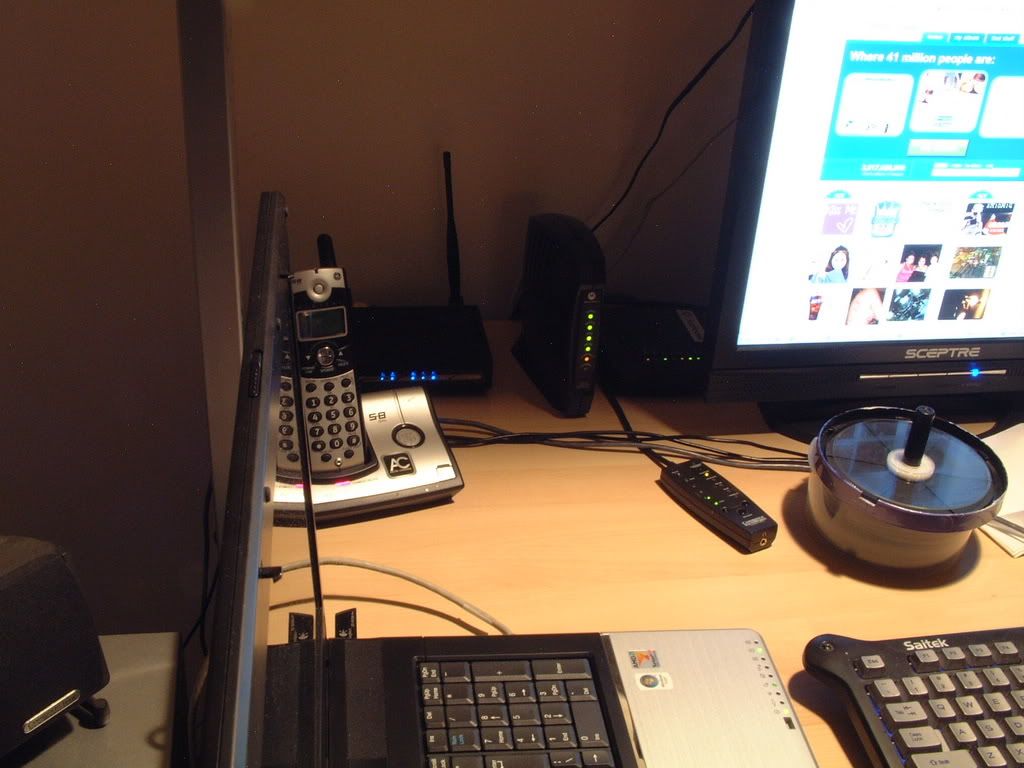
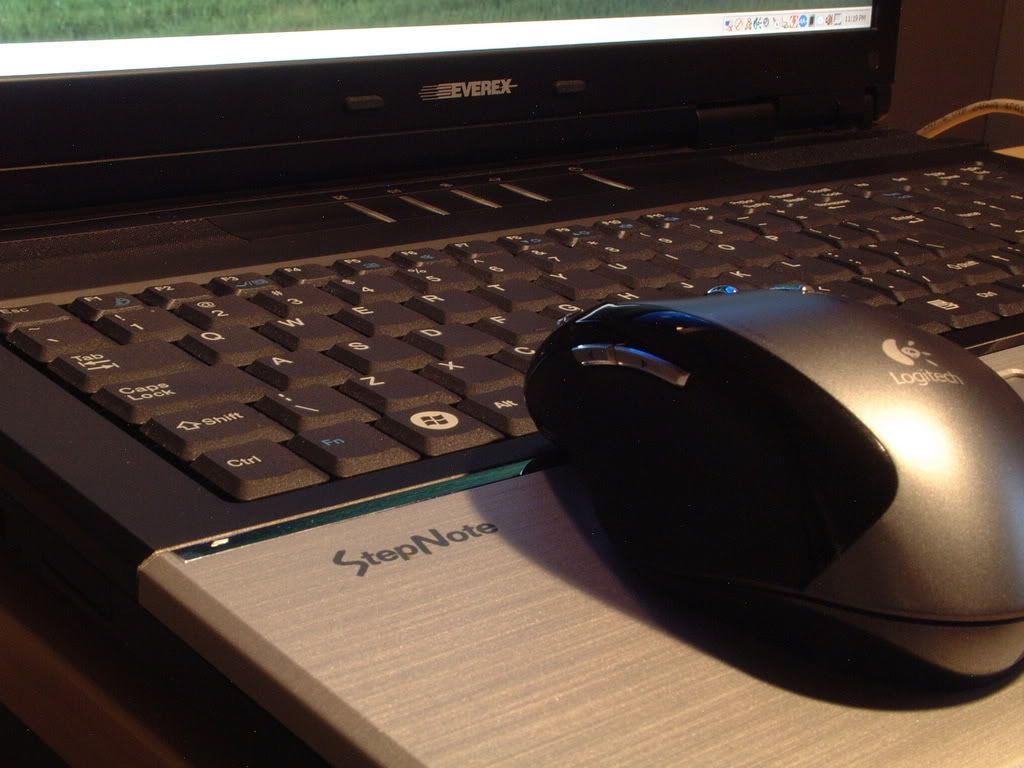
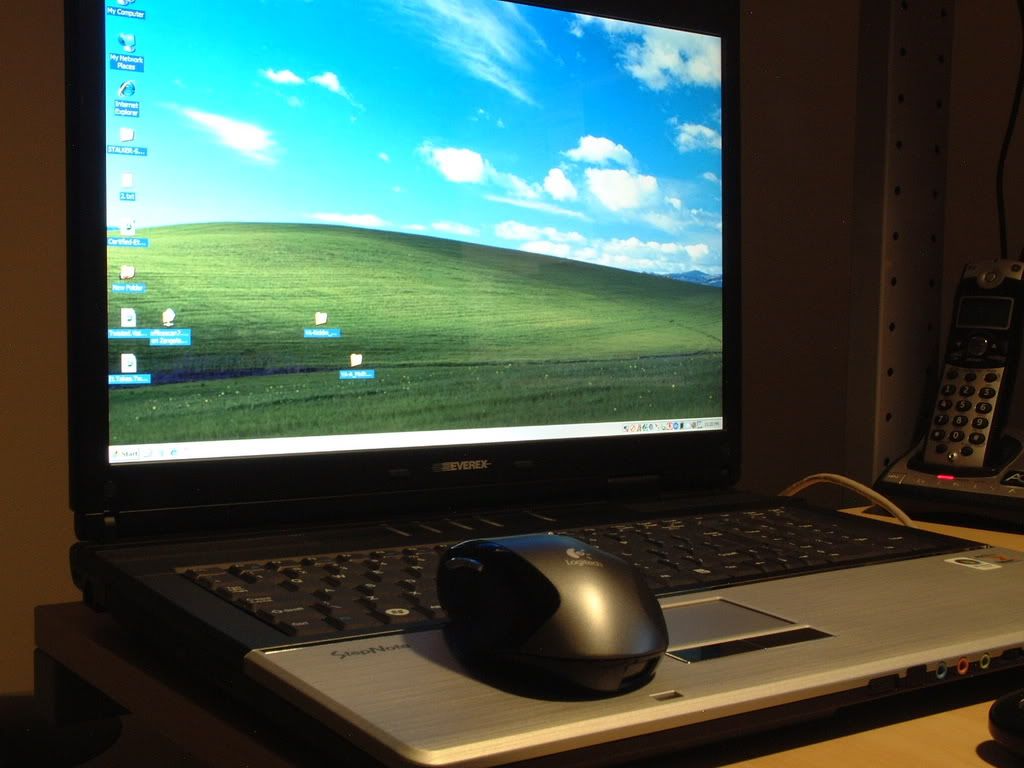
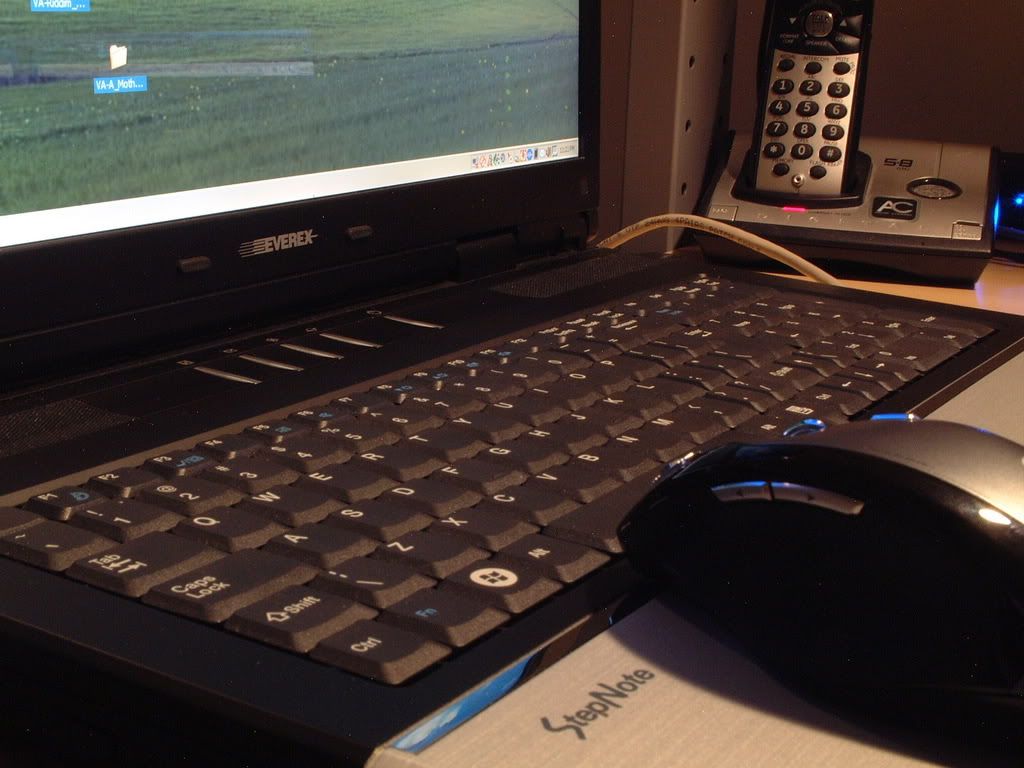
Thank you in advance for any input! You all use the XT5000T, so I would trust that more than a random review. I'd also be interested in seeing some pictures other than the stock ones online so I can see what the lights look like, how the screen actually looks, etc. Thanks!!!
 
Hey,

I am seriously thinking about getting an Everex XT5000T. I have read several reviews online, some good some bad. The price seems great for what you get, though I am kicking myself for missing it for $699!

Obviously most everyone on this forum has one of these laptops, and I was wondering about the overall quality. I really like the dedicated video card memory, etc. and the components all seem to be name brand. Are the touchpad, screen, and overall unit quality good? How does it compare to say an HP or a Dell? It's obviously much cheaper! Is there anything about the laptop that you just hate? The keyboard is a bit odd, but I think I can deal with that.

Thank you in advance for any input! You all use the XT5000T, so I would trust that more than a random review. I'd also be interested in seeing some pictures other than the stock ones online so I can see what the lights look like, how the screen actually looks, etc. Thanks!!!


DSCF0052-1.jpg

DSCF0053-1.jpg

DSCF0054.jpg

DSCF0055.jpg

DSCF0048-2.jpg

DSCF0045-1.jpg
 
This is the first laptop I've owned. But I have used a couple IBMs (500MHz-P!!! when it was new, and Celeron more recently, both 14").

That being said, it's a great book. Not 'portable' for daily use, but serves me well. No worries that I'll not be able to do something (dedicated VGA, large screen, dual-core, DVD burner, etc.). Hard to speak on reliability, as they haven't been around for years, but it seems well-built.
</mini-review>

-bZj
 
I had someone over to my house this week and they commented on the sheer size of the screen of my laptop. The funny thing was it was on my desk with a 22" monitor flanked on either side by 2 x 20" monitors......that wasn't impressive, but the Stepnote was....:D
 
Hi,
So long as the drawbacks aren't going to get to you this is a great laptop.

1.) Keyboard layout.
2.) Runs hot. (RMClock can fix this with undervolting)
3.) No Raid yet.
4.) Bios throttles cpu early at 80C (RMClock again can fix this)
5.) Lame bios control (That goes for most laptops)
6.) if you are a gamer only 2 simultanious keys pressed on the keyboard.

I have RM clock installed so now my only issue is Raid 0. I am not an avid gamer and am getting used to the keyboard so no biggie there for me.
 
Well, I bit the bullet and ordered one tonight. Thanks for the input, but price-wise this just seemed like the best deal. I think the drawbacks are relatively minor compared to the great features the XT5000T has, but is there no way to fix the simultaneous key thing? I play games fairly often, and being able to press more than two keys at one time is necessary in many games. I would think there would be a driver fix or something. Thanks!
 
The alternative is to just use a standard keyboard when you game, when on my desk I do that and use a standard trackball mouse....much easier. :cool:
 
Hi,
A USB gaming keboard and mouse maybe? /i belive on their forum somone also complained about the two entry keys having the same map and it is a hardware issue as well........

I figured give you the listed drawbacks becasue as you can see here in almost all the the caveates. Over all is it a good laptop, just be aware of it'd faults and correct them if you need too.
 
Yeah. I'm sure I've got an extra USB keyboard around here somewhere. That's not too much of a hassle. :p It's not like I'll be doing much gaming away from home anyway.
 
OK, so the Fujitsu BIOS won't work, you get an error code saying the BIOS part numbers don't match.

Well I checked the log file, and indeed, they don't match. Did a little more digging and found the respective codes with a hex editor, and it's easily changed so they do match.

BUT... I'm a chicken shit, and don't have the nads to flash it. Any brave soul out there wanna give it a go?
 
I could be a complete dick and say, "yea guys! WOW and it works great!!!!! EVERYONE FLASH YOUR BIOS' "


....just to psyche you up to actually flash it.....then later on ask if it worked :p lol
 
it's under warranty, correct? Just do it...and if anything happens..............you can always just say the age old " I was just trying to install AOL....when my computer all of a sudden just stopped working altogether! " :innocent:
 
wow third post in a row...


does anyone know of a good program that has been reported to actually *control* the fan speed of this heat beast ? I hate how its not ALWAYS on.
 
w
What Bios is this of which you speak? any hoot, now have my 2x7200.2 160gig drives in, removed the 1.5 gig limit jumpers too. Nice to have room....... ;)
 
Yes, 2 of the 160 gig 7200.2's. I got thm from www.Provantage.com

Quantity 2 - (SEGH01T) Momentus 7200.2 160GB SATA/300 7200 RPM 2.5in 8MB @ $161.96 each.

Subtotal: $323.92
Shipping: $7.35
------------------------------
Total: $331.27 (US dollars)

I'll say they are real quiet. There is a slight amount more of a low vibration, barely noticable and I'll say they move out. Before booting etc the cpu was hardly being used, now the drives really feed it well.

Drive score in Vista went uo to 5.3 so far.
 
so basically i never realized how horrible this lappy's battery life is....even at the lowest settings i can set it at, including undervolting the processor and turning the lcd down to the lowest brightness itll only last 1 1/2 hours.

where can i buy another battery for this?
 
The Fujitsu Amilo series has had a series of BIOS updates. The machines are virtually identical to our Everex's, but only sold in Europe.

I attempted to flash my BIOS with one of those BIOSs, but as I said, it errors out because the internal BIOS developer codes don't match. Easy enough to change, but... I don't want to wind up with a 10 pound paperweight.
 
Not being chicken, just being smart! It only takes one small revision of a single chip to make one bios incompatible with a system.

I doubt Everex does their bios in house, it is probably done either by the original board manufacturer or some oter source. Even if these two boards come from the same source lower or ever higher quality parts can have an effect to how the system can be tweaked in the bios and this can then affect if the system works at all.
 
Very true -- but honestly, besides the Everex branding I suspect these models are identical to the Fujitsu Amilo series, which AFAIK are made by Fujitsu.

If someone who has taken the lappy apart could dig up the exact mobo model, but IIRC it's made by FIT (again, Fujitsu Japan) to nVidia nForce refernce specs.

Anywhoo... yeah, even so there is always a chance that flashing a BIOS meant for an otherwise identical machine could leave me with a very doorstop. And if the machine won't boot it would be VERY difficult to put the old BIOS back in, and VERY clear to Everex I did a bad thing that most certainly would void my warranty.

There is a rumor on the Everex boards that a new BIOS is being released on Monday. But honestly, I ain't holding my breath. For shits n giggles I went thru each and every model at the Everex site and not ONE SINGLE model has a BIOS update for download. Not ONE. Doesn't fill me with hope that we'll ever see an upgrade.

Not that I'm having any serious complaints personally, but I would like to have more options available to me. The current BIOS is very, well, sparse. And it would be nice if they remapped the enter keys to Enter, not numpad Enter. This causes me all sorts of problems in games -- nothing I can't fix, but gahhh... why would you map it this way to begin with? Hell, I can even deal with the 3 backslash keys (I mapped the 2 lower ones to shift, and would love to map the 3rd to enter, but then I wouldn't have any backslash key... feh!)

Having more fan control would be nice too. I haven't tried playing with Speedfan to see if I can gain some control, it's on the todo list. At least I did manage to stop the constant temperature throttling in games by using RMClock and lowering the voltages a tad. And I must say seeing GPU temps of 102C under load scares the crap outta me, but according to Everex this temp is "normal".
 
I just received my new laptop. For the most part everything looks great, but I'm concerned about the status lights during charging.

I let the factory charge completely discharge before plugging the unit in. I am now in the process of charging the computer while it is off, but the indicators do not match up to what the manual describes.

The circle with the squiggle (listed as the power indicator in the manual) Is solid orange. This is supposed to indicate critical power. After some charging, the battery level is actually at 50%.

The battery icon (listed as the battery charging LED in the manual) is solid green. This is supposed to indicate a full charge, though it is at about 50% and still charging,

Are the descriptions of the lights incorrect in this particular manual? I downloaded the one from the website. Could this be a defect with my laptop? Any help would be most appreciated. I really don't want to have to RMA this thing! Thanks!
 
I'm surprised people are still buying these now that Dell has WAY better value laptops! The new Vostro line absolutely demolishes the XT5000T.. you can get one with a 15" 8600GT for around $750 now. The 17" is probably not far off, either.
 
I'm surprised people are still buying these now that Dell has WAY better value laptops! The new Vostro line absolutely demolishes the XT5000T.. you can get one with a 15" 8600GT for around $750 now. The 17" is probably not far off, either.

i'd much rather have this vs a dell
 
I'm surprised people are still buying these now that Dell has WAY better value laptops! The new Vostro line absolutely demolishes the XT5000T.. you can get one with a 15" 8600GT for around $750 now. The 17" is probably not far off, either.

yup, but the 17in cost alot more, for a comperable one it would be like $900+ when you can get this for $700ish. and id rather have this then a dell any day.
 
I just received my new laptop. For the most part everything looks great, but I'm concerned about the status lights during charging.

I let the factory charge completely discharge before plugging the unit in. I am now in the process of charging the computer while it is off, but the indicators do not match up to what the manual describes.

The circle with the squiggle (listed as the power indicator in the manual) Is solid orange. This is supposed to indicate critical power. After some charging, the battery level is actually at 50%.

The battery icon (listed as the battery charging LED in the manual) is solid green. This is supposed to indicate a full charge, though it is at about 50% and still charging,

Are the descriptions of the lights incorrect in this particular manual? I downloaded the one from the website. Could this be a defect with my laptop? Any help would be most appreciated. I really don't want to have to RMA this thing! Thanks!

In regards to my previous post, the computer has now completed charging. Upon reaching 100% the green battery charging LED went off. The power indicator remained orange. It seems that the status LEDs are working, just not the way the manual says that they should. Has anyone else experienced this? Again, the computer was off during this time, so if that affects the way the lights function feel free to let me know. Thanks!
 
.....why would you get the Everex instead of Dell??? And where are you getting the $700-ish number? That was 3 months ago that OM last sold it for $699, it's now up to $800 at Newegg. With Dell you get an actually current processor, a standard keyboard, good service (Everex service was rude and useless when I owned my XT, obviously YMMV), a computer that doesn't overheat, DX10 capability and much more raw video card power, magnesium alloy construction with shock mounted HDD and spillproof keyboard, good battery life plus option for extended battery, well supported BIOS and drivers (as opposed to scrounging for third party Vista video drivers because Everex's are hopelessly outdated), lots of customization options.....

Need I go on? As much as I like an underdog, I think the XT5000T is on its way out as the value champion and the new Vostros may take over. I mean, the Everex is old by technology standards.
 
The answer to your question is quite simple....the thread you are posting is the Everex XT5000T Support thread....the Dell is a fine machine, but that isn't the topic here, just the StepNote ;)
 
Right, I'm just wondering why these guys won't buy the Dell over Everex when objectively speaking, Dell makes a lot more sense. Unless, I suppose, you would argue that you want to support the underdog or that 0mg d3ll sux0rz th3y r sl0w.
 
I bought mine to be able to swap out parts like the CPU, 2 x HDD's which can be RAIDed down the road and expandability of memory to 4GB....it's a hard combination to beat if you have a thing for tweaking a laptop.Not many of the production laptops offer that much lattitude.
 
I got mine at 699, and yes I went 60 more for 2 gigs. A 1721 with a 17" and integrated ati graphics is 999! Now agreed I just threw in another 331 for 2x7200.2 drives but with an enclusure I'll have a portable 100 gig drive. and now I have 320 gig's internal.

Also notice the Video memory and main ram are SHARED!

that 320 raid is anoth 150 with Dell and then only 5400 rpm.I can guarenty for 2x 7200 rpm drives they would command at least another 150. Also these books use & support SATA II. Although not advertised for it, it works just fine.

Plus remember too, you can always trust Dell to load enough bloatware to slow down even the fast of CPU's, so go ahead, order your Dell. I'll be plenty a happy with my XT5000T. I may need to wait for raid, but so be it.............

Have to add an edit:

A guy at work 2 months ago got a Dell 17", he came over and looked at mine, asked me the price and just said "Oh my god did I get ripped, I spent over 2x as much and that thing runs circles around mine!" I placated him and said yeah but it is a DELL .Nuff said..........
 
I have no problem using WHQL drivers from MS. As far as the latest and the greatest for video drivers. No matter what the system, anyone who bothers frequenting this type of Forum is about garentied to be on the hunt for something better than what we were given!!!!!!!!!!
 
so anyway, off the discussion of which laptop is better....and focusing on what this forum is *about* ..........


has anyone heard any news on a bios update? ANYTHING at all!
 
This laptop, along with other have their market that they are aimed at. This fits it's market well and DELL has proven their machines to fit their markets as well too. the reason for the title of the thread.

Now I'm torn, more resources and a 2 gig page file on the spare drive or more perfomance and no page file at all, decisions decisions........... :eek:)
 
Well, I bought this laptop and am waiting for it to be delivered. I have some queries and concerns.

I'm a gamer. Apart from regular browsing of the internet, which I will do alot, and which I won't have any problems on this PC with, I like to game.

I am not a "make it look as good as possible" junky - I want playable graphics with playable performance.

My games of choice are Unreal Tournament 2004, a couple of other multiplayer FPSs, perhaps ill try out stalker/fear..

I also play MMORPGS - WoW, City of Villains, Guild Wars

a) Should I go ahead and use XP home edition for gaming? Im sure ill have alot less trouble with better framerates on most if not all games

b) While the two buttons at a time restriction will be a bitch even while not gaming, Ive got myself an extra USB keyboard- http://www.newegg.com/Product/Product.asp?Item=N82E16823107134. With this and an MX518 am I good to go for gaming?

I also have upgraded to 2gb of RAM, DDR2 533

c) Should I pickup on of those cooler base things if I am going to game alot? I have heard bad things about Turons and overheating...

d) Should I bother OCing it ? Is the performance boost enough if I OC it to stable temperatures to warrant the voiding of the warranty? I am not a junky and don't NEED more FPS or Graphics, but if I can manage higher settings with an acceptable framerate im all for it.

e) How long will this laptop last me for gaming considering I am OK with gaming at 1024 x 788 or whatever that Res is, with 60-70% of the maximal graphic settings available in the game? A year? Two?

Thanks for all replies, this is a great support thread and I hope to contribute to it when I have some experience with my XT5000%

Cheers!
 
Back
Top