Sinister Crayon
Gawd
- Joined
- Jan 27, 2007
- Messages
- 668
Very nice setup. How did you achieve that fish eyes look?
A fisheye lens.
![[H]ard|Forum](/styles/hardforum/xenforo/logo_dark.png)
Follow along with the video below to see how to install our site as a web app on your home screen.
Note: This feature may not be available in some browsers.
Very nice setup. How did you achieve that fish eyes look?
or he just used photoshop...
or he just used photoshop...

Nice Setup you have there!when I posted I said it was changing.... well, it's changed!
Sharp LC32GP1U 1080P mounted on the wall
Dell 3007WFP-HC on an Ergotron 400 Arm

It's so wide I can't even capture it when I sit in my seat! Break out the fisheye lens!

I guess it's a good thing LCD's don't emit radiation huh?
when I posted I said it was changing.... well, it's changed!
Sharp LC32GP1U 1080P mounted on the wall
Dell 3007WFP-HC on an Ergotron 400 Arm
It's so wide I can't even capture it when I sit in my seat! Break out the fisheye lens!
I guess it's a good thing LCD's don't emit radiation huh?
u got any excursion videos of it i wana see
Niiice work trip, you must have some tolerant neighbours!! If I tried cranking up the volume on a beast like that here the police would be breaking down the door within a few minutes lol
I really want a bigger monitor after going through this thread
its just leaning on the wall, there is a 7 port usb hub velcro'd to the back of it then i used some velcro on the wall to keep it from sliding down, it feels pretty sturdy. The stand that came on the monitor was too tall, so i just took it off.
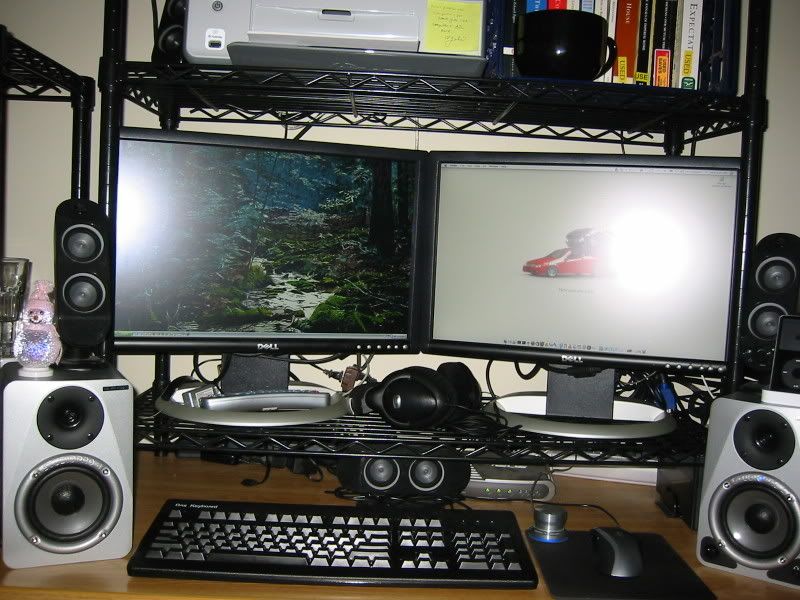
Redid my setup because I got a second LCD (I hope they have babies).
Redid my setup because I got a second LCD (I hope they have babies).
ballpoint,
nice setup, i'd like to know the source of your wallpaper on this photo. can you share?
Thanks in advance~
Rybeck
It's from the "space" category at this address:
http://interfacelift.com/wallpaper/index.php?sort=date
ballpoint,
Thanks for reply, but the image on yours doesn't exist no more. I came across the site last night after long research, and found some interesting collection of mine instead.
Now I am going back to NASA homepage to collect more space scene....
Rybeck
I really want a bigger monitor after going through this thread
when I posted I said it was changing.... well, it's changed!
Sharp LC32GP1U 1080P mounted on the wall
Dell 3007WFP-HC on an Ergotron 400 Arm
It's so wide I can't even capture it when I sit in my seat! Break out the fisheye lens!
I guess it's a good thing LCD's don't emit radiation huh?
Here are a few pics of my computer command center

DELL for an APPLE!?!?!
well, first I went from a 23" apple to a 30" dell.
second, apple monitors are not that good. Seriously, those apple monitors had all kinds of issues. uneven backlighting, no ability to display BIOS screens, and probably the worst, a crazy pink hue to everything that was impossible to calibrate out. Go to the apple store and take a look at the 23" screens. Every grey shade will display as pink!
DUAL 20 -> 3200x1200
Ultramon a must have
Nice! What headphones are they?


Updated my setup a bit since my last post a year or so ago (and I maybe dusted once since then lol).
Make yourself a cardboard cut-out. No seriously. No better way to visualise the screen real estate.I'm trying to get an idea of whether a 20" is big enough when i get a new monitor soon.
Is that a 20" monitor?
I'm trying to get an idea of whether a 20" is big enough when i get a new monitor soon.

Is that a 20" monitor?
I'm trying to get an idea of whether a 20" is big enough when i get a new monitor soon.
Make yourself a cardboard cut-out. No seriously. No better way to visualise the screen real estate.
Make yourself a cardboard cut-out. No seriously. No better way to visualise the screen real estate.
Wow, that is a good idea; i've never thought of that before.
Ankle, your desk and stuff seems to dwarf your monitor; it almost makes me feel like i need a 24" monitor.
I guess i'll have to cut a 20" and 22" cardboard monitors and see if i really need the extra size.
Manny Calavera, thank you for the link. Although, i think i may have been on that site before.
DUAL 20 -> 3200x1200
Ultramon a must have