What Mouse and Keyboard Are You Using Right Now?

Regardless of the current times, you have as much evidence on the internet as you want that the PS/2 keyboard slot is better than the USB slot. That is still true today.
And all MBOs mostly still retain the PS/2 slot.
https://superuser.com/questions/341...ge-that-a-ps2-port-has-over-a-serial-usb-port
https://superuser.com/questions/16893/do-usb-or-ps-2-keyboards-respond-faster/16902#16902

https://www.asus.com/motherboards-c.../tuf-gaming/tuf-gaming-b650m-e-wifi/techspec/
https://www.msi.com/Motherboard/Z890-GAMING-PLUS-WIFI/Specification

I see that they have started to remove the PS/2 slot more and more (especially Intel), but there are still manufacturers who keep it.
 
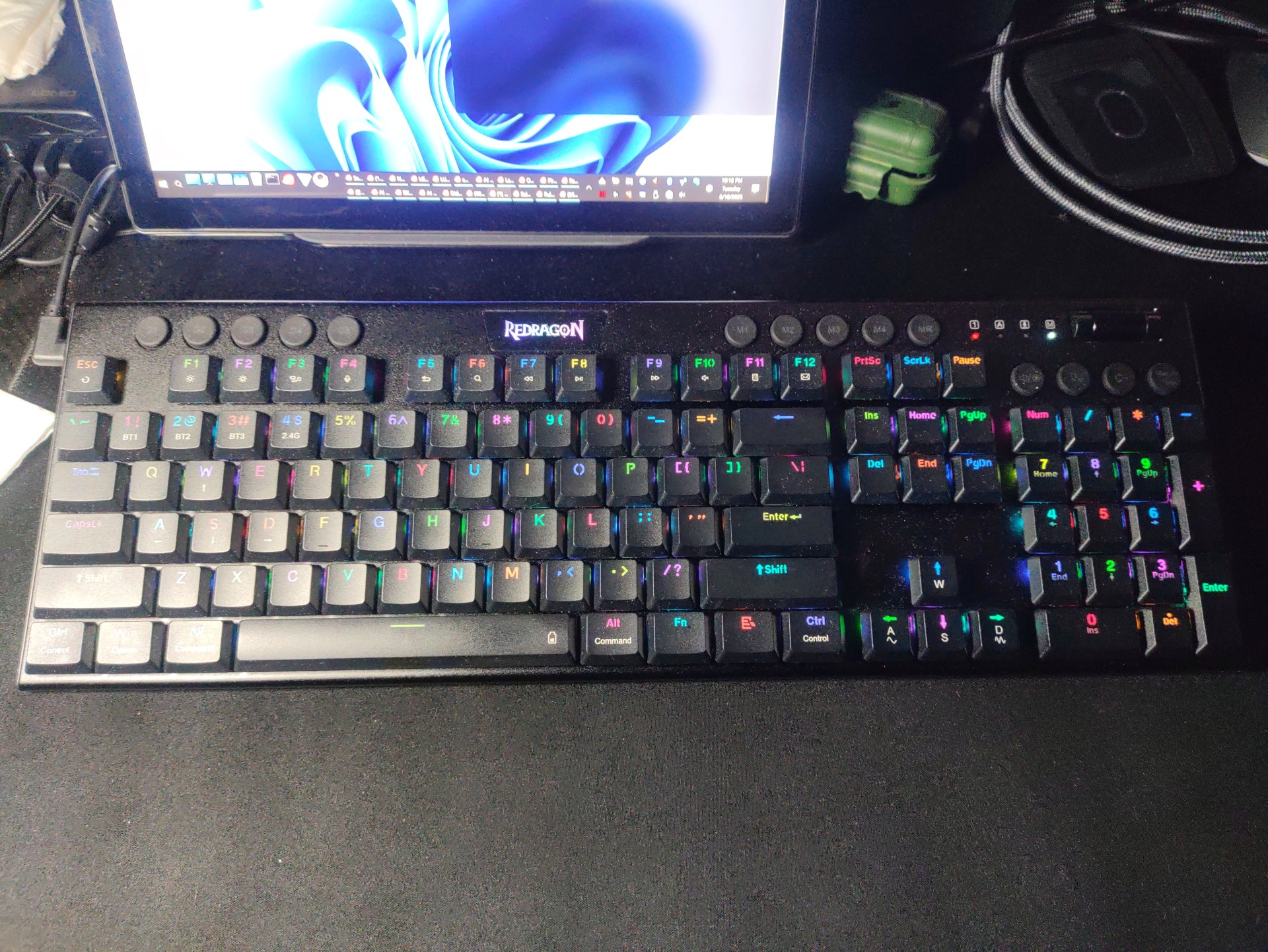
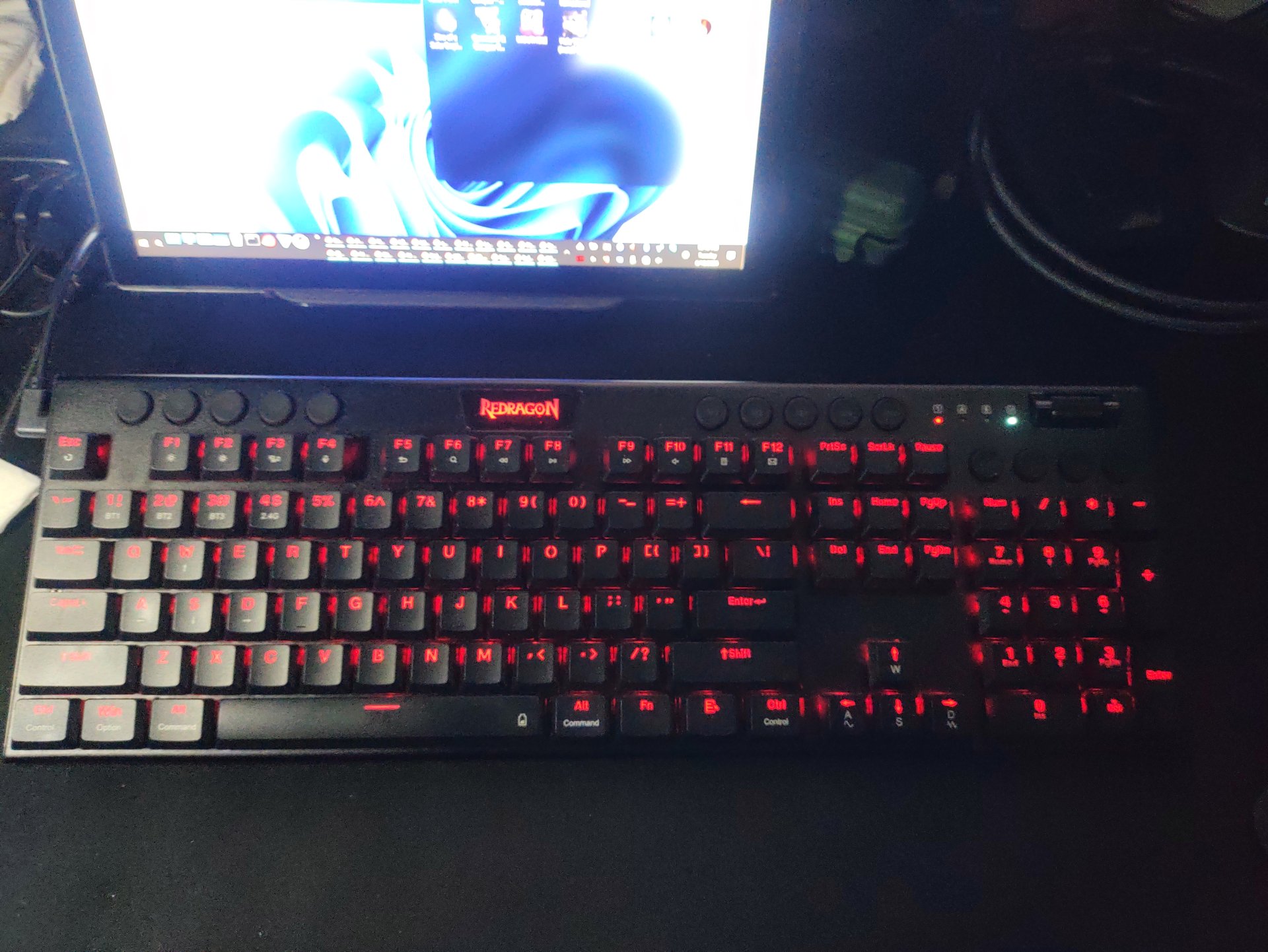
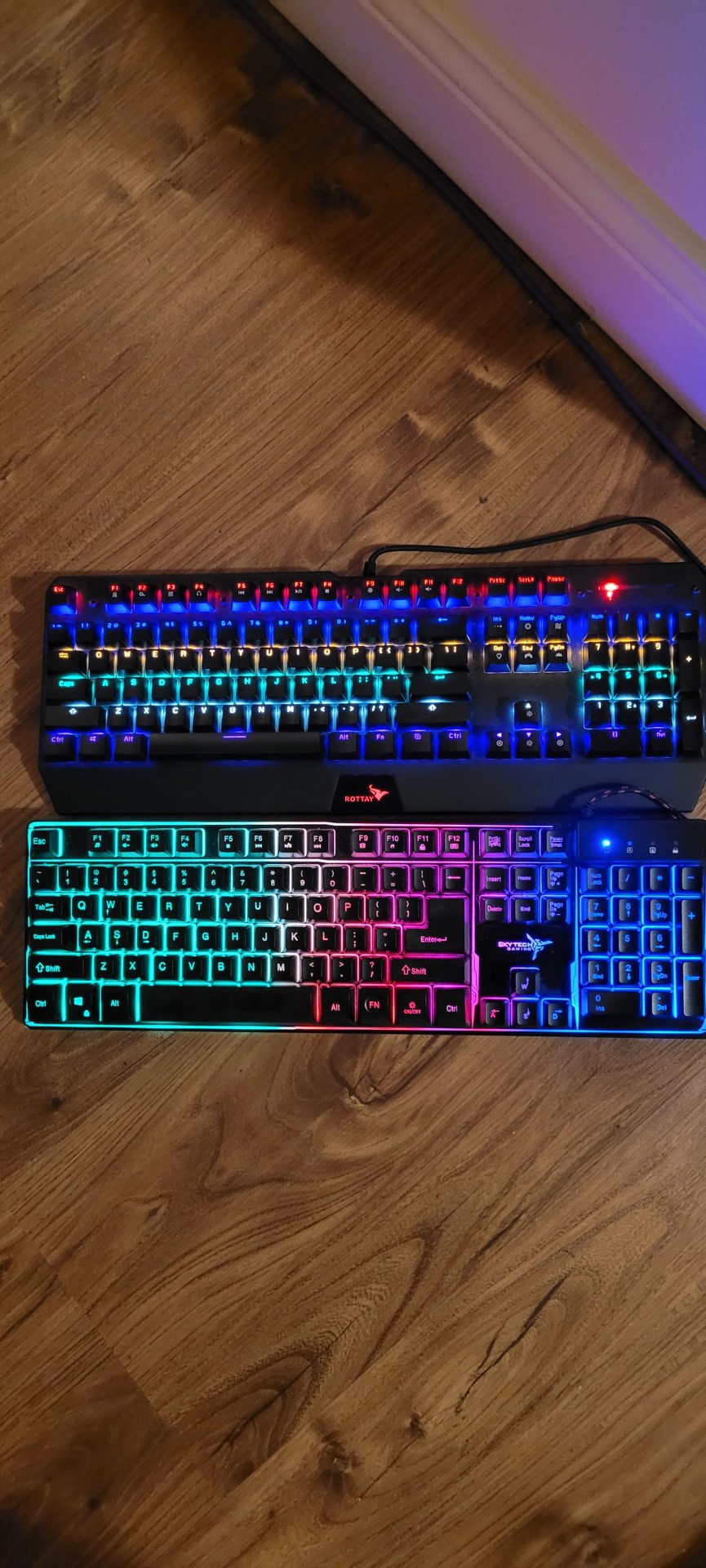
Redragon K618 Horus Pro, brown switches.
2.4ghz dongle, 3x BTs, wired modes.
My 1st mechanical KB.
1749608299107128339419547105072.jpg
17496083818464398188712718511597.jpg

The legs are too short so I had to order some legs to prop it up more of a angle.
 
Last edited:
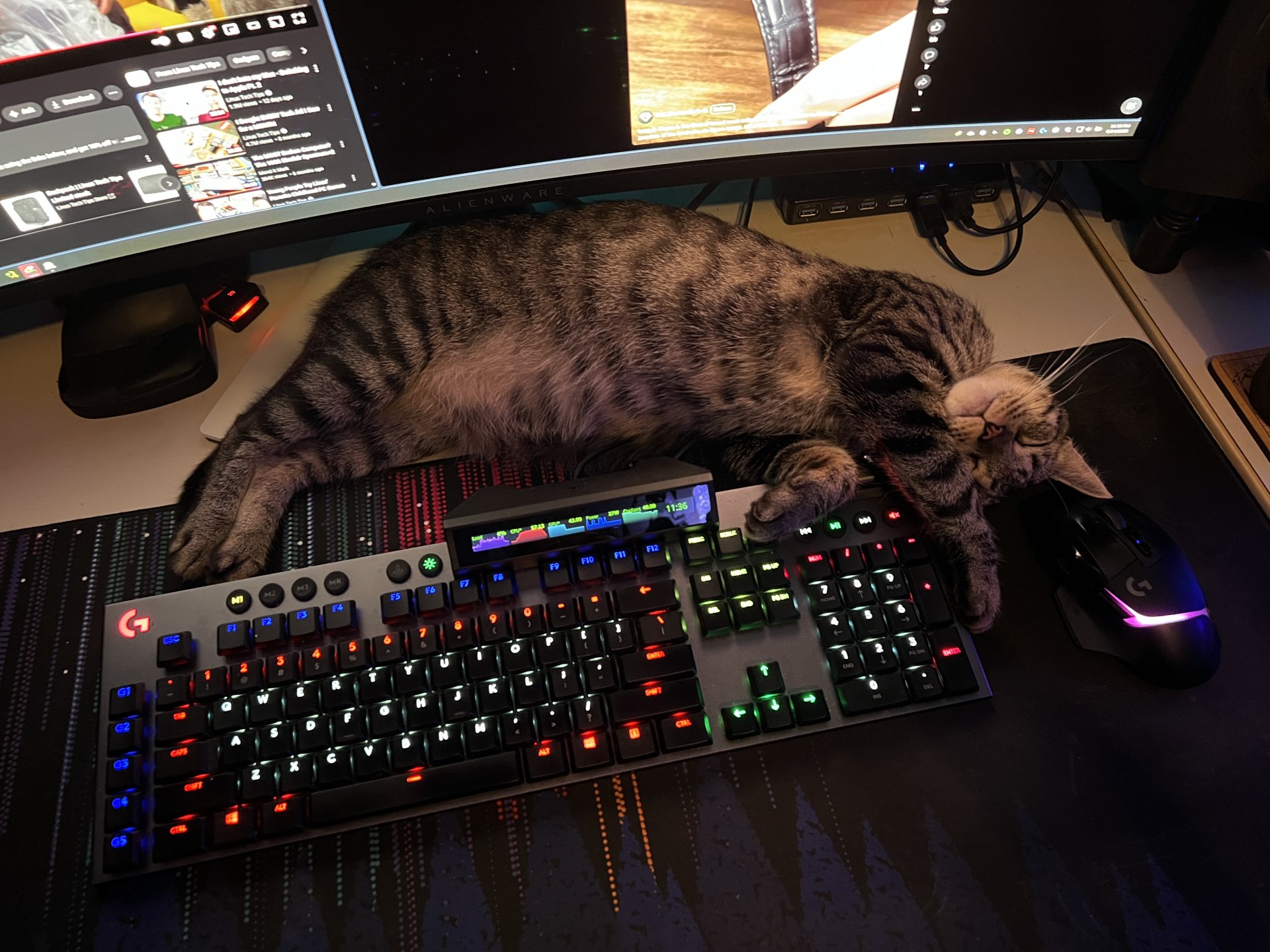
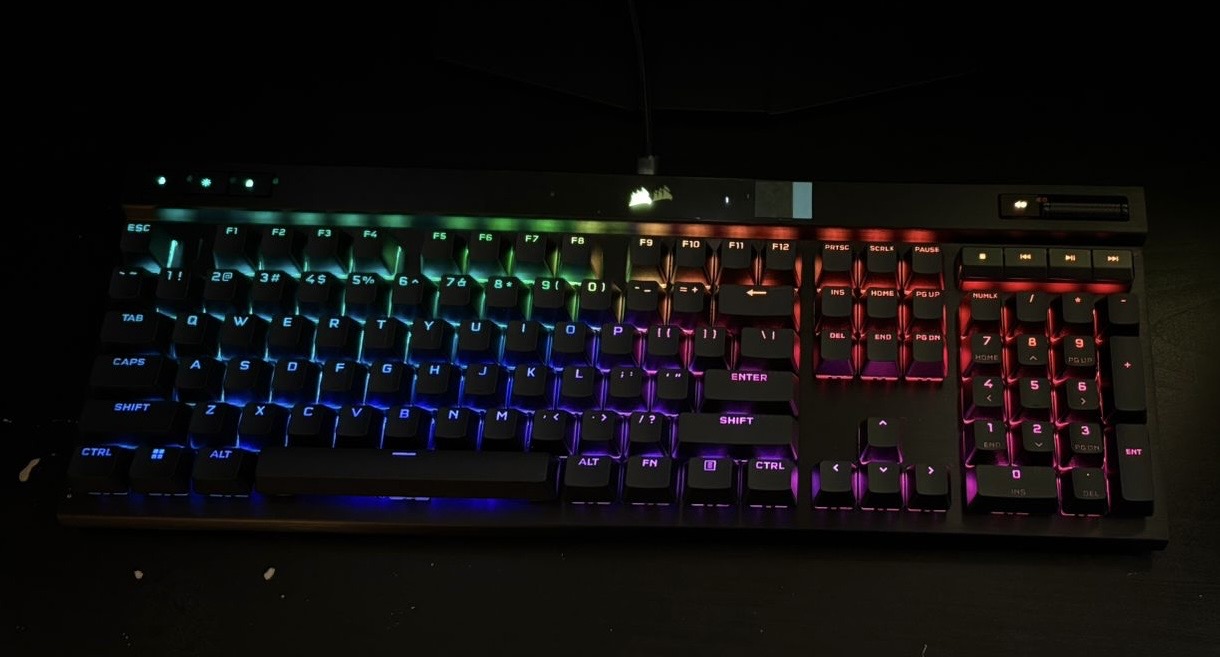
What's that screen on the KB?
Corsair iCue Nexus touch screen.
https://www.amazon.com/dp/B08BNDHDCT
It was $100 when it came out a few years ago, kinda pricey and the screen is a TN so it looks washed out when viewing from off angles.
Should have been an IPS screen for that amount money, imho.
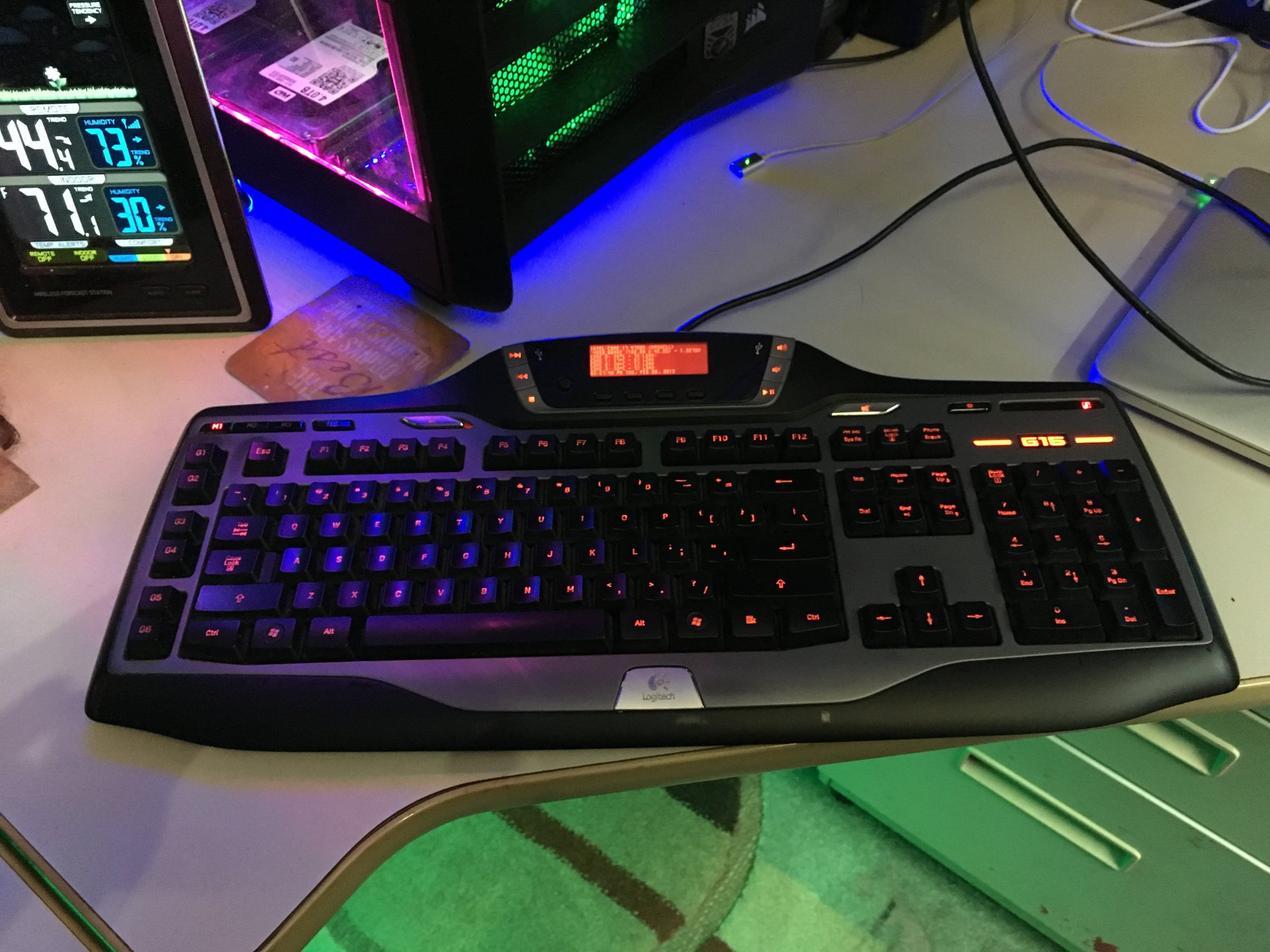
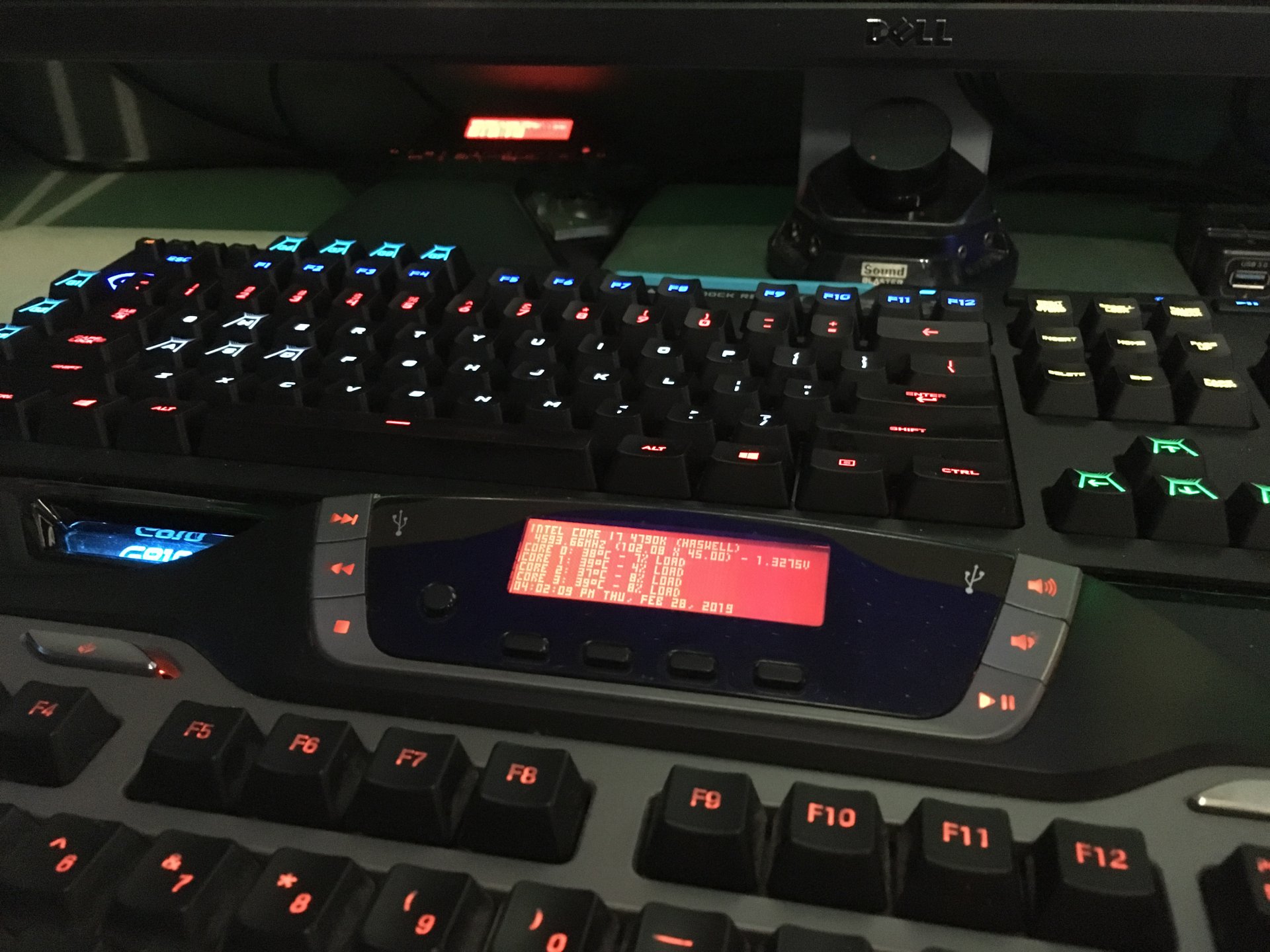
I like it since it reminds me of my older G15's with the screen, and I still have my G15 V2, I sold my pair of original G15's when this new one came out,
IMG_2848.JPGIMG_2852.JPG
In the above right pic, you can see my G13 keypad in the back, it has the same screen as this G15 V2.

g15-price.jpgbf2-games1.jpg
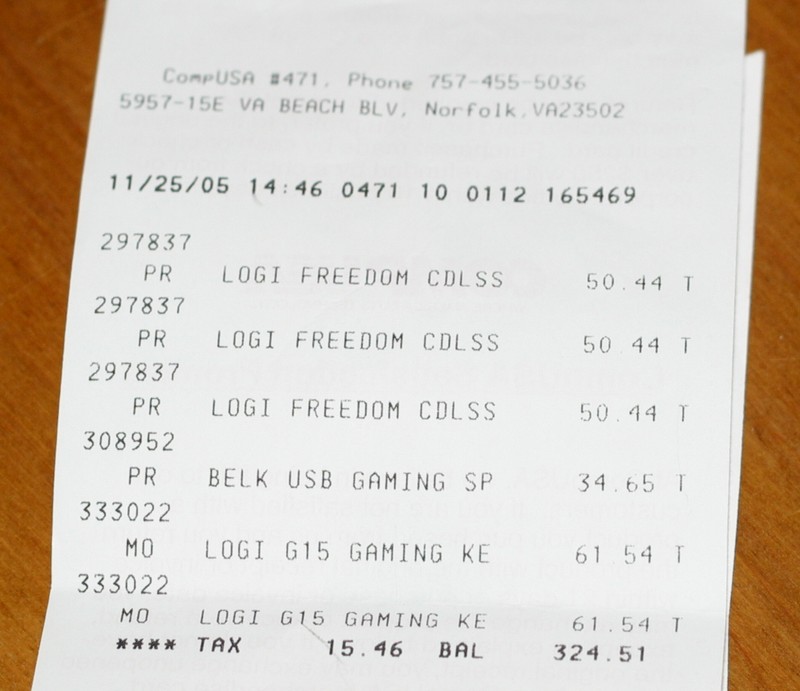
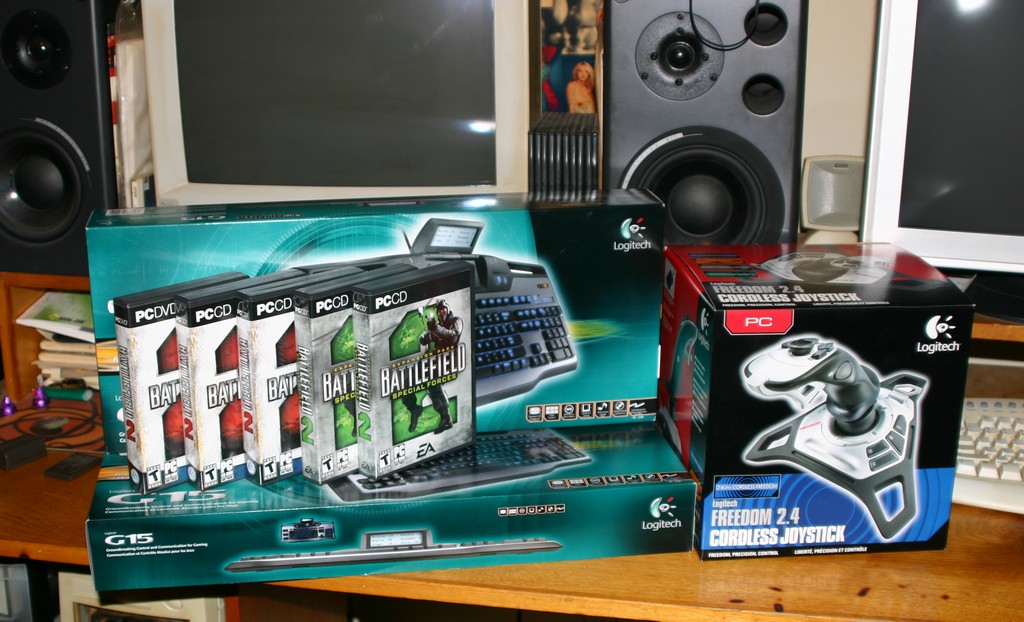
Got a heck of a deal on the G15's from CompUSA using my business account.
This was Black Friday and the stuff we were buying wasn't on sale, we just wanted it. The checkout line was going all the way around the inside of the store, we were like, dang, it's going to take a couple of hours to check out.
I asked someone if I could check out at the business desk with my business account and they said yes, so I put the stuff on the counter, they gave me discounts which I wasn't expecting since these keyboards just came out.
G15's were $99.99 and we got them for $61.
In and out of CompUSA on Black Friday in less than 20 minutes. :D
 
Last edited:
As an Amazon Associate, HardForum may earn from qualifying purchases.
I'm still using a Corsair Vengeance K70 red LED (not RGB) Cherry MX keyboard that I bought in 2014. The K70 works fine including all the red LEDs and most keys are still recognizable, no issues with work or FPS games and has outlasted everything in my set-up.

However I'm wondering if I'm missing out by not upgrading to a new keyboard with modern features that I may not know about??
 
I ordered a K70 RGB Pro with MX reds. My previous K70 MK2 had issues with keys popping off. I have been on K68 since then which I love. So not sure why I ordered a new keyboard but I did coz it was quite cheap rn at 114$.
 
I'm still using a Corsair Vengeance K70 red LED (not RGB) Cherry MX keyboard that I bought in 2014. The K70 works fine including all the red LEDs and most keys are still recognizable, no issues with work or FPS games and has outlasted everything in my set-up.

However I'm wondering if I'm missing out by not upgrading to a new keyboard with modern features that I may not know about??
Magnetic switches are a new feature worth a look. They offer a lot of options to customize your typing/gaming experience.
 
Got some birthday money so I decided to take the plunge on a hall effect keyboard. I first bought the Glorious GMMK HE and really like it for the 20 minutes it took to start disconnecting and reconnecting during my game. I exachanged it for a Razer Huntsman V3 Pro TKL. I swore I'd never spend $200 on a keyboard but here we are. I do like it. It is noticeably more responsive and it's not bad to type on. All tolled I had about $170 in gift cards so it only cost me like $50 so I'm happy with it. No way it's worth $220 tho.
 
Magnetic switches are a new feature worth a look. They offer a lot of options to customize your typing/gaming experience.

Researching into magnetic led me to optical swicthes and both seem to be the new pricey hotness. But so was my K70 back in 2014 too, lol.

Something to research into before Black Friday/Cyber Monday :)
 
Got a Lexma GS-300-BK w/ old skool RBG, like just red, blue and green.
I like the action, it might be a membrane or it might not, but it was only $2.99 at the Goodwill. 🤷‍♂️


20250719_174339.jpg
 
Logitech K400r on my HTPC. For gaming I use either this paired with an ancient Logitech MX400 laser mouse, or a first gen Logitech G15. Though I do like the small keyboard for gaming on this machine too. I love this mouses ergonomics for recliner gaming. :)
 
2023 Rocket Jump Ninjas GPROs someone had them for 60.00 on ebay brand new. Since I ditched all my Razer Mice the Synapse just crashes my system ongoing for years.
Luckily I had a extra weight from my Chaos Spectrum otherwise it's really lite.

Update: I tried the mouse yesterday it's ok but the mouse texture is smooth had my doubts about the clicks but they are good. The left click is crisp but the right click is slightly different.


View: https://www.youtube.com/watch?v=NeWRU92qMUQ&t=95s
 
Last edited:
After finally getting my obsession somewhat under control, with collecting pocket knives and accepting the inevitable fact, that price really has very little to do with anything, other than wasting usable dollars (unfortunately thousands - sigh) to line the manufacturers golden pockets. I currently use a Redragon K720 keyboard and a "matching" (my OCD drove me, honest) Redragon M612 mouse. Both are quite functional and my keyboard sounds quite "thocky" whatever the he11 that means. But then again, it's a keyboard, not a Steinway grand piano.
 
My trusty G502 Lightspeed is starting to wear out after 6 years. I checked to see what the latest and greatest Logi mice are, and it seems like that one's still pretty close to the top. The only thing "better" just has more RGB settings. Luckily these are only $70, now. I just ended up ordering another one.
 
My trusty G502 Lightspeed is starting to wear out after 6 years. I checked to see what the latest and greatest Logi mice are, and it seems like that one's still pretty close to the top. The only thing "better" just has more RGB settings. Luckily these are only $70, now. I just ended up ordering another one.
I went with the G502X. I found it had a couple of upgrades. The biggest of which is a cap for that stupid thumb button that slows the DPI down so I don't have to jack with it in software or remap it. I still have a functioning G502 Lightspeed on another computer and I hate that button.
 
I went with the G502X. I found it had a couple of upgrades. The biggest of which is a cap for that stupid thumb button that slows the DPI down so I don't have to jack with it in software or remap it. I still have a functioning G502 Lightspeed on another computer and I hate that button.

One of the only neat things about Logitech's GHub is the ability to map buttons to the firmware. It works across multiple devices, too. In my case, I have the side buttons mapped to page up/page down and I have the little buttons in the left button disabled. When my new 502 showed up last week, it was able to download that firmware from my older mouse. Granted, they make that entire process way, way too complicated but now that I know how to do it, it's pretty quick. When you're done, you can then uninstall GHub forever, or at least until you need to map your firmware again.
 
One of the only neat things about Logitech's GHub is the ability to map buttons to the firmware. It works across multiple devices, too. In my case, I have the side buttons mapped to page up/page down and I have the little buttons in the left button disabled. When my new 502 showed up last week, it was able to download that firmware from my older mouse. Granted, they make that entire process way, way too complicated but now that I know how to do it, it's pretty quick. When you're done, you can then uninstall GHub forever, or at least until you need to map your firmware again.
I am aware of that feature. Unfortunately, in my experience it has been less than reliable. Also, G-HUB sucks ass. It's not iCUE bad but its still terrible.
 
The biggest of which is a cap for that stupid thumb button that slows the DPI down so I don't have to jack with it in software or remap it. I still have a functioning G502 Lightspeed on another computer and I hate that button.

502 Hero, and I hate the buttons above it that change the DPI scaling, always gets pressed some how in some games, and the stupid software won't let me get rid of all of them, so I made just 2 at the same DPI.
But even after doing that, the profile gets lost some how, even though I'm running it with the onboard memory and no software. Another gripe I have with it is when I'm doing art and I am trying to be very precise like small scale shading, the right click is so easy to depress unless you have a very light grip on the mouse. Fucks me up all the time.

They need to do some serious work on the software side imo.
 
502 Hero, and I hate the buttons above it that change the DPI scaling, always gets pressed some how in some games, and the stupid software won't let me get rid of all of them, so I made just 2 at the same DPI.
But even after doing that, the profile gets lost some how, even though I'm running it with the onboard memory and no software. Another gripe I have with it is when I'm doing art and I am trying to be very precise like small scale shading, the right click is so easy to depress unless you have a very light grip on the mouse. Fucks me up all the time.

They need to do some serious work on the software side imo.
I have had very similar experiences. G-HUB is dogshit.

Thanks to that temporary DPI button cap (it's the one that only slows DPI while you hold it for precision shots in games or whatever), I don't need to use any software. The mouse just works for me as it is. I've never installed G-HUB on this computer or since getting that mouse.
 
I have had very similar experiences. G-HUB is dogshit.

Thanks to that temporary DPI button cap (it's the one that only slows DPI while you hold it for precision shots in games or whatever), I don't need to use any software. The mouse just works for me as it is. I've never installed G-HUB on this computer or since getting that mouse.
Yeah that's the stupid G-Shift "sniping" button that is as worthless as tits on a nun. I've only ever used it by accident.
I only used the software once to set it up the first time and then a couple more times to get rid of the scaling shit, then it gets uninstalled as well as the registry hooks.
 
I've had no issues disabling/mapping buttons once I actually find where they bury everything in GHub. The trick is to find the default profile, clone it, and then go make all your edits. From there, rename that new/cloned profile as something like "default" and turn on onboard memory mode. You can then click on slot 1 for your onboard mouse memory and scroll down to your newly created profile. It feels backwards and they keep trying to suggest that you allow software control mode, but that isn't what you want to do.

Another dumb thing I've noticed is that Logitech rolls out their own device drivers in your device manager. You do NOT want those. Change them all back to USB Composite Device. It will disable Windows Dynamic Lighting, but it'll also ensure that your RGB settings stick forever.
 
Echoing comments about the 502. It's really a stellar mouse. While the software makes me want to Thelma and Louise off a cliff, I ran it once, setup the firmware profiles, and ... it's gone.

I still remain wildly fascinated at just how bad kb/mouse/etc customization software remains in 2025. An addled 9 year old with a set of crayons could come up with better workflows.

So my demand is that while the setup process could be nightmarish, if I can store profiles and never run it again - okay. If I have to run that bloated turd all the time - no deal.
 
G Hub is the only software I let run on startup. Never had an issue but I never also remapped buttons or did much anything except set my specific 5 levels of dpi and put 1000 polling rate. Still the best mouse for me and mine has been working for a very long time.
 
G Hub is the only software I let run on startup. Never had an issue but I never also remapped buttons or did much anything except set my specific 5 levels of dpi and put 1000 polling rate. Still the best mouse for me and mine has been working for a very long time.
Yeah I think it's the best mouse that I've ever had, and the only mouse that didn't give me a hand cramp the first week that I used it, like every other mouse that I have ever used.
 
I just picked up a Keychron K10 HE. So that's what I'm using now. I wanted to give the Hall effect switches a try. Honestly, I don't care too much about the adjustable sensitivity. They are pretty nice in their default configuration. That said, the Keychron K10 Max has a slightly better feel to it. I have one of those with the red switches.
 
Last edited:
An update after 2 years. I'm still using the Roccat Vulcan II Max keyboard but I switched from the XTRFY MZ1 RGB WIRELESS to the Razer Cobra Pro as my main and on occasion the Fnatic Maya 8K. Just a personal opinion, I feel the mouse devs pulled the wool over games eyes and are now scamming us. They broke the $100 barrier for gaming mice, then annouced that lighter mice are better which resulted in them removing features from the mice. Your now lucky if you get one dpi button on top of the mouse for these "premier" mice. While I'm not a Razer fan, I appreciate that they released a small gaming mouse that performs fantastic while also including the traditional 2 dpi buttons that I grew to love over the past twenty some years. Testing it against my massive pile of other gaming mice (mouse collecting junkie here) it performs just as well and many times better.

IMG_20250828_102934475.jpg
 
Corsair K100 with companion screen for keyboard and corsair mouse that I am happy/unhappy with. corsair dark core rgb pro mouse works nice BUT... the finish is lizard skinning then peeling off. This happend to my son's as well and yes corsair said I can RMA them both... for what? to repeat in 3 months? basically the black film comes off and leaves the mouse all white plastic. will add pics later.
 
That is a bummer. I had casually been considering ordering one of their products (though I was leaning beam spring), but after seeing this, I am not so sure. I don't want to spend $300 on a keyboard if it is going to wear out and look like shit in no time.

Are you planning on reaching out to them?

Edit:

Per this Q&A question it looks like they have transitioned all keyboards to a new powder coated aluminum chassis. Maybe that was because of issues like this? If they don't stand by it, I wonder if you can at least order a replacement chassis.
That's a terrible way to do business if they don't fix it or stand behind it. The founder of the company was always a bit shady when he was just flipping M's. Doesn't seem like his business ethics have changed much. What I'd like to see is Unicomp make a rival product as I know they would do a far better job and stand behind it better.
Personal rig is a Spectre Pro with lubed Akko Wine Red switches and a trusty Logitech G500 (switches replaced with Japanese OMRON D2F-01F).
Work rig is an EVGA Z15 with Gateron KS-9 Pro Yellow 2.0 switches and a Razer Basilisk X Hyperspeed
How did you get the Gaterons to work with the Z15? I thought the Z15 only takes 3 pin switches?
I found this for ISO, they have versions for EU and US(small and large shift and small and large enter,backspace), except that mine has more letters in my alphabet. You're right, each one works without programs and drivers. I recently bought a Roccat Vulcan Pro Linear Optical USB, it's not bad, it's great RGB, but this Roccat software slows down the computer. The difference can be up to 0.5s. I haven't tried it in games, only a very short time. This 7G is still great for typing and gaming.It's mechanical and not too loud, some mechanical ones are really loud.
The PS/2 slot doesn't use the CPU at all (I have a Ryzen 5600x) and allows all keys to be pressed and registered at once.PS/2 is still the best for gaming.
All MBOs up to 150usd have PS/2 slots. Most of them have PS/2, only the most expensive ones happen to not have them, I'm talking about the AM4 chipset. I don't know what the situation is with AM5. If I were buying an MBO, I certainly wouldn't buy one that doesn't have PS/2.
And since I think I remember my interrupts correctly, the reason ps/2 is faster is because it has the highest cpu interrupt available, irq1. USB is using far, far higher interrupts that with today's faster cpus are emulated to the use of the keyboard, but it's not the same interrupt on a hardware level.

If I remember correctly, irq2 was cascaded for the second interrupt controller which gave us all the way to irq15, and irq12 was commonly used for a ps2 mouse, so using irq2 or irq12 for something else was always a bad idea.

Today, all the interrupts are automatically managed and no one worries about them anymore. But back in the earlier days, you had to worry about them and conflicts and set little jumpers on boards to change them.

And all this being said, I like ps2 ports vs usb even though they work the same for my use case of just type. ps2 actually has a big disadvantage in that it cannot be hot-plugged like usb, and can crash a system if plugged/unplugged while running.
 
Last edited:
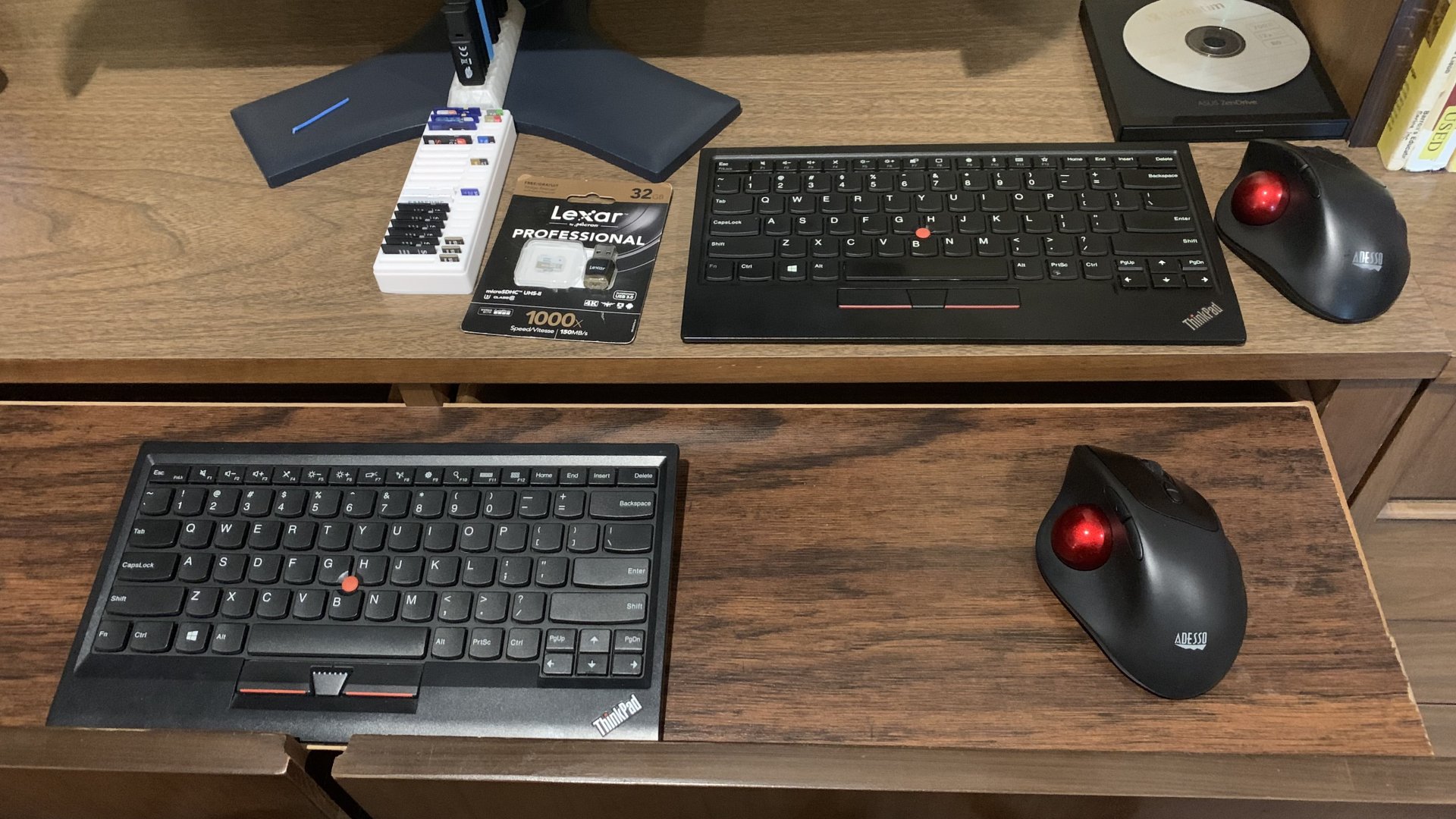
Back to my IBM M and logitech thumb wired trackball. I also have a left handed wireless elecom left handed thumb trackball on the left hand side and a logitech something bluetooth keyboard for the phone.
Nearly 8 years later, I'm still on the same setup--replicated everywhere--IBM M and logitech thumb wired trackball. Got 30" 2560x1600 displays everywhere too now. So all my work areas are pretty much identical now.

I still have an Aukey cherry blue knockoff based board at one site, and aside from some failing leds, its works great and my hands adjust pretty quick after coming off an M, so I like it. The left handed Elecom is at another site from where I'm at now, and I'm now using a Targus foldable keyboard for all my phones. I love the Targus--nearly the same size as a phone so I can keep it with the phones and pull it out anytime I need to type more than a few words--https://us.targus.com/products/ergonomic-foldable-bluetooth-antimicrobial-keyboard-akf003us. It's cheap too as you can find used/open box ones on ebay for like $10. I picked up a few spares last week when I discovered they were so cheap on ebay. I really miss keyboards on my phones. :( I don't need a big screen--give me tactility!
 
As an Amazon Associate, HardForum may earn from qualifying purchases.
Updated wear on my F77 at work since I saw someone commenting on it.

View attachment 752865
Just awful. How a product can be advertised as they did and then not stood behind is pretty bad. I could see a class action unless it's barred in the purchase terms (probably is). What also stands out to me is how the bottom row of keycaps gap varies quite a bit. I'm typing on an older Unicomp 101 I have and even it's not that bad on the bottom row. For a supposedly premium product, this is very disappointing. I'd be furious.
 
Back
Top