• Some users have recently had their accounts hijacked. It seems that the now defunct EVGA forums might have compromised your password there and seems many are using the same PW here. We would suggest you UPDATE YOUR PASSWORD and TURN ON 2FA for your account here to further secure it. None of the compromised accounts had 2FA turned on.
    Once you have enabled 2FA, your account will be updated soon to show a badge, letting other members know that you use 2FA to protect your account. This should be beneficial for everyone that uses FSFT.

Show Your LCD(s) setups!!!

@Matrix some of those pix are def going to be included in the part2 of my series :p

i think i've had other pics of my triple monitor setup on here before, showing some stargate playing :p. but thanks though ;) hehe !
 
Matrix: You've come a long way since your first Jerker desk. Major kudos on your Galant beast! :cool:

Where did you find that traffic light? I've wanted something like that for years.
 
Last edited:
DSCF0285.jpg


Setup for the remainder of xmas break.
Working on making an xbox case into a HTPC case with a micro atx board and sff psu.
 
Matrix: You've come a long way since your first Jerker desk. Major kudos on your Galant beast! :cool:

Where did you find that traffic light? I've wanted something like that for years.

well i've had all 3 styles of jerker. still do i just broke them down and put in the closet :D :p

my brother found the traffic light at the scene of an accident in the 80's. he said the first time he wired it up all the wires melted but he got it right the second time :p

i think that you can buy yellow ones on ebay. i prefer it in green though :)..

it was alot of work to rearrange my room and drive about 20 hours worth to get all the desk pieces but i think it was majorly worth it :)
 
Just for a laugh - this is what I'm workin' with :p
20110112005421.jpg


I moved into a new place recently and haven't found a desk. Who needs one when you have an Xbox box?
 
Here is my set up right now. Third w2408h is on the way hopefully when this guy on craigslist email's me back. I figured out how to remove the HUGE bezels that are on the monitor normally to see what was under them. I went from a 3" gap between screens to about a 1/2". Ill post more pics when I get the third one and eyefinity set up.

IMG00184-20110113-1326-1.jpg


IMG00185-20110113-1326-1.jpg


IMG00186-20110113-1327-1.jpg


Very happy with the results. Ignore the periodic table of elements haha, I am a Chem major and it comes in handy.
 
Here is my set up right now. Third w2408h is on the way hopefully when this guy on craigslist email's me back. I figured out how to remove the HUGE bezels that are on the monitor normally to see what was under them. I went from a 3" gap between screens to about a 1/2". Ill post more pics when I get the third one and eyefinity set up.

IMG00184-20110113-1326-1.jpg


IMG00185-20110113-1326-1.jpg


IMG00186-20110113-1327-1.jpg


Very happy with the results. Ignore the periodic table of elements haha, I am a Chem major and it comes in handy.

Wow, is there some sort of guide you could show me to? I would be interested in doing that on my 2407's
 
Finally i found a way to show you my setup so here is my modest eyefinity setup with the small Samsung U70

UOQEa.jpg


mCKCt.jpg
 
Last edited:
I figured out how to remove the HUGE bezels that are on the monitor normally to see what was under them. I went from a 3" gap between screens to about a 1/2".

Any more details on this? Is this a common or east thing to do?
 
Wow, is there some sort of guide you could show me to? I would be interested in doing that on my 2407's

For your dell I couldn't tell you right off hand without googling it though I did find http://www.fixya.com/support/t787213-remove_back_cover_dell_2407_wfp

For the HP w2408h monitors I found out where to start on this site : http://www.fixya.com/support/t3813089-remove_cover_from_hp_w2408h_monitor

Not nearly as frustrating as he makes it seem, once the top cover comes off (do NOT force, just slowly get each top and bottom loose, then the sides, then corner's should pop right off). Take the 2 screws out holding in the circuit board for the menu buttons, then the lcd will lift right out, (the button up top just slides in). I had to bend the little metal clip on the left side that holds in the light sensor to get monitors to line up. Tuck away the circuits behind the monitor and you are good to go. Took 10 minutes to take down and do both monitors.

As for is this a common thing to do, I looked all over the internet for several days and randomly came across that page. It was on like page 9 of a google search, so I was looking for anything. Never seen it done anywhere else, so I am pretty happy how it turned out. Third one is on it's way!
 
For your dell I couldn't tell you right off hand without googling it though I did find http://www.fixya.com/support/t787213-remove_back_cover_dell_2407_wfp

For the HP w2408h monitors I found out where to start on this site : http://www.fixya.com/support/t3813089-remove_cover_from_hp_w2408h_monitor

Not nearly as frustrating as he makes it seem, once the top cover comes off (do NOT force, just slowly get each top and bottom loose, then the sides, then corner's should pop right off). Take the 2 screws out holding in the circuit board for the menu buttons, then the lcd will lift right out, (the button up top just slides in). I had to bend the little metal clip on the left side that holds in the light sensor to get monitors to line up. Tuck away the circuits behind the monitor and you are good to go. Took 10 minutes to take down and do both monitors.

As for is this a common thing to do, I looked all over the internet for several days and randomly came across that page. It was on like page 9 of a google search, so I was looking for anything. Never seen it done anywhere else, so I am pretty happy how it turned out. Third one is on it's way!

Took a look and it does not seem too hard to do, any negatives to this? all mine are out of warranty but I can't imagine this would be good for the lcd.


edit: Forgot to say thanks for the links.
 
no problem...

Only negatives I see are that if you did break the bezel and it would look terrible if you decided to put it all back on, thats about it. All mine are out of warranty as well. The lcd is still secure, the plastic is literally just a clam shell around a metal cage holding in all the parts, seen here
IMG00187-20110113-1902.jpg
 
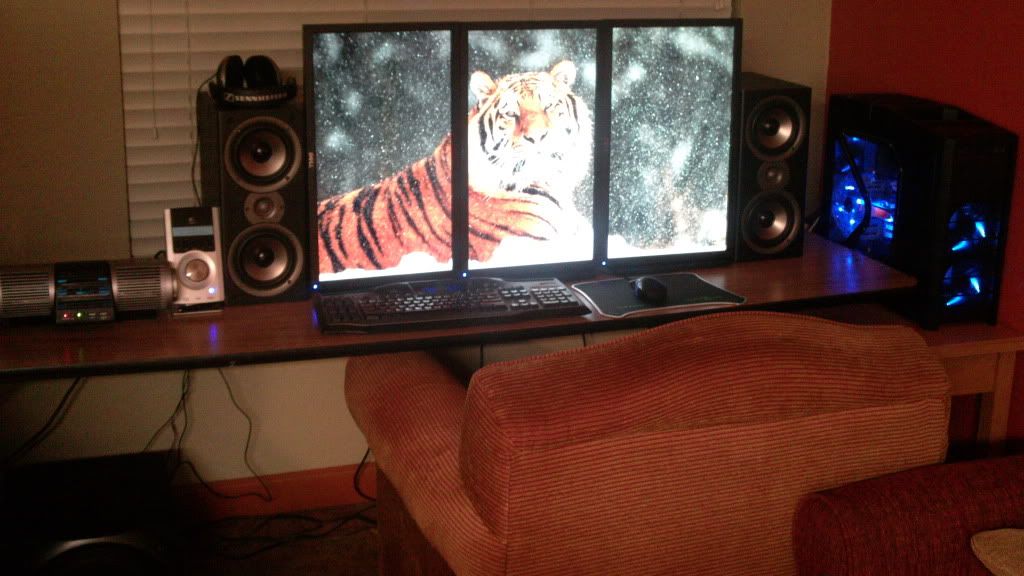
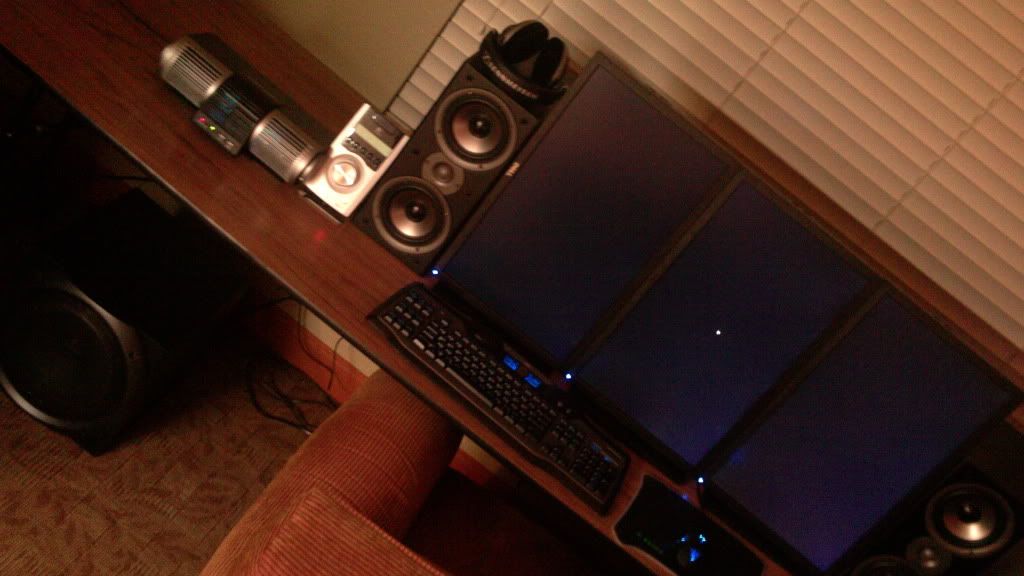
I have been reading this forum for around 2 years and this is my first post. Just got some monster Polk bookshelf speakers for $139 that I feel "tie the room together".

Thanks for the inspiration everyone.

When "normal" people see my set up they always say something like "holy shit" etc.. That is when I realize how CRAZY our setups really are LOL!

1.jpg


2.jpg
 
I have been reading this forum for around 2 years and this is my first post. Just got some monster Polk bookshelf speakers for $139 that I feel "tie the room together".

Thanks for the inspiration everyone.

When "normal" people see my set up they always say something like "holy shit" etc.. That is when I realize how CRAZY our setups really are LOL!

http://i1132.photobucket.com/albums/m572/svalbardhardocp/1.jpg?t=1294974128]

http://i1132.photobucket.com/albums/m572/svalbardhardocp/2.jpg?t=1294974180

Nice setup. We are a unique group.:D
 
^ you are right, the speakers do tie it all together. nice work!

it *is* funny to see civilian responses to our setups...the eyes always bulge out :eek:
 
haha I remember a few friends came over and they said "are you trying to take over the world?" All I have are 2 monitors.... I couldn't imagine having anything less. And compared to the set up's on here, it's not much.
 
yes :D

svalbard, my boss said my setup is like a military war room. wtf am i doing with that LOL :D

he said normal people don't have something like that ;)


what is that samsung u70???

I'm told my setup looks like NASA. lol
 
I have been reading this forum for around 2 years and this is my first post. Just got some monster Polk bookshelf speakers for $139 that I feel "tie the room together".

Thanks for the inspiration everyone.

When "normal" people see my set up they always say something like "holy shit" etc.. That is when I realize how CRAZY our setups really are LOL!

http://i1132.photobucket.com/albums/m572/svalbardhardocp/1.jpg?t=1294974128

http://i1132.photobucket.com/albums/m572/svalbardhardocp/2.jpg?t=1294974180

You know we're jaded when the thing that stood out the most to me was your "chair" :p
 
Zarathustra[H];1036702856 said:
You know we're jaded when the thing that stood out the most to me was your "chair" :p

Yeah that "sofa chair" came with my condo and it is so comfy that I sold my Ikea Markus since I never used it anymore. Comfort > form IMO! :) I have to climb into it "Dukes of Hazzard" style but that only adds to it's charm. Honestly don't knock it till you try it LOL.

Has anyone ever noticed how WOW runs much smoother (FPS wise I mean) in portrait vs landscape?
Maybe it's just my system (E8500 @ 3.6ghz/ 5850/ 4GB)?
 
Last edited:
Samsung U70 is a 7 inch USB Mini Monitor

i was thinking about buying the logitech G19 keyboard but its screen is very very tiny 2.4 inch & all that for 170 Euros, so ive found much better to buy a real mini monitor for 100 euros and the microsoft ergonomic keyboard 4000 for 44 euros .................. See the result by yourself ^^

bHMvo.jpg
 
what programs do u use on the comp to display all that info on the right hand side of the mini?
 
its EVEREST 5.30 Ultimate Edition very very usefull program it gives you informations about everything in your setup, temperatures fan speeds CPU,GPU,MEMORY Loadings, versions of all your drivers & much more options.

It's a must have software, the best for overclockers to keep an eye on CPU & GPU temps
 
Damn, you can get one for only $91 too. Didn't know about these let alone how relativly inexpesive they are. Great for eyefinity guys! I hate not having Vent in site while raiding and other such goodies.
 
As an eBay Associate, HardForum may earn from qualifying purchases.
Has anyone ever noticed how WOW runs much smoother (FPS wise I mean) in portrait vs landscape?
Maybe it's just my system (E8500 @ 3.6ghz/ 5850/ 4GB)?

I noticed that also. Frames were about 20-30% better if I remember correctly when switching for L to P in a 3x1920x1200 setup. Guess it's just less FoV for the CPU to figure out.
 
I have been reading this forum for around 2 years and this is my first post. Just got some monster Polk bookshelf speakers for $139 that I feel "tie the room together".

Thanks for the inspiration everyone.

When "normal" people see my set up they always say something like "holy shit" etc.. That is when I realize how CRAZY our setups really are LOL!

Hey svalbard,
nice setup. Are those bookshelf speakers connected to your logitech z-5500 amp and how do they sound? Also what sound card are you using. Thanks
 
Samsung U70 is a 7 inch USB Mini Monitor

Is this running under Windows 7 x64? This looks like a really great way to keep my Vent and other info in view but finding information about this product in English is a little rough.
 
Last edited:
As an eBay Associate, HardForum may earn from qualifying purchases.
Hey svalbard,
nice setup. Are those bookshelf speakers connected to your logitech z-5500 amp and how do they sound? Also what sound card are you using. Thanks

Hi, yes they are. To my ear they sound great and I am only using my ASUS pro onboard sound with a digital coax cable to the z5500. My best friend has a Denon receiver with Paradigm speakers + sub and "bang for the buck" the z5500s with these Polks are a GREAT deal. He was kind of bummed when we compared.

The z5500 sub is a monster but the sats are basically a giant tweeter with almost ZERO mids.
Since I love vocals I noticed a HUGE difference when I hooked up the Polks.
 
Back
Top