![[H]ard|Forum](/styles/hardforum/xenforo/logo_dark.png)
Navigation
Install the app
How to install the app on iOS
Follow along with the video below to see how to install our site as a web app on your home screen.
Note: This feature may not be available in some browsers.
More options
-
Some users have recently had their accounts hijacked. It seems that the now defunct EVGA forums might have compromised your password there and seems many are using the same PW here. We would suggest you UPDATE YOUR PASSWORD and TURN ON 2FA for your account here to further secure it. None of the compromised accounts had 2FA turned on.
Once you have enabled 2FA, your account will be updated soon to show a badge, letting other members know that you use 2FA to protect your account. This should be beneficial for everyone that uses FSFT.
You are using an out of date browser. It may not display this or other websites correctly.
You should upgrade or use an alternative browser.
You should upgrade or use an alternative browser.
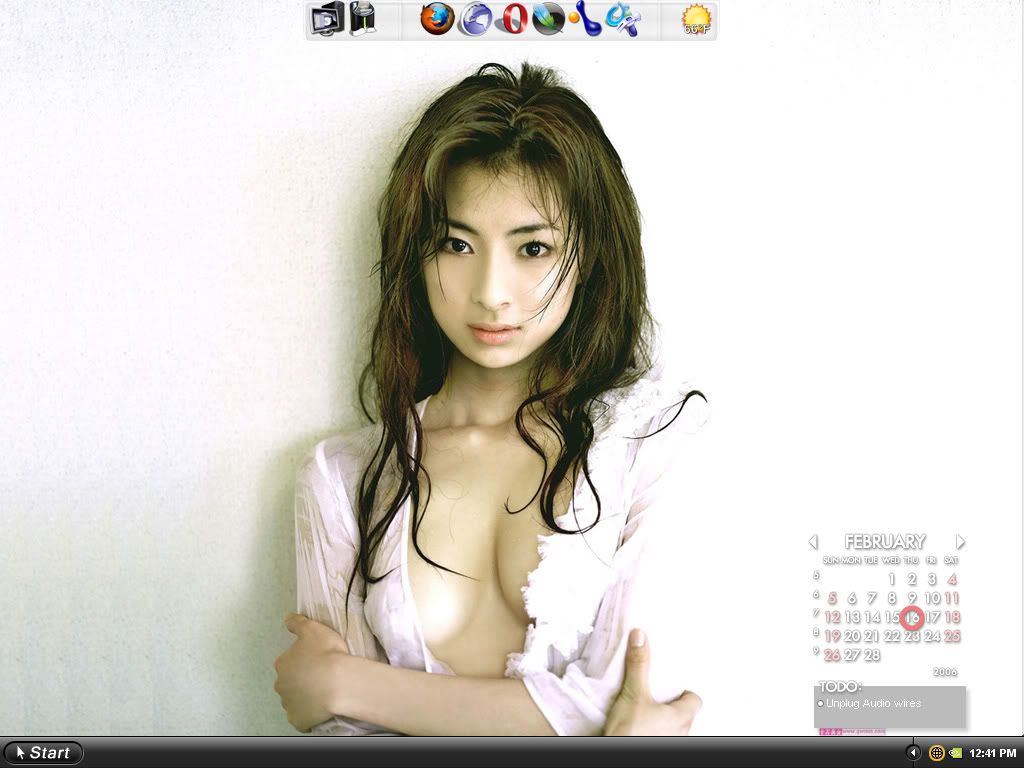
Post your pc screen shots!
- Thread starter silentnight3985
- Start date


Black Morty Rackham
Supreme [H]ardness
- Joined
- Jan 8, 2004
- Messages
- 4,728
It's Mac OS 10.4 running in VMWare Workstation (a virtual machine - google it for more info). The operating system is only available with new computer purchases, so it's $1299 (cheapest x86 Mac available). VMWare Workstation is $189.sanj101 said:chronic9 im a mac noob and would love to have some info on wht exactly that mac workstation is (shell???) and is it freeware, lovely themes
cheers mate
ding ding ding!
I was expecting to see a noob reply to the wallpaper.
It only lets me appropriate 360mb for the memory of the VM. i wanna give it MOREEE. its still pretty dam cool thou. its always fun to mess around with OSes. Next is Vista.
I was expecting to see a noob reply to the wallpaper.
It only lets me appropriate 360mb for the memory of the VM. i wanna give it MOREEE. its still pretty dam cool thou. its always fun to mess around with OSes. Next is Vista.
chronic9 said:I wish i had 2(2001fp) instead of a 20 and 17.....
here it is:
and the dirty:
i think its time for me to get a real mac
DEATH CAB FOR CUTIE ROCKS! I have everysingle album and all there live shows!

sitheris
[H]ard|Gawd
- Joined
- Jul 30, 2004
- Messages
- 1,787
chronic9 said:ding ding ding!
I was expecting to see a noob reply to the wallpaper.
It only lets me appropriate 360mb for the memory of the VM. i wanna give it MOREEE. its still pretty dam cool thou. its always fun to mess around with OSes. Next is Vista.
Just fyi, I spent an entire day trying to get Vista running in VM, no luck. Might wanna just dual boot it (which is what I ended up doing).

Black Morty Rackham
Supreme [H]ardness
- Joined
- Jan 8, 2004
- Messages
- 4,728
chronic9 said:ding ding ding!
I was expecting to see a noob reply to the wallpaper.
It only lets me appropriate 360mb for the memory of the VM. i wanna give it MOREEE. its still pretty dam cool thou. its always fun to mess around with OSes. Next is Vista.

Mac OS X is downright painful with anything less than 640 megabytes!
i had os-X running on VM-ware for a while, it was pretty slow at times, but it was fun to mess around with a new OS, I have the Vista beta from msdn on my laptop right now, its pretty cool, but it still has a ways to go to make it worth buying.
is there a way how increase the ram size to more then 408 or whatever? i mean i have 2 gigs of ram, so i can spare plenty.
Black Morty Rackham said:
Mac OS X is downright painful with anything less than 640 megabytes!
Black Morty Rackham
Supreme [H]ardness
- Joined
- Jan 8, 2004
- Messages
- 4,728
I don't know. I use Macs, not VMWare...chronic9 said:is there a way how increase the ram size to more then 408 or whatever? i mean i have 2 gigs of ram, so i can spare plenty.
I can't recall if I've ever posted my desktop, so here's a current (well, one of 'em). The crap on sitting on the desktop is mostly 3D stuff (a few models, a few textures, and NewTek's latest LW9 feature demo).

coldfission
Weaksauce
- Joined
- Oct 28, 2005
- Messages
- 95

you could say i'm a gamer


Ice Czar
Inscrutable
- Joined
- Jul 8, 2001
- Messages
- 27,174


and yes thats W2K
Ice Czar
Inscrutable
- Joined
- Jul 8, 2001
- Messages
- 27,174
replacement Icons I designed & hacked in
from left to right
Recycle Bin - Network - My Computer - Control Panel - HDDs Drives C E F G H, Optical D, FDD A, Flash Drive J and then a few folders
from left to right
Recycle Bin - Network - My Computer - Control Panel - HDDs Drives C E F G H, Optical D, FDD A, Flash Drive J and then a few folders
draconius said:updated mine a bit today... (click for fullsize)

How do you get the taskbar to extend over two monitors? Same question for the wallpaper. Thanks in advance.
Look into a program called 'ultramon'...thats what I use..thelead said:How do you get the taskbar to extend over two monitors? Same question for the wallpaper. Thanks in advance.
http://locutus25.selfip.org/files/Desktop_Stuff/bg.png
Well someone needs to fix the name of this, cause im seeing some macs and if you go to ibm coming out with the personal computer that is where pc became seperate of mac. Although macs are now becoming pcs, so maybe the title is only partially incorrect. Slightly unsure if i should post since there another similar forum elsewhere, but since mac and windows is posted thought i would top the cake with linux
Well someone needs to fix the name of this, cause im seeing some macs and if you go to ibm coming out with the personal computer that is where pc became seperate of mac. Although macs are now becoming pcs, so maybe the title is only partially incorrect. Slightly unsure if i should post since there another similar forum elsewhere, but since mac and windows is posted thought i would top the cake with linux
Black Morty Rackham
Supreme [H]ardness
- Joined
- Jan 8, 2004
- Messages
- 4,728
What in the nine hells are you talking about?locutus24 said:http://locutus25.selfip.org/files/Desktop_Stuff/bg.png
Well someone needs to fix the name of this, cause im seeing some macs and if you go to ibm coming out with the personal computer that is where pc became seperate of mac. Although macs are now becoming pcs, so maybe the title is only partially incorrect. Slightly unsure if i should post since there another similar forum elsewhere, but since mac and windows is posted thought i would top the cake with linux
Ice Czar
Inscrutable
- Joined
- Jul 8, 2001
- Messages
- 27,174
PC = Personal Computer
however we will allow you to post the desktop of a shared rendering cluster server too
back on topic
besides Mac are Unix, now
however we will allow you to post the desktop of a shared rendering cluster server too
back on topic
besides Mac are Unix, now

l337*g0at
Gawd
- Joined
- Nov 13, 2001
- Messages
- 576
Here is mine. The wallpaper is horrible, I know. I have changed it since then. I'll take a ss when I get home from work.

l337*g0at said:Here is mine. The wallpaper is horrible, I know. I have changed it since then. I'll take a ss when I get home from work.
http://www.gi-clinic.com/jaz-z0r/WindowsCusto/NEW.jpg[/IMG[/QUOTE
Can you hook me up with the VS or WB you are using? And update your windows!!


Unknown-One
[H]F Junkie
- Joined
- Mar 5, 2005
- Messages
- 8,909
This is about as Vista as XP gets without WindowBlinds Not bad if I do say so myself

Not bad if I do say so myself 

Rash
2[H]4U
- Joined
- Jan 3, 2005
- Messages
- 2,557
Please tell me how to get a like for like desktop, its awesome!Unknown-One said:This is about as Vista as XP gets without WindowBlinds
Unknown-One
[H]F Junkie
- Joined
- Mar 5, 2005
- Messages
- 8,909
Give Windows XP a very Vista Look:
Here you go, a vista look without WindowsBlinds!
1. Patch your UXTheme.dll:
You'll need to patch your UXTheme.dll in order to use non-Microsoft MSStyles. Neowin has a nice patcher available from [font="]here.[/font]
2. Install the Appropriate Theme:
Now youre prepared to accept themes made by others. The one Im using currently is named Orion Glass and can be found on Deviant Art [font="]here[/font]. Yes, Im aware that many Vista looking themes have been removed via request by Microsoft, but this one appears to be different enough to avoid deletion.
Installing the theme is simple, navigate to the folder: C:\Windows\Recources\Themes and make a new folder called Orion Glass. Now copy the contents of the RAR file containing the theme into the Orion Glass folder you just created.
You should now be able to select and apply the theme from the appearance tab of Display Properties. There are two sub-themes in Orion Glass, 32x32 and 48x48; this setting will depend on what language your version of XP is in, 32x32 appears to be correct for English.
3. Icon Madness!:
This has always been the hardest part for me, getting the appropriate icons. I believe this set is as close as your going to get to current Vista icons, download [font="]here.[/font]
Your going to need IconTweaker to use this icon set, so download it from [font="]here[/font].
4. Sounds:
Unofficial Vista Sounds can be found downloaded from [font="]here[/font]. Unfortunately this zip file does not include a sound scheme, but it shouldnt be to hard to figure out what sound is for what because they are all named after their windows XP counterparts.
5. Taskbar Window Previews
The small program used to make window previews when you hover your mouse over a minimized window on your taskbar is called Visual Tool tip, and can be downloaded from [font="]here[/font]. Just install it, and make a shortcut to it in your start menus Startup folder.
6. Taskbar Transparency
Glass2k was used to give transparency to the taskbar (can also be used to make windows transparent). Download from [font="]here[/font] and drop the executable into your star menus Startup folder. After its running, just configure it through its system tray icon.
7. The Sidebar
You'll need to own (or at least know someone with) Vista to get the files needed for the sidebar. The instructions and patch to get the Vista Sidebar running on XP can be located [font="]here
(Dont know if its OK to post this section, I'll remove if its not)
[/font]
Here you go, a vista look without WindowsBlinds!
1. Patch your UXTheme.dll:
You'll need to patch your UXTheme.dll in order to use non-Microsoft MSStyles. Neowin has a nice patcher available from [font="]here.[/font]
2. Install the Appropriate Theme:
Now youre prepared to accept themes made by others. The one Im using currently is named Orion Glass and can be found on Deviant Art [font="]here[/font]. Yes, Im aware that many Vista looking themes have been removed via request by Microsoft, but this one appears to be different enough to avoid deletion.
Installing the theme is simple, navigate to the folder: C:\Windows\Recources\Themes and make a new folder called Orion Glass. Now copy the contents of the RAR file containing the theme into the Orion Glass folder you just created.
You should now be able to select and apply the theme from the appearance tab of Display Properties. There are two sub-themes in Orion Glass, 32x32 and 48x48; this setting will depend on what language your version of XP is in, 32x32 appears to be correct for English.
3. Icon Madness!:
This has always been the hardest part for me, getting the appropriate icons. I believe this set is as close as your going to get to current Vista icons, download [font="]here.[/font]
Your going to need IconTweaker to use this icon set, so download it from [font="]here[/font].
4. Sounds:
Unofficial Vista Sounds can be found downloaded from [font="]here[/font]. Unfortunately this zip file does not include a sound scheme, but it shouldnt be to hard to figure out what sound is for what because they are all named after their windows XP counterparts.
5. Taskbar Window Previews
The small program used to make window previews when you hover your mouse over a minimized window on your taskbar is called Visual Tool tip, and can be downloaded from [font="]here[/font]. Just install it, and make a shortcut to it in your start menus Startup folder.
6. Taskbar Transparency
Glass2k was used to give transparency to the taskbar (can also be used to make windows transparent). Download from [font="]here[/font] and drop the executable into your star menus Startup folder. After its running, just configure it through its system tray icon.
7. The Sidebar
You'll need to own (or at least know someone with) Vista to get the files needed for the sidebar. The instructions and patch to get the Vista Sidebar running on XP can be located [font="]here
(Dont know if its OK to post this section, I'll remove if its not)
[/font]
New week ,new wallpaper also formated harddrive.
old one (couple post back) http://img149.imageshack.us/my.php?image=18206desktop2yg.jpg

old one (couple post back) http://img149.imageshack.us/my.php?image=18206desktop2yg.jpg
Unknown-One
[H]F Junkie
- Joined
- Mar 5, 2005
- Messages
- 8,909
I've edited my last post, it now contains all you need to know about getting XP to look like Vista.


Rash
2[H]4U
- Joined
- Jan 3, 2005
- Messages
- 2,557
Absolutely fantastic walkthrough, many thanks indeed, you da man/woman!Unknown-One said:I've edited my last post, it now contains all you need to know about getting XP to look like Vista.

Thanatos.
Gawd
- Joined
- Jun 24, 2005
- Messages
- 744
l337*g0at i would also like to know the windows skin your using along with where you got those icons.

Interesting placement of the taskbar, trying to go for the OSX look eh?The Donut said:My desktop..