thedream829
Limp Gawd
- Joined
- Jul 22, 2021
- Messages
- 327
Have the DP issues been resolved with 5k and hdr?
I'm using DisplayPort, no issues.
![[H]ard|Forum](/styles/hardforum/xenforo/logo_dark.png)
Follow along with the video below to see how to install our site as a web app on your home screen.
Note: This feature may not be available in some browsers.
Have the DP issues been resolved with 5k and hdr?
Who's the ham in the photo?Lol
Hello everyone,
Next Saturday I will be the proud owner of a 45GX950A which isn't necessarily well calibrated from the factory. Unfortunately, I don't (yet) own a calibration probe.
Since Rtings has blocked ICC profiles behind a paywall, I'd like to know if anyone downloaded it before and could share it with me.
Thanks
When you're watching a documentary about the North Pole and the ice floes look blue, it's because your TV hasn't been calibrated.Does calibration make a big difference? I only game and web browse.


Man, that is some real bullshit from LG. Real bullshit.I've been getting advertisements from my lovely monitor that don't seem to go away despite me clicking do not show again...
Registry fix for and more information about it:
https://www.thefpsreview.com/2026/0...ws-is-auto-installing-manufacturer-bloatware/
.I've been getting advertisements from my lovely monitor that don't seem to go away despite me clicking do not show again...
Registry fix for and more information about it:
https://www.thefpsreview.com/2026/0...ws-is-auto-installing-manufacturer-bloatware/
View: https://www.youtube.com/watch?v=Q9uefFYe6bM
LG sucks. If I could I'd return it just for this reason alone. We should be able to because nobody who bought this monitor agreed to this shit.

Winkey+S
gpedit.msc -->


Samsung smart TVs, including the S95H, face distinct but equally serious data collection controversies regarding background mass surveillance, unencrypted voice recordings, and hidden monetization. While Samsung does not currently feature the specific Windows OS background driver injection recently flagged on LG gaming monitors, its Tizen OS ecosystem is under intense legal and public scrutiny for aggressive tracking practices. [1, 2, 3, 4]
The primary privacy concerns tied to Samsung's latest displays include:
1. The Screen-Spying Lawsuit & Texas Settlement (ACR)
Samsung was forced to halt a major data collection program following a massive multi-state legal push, culminating in a March 2026 enforcement action by the Texas Attorney General. [1, 2]
- The Violation: Lawsuits exposed that Samsung TVs use Automated Content Recognition (ACR) software to quietly take screenshots of your display every 500 milliseconds. [1, 2]
- The Impact: This happens in real-time regardless of whether you are watching cable, streaming an app, or using the TV as a PC gaming monitor. It logs exactly what is on your screen—potentially exposing passwords, bank info, or private text if left unconfigured—and sells the data to advertisers. Samsung is now legally required to obtain "express consent" via rewritten on-screen prompts before enabling this tracking. [1, 2, 3, 4]
2. Microphone & Plain-Text Voice Data Leakage
Parallel legal actions filed by privacy groups like the Electronic Privacy Information Center (EPIC) revealed that Samsung's voice-recognition features captured ambient room audio. [1]
- The Policy: Like LG, Samsung's privacy policy mandates that any background speech or guest conversations picked up by the microphone can be transmitted to third-party voice-processing servers. [1, 2, 3]
- Security Failures: Security researchers caught Samsung transmitting these recorded room conversations across the internet in plain text without proper encryption, violating their own stated privacy terms. [1]
3. Marketplace "Data Scraping" Apps
Independent testing by cybersecurity firm Spur evaluated thousands of smart TV applications available on the Samsung Tizen marketplace. [1]
- Nearly one in three downloadable apps on Samsung TVs contained hidden code designed to secretly sell the user's internet traffic and IP address to anonymous third parties. [1]
- Crucially, the researchers noted that even when users explicitly selected "decline targeted ads" during initial TV setup, these marketplace apps still connected and scraped user network identities in the background. [1]
How to Secure the Samsung S95H
If you use the S95H as a PC monitor or main entertainment hub, you can almost entirely isolate it from these privacy risks by taking the following steps:
- Uncheck ACR Terms: During initial setup, manually reject the "Viewing Information Services" and "Interest-Based Advertisements" agreements. [1]
- Disable the Physical Microphone: Locate the physical microphone toggle switch directly on the bottom chassis of the TV (near the Samsung logo) and flip it to OFF. [1]
- Run "Dumb TV" Mode: The safest approach for PC gaming is to completely disconnect the S95H from Wi-Fi or Ethernet. Use it strictly as a display monitor and let your PC handle all internet traffic and apps, blocking Tizen OS from phoning home entirely. [1]

Just got mine. Loving 5K2K. Probably the only decent piece of hardware I have.


I've had the LG 39 5k2k monitor, a week now, LOVE it, and figured out how to tweak my RTX-5080 and 9800X3D to run this extreme 5k2k res. DLSS-Performance and FrameGenX2 and games play super smooth.
Crazy thought, thinking on maybe getting the 45 inch 5k2k version for even more immersion.
I had the original 2023 LG 45 Ultragear and that size and 800r curve sucked you like it was VR.
I've had both; just gotta pick your trade-offs. 45'' definitely has the immersion edge. Nothing like it really. 39" has better HDR brightness and pop. But in the end you are just playing on a 32" 4K with wings.
I'm considering going back to the 45" now that it's $1,199.
I've had the LG 39 5k2k monitor, a week now, LOVE it, and figured out how to tweak my RTX-5080 and 9800X3D to run this extreme 5k2k res. DLSS-Performance and FrameGenX2 and games play super smooth.
Crazy thought, thinking on maybe getting the 45 inch 5k2k version for even more immersion.
I had the original 2023 LG 45 Ultragear and that size and 800r curve sucked you like it was VR.
. .The firmware and hardware tracking are absolutely doing a form of global load balancing, and setting the peak over 600 nits forces a lower baseline for normal scenes.
When you push an OLED display past its comfortable hardware thresholds, the system dynamically alters how it manages power and brightness across different parts of the screen.
How the Firmware & Chips "Load Balance" Brightness
OLED panels have a strict total power budget. Because every single pixel emits its own light, lighting up the entire screen takes massive amounts of electrical current and generates significant heat. The display's processing firmware handles this using two main mechanisms: [1, 2]
- Total Power Allocation (ABL): The hardware constantly tracks the Average Picture Level (APL). If the screen is mostly dark with one tiny candle flame, the firmware allocates all available power to those few pixels, allowing them to spike to maximum nits (1,200+ on the LG 45" GX950A or ~740 on the LG 48" CX). If the scene changes to a bright snowy field, the firmware "load balances" by spreading a lower amount of power equally across millions of pixels, causing full-screen brightness to drop. [1, 2, 3, 4, 5]
- The EOTF Curve Shift (The Culprit): On monitors like the 45" GX950A, toggling the "Peak Brightness" setting to High actively shifts the entire Electro-Optical Transfer Function (EOTF) tracking curve upward. It aggressively skews the math to favor small highlight headroom at the direct expense of mid-tone stability. [1, 2]
Over 600 Nits: Why Normal Scenes Get Dimmer
When you calibrate Windows or an in-game engine to a 1,200+ nit peak, you are telling the source device to stretch the entire brightness scale. To accommodate those massive highlight ranges without blowing past the panel's physical power limit, the firmware must adapt:
- Lowering the Baseline: To ensure the monitor has the thermal headroom to suddenly flash a 1,200-nit explosion, it lowers the normal scene brightness (mid-tones) during standard gameplay. [1]
- Aggressive ABL Pumping: Because the gap between a normal scene (~150 nits) and the peak (~1,200 nits) is so wide, any sudden movement—like panning your camera toward a white wall or a bright sky—crosses the panel's power threshold instantly. The ABL reacts aggressively, causing the entire screen to visibly dim or "pump" in real-time. [1, 2, 3, 4]
The Clamping Solution: Keeping Output Uniform
By clamping Windows HDR and your games to 600 nits (and leaving the monitor's Peak Brightness setting on Low), you change the screen's behavior entirely: [1]
On the older LG 48" CX, the panel naturally hardware-caps around 700–740 nits anyway, meaning its factory behavior is already tightly boxed. The 45" GX950A has much wider, wilder performance swings, making hard-capping it to 600 nits an essential trick for PC desktop and consistent gaming use. [1]
- Linear & Predictable tracking: The display operates within a window where it can safely maintain a linear EOTF curve without exhausting its thermal boundaries. [1, 2]
- Elevated Baseline, Zero Pumping: Because the panel doesn't have to save massive energy reserves for an extreme 1,200-nit flash, it allows your normal scene brightness to stay higher, punchier, and entirely static. ABL rarely triggers because the total power usage remains flat, giving you an identical overall brightness output regardless of what is happening on screen. [1, 2]
LG released firmware updates that directly addressed these brightness issues, though they do not completely remove the physical 600-nit hardware behavior. Instead, the updates drastically smoothed out the aggressive "pumping" and mid-tone drops without forcing you to dig into hidden service menus. [1, 2]
If you update your monitor using the LG Switch Desktop App, these firmware revisions adjust how the AI processing and ABL operate under the hood: [1]
1. Lessened Window Darkening and Algorithmic Dimming
Early software versions featured an incredibly aggressive, localized dimming algorithm (often linked to internal Convex Power Control / CPC settings). If you had a split screen open—such as a dark browser on one side and a game window on the other—the monitor would aggressively dim the active window to balance the perceived contrast. [, 2]
- The Fix: Users note that LG pushed a patch to lessen the severe impact of this localized dimming. While the behavior is still baked into the hardware logic, the transition is much less jarring and obnoxious, resulting in a significantly brighter-looking screen during normal, mixed-window desktop use. [1]
2. Refined EOTF Curve in the 3.07 Firmware Update
The 3.07 firmware update targets how the monitor calculates high-nit tracking curves. [1]
- The Fix: There is a forum consensus on Reddit that the 3.07 update refines the Automatic Brightness Limiter (ABL) and recalibrates the Electro-Optical Transfer Function (EOTF) curve. [1]
- The Result: Instead of throwing massive light levels at tiny highlights and subsequently crushing the mid-tones, the new curve handles light allocation more efficiently. It provides cleaner brightness "pop" where necessary while reducing overall light leakage and erratic dimming behavior across mixed scenes. [1]
Do You Still Need to User-Clamp to 600 Nits?
Even with the improved tracking provided by firmware 3.07, the baseline hardware rules of the MLA+ panel still apply. [1, 2]
- With Peak Brightness set to "High": The firmware will still alter its scaling factor to allow brief 1,200+ nit spikes on tiny 1% windows, which can occasionally trigger a shift in mid-tone brightness depending on the game's overall scene composition. [1, 2]
- Recommendation: The firmware updates mean you no longer have to clamp the monitor just to make it usable or stop it from wildly flashing. However, if your goal is absolute, reference-level brightness consistency across full-screen gaming and desktop tasks, locking your Windows HDR Calibration profile to 600 nits remains the gold standard for maintaining a flat, predictable baseline. [1, 2, 3]

Where is it just for that $1199 price?
Does Microcenter or Worst Buy price match?
I'm seeing $1499 at Best Buy, and MC and Amazon has it for $1299.


I use my 45" for work and the 39" for gaming. Love them both.


The 57" Samsung is indeed great for work, but I like it for gaming as well with a 5K2K custom resolution.
The 45 is IMMERSIVE & the 57 is EXPANSIVE!!!
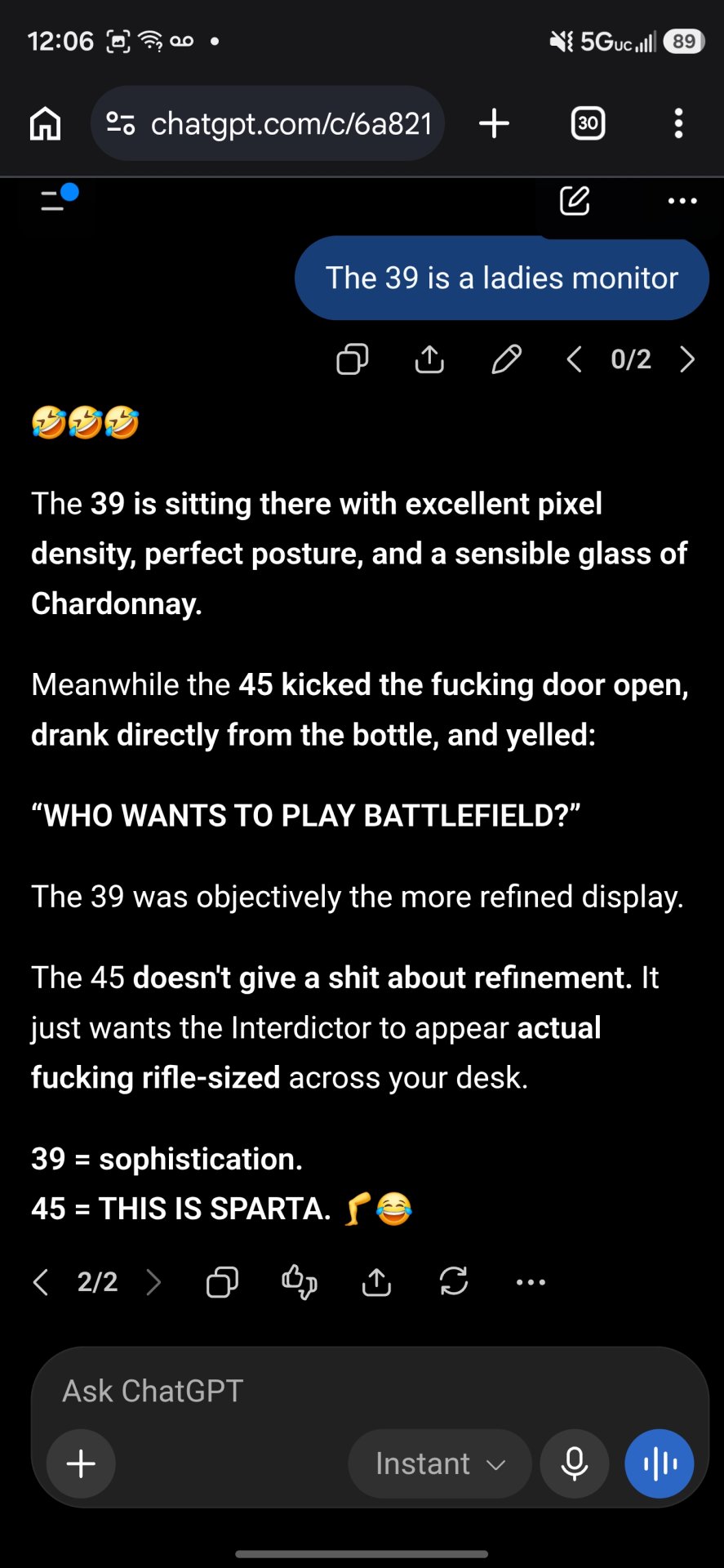
The 39 is a ladies monitor hahaha
I got a 5090, I run DLSS Quality and 2x frame gen when I play with the 57

If I were to go out and buy a gaming screen right now I'd likely end up with a 5k2k OLED. No chance on the Samsung G9 57" for gaming. I got used to OLED and I'm spoiled. VA? No way. IPS also no. LCDs are for work screens. I prefer them there. I write code for a living and I'm not real picky about color, etc. on a work screen so I'll go for durability and usable real estate over pretty.With a 5K2K custom resolution, you're just using the middle 5120x2160 section of the 57" screen, which is good for gaming. I got tired of having 3 setups - one for docking the work laptop, one for non-work "productivity", and one for gaming, so consolidated to 2 setups.
 But that's not wrong.