thedream829
Limp Gawd
- Joined
- Jul 22, 2021
- Messages
- 329
Just did it, no pink.

Follow along with the video below to see how to install our site as a web app on your home screen.
Note: This feature may not be available in some browsers.
Just did it, no pink.


That sounds like the mura effect possibly? I do not notice that on mine. What do you have the brightness set at? Mine's at 55I might end up returning mine.
It's not just the pink tint that's bothering me but also the near-black DSE. I know all OLEDs have this to some extent but it's especially noticeable here.
But not just that. When I have a bright and high contrast wallpaper and switch to something with a dark gray background like hardforum, I get this bruising effect. Like these shadow blobs which linger for 5-10 seconds before fading away. I think it's an after-image of the wallpaper. But why does it linger for so long? I never saw that on my C1.


I'm curious to see what the medium gray backgrounds look likeThat sounds like the mura effect possibly? I do not notice that on mine. What do you have the brightness set at? Mine's at 55
As for the pink tint, not seeing that either. To my eye, it's not completely uniform in the white but close enough that I don't notice any irregularities in regular use. I have had some IPS with worse uniformity.
View attachment 771852
Mind posting a photo similar to mine?

That's pretty bad. I would return it without a doubt.This supposed to look this bad? Banding is straight up unacceptable. I can see the one band while gaming. The curve is making me sick and giving me a headache, so that's also fun. I really thought this would be a upgrade to my 48 CX. Its getting more and more dead pixels. Looks like this is going back and I'm waiting for the new Sony 48 inch 165hz.
View attachment 783893
No. mine does not have this banding at all.This supposed to look this bad? Banding is straight up unacceptable. I can see the one band while gaming. The curve is making me sick and giving me a headache, so that's also fun. I really thought this would be a upgrade to my 48 CX. Its getting more and more dead pixels. Looks like this is going back and I'm waiting for the new Sony 48 inch 165hz.
View attachment 783893

Wow yours looks great, I must have gotten a really bad sample.No. mine does not have this banding at all.View attachment 783904
Check your settings? What are you running at ?Wow yours looks great, I must have gotten a really bad sample.

It may look washed out compared to the TV models due to the anti-glare, compared to other matte displays in my case it looks vibrant to me.(Went from a 34" UW IPS -> This) I also use it with my Macbook Pro which has a glossy display, and I still thing it looks great. Are you using HDR in Windows?Turned it on this morning and its perfect. I'm going to try it a few more days and see if I can get use to the curve. My desk is 36 inches deep. My 48 was mounted to the wall. Right now this is on the stand pushed up against the wall. I keep feeling like im having to really look at the sides for things. Turning my head at times. I really didn't notice this with my 48. Was still giving me a motion sickness feeling. There anything that will help with this. Also it looks almost washed out.
View attachment 783978
No , I haven't messed with HDR. I never used it on my 48. It was jusy to bright for me. I have very light sensitive eyes. So I already turned the brightness down on this to 60. Had my 48 at 20 I think. I have always had to turn monitors down.It may look washed out compared to the TV models due to the anti-glare, compared to other matte displays in my case it looks vibrant to me.(Went from a 34" UW IPS -> This) I also use it with my Macbook Pro which has a glossy display, and I still thing it looks great. Are you using HDR in Windows?
I'm in the same boat actually, I'm close to 50-60% when working, I only put it up when there is no reading involved, so gaming.No , I haven't messed with HDR. I never used it on my 48. It was jusy to bright for me. I have very light sensitive eyes. So I already turned the brightness down on this to 60. Had my 48 at 20 I think. I have always had to turn monitors down.

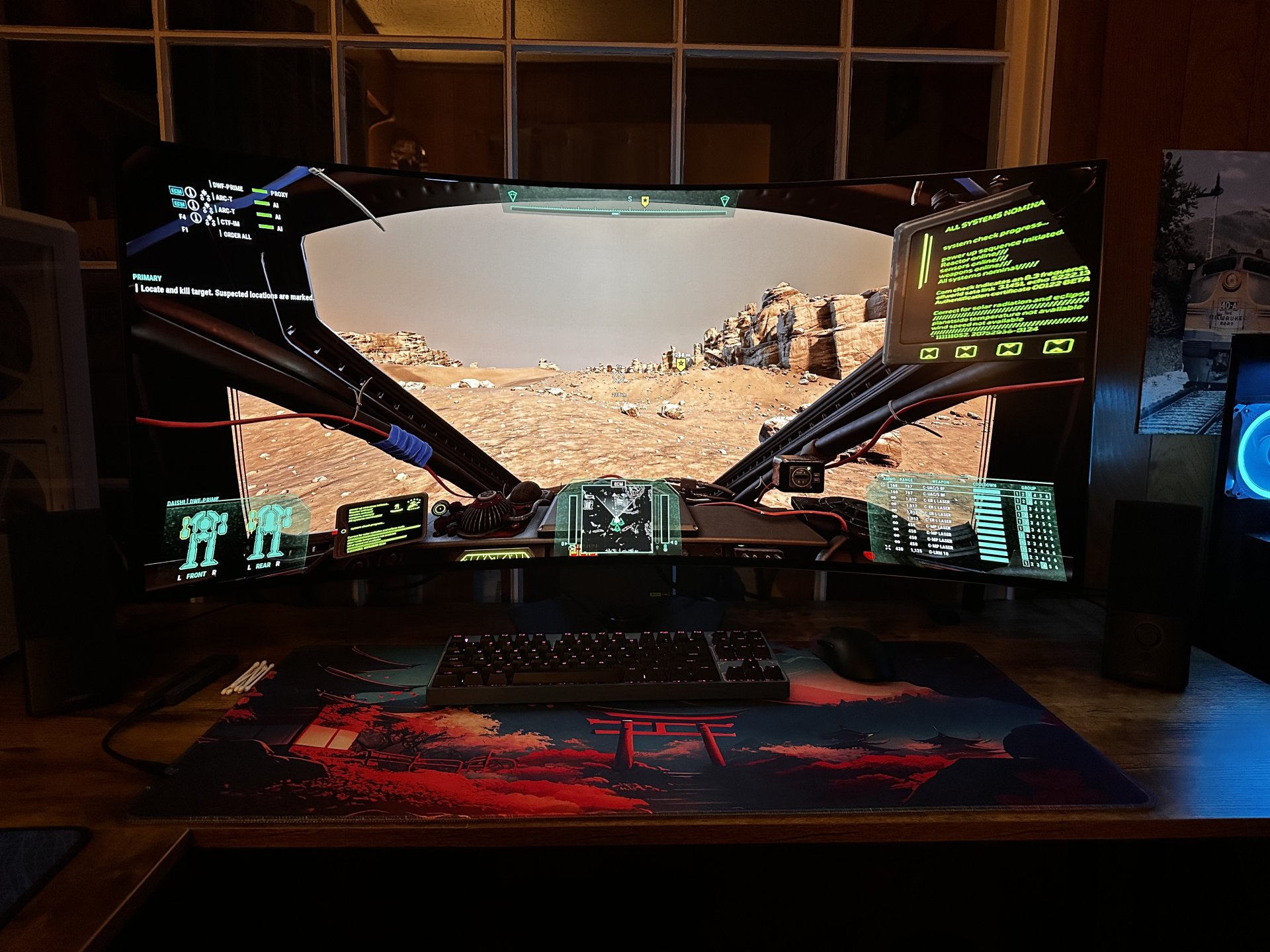
Hows the 330hz at 1080p ?I just picked up the 45GX950A-B a few days ago, I found a Best Buy open box for $1105, excellent condition. Its perfect as far as I can tell and its one of the best screens I've ever used. The curve is *chefs kiss* and the colors are so good. I love this thing. Too bad the 5K res is really hard even on my 4090.
View attachment 784114
Hows the 330hz at 1080p ?
DLSS will be your best friend.I just picked up the 45GX950A-B a few days ago, I found a Best Buy open box for $1105, excellent condition. Its perfect as far as I can tell and its one of the best screens I've ever used. The curve is *chefs kiss* and the colors are so good. I love this thing. Too bad the 5K res is really hard even on my 4090.
View attachment 784114
DLSS will be your best friend.
Turned it on this morning and its perfect. I'm going to try it a few more days and see if I can get use to the curve. My desk is 36 inches deep. My 48 was mounted to the wall. Right now this is on the stand pushed up against the wall. I keep feeling like im having to really look at the sides for things. Turning my head at times. I really didn't notice this with my 48. Was still giving me a motion sickness feeling. There anything that will help with this. Also
View attachment 783978
it looks almost washed out.

I actually got mine yesterday as a Best Buy open-box too, but you definitely got the better price. I paid $1250 plus tax. Still really happy with my decision though.I just picked up the 45GX950A-B a few days ago, I found a Best Buy open box for $1105, excellent condition. Its perfect as far as I can tell and its one of the best screens I've ever used. The curve is *chefs kiss* and the colors are so good. I love this thing. Too bad the 5K res is really hard even on my 4090.
View attachment 784114
To me it has almost a washed out look to it. I'm thinking its the coating on the screen. But does not at all have the same look as the 48cx.That banding has been reported on a few OLED screen models currently and seems to go away after an oled wear-evening / "pixel refresh" cycle, which yours probably did overnight.
You said your desk was 36" deep but you didn't say exactly how far away the screen is from your eyeballs currently. Personally, I loved the 45" 5120x2160 at 800R format, but I was viewing it from the center of curvature at 800R(adius) = 800mm = ~ 32" inches away. At that distance, there's not that many degrees of the screen pushed into your periphery, and all of the pixels remain on axis pointed at you, all the way to the ends of the screen. Sitting at the center of curvature has less uniformity issues and distortion because the pixels all point directly at you..
That said, it did provide an immersive feeling when I had it, and many others have made comments about how immersive it is. Not quite VR (especially since VR has separate eye perspectives so produces a "holographic" scene, 3d) - but it's more than a flat screen would provide, so you may be sensitive to that. Many people can develop "VR legs" like "sea legs" over time though, (e.g. taking frequent breaks but over time making the breaks shorter and more infrequent). You can also try adjusting your FoV in game, in games that allow you to, or mods that allow you to.
I didn't like the PQ either compared to my 48cx at my pc, and 77" C1 in my living room. There are a number of reasons why. Just check some of my replies in this thread if you want details. Generic TLDR - - After days of trying to compensate for how it looked by trying everything I could, I submitted an RMA and returned it. The format itself is excellent though, I love the format and so I get the appeal. Hope some manufacturer makes one with different PQ someyear. Unfortunately, practically all of the newer screens due out in 2026 in the news seem to be 27", with a few 32".
.
Sounds like something is off then, what is the rest of your setup like?DLSS perf plus frame gen get me 55fps in cyberpunk. With setting turned down.
Sounds like something is off then, what is the rest of your setup like?
Has anyone used a monitor arm with this beast successfully? I need one that moves forward about 1 foot and up about 10-12" at least
What model are you using?I am.
Has anyone used a monitor arm with this beast successfully? I need one that moves forward about 1 foot and up about 10-12" at least
This one looks great. thanks!I've had better luck with flat footed or caster wheeled tv stands, the kind with a post/pole/rail holding the TV/monitor up on a vesa mount. Some allow more tilt and articulation than others, so you'd have to check specs and reviews. Some have removable hand cranks to crank them higher and lower which makes them very easy to adjust, in height at least. They'll never be a "robot arm" like an ergotron LX HD for example, but they can swing L/R and can move on the floor almost as well.
Stands make it a lot easier to gap a larger screen a bit from a desk to deliver a much better viewing angle, which is desirable in my opinion. That provides a better viewing angle as well as higher PPD (pixels per degree which is a measure of the perceived pixel density you see from your viiewing distance). For reference, the center of curvature of a 800R , where all of the pixels remain on axis pointed at you across the whole screen from end to end, is 800mm radius ~ 32 inches (which also gives you around 77 PPD) - though I'm guessing a lot of people sit nearer than that with this screen since most probably sit them directly on top of a desk.
As long as it doesn't have to push forward more than 6" closer than the far edge of the desk, and idk why anyone would want to do that with a big screen anyway, a floor stand could work.. but they are typically for providing a (much needed imo) gap when using large screens rather than overhanging nearer than the far end of a desk.
I never tried my ergotron LX HD arm on the 45gx950a when I had it, but I can say that arm didn't work very well on it's own, "free-standing" for 43" 4k tv in portrait mode since with the tvs I was using, the weight was lopsided and the arm wouldn't prevent it from rotating a little to the heavy side without extra support of some kind.
. . .
The LX HD sometimes require a bolt/shim on the "wrist" hinge at the vesa mount area on heavier screens, but that might not be the case with the 45" gx950a. I'm not sure, it might work.. otherwise could potentially shim it like many did successfully with other screens like the samsung 57" uw. Personally, I'm not a fan of the HX style arms (as opposed to the LX-HD I am talking about), since they can't really "elbow hinge" backward enough for me. I had one on a very heavy old apple cinema display and the articulation was limited. That's because they don't use a pole mount style. It was super strong though.
Here is a google ai blurb reply:
"The Ergotron LX HD (High Density) mount will work with the LG 45" UltraGear GX950A, but it is highly recommended to use the Ergotron HX instead for better stability due to the monitor's extreme 800R curve.
While the LX HD sits within the weight capacity limits, users have reported that the HX provides a more secure, "overkill" solution for such a large, aggressively curved screen.
Here is the breakdown of compatibility:
Verdict:
- Weight Capacity: The LG 45GX950A weighs approximately 20.7 lbs (9.4 kg) without its stand, which is well within the 14–30 lbs capacity of the Ergotron LX HD.
- VESA Compatibility: The LG 45GX950A uses a 100x100mm VESA pattern, which is supported by the Ergotron LX HD.
- Curve/Stability: Because of the 800R curve, the center of gravity is further out, which can put more stress on the tilt joint of a mount. While the LX HD can work, the Ergotron HX is often cited as the better, more secure choice for this specific, heavy, and deeply curved monitor.
If you already own the LX HD, it will work if you adjust the tension correctly. If you are buying a new arm for this monitor, the Ergotron HX with HD Pivot is the better choice for peace of mind and better stability.
. . .
This Vevo a youtuber has on his LG gx950a at a glace looks similar to the ergotron HX design, i.e. it doesn't appear to be a true pole mount - but it might work with some similar articulation with the way it's designed. Options might be limited with the weight of the screen extended out over the curved "wings" however (due to torque essentially adding weight).
https://www.amazon.com/VIVO-Widescreen-Pneumatic-Adjustment-STAND-V101G1/dp/B07L8MLTGS
.
More google blurb. If the LX HD would work I'd personally go with that one but they are huge so might not work depending on your setup even if they hold the screen up well enough.
- Weight vs. Leverage: Although 20.7 lbs is well within the 25 lb capacity of standard arms like the Ergotron LX, the 800R curve means the monitor sticks out further, creating more torque.
- Recommended Arms:Due to the curve, heavy-duty arms are recommended to prevent tilting or sagging, such as:
- Ergotron HX (often recommended over the LX for this, though the LX can work).
- VIVO Heavy Duty Aluminium Arm (supports up to 44 lbs, suitable for 49" screens). <<<---- I think this is the one I linked
- Mount-It! Heavy-Duty Arm (44 lb capacity).
- Installation: Users report that the monitor is st
https://hyperwork.vn/en/products/hyperwork-t9-pro-iii-monitor-standWhat model are you using?

I do have open space behind my desk, it sits mid room. I did look at the pole style one for more height, but I don't think it would be high enough for a standing desk.The thing I dislike about some of the shorter arm styles in the past is that they couldn't break backward to "elbow" behind their base and the desk. That because their design sort of makes them "brake" as if they are horizontally bedded, only "springing" and extending forward (and upward). They work well for a lot of scenarios but coming from a true pole mount arm it's a little more restrictive to me.
This is the limit I'm talking about. Wouldn't be an issue for a lot of people, but the pole mounts can extend their "elbow" behind them, (like drawing your arm back for pitching or punching), and it gives them more articulation in my experience - at least if you have the space behind the pole for the "elbow" and aren't right up against a wall.
View attachment 791118
Pole mount style:
View attachment 791120
View attachment 791121
View attachment 791122
That said, I now use larger screens with a gap between my peripherals desks and the screens, so none of those arms really apply to my setup anymore since I'm using pole style tv stands now for large gaming tvs in PLP . So, I'm not getting elbow actuation at all. I pretty much set and forget. I move my peripherals desk on it's caster wheels if I need to close distance but I usually just lock in place most of the time. If I had kept the gx950a or ever get a siimilar screen that is similar size or larger, I'd keep it near or at the center of curvature so I'd gap it from the desk a bit still (800R/800mm ~ 32" view distance ish, but my desk is 24" so wouldn't be much gap ~ 8").
.

Who's the ham in the photo?View attachment 791278
I've got two of these desks side by side both with monitor arms and 45" monitors.
 Lol


