![[H]ard|Forum](/styles/hardforum/xenforo/logo_dark.png)
Navigation
Install the app
How to install the app on iOS
Follow along with the video below to see how to install our site as a web app on your home screen.
Note: This feature may not be available in some browsers.
More options
You are using an out of date browser. It may not display this or other websites correctly.
You should upgrade or use an alternative browser.
You should upgrade or use an alternative browser.
Show Your LCD(s) setups!!!
- Thread starter Zardoz
- Start date
Uberbob102000
2[H]4U
- Joined
- Apr 29, 2006
- Messages
- 2,243
Magsafe charger = moot point
mini display port = proprietary apple crap
integrated speakers = CRAP
led backlit lcd = like
ips panel = like
integrated camera = like
integrated speaker = ok
height adjustment = no
screen rotation = no
As an owner of a 30" ACD, the top 3 features don't amount for crap. Please go back to the apple store and learn tomorrow's talking points.
There I fixed it for you


better than my original arrangement
Can I have a link to the monitor stand/arm?
Can I have a link to the monitor stand/arm?
better than my original arrangement
Can I please have a link to the thread where you are giving away those monitors?
Nice setup! Really like the monitors and how you have them set up
thanakornl
Weaksauce
- Joined
- Dec 10, 2008
- Messages
- 105
what stand do u use??
Hi everyone, and thanks!
the only thing i need to get is my Aeron chair
and about the monitor stand,
I use a black Ergotron LX stand,
http://www.newegg.com/Product/Product.aspx?Item=N82E16824994007
*edit,
oh cnick79,
no worries, theres a metal frame supporting the glass.
the only thing i need to get is my Aeron chair
and about the monitor stand,
I use a black Ergotron LX stand,
http://www.newegg.com/Product/Product.aspx?Item=N82E16824994007
*edit,
oh cnick79,
no worries, theres a metal frame supporting the glass.
I use a black Ergotron LX stand,
http://www.newegg.com/Product/Product.aspx?Item=N82E16824994007
Damn. $100+ just for a stand. You guys got money. I am so jealous haha!
Looking at this thread and the setups... simply amazing and really inspiring. I love how some of you have high quality paint on the walls that compliment the setups too.
I noticed some some really nice chairs. That is my next upgrade. My chair is over 10 years old and it does not recline either. I noticed I get back aches when on the PC for too long. Thing is I have a weird habit of leaning forward and sitting on the edge of my chair. lolz
Last edited:
[Before] Dell 1702FP + Dell E197FP

[After] Dual Dell 2209WA

Damn RAFA. That is the best before and after I ever seen!
Those S-IPS displays look CLEAN, especially the way the wallpaper is setup. Mad props bro. I also like that plant on the left, it makes it all classy haha.
Thats next on my list. A comfy new chair and a classy plant.
Just got my Hanns·G HG-281DPB, and for the $350 that I paid for it from Amazon, I am extremely happy with it. If anyone else is thinking about picking up this monitor, Costco has a $50 off sale from May 11-31, bringing the price down to $299.99 (shipping & taxes extra).
Before (Samsung 225BW):

After (Hanns·G HG-281DPB):

Before (Samsung 225BW):
After (Hanns·G HG-281DPB):
As an Amazon Associate, HardForum may earn from qualifying purchases.
So the stand/arm only supports one or two LCDs?
no they do NOT support 2 LCDs,
they only support 1, thats under the condition that you buy 1.
for me, i just happen to have an extra arm to the stand which is why im able to hook 2.
where 2nd wallpaper?
As an Amazon Associate, HardForum may earn from qualifying purchases.
Syndicated_Death
[H]ard|Gawd
- Joined
- Feb 8, 2005
- Messages
- 1,603
where 2nd wallpaper?
Funchal Bay on Madeira Island, Portugal.
After (Hanns·G HG-281DPB):
<Image Removed>
Can't help but comment on someone with as sweet a mousepad. First Gen NSX was an awesome ride. Also reminding you that Friday is 15 years since Senna passed on. F1 lost the best driver in decades, and besides that he was a great humanitarian (you know; the kind that doesn't toot their own horn).
Thanks, I loved my NSX and will get another one some day.Can't help but comment on someone with as sweet a mousepad. First Gen NSX was an awesome ride. Also reminding you that Friday is 15 years since Senna passed on. F1 lost the best driver in decades, and besides that he was a great humanitarian (you know; the kind that doesn't toot their own horn).
And R.I.P., Senna--a great driver and human being.
Last edited:


Slyr7.62
Gawd
- Joined
- Feb 9, 2008
- Messages
- 759
My old reply is old, lol.
. Cheers.
. Oh shit, don't forget the F1 LM. Papaya Orange. 680HP, 520FtLbs. 0-100MPH in about 6.2s.....drool, drool, drool, drool. lol
YW. Either you didn't have your sig on or I must say that's the 1st time I didn't read someones sig.Thanks.
. Cheers.
As someone else mentioned, that is a Pagani Zonda. I am a fan of Mclaren's F1! Rock on. Off-topic: Only 3 Mac GT's made, they're black and that would be my batmobile.is that a McLaren F1?
. Oh shit, don't forget the F1 LM. Papaya Orange. 680HP, 520FtLbs. 0-100MPH in about 6.2s.....drool, drool, drool, drool. lolSince I can't see the pic of your new chair I'm just saying that the black 1 is the chair I used to use up until recently. Now I use a different, more comfy black leather chair, lol.Old/New chair
Well the chair is at low price right now at Canadian Tire for $59.99 CAD. If i had to buy a kick ass chair, it would be a dentist chair for a few thousands dollars.Since I can't see the pic of your new chair I'm just saying that the black 1 is the chair I used to use up until recently. Now I use a different, more comfy black leather chair, lol.
Not in this economic time.
Pic:
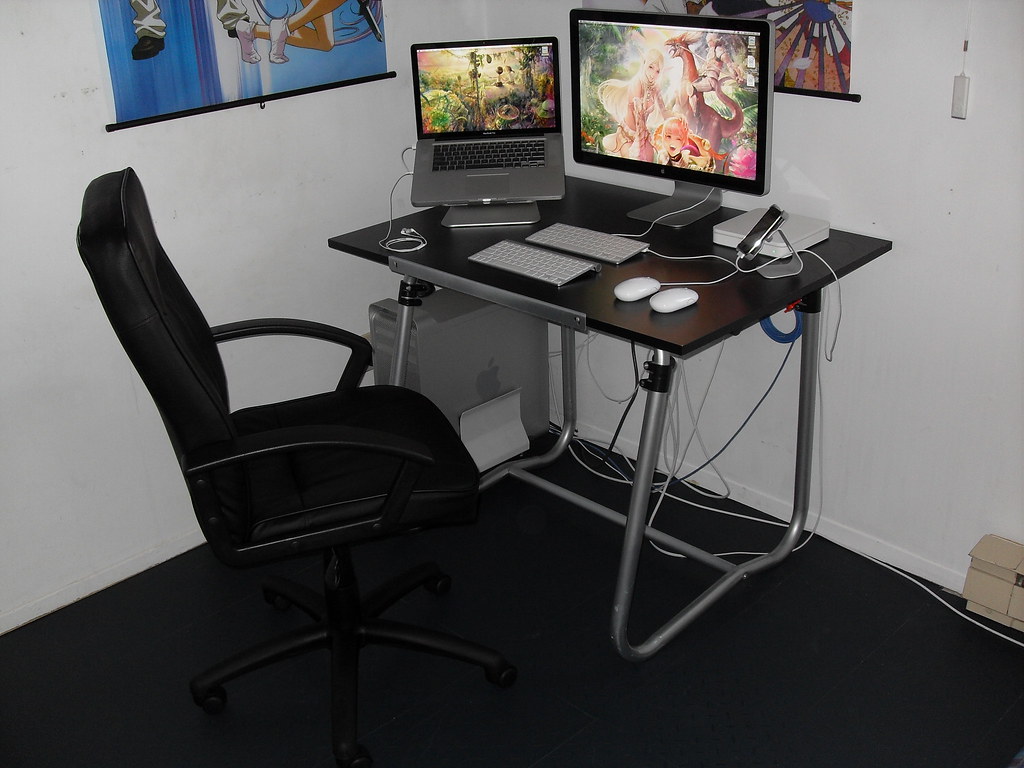
Last edited:
- Joined
- Jun 29, 2004
- Messages
- 5,943
Picked up a Samsung 2333


crazyboy515
Limp Gawd
- Joined
- Mar 29, 2009
- Messages
- 135

2007wfp vertical 2209wa horizontal
Hmm, can't quite read that. "Please call 415-498-9003 to get your poc...pain pod"?
Nice setup. Are you using a third party software to get different wallpapers on your dual screens?
crazyboy515
Limp Gawd
- Joined
- Mar 29, 2009
- Messages
- 135
Hmm, can't quite read that. "Please call 415-498-9003 to get your poc...pain pod"?
Nice setup. Are you using a third party software to get different wallpapers on your dual screens?
yea! took me forever to make a custom one, so thrid party is a must!
andrelmaraujo
Weaksauce
- Joined
- Sep 24, 2008
- Messages
- 101
Please, give us (me
) the link to the wallpaper ?illuminate
[H]ard|Gawd
- Joined
- Nov 24, 2007
- Messages
- 1,895
Foxy your mac setup is LEGIT. I love it!
crazyboy515 Can you share the vertical wallpaper? Thanks
crazyboy515 Can you share the vertical wallpaper? Thanks
Hmm, can't quite read that. "Please call 415-498-9003 to get your poc...pain pod"?
Nice setup. Are you using a third party software to get different wallpapers on your dual screens?
Not to but in, but you don't need special software to do that:
http://forums.extremeoverclocking.com/showthread.php?t=165504
That's a link to another forum I go to, it shows you how to do it via putting a web object on the desktop and locking it.

crazyboy515
Limp Gawd
- Joined
- Mar 29, 2009
- Messages
- 135
Foxy your mac setup is LEGIT. I love it!
crazyboy515 Can you share the vertical wallpaper? Thanks
ill look for it!
danExclusive
Weaksauce
- Joined
- Nov 18, 2008
- Messages
- 67
Sorry Dan, I'm afraid I don't. I bought the desk about 9 years ago at Staples and have had numerous people ask me about it. I have checked out every desk on their site now, and several others, but found nothing matching it. Hopefully you will have better luck. Wish I could be more helpful.
Alrighty. Thanks anyway, man.

Thanks!Not to but in, but you don't need special software to do that:
http://forums.extremeoverclocking.com/showthread.php?t=165504
That's a link to another forum I go to, it shows you how to do it via putting a web object on the desktop and locking it.
Dell 2480WFP (S-PVA), 2x 1704FP (6bit PVA) in portrait
A few more pics and a brief review of my 2408


A few more pics and a brief review of my 2408
Last edited:
silent hero
Gawd
- Joined
- Aug 1, 2008
- Messages
- 1,022
Wow a G9 and a mac keyboard... never thought I'd see that combo. Great setup markd.
UberGeek427 & silent hero Thanks! I put together a mini history of all my setups in case you are interested:

P!rate Every since I built my hackintosh I couldn't get my PCI 5200FX work for my extra DVI port. Previously I had windows+ultramon which was amazing for 3 monitors. I am going to get an EVGA uv plus in the next few days so I can use my third monitor.

P!rate Every since I built my hackintosh I couldn't get my PCI 5200FX work for my extra DVI port. Previously I had windows+ultramon which was amazing for 3 monitors. I am going to get an EVGA uv plus in the next few days so I can use my third monitor.
Markd, what are the stands that you are using for the monitors? They appear that they just go straight up with no real arm attached? How do you like the desk mounted setup for the LCDs?
Looks really good though in early 09 seems like you had a lot more screens!
Looks really good though in early 09 seems like you had a lot more screens!