• Some users have recently had their accounts hijacked. It seems that the now defunct EVGA forums might have compromised your password there and seems many are using the same PW here. We would suggest you UPDATE YOUR PASSWORD and TURN ON 2FA for your account here to further secure it. None of the compromised accounts had 2FA turned on.
    Once you have enabled 2FA, your account will be updated soon to show a badge, letting other members know that you use 2FA to protect your account. This should be beneficial for everyone that uses FSFT.

Show Your LCD(s) setups!!!

Thx so far. Appreciated it.

@Mmmbacon: This is a custom print from the vector graphic data you can get from the web. I bought an also customized alloy frame for it, which really fits nicely.

@ fibroptikl: stock data and charts, newsticker, ip-TV, Skype, Radio.FX, iTunes etc.- 20/30/20 is my main work area
 
Just finished my 2011 IT-update. Here we go...

(picture)

This is the "classic" DELL 20/30/20-Solution and a 2x2 array of 23"LGs - all powered by one PC (4 Nvidia Cards).

Sayeth a friend, "too bad all of those fucking monitors are in the way.. I'm trying to check out that kickass wall" :)
 
i am inspired by the latest setup above: anyway for my reasons being here: is any1 on ultramon or display fusion, basically does anyone know how to just minimize the left or right screen , as in the keyboard shortcut?

I also found out a trick to have multiple wallpapers with dexpot. So if you help me out id be happy to let you know how to do it.

Also is anyone using anything other than dexpot? cubedeskspace freeware/programs tend to be very fraile in windows and I find dexpot to be incredibly smooth.
 
New rig finished and finally set up on a desk and arranged to my liking !!

100_1205.jpg


Seated view
100_1200.jpg


Insides
100_1156.jpg


Overhead, and building a twin system for my daughter's boyfriend
100_1195.jpg


Scout case instead of the Enforcer
100_1203.jpg


Innards
100_1190.jpg


Work area
100_1192.jpg


Thanks for having a look !!
 
nice setups! hey, if it doesn't workout between your daughter and her boyfriend, can I be the next boyfriend? that way i get a nice rig like that one. lol
 
nice setups! hey, if it doesn't workout between your daughter and her boyfriend, can I be the next boyfriend? that way i get a nice rig like that one. lol

Haha, well he did pay for it, but everything was shipped to my house for the build.

Daughter asks that her Dad stays away from arranging internet romance, smart kid !!
 
took almost 5 years but finally upgraded my old setup. new setup, 3, 23 inch LG e2381 monitors.

IMG_1850-1.jpg


so far, no dead/stuck pixels. they have a non glossy screen. the bezel is a fake brushed aluminum look. which is nicer than a gloss finish. the touch controls on the base are a bit odd but they do work well enough. they did make an anoyying beep/musical tone when using buttons, and turning the monitors on and off. mercifully they were able to be turned off in the osd. power is via a brick like a laptop, no wall wart, but in inline brick. all connections are to the base. they work well so far for eyefinity too.so far im pleased with the trio.
 
Last edited:
New setup. Next purchase will be 27 imac for the other desk to do my Graphic and Web design work on. Loving this setup though.

6051219567_66d91b3dac_b.jpg


6051219531_64cdd8973d_o.jpg


6051219509_fc38f9f7c4_o.jpg
 

What's the diagonal for that TV? 40"? And the monitor beside it?

40 with a 24 to the side of it.

Nice! You guys, and the website http://www.pxcalc.com/ made me realize that I can do the same thing with my 52" Sony TV and 30" Dell LCD. The height of the TV is exactly the same as 30" LCD in portrait (64.6 cm).

Although it sounds pretty badass in theory (and my desk could handle it), it probably wouldn't work as well in practice as your setup. The 52" TV pixels would be too huge up close, and 30" LCD pixels would be too small at a distance where the 52" is far enough (too much difference in DPI). 40" + 24" are probably more manageable.

But it sounds like something worth a try! =D 52" + 30", oh yeah.
 
Last edited:
100_0819.jpg

Prices as of 8/19/2011

Heres: the prices i pulled up if any1 interested

To the Far Left (HP Compaq L2105tm) "Touch Screen monitor" 225 - 350 USD
Center (DELL U2311H) 270 - 450 USD
Right (Samsung SyncMaster P2370HD) 220 - 300 USD

I don't game much, the vertical monitor helps alot while on forums and information gathering/Research
When i want some three screen gaming (rare) i can Flip the Center monitor And have it display horizontally
 
Last edited:
joined the forums today so i thought the 1st thing i do was add my setup to the vast pool.

Edit: I Should had really written this all down on the previous post.
 
Last edited:
IMG_0850.jpg


ASUS VW246H Glossy Black 24" 2ms(GTG) HDMI Widescreen LCD Monitor 300 cd/m2 ASCR 20000:1 (1000:1) Built-in Speakers
 
Last edited:
Just finished my 2011 IT-update. Here we go...

DSC01417.jpg


This is the "classic" DELL 20/30/20-Solution and a 2x2 array of 23"LGs - all powered by one PC (4 Nvidia Cards).

I just got off the phone with NASA and they want their command module back. :D
 
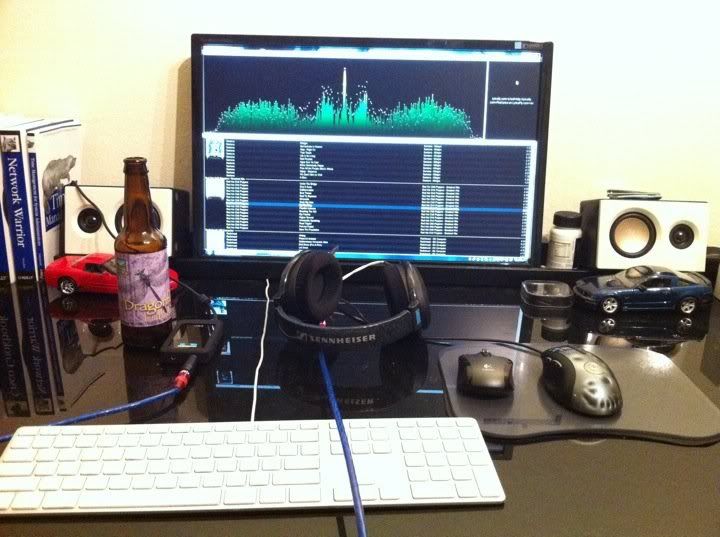
Not the flashiest office but the abundant LCDs make up for it. Also bad pic quality (cheap camera).

IMGP2456.JPG


IMGP2459.JPG


IMGP2455.JPG


IMGP2406.JPG
 
Back
Top