Show Your LCD(s) setups!!!

Desk1.JPG

DeskMonitors1.JPG

DeskMonitors2.JPG


2 x Samsung 243T - 24" Monitors (PVA panels)

When I build the house, I have the electrician intstall the outlet and the empty conduit for the DVI cables (Photo 3)

I had to use DVI --> HDMI adapter then use HDMI --> DVI cables.
(DVI cable is too wide to fit inside the 1.5" conduit i have install but seems to work great.
 
Desk1.JPG

2 x Samsung 243T - 24" Monitors (PVA panels)

When I build the house, I have the electrician intstall the outlet and the empty conduit for the DVI cables (Photo 3)

I had to use DVI --> HDMI adapter then use HDMI --> DVI cables.
(DVI cable is too wide to fit inside the 1.5" conduit i have install but seems to work great.

That is about the cleanest setup I have seen of all of these...makes me jealous :)
 
EvilAlchemist: nice and clean setup, but don't you think lcd are way to high ? it might be not easy on neck...too much of strain on eyes too.
 
Heres mine. Pretty simple but I'm moving relatively soon so I'm going to be doing a nice upgrade when I get there. Just got these 2x S2409W's a day ago.

20051-v081nom7.png


And here is my living room where my server lives

20052-e51nj4a2.png
 
EvilAlchemist: nice and clean setup, but don't you think lcd are way to high ? it might be not easy on neck...too much of strain on eyes too.

The LCDs are the same height as they would be on the original stands.
At their current position, i am looking at the middle of each screen in my computer chair.
I think the photo make them look slightly higher then they really are.
Since I mounted them, there is far less clutter on my desk
Those monitor stands seem to collect misc items all the time.

That is about the cleanest setup I have seen of all of these...makes me jealous :)

I had tons of help from fellow [H] members with planning and getting idea.
I think about 100 pages back, someone had a couple apple lcds mounted the same way and I just did the same thing.
That is what started my desire to have something similar.
 
Last edited:


Well mine is very simple compared to some of the monster setups here but it does what needs to be done perfectly :)

On the right is my 24" 1920x1200 A-MVA Belinea 2485 used as main pc gaming monitor and also PS2 goes there too through tunner.
On the left is my 23" 1920x1080 TN LG V2361V-PF used as secondary pc monitor (to increase work space when writing something) and it is my main ps3 gaming monitor

I choose TN for second display due to low input lag and dirt cheap prices :)

PS. On the left is my Sony "Tower" made of PS2 fat then Sony Hi-Fi set and PS3 on top of that (side note - curved ps3 top sux :) )
PS2. Does anyone know if it's possible to swap position of secondary pc monitor in radeon drives from left to right ?
 
Last edited:
PS2. Does anyone know if it's possible to swap position of secondary pc monitor in radeon drives from left to right ?
This is usually done through the Windows control panel.

Right click your desktop, click on Properties, then go to the Settings tab (or wherever it is that you can change the resolution, I can't remember) in XP. Or right click and go Screen Resolution in Windows 7.

After that, you can just drag your secondary monitor to where you want it.
 
This is usually done through the Windows control panel.

Right click your desktop, click on Properties, then go to the Settings tab (or wherever it is that you can change the resolution, I can't remember) in XP. Or right click and go Screen Resolution in Windows 7.

After that, you can just drag your secondary monitor to where you want it.

Thanks I checked all the advanced options but never throught about checking if you can drag and drop those monitor icons ;)
 

I have had a number of questions about what series of desk I have.

It is the Bush Series C - Auburn Maple Finish
http://www.bushfurniturecollection.com/Auburn-Maple-Series-C--C212-1506.htm

I have the 72' Desk Corsa Desk & the 48' Return

I also have the Corsa 72" Credenza & Lateral File Storage (across the room) - now using it as a second desk in the same room

I had my desk setup in a "U" setup in my apt before the house.
(If you want to see how that setup would look)
http://www.evilalchemist.com/images/FoldingStorage/ComputerRoom/DSCN0001.JPG
http://www.evilalchemist.com/images/FoldingStorage/ComputerRoom/DSCN0732.JPG

The pieces are very modular and can be setup how ever you want with the except of the Returns which must connect to a master piece (Desk or Credenza)
 
new LG 32LH30
ordered it online at frys.com for $449 went to pick it up in-store and it was only $399 :D

8573704_8514d2dfac_b.jpg
 
Bottle of Vampire, eh?
Yeah, I picked that up on a vacation with the wife mostly because I thought the bottle looked cool, lol.

Nice Occidio, glad to see someone else rocking the Antec Super Lanboy besides me :)
I wanted to go smaller with my new setup because I wanted to put the computer on the desk instead of having on the floor collecting carpet dust. I love the case.

is that one of thos cool ashtrays? love the sword btw!
Its a smokeless ashtray. It works for its purpose.
I am big on swords and mid evil things. Pretty decent knife collection.
 
mypc.jpg


30" Dell 3007WFP
Intel Core 2 Duo 3.16Ghz
4GB DDR 2
3.4 TB HD
XFX Radeon 5770

15" Macbook Pro
Intel Core 2 Duo 2.4Ghz
4GB DDR 3
250 GB HD

QNAP 439
3 TB RAID 5
 
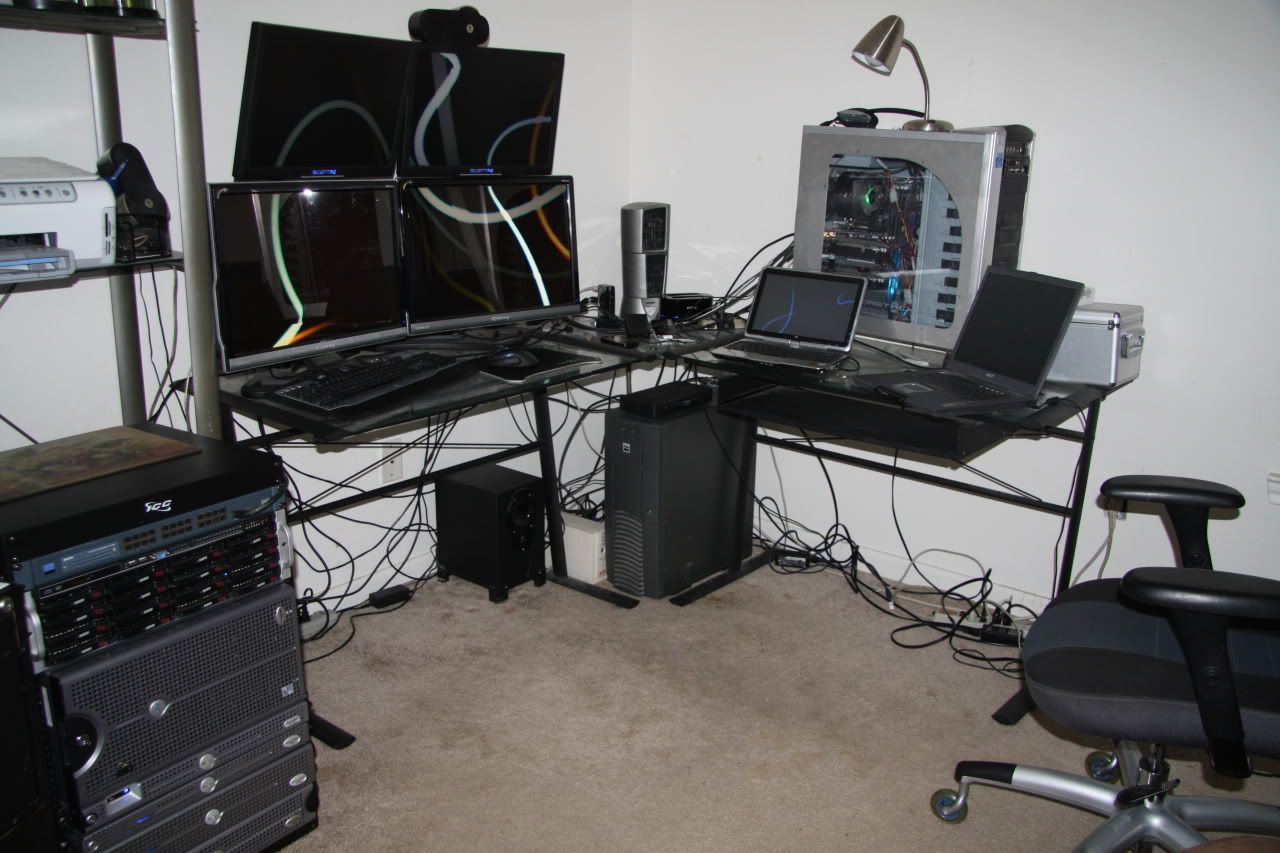
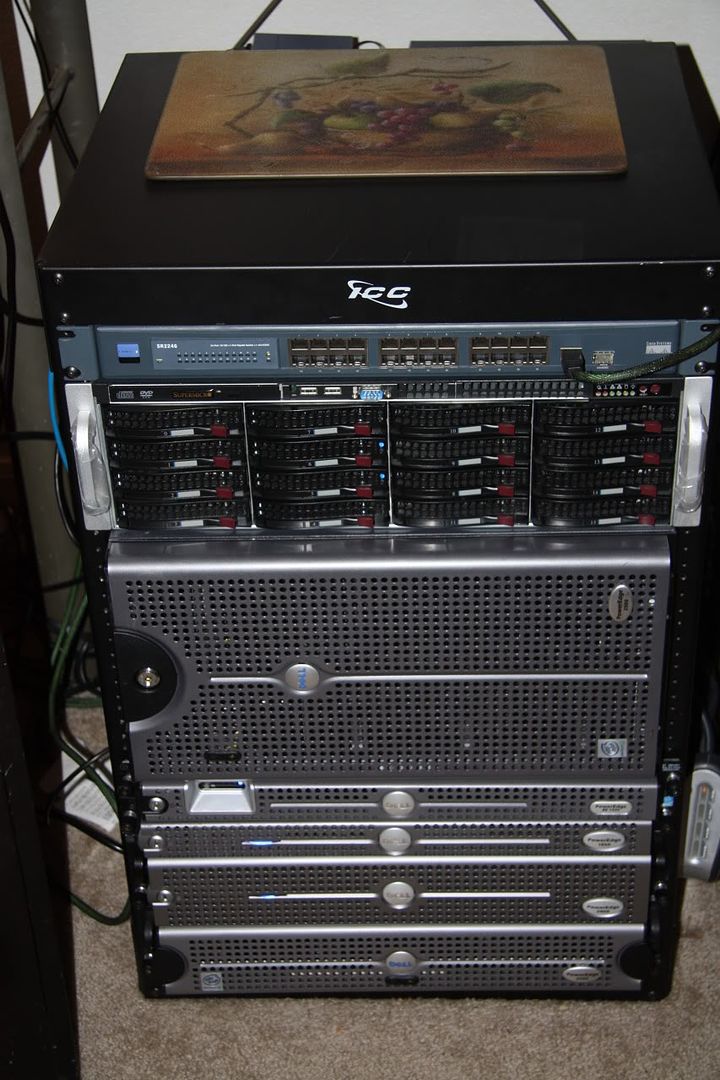
Kori, can you really work in that room with the servers? Cool setup but needs just a bit cable management :)
 
okay not trying to get into your financial business but how much did that server cost ya. i'm in aww. also what is the point to the Cisco switch on the top?
 
i got all the server stuff off CL the most being 600$ and the lowest being 75$ and the switch is there mostly to fill a hole but sometimes i play stuff in to it if i dont wanna use my main switch
 
haven't posted here in a while.. my trusty acer 24 finally died so I got a samsung t260hd to replace it.. after running the color calibration software I am now quite happy with it.. but it might end up being the bedroom TV as I am thinking I should have gone with two 22" panels now.. but oh well.

P1010565.jpg
 
Back
Top