![[H]ard|Forum](/styles/hardforum/xenforo/logo_dark.png)
Navigation
Install the app
How to install the app on iOS
Follow along with the video below to see how to install our site as a web app on your home screen.
Note: This feature may not be available in some browsers.
More options
You are using an out of date browser. It may not display this or other websites correctly.
You should upgrade or use an alternative browser.
You should upgrade or use an alternative browser.
Show Your LCD(s) setups!!!
- Thread starter Zardoz
- Start date
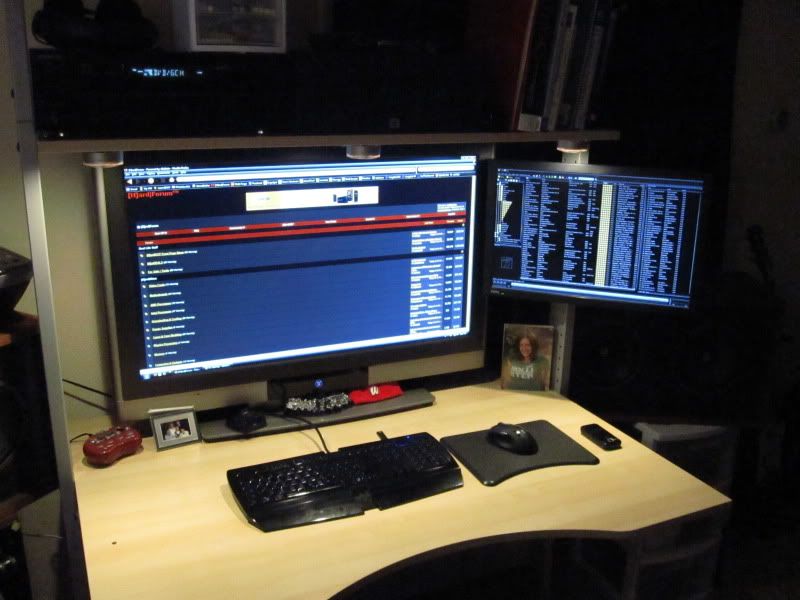
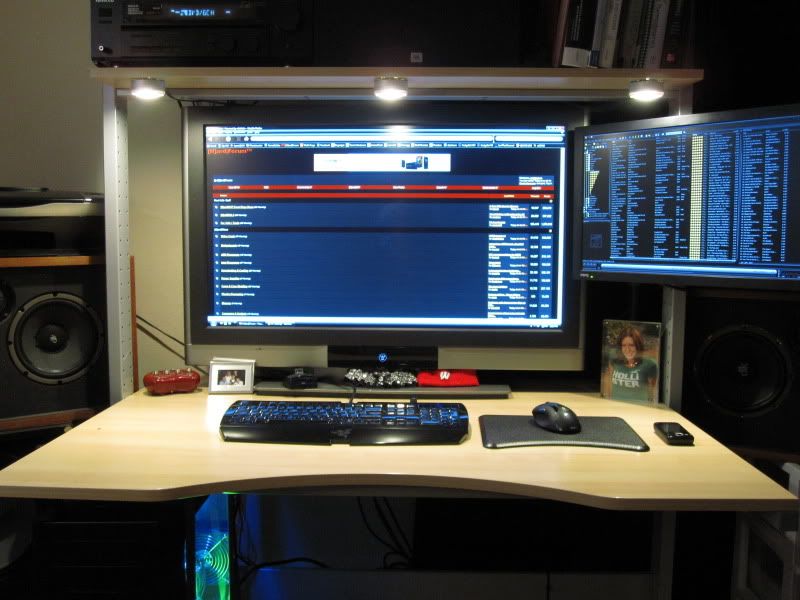
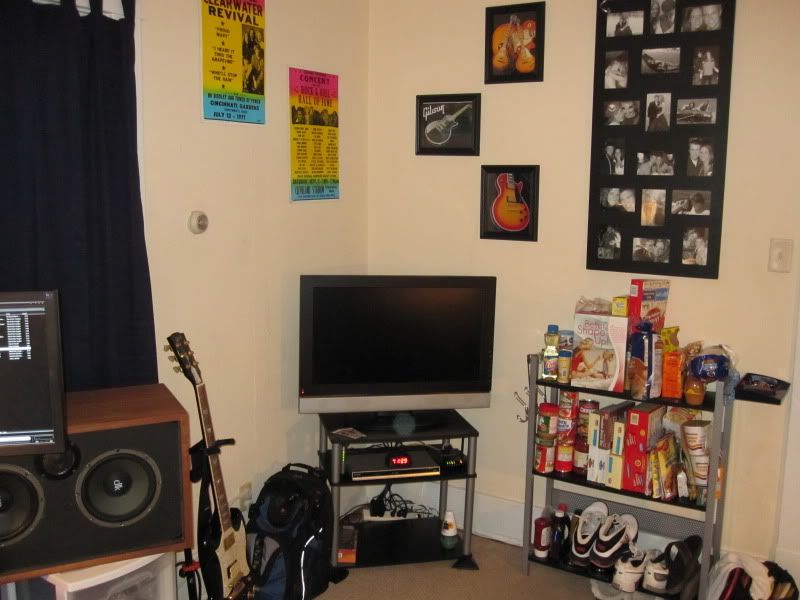
silent hero
Gawd
- Joined
- Aug 1, 2008
- Messages
- 1,022
Nice TV. Looks like your mousepad needs a good cleaning though.
Samsung UN40B6000 1080p 120hz LED
Samsung HTIB 5.1 dts-hd with bluray player HT-BD1250
Hey ToMMyGuN, nice setup. How did you mount that screen to your Jerker? I've been thinking of ways to do something like that with mine. Thanks
I got an Ergotron LX desktop mount and just swung it around the jerker side bar. Really works great and you can't see the mount at all

Nice TV. Looks like your mousepad needs a good cleaning though.
lol yeah , its 6 years old i should get a new one.

After cleaning up:

I'm really enjoying the 3x1 portrait compared to landscape.
What monitors are these? Looks great!
What monitors are these? Looks great!
They appear to be Dell 2209WAs...
What monitors are these? Looks great!
They are Dell P2310h 23" LCDs.
kevin82287
Limp Gawd
- Joined
- Jan 7, 2009
- Messages
- 162

Hmm. So how important is it to have matching resolution? I'm not really planning on doing any gaming with the system I'm trying to build so are there any other applications where mis-matched vertical resolution becomes a problem?
Here's the planning I've been doing...
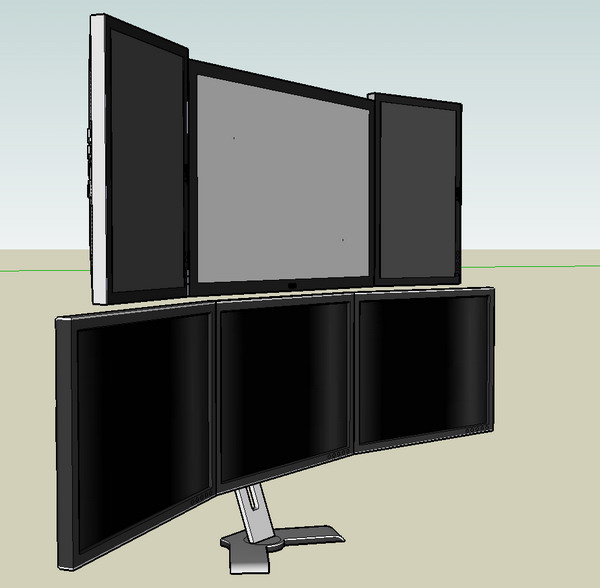
I started by creating a 3D scale model to better understand the size relationships with a triple display system. I used 2x20" monitors at 1680 x 1050 with a 30" at 2560 x 1600. I was hoping to actually use non-widescreen 20" displays at 1600 x 1200 but they just cost too much (which makes me a sad panda). I also modeled a triple 24" setup with each one at a resolution of 1920 x 1200.
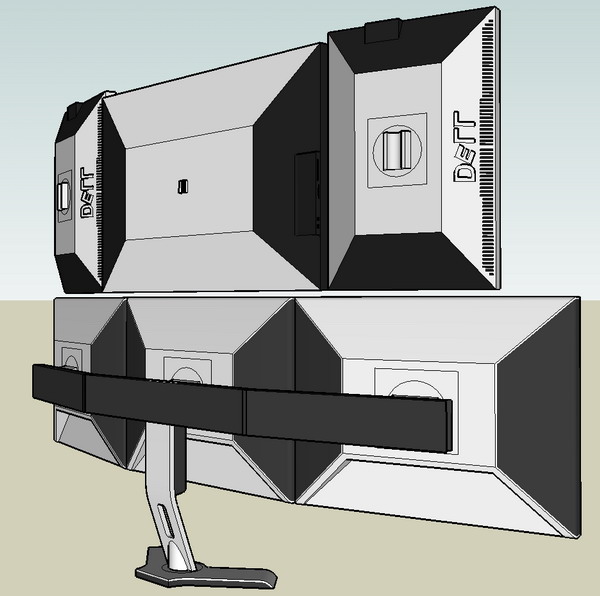
What I found out (mainly from doing the math) was that a 2x20" with 1x30" was the best choice for the money. Here's the breakdown:
Triple 24's:
3 x 24" @ 1920 x 1200 = 6,912,000 total pixels
3 x $550 = $1,650
Single 30 and dual 20's:
2 x 20" 2 1680 x 1050 + 1 x 30" @ 2560 x 1600 = 3,528,000 + 4,096,000 = 7,624,000 total pixels
2 x $220 + $1,100 = $1,540
So I'm looking at about $100 less for 712,000 additional pixels!
I'm a little late getting caught up in the forums, but having gone through a lot of this:
- I personally find matching vertical resolutions important if you drag a lot of windows from one monitor to another.
- I tried stacking monitors before and found it gave me huge headaches and generally overwhelming. Definitely try to do some experiments before spending serious cash on a stacked set-up (my 2c).
This is from 2005 -

I did some 3d models like you're doing before to get a feel for it, but real life was still pretty big.
Now I'm running 9920 x 1600, and it's pretty good. 2x30s in the middle flanked with 3x20 on the left and 1x20 on the right.
Good luck... and apologies if I am too late in replying!

JacobC1983
2[H]4U
- Joined
- Sep 4, 2006
- Messages
- 2,609
I want a picture of what you are running now, please!!!
JacobC1983
2[H]4U
- Joined
- Sep 4, 2006
- Messages
- 2,609
that is amazing.
jmroberts70
2[H]4U
- Joined
- Oct 15, 2002
- Messages
- 2,953
- I tried stacking monitors before and found it gave me huge headaches and generally overwhelming. Definitely try to do some experiments before spending serious cash on a stacked set-up (my 2c).
Aw man, I remember your setup!! Totally the dream shop IMO. Still, I do mostly drafting and 3D modeling and I tend to work with a scanned sketch or reference drawing --and most of them are pretty high-res scans that tend to be rather wide. I just think I'd be turning my neck too much in a side-by-side arrangement but you may be totally right. Still, I may try the overhead setup first and, if that wears on me, I'll just go to the side arrangement similar to what you have.
BTW, I didn't realize that all this time you were working with two 30" displays in the center!! I guess I didn't look close enough to realize that you simply had two windows up on each display. For me, I'm trying to get rid of the "gutter" in the middle of my workspace by moving to either a 30" or 24" single center display and work outward from there...
Thanks for commenting!! It's always nice to re-visit your amazing setup and get some additional inspiration!!
Aw man, I remember your setup!! Totally the dream shop IMO. Still, I do mostly drafting and 3D modeling and I tend to work with a scanned sketch or reference drawing --and most of them are pretty high-res scans that tend to be rather wide. I just think I'd be turning my neck too much in a side-by-side arrangement but you may be totally right. Still, I may try the overhead setup first and, if that wears on me, I'll just go to the side arrangement similar to what you have.
BTW, I didn't realize that all this time you were working with two 30" displays in the center!! I guess I didn't look close enough to realize that you simply had two windows up on each display. For me, I'm trying to get rid of the "gutter" in the middle of my workspace by moving to either a 30" or 24" single center display and work outward from there...
Thanks for commenting!! It's always nice to re-visit your amazing setup and get some additional inspiration!!
I guess I could see it might work better for artwork vs text. Or maybe having the bottom row very tilted (like what Stefan Didak has). I spent about 2 months trying various configurations and just couldn't get comfortable with it.
For artwork, I wonder if it would make more sense to have identical monitors above/below each other.
In any event, I'd strongly encourage you to get matched 20" 1600x1200 to go next to 30" panels. It just feels better. I did run two 17" in portrait next to two 24"s for a long time, and while the 1280<->1200 vertical wasn't too bad, the physical heights were almost the same. So I'd be worried not only about 1680<->1600 but also the differing heights from the 22"<->30".
Disclaimer - I am more anal about this than a lot of people.
I'm also assuming "getting it right" is more important than "budget" which isn't always (often?) the case.Hope this helps - and thanks for the comments.
That's ridiculous. Does your neck ever ache from rotating it to look at all those screens?
No, for a few reasons--
1. I turn my body slightly.
2. I generally am debugging on the left and casually looking at code on the right, or coding on the right and casually looking at the crash on the left.
3. I sit a little further back than I do from a single monitor system.
4. For other tasks such as large Excel spreadsheets or building PowerPoint decks, the more space the better, but I generally use the 2x30s and keep email or research info floating on a 20" or two on the sides.
No, for a few reasons--
1. I turn my body slightly.
2. I generally am debugging on the left and casually looking at code on the right, or coding on the right and casually looking at the crash on the left.
3. I sit a little further back than I do from a single monitor system.
4. For other tasks such as large Excel spreadsheets or building PowerPoint decks, the more space the better, but I generally use the 2x30s and keep email or research info floating on a 20" or two on the sides.
Even with my smaller spread the only time it is annoying is when you have to click on something alllllll the way to the left form being alllll the way on the right. lol.
Even with my smaller spread the only time it is annoying is when you have to click on something alllllll the way to the left form being alllll the way on the right. lol.
Thats why you turn the DPI on your mouse up
Even with my smaller spread the only time it is annoying is when you have to click on something alllllll the way to the left form being alllll the way on the right. lol.
Definitely mousing can be a problem -- with very fast acceleration, a lot of keyboard control, and shortcuts programmed into the ErgoDex, it's not much different physically than a single small screen. It took a while to work through the logistics of the mouse, though.
I also found making the mouse pointer HUGE (about 128x128) really helps. I even do it on my 15" laptop.
walks0nwater
Limp Gawd
- Joined
- Dec 26, 2008
- Messages
- 317
ill get mine up here soon, being a little lazy right now lol
lolDefinitely mousing can be a problem -- with very fast acceleration, a lot of keyboard control, and shortcuts programmed into the ErgoDex, it's not much different physically than a single small screen. It took a while to work through the logistics of the mouse, though.
I also found making the mouse pointer HUGE (about 128x128) really helps. I even do it on my 15" laptop.
Hmm, wonder if I can make a button press DPI-change type macro for my mouse. (I have a Razor Mamba, so it can hit up to 6000dpi, though I tend to run it at around 1600) I'll live with occasional huge screen movements to keep the better shorter-distance control overall, but temporary DPI swaps may help.
houseofbugs
Weaksauce
- Joined
- Apr 5, 2007
- Messages
- 70

Just snapped with my iPhone real quick.
terayon1515
Weaksauce
- Joined
- Mar 23, 2006
- Messages
- 82
self explanatory, I'm a real-estate hog:
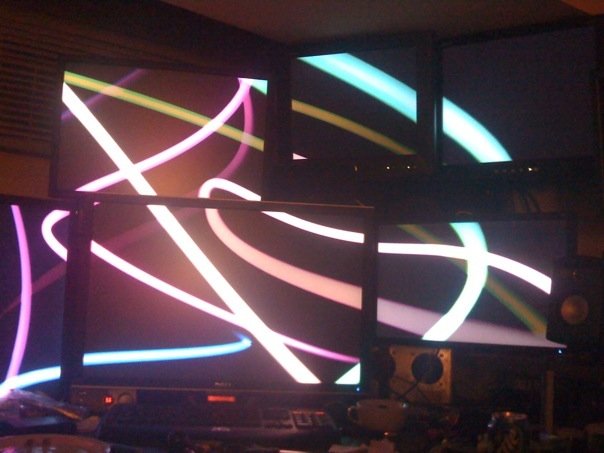
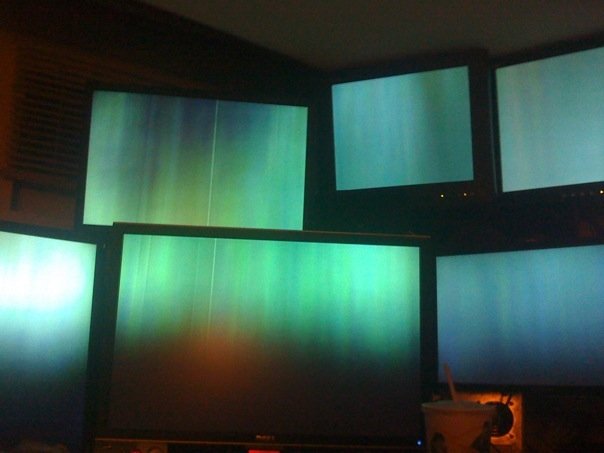
JacobC1983
2[H]4U
- Joined
- Sep 4, 2006
- Messages
- 2,609
gonna need some better pics of that setup, the full around view please.
terayon1515
Weaksauce
- Joined
- Mar 23, 2006
- Messages
- 82
Absolutely!
I Kinda feel like I should introduce myself, 3 years ago I joined [H] just so I could 'butt-in' on a thread titled: 2006 Post Your Workstation
I posted my setup from 2006:
Its a CRT array, so I'm not posting the picture (plus its ugly, but insane)
And my wacky server (its not like this anymore, Promise!)
I have been lurking here from time to time in my passing's while troubleshooting with Google or happening upon a wonderfully stocked thread of information etc.
Soo.. Hello! my name is Jeremy
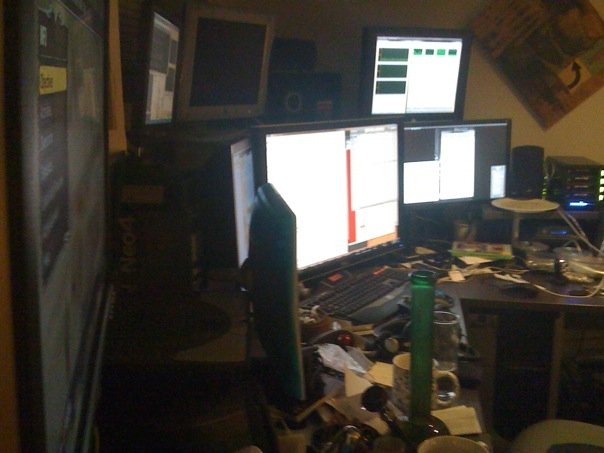
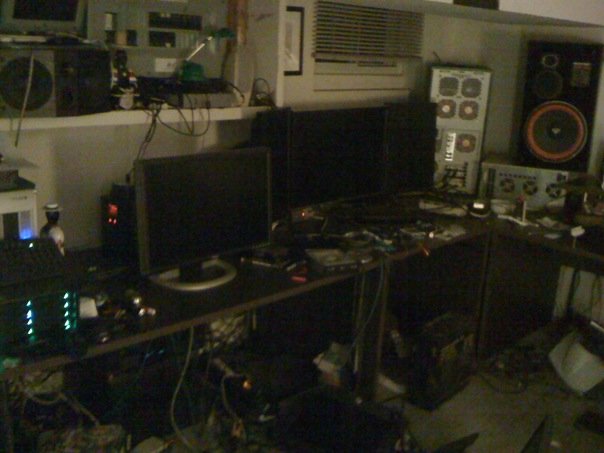
and I'm not sure if I have many other pictures of different angle's of that specific setup, but here are some others that may give inspiration, the displays used are all in my sigs, + two original Apple 15" LCD's and a 15" Daewoo
Here's a glamour shot from the corner of the 2405FPW (excuse teh glasswork)
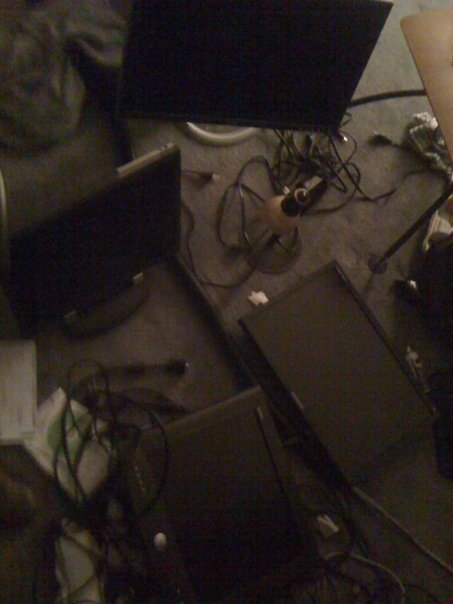
Moving the whole thing around (not easy when you have no 'nice' multi-mon arms):
LCD's all over the floor:
With the 20's against the 30"
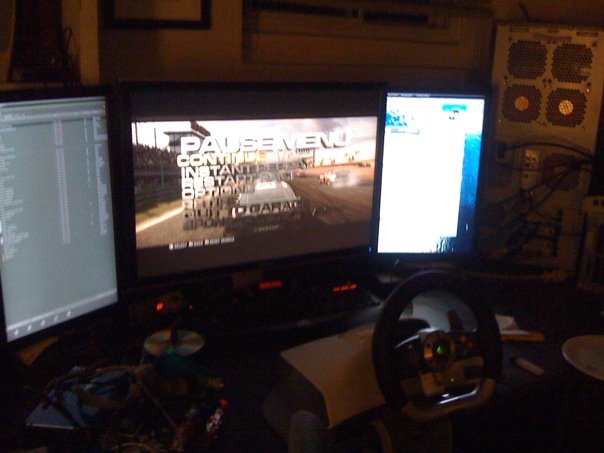
I love the enthusiasm that goes into these boards, especially these nostalgic "post your setup" threads. Apologies that I am a bit of a mess maker
I Kinda feel like I should introduce myself, 3 years ago I joined [H] just so I could 'butt-in' on a thread titled: 2006 Post Your Workstation
I posted my setup from 2006:
Its a CRT array, so I'm not posting the picture (plus its ugly, but insane)
And my wacky server (its not like this anymore, Promise!)
I have been lurking here from time to time in my passing's while troubleshooting with Google or happening upon a wonderfully stocked thread of information etc.
Soo.. Hello! my name is Jeremy
and I'm not sure if I have many other pictures of different angle's of that specific setup, but here are some others that may give inspiration, the displays used are all in my sigs, + two original Apple 15" LCD's and a 15" Daewoo
Here's a glamour shot from the corner of the 2405FPW (excuse teh glasswork)
Moving the whole thing around (not easy when you have no 'nice' multi-mon arms):
LCD's all over the floor:
With the 20's against the 30"
I love the enthusiasm that goes into these boards, especially these nostalgic "post your setup" threads. Apologies that I am a bit of a mess maker

Zorachus
[H]F Junkie
- Joined
- Dec 17, 2006
- Messages
- 12,524
Nice bong shot dude, that's for tobacco purposes only right
MonkeyRoach
n00b
- Joined
- Sep 28, 2009
- Messages
- 46
Nice bong shot dude, that's for tobacco purposes only right
I hope not
mista ting
Gawd
- Joined
- Apr 13, 2006
- Messages
- 742
my god do you live in a dungeon ?