• Some users have recently had their accounts hijacked. It seems that the now defunct EVGA forums might have compromised your password there and seems many are using the same PW here. We would suggest you UPDATE YOUR PASSWORD and TURN ON 2FA for your account here to further secure it. None of the compromised accounts had 2FA turned on.
    Once you have enabled 2FA, your account will be updated soon to show a badge, letting other members know that you use 2FA to protect your account. This should be beneficial for everyone that uses FSFT.

Project:Big Loud Server

Joined
Sep 17, 2006
Messages
31
Hey all
This is my first project log so it might be a bit crap.
Well my current generic tower case has got to a point where it can't hold anymore hard drives so I've decided to build a file storage server from scratch.
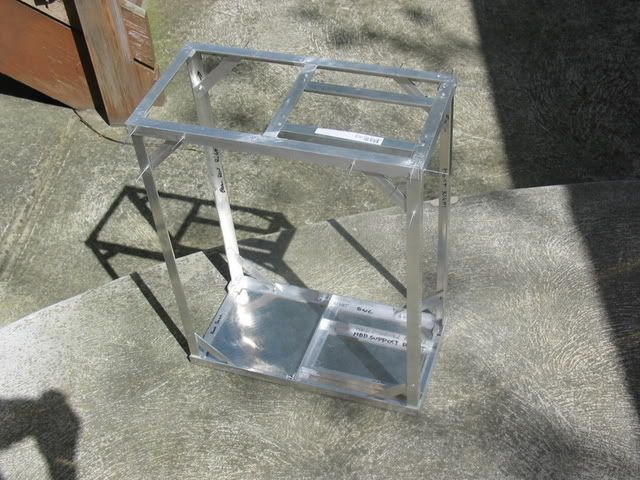
The basic idea is a duel PSU 14 3.5" drive tower case. It will be based around an aluminum frame with aluminum chequerplate panels on all sides.
FinalOpenSide.jpg

Finalclosedsideshot.jpg

Should end up something like this.
The basic dimensions are 450x230x580 (L x W x H). The area of the side panel marked in blue will be a MeshX type vent. Cooling will be via 4 120mm intake fans in the front, 1 120mm exhaust fan in the top and 2 92mm fans in the rear. As well as exhaust through the PSUs.
This is the basic frame that will support all the components.
bareframewithhddonrails.jpg


This is basically how the corner joins will work.
Joinset.jpg

This design enables all gluing surfaces to be hidden on the inside of the frame as well as maximizing contact area for the glue to ensure a strong bond.
Anyhoo on we go...

The Frame
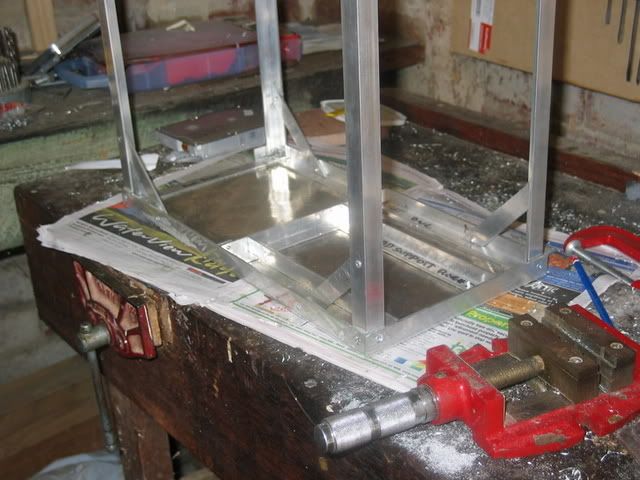
The frame is based around 20mmx20mmx3mm aluminum L rail. It is then bonded using pop rivets and Araldite. This produces joins stronger then the aluminum between them.
Picture006.jpg
Picture001.jpg
topframehddsupport.jpg


Picture003.jpg

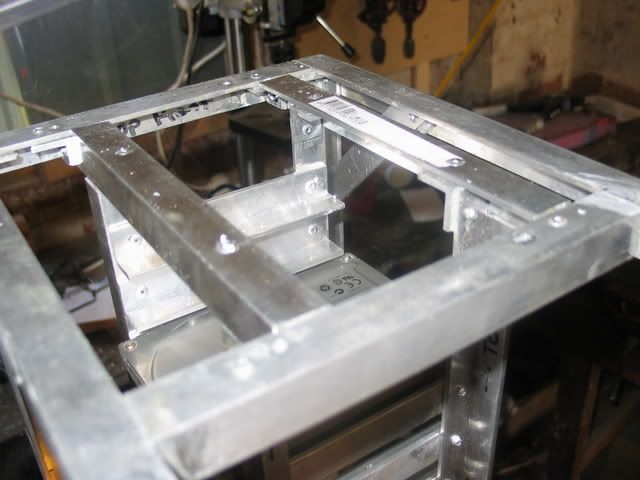
Topframe.jpg

This is basically how the top of the frame turned out first with just the basic frame and then with the Hard drive supports in place.
The original idea was to countersink all the rivets to allow the panels to sit flush but that idea didn't turn out well so I ended up just grinding them down with a dremel.
Modding005.jpg

(The flash kinda over did its self.)

Hard Drive Supports

HDDRAILS.jpg


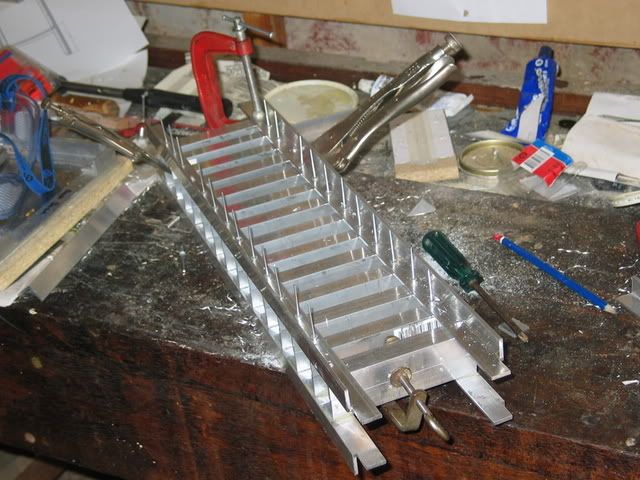
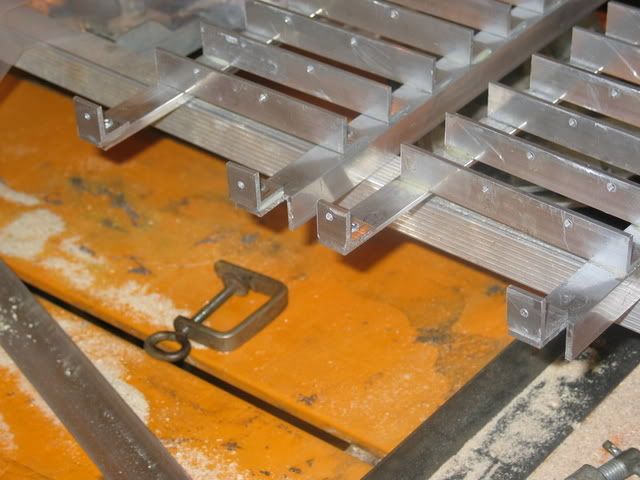
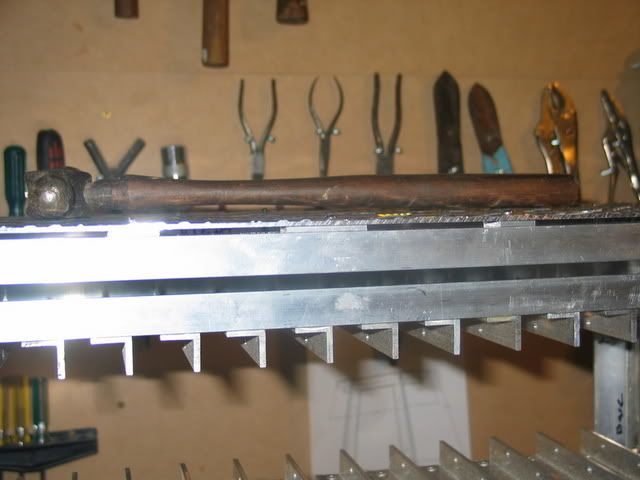
The hard drives will be supported on rails made from the same L rail as the rest of the case. The drives will secure via screws from underneath. The idea is to put together all the supports for the hard drives so they can be place into the frame as one unit. The first step is to cut all 28 support rails then drill the holes to secure the drives. The holes are drilled with the aid of a wooden template.
Picture006-1.jpg
HDDRailsCUT.jpg
Modding003.jpg


Next the support rails have to be riveted to the upright supports. I did this by cutting correctly spaced grooves into a block of wood the clamping then uprights into the block. This allows me to easily place the support rails to be drilled with a hand drill. I then glued and riveted 3 of the support rails to keep the whole load square before I try and drill the rest of the holes.
Hardrivestackfirst.jpg
Modding001.jpg


One completed set of supports for hard drives. Took about 90 minutes of drilling and riveting.
Finishedrearhddrack.jpg


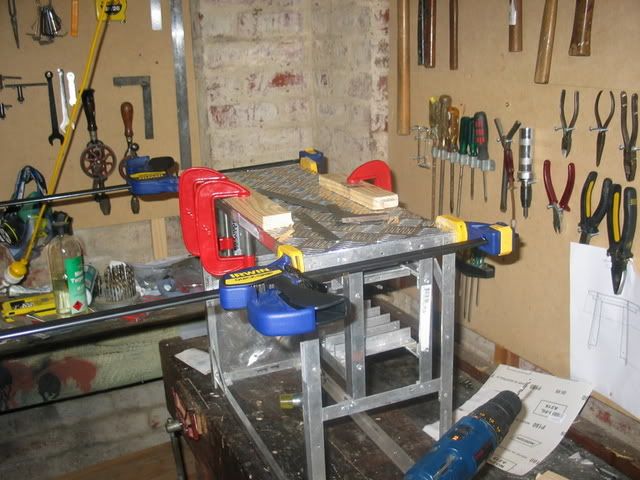
The next step is to put together the second set of supports. The difficulty with this is that each horizontal rail has to be at the exact height of its pair on the 1st set of supports. So the easiest way to do this is to clamp both sets of supports together and just line them up. Like so.....
HDDRACK01.jpg


Construction Error
At some point during the construction of the top section of the frame I wasn't paying attention and I made a rather large error.
topframeerror.jpg

(looking down at the bottom of the top)
The original idea was to have a 63mm gap on the right side of the case to hide all the cabling in. But for the above said reasons I have ended up with the 63mm gap on the left.
So my basic choices are....
1) Just leave it and hope i can fit all the wiring in to the 35mm gap available?
2) Reverse the hard drives and mount the motherboard on the opposite side of the case. This would mean the motherboard would have to be mounted upside down with the expansion cards at the top?

That’s all for now.

Comments? Questions? Popcorn?
 
Why did you bother fabricating when you can buy a case with more drive capacity than that?
 
Ockie said:
Why did you bother fabricating when you can buy a case with more drive capacity than that?
why you gotta thread crap on the mans thread, he wants to build it let him build it. Some people like doing that.

Nice work so far. Cant wait to see some more pictures :D
 
Minor Update

Picture009.jpg


All the panels arrived today. It ended up costing AUS$95 for all of them.

Construction Error Fixed
I cut out most of the L rail with a hacksaw just leaving the two ends glued down. Then I drilled out the rivets and drilled away as much of the remaining aluminum as possible.
Picture008.jpg

Then I cut away as much of it as possible with a Dremel, the Dremel discs i was using were those $20 a set generic crappy ones so it wasn’t really effective at cutting but it did generate enough heat to just melt away the remaining glue. Then i just knocked out the left over aluminium with a hammer.
Picture011.jpg

Picture010.jpg


Frame Base/Panel

Now I have to panels cut and ready to go i could continue with the frame. The panel and L rails for the base were clamped onto and chip board and the joiner pieces are pre drilled on a drill press are put into position. The pre-drilled joiners are used as a template to drill through the L rail and base panel with a cordless hand drill.
Picture012.jpg

Picture013.jpg


Rivets are test fitted into the holes.
Picture014.jpg


The L rails are then glued directly to the base panel and riveted in each corner.
Picture016.jpg

Picture018.jpg
 
Ockie said:
Why did you bother fabricating when you can buy a case with more drive capacity than that?

Its more I wanted to build a case and this design does everything i need it to. In australia the only case i can think of that is anything like this is the CM stacker which only holds 11 drives
plus i dont really like it.
 
looks pretty cool - and here in a year or so I plan on crafting my own server case too - the only thing I suggest is making a way to easily remove the drives... it appears that once they are in, there is no removing them at all (unless im missing something) and if you make some slight changes now it might save you huge headaches later.
 
tbonem91 said:
looks pretty cool - and here in a year or so I plan on crafting my own server case too - the only thing I suggest is making a way to easily remove the drives... it appears that once they are in, there is no removing them at all (unless im missing something) and if you make some slight changes now it might save you huge headaches later.

Once the drives are in they can be removed but with some difficulty. Another idea that was suggested on another forum was to use headless screws screwed into the drive base holes so they drives can be dropped straight in and out without having to tighten any screws or what not. That doesnt really make sense but anyway.
 
I second the headless screw idea... its similar to how HP/CPQ keep their drives in place in their computers. You can use normal thumbscrews and then just grind down the brackets a little to create a little rut for the drives to sit in. Ideally you would have some form of locking tabs to hold it in place...
U could redo the entire brackets and have a wall with slide in tabs jsut like the HPs...
The only other thing I would suggest is possibly integrating cable trackways to hide cables...
like create a L or U channel to guide and hide the power/data cables... I assume U plan on using SATA drives so cables are smaller and easier to direct.

Next to that is jsut labeling each slot so U know which hard drive is what...
It makes it easier to manage and replace down the road...
 
Im tunned in man, keep it, up. I am doing the same thing right now. So i will see how yours turns out. Great work so far. oh and how did you get those hdds, and mobo in google sketch up?
 
Hard Drive Supports

I finally finished the hard drive supports. I was having issues getting all of the supports to line up so i ended up clamping each set of supports ontop of each other then drilling right through.
Moddingone012.jpg


The Frame
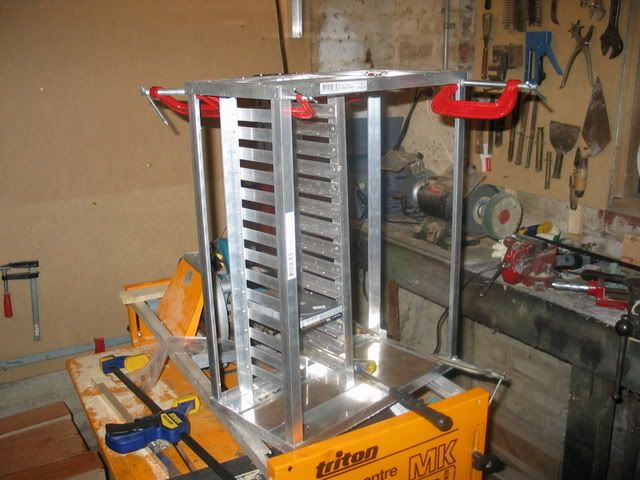
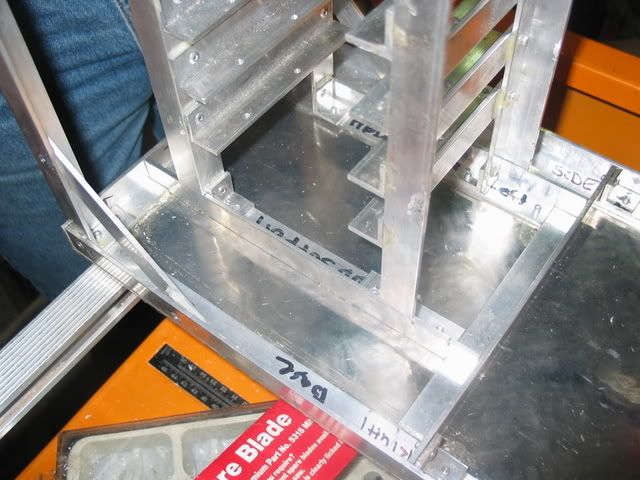
I finally completed the top and base of the frame then cut the uprights then today finally dry fitted the entire stack together with clamps.
Moddingone018.jpg

Moddingone017.jpg

And it all fits. YAY:)

Thats about all for now.
 
I got all the L rail aluminum from Bunnings warehouse and the checkerplate from a specialist metal shop. Are you located in australia?
 
The Frame

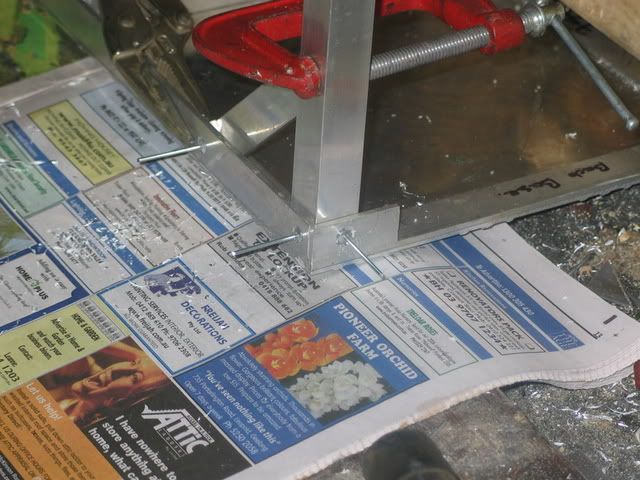
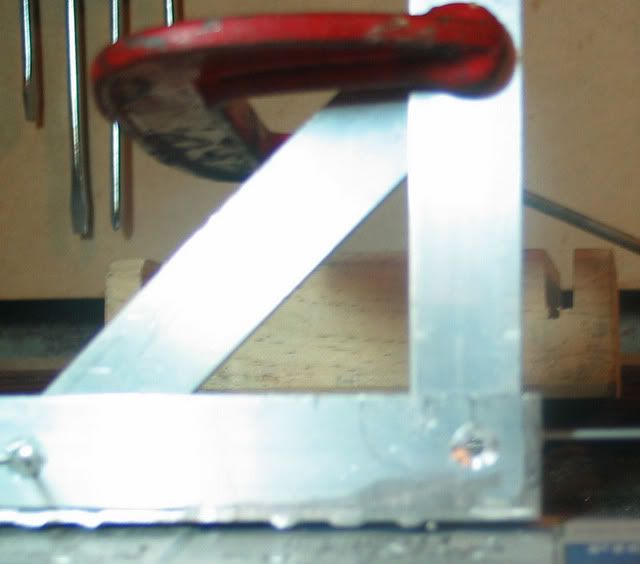
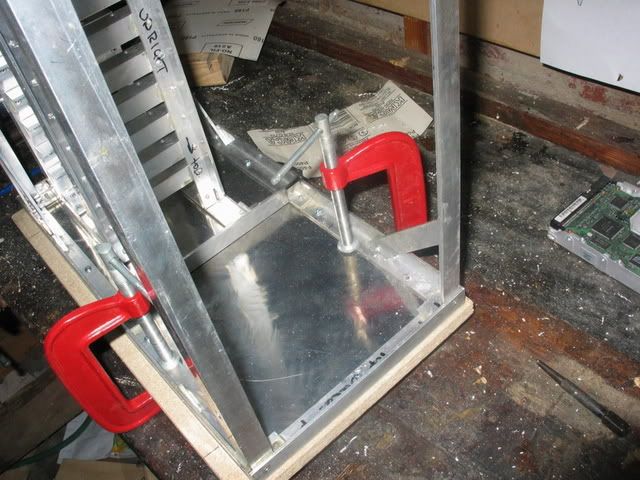
The Uprights join the base frame with 2 rivets in each corner plus a 45 degree support. The upright and the 45 degree support are clamped in place with clamps and locking grips then the holes are drilled with a cordless hand drill. Each of the holes is then countersunk with a old school turn the handle type drill. After the first corner is glued and riveted the same process is repeat for the other corners.
Moddingone021.jpg

countersunkcorner.jpg

Moddingone036.jpg


After the glue sets the whole frame is turned over and its the same deal with the top of the frame.
Moddingone039.jpg

(rivets dry fitted)

Hard Drive Supports

Moddingone035.jpg

So the supports can be riveted into the base and top of the frame I've attached these small L brackets at the base and top.

Misc

Moddingone033.jpg

Moddingone034.jpg

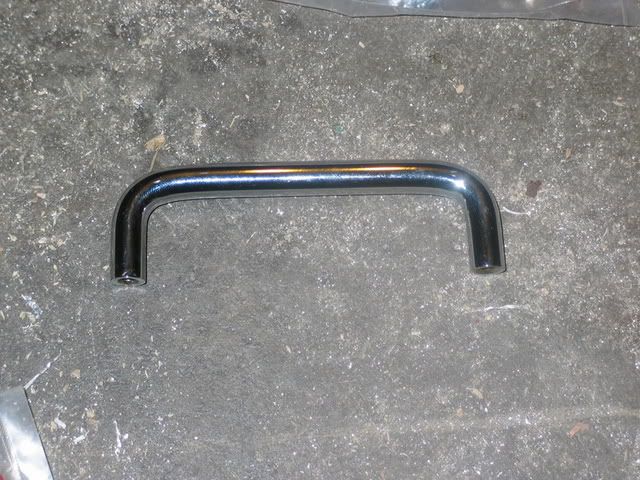
I got these handles yesterday. I know they are ment for bathroom draws but i think they match ok.

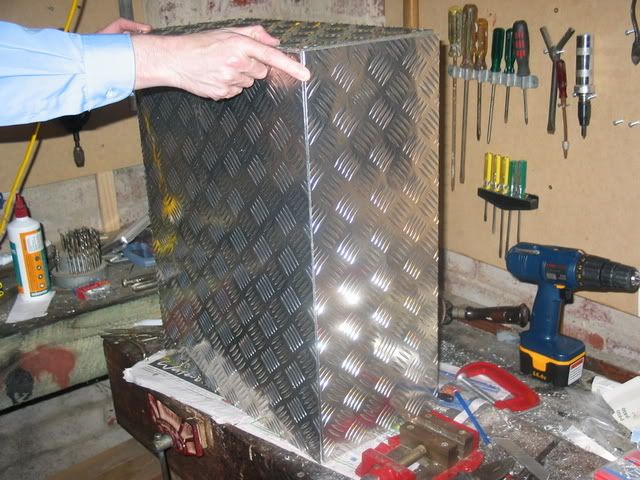
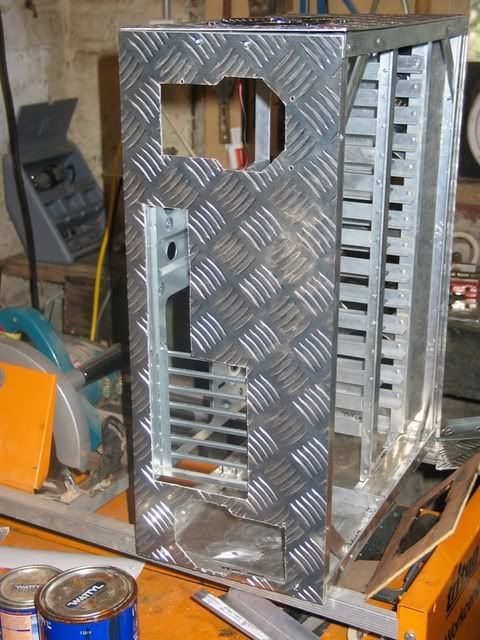
I also test fitted the panels just to get an idea of what its going to look like in the end.
Moddingone031.jpg
 
Hold up!!

Once you start mounting things together you will realize that:

If you use the holes in the bottom to attach the HDDs, you will have to remove EVERY HDD in the case to get to the one on the top. Well, I am really exagerating, if you use a "z" screwdriver or a thumbscrew you could get to any HDD at any time.

How are you solving this "issue"?

14 HDDs!!?? Crazy! :)

Tylerdustin: they sell "L" bar stock at Home Depot, Lowes and Ace hardware, you also have several sizes and lenghts to choose from.
 
Ozone77 said:
Hold up!!

Once you start mounting things together you will realize that:

If you use the holes in the bottom to attach the HDDs, you will have to remove EVERY HDD in the case to get to the one on the top. Well, I am really exagerating, if you use a "z" screwdriver or a thumbscrew you could get to any HDD at any time.

How are you solving this "issue"?

Yes I am aware of this "issue" and I have come to the conclusion that it's not that bigger problem. Yes the drives will have to be installed from the top down. Yes for the first install of all the hardware this will make life difficult but after that it's not like I'm going to be taking the drives out. I either had the choice between fewer more accessible drives or more slightly less accessible drives. I chose the later.

tylerdustin2008 said:
Nice work man, how are you going to be holding those sides pannels to the case?

Something that I didn't end up including in the original Sketchup design but always had in my head was the adding of stripping on all edges of the case. This would be made from 25mmx25mmx1.4mm aluminium L rail. The idea was that it would hold on the side panels and allow them to slide on and off from the back, it would cover up the nasty cut edges of the checkerplate panels and it would solve the problems of trying to drill screws through the ridges of the checkerplate. Instead all the screws first go through the edging before they go through the panel leaving clean faces.
 
Crazylittleman said:
it's not like I'm going to be taking the drives out. I either had the choice between fewer more accessible drives or more slightly less accessible drives. I chose the later.


So.... If for some reason lets say the top drive fails (and murphys law says it will if you secure them like this).... you'll have to remove ALL 13 drives below it (or futz with some L shaped tool) to replace it ??? ....Craaaazzzzzeeee MAN, Crazy !!! :eek:

Good work so far, keep it up !!!
 
Mike160 said:
So.... If for some reason lets say the top drive fails (and murphys law says it will if you secure them like this).... you'll have to remove ALL 13 drives below it (or futz with some L shaped tool) to replace it ??? ....Craaaazzzzzeeee MAN, Crazy !!! :eek:

Good work so far, keep it up !!!

Technically yes you’re right....but I'm a blind optimist so the drives will live forever singing songs and dancing.
 
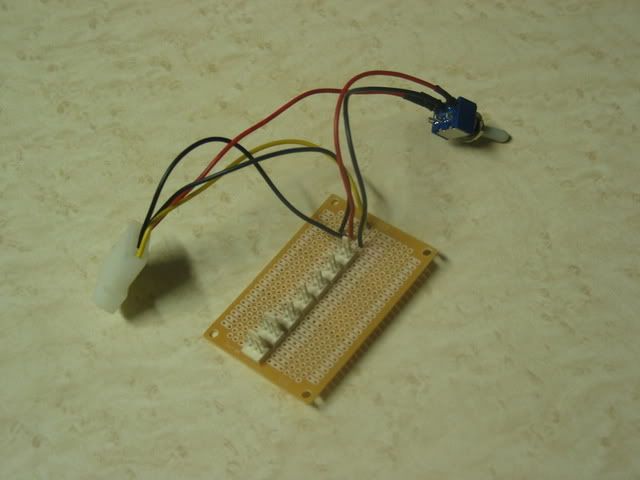
Fan controller

It switches all the fans between 12 and 7 volts.
Moddingone046.jpg

Moddingone045.jpg


The Frame

I used to dead HDDs to correctly space the two hard drive supports then braced them square with a spare piece of metal and clamps.
Moddingone047.jpg

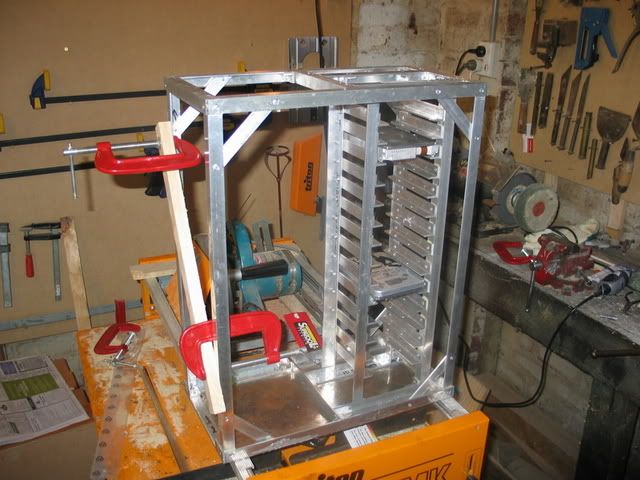
Then after extensive use of a hammer I got it into the frame and got the top to fit correctly. Then braced the frame with wood and more clamps so i can finish counter sinking all the holes and to make sure it was all square. Then glued and riveted everything together.
Moddingone052.jpg
Moddingone051.jpg

I then drilled holes through the base as well as the top frame. Then riveted through these holes into the L brackets on the top and bottom of the hard drive supports.
Moddingone050.jpg

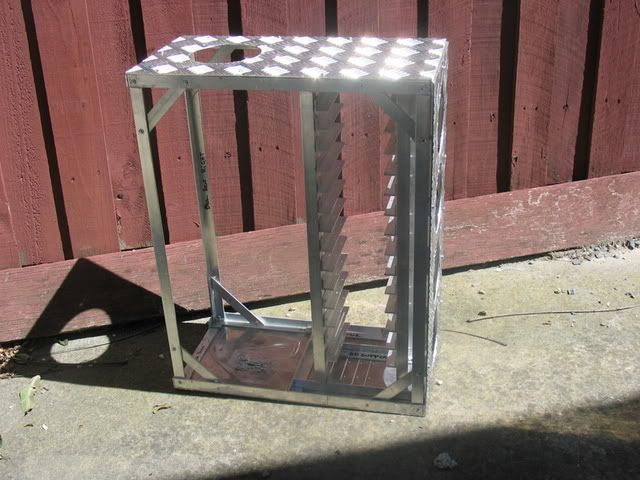
And that’s the completed frame. Next is panel work but I don't know when i'll start that.
 
Crazylittleman said:
Technically yes you’re right....but I'm a blind optimist so the drives will live forever singing songs and dancing.


Hehehe, you like living dangerously. Well, I would try and use thumbscrews to secure the drives (usually the same thread as HDD), you should be able to tighten/loosen them from the side.
 
Crazylittleman said:
Its more I wanted to build a case and this design does everything i need it to. In australia the only case i can think of that is anything like this is the CM stacker which only holds 11 drives
plus i dont really like it.


You can fit more than 21 drives in a stacker with little effort. I'm not crapping on your thread, just trying to see the whole purpose of your build.
 
Ockie said:
You can fit more than 21 drives in a stacker with little effort. I'm not crapping on your thread, just trying to see the whole purpose of your build.

21 drives in a stacker would be a lot of effort i would think. I just wanted to build a case and this does everything i need it to. If i wanted a stacker i would have bought one.
 
Top Panel
Finally got a bit more work done. The top panel is attached by 10 screws with nuts plus 4 screws that will attach the handles.
Moddingone002.jpg

Moddingone003.jpg

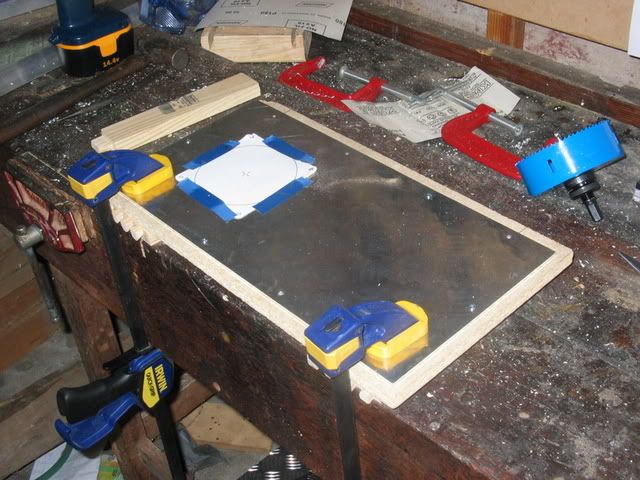
First the frame and top panel are lined up and clamped to a piece of chipboard. The holes are then measured and drilled with a cordless drill.
Moddingone004.jpg

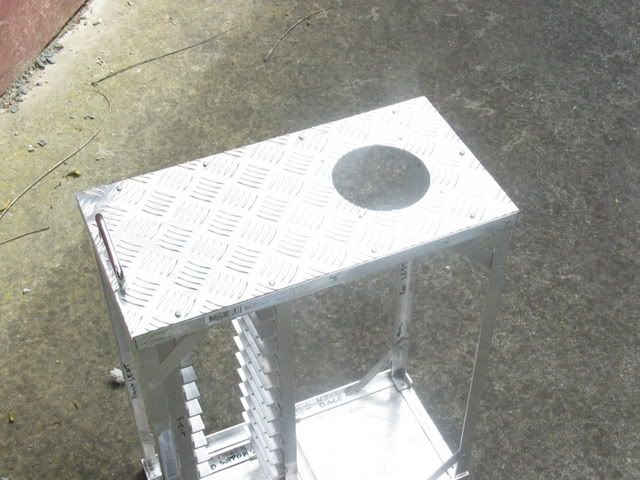
To cut the fan hole I screwed the panel down to a piece of chipboard then drill the pilot holes using a template from Sketchup. Then cut the hole using a hole saw.
Moddingone005.jpg

Moddingone006.jpg

It all fits together which is always good. Also now i have a cool chequerplate drink coaster.
 
A few more pics.
Moddingone007.jpg

To drill the attaching holes for the front panel I clamped the panel down and drilled straight through from the outside.
Moddingone008.jpg

Because the top and bottom of the frame sits 3mm forward of the uprights I need to put in these little spacer pieces along where the screws go through. They are araldited in place.
Moddingone011.jpg

Moddingone010-1.jpg

Moddingone009.jpg

The front panel is clamped and hole sawed in the same way the top was.
 
Frame/Motherboard Tray
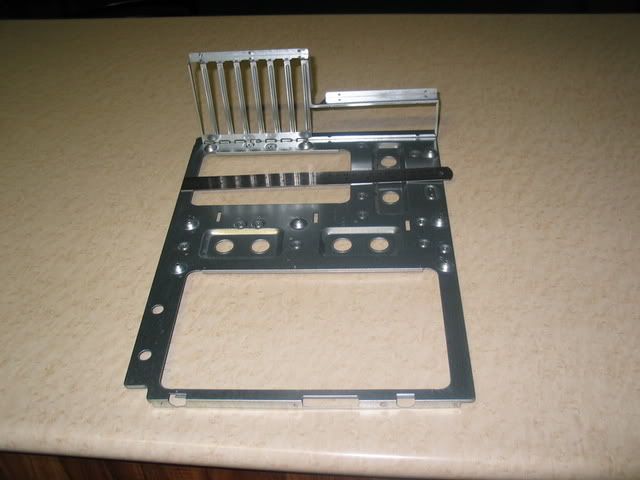
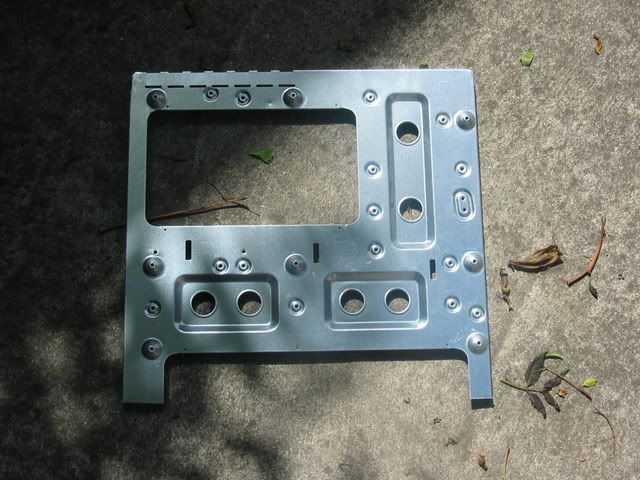
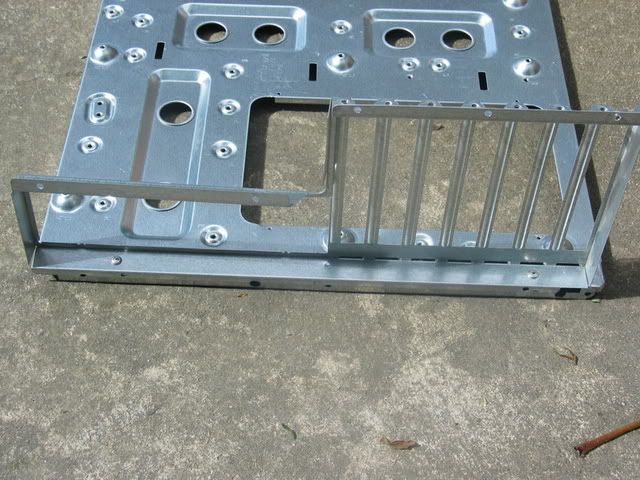
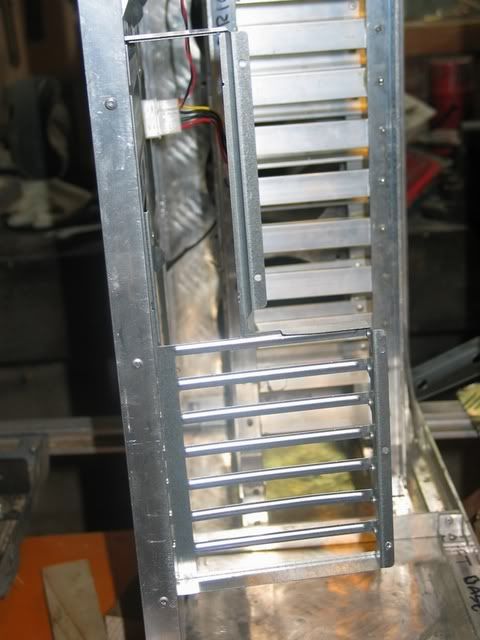
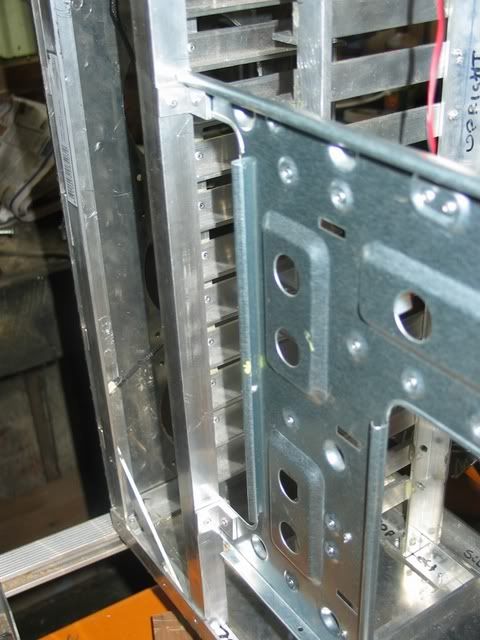
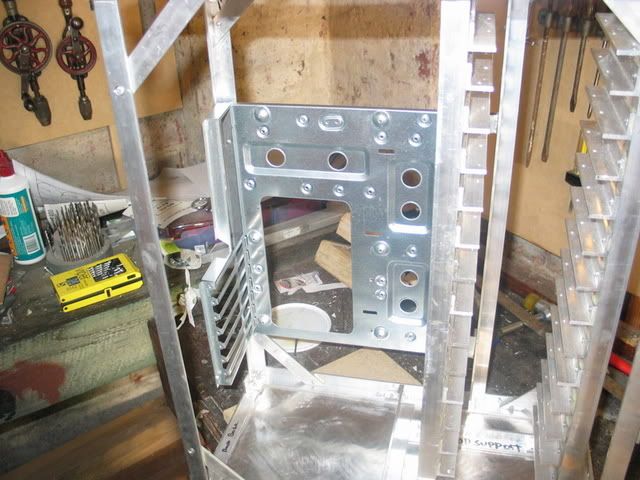
I finally gutted my current case for the motherboard tray and I/O plate.
Moddingone028.jpg


To get a better fit I cut about 120mm off the front of the motherboard tray.
Moddingone037.jpg

In its original case the way the I/O plate connected to the tray was crap so I joined them with 2 rivets through the base of the I/O plate.
Moddingone030.jpg

The motherboard tray is then connected to the back of the frame with 3 rivets.
Moddingone040-1.jpg

The front of the motherboard tray is then riveted via 2 L brackets to a L rail upright.
Moddingone038.jpg

Moddingone031-1.jpg


Back Panel
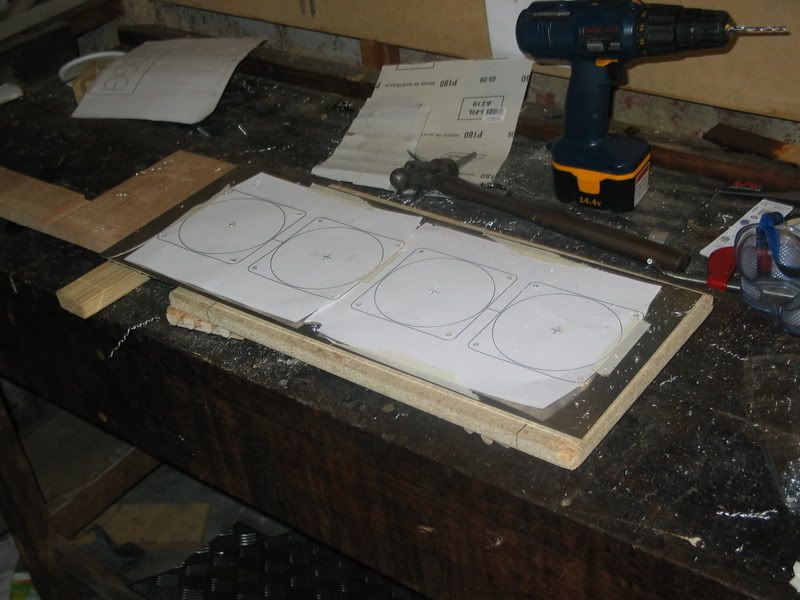
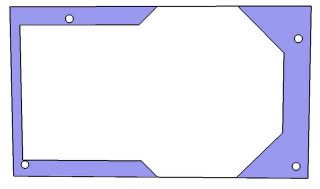
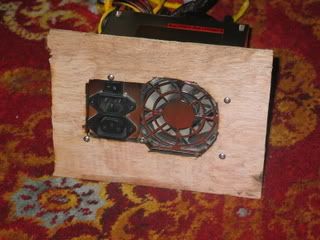
The holes to fix the back panel to the frame were drill in an identical way to the front panel. The 2 PSU's will be supported by the back panel. To cut the holes for these I printed templates from Sketchup and cut a test in a piece of plywood before cutting the chequerplate panel. I got a little frustrated by the dremel being generally crap so i didn't take many pics of this.
PSUTemplate.jpg

Moddingone.jpg


Moddingone035-1.jpg

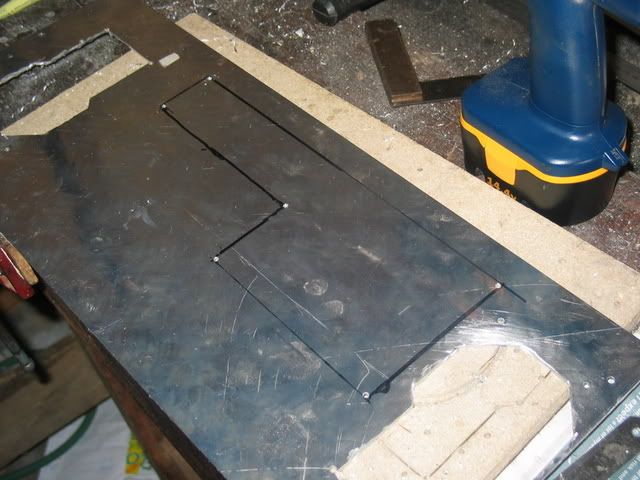
Once the PSU holes were cut I reattached the back panel and traced around the I/O plate. I then drilled guide holes in each corner then started cutting this with the dremel but it was going crap so I switched to the jigsaw to finish it.
Moddingone036-1.jpg
 
Hmmm...though you could have bought a similar case to this with about the same storage capacity. I envy your skill at metal work, this case is looking amazing. A while back I wanted to make my own case that was similar to the P180 with just a few mods, and even though I probably could have done it anyway, I decided to just go with the P180. I envy that you decided to go ahead with the project regardless. Keep up the good work I look forward to seeing this finished.
 
what would be more fun and cooler
a cm stacker or your own big case. Everyone has a CM Stacker, jeez.


Good work, i like the diamond metal or whatever its called.
 
I like your determination to build what you want for yourself, and building your idea as you see it. It is definitely more work then I could see putting in to a case. Truely one of a kind. How light is all this going to be guessing?
 
Yeah as people have already said a custom built case is infinitely cooler then a CM stacker or whatever. As for weight, at the moment i'm not sure how heavy it. I'm hoping to get the bare case with just frame and panels (no fans/hdds) under 10kg(22lbs) but I''ll just have to see at the end.
 
if you put the photos at 640x480 or 800x600, i'm sure more people would comment on your work.
it's a real pain having tons of tabs open to see all of the pics.
 
filthysanchez said:
if you put the photos at 640x480 or 800x600, i'm sure more people would comment on your work.
it's a real pain having tons of tabs open to see all of the pics.

That seems to be general opinion on most forums. I'm slowing editing the pics.
 
Back
Top