I have two WD 750GB AAKS hard drives in raid 0 that I want to overclock. How do I go about making them spin faster (some people tell me these drives can spin up to 30% faster that stock). I've tried to find a program all over the internet but I just don't know where to start. Can anyone help me?
![[H]ard|Forum](/styles/hardforum/xenforo/logo_dark.png)
Navigation
Install the app
How to install the app on iOS
Follow along with the video below to see how to install our site as a web app on your home screen.
Note: This feature may not be available in some browsers.
More options
-
Some users have recently had their accounts hijacked. It seems that the now defunct EVGA forums might have compromised your password there and seems many are using the same PW here. We would suggest you UPDATE YOUR PASSWORD and TURN ON 2FA for your account here to further secure it. None of the compromised accounts had 2FA turned on.
Once you have enabled 2FA, your account will be updated soon to show a badge, letting other members know that you use 2FA to protect your account. This should be beneficial for everyone that uses FSFT.
You are using an out of date browser. It may not display this or other websites correctly.
You should upgrade or use an alternative browser.
You should upgrade or use an alternative browser.
Overclocking My Hard Drives
- Thread starter erocko
- Start date
I never heard of anyone overclocking a hard drive. This makes me laugh.
Even if you get the motor to go to 10000 rpm (while it overheat and blow out the PCB along the way), the actuators and heads for picking up the data will not work anymore at that speed.
Even if you get the motor to go to 10000 rpm (while it overheat and blow out the PCB along the way), the actuators and heads for picking up the data will not work anymore at that speed.
I never heard of anyone overclocking a hard drive. This makes me laugh.
qft
I never heard of anyone overclocking a hard drive. This makes me laugh.

Arcygenical
Fully [H]
- Joined
- Jun 10, 2005
- Messages
- 25,066
So many people got trolled in this thread.
Good one OP!
Good one OP!

CommanderFrank
Cat Can't Scratch It
- Joined
- May 9, 2000
- Messages
- 75,399
Moved from OC/Cooling forum, better suited here for serious responses
LOL. Thanks for the morning chuckle. Its impossible to do as you stated, and even if it were, data stored on OC'd drives would be unreliable and you would be prone to failures. OC a CPU and you get BSODs, no POST, etc. OC a HD, and you get data loss. Dont even bother to look further.

- Joined
- Sep 6, 2007
- Messages
- 11,610
I would have guessed that this was a joke/prank, but the absence of the OP makes me think it wasn't. I'm hoping it was a joke, however.
Old Hippie
Supreme [H]ardness
- Joined
- Oct 31, 2005
- Messages
- 6,013
I would have guessed that this was a joke/prank, but the absence of the OP makes me think it wasn't. I'm hoping it was a joke, however.
I dunno. 'Bout a week ago, I saw a question over at AnandTech similiar to this. That poster was looking for a program to OC his HDDs.
One difference.
Over there, he got no replies.
If I was a shrink, I'd be wondering what the difference is between this crowd, and the crowd over there.
thebeephaha
2[H]4U
- Joined
- May 27, 2007
- Messages
- 2,054
The op also only has one post so I bet its just a troll.
- Joined
- Sep 27, 2005
- Messages
- 3,126
Is this a joke?
Seriously, buy raptors...
Seriously, buy raptors...
that's complete shit. Tell me then why SAS/SCSI drives spin at 15,000 RPM?there is absolutely no point doing that.
HDDs are the most damage prone part in your pc. making it spin faster will just kill it faster.
- Joined
- Sep 6, 2007
- Messages
- 11,610
Those drives you mentioned are designed to spin at those speeds. The OP, hopefully jokingly, asked about making drives designed to spin at 7200 rpm, spin faster, which would be a very VERY bad idea, if it was even possible.that's complete shit. Tell me then why SAS/SCSI drives spin at 15,000 RPM?
This whole thread is going downhill in a hurry.- Joined
- Sep 27, 2005
- Messages
- 3,126
that's complete shit. Tell me then why SAS/SCSI drives spin at 15,000 RPM?
You may not realize it, but all the OTHER components in the drive would have to be able to keep up. 10k and 15k drives are specifically designed to work at those speeds.
- Joined
- Sep 27, 2005
- Messages
- 3,126
ROFL, old school!
not only have i overclocked several 100s of HDDs i also have an overclocked case and power supply. my next project is round ide cables and ultimately the desk.
You're not a serious overclocker until you overclock your monitor. Once you up the volts a little bit, those colors just fly off the screen.
[LYL]Homer
Supreme [H]ardness
- Joined
- Jun 7, 2004
- Messages
- 4,209
How do I overclock my floppy drive?
LBFlashWiz
Limp Gawd
- Joined
- Oct 12, 2004
- Messages
- 138
You can overclock storage components by:
1) putting them in a 1000-watt microwave oven on high power for 3 mins.
2) placing them near powerful spinning magnets
3) dipping them into a liquid Sodium Cloride solution while spinning
4) opperating the hard drive in places with lower gravity like THE MOON or MARS
1) putting them in a 1000-watt microwave oven on high power for 3 mins.
2) placing them near powerful spinning magnets
3) dipping them into a liquid Sodium Cloride solution while spinning
4) opperating the hard drive in places with lower gravity like THE MOON or MARS
DrStrangeBrew
Gawd
- Joined
- Jan 5, 2008
- Messages
- 764
chapelle computer nerd version---> "I Love Crack, er overClocks!, B***ch! "
slightly more realistic quesiton - I've always seen the ability to increase the MHz of AGP & PCIe bus speeds, but never tried, & honestly it seems utterly pointless.
Anyone ever toy w/this?
slightly more realistic quesiton - I've always seen the ability to increase the MHz of AGP & PCIe bus speeds, but never tried, & honestly it seems utterly pointless.
Anyone ever toy w/this?
slightly more realistic quesiton - I've always seen the ability to increase the MHz of AGP & PCIe bus speeds, but never tried, & honestly it seems utterly pointless.
Anyone ever toy w/this?
Its supported by some BIOS's. I think its called softmod or something similiar, my ABit SR7-X mobo had this feature, could increase the clock speed of AGP bus and others, incrementally by 1 Mhz intervals. Course, youre likely to get random lockups and BSODs, but thats the price of OCing. Please let some mod close this thread now, it needs to die.
Yeah, you guys did get kind of trolled. While I knew this was a ridiculous question I was interested in finding out if anyone has actually done this. Seems possible since people will try to overclock just about anything. Anyway I like these forums a lot, keep up the good posts
morkboy_wonder
Limp Gawd
- Joined
- Mar 14, 2007
- Messages
- 377
Anyone know how to watercool a mouse?
Wshmaster0
2[H]4U
- Joined
- Jul 11, 2007
- Messages
- 3,713
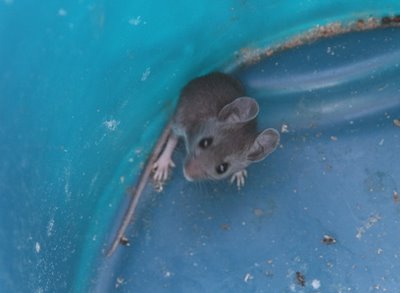
morkboy_wonder
Limp Gawd
- Joined
- Mar 14, 2007
- Messages
- 377
That is well funny.
morkboy_wonder
Limp Gawd
- Joined
- Mar 14, 2007
- Messages
- 377
That is one professional rodent - I mean it is properly engaging with the camera. Does it have representation?
I'd just be happy with a drive that could deliver the transfer rates that SATA/SATAII is capable of.
Whether or not they use faster spindle speeds or multiple head read/write (sort of like raiding but on an internal basis with different platters/heads) and more cache... everything else is progressing nicely...but what about drives? There isn't really any awsome innovation going on. Just the steady increase of per-platter capacity. But the Raptor has been out how long? And it's STILL about the fastest drive out there (for consumer desktop use anyway)? I mean really...
Whether or not they use faster spindle speeds or multiple head read/write (sort of like raiding but on an internal basis with different platters/heads) and more cache... everything else is progressing nicely...but what about drives? There isn't really any awsome innovation going on. Just the steady increase of per-platter capacity. But the Raptor has been out how long? And it's STILL about the fastest drive out there (for consumer desktop use anyway)? I mean really...
Wshmaster0
2[H]4U
- Joined
- Jul 11, 2007
- Messages
- 3,713
I'd just be happy with a drive that could deliver the transfer rates that SATA/SATAII is capable of.
Whether or not they use faster spindle speeds or multiple head read/write (sort of like raiding but on an internal basis with different platters/heads) and more cache... everything else is progressing nicely...but what about drives? There isn't really any awsome innovation going on. Just the steady increase of per-platter capacity. But the Raptor has been out how long? And it's STILL about the fastest drive out there (for consumer desktop use anyway)? I mean really...
There are plenty of technology thats slowly going to replace the normal standard platter hard drives. Perpendicular drives are starting to make its mark. Solid state drives may be the way of the future though and you may see that technology start to become the norm.
That in itself I think is awesome.
Awsome yes...but at the rate it's advancing...it pales in comparison to anything else in the market. Graphics cards, CPU's, RAM, hell...even monitors seem to be advancing faster than the hdd.
I have a perpendicular drive and it is indeed fast (Seagate 7200.10 SATAII 16mb cache), but still nowhere near the speed capable on the SATA/SATAII bus. And the flash drives are a nice concept, and I see those being VERY useful...however their speed is still equal to or LESS than that of a hard drive with the only benefits being no moving parts and virtually no seek times. The problem I see with the flash drives now are the average life of them. with about 4 million reads/writes to the flash device, running windows without EWF is just asking to kill it sooner than later.
dunno...just bugs me. not that it's killing me or anything to NOT have to buy a new drive to go with a new system if I don't want to I just wish they'd have devices to support the claims touted for the "massive" data transfer capabilities of the bus systems in use now. Or maybe I'm just blind to whats out there as I don't have too much time to sit and surf.
I have a perpendicular drive and it is indeed fast (Seagate 7200.10 SATAII 16mb cache), but still nowhere near the speed capable on the SATA/SATAII bus. And the flash drives are a nice concept, and I see those being VERY useful...however their speed is still equal to or LESS than that of a hard drive with the only benefits being no moving parts and virtually no seek times. The problem I see with the flash drives now are the average life of them. with about 4 million reads/writes to the flash device, running windows without EWF is just asking to kill it sooner than later.
dunno...just bugs me. not that it's killing me or anything to NOT have to buy a new drive to go with a new system if I don't want to
I just wish they'd have devices to support the claims touted for the "massive" data transfer capabilities of the bus systems in use now. Or maybe I'm just blind to whats out there as I don't have too much time to sit and surf.Overclocking...no, however, most consumer level hard drives can be over-throttled by applications/OS and these instantaneous bursts are hard on the drive components and thus there are not too many truly qualified enterprise-class sata drives on the market.
There are products available that deliver very high, sustained i/o rates, however most individuals don't have the need (or budget) for a super-speedy SSD or a high speed storage array.
I also want to point out that TAPE is still used today so the demise of the hard drive is not imminent.
There are products available that deliver very high, sustained i/o rates, however most individuals don't have the need (or budget) for a super-speedy SSD or a high speed storage array.
I also want to point out that TAPE is still used today so the demise of the hard drive is not imminent.
bluehaze013
Gawd
- Joined
- Nov 26, 2007
- Messages
- 597
While technically you can't make the drive spin faster you can simulate such a thing with Intel's Matrix raid and some perpendicular drives by taking a slice out of the fastest part of the disk to run your OS/Apps. I bought 3 El Cheapo Seagate 320gb 7200.10's and have them spinning 240mb/sec with a 9.4ms access time on a 160gb raid-0 partition, burst speed is 1000mb/sec The smaller the partition the faster they will get, some folks running 50-60gb partitions have access times down to 7.0ms and burst of up to 3500mb/sec!
The smaller the partition the faster they will get, some folks running 50-60gb partitions have access times down to 7.0ms and burst of up to 3500mb/sec!While technically you can't make the drive spin faster you can simulate such a thing with Intel's Matrix raid and some perpendicular drives by taking a slice out of the fastest part of the disk to run your OS/Apps. I bought 3 El Cheapo Seagate 320gb 7200.10's and have them spinning 240mb/sec with a 9.4ms access time on a 160gb raid-0 partition, burst speed is 1000mb/sec
I'm not too familiar with the Intel Matrix Raid...but do you "lose" the space you don't allocate to a partition? Or do you basically get the space of 2x320gb drives and the third is a parity drive?
bluehaze013
Gawd
- Joined
- Nov 26, 2007
- Messages
- 597
I'm not too familiar with the Intel Matrix Raid...but do you "lose" the space you don't allocate to a partition? Or do you basically get the space of 2x320gb drives and the third is a parity drive?
No need for a seperate parity drive, the information spans all 3 drives so that if you lose one just pop in a new one and it will get rebuild with the information on the other two drives. The neat thing about Matrix raid is you can run seperate partitions on the same drives my boot partition is Raid-0 160gb and my storage partition is raid 5 500ish gb all on the same three drives.
This is my Raid 0

And this is my Raid 5

All on the same 3 drives.
and you're running that on 3x320gb 7200.10's???? I already have a 320gb 7200.10... I may have to pick 2 more up come tax time
Last time I messed with raid it ended in disaster as I was running a Raid0. But those rates intrigue me enough to give it another shot.
Last time I messed with raid it ended in disaster as I was running a Raid0. But those rates intrigue me enough to give it another shot.