• Some users have recently had their accounts hijacked. It seems that the now defunct EVGA forums might have compromised your password there and seems many are using the same PW here. We would suggest you UPDATE YOUR PASSWORD and TURN ON 2FA for your account here to further secure it. None of the compromised accounts had 2FA turned on.
    Once you have enabled 2FA, your account will be updated soon to show a badge, letting other members know that you use 2FA to protect your account. This should be beneficial for everyone that uses FSFT.

Network pics thread

Will get actual pics soon (hopefully.....).

L.jpg
 
Nah, I started using the handle JonDonger a few years back and went with the "Donger" theme. I think I watched Sixteen Candles a few years back and stuck with Donger.
 
Thanks for the Gliffy link. That's awesome, a great resource!

M.jpg


I'm upgrading the 1900 series switches to a 2924XL and a Gb Cisco switch (undecided model, as of yet, but low cost!), and I'll be adding another router (2600 series).

I'm having to have two different IP addresses for the network. One for the internet, and the other for the Cisco lab network. I'd like to be able to access both at the same time, but I'm having issues with it... I'm working on it, though!

It works for what I need it to do, and for fun (mostly). It's not much hardware wise, but it seems to be fast enough for now. Until I hit the Gb switch, then I'll need more muscle on the individual machines.
 
Westell 6100 DSL modem (junk also but, didn't pay for it, it came from Verizon (my ISP))

Junk! :eek:

Best DSL modem I've ever owned - my original got killed by lightning a few months back, and it seemed impossible to get another one in the UK. One turned up on eBay eventually, but the junk I had to use inbetween was unbelievable. Maybe you guys have a better choice of ethernet DSL modem over there.

Since I'm posting, here's an image that I've probably posted before:
Chrixnet.jpg


It's a bit out of date as I now have a second 24 port patch and the switch is full, but:
Switch: Linksys SRW224
Black 2U: Ubuntu web/ftp/mysql/usenet/nagios/thermd services
Left tower: IPCop (need to replace this with something smaller/quieter)
Right tower: SBS 2003, Exchange and AD (smaller/quieter needed again)

Here's a shot taken from Nagios (live on my status page http://thefnet.co.uk)
Status-snap.jpg


The topology is not strictly correct, but close enough. :)
 
More server room work. This time it's a goody pile for our VMWare installation:

Box pile: (Showing two of three new 8-way dell 2950 III's with 32GB RAM each)
IMG_0601.jpg


Another Box: (NetApp FAS 2050 with 2.4TB SAS Storage)
IMG_0602.jpg


Before shot of the rack space:
IMG_0603.jpg


Racking the FAS: (the gap below it is for two more APC UPS-es)
IMG_0604.jpg


VM1 Racked:
IMG_0606.jpg


VM2 Racked:
IMG_0607.jpg


VM3 Racked:
IMG_0608.jpg


Cabling starting:
IMG_0612.jpg


Cabling finished:
IMG_0615.jpg


Dedicated SAN Switches:
IMG_0616.jpg


Cabinet shot: Love the grit and crap on the floor from drilling the anchor bolts...)
IMG_0618.jpg
 
More server room work. This time it's a goody pile for our VMWare installation:

Box pile: (Showing two of three new 8-way dell 2950 III's with 32GB RAM each)
Another Box: (NetApp FAS 2050 with 2.4TB SAS Storage)
Before shot of the rack space:
Racking the FAS: (the gap below it is for two more APC UPS-es)
VM1 Racked:
VM2 Racked:
VM3 Racked:
Cabling starting:
Cabling finished:
Dedicated SAN Switches:
Cabinet shot: Love the grit and crap on the floor from drilling the anchor bolts...)

Looking good!
 
Looking real good. You going to replace that yellow cable on the SAN with something shorter?
 
very nice indeed. Multipathed SAN. Vmware HA/DRS solution Im guessing? I like. How many VMs do you plan to run on each box?
 
agrikk, I don't know if it's too late for you, but you can mount those floor brackets inside your cabinet rather than on the outside and having it look tacky.
 
agrikk, I don't know if it's too late for you, but you can mount those floor brackets inside your cabinet rather than on the outside and having it look tacky.

Hah hah hah crap. It's too late. The bolts are already sunk into the floor... :(

Tacky it is...


Still, if that's the worst that happens during all of this I'll consider myself lucky.

very nice indeed. Multipathed SAN. Vmware HA/DRS solution Im guessing? I like. How many VMs do you plan to run on each box?

Right now the estimate is 7-10 developer boxes, but with VM sprawl, it'll probably end up being closer to 12 per box. As soon as people start hopping onto these servers they'll start appearing like weeds :mad:

Looking real good. You going to replace that yellow cable on the SAN with something shorter?

Heh heh yeah. I gotta order a 12-inch crossover cable, but I had a 7-footer handy so...
 
Isn't there a minimum cable length? (I want to say its 3ft, but idk)

Yes and no, there can be a minimum of 3ft on some equipment because the voltage/signal is to strong. But on some other equipment it is fine but under 3 ft you might run into crosstalk.
 
Yes and no, there can be a minimum of 3ft on some equipment because the voltage/signal is to strong. But on some other equipment it is fine but under 3 ft you might run into crosstalk.

Interesting. I'd not heard of a minimum cable length, but I'll get in touch with NetApp to be sure.
 
Hah hah hah crap. It's too late. The bolts are already sunk into the floor... :(

Tacky it is...

Well it's not too late, it's too late if you want that exact placement. You can still unbolt the cabinet from the plate and move the cabinet over the plate and place it to the right of the plate (bolts onto the left side). However, your cabinet would be further away from the wall.

Hints, it also covers up any dust that you can't sweep away or the dust that ruins the wax.

Isn't there a minimum cable length? (I want to say its 3ft, but idk)

Interesting. I'd not heard of a minimum cable length, but I'll get in touch with NetApp to be sure.

There is a minimum cable length but it's going to be up to the equipment provider. For the most part, there is no real minimum (at least none that anyone can agree to), but some vendors will not provide support if you are under their recomendations, so I would call and find out if you are that worried about it.
 
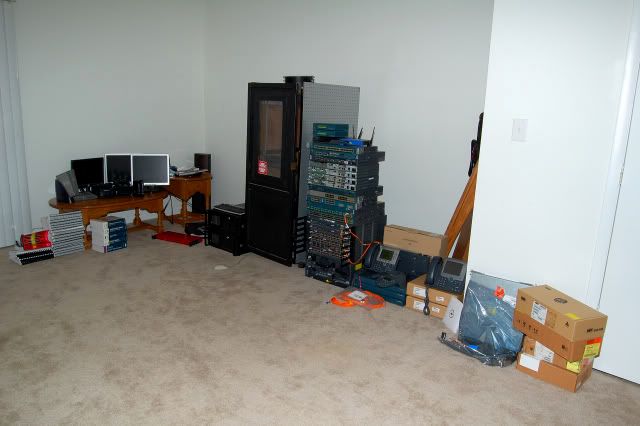
Cleaned up the wiring and moved some stuff around. Still working on it but here's an updated pic.

racktb5.jpg
 
Cant remember if I had posted or not... Anyways
Here is our HQ ESX Servers, we also have ESX Servers Co-located.
rack002.jpg

1U Dell 8 Port Console
1U Dell 17" Keyboard/Mouse/Monitor
4U worth of network switches on the back (iSCSI01, iSCSI02, VMService Network Switch, Private Core Network Switch
1U Dell 1950, Dual Proc Dual Core, 4gb Ram - Fonality PBX Server
2U Dell DP500, Backup Server running Data Protection Manager with an RD1000 Removable Drive
2U Dell 2950, Dual Proc Dual Core, 16gb Ram - ESX Server
2U Dell 2950 III, Dual Proc Quad Core, 16gb Ram - ESX Server
3U Dell MD3000i, 1.2TB Virtual Machine Storage
1U Eaton 1500VA Battery Backup (for network equipment)
All Servers and Storage have redundant power supplies, one power supply is plugged into each UPS.
2U APC 5000VA Battery Backup
 
More server room work. This time it's a goody pile for our VMWare installation:

Box pile: (Showing two of three new 8-way dell 2950 III's with 32GB RAM each)


Another Box: (NetApp FAS 2050 with 2.4TB SAS Storage)


Before shot of the rack space:


Racking the FAS: (the gap below it is for two more APC UPS-es)


VM1 Racked:


VM2 Racked:


VM3 Racked:


Cabling starting:


Cabling finished:


Dedicated SAN Switches:


Cabinet shot: Love the grit and crap on the floor from drilling the anchor bolts...)


Nice clean job there!
 
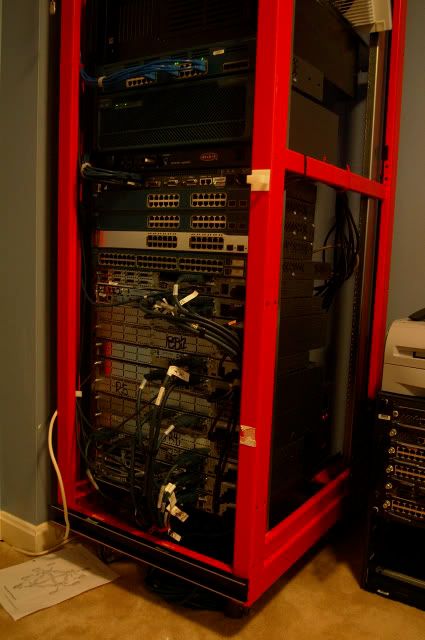
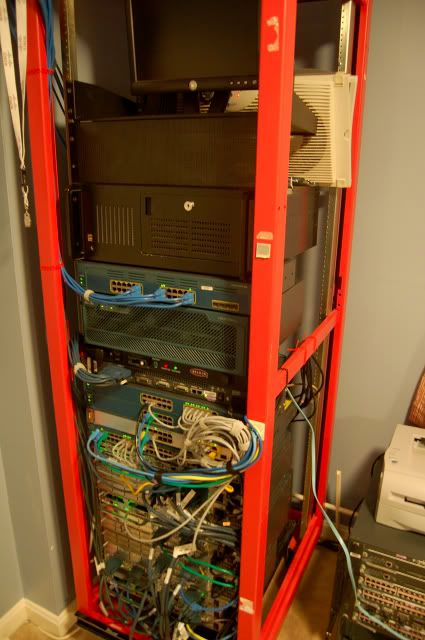
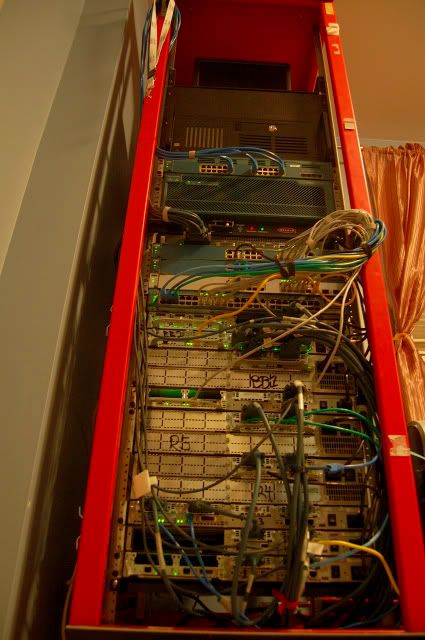
Oh Update..... Just got settled in norther Virginia. Set everything up finally and Yes, its a new rack.
well, im double posting :p Feel free to ask/laugh at/threaten..
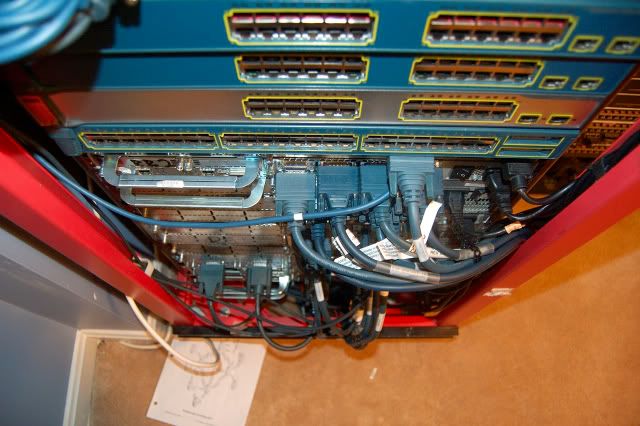
From this........
DSC_0189.jpg

To this..
DSC_0179.jpg

DSC_0181.jpg

DSC_0185.jpg

DSC_0207.jpg

DSC_02001.jpg

DSC_0188.jpg

LED action
DSC_0202.jpg

DSC_0188.jpg

DSC_0192.jpg

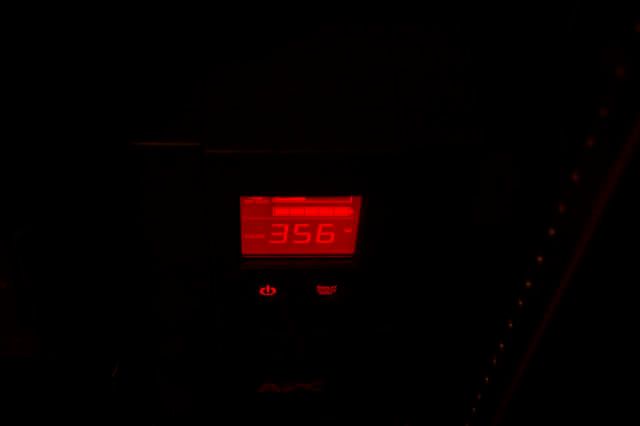
not too bad, with my server,edge switch,edge router, monitor and terminal server turned on.
ESX1.jpg

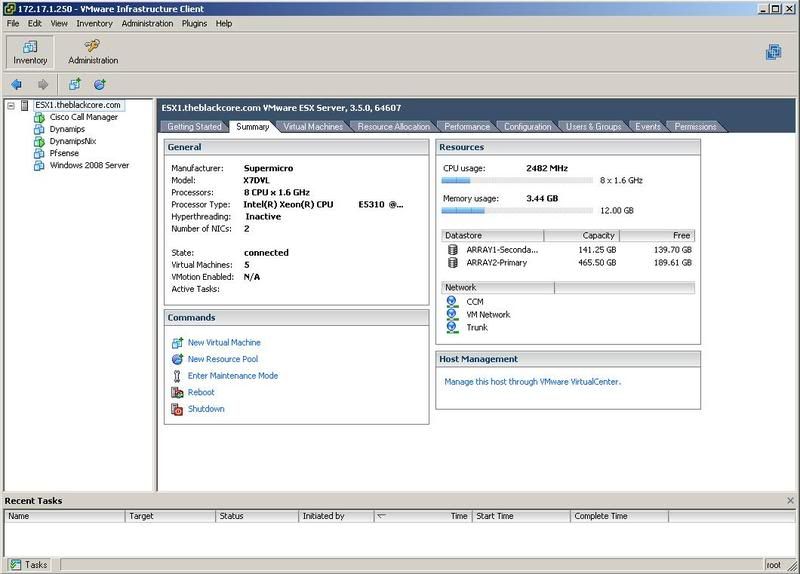
All my VMs haven't been inventoried yet :D
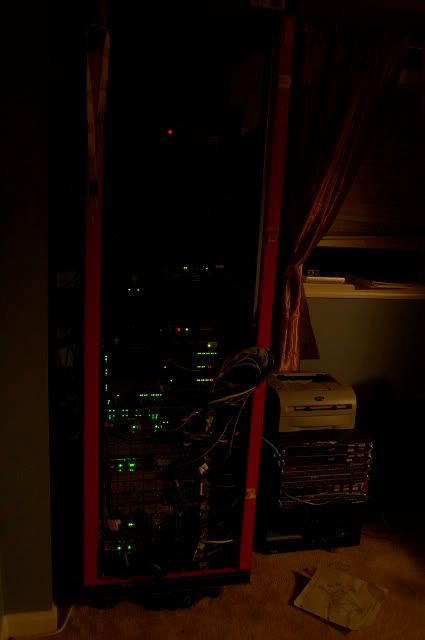
Yes, I know the rack looks pink.. its red ;) I snagged it from my roomate and plan on painting it sometime .

CCIE pod is back in business until December then moving to dynamips trunking to my switches to save more power. I need more network cards and a new server before that though :D
 
xphil3, that's less load than I thought all that stuff would pull. I'm guessing that 6506 isn't online yet considering the PSU's are pulled. Still haven't snagged 110's for it? Or did you finally say F it and get a 220 plug for that beast? GL on the CCIE, lucky bastard. :p
 
Wooo Nova. Where in? I live up in Annapolis, go to school in CP.
Fairfax area. I working here for awhile.

xphil3, that's less load than I thought all that stuff would pull. I'm guessing that 6506 isn't online yet considering the PSU's are pulled. Still haven't snagged 110's for it? Or did you finally say F it and get a 220 plug for that beast? GL on the CCIE, lucky bastard. :p

Still havne't gotten a PSU for it :eek: That will come soon. The load that you are seeing is with the CCIE pod NOT turned on. The electric bill here will be insane... My roomate also works for Cisco and is studying for the IE at the same time I am.... GRREAT.
 
Gotta love ESX. I posted my rack earlier in this thread but I will go head and post my Virtual Center Screenshot now.

vim.jpg
 
I put in the last of our server room stuff over the weekend. Basically this was moving all of the servers out of the two telco racks we have and into a new cabinet. Then the rest of the gear in the racks was redistributed to more evenly balance load on the UPSes.


Before:
IMG_0674.jpg


A before pick of the rats nest behind our two telco racks:
IMG_0673.jpg


Boxes of rail kits to be installed:
IMG_0675.jpg


Cabinet since last update:
IMG_0672.jpg


Servers going in:
IMG_0676.jpg


IMG_0677.jpg


Telco racks getting empty:
IMG_0678.jpg


Back of the rack (before wire management):
IMG_0679.jpg


Cabinet with sides still off:
IMG_0680.jpg


Cabinet with monitor stored:
IMG_0684.jpg


Bezels on:
cabinetfront.jpg


Rack reassembled:
IMG_0687.jpg


Side shot of the telco racks:
IMG_0681.jpg


A cleaner set of telco racks:
IMG_0682.jpg


Back side of cabinet:
IMG_0688.jpg


IMG_0689.jpg


IMG_0690.jpg


IMG_0691.jpg
 
Great! I wish I could show you guys my stuff! I've got 6 racks with over 5k nodes and numerous routers and switches all for testing fun! That dell rack all boxed up looks nice.
 
It pales in comparison to some of the 'home' setups in this thread, but for a 20yo student sharing a flat with 3 completely-non-technically-minded flatmates it's not bad!

I snagged the rack free over the summer (it's a telecoms rack so it's only ~40cm deep inside);
IMGP1685.jpg


There's an ADSL router out in the hallway (Thomson TG585v7), which my flatmates connect to wirelessly. I run a cat5 from that into the 'Internet' socket of my venerable Netgear RT314, essentially putting me on a separate subnet to the rest of the flat. One of the 10/100 ports on the Netgear is disychained with a crossover cable into the Zyxel Dimension GA-105A gigabit switch so that I can get gigE speeds between my desktop & laptop. The 24-port Allied Telesyn AT-FS742i is just serving as a shelf atm;
IMGP1686.jpg
 
Thought I'd share these here. 2 Intel dual-port 10GbE CX4 NIC's. I'm upgrading my SAN and ESXi box here at home.


10gbehu2.jpg
 
This pales in comparison to many of yours, but i thought i'd post it anyways. Mainly for my homemade rack ^_^

DSC08990.jpg


Its made out of "rokenbok" http://www.rokenbok.com/ which i stole from my brothers ^_^

modem->router->korean internet phone-> USA internet phone

THis is eveyrthing kinda sorta hooked up.
DSC08991.jpg
 
This pales in comparison to many of yours, but i thought i'd post it anyways. Mainly for my homemade rack ^_^

Its made out of "rokenbok" http://www.rokenbok.com/ which i stole from my brothers ^_^

modem->router->korean internet phone-> USA internet phone

THis is eveyrthing kinda sorta hooked up.


Yours is by far the best I have seen.
 
Back
Top