• Some users have recently had their accounts hijacked. It seems that the now defunct EVGA forums might have compromised your password there and seems many are using the same PW here. We would suggest you UPDATE YOUR PASSWORD and TURN ON 2FA for your account here to further secure it. None of the compromised accounts had 2FA turned on.
    Once you have enabled 2FA, your account will be updated soon to show a badge, letting other members know that you use 2FA to protect your account. This should be beneficial for everyone that uses FSFT.

NEC LCD2690

rao and davidc:
Thank you for your reply. The sound issues you experience would be a dealbreaker for me to of they were audiable. According hearing tests I've had, I have good hearing. I also have inherited migraine, so I am very sensitive to such noises myself.

I don't use a UPS or similar, but I have the screen (and the rest of my computer stuff) connected to a device to protect against lightning.

I hear sound, but only against vents (buzz and high pitched, but not loud) and it seems directional. Its not audiable even with ear against screen.

When it comes to pixel policy, NEC is weak. Look at HP's policy:
http://h10025.www1.hp.com/ewfrf/wc/...8895&cc=us&dlc=en&lc=en&jumpid=reg_R1002_USEN

It is possible for NEC to have a better dead/stuck pixel policy, when you look at HP's.

On the 2690 there are 6 912 000 subpixels and 2 304 000 whole pixels. Each have their tiny, little transistor that can die. So with 6 912 000 subpixels for each 2690, us consumers should be reasonable also and not demand the impossible. Odds for a full dead pixel however (3 subpixels dead of the same pixel) are not so large and there NEC should be able to deliver a zero full pixel defect warranty like HP and Eizo. Neither HP or Eizo have a zero dead subpixel policy. No screen of today is invulnerable against dead pixels. Not when you get it, and not after you had it for a while. Unless they start making some super transistors, its not going to happen.

rao: You should point out the dead pixel policy by other companies and ask for an exchange.

Both: Don't give up on the audio issue. There is a fix according to Travbomb. That means they know about the issues officially. Claim it wasn't fixed properly and ask for a refix. Make an audio recording as proof with a witness signed for this. That should stick properly in case of word against word. Consumer laws are at least good in Europe.

Others (like Rhydas): This screen is simply wonderful and worth exploring. Not a single european review site reviewer of this screen complained about noise.

NEC's dead pixel policy in Europe should be changed, but there are no screens regardless of brand that haven't been dead pixels on or are invulnerable to dead pixels (which means you can get it anyway later). Eizo CG221included.

Consider also that there is no report of crappy DVI/VGA inputs, functions like scaling that doesn't work properly, banding and other stuff. Lag issues should be mapped out though.
 
Tamlin_WSGF said:
Here is same average as you, though they again didn't get under 22 ms in their test:
http://www.digitalversus.com/duels.php?ty=6&ma1=52&mo1=149&p1=1606&ma2=52&mo2=95&p2=969&ph=12
Both tests differs much from Aquila76's benchmark again.
Nothing here is consistent. I wonder why?
The output in my test is synchronized to the refresh rate, so my results always show a difference of 16-17 ms per frame.

Aquila76 used a Flash timer on a web page, which isn't accurate enough for lag testing.

Tamlin_WSGF said:
Did you perform any tests with the sRGB function vs. changing one of the presets into 6500K and check if the gammut got changed from wide to regular?
Yes, choosing the sRGB setting desaturates the colors, but changing one of the presets to 6500K does not.
 
> rao: You should point out the dead pixel policy by other companies and ask for an exchange.

Unfortunatelly, the only answer I got, is that no other company has a better policy. They admitted, that this has been the case i the past, but are sure that now all other companies refer to the iso standard as well.

> ... There is a fix according to Travbomb.

even travbomb admitted, that it might be possible, that they cannot fix all kind of audio issues. it seems, that there has been audio issue, that has been far worse than what I experience. That one seems to have been fixed.

> Make an audio recording as proof with a witness signed for this.
I did. I posted a link here, and sent a recording with my first monitor to the repair center...

rao
 
> rao: You should point out the dead pixel policy by other companies and ask for an exchange.

Unfortunatelly, the only answer I got, is that no other company has a better policy. They admitted, that this has been the case i the past, but are sure that now all other companies refer to the iso standard as well.

> ... There is a fix according to Travbomb.

even travbomb admitted, that it might be possible, that they cannot fix all kind of audio issues. it seems, that there has been audio issue, that has been far worse than what I experience. That one seems to have been fixed.

> Make an audio recording as proof with a witness signed for this.
I did. I posted a link here, and sent a recording with my first monitor to the repair center...

rao


For what it's worth, I think the high pitched sound that I still have is at 207Khz. A harmonic?

David
 
ToastyX said:
Yes, choosing the sRGB setting desaturates the colors, but changing one of the presets to 6500K does not.

That's what I saw too. :) Doesn't it mean we can dummify the monitor for non-icc aware applications thats limited to sRGB color space then, or am I missing something?

Edit: check also my post here:http://www.hardforum.com/showpost.php?p=1030899204&postcount=828
I can't see why sRGB would be an disadvantage when displayed on this screen and also why wide gammut would be a disadvantage, considering 12-bit lut and 12-bit gamma correction to a 8 bit source with 8-bit output. You seem to have some knowledge in this area and it would be nice to get this clearified! :)
 
For what it's worth, I think the high pitched sound that I still have is at 207Khz. A harmonic?

David
I did not record the sound of my replacement monitor, since the noise was similar. But my first monitor had its base frequency at 191Hz. It had some (nice) harmonics, and was a clear peak in the spectral analysis. So I don't think that's a harmonic.
(you meant 207Hz, didn't you?)

rao
 
I did not record the sound of my replacement monitor, since the noise was similar. But my first monitor had its base frequency at 191Hz. It had some (nice) harmonics, and was a clear peak in the spectral analysis. So I don't think that's a harmonic.
(you meant 207Hz, didn't you?)

rao


Yes, 207khz (I think it was 207khz - but this involved humming the note of the 2690's hum until i could get it downstairs to our old piano - the piano said G Shrap.below middle C - but it's not quite in tune so the frequency I have found could be a little out). I don't understand any of the physics but I just wondered if it might be possible to have a more meaningful discussion with NEC if the frequency of the noise is identified and points to some particular cause. Do you know what would produce the 191/207khz frequency?

David
 
Yes, 207khz (I think it was 207khz - but this involved humming the note of the 2690's hum until i could get it downstairs to our old piano - the piano said G Shrap.below middle C - but it's not quite in tune so the frequency I have found could be a little out). I don't understand any of the physics but I just wondered if it might be possible to have a more meaningful discussion with NEC if the frequency of the noise is identified and points to some particular cause. Do you know what would produce the 191/207khz frequency?

David


OT: I took piano lessons for 3 years as a teen,and now have a better understanding of the noise you are trying to approximate,2: Last time I had a noise like that coming out of a pc part,it was a LCD screen that had the ps in it loose from its 'cage'.It was a 19" Benq,that
a customer brought in to be serviced last summer.

It was giving off a high pitched hum/ringing,whenever it was turned on,and running desktop aps.It got slightly louder as the screen warmed up during use.
 
OT: I took piano lessons for 3 years as a teen,and now have a better understanding of the noise you are trying to approximate,2: Last time I had a noise like that coming out of a pc part,it was a LCD screen that had the ps in it loose from its 'cage'.It was a 19" Benq,that
a customer brought in to be serviced last summer.

It was giving off a high pitched hum/ringing,whenever it was turned on,and running desktop aps.It got slightly louder as the screen warmed up during use.


That's interesting. Did it sound any different between Stand-By mode and full Power On? My 2690 is silent in Stand-By and its when it starts working with an image (and the 2690 light changes from orange to blue) that the noise comes on. I doubt though that the problem can be a loose fixing because the display has only just come back from being "Fixed". But whatever they did it didn't kill the noise.

David
 
Tamlin_WSGF said:
That's what I saw too. :) Doesn't it mean we can dummify the monitor for non-icc aware applications thats limited to sRGB color space then, or am I missing something?
The problem is it's not calibrated, and I can't calibrate the monitor to sRGB with SpectraView.

Tamlin_WSGF said:
Edit: check also my post here:http://www.hardforum.com/showpost.php?p=1030899204&postcount=828
I can't see why sRGB would be an disadvantage when displayed on this screen and also why wide gammut would be a disadvantage, considering 12-bit lut and 12-bit gamma correction to a 8 bit source with 8-bit output. You seem to have some knowledge in this area and it would be nice to get this clearified! :)
I read the post, but I don't understand what you're saying.

A 24-bit image with 8 bits per RGB channel consists of up to 16777216 colors. Both a regular display and a wide-gamut display are able to show the image with 16777216 colors, but if the image is designed for a regular display, which is what the sRGB color space is designed for, the wide-gamut display will display it incorrectly without correction. The problem is correction causes shades to be lost because the 16777216 possible colors the image can contain has to be compressed to a subset of the 16777216 possible colors the wide-gamut monitor can display, which ends up being maybe 13 million colors. If a color-managed program corrects the image, shades are lost before it gets sent to the monitor. The monitor can't magically get them back. The 12-bit lookup table is for calibration only. Gamma correction is done during the calibration process.

The problem Karl Lang talks about is another problem entirely, although an increased color depth would help both problems since more colors would be available.
 
The problem is it's not calibrated, and I can't calibrate the monitor to sRGB with SpectraView.

I haven't tried this option yet in spectraview profiler, but will later. :)


I read the post, but I don't understand what you're saying.

A 24-bit image with 8 bits per RGB channel consists of up to 16777216 colors. Both a regular display and a wide-gamut display are able to show the image with 16777216 colors, but if the image is designed for a regular display, which is what the sRGB color space is designed for, the wide-gamut display will display it incorrectly without correction. The problem is correction causes shades to be lost because the 16777216 possible colors the image can contain has to be compressed to a subset of the 16777216 possible colors the wide-gamut monitor can display, which ends up being maybe 13 million colors. If a color-managed program corrects the image, shades are lost before it gets sent to the monitor. The monitor can't magically get them back. The 12-bit lookup table is for calibration only. Gamma correction is done during the calibration process.

The problem Karl Lang talks about is another problem entirely, although an increased color depth would help both problems since more colors would be available.

I can see I wasn't clear enough. :)

This I understood already. Widegamut = larger space to fill, but same amount of dots (colors/16.7M) = larger distance between dots (CIE coordinates). Colorspace limited to sRGB, in wide gammut mode there will be more shades on a screen calibrated to sRGB and less on a WGD(since all 16.7M colors are mapped as shades within this space on an sRGB, and much of the wide gamut colors are already "mapped at the wrong place" outside sRGB on a WGD). This I also get.

However, will the screen have the option to display the same amount of shades if a remapping occur within the sRGB? Does the sRGB preset on the screen reduce the gamut without loss of shades?

Considering that many cameras, photoshop and other applications, even cheap printers of newer date for private consumers can use 16-bit (48-bit) colors, then there are many who uses 16-bits instead of 8-bits like earlier. It might prevent loss of colors and contrast in many cases where image might be converted to 8-bits later, and usage of 8-bits colors when you have 16-bits printer might not be the best option either. Even though there will be loss of shades in either case, wouldn't it be better to work with a screen that can map outside of sRGB then like a wide gammut screen? There will still be some loss of shades in the lowest end and in between shades (8-bit still), but an sRGB calibrated screen would loose all shades outside sRGB. And, if the NEC can be dummified to sRGB, wouldn't there be an advantage with the wide gammut then?

Edit: Nec also claims support for sRGB on this screen:
http://www.nec-display-solutions.co...__Specials,spec=x__uk__en,docId=211754,group=

I think we get a little of both worlds :D
 
SpectraView Profiler and SpectraView II are two completely different programs. Does SpectraView Profiler support hardware calibration? I'm using SpectraView II. Regardless, the sRGB option in both programs is for the gamma curve, not the color gamut.

I already described the problems:

1. In color-managed programs, sRGB content cannot be displayed accurately because shades are lost.
2. Outside of color-managed programs, everything is oversaturated.
3. The sRGB preset is not calibrated.
4. This monitor cannot be hardware calibrated to sRGB, which would solve the first three problems.

This monitor is not good if you need to work with or view mostly sRGB content because it can't be "dumbed down" with calibration. If I had known that, I would have gotten the 24" instead. I don't know how I feel about this monitor. The lag is also an issue for me.

I should also note that the only difference I see with overdrive on is there's slight colored trailing, so I'd rather have it off, but it's very mild compared to other monitors with overdrive. I don't see a difference in motion blur at all, but that doesn't bother me since motion blur is an inherent limitation of LCD technology. I see motion blur on every LCD monitor, but it's not that bad on this monitor, regardless of the overdrive setting.
 
The problem of compatibility of sRGB and wide gamut displays will be more acute in the future because there are more and more of WG displays from NEC, Dell, Acer, Samsung, etc.
 
That's interesting. Did it sound any different between Stand-By mode and full Power On? My 2690 is silent in Stand-By and its when it starts working with an image (and the 2690 light changes from orange to blue) that the noise comes on. I doubt though that the problem can be a loose fixing because the display has only just come back from being "Fixed". But whatever they did it didn't kill the noise.

David


Yes it did,it got progressively louder and higher pitched after it got to full power.I have rma'd many screens at work,but have only heard and seen this happen first hand once with a LCD,and it was on a Benq.If you had been within say,three feet or less,it was easily heard by the other techs in the office.I didnt record it,I just called our supplier after testing it myself,and got it rma'd.
 
Yes it did,it got progressively louder and higher pitched after it got to full power.I have rma'd many screens at work,but have only heard and seen this happen first hand once with a LCD,and it was on a Benq.If you had been within say,three feet or less,it was easily heard by the other techs in the office.I didnt record it,I just called our supplier after testing it myself,and got it rma'd.

Thanks. I don't think that this can be the same noise Rao and I are hearing. The sound I am hearing is exactly that recorded by Rao and posted on page 28 here:

LCD2690_3 (wav 1,7 MB)

What I don't understand is how some european 2690s are now totally silent according to their owners. Does this mean that it may be worth trying to get exchange mine for a new model?

David
 
SpectraView Profiler and SpectraView II are two completely different programs. Does SpectraView Profiler support hardware calibration? I'm using SpectraView II. Regardless, the sRGB option in both programs is for the gamma curve, not the color gamut.

I already described the problems:

1. In color-managed programs, sRGB content cannot be displayed accurately because shades are lost.
2. Outside of color-managed programs, everything is oversaturated.
3. The sRGB preset is not calibrated.
4. This monitor cannot be hardware calibrated to sRGB, which would solve the first three problems.

This monitor is not good if you need to work with or view mostly sRGB content because it can't be "dumbed down" with calibration. If I had known that, I would have gotten the 24" instead. I don't know how I feel about this monitor. The lag is also an issue for me.
I'm still debating between the 24" and 26". I prefer the 24" for the cost and I think the size will be better for me, but I prefer the 26" for the wider gamut, but this is where I'm confused.

Spectraview II calibrates the monitor. From what I understand, this is done independent of the video card, right?
Spyder II (or in my case, Monaco Optix XR Pro) calibrates the video card LUT profile to what the monitor displays.

So whatever you set your monitor to (sRGB or Adobe RGB), calibration occurs when you generate your video card LUT profile with your colorimeter, right? If so, then whenever you're using color aware programs, why can't you use the Adobe RGB combination (i.e., both the monitor @ARGB and the video card LUT profile that was generated when the monitor was set to ARGB) and whenever you're using non-color aware (and assuming it's sRGB content), then use the sRGB combination (i.e., both the monitor @sRGB and the video card LUT profile that was generated when the monitor was set to sRGB)?

As an extreme example, say point 100, 125, 150 = blue in sRGB space. That same point in ARGB would be, for the sake of argument, red. If you wanted blue, then perhaps the ARGB point would be 125,150,175. But if you matched the video card profile to the monitor LUT, then 100,125,150 would always be blue in sRGB space and, if you switched to ARGB space, then blue is always represented by 125,150,175.

I admit that I've never fully understood the benefits of Spectraview II. So someone please clarify this for me if they can.
 
Has anyone noticed any color or luminance inconcistancy with the screen on the 2690 that is noticable , And Im talkin about not realy looking for it , say while you were on [H] forum with its dark background , because you could find whatever you want if your realy looking for it.

Has anyone found this to be a dealbraker with the 2690? Is NEC addressing this concern ?
 
SpectraView Profiler and SpectraView II are two completely different programs. Does SpectraView Profiler support hardware calibration? I'm using SpectraView II. Regardless, the sRGB option in both programs is for the gamma curve, not the color gamut.

Spectraview support hardware and software calibration, and supposedly LUT calibration as well, though its greyed out in the demo version it seems. People have tried with different calibrations without any luck of accessing LUT calibration.

I already described the problems:

1. In color-managed programs, sRGB content cannot be displayed accurately because shades are lost.
2. Outside of color-managed programs, everything is oversaturated.
3. The sRGB preset is not calibrated.
4. This monitor cannot be hardware calibrated to sRGB, which would solve the first three problems.

This monitor is not good if you need to work with or view mostly sRGB content because it can't be "dumbed down" with calibration. If I had known that, I would have gotten the 24" instead. I don't know how I feel about this monitor. The lag is also an issue for me.

This is only partially true. There is no evidence supporting that shades are lost within the sRGB preset. There is however evidence that the screen is sRGB compatible. NEC themselves claims that too. Also in the manual (page 18):
"sRGB Color Control: A new optimized colour management standard which allows for colour matching on computer displays and other
peripherals. The sRGB, which is based on the calibrated colour space, allows for optimal colour representation and backward compatibility
with other common colour standards."
The Spectraview is also capable of calibrating the LUT of the GFX while the screen is in sRGB mode, and can also create a profile for color management as well. Even sRGB internet pages without color management should show everyting as sRGB then.
Its the backlight and the color filters that makes the 2690 capable of the larger gamut. Its the matrix that limits the shades to 0-255 per RGB. There is no indication or evidence that shows the NEC is not capable of using only partially of its total gamut, namely the sRGB in its preset, and are cutting of shades instead of displaying the full 16.7 M colors within the new, limited sRGB gamut.

So far, it looks like the screen has actually a "dumming down" preset.
Justifying the larger gamut however is controversial, but not without good points. Some reading about it is found here (the benifits of working in RGB color space vs. the sRGB color space).
Even though I'm limited to 8-bits with only 12-bits lut and gamma correction to pick out the "nearest" 8-bits with, why should I give away the option to actually see some of those deeper colors? Especially if I also have the option to "dummify" my screen to sRGB if wanted?
 
Even though I'm limited to 8-bits with only 12-bits lut and gamma correction to pick out the "nearest" 8-bits with, why should I give away the option to actually see some of those deeper colors? Especially if I also have the option to "dummify" my screen to sRGB if wanted?
Tamlin, what precisely is limiting you to 8-bits?

And how easy is it to "dummify" your screen? Isn't it a simple matter of going into the OSD, picking a colorspace and voila, sRGB?
 
Tamlin, what precisely is limiting you to 8-bits?

And how easy is it to "dummify" your screen? Isn't it a simple matter of going into the OSD, picking a colorspace and voila, sRGB?

The NEC is only capable of showing 256 (0-255) shades per RGB, which gives 256*256*256 = 16,7 M possible shades or colors (8-bit colors). The wider gammut makes it possible to have greater depth for the colors, but its still limited to the same amount of colors.

To "dummify" the screen to sRGB is only a matter of going into the OSD, choose sRGB preset and voila, sRGB as you say. :)
Recalibration of the preset however, requires a calibration of lut in the GFX in order to raise the color accuracy for normal use in programs that doesn't use color management. This is possible with most, if not all calibration programs and equipment, and doesn't require spectraview.
 
The replacement monitor arrived today.


Good news:

1. This one has no dead or stuck pixels. I saw what looked like a speck of dust or a lazy pixel in the upper-left corner, but it slowly faded away after rubbing it for a minute.

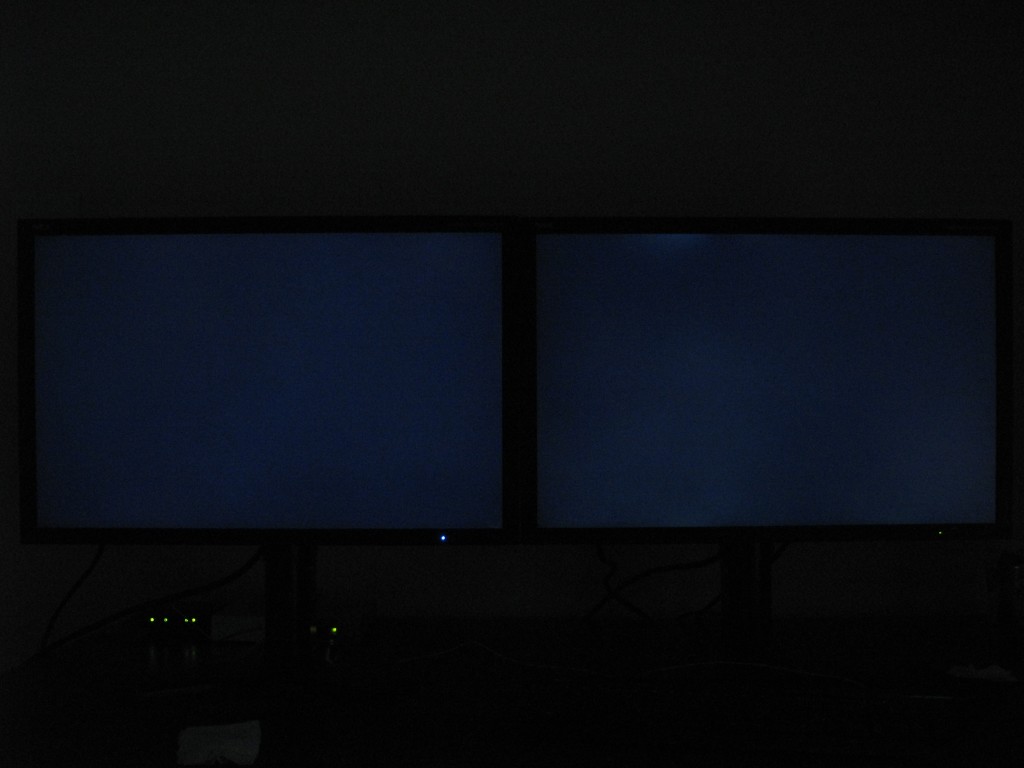
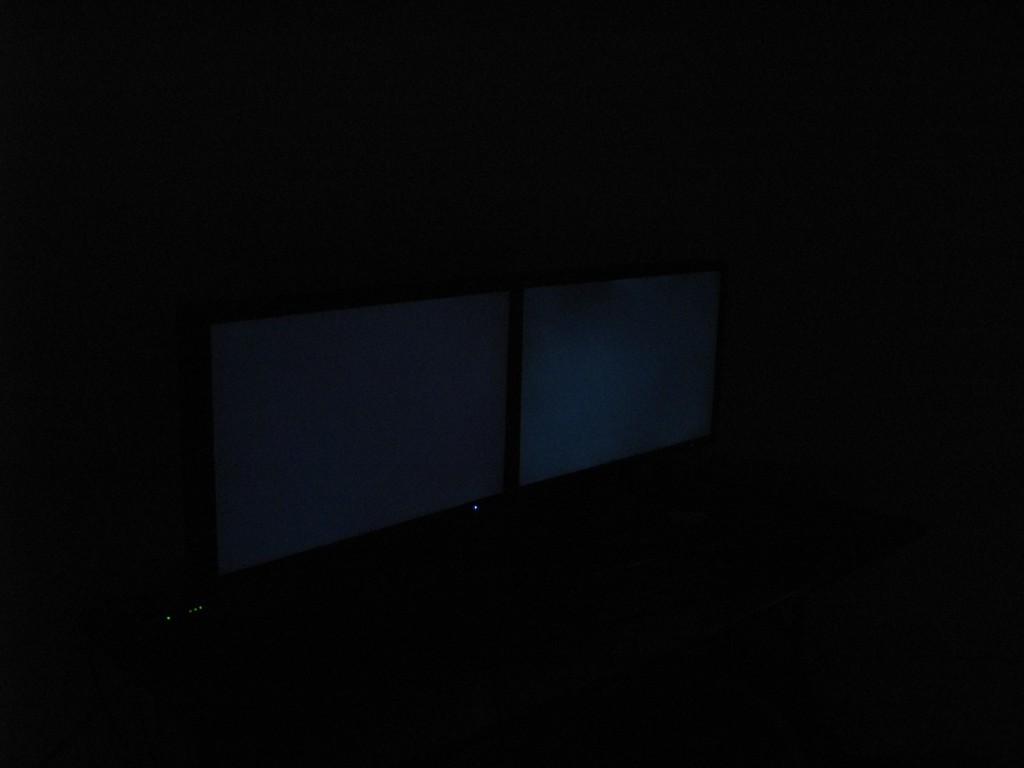
2. This one has significantly better backlight uniformity:


I also noticed something interesting when I happened to look at the monitors from an angle. The original is much worse at an angle than the replacement:


Bad news:

1. Although the replacement looks good in those pictures, it still has some backlight bleeding, especially in the bottom-right corner and along the top. It looks like there's too much pressure in the bottom-right corner, which is causing discoloration, while the top seems loose, which is causing variations in luminance. It's still not as good as my 20WMGX2 or the Eizo CE240W I tried. Heck, even the Dell 2405FPW was better.

2. This one also has the faint horizontal lines on the left side of the screen. What's the deal with these lines? They shouldn't be there. Does anyone else see them?

3. This one also won't go into standby mode when connected to my computer. I get a signal out of range message, which goes away after 45 seconds, and the backlight stays on.


Other observations:

1. One thing I didn't mention is I thought the black level was poor on the original, but I wasn't sure if it was supposed to be that way. The black level is noticeably better on the replacement. It is visually better because it doesn't degrade significantly at an angle like the original does. It is also measurably better. The best I could get with the original at 200 cd/m² was 0.39 cd/m², but usually it measured higher. The replacement can get down to 0.35 cd/m².

2. The power button on the replacement is tactile and clicks when pressed. The power button on the original feels mushy and doesn't click when pressed. I didn't realize that was a defect.

3. The sound in the top right is different on the replacement. It's more of a buzzing sound rather than a continuous cricket-like sound.

The replacement is revision 1E, and the serial number starts with 711. It looks like it was originally marked as revision 1A, but there's an ink blot over the E.


One thing that worries me is how much variation there is between the two units. I feel like I'm playing quality roulette. The replacement is noticeably better, but how do I know if that's the best it can be? Tamlin says his doesn't have the lines. Some say theirs has noise while others don't. Some have worse backlight bleeding than others. This bothers me very much. I've never seen so much variation between units with other monitors.

Now I have to decide whether I want to keep the replacement and try to get the problems fixed or just return them both and not deal with this crap anymore.
 
Tamlin_WSGF said:
There is no evidence supporting that shades are lost within the sRGB preset.
You seem to be missing every point I'm trying to make.

When using the sRGB preset, shades are not lost, but the monitor is not calibrated. The sRGB preset cannot be hardware calibrated. It can be calibrated through the video card, but that totally defeats the purpose of this monitor. I can do that with any monitor. Calibrating through the video card causes shades to be lost, which degrades the image. I got this monitor because it can be hardware calibrated, but now I know this monitor cannot be hardware calibrated to sRGB. That's not good if you need to work with or view mostly sRGB content.
 
The replacement monitor arrived today.


Good news:

1. This one has no dead or stuck pixels. I saw what looked like a speck of dust or a lazy pixel in the upper-left corner, but it slowly faded away after rubbing it for a minute.

2. This one has significantly better backlight uniformity:


I also noticed something interesting when I happened to look at the monitors from an angle. The original is much worse at an angle than the replacement:


Bad news:

1. Although the replacement looks good in those pictures, it still has some backlight bleeding, especially in the bottom-right corner and along the top. It looks like there's too much pressure in the bottom-right corner, which is causing discoloration, while the top seems loose, which is causing variations in luminance. It's still not as good as my 20WMGX2 or the Eizo CE240W I tried. Heck, even the Dell 2405FPW was better.

2. This one also has the faint horizontal lines on the left side of the screen. What's the deal with these lines? They shouldn't be there. Does anyone else see them?

3. This one also won't go into standby mode when connected to my computer. I get a signal out of range message, which goes away after 45 seconds, and the backlight stays on.


Other observations:

1. One thing I didn't mention is I thought the black level was poor on the original, but I wasn't sure if it was supposed to be that way. The black level is noticeably better on the replacement. It is visually better because it doesn't degrade significantly at an angle like the original does. It is also measurably better. The best I could get with the original at 200 cd/m² was 0.39 cd/m², but usually it measured higher. The replacement can get down to 0.35 cd/m².

2. The power button on the replacement is tactile and clicks when pressed. The power button on the original feels mushy and doesn't click when pressed. I didn't realize that was a defect.

3. The sound in the top right is different on the replacement. It's more of a buzzing sound rather than a continuous cricket-like sound.

The replacement is revision 1E, and the serial number starts with 711. It looks like it was originally marked as revision 1A, but there's an ink blot over the E.


One thing that worries me is how much variation there is between the two units. I feel like I'm playing quality roulette. The replacement is noticeably better, but how do I know if that's the best it can be? Tamlin says his doesn't have the lines. Some say theirs has noise while others don't. Some have worse backlight bleeding than others. This bothers me very much. I've never seen so much variation between units with other monitors.

Now I have to decide whether I want to keep the replacement and try to get the problems fixed or just return them both and not deal with this crap anymore.

Mine has no backlight bleeding.
No faint horizontal lines on the left side of the screen.(check the video card also for the standby mode)
No click in the power button.
No sound from parts inside the monitor.
No dead pixels. rev: 1AE serial start 710 silver/white. European version.
There must be good ones.???
I have the monitor 5 weeks om my desk and i love the screen for its quality.
I play no games and use the screen most for photoshop, internet and HD-movies.
I hope you get a good one and hope mine stays good after reading this.
 
hopla said:
Mine has no backlight bleeding.
No faint horizontal lines on the left side of the screen.(check the video card also for the standby mode)
No click in the power button.
No sound from parts inside the monitor.
No dead pixels. rev: 1AE serial start 710 silver/white. European version.
There must be good ones.???
I have the monitor 5 weeks om my desk and i love the screen for its quality.
I play no games and use the screen most for photoshop, internet and HD-movies.
I hope you get a good one and hope mine stays good after reading this.
Then why do I keep getting all the bad monitors? It doesn't matter which company it is. I've gone through many different monitors from various companies. People claim they don't have the problems I see in replacement after replacement. How can that be?


p-n-p said:
ToastyX , is yours a Spectraview2 Or a "plain" 2690?
They should both be the same, so it doesn't really matter. The original came with the SpectraView II software and colorimeter, but the replacement didn't since the original was fine.


The replacement PS3 also arrived yesterday, so I had a chance to play around with it some more.


Good news:

1. With the PS3, black is #101010, which washes out the colors, but this monitor can can compensate by setting the black level to 112.

2. This monitor detects 480p as 720x480, so the aspect ratio is wrong, but custom scaling can fix this. For 4:3 480p, set H.ZOOM to 2.22 and V.ZOOM to 2.50. That will make it 1598x1200, which is close enough to 1600x1200.

3. With custom scaling, this monitor can do 16:9 480p! This is something that can't be done with most other monitors. For 16:9 480p, set H.ZOOM to 2.67 and V.ZOOM to 2.25. That will make it 1922x1080, which is close enough to 1920x1080.

4. This monitor remembers the sharpness setting individually for each resolution, so you can increase the sharpness for 480p to make it less blurry or decrease the sharpness for 1080p for free antialiasing.


Bad news:

1. In 720p, I can see tearing at the top of the screen. This is only visible with moving content, so it's not always noticeable. Edit: This turned out to be the game itself (MotorStorm), not the monitor.

2. In 480p, I can see a line of tearing travel slowly up the screen from time to time. This is very distracting as you can imagine. I tried playing with scaling and other options, but nothing made a difference.

3. When I try to switch inputs, it "misses" the PS3 half the time. I have to set the "video detect" option to "none" to be able to switch to the PS3 consistently.


Don't manufacturers test this stuff? I'm tired of monitors having basic problems with external devices. The 20WMGX2 is actually worse at this, yet I never see anyone complain about it.
 
thanks a lot marylin.
even if that's bad news for me, because I would have been less frustrated, if I knew, that all units were affected. but knowing that NEC handles noise issues like dead pixels is a bit sad. so one might be lucky and get a silent unit. if we are even more lucky, the issue might have been fixed with revision 4B. so if there is anybody who has a revision 4B or higher and is able to hear any noise out of his monitor it would be really interesting.

rao

The hum contiunues. I asked NEC UK for a new replacement 2690 - they refused to give me one and offered me only a reconditioned model or another repair effort on my existing 2690. Since my existing model has already been through the noise "fix" and the hum remains (exactly as you recorded it) and a NEC technician passed it as ok, there seems to me zero point in going through this process again or swapping my current display for one which will almost certainly have the same hum and may have who knows what other problems. To make matters worse, the customer service person I spoke to was abrupt and frosty, at one point describing my understanding of the nature of the official "fix" as "rubbish".

I wish I had not bought this display. All I can do is try to sell it.

David
 
when calling a callcenter,and encountering someone in a bad mood/or just unable to be empathizing with the customer,I say thanks,and hang up,just to call again in a minute or so,hoping this time I come to someone nicer.
Up to now this tactic has a ~75 percent success quote :)
for the missing 25percent,there is always the option,to ask for the name,and then demand to speak someone higher in ranks !

I wouldnt rest and try to sell this monitor,not before I tried to use all options available.
and this is calling nec as often as it takes,and talking to as many people until they offer you a replacement or somekind of offer,so you dont have to look every day at this monitor with regrets&anger.

As sorry Im for you,David ,as glad Im on the other side, to read all this here...my decision is becoming easier and easier... eizo it will be !!

alone the fact ,that NEC.us is soooo friendly to its customers over there ,but treating us here in the .eu as 2nd class customers,is one big point to to give nec-products here in the .eu a wide berth !

its a pitty noone from NEC.eu is reading this forum,...but I guess even so,they wouldnt care that much...
 
when calling a callcenter,and encountering someone in a bad mood/or just unable to be empathizing with the customer,I say thanks,and hang up,just to call again in a minute or so,hoping this time I come to someone nicer.
Up to now this tactic has a ~75 percent success quote :)
for the missing 25percent,there is always the option,to ask for the name,and then demand to speak someone higher in ranks !

I wouldnt rest and try to sell this monitor,not before I tried to use all options available.
and this is calling nec as often as it takes,and talking to as many people until they offer you a replacement or somekind of offer,so you dont have to look every day at this monitor with regrets&anger.

As sorry Im for you,David ,as glad Im on the other side, to read all this here...my decision is becoming easier and easier... eizo it will be !!

alone the fact ,that NEC.us is soooo friendly to its customers over there ,but treating us here in the .eu as 2nd class customers,is one big point to to give nec-products here in the .eu a wide berth !

its a pitty noone from NEC.eu is reading this forum,...but I guess even so,they wouldnt care that much...


Life is too short to go on hastling with these people. I will probably give the NEC to my son and buy a Dell 2707.

David
 
my budget is that non existent,that I have to stick to my decision for the next few years...
so I would call as long as my ear wont fall off :)

I wished I had done more research ,years ago,before buying a sony trinitrion monitor... if I recall correctly I got hmmm 2 there 3 in mind.. okay 6 replacements in total :)

and the last one had exactly the same issues like the first one..
good thing I got an extended warranty,without it I would only got maybe 4 replacements :)

havent read any horror stories about eizo so far,hope I will not be the first one to write such a story :))

@david : why are you getting a dell and not an eizo ?
 
Then why do I keep getting all the bad monitors? I


Karma ?? :eek: I dont know,I have long believed you are what you eat,and misery loves company,and karma is a B (then again,I am also a Buddhist).

I also do not believe in coincidences,at all.Having said that,sell it,or,keep pushing for a another one.But..given your 'luck' you might end up with another unit that is not to your liking.
 
Karma ?? :eek: I dont know,I have long believed you are what you eat,and misery loves company,and karma is a B (then again,I am also a Buddhist).

I also do not believe in coincidences,at all.Having said that,sell it,or,keep pushing for a another one.But..given your 'luck' you might end up with another unit that is not to your liking.

Manny, deep man, deep! LOL!
 
I recently took delivery of a new NEC LCD2690WUXi in Australia. It is the euro version
REV:34 B

There seems to be NO noise and one dead pixel at the bottom RHS corner.

BACK LIGHT BLEED ! :mad:
Here are some images of the BACK LIGHT BLEED which is the problem.
http://www.pixelplay.com.au/nec/
When sitting infront of the monitor the screen has a magenta hew at the bottom left hand corner 15+ cm towards the centre. This was confirmed once using the NaViSet software test, using the black background test pattern. As you can see this increases as the viewing angle changes. The main problem that it is noticable in the normal viewing position.
I have the monitor profiled with the Luminance set to 120
PLEASE NOTE these images are of the same monitor, I am hoping that this problem does not represent a majority of the new NEC 2690 out there.
I will be sending it back to NEC on Monday.

To those who have the monitor do the NaViSet test for yourself and see the results.

Cheers

Still trying to get some answers to the above. It seems that the blotchy colour background is caused by panel warp.
http://www.pixelplay.com.au/nec/
 
From what I can tell Europe is getting all the defective units.....maybee thier getting all the US returns:D ......Just kidding.

I am curious if anyone in the US is experencing this deformed screen/ bleed through and how bad it affects performance if NEC wont RMA your fouth unit .

Im still interested in a 2690 , but Im going to hold on another month or so untill I see some issues cleared up , and some more positive feed back .
 
@david : why are you getting a dell and not an eizo ?[/QUOTE said:
Eyesight and cost: I want to get a res of 1920x1200 on a larger screen to get more readable internet text, this means either a 26" or 27" and Eizo don't make one. Also Dell 27" = £880, Eizo 24" = £1400.

I will also consider the new Samsung 27" which is not available yet.

I made a big mistake getting the NEC - though it was not my fault - and I am paying for it. I now doubt there are any silent 2690s.

David
 
Manny Calavera said:
Karma ?? :eek: I dont know,I have long believed you are what you eat,and misery loves company,and karma is a B (then again,I am also a Buddhist).
I think it's more likely that a lot of these monitors have problems, especially considering others have gone through replacements for the same problems.


p-n-p said:
I am curious if anyone in the US is experencing this deformed screen/ bleed through and how bad it affects performance
I'm in the US. The backlight bleeding on the original affected the black level and degraded significantly at an angle. The replacement is much better and is actually usable, but it's still not uniform.
 
Karma ?? :eek: I dont know,I have long believed you are what you eat,and misery loves company,and karma is a B (then again,I am also a Buddhist).

I also do not believe in coincidences,at all.Having said that,sell it,or,keep pushing for a another one.But..given your 'luck' you might end up with another unit that is not to your liking.

Interesting... I like to think that things happen for a reason too (or at least try to see the glass as half full), so I hope my getting 3 bum 2690 replacements in a row was so that I could do a thorough review of NEC tech support. :D

ToastyX said:
1. In 720p, I can see tearing at the top of the screen. This is only visible with moving content, so it's not always noticeable.

2. In 480p, I can see a line of tearing travel slowly up the screen from time to time. This is very distracting as you can imagine. I tried playing with scaling and other options, but nothing made a difference.

Could be drivers. I noticed this behavior in some games (HL2 that I recall for certain) while playing around with some nV betas. VSync was on (I never have it off).

Nice to see another use for custom scaling - I love it for getting my nostalgia fix on the 'ol DOS box.

Edit: Oh yeah. Definitely have a look into drivers. I Just watched a bit of video on the new FW 158.19 release and the tearing line is plain to see. I'm going back to an earlier build that doesn't do this.
 
Eyesight and cost: I want to get a res of 1920x1200 on a larger screen to get more readable internet text, this means either a 26" or 27"

Getting monitor with bigger dot-pitch / pixel size because of internet text readability is IMHO plain stupid (no offense here) - of all text on your screen Internet text is easiest to adjust - it only takes "Ctrl" + "+" to change it on fly (or you can define it in the options, or user style sheet). If you'd said some other (valid) reason for bigger dot-pitch, I'd understand, but I really can not think of less necessary reason than Internet readability.
 
Back
Top