• Some users have recently had their accounts hijacked. It seems that the now defunct EVGA forums might have compromised your password there and seems many are using the same PW here. We would suggest you UPDATE YOUR PASSWORD and TURN ON 2FA for your account here to further secure it. None of the compromised accounts had 2FA turned on.
    Once you have enabled 2FA, your account will be updated soon to show a badge, letting other members know that you use 2FA to protect your account. This should be beneficial for everyone that uses FSFT.

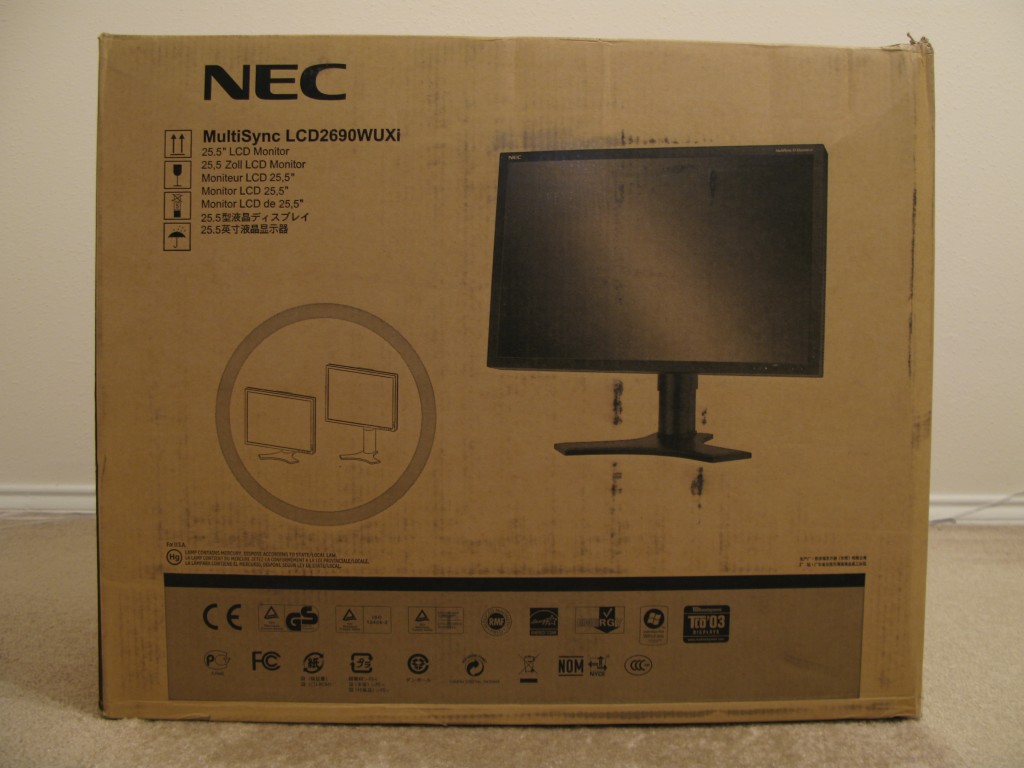
NEC LCD2690

I had 2690 WUXI. Now I have Dell 2407 Rev.4 In my opinion NEC totally isn't worth those extra money. Better get two dells 2407 for that price like I did. Dell is much more helpfull when you have any problems with panel (dead or stuck pixels) it's much lighter than Nec and take less desk space. Plus you'r not risking any noise probelms etc. About the colors etc...I'm worikng as 3d 2d graphic and really don't see any difference. Anyway if you really need colors you got only one choice and it's note NEC but Eizo, but than the price is going up much more. For me Dell all the way.
 
I'm surprised you'd want a 24" over a 27". Remember a 27" can display two 8 1/2" x 11 pages fully at native resolution.
 
hmm... and how is that if it has the same resolution and bigger pixel pitch?!. It's like comapring 19" to 17" I gain nothing exept if you have really bad eyes 19 might be easier on them. But between 24 and 26 ?? comon The size is already huge.
 
Can anyone summarize this thread for me regarding the problems?

I intend to purchase two LCD2690 or two 2707WFP for office work (non-gaming/photo editing)

My dual 2407WFPs give me headache and painful for eyes - I blame it on the pixel pitch - I prefer my S-MVA 19" monitors to my 2407WFPs
 
Can anyone summarize this thread for me regarding the problems?

I intend to purchase two LCD2690 or two 2707WFP for office work (non-gaming/photo editing)

My dual 2407WFPs give me headache and painful for eyes - I blame it on the pixel pitch - I prefer my S-MVA 19" monitors to my 2407WFPs

The issues have been resolved and if you are in the US there never really was much of a chance of any problems. You will be better off with the 2690 since it uses an S-IPS panel and as we all know they are the best of the best.
 
Travbomb, could you answer this question.

Did I read correctly that US NEC will replace if you have 1 dead pixel - very important to me and I would buy for this reason alone if true.
 
The dead pixel falls under NEC USA's dead pixel policy. All it takes is one. Where are you located?

I cannot find anything on NEC's website to validate your statement. To the contrary, they say that they adhere to the policy for Class II displays, where 1-5 dead pizels are considered acceptable.

http://www.necdisplay.com/SupportCenter/Monitors/FAQ/?Page=faq2.htm#25

If you go to the question in their FAQ, "Why do I have a dead pixel", they clearly state they follow the guidelines for Class II displays.
Do you have additional information from NEC tech support to substantiate that they will replace a display with 1 dead pixel?
 
I just cannot see Nc replacing a display for one out of 2+ million....they'd be replacing all of the screens they ship over time,as most LCD's develop stuck or dead pixels over time.
Still 1-5 is fairly good.
 
It's not possible to hardware calibrate the standard 2690WUXI with the SV Profiler (EU version). You can hardware calibrate genuine SpectraView 2690 displays only. NEC Europe did dongle this software to genuine SpectraView units. That’s what I call a BAD JOKE.

! #714 !
04-06-2007, 10:41 PM
van_der_goes n00bie
!
Have anyone tried to calibrate the Eu version with the Spectraview II software (american version)? Could it work?

! #715 !
04-06-2007, 10:47 PM
Montechristo n00bie
!
I've tried it and it works with SVII (US) like a charm.

Hi Montechristo, is it confirmed that the US version of SVII will work on most 2690WUXI, I live in Australia so I am not sure if the pannel is the europe or US version.
I am about to purchase the SVII software from the US and would like to know if there were any complications with using the hardware calibration settings that are normally greyed out on the SV Profiler?
Thank you For your help
 
Travbomb, could you answer this question.

Did I read correctly that US NEC will replace if you have 1 dead pixel - very important to me and I would buy for this reason alone if true.

NEC in the US adheres to the ISO standard. So to answer your question no. I am not aware of anyone in the US who does that.
 
NEC in the US adheres to the ISO standard. So to answer your question no. I am not aware of anyone in the US who does that.

Whenever I part with $1,500+, I simply expect perfection. This is why I just cant justify purchasing the 2690 without that pixel guarantee.

Too bad because Im planning to purchase soon.
 
No company will ever offer that ( zero dead or stuck pixels ) as a standard on any regular LCD screen.Maybe if a person would be willing to cough up 5k or more...

Only way to get it,is to buy pixel insurance from a VAR like NCIX. ;)
 
I am about to purchase the SVII software from the US and would like to know if there were any complications with using the hardware calibration settings that are normally greyed out on the SV Profiler?
Thank you For your help

I have successfully calibrated my 2690wuxi with SpectraView II.
The result in the gray gradient is much better than with SV Profiler - no more red or green hues.
Average DeltaE 0.37 with dark values, 0.25 without.
 
No company will ever offer that ( zero dead or stuck pixels ) as a standard on any regular LCD screen.Maybe if a person would be willing to cough up 5k or more...

Only way to get it,is to buy pixel insurance from a VAR like NCIX. ;)

That is not true. Viewsonic have a zero dead pixel policy as standard on their lcd monitors.
 
I agree completely. I will NOT buy from a company that thinks it's OK for me to fork over $1,000+ dollars to stare at one red pixel forever. Zero dead pixel policies are way overdue. We need to demand them as consumers. When I buy a new display it had better have all pixels working.
 
I have successfully calibrated my 2690wuxi with SpectraView II.
The result in the gray gradient is much better than with SV Profiler - no more red or green hues.
Average DeltaE 0.37 with dark values, 0.25 without.

hi,

can you give us a hint, how you managed to get SVII in Europe?

rao
 
Could you please post where you are getting this info from. I am pretty sure this is a false statement.

Yep, no company will give you zero dea pixel policy on all models, if so there are always some catch. So I will repeat it's all about comapny. From my experience only the biggest chances that you will be able to return your monitor is with DELL. That's it!
 
Could you please post where you are getting this info from. I am pretty sure this is a false statement.

Well, in Australia Samsung offer zero dead pixels for the full 3 year term of the warranty of most of their monitors. http://erms.samsungelectronics.com/...SITE_ID=41&PG_ID=1&AT_ID=25057&PROD_SUB_ID=28

Viewsonic offer 30 days zero dead pixel policy for their entire range.
http://www.viewsonic.com.au/kbase/article.php?id=5

Dell offer 15 day 100 percent satisfaction guarantee and other companies offer 7 days 100% guarantee which includes dead pixels. It's all summarized here: http://forums.whirlpool.net.au/index.cfm?a=wiki&tag=rmp_mon

Would be nice to see NEC jumping on the bandwagon. I'd at least like to see a short period after purchase including a zero dead pixel policy, especially on monitors that have a price tag like this one.

I'm ringing NEC Australia tomorrow to find out what their warranty and pixel policy is for this monitor. Hopefully they can help me out because if they can't I'm not buying it.
 
Well, in Australia Samsung offer zero dead pixels for the full 3 year term of the warranty of most of their monitors. http://erms.samsungelectronics.com/...SITE_ID=41&PG_ID=1&AT_ID=25057&PROD_SUB_ID=28

Viewsonic offer 30 days zero dead pixel policy for their entire range.
http://www.viewsonic.com.au/kbase/article.php?id=5

Dell offer 15 day 100 percent satisfaction guarantee and other companies offer 7 days 100% guarantee which includes dead pixels. It's all summarized here: http://forums.whirlpool.net.au/index.cfm?a=wiki&tag=rmp_mon

Would be nice to see NEC jumping on the bandwagon. I'd at least like to see a short period after purchase including a zero dead pixel policy, especially on monitors that have a price tag like this one.

I'm ringing NEC Australia tomorrow to find out what their warranty and pixel policy is for this monitor. Hopefully they can help me out because if they can't I'm not buying it.

Thanks for that info. I would still like to see this in writing for the US.
 
Thanks for that info. I would still like to see this in writing for the US.

As you should. Waranties and dead pixel policies are usually completely different in the US, and different again in Europe, but the product hasn't changed. Still would like to see some dead pixel coverage; any time period will do just as long as it gives me time to whip the monitor out of the box and turn it on, let's say 16 and half minutes after delivery.

US Samsung dead pixel policy is in stark contrast to Australian and can be found here:
http://erms.samsungusa.com/customer...PG_ID=1&AT_ID=5608&PROD_SUB_ID=28&PROD_ID=133

Dunno about the US viewsonic one but sounds like it's similar to the Aus one.
 
I know for sure that also Eizo here in Italy on high end models (S2110W,S2410W, CE and cg series,...) offers a zero dead pixel warranty.
 
I assume the 2690 is NEC's "highest end" monitor. If that is the case, then why not have a zero defect/zero dead pixel policy - at least for the first 15-30 days.

I would say you would sell out your high end product quite fast and secondly, most businesses wouldnt care about the dead pixels anyway. So the few ones that we enthusiasts return due to a few dead pixels, just ship them off as replacements to businesses anyway.

AND since you think no one else in the US has a zero default, what a major selling point! Your profits on units sold would far exceed any costs associated with returned units.

OR have a special zero dead pixel warranty for hardforum members only!

Come on Travbomb, you know we are right!
 
I assume the 2690 is NEC's "highest end" monitor. If that is the case, then why not have a zero defect/zero dead pixel policy - at least for the first 15-30 days.

I would say you would sell out your high end product quite fast and secondly, most businesses wouldnt care about the dead pixels anyway. So the few ones that we enthusiasts return due to a few dead pixels, just ship them off as replacements to businesses anyway.

AND since you think no one else in the US has a zero default, what a major selling point! Your profits on units sold would far exceed any costs associated with returned units.

OR have a special zero dead pixel warranty for hardforum members only!

Come on Travbomb, you know we are right!

That would convince me to to plop down 16 hundy for a little 26.
 
I emailed our Viewsonic rep at work,and was told it varies by country,and even then its
only for the first 30 days.Eizo seems to be very good,but for the prices they charge no fucking wonder... :D

Nec is great and very lenient as well,depending on the model bought.I am not to sure about LG,but figure it varies by country as well,just like the competetion does.Samsung
offers excellent cs,that I know,as I have had personal expirience with them and a CRT
I bought (955 DF)

It died and they offered to replace it with a NIB 915n,and shipped it to me 2 day air at
no cost.
 
I was under the impression that Europeans could return their product within 14 days of receipt of product for any reason whatsoever, which includes dissatisfaction with one dead pixel? Unfortunately, us Americans don't have that protection.
 
I agree completely. I will NOT buy from a company that thinks it's OK for me to fork over $1,000+ dollars to stare at one red pixel forever. Zero dead pixel policies are way overdue. We need to demand them as consumers. When I buy a new display it had better have all pixels working.

Yep, way way way overdue. For "top of line" LCDs like the 2490 and 2690, NEC should have a 15-30 day zero dead pixel policy in place for enthusiasts imo!

Yep, no company will give you zero dea pixel policy on all models, if so there are always some catch. So I will repeat it's all about comapny. From my experience only the biggest chances that you will be able to return your monitor is with DELL. That's it!

Yep, I think Im going to have to go with a lesser quality Dell to ensure no dead pixels because of the 100% satisfaction guarantee...not sure if I have any other choice (or Costco).

Travbomb....let me ask....would you like to stare at a white spot on your black screen knowing you just spent $1,600 on a supposed "top of line" NEC 2690?

NOT!
 
ChakkaSol,why not just buy insurance from a var that offers pixel insurance ? Thats what I did recently with an order I placed at NCIX here in Canada,for two Nec 24" lcd's.Its not too expensive all things considered.Just a suggestion is all.... :)
 
ChakkaSol,why not just buy insurance from a var that offers pixel insurance ? Thats what I did recently with an order I placed at NCIX here in Canada,for two Nec 24" lcd's.Its not too expensive all things considered.Just a suggestion is all.... :)

Im in the states but Ill go there...not really familar with them. Manny its just that NEC should warrant 100% satisfaction for their top end monitors otherwise its not really top end imo.
 
Im in the states but Ill go there...not really familar with them. Manny its just that NEC should warrant 100% satisfaction for their top end monitors otherwise its not really top end imo.


NCIX are really great with pricing and excellent with customer service as well ! I have never dealt with a computer store that has such lenient price matching !

They will price match stuff that the comp's url/store,lists as OOS.And the pixel insurance they offer,is fairly reasonable all things considered.Give them a ring,and ask them. :)
 
Good news:

The monitor finally arrived!

It is indeed the SpectraView version with the SpectraView II software and colorimeter inside the box.


Bad news:

1. There's definitely some lag. I'm extremely sensitive to lag, so it's the first thing I noticed. It's not as bad as the Samsung 244T, but it's worse than the 20WMGX2, which is disappointing. Monitors shouldn't lag like this. I haven't done a timer test yet, but it feels like about two frames, which would be around 30 ms. Yes, after trying several monitors, I can estimate by feel. The 20WMGX2 only lags behind by one frame on average, which is around 15 ms. That doesn't bother me, but 30 ms does. I tried turning on overdrive and playing with other settings, but nothing made a difference. I shouldn't have to live with this.

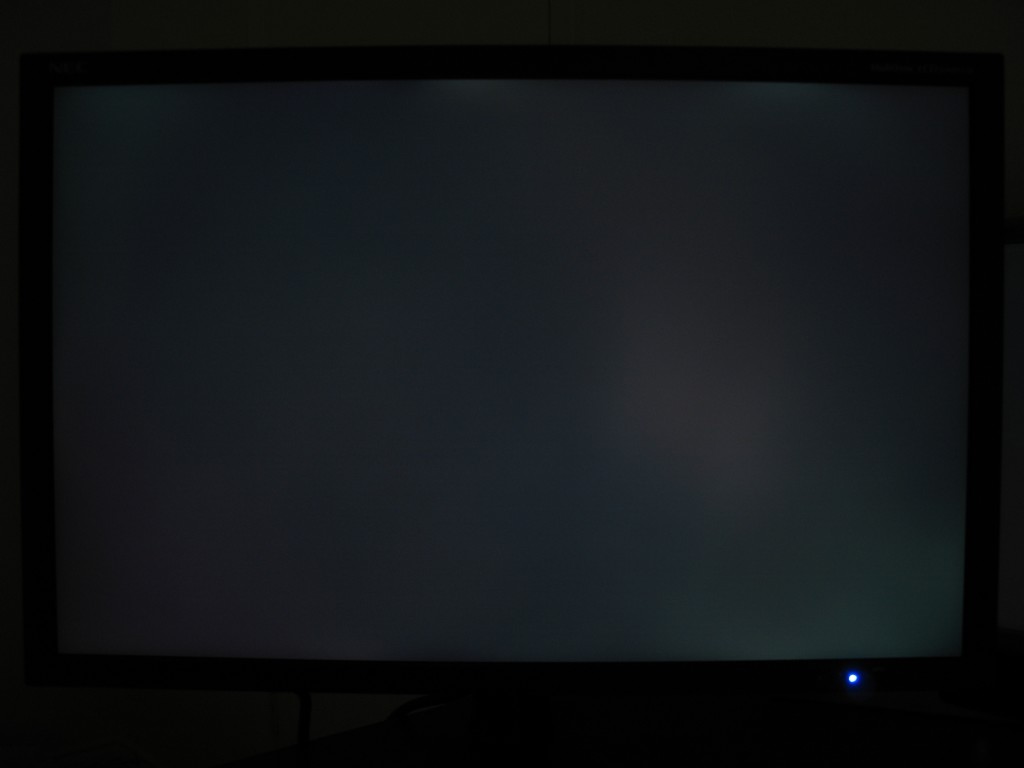
2. There's backlight bleeding:

That's simply unacceptable for a color-critical monitor. I hope that's bad enough for a replacement, but what if the replacement is the same way? I don't want to keep swapping monitors.

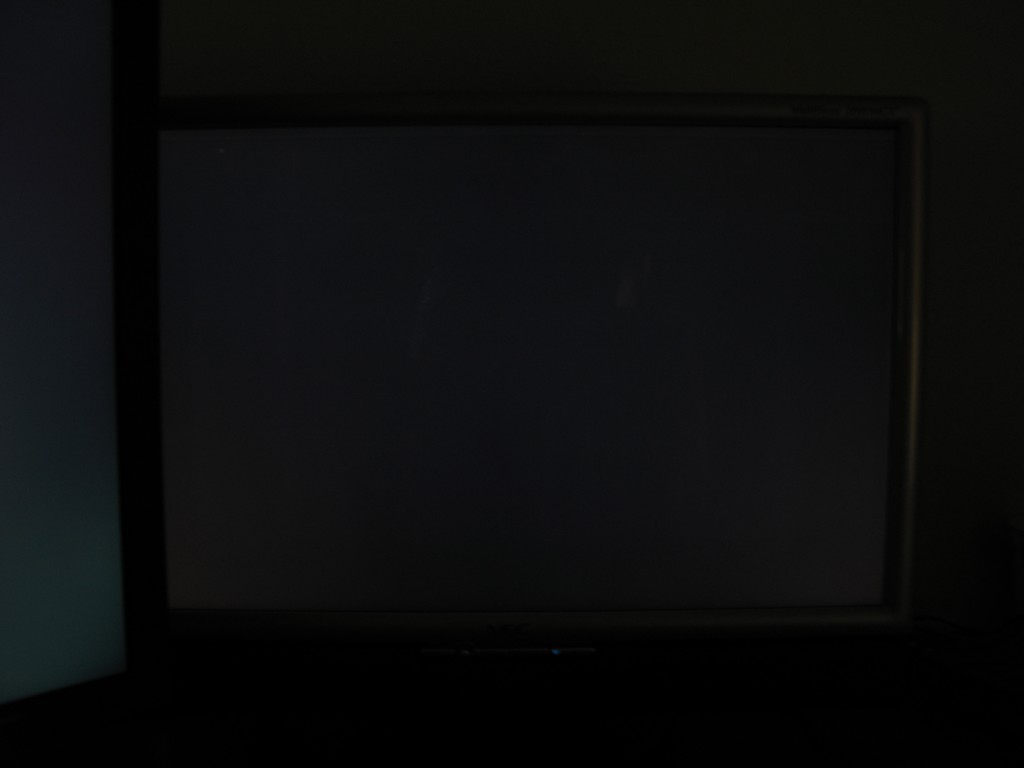
To show my camera is not greatly exaggerating the problem, here is my 20WMGX2 with the same camera settings:


3. There are three dead/stuck pixels.

Dead green subpixel (in the bottom-right corner):


Dead red subpixel (near the top, just right of center):


Stuck green subpixel (in the middle, just left of center):


Other initial observations:

1. The colors are oversaturated, especially green and red. Red is retina-burning intense, and magenta looks like a shade of hot pink I've never seen on a monitor before. This is probably a side-effect of the larger color gamut, but that means everything is being displayed incorrectly outside of color-aware applications since the monitor is not sRGB. The SpectraView software doesn't seem to let me "dumb down" the monitor to sRGB. The monitor itself has an sRGB option, but that's without calibration. I don't know why SpectraView doesn't have an option for this.

2. I can see extremely faint horizontal lines on the left side of the screen. The lines are so faint that I'm not sure most people would be able to see them even if I pointed it out to them, but I'm extremely sensitive to visual detail. For some reason, it only seems to affect the left side of the screen. I don't know if this is a defect in my particular unit or if they're all like that.

Interestingly, I've seen similar lines in other monitors. On the 20WMGX2, if the sharpness is greater than 8.3%, I can see similar lines in horizontal gradients, except the lines are vertical instead of horizontal. At 8.3%, the lines go away. On the 2690, the sharpness doesn't affect the lines. I've also seen similar vertical lines on the 23" Apple Cinema Display with greenish-blue (aqua) colors, except the lines are more visible.

To give you an idea of what I mean, here are a couple of links about the problem on the 23" Apple Cinema Display:

http://homepage.mac.com/jc.campagne/blue/index.html
http://discussions.apple.com/thread.jspa?threadID=910187

I can also see a different variety of horizontal lines on a black screen, but I've seen that on every monitor with an S-IPS panel, except the lines are vertical instead of horizontal.

3. There's a soft, continuous cricket-like noise coming from the top near the right side, but I'm not sure if that's really a problem since it's not that loud.

I have revision 4B, and the serial number starts with 721, if that means anything.


Good news:
I hooked up a PS3, and the monitor supports 1080p with proper scaling!

Bad news:
The PS3 crapped out a couple of minutes later. Now I get a red blinking light when I try to turn it on, but that has nothing to do with the monitor.


Looks like it's RMA Tuesday for me.
 
I was going to post a question as to why there are no NEC 27/30 inch monitors,but I know the answer now, to many pixles to worry about. Im sure a consumer 30 would cost 2200+.

6 mos. ago I was eyeballing 24's when NEC and Acer anounced 26" and I was definatly anticipating the purchase of a 2690 even though I thougt the cost was double what I would ever spend on a computer monitor (or allowed to by the wife).After all, I think most of us veiw an NEC monitor as the "Mercedes Benz" of pc monitors,one sitting on my desk at home shoud be gradifying.

I am in no way trying to slam NEC or anything, but now there are competitive alteratives, you can get more real estate for the same and less money. For nearly the same price I can purchase an HP LP3065 with a 60 day no questions asked return policy.Im not exactly sure if the HP is a better visual experence or not,but Im not sure Im clear as to what the benifits of a purchase of a 2690 is at this piont.
 
After reading ToastyX's post, it pretty much rules out me buying two of these monitors, I'm not going to pay £1800 (USD$3500) for monitors with those problems :( :(
 
How do you know you orderd a spectraveiw? Is it just a luck of the draw? Or is it specified when the order is placed?
 
Good news:

The monitor finally arrived!

Thx ToastyX, that's the kind of information (with full graphic presentation to back it up - I bet you own a laser pointer) we need from you early adopters.

Can I ask, is the stand height adjustable in portrait mode?

And to answer one of my own question from page 36: it appears there's already been discussion of Karl Langs comments on the wide gamut here...

http://www.hardforum.com/showthread.php?t=1147826&highlight=Philips+200P7EB

...with an excellent article here...

http://www.xbitlabs.com/articles/other/display/lcd-parameters_13.html

With the conclusion that wider gamut is better?
 
NCIX are really great with pricing and excellent with customer service as well ! I have never dealt with a computer store that has such lenient price matching !

They will price match stuff that the comp's url/store,lists as OOS.And the pixel insurance they offer,is fairly reasonable all things considered.Give them a ring,and ask them. :)

Oh I didnt know they will price match other online stores...I think the extra cost of the insurance for dead pixels is a small price to pay to get the perfect monitor.
 
I was going to post a question as to why there are no NEC 27/30 inch monitors,but I know the answer now, to many pixles to worry about. Im sure a consumer 30 would cost 2200+.

6 mos. ago I was eyeballing 24's when NEC and Acer anounced 26" and I was definatly anticipating the purchase of a 2690 even though I thougt the cost was double what I would ever spend on a computer monitor (or allowed to by the wife).After all, I think most of us veiw an NEC monitor as the "Mercedes Benz" of pc monitors,one sitting on my desk at home shoud be gradifying.

I am in no way trying to slam NEC or anything, but now there are competitive alteratives, you can get more real estate for the same and less money. For nearly the same price I can purchase an HP LP3065 with a 60 day no questions asked return policy.Im not exactly sure if the HP is a better visual experence or not,but Im not sure Im clear as to what the benifits of a purchase of a 2690 is at this piont.

Theres no NEC 27 inch cause there is a 26 inch. Also the 30 inch is in the works but the input configuration is taking some time. It will have a DVI dual link which can split the screen in to two side by side frames with a single input. basically for side by side x-rays via a single source.
 
Can I ask, is the stand height adjustable in portrait mode?

I'm not ToastyX, but I can answer your question: yes it is.

@ToastyX

I'm very sorry about your bad luck today. Dead sub- or pixels are absolutely unacceptable by such a display.

Oversaturated colors: I’ve calibrated my 2690 with following SVII settings:

- Target settings (1st page): White Point-> D65, Gamma Curve Value->2.20
- Edit -> Calibration Options and set Best greyscale color tracking

The result: perfect colours even red and green.
 
ToastyX:

Thanks for letting us know that PS3 works at 1080P with this display. Thats great news! :D

There is one issue you have that I want to adress before it disappears in the post crowd: Lines! :(

I read the post and still have problems finding those lines. I used the test patterns program from here and tried with different settings of blue. I couldn't find lines on any of the sides, left or right and think I must be looking wrong or something. Can you point out a good way to make those lines more visible? Took some macropictures (with a shitty cam without tripod) and all I could see was the pixel pitch and the pixels.... Imageshack refuses pictures over 1.5mb, so I cut out a little patch of the picture to show what I see (settings are 50% blue):
stripeszr7.jpg

Its not a sharp image, but I hope you can give me some pointers. If lines are an inherited flaw of some screens or panel types and not a screen defect, I find it important to document this.
 
Hey toastyx, I have read some user reviews on the widescreengaming forum (painman?)and they said lag and ghosting go away when you turn on overdrive or something like that...and 3 reviewers of this monitor stated the same thing.

Because of those reviews where ghosting/lag is eliminated on this monitor is why I want to get this monitor (plus I just got a tax refund so Im in the market now for one), but I agree with Montichristo, dead pixels are unacceptable given the price of this monitor.

That's what is keeping me from buying one today and cant recommend to anyone to buy the 2690 or 2490 until NEC fixes its dead pixel policy.
 
Back
Top