LOW LOW power HTPC build?

antok86

[H]F Junkie
2FA
Joined
Feb 26, 2006
Messages
8,682
1) What will you be doing with this PC? Gaming? Photoshop? Web browsing? etc

High Def playback to television
2) What's your budget? Are tax and shipping included?
want to know how much something like this cost really.

3) Where do you live?
florida

4) What exact parts do you need for that budget? CPU, RAM, case, etc. Please be very specific.
everything....building from scratch. Unit with HDMI

5) If reusing any parts, what parts will you be reusing? Please be especially specific about the power supply. List make and model.
slim dvd-usb, laptop sata hard drive

6) Will you be overclocking?
nope
7) What size monitor do you have and/or plan to have?
HDTV 720p

8) When do you plan on building/buying the PC?
asap

9) What features do you need in a motherboard? RAID? Firewire? Crossfire or SLI support? etc.
nothing special

10) Do you already have a legit and reusable/transferable OS key/license? If yes, what OS? 32bit or 64bit?
yes win7 pro x64

i have been always curious about these mini pc builds that use pico psu or external psu's.
im looking to build a physically small and small power consumption pc for playback of HD backup content from my server to tv in living room.
 
Last edited:
This will cover what you want nicely:

Intel D510MO (Atom dual-core 1.66 GHz) - $87 shipped
2GB DDR2 memory - $52 shipped

I can't help you on a case and power supply, but you may be able to find something you like reviewed here:

http://www.silentpcreview.com/

Also, the dual cores of the Intel D510MO can software-decode almost any codec (see here), but if you find the performance lacking, you can slap-in one of these in after your purchase ($54):

http://www.logicsupply.com/products/bcm970012

Note that it states that the device is tested to work with the D510MO.

The only downside to the board is it only has VGA output.
 
hows this look

Antec ISK 300-65 Black 0.8mm cold rolled steel Mini-ITX Desktop Computer Case

CORSAIR 2GB 240-Pin DDR2 SDRAM DDR2 800 (PC2 6400) Desktop Memory Model VS2GB800D2 G

ZOTAC IONITX-A-U Atom 330 1.6GHz Dual-Core 441 NVIDIA ION Mini ITX Motherboard/CPU Combo

Grand Total: $317.98 shipped via newegg
 
looks fine. you can probably find ddr2 cheaper on the fs/t forums, so i'd recommend that instead of buying ddr2 brand new.
 
hows this look

Antec ISK 300-65 Black 0.8mm cold rolled steel Mini-ITX Desktop Computer Case

CORSAIR 2GB 240-Pin DDR2 SDRAM DDR2 800 (PC2 6400) Desktop Memory Model VS2GB800D2 G

ZOTAC IONITX-A-U Atom 330 1.6GHz Dual-Core 441 NVIDIA ION Mini ITX Motherboard/CPU Combo

Grand Total: $317.98 shipped via newegg

would this be able to play bluray if i put an external drive in the future?
 
looks fine. you can probably find ddr2 cheaper on the fs/t forums, so i'd recommend that instead of buying ddr2 brand new.

probably take the other dim of 2gb out of my whs and use it. i dont think my whs needs to be using 4gb anyway
 
If you budgeted $1,200 for a dream HTPC, this would be the one:

I noticed you didn't say "inconspicuous" anywhere in that original post. So I chose this candy red Lian Li case: http://www.newegg.com/Product/Product.aspx?Item=N82E16811112267

For a motherboard, I went with an H57 mini-ITX. This tiny board, paired with an i5 processor, has all the video processing power you need for flash video, blu-ray, etc. It has HDMI out, as well. http://www.newegg.com/Product/Product.aspx?Item=N82E16813121401

On that board, the quintessential 1156 socket CPU, the Intel Core i5-750: http://www.newegg.com/Product/Product.aspx?Item=N82E16819115215

To keep the computer quiet and very cool, I selected the H50 pseduo-watercooler: http://www.newegg.com/Product/Product.aspx?Item=N82E16835181010

Since you won't be overclocking, DDR3 1333 will do. The brand isn't too important, I chose 4GB of 7-7-7-20 Mushkin: http://www.newegg.com/Product/Product.aspx?Item=N82E16820226113

What kind of HTPC doesn't have a Blu-Ray burner? http://www.newegg.com/Product/Product.aspx?Item=N82E16827136181

For storage, I have selected two drives... to start! First, an SSD for your OS and applications. This will make a massive difference in start-up times and just plain makes the computer snappier. I chose the X25-M G2 80gb: http://www.newegg.com/Product/Product.aspx?Item=N82E16820167023
Second, you are going to needs lots of storage for all those HD TV shows and movies. Each TV episode is about 1.2gb and Blu-Ray rips are massive. I hope you're familiar with newsgroups. I chose this case because it has six internal hard drive bays, You can start with one 1TB drive, and add more drives as you need them. I chose the Seagate Barracuda because they have two 500gb platters, which is very high density, and they are very fast without being very noisy: http://www.newegg.com/Product/Product.aspx?Item=N82E16822148433

And, of course, you will need a copy of Windows 7. Don't pirate it. No one pirates Windows for free and every pirated OS has viruses that pay the distributors. $99 for peace of mind: http://www.newegg.com/Product/Product.aspx?Item=N82E16832116754

You're on your own for picking a power supply. Any ATX PSU will do.

This build is over the top, but unashamed. :-D
 
Last edited:
anyone recommend a smaller case?

uhm, really? how much smaller than the ISK-300 were you lookin for? lol. that thing is like the size of an external optical drive. :p and yah, that ion should decode just fine.
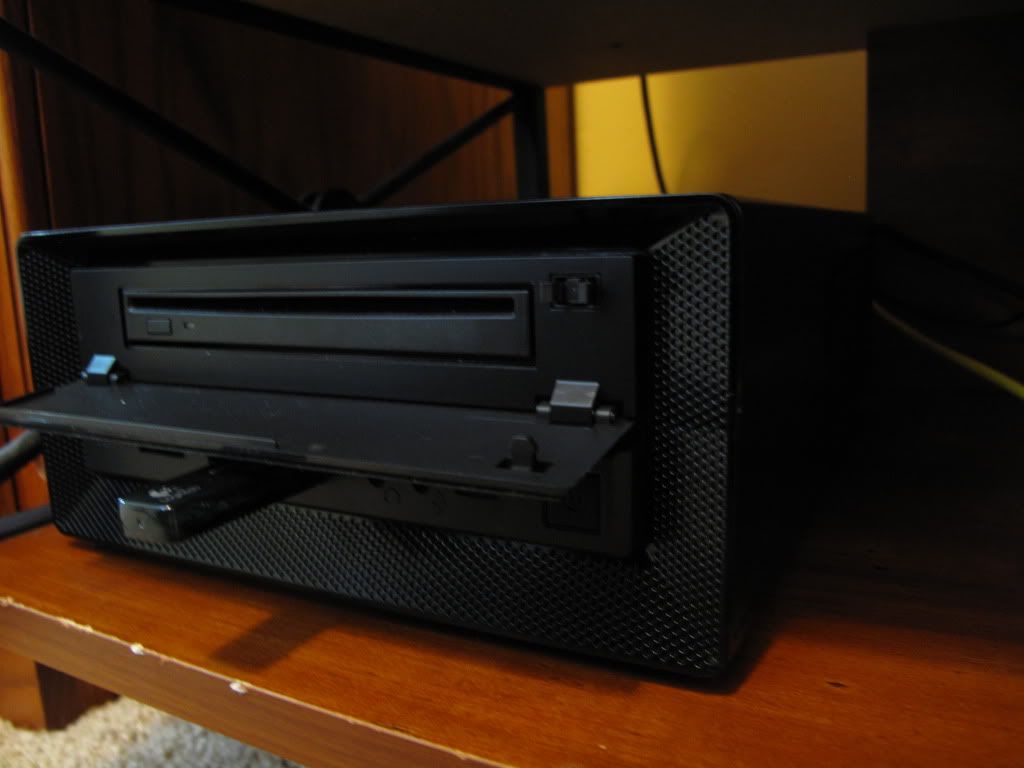
 
uhm, really? how much smaller than the ISK-300 were you lookin for? lol. that thing is like the size of an external optical drive. :p and yah, that ion should decode just fine.

your right ..thanks for the help ..i guess my build is complete
 
If you budgeted $1,200 for a dream HTPC, this would be the one:

I noticed you didn't say "inconspicuous" anywhere in that original post. So I chose this candy red Lian Li case: http://www.newegg.com/Product/Product.aspx?Item=N82E16811112267

For a motherboard, I went with an H57 mini-ITX. This tiny board, paired with an i5 processor, has all the video processing power you need for flash video, blu-ray, etc. It has HDMI out, as well. http://www.newegg.com/Product/Product.aspx?Item=N82E16813121401

On that board, the quintessential 1156 socket CPU, the Intel Core i5-750: http://www.newegg.com/Product/Product.aspx?Item=N82E16819115215

To keep the computer quiet and very cool, I selected the H50 pseduo-watercooler: http://www.newegg.com/Product/Product.aspx?Item=N82E16835181010

Since you won't be overclocking, DDR3 1333 will do. The brand isn't too important, I chose 4GB of 7-7-7-20 Mushkin: http://www.newegg.com/Product/Product.aspx?Item=N82E16820226113

What kind of HTPC doesn't have a Blu-Ray burner? http://www.newegg.com/Product/Product.aspx?Item=N82E16827136181

For storage, I have selected two drives... to start! First, an SSD for your OS and applications. This will make a massive difference in start-up times and just plain makes the computer snappier. I chose the X25-M G2 80gb: http://www.newegg.com/Product/Product.aspx?Item=N82E16820167023
Second, you are going to needs lots of storage for all those HD TV shows and movies. Each TV episode is about 1.2gb and Blu-Ray rips are massive. I hope you're familiar with newsgroups. I chose this case because it has six internal hard drive bays, You can start with one 1TB drive, and add more drives as you need them. I chose the Seagate Barracuda because they have two 500gb platters, which is very high density, and they are very fast without being very noisy: http://www.newegg.com/Product/Product.aspx?Item=N82E16822148433

And, of course, you will need a copy of Windows 7. Don't pirate it. No one pirates Windows for free and every pirated OS has viruses that pay the distributors. $99 for peace of mind: http://www.newegg.com/Product/Product.aspx?Item=N82E16832116754

You're on your own for picking a power supply. Any ATX PSU will do.

This build is over the top, but unashamed. :-D


Two things:

1. You don't need anything more powerful than a Core i3 for an HTPC. It's beefy enough.

2. You can't use the onboard video outputs if you buy the quad-core Core i5 750. Only the dual-core models have an on-die GPU.

I'm assuming you want to use the onboard video since you didn't specify a discrete GPU. Also, since the onboard GPU can easily decode dual streams of 1080p h.264, it's more than capable.
 
Even Core i3 is not "LOW LOW power". Go with Ion.

yea thanks went with the ION since i want low power consumption in a small footprint

EDIT: damn good thing i purchased last night..looks like the price of the zotac mobo went up
 
What makes you say that? my mini server using an Intel DH57JG and i3-530 uses roughly 22watts.

To be fair, you're probably or might be using a KAW or a UPS to measure the power usage and those are well known to be inaccurate.
 
To be fair, you're probably or might be using a KAW or a UPS to measure the power usage and those are well known to be inaccurate.

I knew someone would come in and say that. Yes, the KAW can be inaccurate but I would say they are good enough for general ballpark measurements. My system is unlikely to be drawing all that much more than an ION.
 
I knew someone would come in and say that. Yes, the KAW can be inaccurate but I would say they are good enough for general ballpark measurements. My system is unlikely to be drawing all that much more than an ION.
Considering that I'm usually the one that does come in and say that :) I would say they're not good enough even for general ballpark measurements.
 
Very well then, what would be an "acceptably accurate" measurement then? Would a reading taken from my Fluke 187 be decent enough or does your definition of acceptably accurate require people to buy a SM-8800?

Also important to note is that I'm using a properly sized power supply which is relatively efficient at the general range that my system is running at.


I apologize for OT-ness, but I'd say we're still somewhat on topic, as we're talking about the defining how to properly measure power usage and that's relative to the LOW LOW power requirement of the thread topic ;)
 
Considering that I'm usually the one that does come in and say that :) I would say they're not good enough even for general ballpark measurements.

What do you recommend to measure. Ive always just used my killawatt/ups
 
Very well then, what would be an "acceptably accurate" measurement then? Would a reading taken from my Fluke 187 be decent enough or does your definition of acceptably accurate require multi-thousand dollar equipment?

My definition of acceptably accurate only requires a $150 Brand Power Meter, not the multi thousand dollar equipment you speak of.

Or a review done with similar testing apparatus would suffice. Like the ones done by Xbitlabs.

Look, you can use the KAW all you want. But just saying that you shouldn't take those numbers at face value and that you give quite a bit of leeway with those readings.
 
I definitely don't take the numbers at face value and I appreciate your warning. :) In fact, I normally use the KAW for relative measurements to get a general idea of their power usage. In the case of my system, it's in line with what I expected given the parts chosen and their rated power draw.

What $150 Brand Power Meter do you recommend? I don't have a dedicated power meter but I do have a multimeter, so in the meantime I'll build a test rig tomorrow and use it to check the amperage drawn by my computer since my curiosity is piqued now.
 
Last edited:
I definitely don't take the numbers at face value and I appreciate your warning. :) In fact, I normally use the KAW for relative measurements to get a general idea of their power usage. In the case of my system, it's in line with what I expected given the parts chosen and their rated power draw.

What $150 Brand Power Meter do you recommend? I don't have a dedicated power meter but I do have a multimeter, so in the meantime I'll build a test rig tomorrow and use it to check the amperage drawn by my computer since my curiosity is piqued now.

IIRC, the Model 4-1850 works well:
http://www.brandelectronics.com/order.html
 
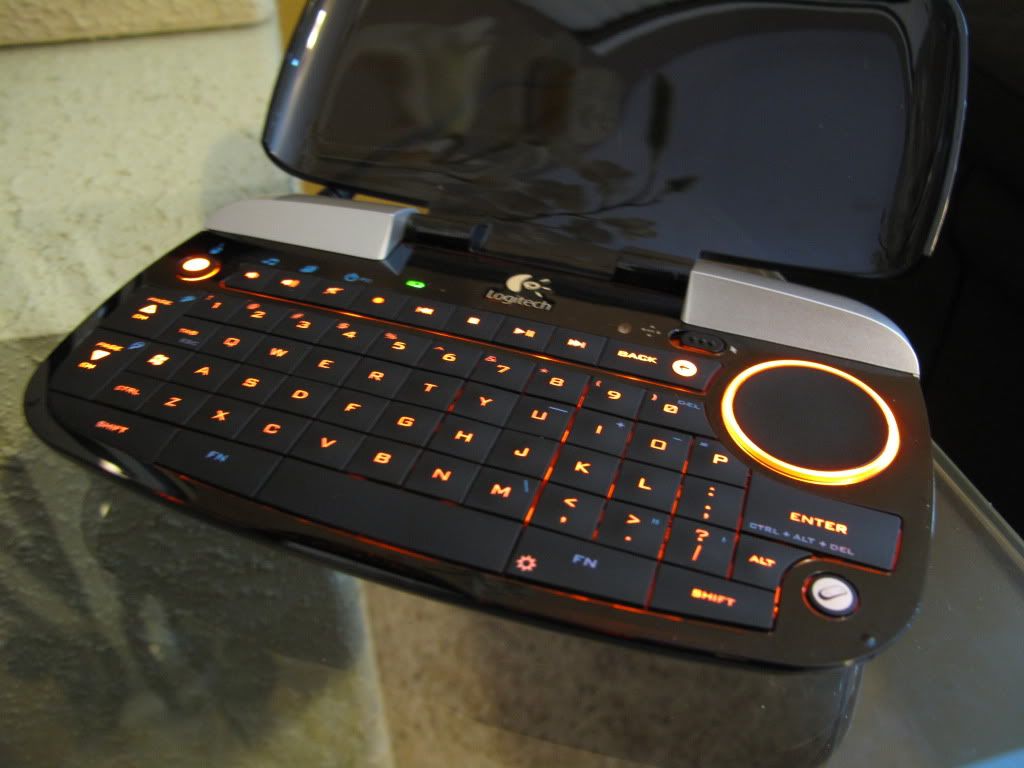
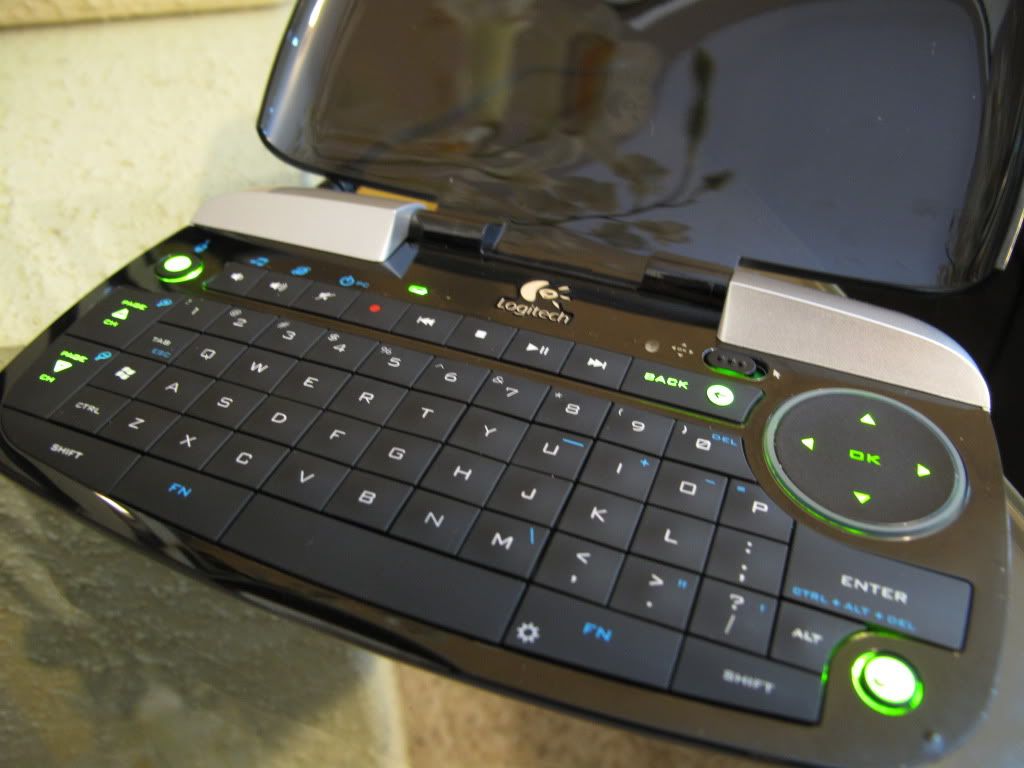
Ok got my low power htpc running and so far so good still waiting on my slim sata conndcter for my bluray drive also picked up a dinovo mini which is pretty cool. So far no hiccups. Ran blu ray backups good
 
Temps im getting on idle
d19fdee9.png


313cbf36.jpg


usb dongle is gonna go in the back..
e6574e93.jpg

mounted an extra 80mm fan i had on the heatsink
d7dac155.jpg

5e2c0627.jpg

291a889c.jpg

9e1f1d22.jpg
 
Last edited:
Wow, that sucker runs a bit toasty! What were the temps with the extra fan in there? Or was that reading taken with the fan in already? I must say I'm slightly envious of the case size, it looks to be half the height of mine.


Btw, Danny Bui my 4-1850 came in today. The KAW reads 22-23Watts, the Brand reads 23-24Watts. I'd say in this case the KAW for the price was good enough for a general ballpark measurement :p
 
Sure, if you want to call it luck :p Also, after bootup and settling down the Brand is now reading 20-21Watts, so I guess it's lower power than I'd thought.

Now back to our regularly scheduled pics of new lowpower computer goodness.
 
Wow, that sucker runs a bit toasty! What were the temps with the extra fan in there? Or was that reading taken with the fan in already? I must say I'm slightly envious of the case size, it looks to be half the height of mine.


Btw, Danny Bui my 4-1850 came in today. The KAW reads 22-23Watts, the Brand reads 23-24Watts. I'd say in this case the KAW for the price was good enough for a general ballpark measurement :p

yea those temps is with a 80mm fan on top of the heat sink. ill get more/better pics when i have the blu ray drive hooked up. and get some readings with a killawatt ;)
 
Sure, if you want to call it luck :p Also, after bootup and settling down the Brand is now reading 20-21Watts, so I guess it's lower power than I'd thought.

Now back to our regularly scheduled pics of new lowpower computer goodness.

No I meant lucky as in you got a KAW that was relatively accurate. In many cases, at least with PSU testers, they have KAW that are very inaccurate:

Here's Paul Johnson's post, PSU reviewer of HardOCP.com, about the inaccuracy of the Kill-A-Watt:
http://hardforum.com/showpost.php?p=1032190998&postcount=7

Another Paul Johnson's post:
http://www.jonnyguru.com/forums/showpost.php?p=27745&postcount=26

In addition, three other PSU experts backs up Paul Johnson's statement:
Oklahoma Wolf of JonnyGuru.com:
http://hardforum.com/showpost.php?p=1034843536&postcount=21
http://hardforum.com/showpost.php?p=1034555880&postcount=17

JonnyGuru of JonnyGuru.com himself as well as the senior PSU engineer over at BFG acknowledge the inaccuracies of a KAW (Post #7 in regards to Post #2):
http://www.jonnyguru.com/forums/showthread.php?t=5977
http://www.jonnyguru.com/forums/showpost.php?p=29907&postcount=2

Redbeard of Corsair also acknowledges the inaccuracies:
http://hardforum.com/showpost.php?p=1032811067&postcount=22

Related discussions:
http://hardforum.com/showthread.php?t=1447774
http://hardforum.com/showthread.php?t=1509210
http://www.jonnyguru.com/forums/showthread.php?t=3102
http://www.jonnyguru.com/forums/showthread.php?t=2695
http://www.jonnyguru.com/forums/showthread.php?t=2284

Hence why I said, "Lucky" :D

@ antok86
Good luck with the rest of the build!
 
Thanks for posting your giant list of links yet again :p but I still think the KAW is a good tool to use with the caveat that it be used with caution. Yes, it might be wildly inaccurate between units but it lets the general consumer get a general idea of the power usage. Also, most of the mentions in regards to it's inaccuracies seem to be when the KAW is hooked up to large power draws, which makes sense as the PFC in those giant power supplies can definitely affect the reading; but I wonder how unreliable the KAW is for low power or ultra low power supplies.

As as completely random side note, I was doing some tuning of my DIY speaker power amp, so I hooked it up to the brand....it pulls 250W from the wall sitting idle :D

antok:
Wow, I didn't see that keyboard! Looks quite compact and cool, I think I might pick one up myself.
 
Last edited:
Back
Top