• Some users have recently had their accounts hijacked. It seems that the now defunct EVGA forums might have compromised your password there and seems many are using the same PW here. We would suggest you UPDATE YOUR PASSWORD and TURN ON 2FA for your account here to further secure it. None of the compromised accounts had 2FA turned on.
    Once you have enabled 2FA, your account will be updated soon to show a badge, letting other members know that you use 2FA to protect your account. This should be beneficial for everyone that uses FSFT.

LG 48CX

Can anyone point me in the right direction for a setup guide or faq for pc gaming on this?
 
  • Like
Reactions: p3sty
like this
I've been checking amazon and BB.com daily for this monitor to release, hurry it up!
 
Well when I opened the box plugged in and setup halfway through setup picture flickered and went away can get picture back but I have sound
 
Well when I opened the box plugged in and setup halfway through setup picture flickered and went away can get picture back but I have sound
Does the options menu, internal apps, etc. show? If they don't...that sounds like bad news :(
 
Last edited:
Yea outta stock and for some reason wouldn't deliever to me.
Same here. Though it says it was in stock it wasn't available to ship to my area.

Just ended up getting a 48" CX for my monitor as I have a 55" CX already for my main TV.
 
Last edited by a moderator:
So I don't have any extreme viewing angles with them. I usually play games in windowed move on a single screen at a time and then have a youtube video playing as well, I then dual boot one of my desktops to do work with as well across all three displays. If I play fullscreen it is on only one monitor at a time.

The way I have them positioned is in a way that each one of them isn't blocking the other. It honestly works out really well. My multiple cameras I use for OBS and multiple angles on work calls if I need to switch to a different laptop / desktop.

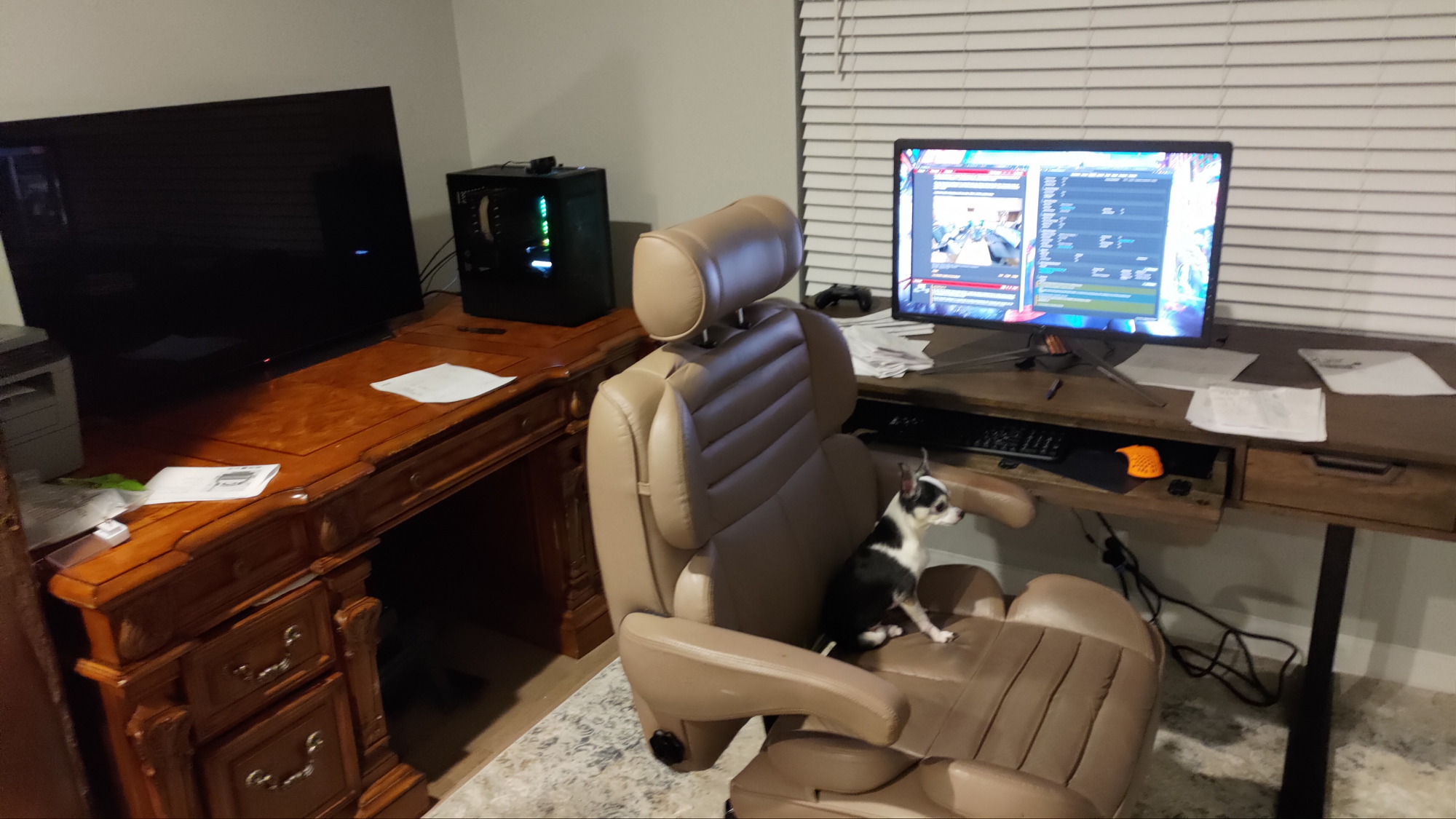
I really have quite a lot going on with my setup. Which I will link a picture below.

View attachment 348866


Those riser desks are amazing.....at least for me anyway as I'm a 4lb Chiauhuahahaha and most furniture is made for bigger dogs!
1619662027554.png
 
Just saw this in the news. Finally a fix for this annoying CX "problem" when using it with a multi-monitor setup!

https://www.theverge.com/2021/4/28/...-apps-rearranging-sleep-resume-fix-directx-12

Hopefully this actually fixes that issue without causing other issues. It's annoying, but it's easy to deal with.
In the past I've experienced weird issues where I come back and a window doesn't show up on any monitor anymore which is actually a pain to deal with. Sometimes it can't be fixed by doing the windows key + arrow trick. Even worse I've had programs that somehow saved the starting window location so it does not on any screen, and they couldn't be fixed by restarting them or even reinstalling.... I had to go delete registry files or something.
 
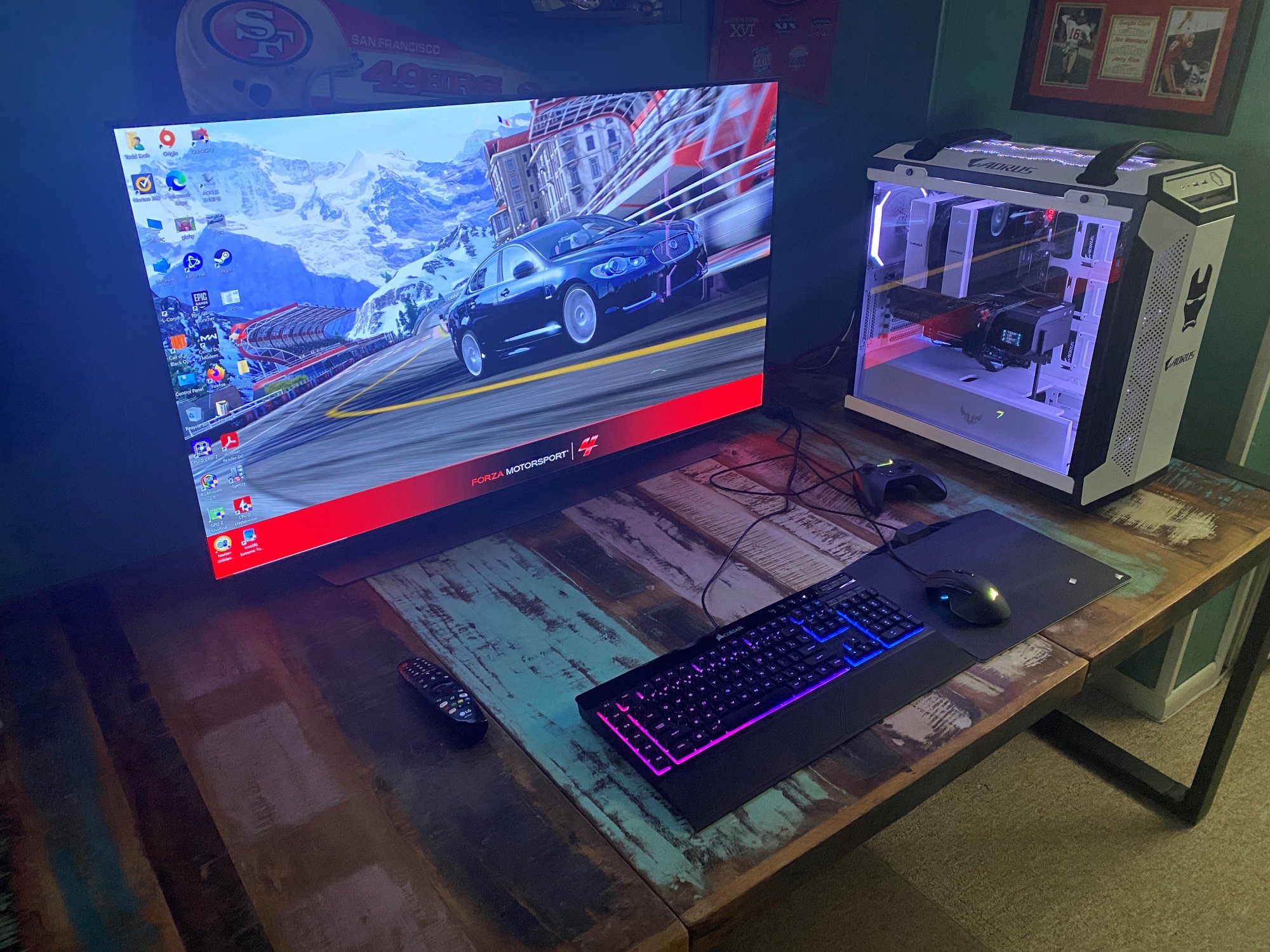
Got my 48" CX today, and I'm very happy with the clarity and how much nicer games look as well. Coming from a 34" Ultrawide Alienware previously.
 

Attachments

  • 4-30.jpg
    4-30.jpg
    551.8 KB · Views: 0
I too will be coming from a 34" ultra wide when I get my cx48. What's it like to see the sky and ground again when gaming? God I miss that 16:9 view.
The Alienware was my first Ultrawide. I had a 32" MSI display previously and I was very happy with the Alienware for it's clarity, but I did miss the 16:9.

Welcome to the club! Such a beautiful screen!
Thanks! It is very beautiful, and after using it I don't see how I could ever go back to a traditional "monitor".
 
Just saw this in the news. Finally a fix for this annoying CX "problem" when using it with a multi-monitor setup!

https://www.theverge.com/2021/4/28/...-apps-rearranging-sleep-resume-fix-directx-12
Hopefully this actually fixes that issue without causing other issues. It's annoying, but it's easy to deal with.
In the past I've experienced weird issues where I come back and a window doesn't show up on any monitor anymore which is actually a pain to deal with. Sometimes it can't be fixed by doing the windows key + arrow trick. Even worse I've had programs that somehow saved the starting window location so it does not on any screen, and they couldn't be fixed by restarting them or even reinstalling.... I had to go delete registry files or something.

Sounds promising thanks for the news link. For window placement/management I use the displayfusion pro app in a few ways. The easy way is that after opening all of my most often used apps and placing them on my monitors, I then set displayfusion to save a window placement profile (that I name) using the right click menu. This can be hotkeyed so a quick hotkey and all of my windows get shuffled back to their tile positions like a dealer dealing them out. With my setup I went a step further and set that hotkey to a displayfusion button so I just have to hit one button and my windows all go back to their "prime" locations. That works even if only one is moved too.

I go deeper than that, setting different displayfusion functions to a bunch of apps separately assigned to their own button (and icon on the button) on my streamdeck. In this way I can press a button several times for one app. It checks to see if it's open. If not open it opens it and places it in what I chose as it's home location. If it's open and minimized, it restores it to that same location. If it's open and not minimized,it will minimize it. So I can quickly cycle through those until the window is open and where it should be or in order to minimize/restore it it.

I put a bunch of other misc apps on there in subsets of buttons/hotkeys for some commonly used windows functions/menus, music apps and controls, launch steam or close and re-open steam, toggle steam from big picture mode and back, and a bunch of other things like toggling between audio device outputs (headphones on a usb dac or the LG CX audio) which is very handy, mute/unmute mic, etc etc.

I have some displayfusion hotkeys linked to streamdeck buttons for generic window placement too. So whatever window is the active window will get moved to where that button/hotkey is assigned. I made some simple icons for the streamdeck buttons so it's obvious where the active window will be placed This comes in handy for popping a window between monitors and for setting windows to exact placements stacked on top of each other, or to place a window on top of an area already assigned for something else so it won't overlap other windows on the monitor, etc. For example I usually keep a 3 window high setup of equally sized windows on my left portrait mode monitor or I set it to one window 2/3 bottom and leave 1/3 on top for something else.

The default saved window position profile feature is easy and handy enough by itself though. I just like the extra control.

What I did notice, and what I suspect that microsoft update won't fix, is that when I turn my monitors back on the taskbar is always back on the LG CX as primary. I like to drag it to the right side monitor on top so that there is no taskbar on my primary (OLED) monitor at all (even though I use translucent taskbar and taskbarhider). Every time I turn all of my monitors back on when I get home or wake up I have to drag that bar over again. A minor inconvenience but still mildly annoying.
 
Last edited:
Hopefully this actually fixes that issue without causing other issues. It's annoying, but it's easy to deal with.

I do hope the new microsoft fix doesn't break anything else like you said, or force my windows contrary to what I do with them.

In the past I've experienced weird issues where I come back and a window doesn't show up on any monitor anymore which is actually a pain to deal with. Sometimes it can't be fixed by doing the windows key + arrow trick. Even worse I've had programs that somehow saved the starting window location so it does not on any screen, and they couldn't be fixed by restarting them or even reinstalling.... I had to go delete registry files or something.

The generic overall "Saved Window Position Profile" in displayfusion would probably bring that window back to where you saved it in the profile initially..

Having specific app locations set up as functions in displayfusion will pop them back to where they were set too.

Otherwise - if you can find the active taskbar icon for the app on the taskbar while the app itself is "off screen" somewhere, you can try hovering your mouse over the top of that icon until the running thumbnail preview of the app appears above that taskbar app. Then you carefully move your mouse onto the top of that thumbnail view and right click it so it will pop up a right click menu. Choose "maximize" and the window should fill one of your screens. From there you can drag it (away from being maximized) by the top bar of the app using your mouse and then resize it after. It's best to close it and reopen it at some point after that so it will forget the last position but at least you can use the app the rest of the session and save what you are doing, etc.

Displayfusion has function templates for setting the window position of a specific app so that is the best way to take control of window positions for me but the right click trick works. I don't have displayfusion on every pc I use (nor set up to specifically assign random misc app windows I don't normally use) so that can still come in handy even if it's a very rare occurrence.
 
Last edited:
I have a question about the gamma changing with hz on cx/c1.

When I play 60fps locked game on PC, is it better to run it in "120" hz and let freesync/gsync/lfc change hz to 60 or turn 60hz specifically ?
Or run 120hz, turn of freesync and enable half vsync?
And what about the input lag booster that says it doubles frames to 120hz ? would it be useful on console?

Same question for ps5 btw. Just without vrr since it does not support it... but I can enable the "prevent input delay: boost" option whatever it really does
 
Last edited:
That is correct. When games use virtual cameras (HOR+).. like most cgi authoring suite's virtual cameras do by default... a wider aspect ratio will always show more scene just like a real lens.

You can of course run an even larger physical size ultrawide rez (depending on the game or workarounds) with completely off emitter black bars on an oled TV too.

The 48 cx in uw is equivalent to around a 45.3 inch diagonal 21:10 uw screen.. when running 3840x1600 at 1:1 pixel edge to edge of the ~ 41.8 inch wide screen.
 
I might buy a shield just so I can get "Watch together" in Plex. It's so annoying the webos Plex doesn't have that feature. How is the shield experience?
 
The new Resident Evil demo 8 came out and seems a tiny bit washed out. I manage 70-120 fps 4k with HDR so probably vrr gamma is at fault.
I am still thinking what is the best way to play 60fps locked games on pc and ps5 with lg oled. Would it look better if I disabled VRR and left the screen at 120hz ? Or switch to 60hz without vrr? What bout input lag booster which maybe forces it to run at 120hz?
Sorry, it's a repeat from my previous post :p

As for game being a bit washed out maybe it's srgb vs rec709 ?
 
I might buy a shield just so I can get "Watch together" in Plex. It's so annoying the webos Plex doesn't have that feature. How is the shield experience?
I got a Shield for a better Plex experience but have been a bit underwhelmed. It's great in Plex...but Netflix has a TON of stutter and looks somehow lower res than the builtin app. I'm not sure it's worth it for only Plex.
 
  • Like
Reactions: hhkb
like this
Back
Top