• Some users have recently had their accounts hijacked. It seems that the now defunct EVGA forums might have compromised your password there and seems many are using the same PW here. We would suggest you UPDATE YOUR PASSWORD and TURN ON 2FA for your account here to further secure it. None of the compromised accounts had 2FA turned on.
    Once you have enabled 2FA, your account will be updated soon to show a badge, letting other members know that you use 2FA to protect your account. This should be beneficial for everyone that uses FSFT.

I was sooooooooooooo close (davinci resolve)!

mullet

2[H]4U
Joined
Aug 19, 2004
Messages
3,464
I have been installing so many Linux distros, I feel like mu soul is being crushed. LOL
I ran across this site that gave me hope on Mint to install davinci resolve (HERE).
It installed so slick I was really impressed, and it through a icon on the desktop and I said
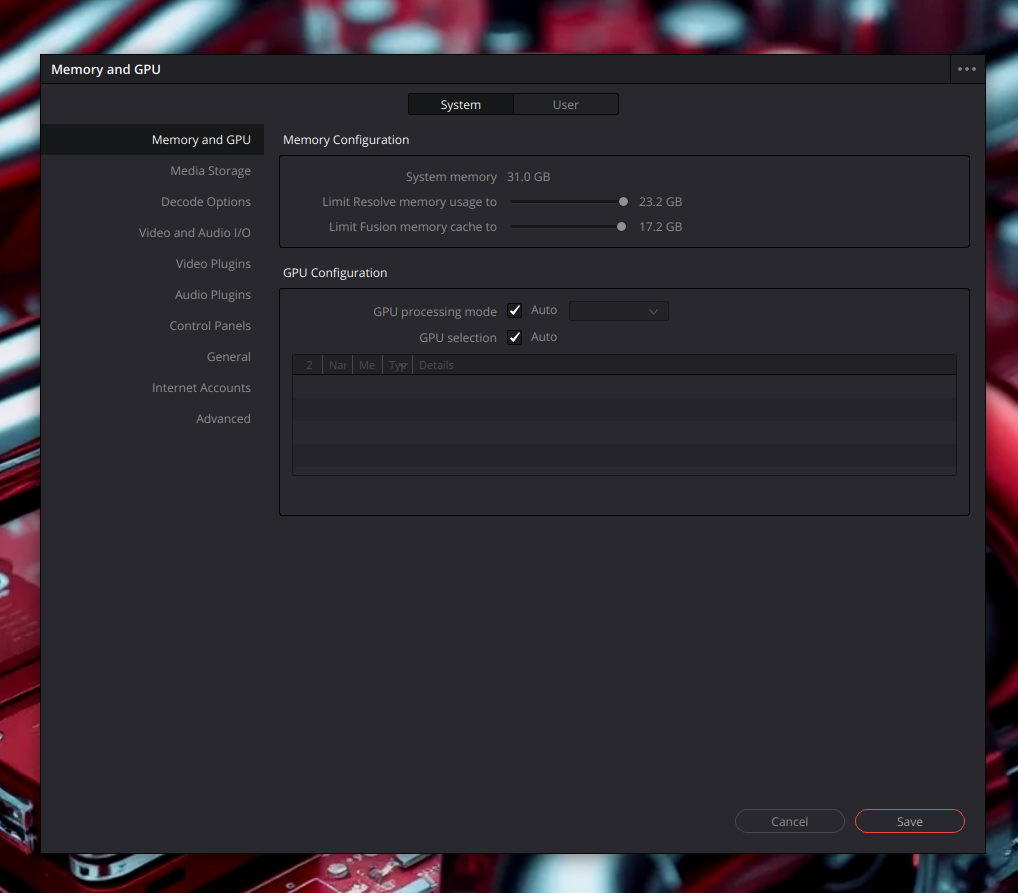
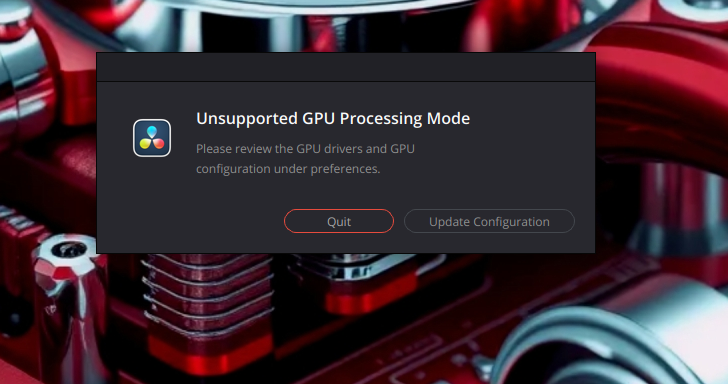
could this really be it! It can't be this easy. double clicked it and walaaa it can up saying didn't recognize your GPU.
So maybe when Mint upgrades the Kernel with updated drivers in a few months maybe then it will load.

I put this here so it someone wants to try it they can, that has a older gpu.
davinci resolve-1.png


davinci resolve-2.png
 
Last edited:
What kernel are you on? Have you tried something like 6.14 ? or using Mainline app say 6.18 or something?
 
So was curious, I am running an AMD 5950X, AMD RX 6800

CachyOS on kernel Linux 6.18.7-2-cachyos

Installed via Octi, now the first window that opened on first launch, wont show on my monitors (quad set up) so I just had to close that and the main app opened. But the one thing, the app opens in a a full screen mode (not the full screen mode button it has), with no option to move it to just a Window size...

1769618405810.png
 
So was curious, I am running an AMD 5950X, AMD RX 6800

CachyOS on kernel Linux 6.18.7-2-cachyos

Installed via Octi, now the first window that opened on first launch, wont show on my monitors (quad set up) so I just had to close that and the main app opened. But the one thing, the app opens in a a full screen mode (not the full screen mode button it has), with no option to move it to just a Window size...

View attachment 782111
If you run winecfg and set the desktop mode to virtual desktop (iirc), it'll run in a windowed desktop. Not ideal, but at least it wont take the whole screen, and multi monitor should work too.
 
So was curious, I am running an AMD 5950X, AMD RX 6800

CachyOS on kernel Linux 6.18.7-2-cachyos

Installed via Octi, now the first window that opened on first launch, wont show on my monitors (quad set up) so I just had to close that and the main app opened. But the one thing, the app opens in a a full screen mode (not the full screen mode button it has), with no option to move it to just a Window size...

View attachment 782111

It see's your card for sure.
 
Try adding 6.18.* kernel to see?

I think Linux is moving away from the AMD mesa drivers and is going for vulkan, or the other way around, so perhaps that is why it is not picking it up for you?
 
Installed Davinci Resolve on my system here running CachyOS with Plasma 6.5.5, kernel 6.18.6-2-cachyos (64-bit), RTX 2070S, 590.48.01 drivers, Wayland. Installed via paru in no time, everything works as expected, GPU is detected fine.

DaVinci Resolve runs as fullscreen borderless, you're meant to set up a dedicated monitor specifically for Davinci Resolve as that's how things work in professional studios. The best thing you can do is isolate it to it's own virtual desktop, then you flip between desktops as normal via your DE.

DaVinci Resolve 2.png
 
Last edited:
Try adding 6.18.* kernel to see?

I think Linux is moving away from the AMD mesa drivers and is going for vulkan, or the other way around, so perhaps that is why it is not picking it up for you?

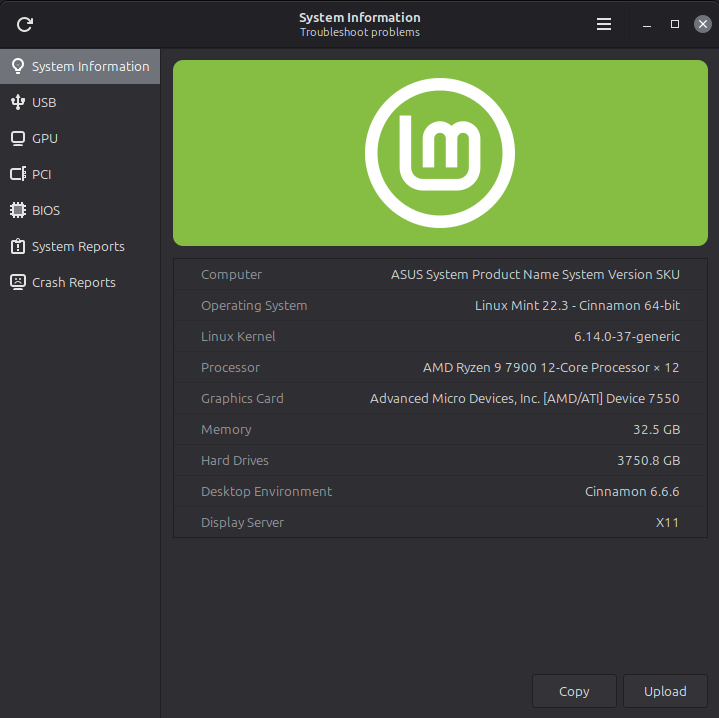
I have mint 22.3 installed on one drive (screenshot) and I have the new CachyOS ( 6.18.7-2) installed on a separate drive. I got DR to install on cachyOS but when I try and open it, it thinks about it then stalls. I did get Photoshop going on CachyOS fine and I have overloaded it trying to crash it but so far so good.
 
I have mint 22.3 installed on one drive (screenshot) and I have the new CachyOS ( 6.18.7-2) installed on a separate drive. I got DR to install on cachyOS but when I try and open it, it thinks about it then stalls. I did get Photoshop going on CachyOS fine and I have overloaded it trying to crash it but so far so good.

How did you install DR under CachyOS?
 
Sudo ./DaVinci_Resolve_20.3.1_Linux.run (in cachyos)

But in Mint I ran the script as per instructions. It will load fine in Mint but can't see my GPU.
 
Sudo ./DaVinci_Resolve_20.3.1_Linux.run (in cachyos)

But in Mint I ran the script as per instructions. It will load fine in Mint but can't see my GPU.

There's your problem, that's not right. Never use .run files under Arch based distro's (or almost any distro). Using .run files bypasses your distro's package manager usually resulting in dependency issues.

All you have to do is open terminal and enter:

Code:
paru davinci-resolve

Once done, you'll be presented with the following options:

Code:
❯ paru davinci-resolve
1 cachyos/davinci-resolve 20.3.1-2 [0 B 6.67 GiB] [Installed]
    Professional A/V post-production software suite from Blackmagic Design
2 aur/davinci-resolve 20.3.1-2 [+175 ~5.63] [Installed]
    Professional A/V post-production software suite from Blackmagic Design
3 aur/davinci-resolve-studio 20.3.1-1 [+53 ~2.06]
    Professional A/V post-production software suite from Blackmagic Design. Studio edition, requires license key or 
    license dongle.
4 aur/davinci-resolve-checker-git 5.2.8-1 [+0 ~0.00]
    Check your system configuration and hardware for ability to successfully run DaVinci Resolve
:: Packages to install (eg: 1 2 3, 1-3):
::

Select option 1 and press enter, follow the prompts to install.
 
Last edited:
Thx, I used octopi, I had to find it and learn how to use it. I got it installed and I got the green check on CPU & GPU so it opened and I was stoked, loaded up some clips and as soon as I hit the edit tab it disappeared. So I opened it back up and hit each tab one at a time all opened fine till I got to edit. Soon as I click it poof DR shuts down.
 
Thx, I used octopi, I had to find it and learn how to use it. I got it installed and I got the green check on CPU & GPU so it opened and I was stoked, loaded up some clips and as soon as I hit the edit tab it disappeared. So I opened it back up and hit each tab one at a time all opened fine till I got to edit. Soon as I click it poof DR shuts down.

That could be because you now have two versions installed? The .run version and the official repo version?
 
I uninstalled the other one (had uninstall option in the applist). Then went to the directory and deleted the folder and Icons. Before I did the octopi and paru.
I then ran the paru davinci-resolve and it reinstalled over the octopi ver. same ver.

It did see my card in the GPU pref.
 
For what its worth;
https://discuss.cachyos.org/t/davinci-resolve-not-launching/17575
This is from october.
I am not sure if this is still an issue or not. If you want to try installing downgrade and downgrading the libs they mention maybe that is still the issue?
Also keep in mind the free version of resolve doesn't support a few non free codecs anymore. The paid studio version does but not the free one. Think AV1 encoding is the way. A lot of people have clips that are in non free codec formats that the free version just won't play with. (so I hear)
 
I want to try adding a clip here to test, but I'm struggling to find a clip that the free version of DR handles. I might have to convert something small using Handbrake to test...
 
I want to try adding a clip here to test, but I'm struggling to find a clip that the free version of DR handles. I might have to convert something small using Handbrake to test...
Ya from everything I have heard the free version has no paid codec support. On Windows MS pays the mpg license fee that covers most codecs. The studio version Black Magic pays it.
AV1 is probably what you have to use with the free version.
 
Ya from everything I have heard the free version has no paid codec support. On Windows MS pays the mpg license fee that covers most codecs. The studio version Black Magic pays it.
AV1 is probably what you have to use with the free version.

Currently converting a clip using handbrake and DR recommended settings, lets see if this works...
 
  • Like
Reactions: ChadD
like this
Thx, I used octopi, I had to find it and learn how to use it. I got it installed and I got the green check on CPU & GPU so it opened and I was stoked, loaded up some clips and as soon as I hit the edit tab it disappeared. So I opened it back up and hit each tab one at a time all opened fine till I got to edit. Soon as I click it poof DR shuts down.

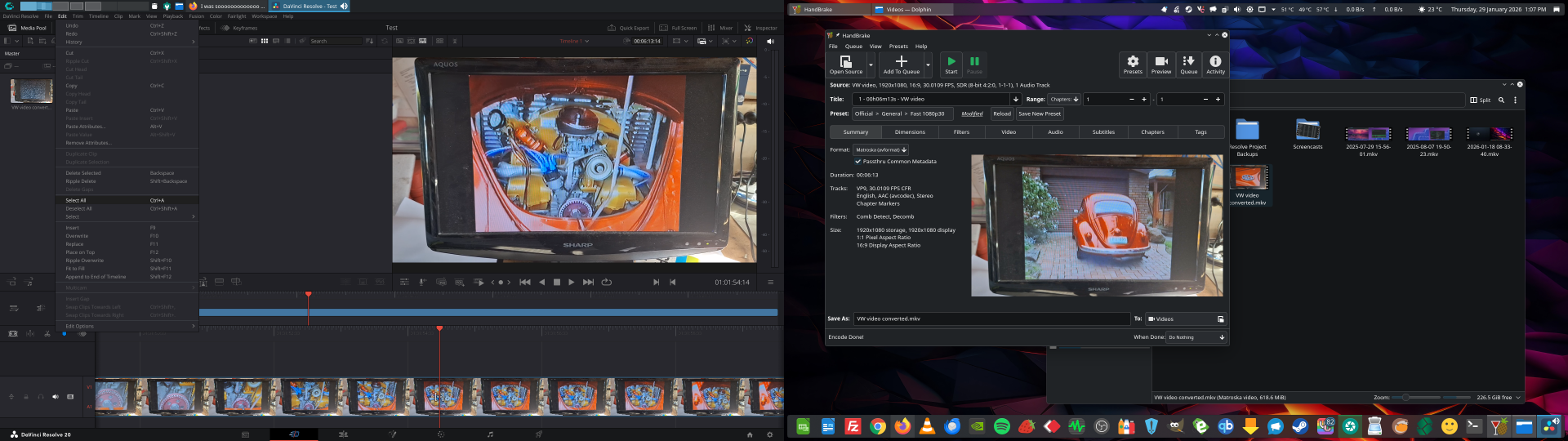
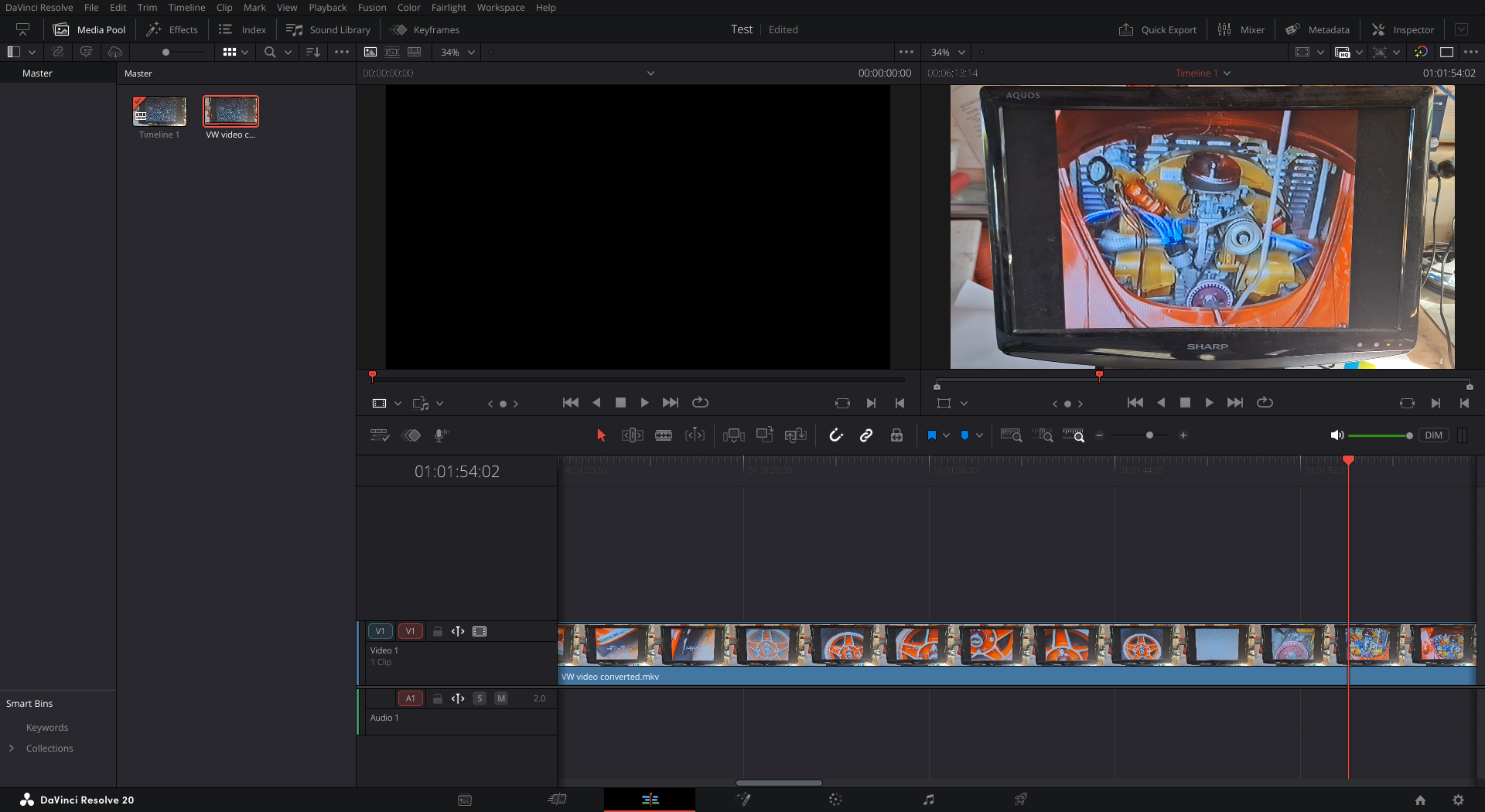
I just managed to convert a clip using Handbrake into a format Davinci Resolve under Linux can handle and added the clip to DR (I forgot to set audio to FLAC, so no audio, but this is just a test clip). I've opened the timeline, playback works fine and clicking the edit tab doesn't crash the software here:

Davinci Resolve working.png


Davinci Resolve edit tab.png
 
Last edited:
I have never used DR on Linux just windows and all my work was in MP4, from vids off my gopro. I have only used DR a year or so but it is really nice to use. I may buy it later.
 
  • Like
Reactions: ChadD
like this
I have never used DR on Linux just windows and all my work was in MP4, from vids off my gopro. I have only used DR a year or so but it is really nice to use. I may buy it later.

Resolve is actually really good software, in many ways better than anything Adobe, the only annoyance under Linux is the fact that certain codecs aren't supplied with the free version as Microsoft pays for codec support under the Windows version. However, paying for DR resolves the issue under Linux, and unlike Adobe you can use DR for free with the use of Handbrake.
 
Wonder if that is why it didn't see your GPU. I haven't really messed with resolve. I have seen people mention rocm when talking about it.
I do have ROCM myself, from Folding at home on this rig, could be why it also just worked at least to launch for me.
 
I didn't have much luck with DR in linux as I did with windows. So I've been using kdnelive.

I may go back and give it a shot again. I'm unsure why DaVinci resolve is more native for rocky linux rather than just make it a flatpak. But yeah, it is a great video editor.
 
I didn't have much luck with DR in linux as I did with windows. So I've been using kdnelive.

I may go back and give it a shot again. I'm unsure why DaVinci resolve is more native for rocky linux rather than just make it a flatpak. But yeah, it is a great video editor.
As stated, the only difference between the free version of DR under Windows and the free version of DR under Linux is the fact that under Linux codec support is limited regarding the free version only due to the fact that codecs are supplied as part of Windows. Personally I just use Handbrake and make it part of my workflow.
 
As stated, the only difference between the free version of DR under Windows and the free version of DR under Linux is the fact that under Linux codec support is limited regarding the free version only due to the fact that codecs are supplied as part of Windows. Personally I just use Handbrake and make it part of my workflow.
When you use handbrake, what are you changing/converting if you don't mind me asking? I would like to try it myself.
 
I didn't have much luck with DR in linux as I did with windows. So I've been using kdnelive.

I may go back and give it a shot again. I'm unsure why DaVinci resolve is more native for rocky linux rather than just make it a flatpak. But yeah, it is a great video editor.
Cause Black Magic doesn't really care if you or I run it. ;)
Its professional software made for professional studios buying professional gear.

I mean if you click on their product page there newest product is a Stereo 8k Digital Cam selling for $45,695 (Canadian). lol
A good black magic camera is $4-8k that is what they are selling.

The people buying those are generally on professional installed RHEL systems. (Rocky is basically the successor of CentOS... its the free open source version of RHEL, purposely developed to be near identical)

I wish Davinci had a bit more user friendly setup. Ultimately its just not positioned as a consumer product, I mean it isn't one to be fair. Its software made to drive movie cameras. I mean BM cameras have been used on flicks like Hacksaw ridge and Spiderman homecoming and so on. Resolve is software for those stupid high end 8k+ film cameras.
 
Cause Black Magic doesn't really care if you or I run it. ;)
Its professional software made for professional studios buying professional gear.

I mean if you click on their product page there newest product is a Stereo 8k Digital Cam selling for $45,695 (Canadian). lol
A good black magic camera is $4-8k that is what they are selling.

The people buying those are generally on professional installed RHEL systems. (Rocky is basically the successor of CentOS... its the free open source version of RHEL, purposely developed to be near identical)

I wish Davinci had a bit more user friendly setup. Ultimately its just not positioned as a consumer product, I mean it isn't one to be fair.
Completely fair and understandable.

With that said then, I'll just stick to kdnelive. Or switch to something else that will inevitable come out.
 
  • Like
Reactions: ChadD
like this
Wonder if that is why it didn't see your GPU. I haven't really messed with resolve. I have seen people mention rocm when talking about it.
CachyOS see the new 9070xt fine, Mint doesnt.
 
  • Like
Reactions: ChadD
like this
It is, I just loaded DR on win 11 works flawlessly.

Win 11 works fine.
CachyOS installed fine, loads up until I hit the edit tab crash.
Mint installed fine, load error no GPU found. Even Mint doesnt see the 9070xt.


BTW thanks for everyones help. I never give up so I will keep banging away.
 
  • Like
Reactions: ChadD
like this
I wish Davinci had a bit more user friendly setup.
What's not user friendly regarding the setup?

When you use handbrake, what are you changing/converting if you don't mind me asking? I would like to try it myself.
To guarantee compatibility with DaVinci Resolve on Linux, use these settings in HandBrake:

Container: Select MKV (best for compatibility with Linux codecs) or MOV.
Video Codec: Select VP9 or DNxHR. Note: Do not use H.264/H.265 if you are using the free version of Resolve, as it often fails to decode them on Linux.
Framerate (FPS): Choose Constant Framerate and select "Same as source" to avoid audio/video sync issues in your timeline.
Quality: Use Constant Quality (Constant Rate Factor - CRF).
For high-quality editing, set the RF slider between 15 and 20 (lower is higher quality).
Audio: Set Audio to PCM or FLAC to ensure audio compatibility.
 
What's not user friendly regarding the setup?


To guarantee compatibility with DaVinci Resolve on Linux, use these settings in HandBrake:

Container: Select MKV (best for compatibility with Linux codecs) or MOV.
Video Codec: Select VP9 or DNxHR. Note: Do not use H.264/H.265 if you are using the free version of Resolve, as it often fails to decode them on Linux.
Framerate (FPS): Choose Constant Framerate and select "Same as source" to avoid audio/video sync issues in your timeline.
Quality: Use Constant Quality (Constant Rate Factor - CRF).
For high-quality editing, set the RF slider between 15 and 20 (lower is higher quality).
Audio: Set Audio to PCM or FLAC to ensure audio compatibility.
I'll copy this info into a document so I can use later (not at home).

Thanks for the info. I'm not actually too familiar with the codecs and how they work necessarily. All the different codecs are gibberish to me. Kinda sad after 25 some odd years of PC enthusiast member.
 
I'll copy this info into a document so I can use later (not at home).

Thanks for the info. I'm not actually too familiar with the codecs and how they work necessarily. All the different codecs are gibberish to me. Kinda sad after 25 some odd years of PC enthusiast member.
Lol, that's exactly what I did!
 
It is, I just loaded DR on win 11 works flawlessly.

Win 11 works fine.
CachyOS installed fine, loads up until I hit the edit tab crash.
Mint installed fine, load error no GPU found. Even Mint doesnt see the 9070xt.


BTW thanks for everyones help. I never give up so I will keep banging away.
If you're running an AMD GPU, you'll need AMD's ROCM software installed for just about anything to utilize the GPU outside of gaming. For CachyOS the package is opencl-amd included in the AUR assuming you're running the open source drivers for the video card included with the kernel. Just because the program can see the GPU is there doesn't mean it can utilize it if the proper software isn't installed already.

Folding@Home under CachyOS can see my GPU just fine but it can't fold on it unless I have the opencl-amd package installed for ROCM.

Those instructions are assuming it's an AMD GPU and newer than Polaris. I still have a Polaris I use occasionally for distributed computing and it requires a specific version of opencl-amd to work because AMD completely removed the ability in versions after this specific one.
 
Last edited:
Back
Top