• Some users have recently had their accounts hijacked. It seems that the now defunct EVGA forums might have compromised your password there and seems many are using the same PW here. We would suggest you UPDATE YOUR PASSWORD and TURN ON 2FA for your account here to further secure it. None of the compromised accounts had 2FA turned on.
    Once you have enabled 2FA, your account will be updated soon to show a badge, letting other members know that you use 2FA to protect your account. This should be beneficial for everyone that uses FSFT.

Help a Radeon n00b out!

Zarathustra[H]

Extremely [H]
2FA
Joined
Oct 29, 2000
Messages
42,392
Hey all,

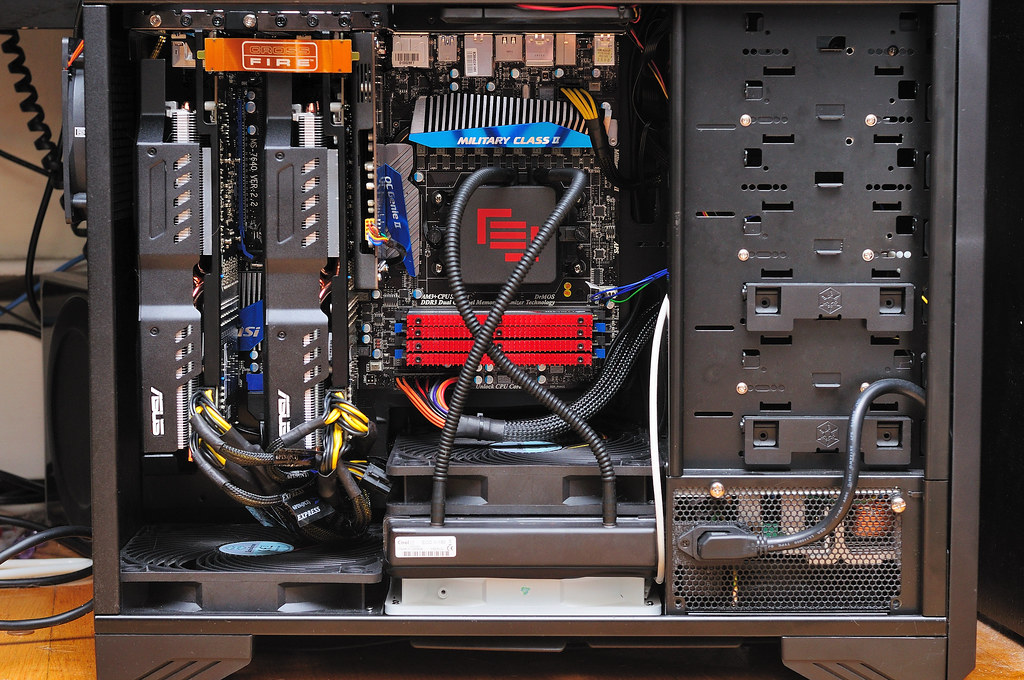
I've been a long term Nvidia user, but in my latest build I decided that AMD's offerings were a much better bang for the buck, so I decided to go with a 6970 crossfire setup.
5978233316_ee4a00e74a_b.jpg


There are a couple of things I haven't been able to figure out how to do with AMD's drivers that I used to with Nvidia's. I have googled this, but it has not been helpful. I figure I am just overlooking something dumb, so I turn to you guys for help in setting me straight.


1.) Application/Profiles

In Nvidias drivers I could set up specific settings that autoloaded when I launched a particular game. For instance, if I wanted to force vertical sync on for Civ 5, and force it off for Counter-Strike: Source I could pint the driver interface to each games respective executables, and set application specific settings for those games that would automatically override the global settings whenever I launched them. I ahven't been able to find this in the Catalyst Control Center. Is it there? Am I just overlooking something dumb? Help?


2.) Changing Crossfire Render Modes

It is a well known fact that AFR produces the best performance scaling with multiple GPU's but also introduces a significant amount of input lag. As an alternative to AFR, Nvidia offers SFR and AMD offers Scissor rendering and Supertiling.

In the Nvidia drivers it was easy to tell the drivers which mode to use for each game. I can't seem to find this option anywhere in the CCC. Again, is it there? Am I just overlooking something dumb? Help?


Much obliged!

--Matt
 
RadeonPro app. Does everything you are asking for. AMD has no native profile support, well... to be more correct, no easily accessible and configureable support. It's there in a limited sense, but near impossible to use (iirc, it's on the system tray right click icon, and you have to configure way too many options via a system try menu to get one game profile working with limited options).

So RadeonPro.
 
RadeonPro app. Does everything you are asking for. AMD has no native profile support, well... to be more correct, no easily accessible and configureable support. It's there in a limited sense, but near impossible to use (iirc, it's on the system tray right click icon, and you have to configure way too many options via a system try menu to get one game profile working with limited options).

So RadeonPro.

Thank you.

I'll have to give this a try :)
 
Just curious, what case is that?


EDIT; nvm looked at sig lol...
 
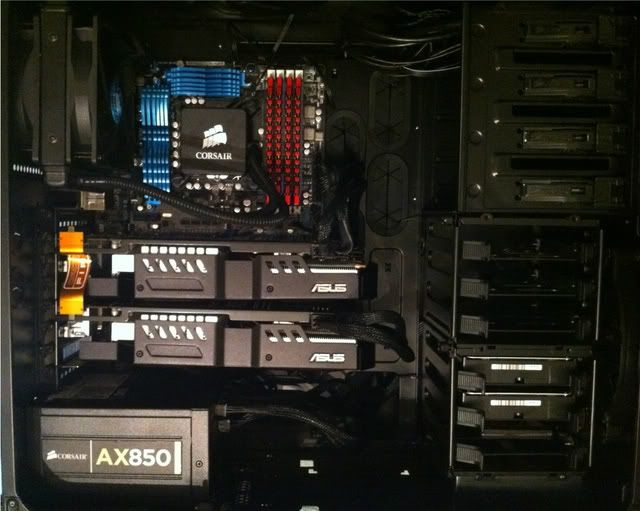
Damn, I love the spacing on that motherboard. Mine is a little tight with those cards (6950 here though).

IMG_0545.jpg
 
Damn, I love the spacing on that motherboard. Mine is a little tight with those cards (6950 here though).

IMG_0545.jpg

Yeah, that is a little tight. Do you find that the top card runs much hotter?

The upside of my configuration is that there was a legacy PCI slot positioned perfectly between these cards to give the rightmost card a little more breathing room.

The downside is that between these two beasts of video cards, and the PCIe 1x slot I used for my Sound Blaster on the right, the only remaining expansion slot I have is said legacy PCI slot between the two video cards :p
 
Zarathustra[H];1037579373 said:
Yeah, that is a little tight. Do you find that the top card runs much hotter?

The upside of my configuration is that there was a legacy PCI slot positioned perfectly between these cards to give the rightmost card a little more breathing room.

The downside is that between these two beasts of video cards, and the PCIe 1x slot I used for my Sound Blaster on the right, the only remaining expansion slot I have is said legacy PCI slot between the two video cards :p

I was under the impression that the top card always runs hotter than the bottom (this is the case on my 8800GT SLI setup as well). I tried hooking the monitors up to the bottom card, but it didn't like it. I've seen the top card hit 85C or so. I haven't messed with custom fan profiles, etc. After seeing how close a lot of the setups are on here I'm not too worried about it. The back of the card tapers which helps give more airflow to the rear fan.
 
I was under the impression that the top card always runs hotter than the bottom (this is the case on my 8800GT SLI setup as well). I tried hooking the monitors up to the bottom card, but it didn't like it. I've seen the top card hit 85C or so. I haven't messed with custom fan profiles, etc. After seeing how close a lot of the setups are on here I'm not too worried about it. The back of the card tapers which helps give more airflow to the rear fan.

yeah, the top card should run a little hotter than the bottom one, as it gets heat coming up off the back of the bottom card, as well as the top card is usually the primary, so at idle, it will have much higher temps than the bottom card.

I was kind of wondering if you saw more of a difference than is normal for a dual card setup (that being said I have no idea what is considered normal :p )
 
I second the RadeonPro option. I really like that the new Catalyst drivers are open enough to allow something like RadeonPro to tweak without fouling them up. You can run app profiles (If you want to have a baseline for certain games, remember to download the application profiles for your latest driver release from AMD - I don't think they come in the typical installer) direct from Catalyst Control Center but as aforementioned, its cumbersome. Same thing with render modes, especially if you want them specific to the game. RadeonPro is really quite useful.

I hope you'll find AMD to your liking - Since the AMD/ATI 4000 series I've had a much better experience, in terms of power, value, and usability. Amazingly, I've had better experiences on the Linux side as well, but that may not be of interest to you. Great choice on those Asus models..they look like Direct CU II? I have one of the original 6970s and I'm very happy with it, but I'm considering getting the Direct CUII variant for CrossFireX, especially if a RoG Matrix version isn't launched :(
 
I second the RadeonPro option. I really like that the new Catalyst drivers are open enough to allow something like RadeonPro to tweak without fouling them up. You can run app profiles (If you want to have a baseline for certain games, remember to download the application profiles for your latest driver release from AMD - I don't think they come in the typical installer) direct from Catalyst Control Center but as aforementioned, its cumbersome. Same thing with render modes, especially if you want them specific to the game. RadeonPro is really quite useful.

I hope you'll find AMD to your liking - Since the AMD/ATI 4000 series I've had a much better experience, in terms of power, value, and usability. Amazingly, I've had better experiences on the Linux side as well, but that may not be of interest to you. Great choice on those Asus models..they look like Direct CU II? I have one of the original 6970s and I'm very happy with it, but I'm considering getting the Direct CUII variant for CrossFireX, especially if a RoG Matrix version isn't launched :(

Thank you,

I do like them. They have a large enough heatsink that the fans - on low speeds - remain very quiet. In most gaming the fans never spin up to more than like 40% speed, and don't make much noise at all.

I haven't played around with overclocking them much yet (haven't had time) but I'd imagine with these heatsinks they can really kick some ass.

Linux is actually of interest to me, and traditionally this is why I bought Nvidia GPU's as their closed source drivers were leaps and bounds better than ATI's.

AMD/ATI's linux closed source drivers, - fglrx - are still terrible, IMHO, but the open source community is really coming through on drivers ever since AMD published all the information needed.

When I played around with a 5750 about a year ago, the open source drivers - while mature for older radeon chips were not mature enough for evergreen yet. Since then it looks like they have made a lot of headway!

I have been so busy since rebuilding my main rig though, that I have not yet had a chance to reinstall linux. I'm considering going with Linux Mint this time around instead of Ubuntu which I was using ever since I got tired of the incessant maintenance required with Gentoo...

What are you using?
 
Damn, I love the spacing on that motherboard. Mine is a little tight with those cards (6950 here though).

I'm actually starting to wish I didn't get the ASUS DirectCU cards.

Their three slot design is limiting me now.

I found that dual 6970's in Crossfire still are not sufficient to run newer games (like Metro 2033) at max in game settings at 2560x1600...

I'd add a third 6970, but I cant because these are three slot designs and it won't fit :(
 
Zarathustra[H];1037587183 said:
I found that dual 6970's in Crossfire still are not sufficient to run newer games (like Metro 2033) at max in game settings at 2560x1600...

I'd add a third 6970, but I cant because these are three slot designs and it won't fit :(

Nope, they are not. Hopefully, the next generation of AMD/Nvidia cards will allow us to run games like Metro and Crysis at max settings at 2560 x 1440/1600 at 60+ fps.
 
Back
Top