• Some users have recently had their accounts hijacked. It seems that the now defunct EVGA forums might have compromised your password there and seems many are using the same PW here. We would suggest you UPDATE YOUR PASSWORD and TURN ON 2FA for your account here to further secure it. None of the compromised accounts had 2FA turned on.
    Once you have enabled 2FA, your account will be updated soon to show a badge, letting other members know that you use 2FA to protect your account. This should be beneficial for everyone that uses FSFT.

Galaxy S4 - Watch Thread....

After playing with the s4 more I'm going to buy that instead, the htc one is too limited on the radio side of things, if the new moto phone is great I'll sell the s4 to get it but I can't wait that long.

S4 it is.
 
Just picked mine up, so stoked to play around with it after lunch......dam the screen is nice, better than that on my G.Nex its replacing :D ... And it is honestly the same size , except a bit lighter i think ... time to root it tonight as well :D
 
im looking to try out the s4 coming from a long line of iphones, should i take the plunge?
 
I got a chance to seriously play with one today (T-Mobile version, sans update). While the overall operation was mostly smooth, the homescreen had a little frame stutter to it periodically. Nothing like what I noticed on the DNA, but it was less fluid than my SGS2 running 4.1.2 (official firmware and kernel). I loved the feel of it in my hands. Held it next to another (non-operation, unfortunately) HTC One. That One had the same issue I described before, where one side of the screen was flush with the bezel and one was not (but different sides this time). I can confidently say that the sGS4 seems to have better built quality (IE, assembly, gaps, ridges) than the One, despite the lesser material quality.

The sidebar was not intrusive like I expected. I actually forgot it was there. Was able to disable all T-Mobile pre-installed apps that I could fine, to include Lookout. That's a concern if I were to get a branded version as opposed to unlocked (unlikely).

Still, I couldn't get over their choice of screen. The burn-in issues on my SGS2 make me less trustworthy of the technology for static UI elements. Also would prefer the 32GB model as opposed to the 16GB model, if T-Mobile would carry it. Overall though, not seeing many flaws with this phone. I can confidently say that it's better than the One in most areas that are important to me.

So for now, I've removed the One and Xperia Z from my list because their unlocked models do not properly support T-Mobiles frequencies. I'll await and see if Samsung's eventual developer/unlocked models support it. Motorola's fall lineup and "Nexus 5" are still my leading candidates. The SGS4 or Nexus 4 LTE could creep in as dark horses if I get desperate.
 
The frame shutter was from the "Alive" whatever program they run that demos the phone sitting there on the shelf with all the marketing info on the screen. It takes so much ram just to run in the background and CPU cycles waiting to turn on to try and sell you more stuff.
 
Still, I couldn't get over their choice of screen. The burn-in issues on my SGS2 make me less trustworthy of the technology for static UI elements.

Do you have any permanent burn-in on your screen?

I had temporary burn-in issues on my Gnex when brightness was turned down low too. It would leave images on screen for several seconds before eventually fading away, but it never left a permanent image burned into the screen.

I haven't noticed any of this on my Note 2 though. Maybe they have improved the SAMOLED displays to help combat this now? Did the GS3 have burn-in issues too? In the short time I've played with some GS3s, I didn't noticed the ghosting or burn-in issues that I had on my Gnex either. I figured that they pretty much fixed this in the newer displays since my Note 2 has been flawless in this regard so far.
 
The frame shutter was from the "Alive" whatever program they run that demos the phone sitting there on the shelf with all the marketing info on the screen. It takes so much ram just to run in the background and CPU cycles waiting to turn on to try and sell you more stuff.

They didn't set that up yet. This was a live, "just removed from the box" unit. Since they weren't allowed to put them out or sell at this location yet, he opened a box from the back room. We didn't even have a sim in it.

Do you have any permanent burn-in on your screen?

Yup. Along the notification bar. That area looks different in virtually every app. Drives me nuts.
 
i'm sure many of you have done it.. is the move from GS3 > GS4 worth it? noticeable performance increase? can't make up my mind.
 
The GS2 started with Gingerbread didn't it? Didn't Android have a white notification bar back then? Hopefully with the new Holo styling, average use cases won't burn in the screen (and yeah AMOLED definitely can burn in).
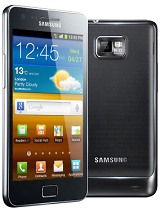
 
Maybe it's just me but I never had any image burn ins on my E4GT. Though maybe I just did not keep the same image on the screen long enough.
 
The GS2 started with Gingerbread didn't it? Didn't Android have a white notification bar back then? Hopefully with the new Holo styling, average use cases won't burn in the screen (and yeah AMOLED definitely can burn in).

GB on the SGS2 had a black-ish notification bar.

samsung-galaxy-s-ii-real-ofic.jpg


Maybe it's just me but I never had any image burn ins on my E4GT. Though maybe I just did not keep the same image on the screen long enough.

Notification bar is static. Whenever I use an app that causes the bar to go away, or I'm in landscape, that part of the screen has an annoying stripe.

HTC one is more up your alley (build quality, less lag from TW).

I respectfully disagree on build quality. I prefer the feel of the S4 (smooth, no ridges/gaps, solid construction). The One feels like an aluminum-plastic sandwich with ridges and gaps. It feels poorly assembled, despite the higher quality materials. This is personal preference, so I recommend that he hold both. Some people, like you, take build materials as the deal-breaker. But others will care about things like a removable battery, expandable storage, length of software support, and other such things. If everyone wanted the same thing, we'd all have iPhones :)
 
I'd rather have the HTC One. My uncle just got one and I must say I am impressed. It looks stunning compared to the GS4, doesnt feel so cheap and has a "hefty" feel to it. I believe both the GS4 and HTC one on AT&T are very similar in performance? Both the GS4 and HTC One are brilliant as far as Android phones go cant really go wrong with either.
 
so I got an S4 (my last phone was Nokia 6020 :D)

quick questions:
1-The guy at the store told me not to buy and use a car charger because it may hurt the battery, true?
2-He also said leaving it charging after its full will decrease the battery life, true?
3-Using it while it’s charging is ok?
4-What’s the dimensions of the home and lock screen?
5-I don’t have internet in it now and I just found I can’t download apps from Google play store to the PC so I can copy them to the phone and install them from their, any ideas?
 
1) Never heard of that, or experienced it
2) No
3) Yes
4) What do you mean by dimensions? It fills the 4.99" screen...
5) Use wifi? Or is that no option?
 
wow thanks, things feel much easier now

4- is it something like 360x640? because I want to crop/resize some pictures I have on the PC then move them to the phone and set them as home/lock screen wallpaper
5- don't have it at home and not always available at work. i'm ok if it's the only way, just wanted to confirm there is no other way.

edit: can I make a hidden folder or a folder with password?
 
Last edited:
The phone screen is 1080p, or 1920x1080 resolution.

You can still side load apps, which is what you are talking about.

Don't listen to them about battery life while charging. Too many people make a big deal about charging habits hurting the battery life. The battery for one is rather cheap to use, if you follow the "drain then charge" pattern you may be going a bit crazy. All my phones have been placed on a charger at night even when not fully drained, and left on the charger after fully powered and my battery life is still fine.
 
but if I copy an 1920x1080 image to the phone then try to set it it'll give me a blue box to choose a small area from the image. I think this is because the original image is horizontal and the phone wants a vertical one (something like this)
 
but if I copy an 1920x1080 image to the phone then try to set it it'll give me a blue box to choose a small area from the image. I think this is because the original image is horizontal and the phone wants a vertical one (something like this)

You can rotate the original image if that is what you want.

The phone is 1920x1080(horizontal x vertical) in landscape. It is 1080x1920 (horizontal x vertical) the way you typically hold a phone in portrait. I think there might be some confusion since people typically associate displays and resolutions with landscape.
 
cool thanks.
so can I make a hidden or password protected folder?
this may sound stupid but when I open a sound or video file, the only way to close it is to pause then hold home to bring the open applications and then close it?
 
Quick google came up with: http://www.beysoft.com/

As for the 2nd question - Are you saying that you want to force close out the media player? You should be fine letting video/audio applications in the background, it will close itself if/when the ram is needed.
 
The stuff about over charging may be true but I think many phones now combat that internally. Same with charging during use.

Me personally, well its all the more reason a phone with a removable battery is important. I am not going to get up in the middle of the night just to unplug my phone, the phone charges when I sleep period. And if I am traveling I am going to charge while I use the GPS since by the time I get somewhere I don't want the phone half dead. When the batteries doesn't last as long anymore, I will buy a new one.

All that crap about battery life is for people with sealed batteries. I want my phone to help me live life better, I don't want my life to help my phone live better.
 
Yeah, I use my phone however I want. If the battery gets shot because of my usage pattern, a new high quality Anker battery is just $14
 
Many chargers have overcharging protection built in, but basic ones do not. Most smartphones today have some degree of overcharge protection built into the software. This does no good for a phone that is turned off completely (Samsung and HTC phones don't power down completely so long as a battery is inserted). An example of this was the HTC Incredible, which had the weirdest overcharge protection built in and drove users nuts. It would literally shut off charging at 100%, and would not resume charging (unless unplugged and plugged back in) until the battery hit 79%. The worst part of this, though, was that the charge meter would show 100% even if it was really at 85%. The result was that for the first few hours, the battery seemed to drain faster than usual, when in fact, the battery meter was simply catching up (or down) to the actual charge.

With that said, yes, you can overcharge your phone under some conditions, but those conditions are getting rarer. You pretty much have to do it deliberately. Another enemy of batteries is heat. So, using a phone when plugged in can be a bad thing if you're already doing a demanding task that would cause the phone to get warm, but using it for simple, mundane tasks when plugged in is fine. I'll illustrate this example as best I can.

In Android phones, most chargers cap at 1A (1000mAh). This is not enough to power the phone under full load. As a result, the vast majority of Android phones will not run off AC power. They run off the battery (which completes the circuit). You can test this if your phone has a removable battery. Simply remove the battery, plug in the phone, and try to power it on (it won't power on). So, if your phone is plugged in charging, you get a push/pull effect. Basically, your battery is simultaneously charging, but also discharging, as it is still the power source for the phone. Under usage, this causes the battery to get warmer than usual. If you're doing something that normally causes the phone to get warm (like playing a demanding game), it will only be worse when plugged in. I tend to destroy my batteries because I'll have them plugged into my car for charging on long road trips, while being used as a GPS (screen on max brightness, GPS and data being used, etc.). I have a clip on my AC vent that helps, but sometimes I just put the phone through too much. This is why I will NEVER buy a phone with a sealed battery.
 
I really hope people don't get up in the middle of the night to turn unplug their phones lol

I have not once 'carefully' charged my phones, neither have my parents or my brother... But... that's where US Cellular is great, free battery replacement is great :D

Although, I've never really ruined a battery, just replaced when I was low on charge and away from home.
 
Well ATT also has free battery replacement, all you have to do is let them know that your battery is getting too hot or not holding a charge and it will be replaced in a week, done this three times. Of course iphones are not covered.
 
so I got an S4 (my last phone was Nokia 6020 :D)

quick questions:
1-The guy at the store told me not to buy and use a car charger because it may hurt the battery, true?
2-He also said leaving it charging after its full will decrease the battery life, true?
3-Using it while it’s charging is ok?

The guy at the store is an idiot and knows nothing. Enjoy your new phone and don't concern yourself with stupidity, he was probably trying to prop you up to buy a 2nd battery "just in case".
Cellphone store employees are somewhere in the middle between Bestbuy employees and Car salesmen (which only a slight step above prostitution.). They think they know so much yet are minimum wage idiots.

I remember when I got my S2 a couple of years ago the retard deactivated my text messaging and I had to inconvenience myself and go back to the store the next day during my lunch break and have the idiot turn it back on.
 
You should be fine letting video/audio applications in the background, it will close itself if/when the ram is needed.

You should be fine with never closing or uninstalling applications on your desktop. It shouldn't need it.

On a serious note, I'm not interested in my phone making decisions like that. I know better than it does, and that will ALWAYS be the case. Leaving applications I don't need open wastes resources and battery life, period. I don't care what the phone's opinion on the situation is.
 
Back
Top