• Some users have recently had their accounts hijacked. It seems that the now defunct EVGA forums might have compromised your password there and seems many are using the same PW here. We would suggest you UPDATE YOUR PASSWORD and TURN ON 2FA for your account here to further secure it. None of the compromised accounts had 2FA turned on.
    Once you have enabled 2FA, your account will be updated soon to show a badge, letting other members know that you use 2FA to protect your account. This should be beneficial for everyone that uses FSFT.

Broken GPU-Z Install?

Joined
Apr 5, 2016
Messages
2,286
Hey all! This possibly isn't the right forum, but I figured I'd probably find the expertise here...

Running GPU-Z on Win10, set to auto-start minimized with Windows.

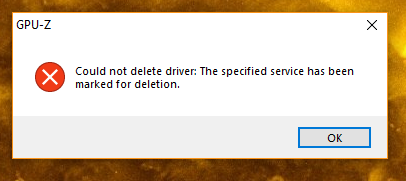
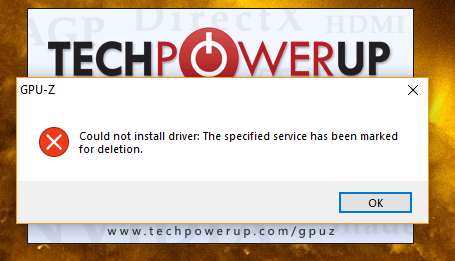
Intermittently, on logon, I get these two error messages in sequence:
Capture.PNG


Capture2.PNG


Sometimes, after "OK"ing the second box, GPU-Z starts as normal. More often, it doesn't. When I go to start it manually, it works fine.

This doesn't happen on every boot. I'd say about 60% of the time it does.

I've tried uninstalling and reinstalling GPU-Z, disabling and re-enabling auto-startup, and checked for duplicate entries in msconfig. I'm at a bit of a loss.

Thanks!
 
I wonder if GPU-z relies on some service that isn't always initialized by the time it's autorun triggers. Maybe some variability in the order which windows loads stuff. Delaying the autorun might avoid that error popup - you can't do this with a "regular" autorun in the registry, but I think the task scheduler can.
 
I wonder if GPU-z relies on some service that isn't always initialized by the time it's autorun triggers. Maybe some variability in the order which windows loads stuff. Delaying the autorun might avoid that error popup - you can't do this with a "regular" autorun in the registry, but I think the task scheduler can.

Bingo... main reason why I never let "autorun" anything..
 
Bingo... main reason why I never let "autorun" anything..
I'll give the delay a shot. I like it to autorun because it passes temperature (and other) information to my Logitech G13 display via LCDSirReal, and I usually like to have that available at a glance.
 
I'll give the delay a shot. I like it to autorun because it passes temperature (and other) information to my Logitech G13 display via LCDSirReal, and I usually like to have that available at a glance.

there won't be too much difference between autorun and having you opening manually those apps.. I have a logitech G510 and a logitech G19s and I also like to have all my information on screen, however I still open everything manually which it's no more than open CoreTemp and MSI afterburner (those are the one I use on my Keyboard LCD screens).
 
Delayed start put it in a batch with a timer. Disable auto update.
 
Back
Top