christpunchers
Gawd
- Joined
- Dec 26, 2006
- Messages
- 525
I’m not sure if the USB-C solution will work well. There’ll always be some issue when converting from a HDMI out to USB-C. But thank you for the tip.

Follow along with the video below to see how to install our site as a web app on your home screen.
Note: This feature may not be available in some browsers.
Delock 62967 has a few cons. The connector is flimsy. So you’ll need to find a way to rubber band the VGA output to the VGA cable so it doesn’t fall apart in use.I have DPU3000-D4, but don't have Delock 62967. From your experience owning both DACs, is there a difference in picture quality?
And is Delock 87685 > Delock 62967 in PQ?
What do you think about this DP to usb-c conventer or cable, will it work with usb-c adapters?
https://www.aliexpress.com/item/1005006292426946.html?
it's a shame that graphics cards don't has usb-c ports, there are planty monitors and adapters with usb-c standard. Ex https://www.walmart.com/ip/Silverstone-SST-EP16-USB-Type-C-VGA-HDMI-Adapter-supports-4Kx2K-30Hz-support-1920x1200-120Hz-Dual-Screen-Display-Simultaneously-Charcoal/44135382
I mean, my Super Nintendo from 1991 has a "VGA adapter" in it. Also know as a "digital to analog converter" or "DAC"How long last VGA adapter in your case? I wants to knows how long will last my adapter before out of order.
are you sure you are configuring your resolutions properly, with timings (like GTF), refresh rates, ,etc? i ask since i use a Sunix DPU3000 as well, and i have not noted poor, not shap image quality even compared to older graphics card with native analog outputs, yo my eyes image quality look the same, well, unless you have a very detalied eagle like eyes, also i have never used a Delock 62967, just based on my experience using the DPU3000 and comparing it with native analog cards. (nvidia mostly)Hi guys,
Does anyone have a spare Delock 62967?
I've tried most of the HDMI/DP VGA adapters out there including the Sunix DPU3000 and other variants of the same chip. As well as the LK7112 that was sold on eBay. And a bunch of other unknown adapters. But compared to the Delock 62967, they are not as sharp.
I'm looking to collect more of the Delock 62967. If anyone wants to let one go, I'm happy to offer a good price. Please DM me or let me know.
How bad is it? Is it visible when the cable is not plugged in and the monitor displays the "cable isn't plugged in" banner? If not I would suspect your cable is suspect actually.What's the cause of the symptoms of light sideways ghosting on static images on the fw900, bad caps?
Not noticeable in games/video or anything moving, just static windows in desktop.
How bad is it? Is it visible when the cable is not plugged in and the monitor displays the "cable isn't plugged in" banner? If not I would suspect your cable is suspect actually.
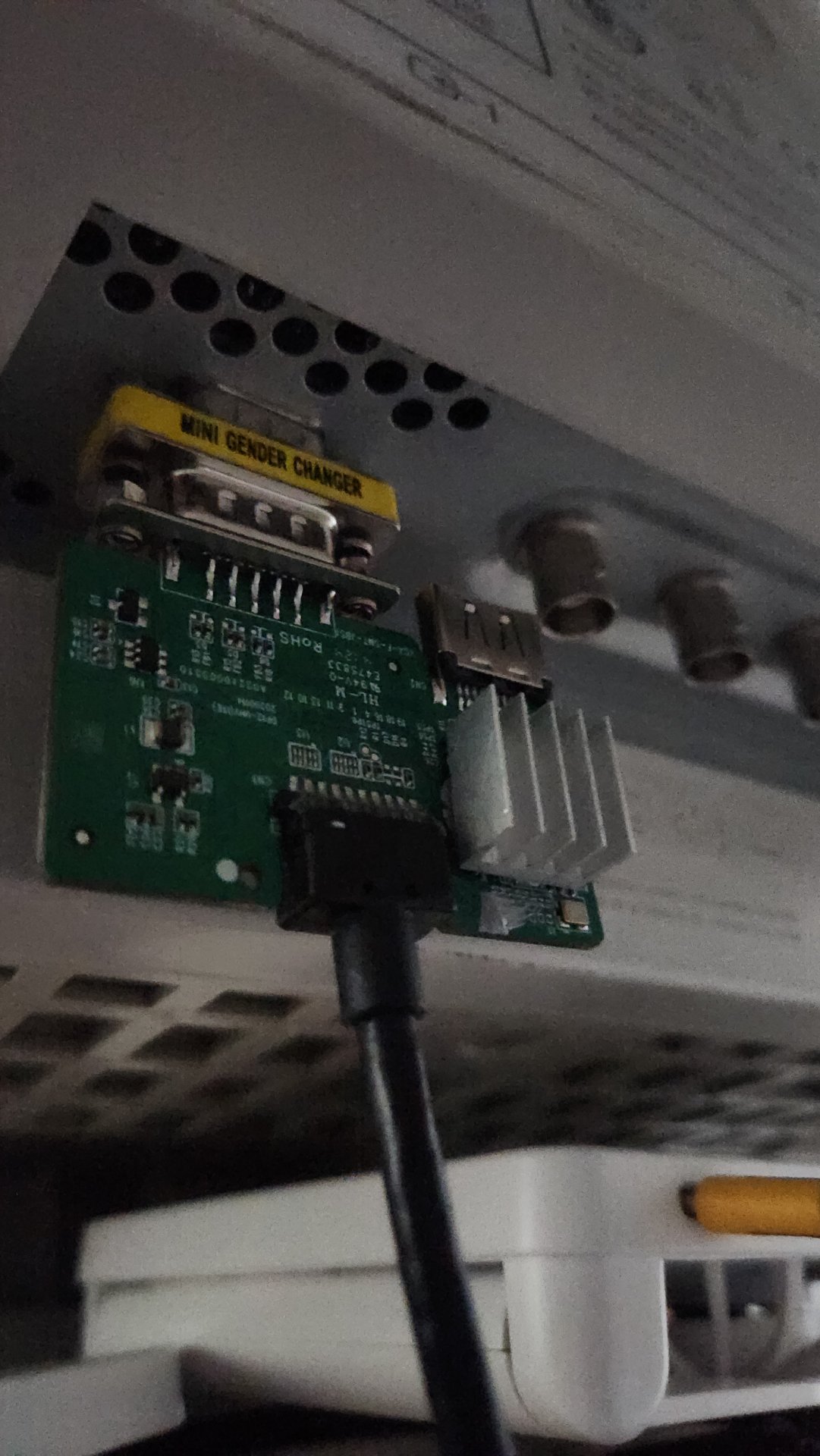
Delock 87098 has 3m, dp cable should have max 1,8 m. Only opitc dp cables for more than 2m I think.
I don't mean to be "that guy" but your adapter is bare PCB into analog input. Surely that's not shielded?It's not a regular cable, it's a robust extension cable with triple shielding and can do up to 8k 60hz, it works perfectly. I run it at 1920x1200 @ 95hz which is light work for it. It has 3.3v power pass through on pin 20 which regular cables do not, which is necessary to power the dp to vga adapter.

Yeah I am sure the bare connections going into the VGA port are not picking up every bit of interference in the world. At least on mine, I have a thick and insulated VGA cable with large ferrite beads on both ends.I don't mean to be "that guy" but your adapter is bare PCB into analog input. Surely that's not shielded?
That's fair. I was just pointing out what I was seing.Yeah I am sure the bare connections going into the VGA port are not picking up every bit of interference in the world. At least on mine, I have a thick and insulated VGA cable with large ferrite beads on both ends.
Okay well I was just trying to help. Does the "cable isn't connected" alert have the same ring to it?Bahaha, laughable, the signal path on the circuit board is about an inch, nothing like a cable that acts like an antenna.
Well you definitely made it more of a pain for yourself by trying to use some obscure graphics card and GPU passthrough.Using a CRT now is a pain, wow.!
Yeah I agree, right now things are working well enough for me. I did use interlaced resolutions in the past for really high resolutions which is where I think it starts to make sense, like past what a CRT can fully resolve progressively, i.e. ~1600x1200p => 3200x2400i . I want to get this to work, and I was one of the people using interlaced resolutions in the past but admittedly not very oftenWell you definitely made it more of a pain for yourself by trying to use some obscure graphics card and GPU passthrough.
Honestly, interlacing isn't very important. Historically almost nobody ever used it.
So if you just forget about that, then a RTX 3080 + decent DAC covers almost all your needs

Yeah I agree, right now things are working well enough for me. I did use interlaced resolutions in the past for really high resolutions which is where I think it starts to make sense, like past what a CRT can fully resolve progressively, i.e. ~1600x1200p => 3200x2400i . I want to get this to work, and I was one of the people using interlaced resolutions in the past but admittedly not very often
old video of mine
View: https://youtu.be/UbxQsFEaws8?si=Opp7do1CPq460FKi
I've seen this linked around a bunch, don't think it works anymore


Would you be willing to sell the Sunix?Anyone here has Delock 62967 for a spare?
I got Sunix DPU3000 and wanna trade it for PQ tests.
I have basically all the adapters people spoke of on this thread. Including the LK7112.If you tell you the truth, my old GPU picture quality with only DVI ports is worse than any recommend DAC on this forum, and I have almost every good DAC recommend. I only don't have DAC that has chip LK7112
Wacom Link Plus (ACK42819) should work for ucb-c DACs but it's too expensive, it has dp in, hdmi in and usb-c out
I haven’t tried it yet. Will give it a spin this week.How do you rate DP2VGAHD20?
What do you think about this DP to usb-c conventer or cable, will it work with usb-c adapters?Found interesting thread on crtgaming reddit about dongle that can do 700MHz https://www.reddit.com/r/crtgaming/...ave_a_new_champion_8_cablematters_201368_dac/
It has USB C input and my GPU doesn't have it so not sure it is usable. LLMs say it isn't possible.
Anyone have any experience with this adapter?
I saw this USB-C adapter on the crtgaming subreddit as well. I think for something like this to work for me I would need 2 adapters. Display port or HDMI to USB-C and then a USB-C Female/Female coupler. I am still not sold on this being able to hit that pixel clock.What do you think about this DP to usb-c conventer or cable, will it work with usb-c adapters?
https://www.amazon.com/gp/aw/d/B0D86XPWZJ/ref=ox_sc_act_title_2?smid=A1ZKHZNOBFXQXY&psc=1
https://www.aliexpress.com/item/1005006292426946.html?