24" Widescreen CRT (FW900) From Ebay arrived,Comments.

I’m not sure if the USB-C solution will work well. There’ll always be some issue when converting from a HDMI out to USB-C. But thank you for the tip.

 
I have DPU3000-D4, but don't have Delock 62967. From your experience owning both DACs, is there a difference in picture quality?

And is Delock 87685 > Delock 62967 in PQ?
Delock 62967 has a few cons. The connector is flimsy. So you’ll need to find a way to rubber band the VGA output to the VGA cable so it doesn’t fall apart in use.

Also I’ve found the adapter to cause the screen to dim for a second. But this happens only once every week or so.

Now the pros: the 62967 is much sharper than the Delock adapters 87685 hub, Sunix DPU3000, and even the LK7112.

On a well maintained and well-calibrated FW900, the 62967’s sharpness and PQ (color gradient, gamma gradient) is amazing. The text clarity is almost on par with a good LCD.

But the 62967 will top out around 72hz at 2304x1440 (the FW900’s official max resolution). But even at 72hz, the flickering feels minimal and everything just looks crisp and looks right.

I’d rate the DPU3000 and its variant from Delock a 7/10. They tend to look blurry once you go to higher resolutions and refresh rates. And they freak out at certain resolutions and have more intermittent screen flickering than the 62967. The Delock 62967 is like a 9.25/10. Only downside is the occasional “blinking” and a lower pixel clock than the DPU3000.
 
  • Like
Reactions: Xar
like this
I'm not sure if the USB-C adapters are going to be any good with our CRTs. Any modern graphics card will only have DP and HDMI outputs. If you take another adapter to switch the USB-C to DP or HDMI, that will introduce probably more problems. I wouldn't bother. Probably best to just get the Startech adapter which seems to be readily available and still hit pretty decent pixel clocks.
What do you think about this DP to usb-c conventer or cable, will it work with usb-c adapters?
https://www.aliexpress.com/item/1005006292426946.html?


it's a shame that graphics cards don't has usb-c ports, there are planty monitors and adapters with usb-c standard. Ex https://www.walmart.com/ip/Silverstone-SST-EP16-USB-Type-C-VGA-HDMI-Adapter-supports-4Kx2K-30Hz-support-1920x1200-120Hz-Dual-Screen-Display-Simultaneously-Charcoal/44135382
 
Yea, usb-c to HDMI cause problems, on the other hand usb-c to DP could be fine because usb-c has built-in DisplayPort Alternate Mode which uses the same signal as pure DP, of course usb-c out has to deliver current to adapter, yet.
 
Last edited:
How long last VGA adapter in your case? I wants to knows how long will last my adapter before out of order.
 
How long last VGA adapter in your case? I wants to knows how long will last my adapter before out of order.
I mean, my Super Nintendo from 1991 has a "VGA adapter" in it. Also know as a "digital to analog converter" or "DAC"

It converts digital RGB to analog RGB, just like a HDMI->VGA adapter. And that still works beautifully
 
Hi guys,

Does anyone have a spare Delock 62967?

I've tried most of the HDMI/DP VGA adapters out there including the Sunix DPU3000 and other variants of the same chip. As well as the LK7112 that was sold on eBay. And a bunch of other unknown adapters. But compared to the Delock 62967, they are not as sharp.

I'm looking to collect more of the Delock 62967. If anyone wants to let one go, I'm happy to offer a good price. Please DM me or let me know.
are you sure you are configuring your resolutions properly, with timings (like GTF), refresh rates, ,etc? i ask since i use a Sunix DPU3000 as well, and i have not noted poor, not shap image quality even compared to older graphics card with native analog outputs, yo my eyes image quality look the same, well, unless you have a very detalied eagle like eyes, also i have never used a Delock 62967, just based on my experience using the DPU3000 and comparing it with native analog cards. (nvidia mostly)
 
If you tell you the truth, my old GPU picture quality with only DVI ports is worse than any recommend DAC on this forum, and I have almost every good DAC recommend. I only don't have DAC that has chip LK7112

Wacom Link Plus (ACK42819) should work for ucb-c DACs but it's too expensive, it has dp in, hdmi in and usb-c out
 
Last edited:
What's the cause of the symptoms of light sideways ghosting on static images on the fw900, bad caps?

Not noticeable in games/video or anything moving, just static windows in desktop.
 
What's the cause of the symptoms of light sideways ghosting on static images on the fw900, bad caps?

Not noticeable in games/video or anything moving, just static windows in desktop.
How bad is it? Is it visible when the cable is not plugged in and the monitor displays the "cable isn't plugged in" banner? If not I would suspect your cable is suspect actually.
 
Short introduction: Long time lurker here, FW900 & CPD g520p owner. Used to have other cool crts like Nokia 445pro, Dell p1230, ViewSonic g220fb (gave this away to a friend a year ago since she helped me move and I wasn't using it much anymore, and she was like one of the only other people I've ever known to still daily a crt monitor).

Using a CRT now is a pain, wow. I had a titan x maxwell, kept it on old drivers and it was great, but it ended up dying on me. I got a 3080 to replace it and a cheap AMD card I got at a PC recycle place (r5 200?) for VGA output. I haven't tried any active converters in a long time since they all seemed pretty garbage, but from lurking in here for a couple years it looks like some are pretty good? But, now of course bad support for high resolutions, bad interlaced resolution support, annoyances with conflicting main GPUs, etc etc.

New-ish thing (main reason why I'm posting now).
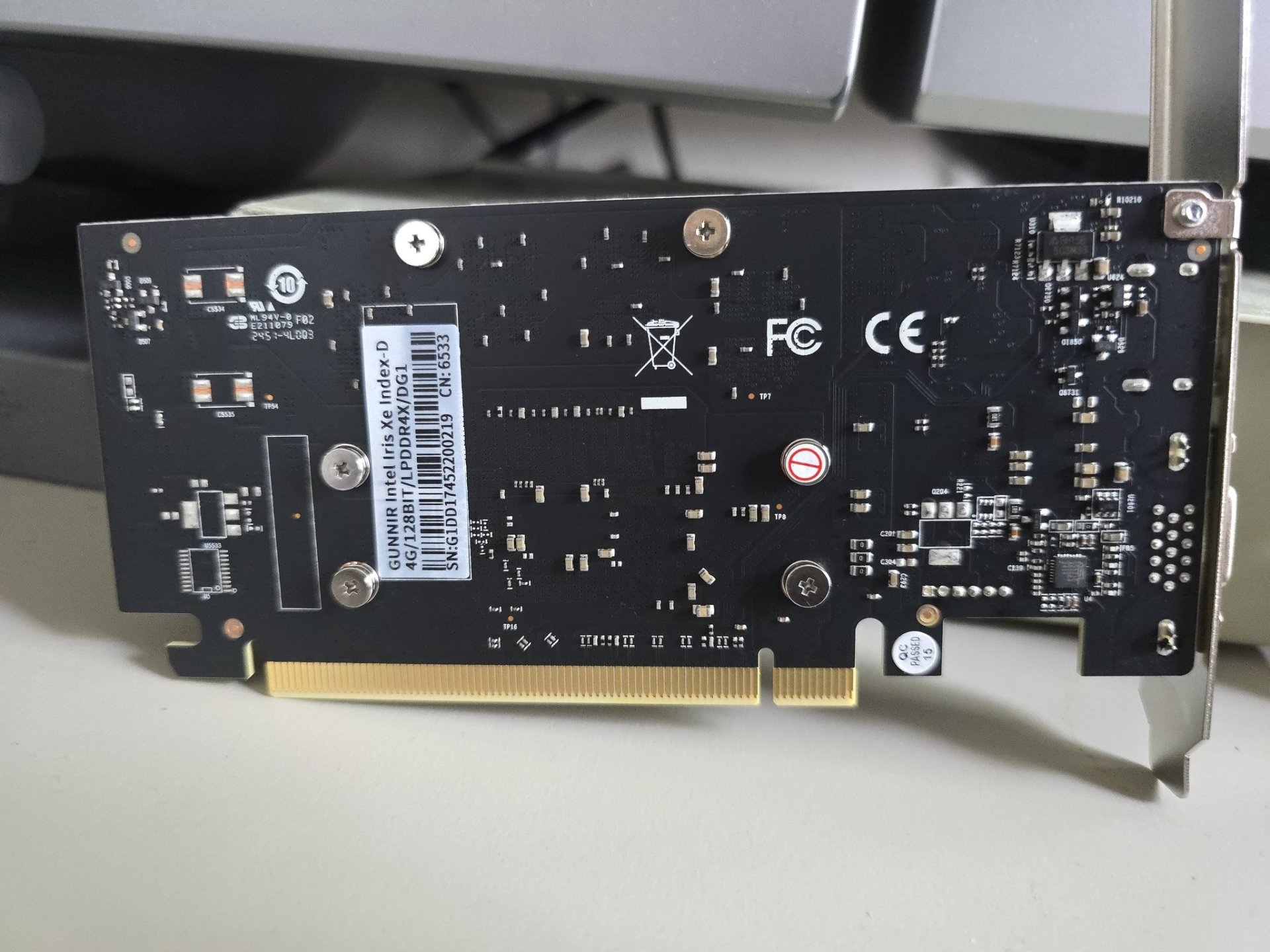
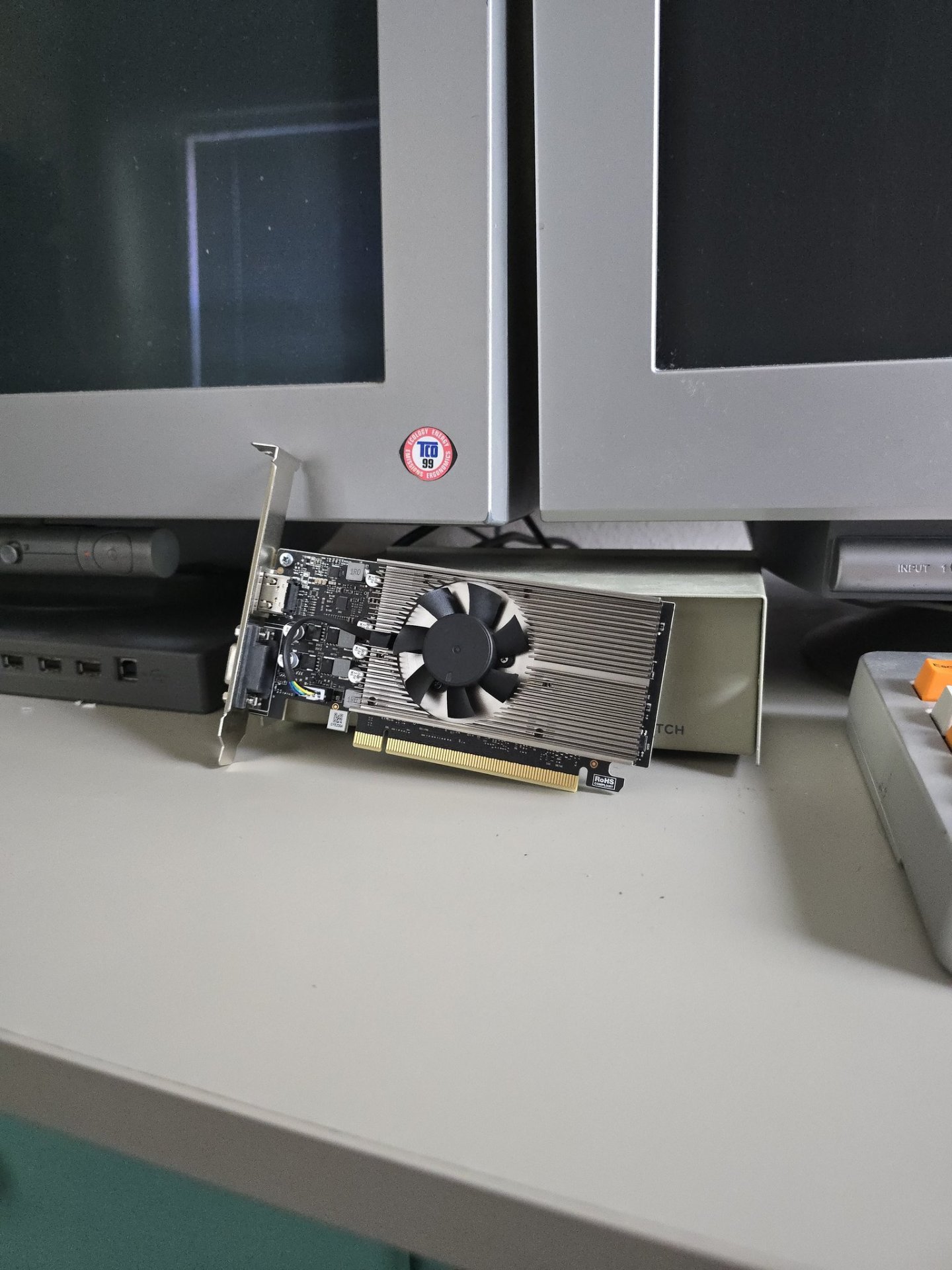
I finally decided to order this kind of weird graphics card, it's a Gunnir Intel Iris Xe DG1 v1. It arrived a few days ago, but I haven't had a chance to try to trouble shoot it. Found out pretty quickly it was like some of these other early Intel graphics cards that 'require' specific motherboards and intel CPUs... and I'm using an AMD 5800x... Apparently I might be able to get it to work, if I completely disable CSM and use only UEFI mode for my motherboard... but I need to reset up my drives for this, and can't deal with this messing up stuff at the moment (like right now things work, i.e. I have legacy AMD ccc and nvidia control panel, from trying to trouble shoot a different PC with a CRT found out there's issues getting AMD ccc on win10+ PC, so if things messed up CRT use I'd have to go through Win 8 install and upgrade OS one at a time to keep it lol I CBA. I'll get a new drive at some point soon, do a separate install on that and test the graphics card.)

Has anyone here tried this card? The questions I have now that I hope to answer (assuming I can get it to work in my PC).
1. Will Intel let me do custom resolutions? This is card is a weird one, kind of a mobile GPU. I know some intel iGPU generations don't like custom resolutions, but maybe this one is fine? It is basically their first contemporary transition to desktop graphics cards.
2. What is the limit of the RAMDAC?
3. How is interlaced resolution support?
4. Could windows be smart enough to recognize this as essentially a mobile gpu, and then default 'pick' my 3080 over it like a laptop would?

Okay rant over, thanks for reading my blog lol!
 

Attachments

  • GwUnMTnW8AAxXCe.jpeg
    GwUnMTnW8AAxXCe.jpeg
    310.8 KB · Views: 0
  • GwUnMTWWYAE_N4x.jpeg
    GwUnMTWWYAE_N4x.jpeg
    351.5 KB · Views: 0
  • GwUnMSdXsAMBxwn.jpeg
    GwUnMSdXsAMBxwn.jpeg
    327.2 KB · Views: 0
How bad is it? Is it visible when the cable is not plugged in and the monitor displays the "cable isn't plugged in" banner? If not I would suspect your cable is suspect actually.

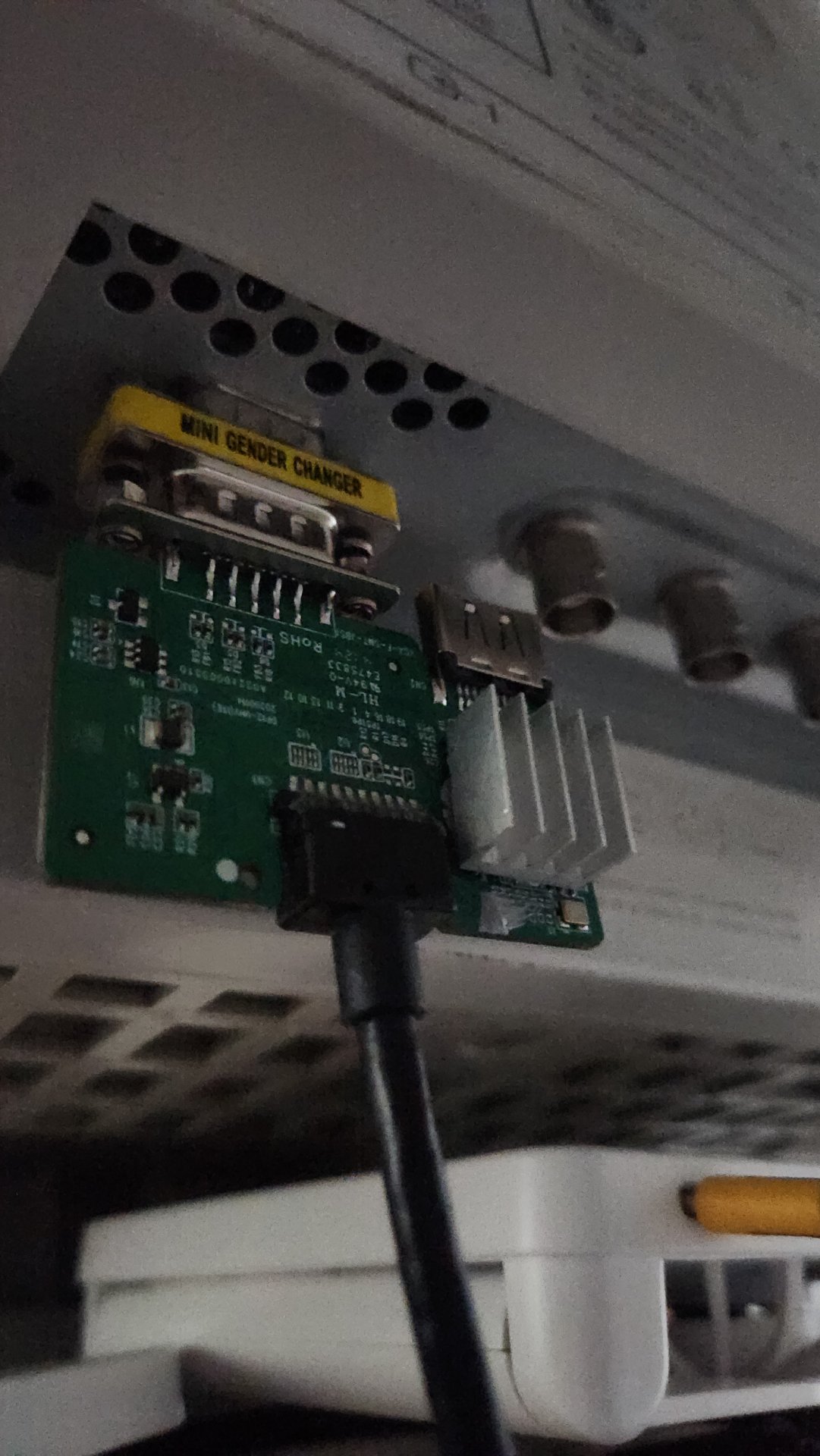
Hmmm.. not sure I'll get back to you soon when I use it. Currently not using a vga cable, have displayport extension cable (Delock 87098 with power passthrough) running to the dp to vga adapter (Startech DP2VGAHD20) with a gender changer in between. Is there such thing as too strong a signal with no cable? The cable I used before was an Extron 26-238-01, I'll have to a & b test them to get findings and maybe answer my own question.

Edit: turns out it's nothing and what I see is the very light glow on the black desktop background caused by the electron guns working those horizontal lines now that they have something to draw on them instead of just nothing. Tested it by expanding a window up and down and moving it up and down, the glow happens across the entire screen where there is something being drawn horizontally.

20250723_150348.jpg
 
Last edited:
  • Like
Reactions: Zenek
like this
Delock 87098 has 3m, dp cable should have max 1,8 m. Only opitc dp cables for more than 2m I think.
 
Delock 87098 has 3m, dp cable should have max 1,8 m. Only opitc dp cables for more than 2m I think.

It's not a regular cable, it's a robust extension cable with triple shielding and can do up to 8k 60hz, it works perfectly. I run it at 1920x1200 @ 95hz which is light work for it. It has 3.3v power pass through on pin 20 which regular cables do not, which is necessary to power the dp to vga adapter.
 
It's not a regular cable, it's a robust extension cable with triple shielding and can do up to 8k 60hz, it works perfectly. I run it at 1920x1200 @ 95hz which is light work for it. It has 3.3v power pass through on pin 20 which regular cables do not, which is necessary to power the dp to vga adapter.
I don't mean to be "that guy" but your adapter is bare PCB into analog input. Surely that's not shielded?
 
I don't mean to be "that guy" but your adapter is bare PCB into analog input. Surely that's not shielded?
Yeah I am sure the bare connections going into the VGA port are not picking up every bit of interference in the world. At least on mine, I have a thick and insulated VGA cable with large ferrite beads on both ends.
 
Yeah I am sure the bare connections going into the VGA port are not picking up every bit of interference in the world. At least on mine, I have a thick and insulated VGA cable with large ferrite beads on both ends.
That's fair. I was just pointing out what I was seing.
 
Bahaha, laughable, the signal path on the circuit board is about an inch, nothing like a cable that acts like an antenna.
 
Using a CRT now is a pain, wow.!
Well you definitely made it more of a pain for yourself by trying to use some obscure graphics card and GPU passthrough.

Honestly, interlacing isn't very important. Historically almost nobody ever used it.

So if you just forget about that, then a RTX 3080 + decent DAC covers almost all your needs
 
  • Like
Reactions: XoR_
like this
Well you definitely made it more of a pain for yourself by trying to use some obscure graphics card and GPU passthrough.

Honestly, interlacing isn't very important. Historically almost nobody ever used it.

So if you just forget about that, then a RTX 3080 + decent DAC covers almost all your needs
Yeah I agree, right now things are working well enough for me. I did use interlaced resolutions in the past for really high resolutions which is where I think it starts to make sense, like past what a CRT can fully resolve progressively, i.e. ~1600x1200p => 3200x2400i . I want to get this to work, and I was one of the people using interlaced resolutions in the past but admittedly not very often

old video of mine :p

View: https://youtu.be/UbxQsFEaws8?si=Opp7do1CPq460FKi
I've seen this linked around a bunch, don't think it works anymore

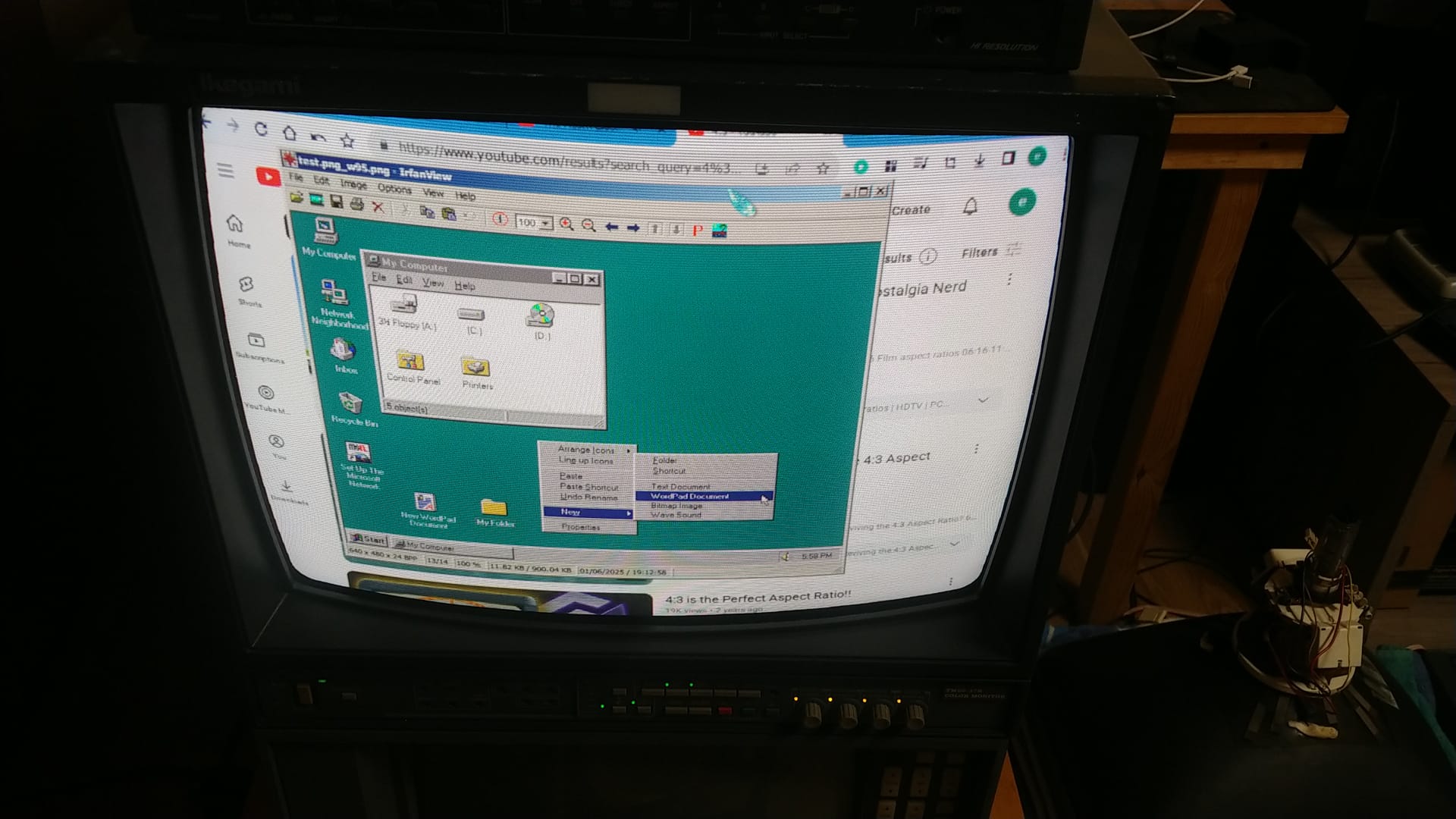
Oh, lol, I've definitely linked a bunch of people to that video, I'm also the guy that made that long comment about workarounds for games that you pinned.

I do have a vague memory from Reddit of somebody finding a more streamlined workaround using CRU, perhaps with some special settings in the Extension Block?

And you probably already know but some drivers work and others don't. I've read conflicting reports for the date ranges on working and non-working drivers.

My main use case for interlaced was always low frame rates, like running a CPU-bottlnecked game at 45fps/90hz. Now I just play those games on my OLED, since motion clarity isn't an achievable goal on any display at that frame rate.
 
Yeah I agree, right now things are working well enough for me. I did use interlaced resolutions in the past for really high resolutions which is where I think it starts to make sense, like past what a CRT can fully resolve progressively, i.e. ~1600x1200p => 3200x2400i . I want to get this to work, and I was one of the people using interlaced resolutions in the past but admittedly not very often

old video of mine :p

View: https://youtu.be/UbxQsFEaws8?si=Opp7do1CPq460FKi
I've seen this linked around a bunch, don't think it works anymore

HEY!!! you're 3hit? nice man i used your method a lot with the 980Ti a couple years ago when i used 2016 drivers, yeah doesnt work anymore but if you feel like it i can help you make a video on the methods that work today!
 
The best modern way to get interlacing and eat it too would be to make sufficiently fast video converter device that could interlace progressive signal. In this case we could employ certain tricks to make interlacing much more usable like doing proper flicker filtering or even increasing resolution further.

Myself I am doing downscaling firmware on OSSC and because of number of lines involved I need to dabble with interlacing a lot. And let me tell you: it is mostly unexplored topic!
1753986432827.jpeg

The idea is to allow playing HD games/movies something like PS5 or PC bigger 16:9 capable TVs.
I will be moving to 31KHz TVs on OSSC Pro but for now I have some work to do on this 15KHz scaler and still have to mod my recently acquired 32 inch 16:9 Loewe TV set.

Unfortunately even OSSC Pro has too weak of the specs to be truly useful for FW900. At most correcting 1080p, maybe interlacing 1080p120 and I will of course attempt capturing 1440p on PS5 and then displaying it but there is number of limitations for the last case and I am not sure it can be done.

For FW900 we ideally had much faster FPGA with 4K receiver IC, HDMI 2.1 or DP 1.4.
With such setup it could be possible to take 3840x2160 and interlace it and do it with nice filter. Output could be done from R2R ladder.
Or what imho would be more useful for me: 2560x1440i160.

When I tried 2560x1440i160 done on GPU I didn't like that motion had this severe motion resolution drop along with obvious artifacts. Proper flicker filtering (and which BTW can be motion-adaptive with big enough memory on the downscaler) there is still resolution drop in motion but its nowhere visually as severe because it doesn't cause aliasing.
 
Anyone here has Delock 62967 for a spare?
I got Sunix DPU3000 and wanna trade it for PQ tests.
 
Hi Xar,
i got a spare Delock 62967 lying around. I could send this to you. You dont have to trade the Sunix to me.
I only have one working FW900 which i am using right now, and i ordered the Asus XG27UCDMG which i hope will statisfy me enough.
 
If you tell you the truth, my old GPU picture quality with only DVI ports is worse than any recommend DAC on this forum, and I have almost every good DAC recommend. I only don't have DAC that has chip LK7112

Wacom Link Plus (ACK42819) should work for ucb-c DACs but it's too expensive, it has dp in, hdmi in and usb-c out
I have basically all the adapters people spoke of on this thread. Including the LK7112.

Actually the LK7112 is pretty good. Can max out the FW900. But it’s slightly less sharp than the Delock 62967.

I’m using VGA to 5BNC by the way.

My ranking on the DACs:

1. Delock 62967 (93% perfect, just wish it had 10 bit output instead of 8 bit and supported higher refresh rate than 72hz @ 2304x1440)

2. LK7112 (a bit less sharp than the 62967)

3. Sunix DPU3000 and its Delock and Icy Box equivalents (image is not as stable as 1 and 2, and slightly blurrier)

I have the Startech adapter (DP2VGAHD20 or some other model number) sitting on my desk. Will test it out in the coming weeks when I have time.

All of the above adapters are already miles ahead of any graphics card that had VGA/DVI. They’re much sharper than any onboard RAMDAC, which tends to be a crapshoot.

I remember I had a few different Radeon cards in 2006 - 2009 and the output quality varied greatly.

The last onboard VGA output I had was in a GTX680. And it was just so-so.

The DACs I have listed blow the onboard VGA outputs completely.

You could run a 5090 with any of the adapters I’ve mentioned, max out every settings, and get insane smoothness even on the heaviest PT games. The FW900, unless you do wacky things with it — will be bound to 2304 x 1440 as the max resolution. And that’s not very hard for the top end GPUs in 2025 to run at all. At most, you’re looking at 80 fps at max resolution since the FW900 can’t do more than 80hz at 2304 x 1440.

But I have one very very important tip: you should definitely run your offline games with Rivatuner SS and use scanline sync. Then use the hotkey (search for the scanline sync tutorials — you won’t regret it) to move the rolling scanline so it’s not visible.

Scanline sync gives you get less latency than Vsync, and insanely buttery smooth screen motion. You have to really see (feel) it to believe it.

A properly configured scanline sync at 2304x1440 at a mere 72hz (72 FPS) is the smoothest gaming experience you’ll find. It’s a night and day experience having no vsync, vsync, and properly configured scanline sync.

Not even the best OLED comes close — not even a 480hz OLED running at 480 fps (I have such an OLED, my wife is using it now for her RPGs and MOBAs lol).

A well cared for and calibrated FW900 + a strong GPU and CPU + a good DAC + scanline sync = really the pinnacle of PC gaming “experience”.
 
Last edited:
Found interesting thread on crtgaming reddit about dongle that can do 700MHz https://www.reddit.com/r/crtgaming/...ave_a_new_champion_8_cablematters_201368_dac/
It has USB C input and my GPU doesn't have it so not sure it is usable. LLMs say it isn't possible.
Anyone have any experience with this adapter?
What do you think about this DP to usb-c conventer or cable, will it work with usb-c adapters?

https://www.amazon.com/gp/aw/d/B0D86XPWZJ/ref=ox_sc_act_title_2?smid=A1ZKHZNOBFXQXY&psc=1

https://www.aliexpress.com/item/1005006292426946.html?
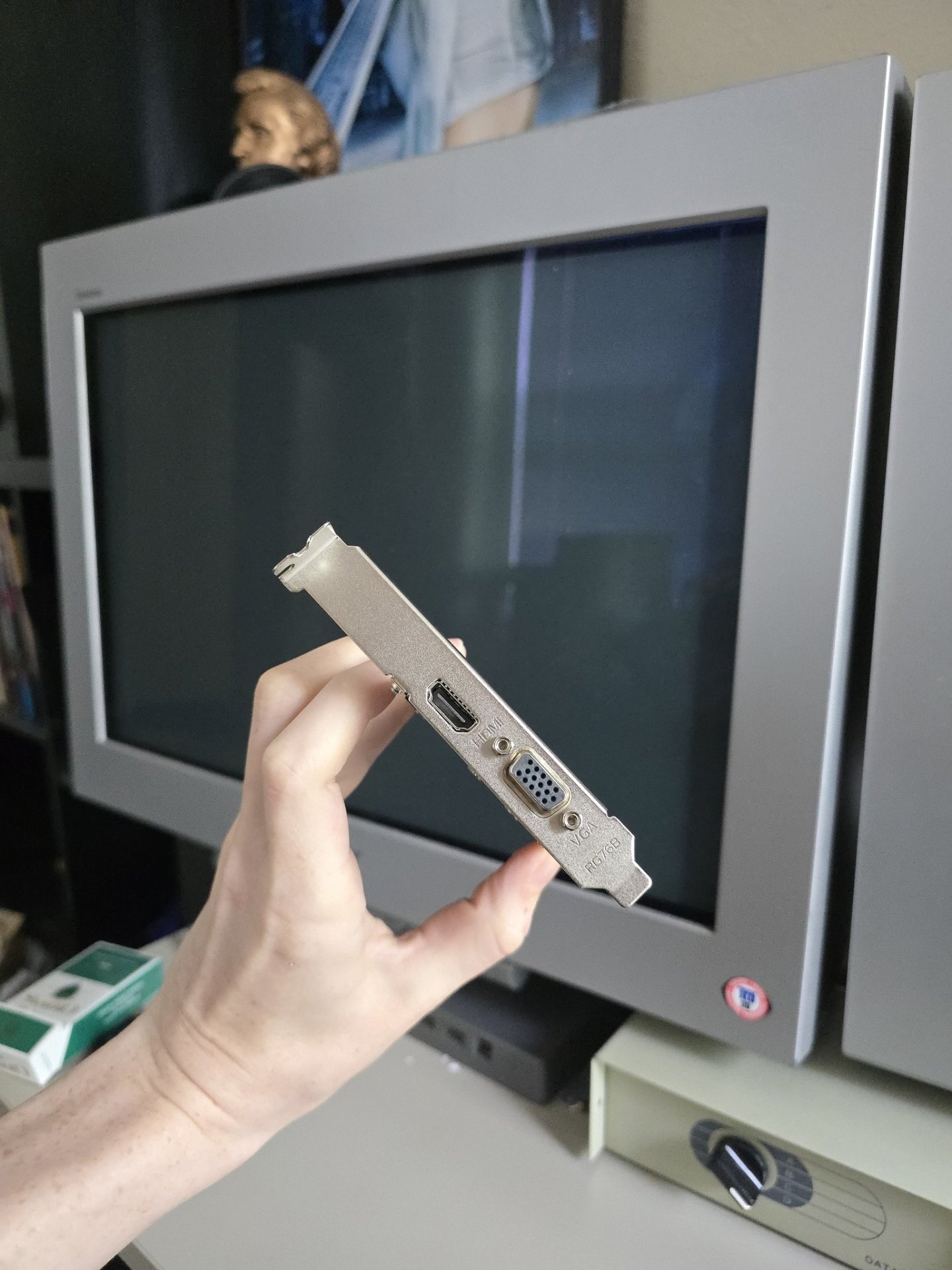
 
Last edited:
As an Amazon Associate, HardForum may earn from qualifying purchases.
I saw this USB-C adapter on the crtgaming subreddit as well. I think for something like this to work for me I would need 2 adapters. Display port or HDMI to USB-C and then a USB-C Female/Female coupler. I am still not sold on this being able to hit that pixel clock.
 
As an Amazon Associate, HardForum may earn from qualifying purchases.
Back
Top