![[H]ard|Forum](/styles/hardforum/xenforo/logo_dark.png)

- Joined
- Dec 27, 2004
- Messages
- 326
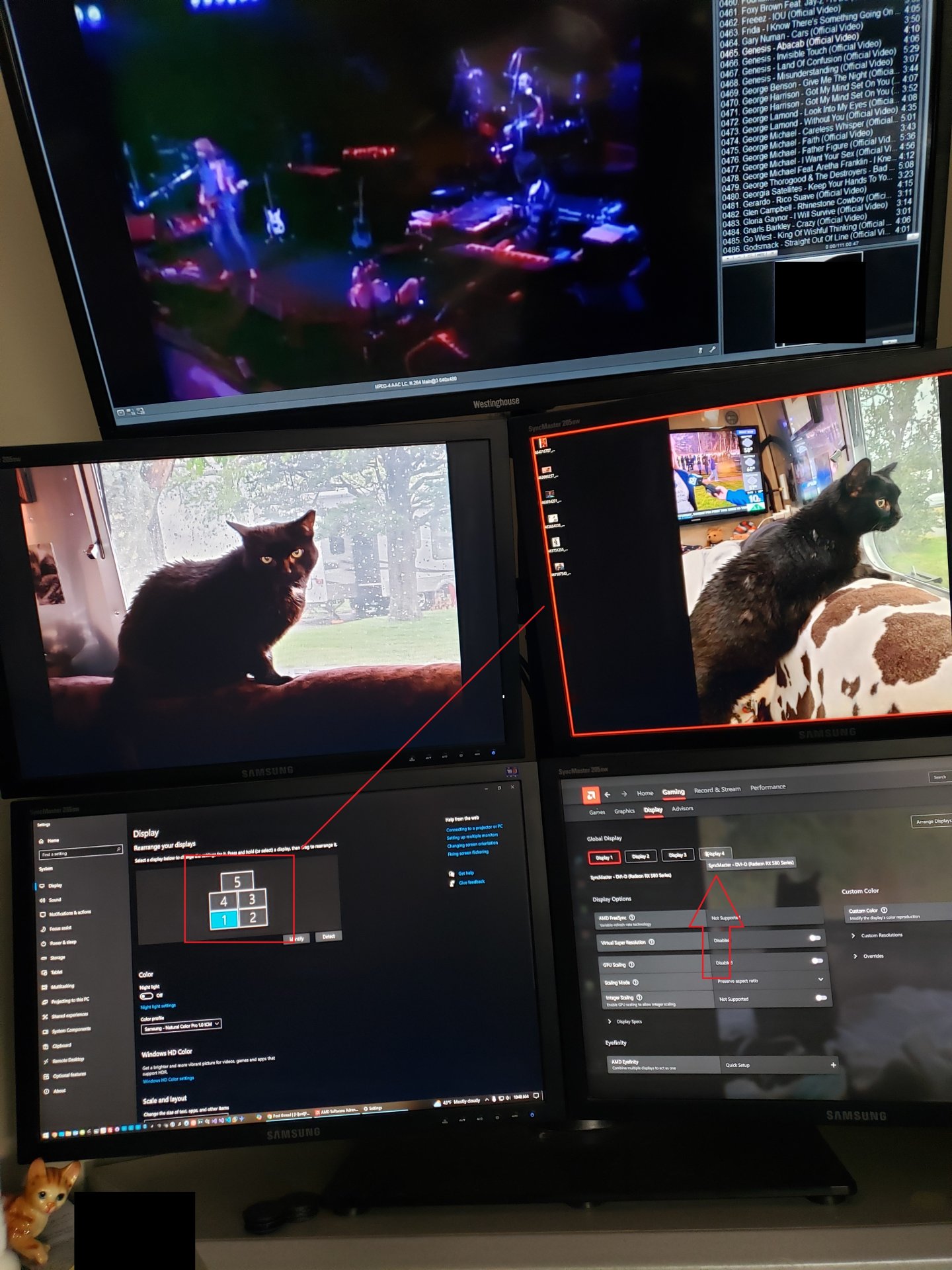
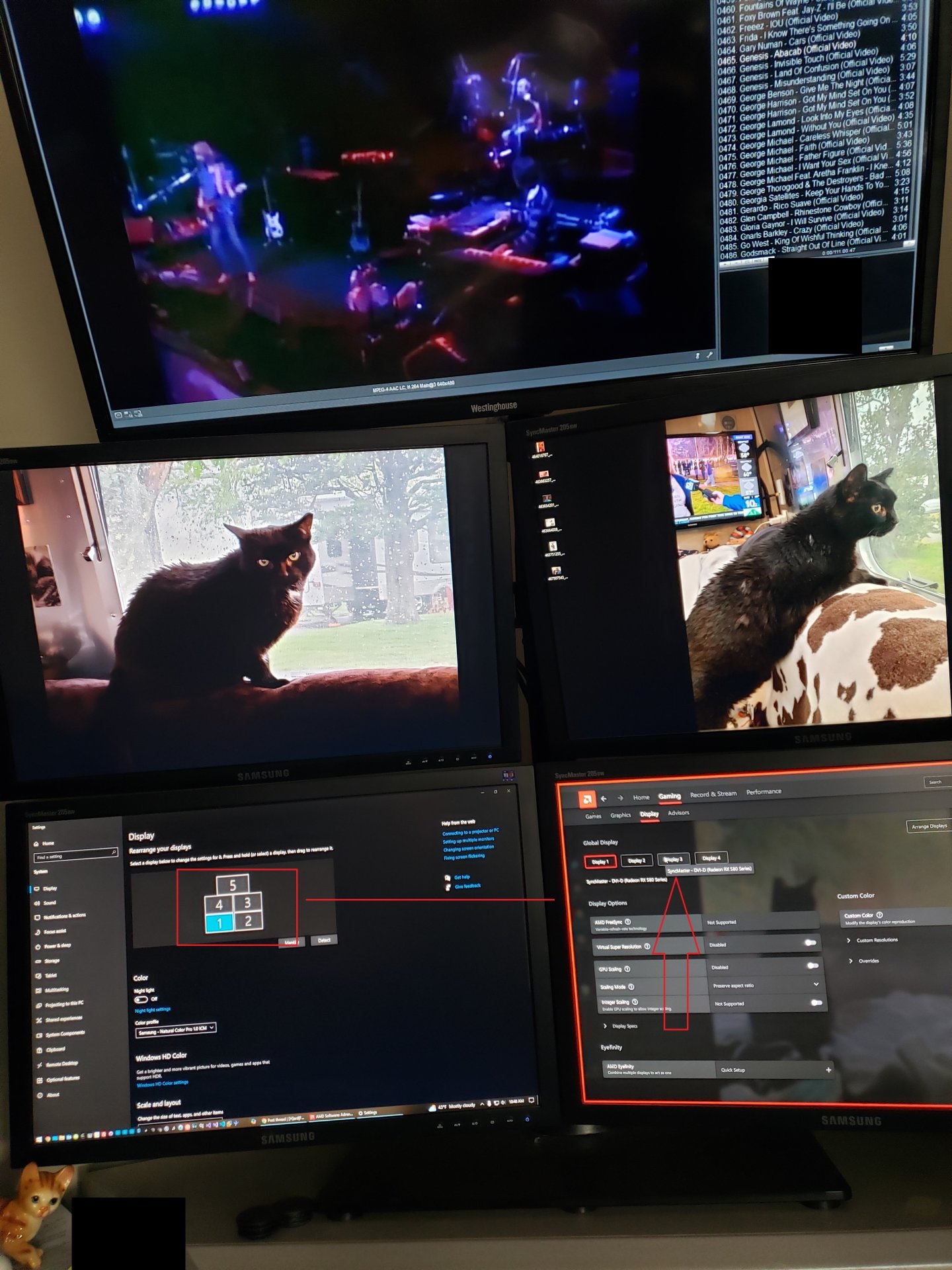
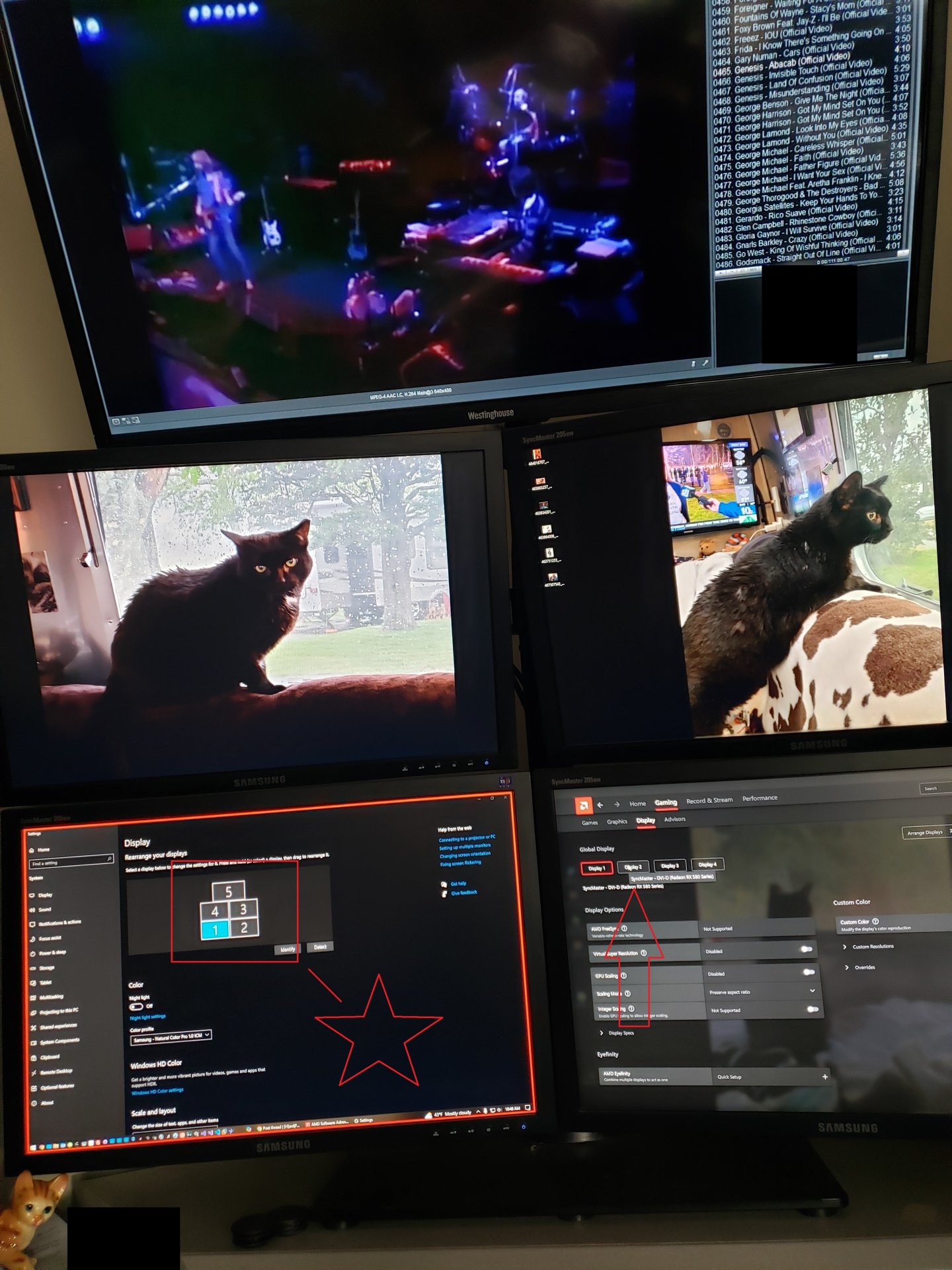
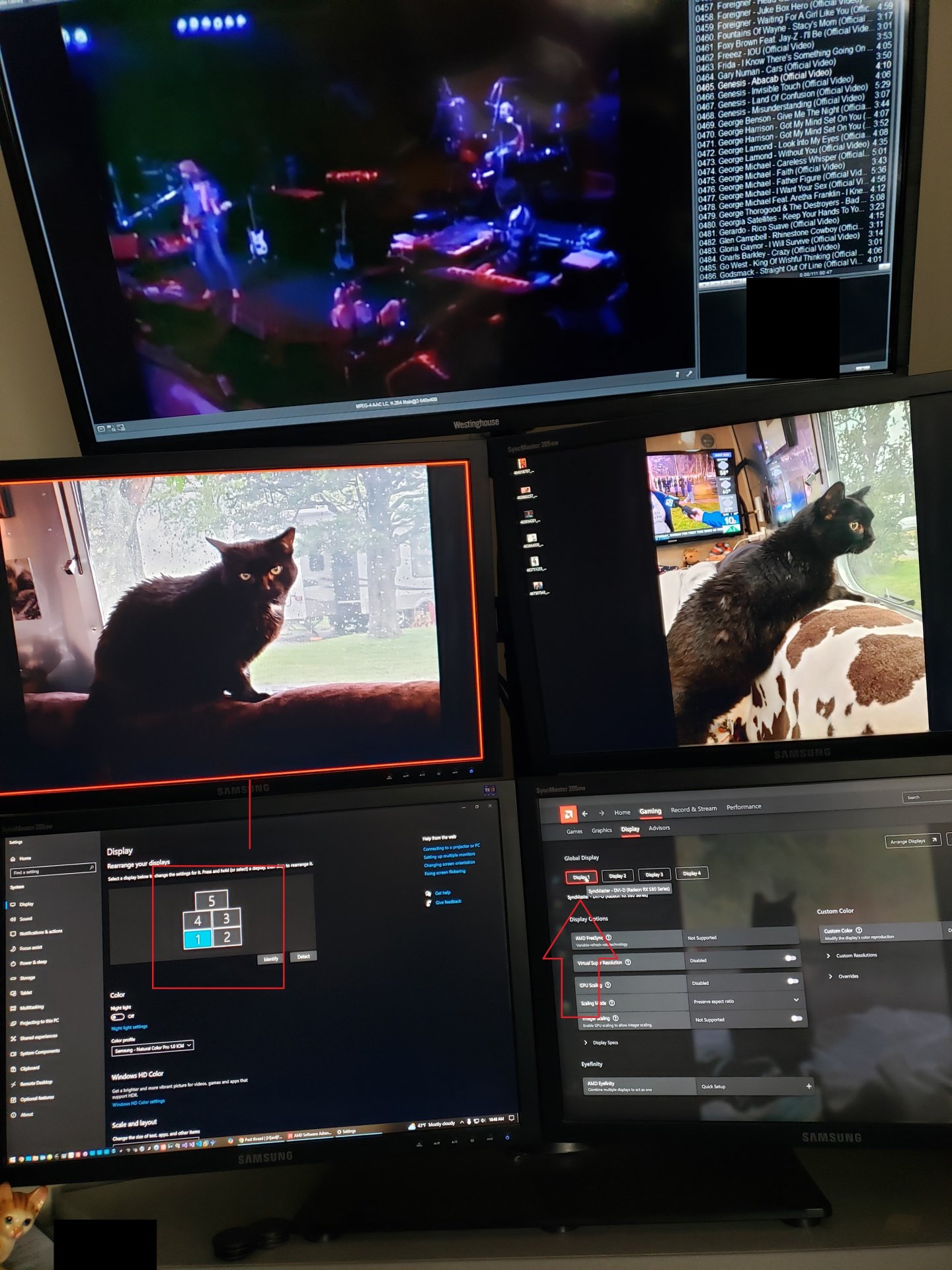
I took some images (large for clarity and less explanation of environment) and what I'm seeing is Windows 10 has assigned 1-5 for each monitor. 1-4 are all on the Radeon RX580 and the 5th on the internal video card (TV usage). I'm usually a NVIDIA guy, but this card was nearly donated to me in a time of need and I am finding that the driver and the windows numerical values are not aligned. I can't figure out how to resolve it. The main hook is that randomly, all my icons are shifting from the bottom left monitor (primary) to the upper left monitor. It stands to reason that the AMD software thinks THAT is monitor 1 when windows thinks it something else. I am surmising that because of the mismatch, the icons are shifted to what the AMD software is calling display 1 and ignoring Windows "make this my primary monitor" option. I can't seem to find much on how to either fix the windows assignment or the AMD software. I've already moved the cables physically to see if I could hard code the positions based on the video cards locations, but there is still a physical mismatch between AMD and windows as to which display is which. Any ideas on how I can solve this riddle?