
agrikk
Gawd
- Joined
- Apr 16, 2002
- Messages
- 933
Yep. basic construction pine 2x4s and 2x6s are dirt cheap, sand down relatively well, and take stain readily.
![[H]ard|Forum](/styles/hardforum/xenforo/logo_dark.png)
Follow along with the video below to see how to install our site as a web app on your home screen.
Note: This feature may not be available in some browsers.
Yep. basic construction pine 2x4s and 2x6s are dirt cheap, sand down relatively well, and take stain readily.

hardware or software?What are we doing for labs these days?
hardware or software?
I am really digging proxmox these days. mixture of containers and full blown VMs. hardware I would say depends on goals. a lot of cheap OEM SFFs that make great nodes and with the fall of SDD prices...Hmm... I'd say both..
Whats hot? Anyone moved to containers, versus VM's?

I have moved most of my stuff to containers and/or VMs that run on unraid for the aio convenience.Hmm... I'd say both..
Whats hot? Anyone moved to containers, versus VM's?
agree. For home labs there are just wayyy to many better options than esxiI have moved most of my stuff to containers and/or VMs that run on unraid for the aio convenience.
Anything esxi I leave for my work stuff nowadays at the datacenter.

Does ProxMox have storage clustering like ESXI does for fast local storage?Home lab has progressed so many ways in the past few years. I went from HP DL380 G6's... running in a Windows Server 2019 cluster + Hyper-V..
I didn't mind the power usage.. it was just the heat those put off.. so I sold those off.. and went with some HP ProDesk 600 G1's.. went through various phases of running XCP-NG, Proxmox, ESXI, and Hyper-V.
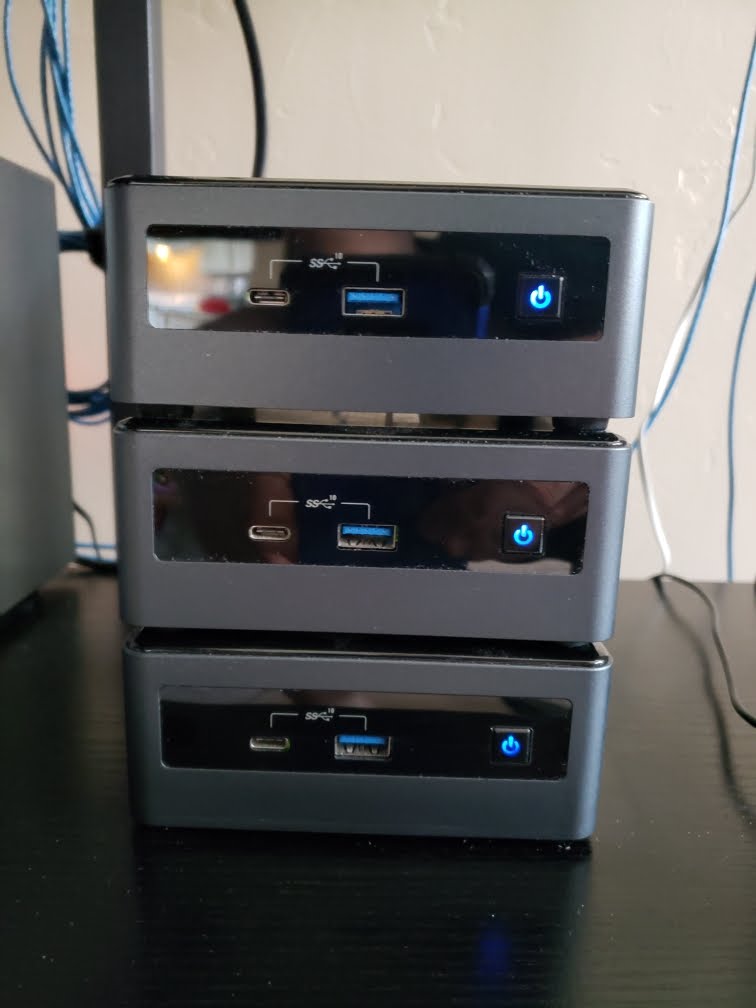
Wanted new toys.. so I sold those off and now have 3 Intel i5 based NUC10's.. maxed 64gb ddr4 each.. 256gb NVME + 1tb Samsung SSD.
Started with Hyper-V with those.. but then wanted to go back and try ESXi 7... then just recently my vCenter bombed out and doesn't want to start up normally.... so.... as of today I gave Proxmox a try , as I read various reports that NUC's didn't cooperate well with installing Proxmox...
All are running latest v8.0.3 Proxmox, in a 3-node cluster. Just 1 , built-in NIC from each host.. nothing fancy.. KISS method.
*edit*
So much easier to manage than those loud, power hungry beasts DL380's
View attachment 604647
I am really suprised on the pass through issues. Passing through LSI card direct to TrueNAS Core VM within ProxMox. Asrock AMD 470 "server" M-ATX. Supports ECC but only UDIMMs. Zero issues. Even got my Quadro P400 passed to my Plex Container for Hardware encoding/decoding. Running a single AIO with Compute and storage in one. Idle power consumption is a bit high around 75 watts, but under load it stays near 100-125 watts which is not bad for a 5900 Ryzen chip and 7 4TB spinners.While technically not an ESXi lab (in fact, I migrated from ESXi 5.5.0 to 6.7.0u3, then Proxmox VE at work because nobody wanted to eat the insane cost for new ESXi licenses and our aging HPE Gen8 servers wouldn't have been on the HCL anyway), I'm starting to get hit by the homelab bug pretty hard, to the point that I bought a 12U rack cart just to start housing it all.
-Lenovo System x3650 M5 (dual Xeon E5-2640 v3s, 768 GB DDR4-2133R, basically something I got because it had that ludicrous amount of RAM fitted)
-OWC Mercury Rack Pro mini-SAS JBOD enclosure (driven by an LSI SAS9207-4i4e, easy way to add four 3.5" bays to a server that only has 2.5" bays)
-Dell PowerConnect 5524 switch (less fan noise than the 7024, also doesn't need optional modules in the back to add 10GbE)
-APC 1000VA/600W UPS
The original plan was to run Proxmox VE on that server, but too many frustrations with trying to set up the LSI HBA for passthrough led me to run TrueNAS SCALE bare-metal instead and plan around that being my VM hypervisor.
It's also thrown another wrench into the works in that I can't install NVMe drives without the fans ramping up to unacceptably loud hairdryer mode; they technically work, but I can't even override the fan behavior with ipmitool commands because it just goes right back without constantly running a shell script.
Part of me wants something much quieter and less of a space heater, but I don't think I can pull that off without doing a custom ATX build on something that supports DDR4 RDIMMs so I can move all that RAM over. Alas, my Threadripper box is not it - UDIMMs only on that platform.
Does ProxMox have storage clustering like ESXI does for fast local storage?

Any recommendations for a am4 motherboard that works well for esxi?
okay makes senseI believe on the Proxmox side that would be "Ceph".
3 nodes recommended (required?). Uses up quite a bit of additional ram... assuming same as VMware vSan..

little spendy is the asrock line of m-atx mother boards based on the x470 and x570. I have had good luck with most of my pass throughs expect stability issue trying to pass a Tesla Nvidia GPU to a windows VM for cloud gaming. I think the issue was more of the hacked drivers or the pci-e power to the mobo causing crashing only under load ;/My desktop is a esxi server which has been amazingly convenient for running any OS/software as wanted. I used gou passthrough for gaming.
Hardware is
3900x (great processor for esxi)
Msi am4 motherboard. (Terrible for passthrough, perpetuals dont all work, some of the pcie lanes wont work, just bairly acceptable)
32gb ram
1tb nvme
this setup is much less acceptable for esxi then older x99 and dual 2011 setups where everything just worked.
Any recommendations for a am4 motherboard that works well for esxi?
Does ProxMox have storage clustering like ESXI does for fast local storage?
Or you could just use local ZFS on some fast storage and setup replication for your volumes between two nodes...I believe on the Proxmox side that would be "Ceph".
3 nodes recommended (required?). Uses up quite a bit of additional ram... assuming same as VMware vSan..
I think I am drooling over the 74TB SSD and 72TB SSD storage.

can never beat that...Fell into a good deal on the hardware, couldn't say no.
That's pretty good entry point!can never beat that...
i started on the 10gb network journey with all in at $125 for cables, 10 nic and 6 port switch...
now upgrading to newer technology... from connectx-1 and 2 with cx4 ports...
well what about just port to port on say 2 endpoints that you do most of your copying from?That's pretty good entry point!
Former employer went out of business so I got a bunch of 10Gb networking stuff and servers for free. I love having 10GbE around the house.
I have 25Gb cards and SFP28's now but no 25Gb switch. Been looking at Arista since that is the SFP's I have but haven't had the budget to do it. I really need to sell some of my stuff.
Not a bad idea if most of my copying wasn't from a NUC to a Synology and then into Plex which is on the esxi box. I will eventually replace the Synology with something like OpenMediaVault on a 2nd virualized server. At that point I'll probably get that 25Gb working, I only have what I have because I got it free. Otherwise 10Gb has been treating me well enough.well what about just port to port on say 2 endpoints that you do most of your copying from?
for me...
my gaming rig, I DVR tv with hdhomeruns, rip through mcebuddy plus kids sports photography and vidoes..so i always have a lot of data to move around and could just do port to port to my file server...
plex, hyper-v lab and esxi lab are not crucial to have 10gb but why not lol... when 10gb internet comes, I am not going to be sitting here wondering if i can get myself to that... i will know my house is not the bottleneck.


congratulations. I went proxmox and never looked backed. I went thr AIO box and virtualized my nas. my current setup is completely overkill but rock solidUpdate on this:
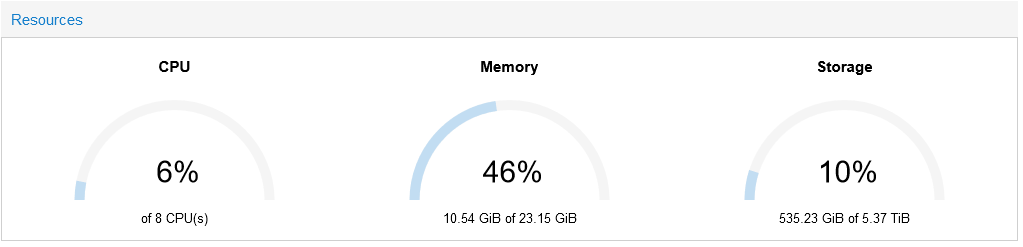
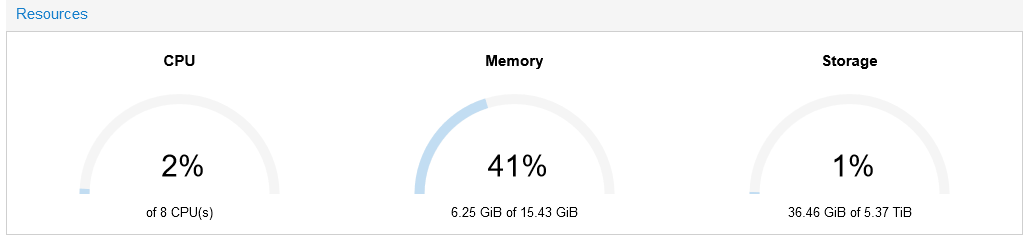
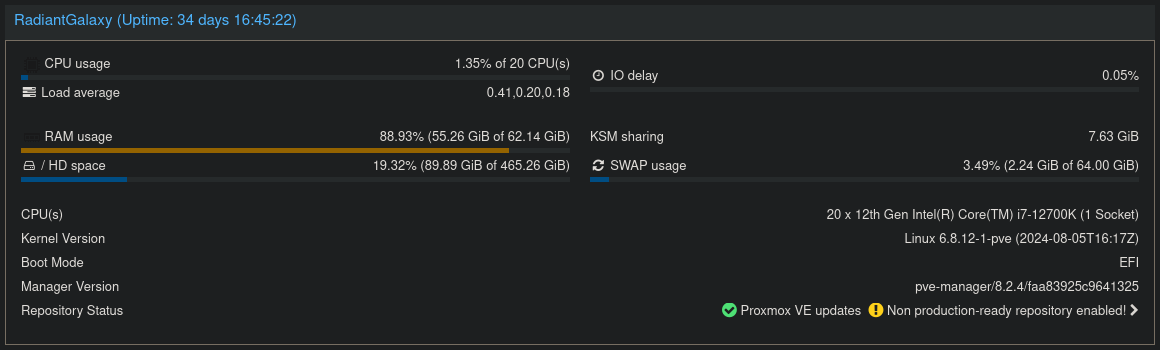
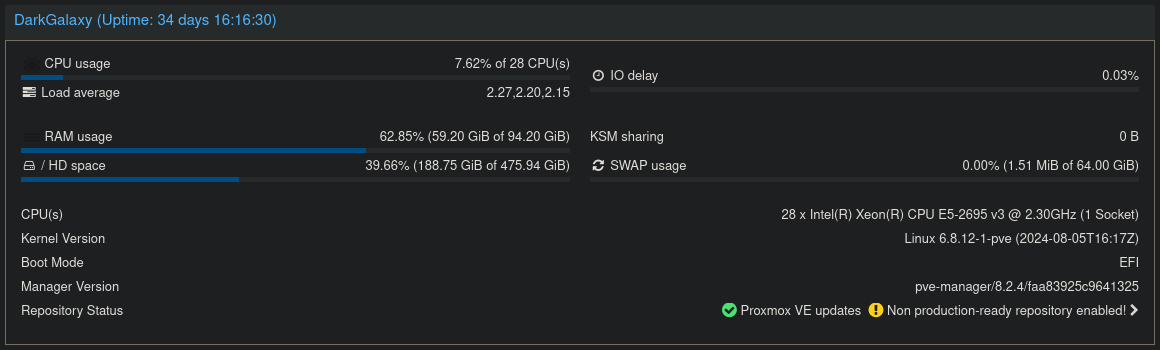
Migrated to Proxmox VE 8.2 this week. Replaced old hardware with two Mini PCs. No more free ESXi, and I'm not going to pay for a license for home/testing usage. Smaller PCs, less heat, less power usage. Cost $180 for the pair.
Node 1:
View attachment 677040
View attachment 677035
Node 2:
View attachment 677039
View attachment 677036
Each node has 1 TB SSD and 500 GB HD
They are not clustered, too much hassle with only 2 nodes and I don't really need a third. Instead I opted for backups to a NAS which I could quickly restore to another node if I had a hardware failure to maintain core services (DNS, VPN, PBX, Zoneminder).
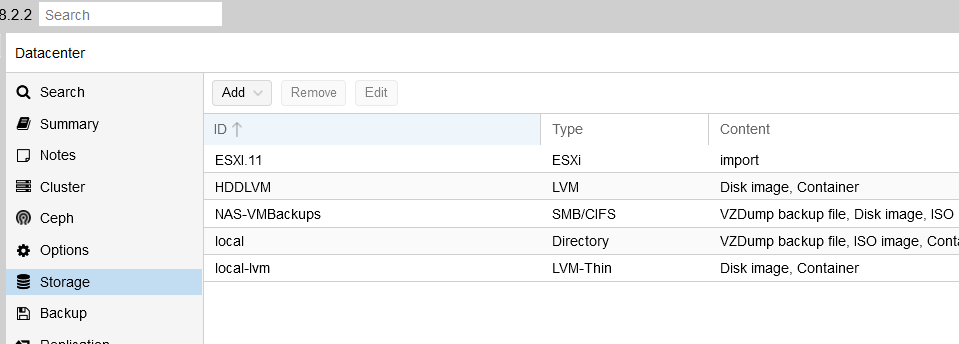
another factor with Broadcom owning VMware who knows what they are going to do with it. For home use Proxmox can do everything VMware canProxmox has ESXi import now. It pulls the vm directly onto the proxmox host from your ESXi host. Easy as shutting down the vm on esxi, picking the vm from a list and importing it over. See below.
View attachment 677135
As to VMUG. $210 per year is why. Over 10 years that's over $2000, or a "free" good gaming PC. I try to look at things I intend to use for a while in duration costs vs immediate costs. $210 once for something I will use for a long time isn't an issue. $210 annually adds up over time.

More, and not just for home use. I've got a small business that has a cluster with HA and live migration capabilities. Compared to what it'd have cost me to set that up in vmware, it's insanely cheap. Particularly when you utilize something like ceph on the nodes ( although I have a truenas server up ).another factor with Broadcom owning VMware who knows what they are going to do with it. For home use Proxmox can do everything VMware can

3x 3090s with a 5950x? How many lanes per card?Halsey
5950x
64GB ram
3x RTX 3090
500GB boot NVME (need a bigger drive to hold the models)
VM running Ubuntu for crafty and Ollama
Four gen3.3x 3090s with a 5950x? How many lanes per card?
for AI tasks the bandwidth in the PCI-E slot is not such a big deal.Four gen3.