• Some users have recently had their accounts hijacked. It seems that the now defunct EVGA forums might have compromised your password there and seems many are using the same PW here. We would suggest you UPDATE YOUR PASSWORD and TURN ON 2FA for your account here to further secure it. None of the compromised accounts had 2FA turned on.
    Once you have enabled 2FA, your account will be updated soon to show a badge, letting other members know that you use 2FA to protect your account. This should be beneficial for everyone that uses FSFT.

Yet Another PCIe Upgrade :)

runelynx

n00b
Joined
Mar 5, 2006
Messages
10
Hello :rolleyes:

I currently have a system that does pretty much what I need it to do. However, looking forward to Vista and upcoming games etc, I've been browsing new video cards and the like. Unfortunately, upgrading my video card at this point would mean going to PCI-e and upgrading my mobo as well. I built this current system from scratch so I'm comfortable with the swap-out, however I'd like some advice if anyone has some to give!

My current system has:
--2gb RAM (2 x RAM CARD )
--GeForce 6800 Ultra 256mb
--2 SATA hard drives
--P4 3.0ghz
--500w PSU
...and I'll be getting a new soundcard soon.

From what I've read, I need to ensure that the new PCI-e mobo is compatible with all of my non-videocard parts. But outside of checking for the CPU socket (which I may want to upgrade anyways), everything else should work fine, right?

If I do end up upgrading, I'll want a nice PCI-e that will last a while, at least 512mb etc. As far as gaming goes, I mainly play WoW, which doesn't tax my hardware very much... but I'm also looking forward to Vanguard, which will be a much more hardware-intensive game. I haven't done much video card research since the 6800 days... so I'm a little lost with all the PCI-e... SLI... 2 video cards running together ??? Heeelp!

:eek:
 
Get a single 8800GTX and you'll be set, and if you really really want to you can get another for SLI :eek: The 8800GTX come with 786MB of video memory and the GTS 640MB.
 
What you are looking at are essentially a new computer if you want to use a PCIe graphics card.
You need a new motherboard, CPU, memory and a graphics card.
If you wan't something to last you a while take a look at Intels Core 2 Duo CPU's, very fast and overclocking friendly.

For a motherboard for that CPU I would go with Intel p965 chipset, the Asus P5B Deluxe, Gigabyte GA-965P-DS3, DS4 or DQ6 are good boards.
Another very good but expensive board with the nforce chipset is any board with nforce 680i chipset, evga's board looks like the better one with a decent price.
Memory, get some DDR2 800mhz (PC2 6400) Corsair or OCZ and you should be fine, 2x1024mb recommended.
Graphics card, I would wait until late January when ATI's new cards are released and see which one is best and which one has the best price/perfomance.

If you want to run Windows Vista you will need a DirectX 10 card and for now the only ones are Nvidia Geforce 8800GTS and GTX and in late January ATI's new card.
 
Ok what do you think of these preliminary items:

Case: (Antec 900)
http://www.newegg.com/Product/Product.asp?Item=N82E16811129021

Processor: (Intel Core 2 Duo E6600 Conroe 2.4GHz 4M shared L2 Cache LGA 775 Processor - Retail )
http://www.newegg.com/Product/Product.asp?Item=N82E16819115003

Mobo: (GIGABYTE GA-965P-DQ6)
http://www.newegg.com/Product/Product.asp?Item=N82E16813128323&ATT=13-128-323&CMP=OTC-B1zrat3

Looking at OCZ/Corsair RAM but that's fairly straightforward given 6400 etc..

Jury is still out on the videocard. That mobo does not have SLI but if I get 1 8800 that should be extremely nice, right? I don't want to have to upgrade again soon just to get SLI >< I'm also an nVidia man... don't care much for ATI.

intel over amd
nvidia over ati
:D
 
Yup, that stuff should make you very happy and just stick a geforce 8800GTX in there and you should be fine for a long while.
No need to bother with SLi unless you game on a monster screen doing 2048x1536 or higher. (this card can handle most games at that resolution anyway) :D
 
Wolfkin said:
Yup, that stuff should make you very happy and just stick a geforce 8800GTX in there and you should be fine for a long while.
No need to bother with SLi unless you game on a monster screen doing 2048x1536 or higher. (this card can handle most games at that resolution anyway) :D

Yes it can. A single 8800GTX is a monster of a card. In most games it can handle them with pretty good frame rates (30-40FPS at least) at 2560x1600. Rarely have I felt that the second 8800GTX was worth having in the machine. Even so, come time for Crysis and some of these other next gen titles, it may be worth while.

runelynx said:
Ok what do you think of these preliminary items:

Case: (Antec 900)
http://www.newegg.com/Product/Product.asp?Item=N82E16811129021

Processor: (Intel Core 2 Duo E6600 Conroe 2.4GHz 4M shared L2 Cache LGA 775 Processor - Retail )
http://www.newegg.com/Product/Product.asp?Item=N82E16819115003

Mobo: (GIGABYTE GA-965P-DQ6)
http://www.newegg.com/Product/Product.asp?Item=N82E16813128323&ATT=13-128-323&CMP=OTC-B1zrat3

Looking at OCZ/Corsair RAM but that's fairly straightforward given 6400 etc..

Jury is still out on the videocard. That mobo does not have SLI but if I get 1 8800 that should be extremely nice, right? I don't want to have to upgrade again soon just to get SLI >< I'm also an nVidia man... don't care much for ATI.

intel over amd
nvidia over ati
:D

I can't stand the Antec 900. Everything else looks good, but I can't stand those cases. That slope up top looks retarded. It has some kind of stupid change tray on it, and the case while feeling solid, still looks cheap. It's probably the super square edges and the el cheeso paint job on the inside. It has that semi-gloss gray paint that's been inside cases of varying quality for the last 20 years.

Additionally, for all the cooling prowess the case is supposed to have, it is sure limited on room. It doesn't look like you would have much room for a 8800GTX inside one. To each their own however. Most people have been very satisfied with them.
 
n3g471v3 d3c1b3l said:
will the gtx fit in that case?

I think you can honestly, but just barely. I think you'd have an inch of room left over. If the power cables connected directly to the front, it would be a bigger issue, but since the 8800GTX's power recepticles are on the side of the card, you should be ok.
 
Thanks for the posts guys!

On the case... I have no affinity to that case; I was simply looking around. Space to maneuver inside the case without having cables jammed everywhere is very important to me. I have big hands so I want room to work!!

My current case is the Coolermaster Wavemaster, but it's very bulky and heavy, moreso than I'd prefer. Not condusive for cooling at all.

Any suggestions on cool-friendly cases? Lights are a plus.. clear side is a plus... anything that allows me to get away with fan cooling is a plus... I don't want to mess with water coolnig again.

Thanks guys :)
 
As for resolution, I usually operate off of 1680/1050 w/ widescreen... cost me a pretty penny so I'll be staying with that one for some time to come!
 
runelynx said:
Thanks for the posts guys!

On the case... I have no affinity to that case; I was simply looking around. Space to maneuver inside the case without having cables jammed everywhere is very important to me. I have big hands so I want room to work!!

My current case is the Coolermaster Wavemaster, but it's very bulky and heavy, moreso than I'd prefer. Not condusive for cooling at all.

Any suggestions on cool-friendly cases? Lights are a plus.. clear side is a plus... anything that allows me to get away with fan cooling is a plus... I don't want to mess with water coolnig again.

Thanks guys :)

For hardcore cooling on air, the Coolermaster Stacker line is the best I've found. Quality cases, somewhat reasonably priced, lots of room for larger fans, and PLENTY of room to work inside. Especially the CM Stacker STC-T01. The 830, 831, and 832 are the best for air cooling in my opinion.
 
be sure to buy an sli board. leaves you the option of getting a 30-50% performance bump anytime in the future.

as for cases, try the gigabyte 3d aurora. the newest version has a side panel that you can swap a large window or mesh in (you get both). big case, good looking, good cooling, ok price. about the same as my wavemaster was when it was new.

http://www.newegg.com/Product/Product.asp?Item=N82E16811233012

oos here until next week but available elsewhere, like performance pc.
 
Wolfkin said:
Think I would go with the CoolerMaster Stacker 830.
Well built case, high quality, great airflow, easy to work with, removable motherboard tray, extra long case with room for big cards.
Can be altered to mount the motherboard upside down like a BTX case.
Cost a little bit but I think it will be worth it in the end.

Here's a review
http://www.bit-tech.net/modding/2006/02/22/CMStacker_830/1.html

Newegg link
http://www.newegg.com/Product/Product.asp?Item=N82E16811119103

Alter isn't the word I would chose. More like, remove tray, flip upside down and re-insert.
 
The decision has been made! It's arriving tomorrow! oooh the weekend I'll have!! Just cross your fingers nothing turns out to be a lemon~

One last question regarding hard drives. I'll be taking my 2 SATA hard drives out of my existing computer for use in the new one. What will happen when I try to boot using my current primary drive? I assume that all hell will break loose in windows because the motherboard and everything are changing...

**triumphant music plays**

Introducing.... my new computer!!!

14-133-187-09.jpg

VIDEO CARD
PNY VCG8800XXPB GeForce 8800GTX 768MB GDDR3 PCI Express x16 Video Card - Retail

19-115-003-01.jpg

PROCESSOR
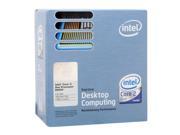
Intel Core 2 Duo E6600 Conroe 2.4GHz LGA 775 Processor Model BX80557E6600 - Retail

17-194-004-01.jpg

POWER SUPPLY
ENERMAX Liberty ELT620AWT ATX12V 620W Power Supply - Retail

11-119-103-18.jpg

CASE
COOLER MASTER Stacker 830 RC-830-SSN2-GP Silver Aluminum ATX Full Tower Computer Case - Retail

20-227-139-02.jpg

MEMORY
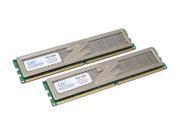
OCZ Platinum Revision 2 2GB (2 x 1GB) 240-Pin DDR2 SDRAM DDR2 800 (PC2 6400) Dual Channel Kit Desktop Memory Model OCZ2P800R22GK - Retail

35-118-223-01.jpg

HEATSINK / CPU COOLING
ZALMAN CNPS9500 LED 92mm 2 Ball Cooling Fan with Heatsink - Retail

13-128-323-02.jpg

MOTHERBOARD
GIGABYTE GA-965P-DQ6 Socket T (LGA 775) Intel P965 Express ATX Intel Motherboard - Retail
 
Now just take your time building it, no need to rush things and make stupid and expensive mistakes.:)
 
One last question regarding hard drives. I'll be taking my 2 SATA hard drives out of my existing computer for use in the new one. What will happen when I try to boot using my current primary drive? I assume that all hell will break loose in windows because the motherboard and everything are changing...


Any ideas on my hard drives?
 
Any ideas on my hard drives?

Windows XP will probably break down and cry. XP never liked when you did any major changes in hardware like a new motherboard and very often just throw a bluescreen at you when you try to boot up.
Seen it happen with graphics card changes as well.

My advice is the you backup everything important you have on the C: drive (the one windows is installed on) as you will very likely be looking at a complete system reinstall.
Don't even consider using the repair option, it won't work and will only cause you more problems.
 
Especially with lower end conroe. I also would get more than 620 watt PSU.

No need, that system will use something between 350-400w with a single X1950pro graphics card and about 470-550w with two graphics card.

Putting in faster card or dual cards might need more power though.
 
Whats this about cpu now ?! A dollar short and a day late I might add ;)

The e6700 is $200 more for minimal boost... and the e6600 can be overclocked with stock cooling to 3.0+ghz.
 
Back
Top