• Some users have recently had their accounts hijacked. It seems that the now defunct EVGA forums might have compromised your password there and seems many are using the same PW here. We would suggest you UPDATE YOUR PASSWORD and TURN ON 2FA for your account here to further secure it. None of the compromised accounts had 2FA turned on.
    Once you have enabled 2FA, your account will be updated soon to show a badge, letting other members know that you use 2FA to protect your account. This should be beneficial for everyone that uses FSFT.

Yellow lights, PC won’t turn on.

Jellyfishpudding

Limp Gawd
Joined
Oct 12, 2006
Messages
249
Tonight, I moved my components to a new case. Everything’s put back together correctly as far as I can tell. Instead of powering on, I’m seeing several solid yellow lights on the back of my motherboard. The fans aren’t even spinning, which suggests that I might have missed something. Any idea what might cause this?

I’d been using a DarkFlash case with motherboard’s I/O facing upward to accommodate its glass door on the right side. Now I’m back to using a standard case, but with a front mounted PSU (Lian Li A3 Matx). So only the orientation of things have changed. Any help would be hugely appreciated!
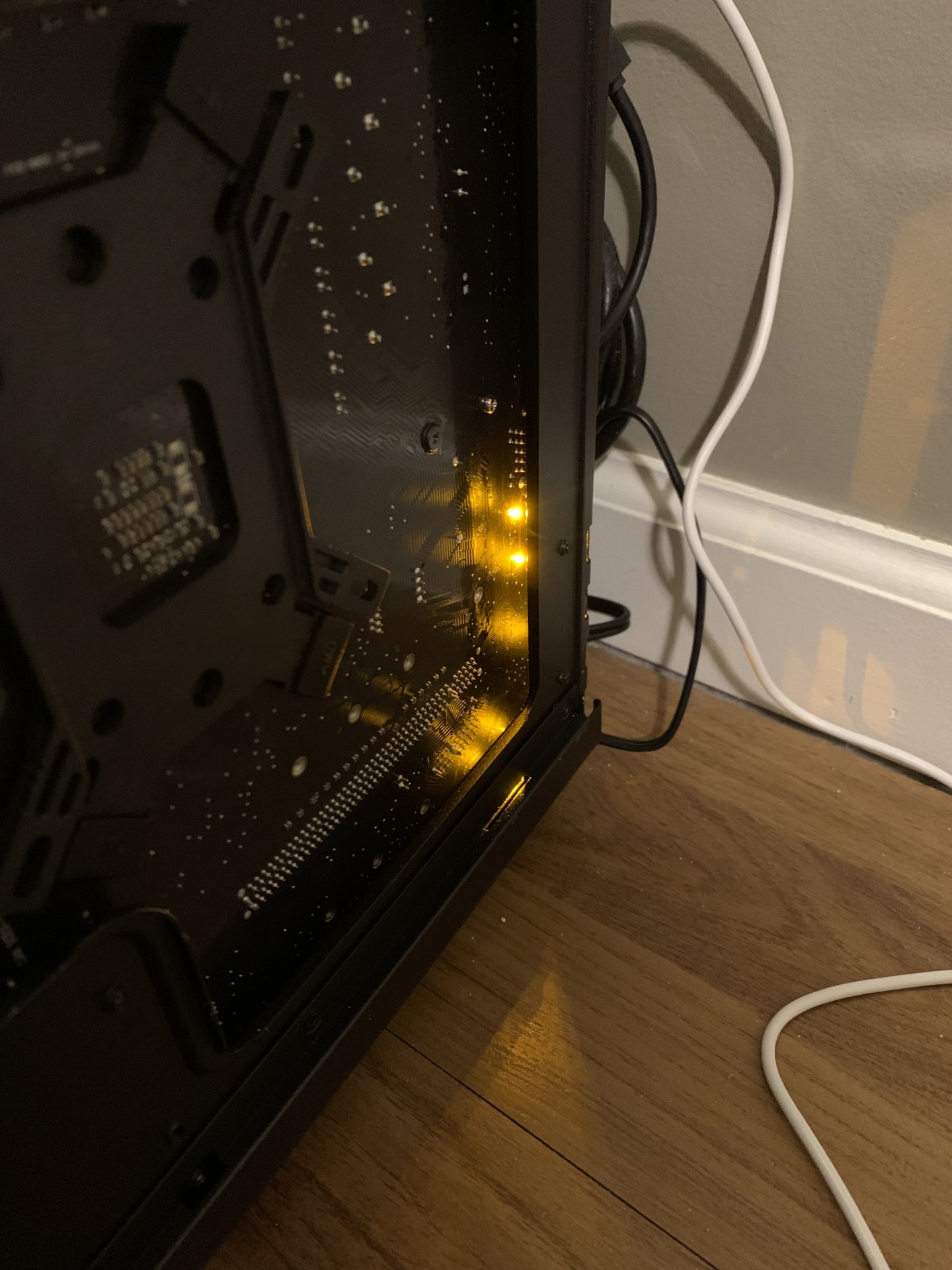
IMG_4095.jpeg
 
There were only standoffs for an MATX. No extras. I’m finding info on a single yellow light on the front of the board, but nothing about 5 of them lit up on the back. Strange. Gonna try a new PSU in the morning. Maybe it crapped out when moving it around. If so, the lights might indicate that there’s electrical current present but not enough.
 
There were only standoffs for an MATX. No extras. I’m finding info on a single yellow light on the front of the board, but nothing about 5 of them lit up on the back. Strange. Gonna try a new PSU in the morning. Maybe it crapped out when moving it around. If so, the lights might indicate that there’s electrical current present but not enough.
Which motherboard?
 
Fixed it. The front panel power was plugged into the COM header. Apparently, those lights are nothing new. They stay in breathing mode. I just never noticed them in my previous case due to the LED fan lights overpowering them. I went for no LED’s this time. Thanks for the help!!
 
Fixed it. The front panel power was plugged into the COM header. Apparently, those lights are nothing new. They stay in breathing mode. I just never noticed them in my previous case due to the LED fan lights overpowering them. I went for no LED’s this time. Thanks for the help!!
Glad it's working. Gotta love RGB. Screws you when you're not looking for it lol. I'm in the no window club. Fractal North mesh version with side fans. Want bling bling or airflow to your GPU? I like the side fans. 3090 idling a little over 40C with GPU fans off and I don't hear anything. We'll see how the 5090 does once I get my hands on one without getting looted.
 
I'm in the no window club.

Me too. I have had two full cases now that had no side window, and it turns out that a tempered glass insert ADDS weight to a case. So imagine a full tower, heavy enough, with 4 1.6 lb HDDs. Hard for an older guy like me to life it up off the skateboard (home built.)
Fractal North mesh version with side fans. Want bling bling or airflow to your GPU? I like the side fans.
So what do you think of this case overall? Which other cases did your consider?
3090 idling a little over 40C with GPU fans off and I don't hear anything
Sweet.
. We'll see how the 5090 does once I get my hands on one without getting looted.
 
So what do you think of this case overall? Which other cases did your consider?
I quite like it. It looks nice and keeps everything cool. There's a thread on it over in Cases & Case Modding. I was mostly looking for more airflow to the slots, partly to keep a server NIC from melting and partly to keep my GPU fans off at idle without having to crank up the case fans.
 
Back
Top