![[H]ard|Forum](/styles/hardforum/xenforo/logo_dark.png)
Hi.
I trolled around the AVS forum and google etc for answers to this question. But it seemed not many people had this televison hooked up to their computer with an ATI Card.
I currently have an ati x1800xt, and am trying to connect the Westinghouse TX 42 to it. Unfortunately I cannot get the image to cover the entire screen.
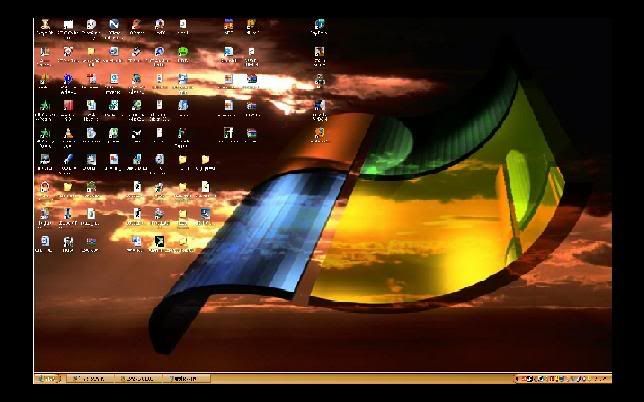
It is hooked up with a DVI-HDMI adapter/cable. My display settings resolution is in fact at 1920x1080 so I'm not sure what the exact problem is here.
It is possible that I am dealing with 1:1 Pixel mapping issue?
Right now Yellow text is completely illegible. I have to highlight the yellow text to see it.
I noticed that when using Catalyst Control Center, if I select 30hz interlaced then it completely covers the full screen size.
However, I'm almost certain that this unit supports full 1920x1080 @ 60HZ.
Any suggestions would be greatly appreciated
I trolled around the AVS forum and google etc for answers to this question. But it seemed not many people had this televison hooked up to their computer with an ATI Card.
I currently have an ati x1800xt, and am trying to connect the Westinghouse TX 42 to it. Unfortunately I cannot get the image to cover the entire screen.
It is hooked up with a DVI-HDMI adapter/cable. My display settings resolution is in fact at 1920x1080 so I'm not sure what the exact problem is here.
It is possible that I am dealing with 1:1 Pixel mapping issue?
Right now Yellow text is completely illegible. I have to highlight the yellow text to see it.
I noticed that when using Catalyst Control Center, if I select 30hz interlaced then it completely covers the full screen size.
However, I'm almost certain that this unit supports full 1920x1080 @ 60HZ.
Any suggestions would be greatly appreciated

