
Text Problem with 193P and MS Word

chargedmr2

Weaksauce
Joined
Jan 7, 2005
Messages
67
Hi guys. I need some help here. I have a 193P that has only been on my desk for a few days now and I am noticing some strange issues with text appearance in MS Word. When I am typing it usually looks fine, but when I stop typing and scroll to a different page the text often ends up looking like crap! Then I click around the page and it will go back to normal. What's the deal? Here is a screen shot of good and bad text for comparison. The top text is screwed up and the bottom text is after it cleared up again:
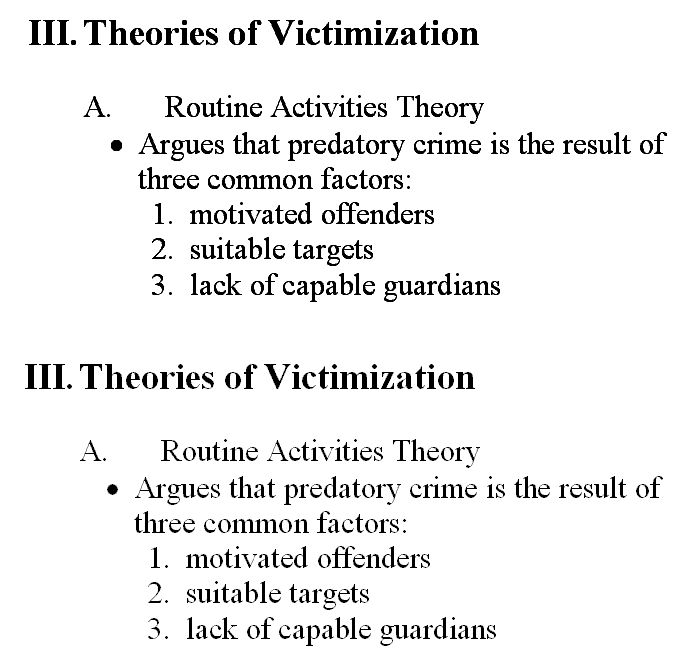
TextQuality1.bmp
 
i had to look twice to see that the two texts were different. at first i thought the upper one was slightly bolded - almost looks like a slightly different font. anyways i'm probably one of the few that actually does have a 193P and unfortunately or fortunately however you want to look at it i don't experience that problem. i just did what you did to (clicking around/opening multiple windows/scrolling). maybe you can describe in detail what you do to get that effect and i can try it out? but i just can't see it at the moment -
 
That sounds like a problem with your video card or its drivers. There is nothing like that on my 193P and I doubt it's a monitor issue.
 
Back
Top