• Some users have recently had their accounts hijacked. It seems that the now defunct EVGA forums might have compromised your password there and seems many are using the same PW here. We would suggest you UPDATE YOUR PASSWORD and TURN ON 2FA for your account here to further secure it. None of the compromised accounts had 2FA turned on.
    Once you have enabled 2FA, your account will be updated soon to show a badge, letting other members know that you use 2FA to protect your account. This should be beneficial for everyone that uses FSFT.

Stormshadow's rig

thanks.
i'd say go for the mesh covers. not a direct bolt-on but eazy enough to rig.

i have a local computer store that uses centurions for their own builds... they have boxes and boxes full of centurion drive bay covers (5.25 and 3.5). I grabbed a handful for like a $1 so i could have extras in case i f-up drilling holes.
 
mrweasel said:
Are you sure? the screening on the actual board states otherwise:

Channel A - GREEN
Channel B - PURPLE

/Not trying to start a flame, just tryin' to help a brother out!

Yes I am positive, I have the same board setup exactly the same and its detected as dual channel in the bios and cpu-z. The screening actually confirms that fact, because in order to have dual channel you have to seperate the memory into the two different channels. MSI decided to go against convention in their coloring, and that is one confusing part about this mobo. If you think about it, it does make sense but is very frustrating since just about every other board out there uses color coding to indicate the proper slots to use rather than the individual channels.
 
lifeinchains said:
Yes I am positive, I have the same board setup exactly the same and its detected as dual channel in the bios and cpu-z. The screening actually confirms that fact, because in order to have dual channel you have to seperate the memory into the two different channels. MSI decided to go against convention in their coloring, and that is one confusing part about this mobo. If you think about it, it does make sense but is very frustrating since just about every other board out there uses color coding to indicate the proper slots to use rather than the individual channels.
werd. btwn the coloring of the dimms to the socket placement to the chipset fan / placement to the SATA 1 + 2 lock, this board is pretty unorthodox.
 
Dont forget about SATA 3 + 4's location. Who decided to put them right next to the CPU socket on the complete opposite side of the board?
 
:cool:

DSCN5987.jpg
 
thanks man.

update - side panels still aren't done :mad: but they said that they should be finished by tomorrow. can't wait.

in the meantime, here are some pics of the completed setup...

DSCN5995.jpg


DSCN6002.jpg


DSCN6019.jpg


can't find my friggin sleeving material for my power switch / reset / hd activity wires... soon enough tho:
DSCN6043.jpg


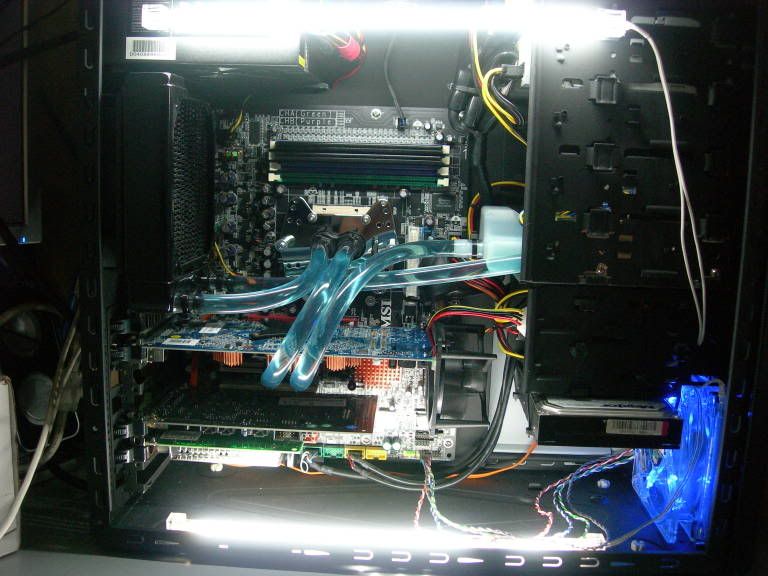
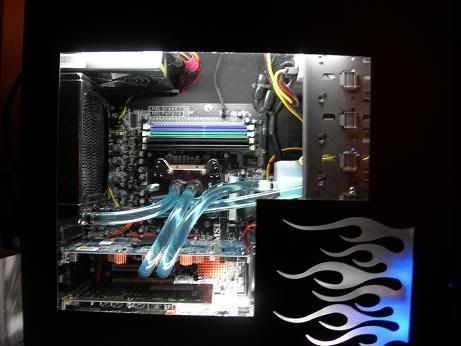
CCFL's along w/ LED fan... CCFL's are there to 'enhance' the sidepanel designs...
DSCN6052.jpg


DSCN6062.jpg


DSCN6072.jpg


lights off:
DSCN6074.jpg
 
Nice work..I've used those Cooler Master drive covers..they look Great...Adds a pro look to the case :cool:
 
are all one Cm drive covers like that with the little bend in? i wanna get sum
 
side panels are finally done from the cutters.

picked them up during lunch.

here's a sneak preview... (poo poo camera phone)
flames.jpg


next steps are a little filing, some plexi, CCFL's, and some frosting...

stay tuned!
 
quick update

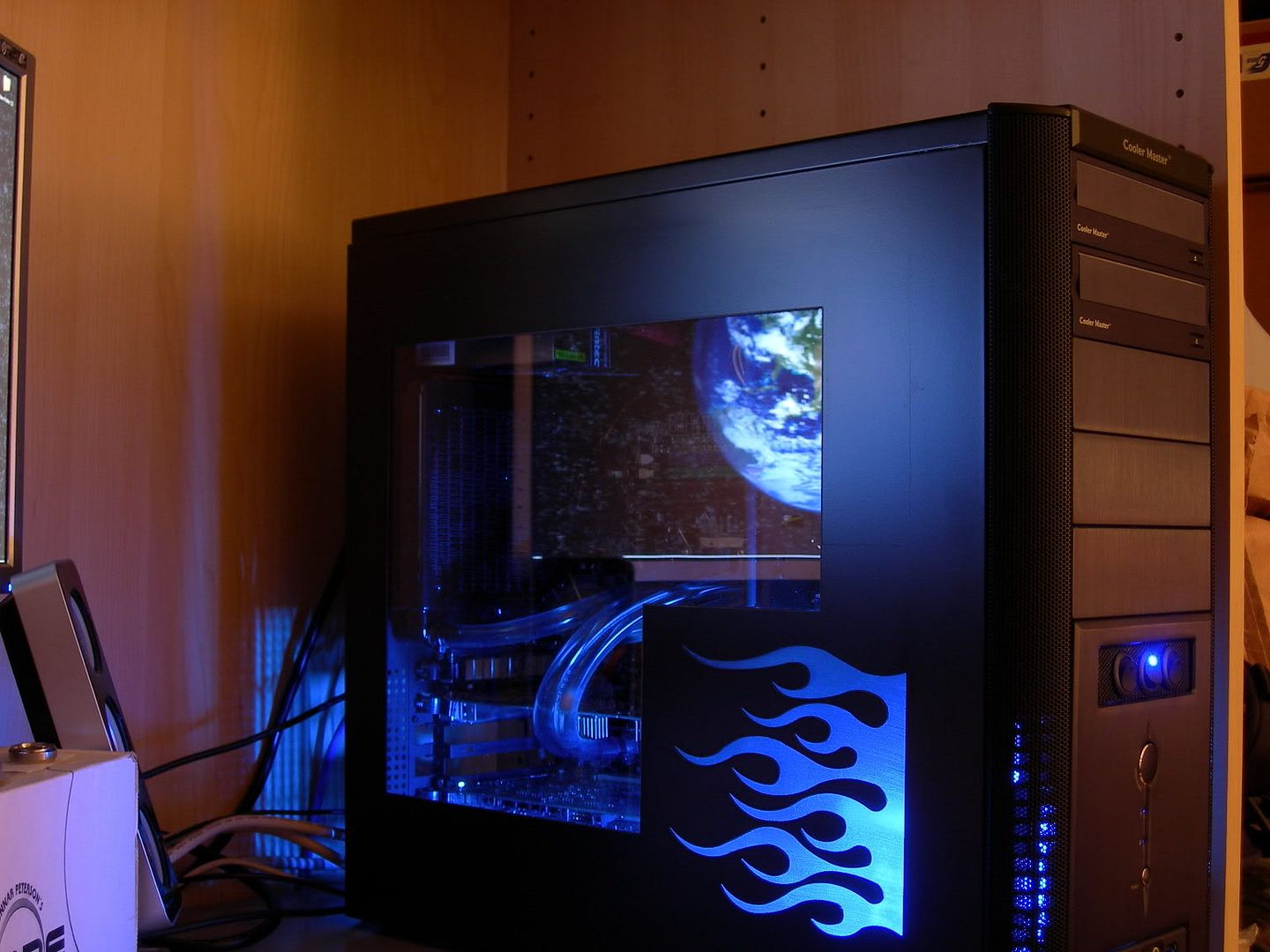
got the side panels on after getting them back from the waterjet cutters.
frosted the plexi and mounted.

I don't have all the lighting done and my upgrade parts for my WC loop haven't come in yet but here's a quick preview

(excuse the dusty window)

DSCN6118.jpg


DSCN6113.jpg


DSCN6105.jpg
 
very very nice indeed. good job all around, nice work o making everything fit and getting what looksl ike low llow noise cooling.

and one more vote for you buddy, you got yer ram in dual channel. about a year n half ago or whatev whne hte board first came out, it was my first s939 board... peeps used to tell me that ALL day and night and i woul have to show them its msi's shitty way of doing it, and then zoom in and show pics of the imprints on the board. dont worry, thousands of us MSI neo2 owners went thru it ;)
 
thx for the comments.

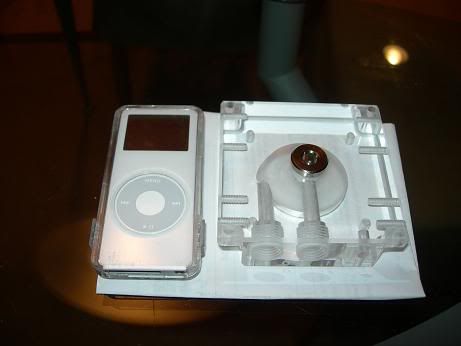
i don't know if i mentioned before but i'm upgrading a few of the pieces in my WC loop. I'm eventually going to go with 7/16" tubing but for now, i'm just going to replace the reservoir / pump combo with the plexi top for DDC and a repack reservoir and keep the 3/8" for now.

i didn't realize how big that plexi top was.

DSCN6197.jpg


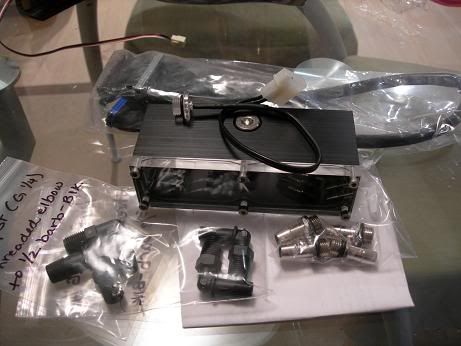
repack res, barbs (3/8" for now and 1/2" for later upgrade to 7/16"), LED light for res, new IDE cable with super short connectors btwn optical drives

DSCN6211.jpg
 
You must've done some serious measurements with your hoses or did you just keep cutting until they were perfect? I don't think I've ever seen hose routing that looked so nice.

Well Done! :)
 
How are your temps since you're cooling both the cpu and video card with just one rad? Wouldn't it get a bit hot?
 
willie92 said:
You must've done some serious measurements with your hoses or did you just keep cutting until they were perfect? I don't think I've ever seen hose routing that looked so nice.

Well Done! :)
thanks - yea, i cut the hose long and then kept cutting and re-fitting til i got the "loop" that I wanted.

scrawnypaleguy said:
How are your temps since you're cooling both the cpu and video card with just one rad? Wouldn't it get a bit hot?
I thought it would be an issue but I think i have pretty acceptable temps. The short loop length has probably a lot to do with that. I'm going to go 7/16" in a coupla weeks - that might help things a smidge.

AMD 64 3500+
6800GT
(stock clocked)

CPU IDLE: 29.5
CPU LOAD: 40

GPU IDLE: 43.5
GPU LOAD: 51
 
quick update pic w/ the window cleaned up and before i go in and switch around some of the watercooling components and clean up the wiring...

DSCN6217.jpg
 
Everytime I see that setup, I think it's the best setup loop I have ever seen.

It's just so... professional, perfect, artistic, all in one.
 
CPU IDLE: 29.5
CPU LOAD: 40

GPU IDLE: 43.5
GPU LOAD: 51


your temps look really nice for only a 120mm rad....

what about is your ambient?
and what voltage are you running your cpu at?

My loop is TDX-Maze4-Chipset-DCC w/top-BIP240-Innovateck 120.1 rad-temp sensor-TDX

I get about.... 37 idle -45 load after 2 hours.... CPU
GPU i get 43 idle 50 load

my opteron i run at 1.45vcore and my x2 I run at 1.475 (but I am getting a new CPU in the mail tomorrow :) )

you have really good temps
 
Nice and classy. Good job on not overkilling the flames. nice window design as well.
 
changed a few components in my watercooling loop.

Added an acrylic DDC top as well as a Repack reservoir.

Mixed feelings on the repack reservoir. Due to a design flaw, the fill cap hole is not placed at the highest point of the reservoir. Instead, it's placed in a portion that actually protrudes down into the water. bad news - almost impossible to get rid of bubbles.

here are some of the pics during that install. I have since swapped out the reservoir so that I can mod it by filing down / dremeling air channels to the poorly placed fill hole. Don't get me wrong - the res looks fantastic but functions rather poorly.

white LED shining through blue pentosin:
DSCN6231.jpg

DSCN6241.jpg

DSCN6251.jpg


AC Ryan short distance IDE cable
DSCN6260.jpg


DSCN6264.jpg


DSCN6285.jpg

DSCN6296.jpg

DSCN6297.jpg

DSCN6279.jpg
 
thanks for the comments.

is it bad that i already want to work on a new case? :(

i think i want to revive the LianLi G50 project that i was initially going to do.
but what to do with this case...
 
Very nice- thanks again for the Rustoleum tip... That's what I used and I've very pleased with the outcome.
 
webdes03 said:
Very nice- thanks again for the Rustoleum tip... That's what I used and I've very pleased with the outcome.
oh cool - glad it worked out.
 
Back
Top