• Some users have recently had their accounts hijacked. It seems that the now defunct EVGA forums might have compromised your password there and seems many are using the same PW here. We would suggest you UPDATE YOUR PASSWORD and TURN ON 2FA for your account here to further secure it. None of the compromised accounts had 2FA turned on.
    Once you have enabled 2FA, your account will be updated soon to show a badge, letting other members know that you use 2FA to protect your account. This should be beneficial for everyone that uses FSFT.

Smidley's Home Server Project

smidley

Weaksauce
Joined
Mar 3, 2010
Messages
114
Hey guys, I've out grown the drive capacity of my old home server, and I've started ordering parts for my new build. I thought I would just share my progress and updates with you all. :)

The purpose of this server is to be a central storage pool for all types of media in my house. Movies, TV, Music, Pictures, Etc. Content will be streamed from this server to multiple media centers around the house. The server also hosts my blog, as well as a few web connected services like Sabnzbd, SickBeard, Couchpotato, and Subsonic.

Let the fun begin!
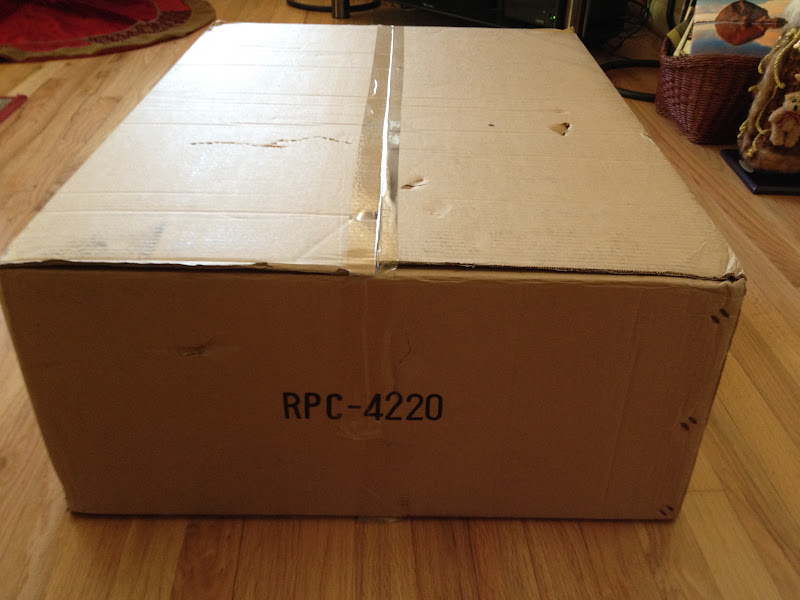
 
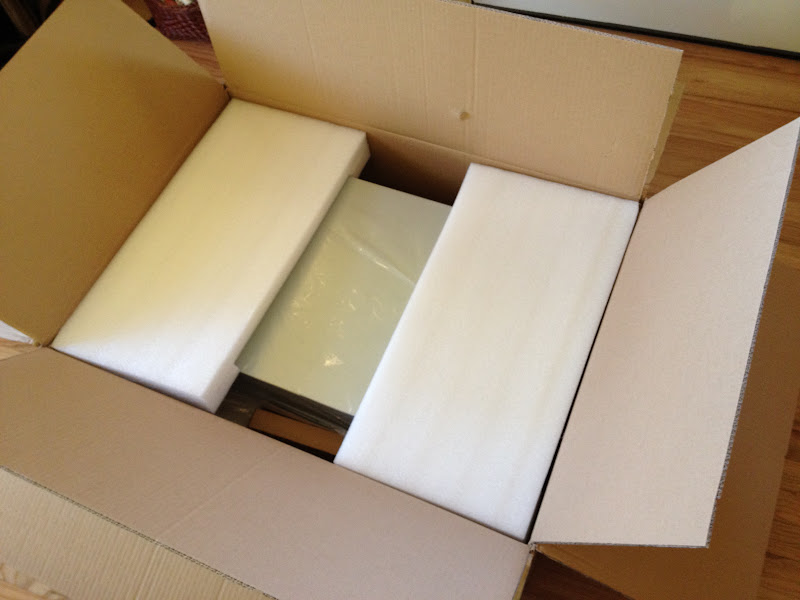
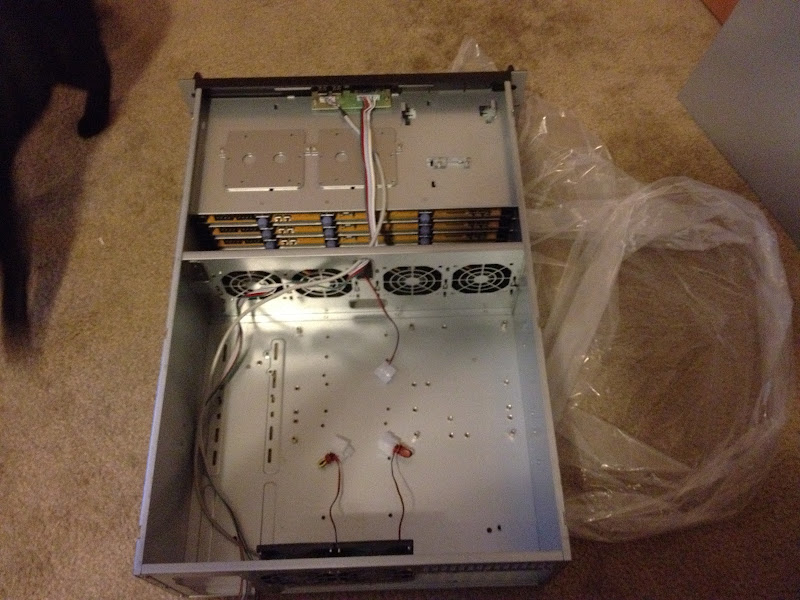
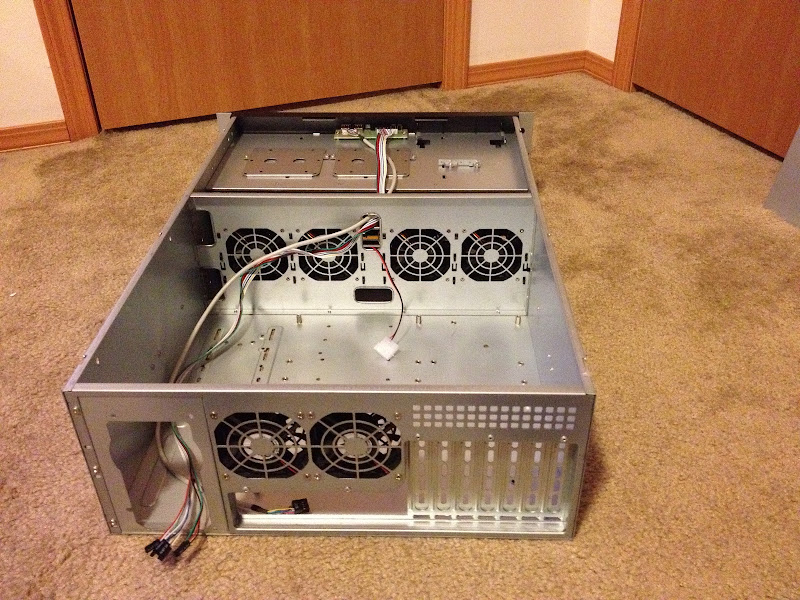
For a case, I ordered the Norco 4220, and it showed up today! :) This case is great quality for the money, and you really can't find anything comparable spec-wise in this price range.

IMG_0072.JPG


IMG_0073.JPG


IMG_0074.JPG
 
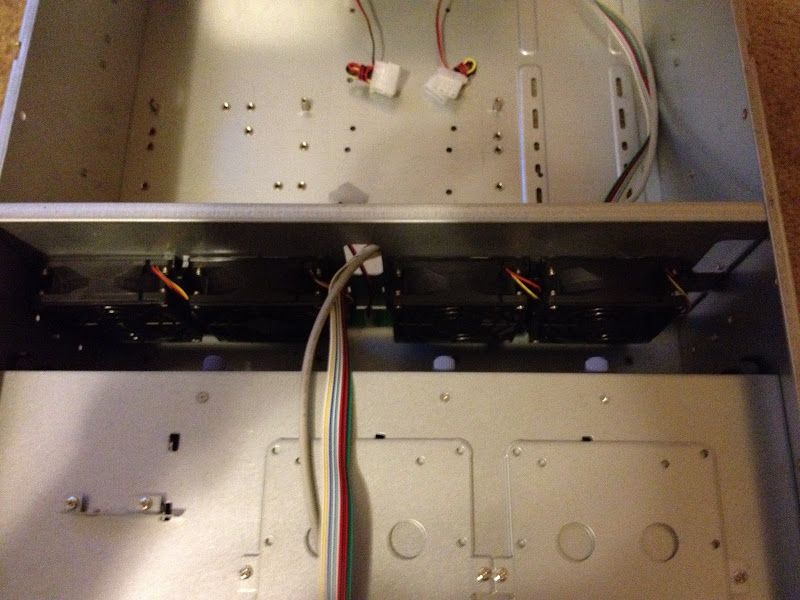
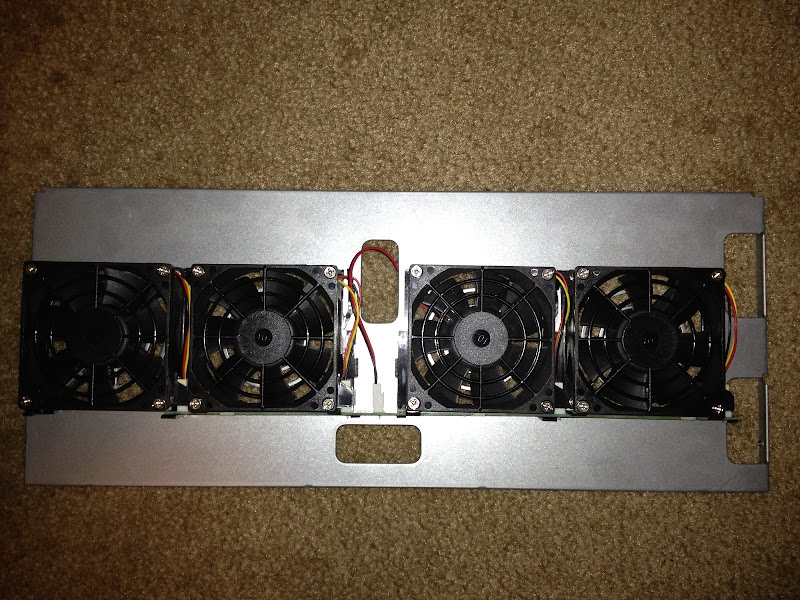
Did that Norco come with the 3x120 fan plate? Can you by chance take some pictures of the inside, especially the top of the fan plate. I have a Norco 4220 but it has the old 4x80 fans and I'm not sure if it will take a new fan partition from Norco. I doubt it.. and cavediver isn't making anymore of the plates since Norco changed the design and offer one now...

Also, what OS are you planning on running?
 
Here are some more pics of the case. As you can see, this is the new revision of the case.

IMG_0075.JPG


IMG_0076.JPG


IMG_0077.JPG


Stock 80mm fans. Those will have to go! :)
IMG_0078.JPG


The stock 80mm fan bracket.
IMG_0079.JPG


New 120mm fan bracket.
IMG_0080.JPG


New yellow SAS backplane. I'm not sure what the 4 switches on each board do. I emailed Norco about it, but haven't got any response yet.
IMG_0081.JPG


IMG_0082.JPG


IMG_0083.JPG


IMG_0084.JPG


SAS 8087 cables.
IMG_0085.JPG


In this revision of the Norco case, the SAS cables plug into the middle of the backplane.
IMG_0087.JPG


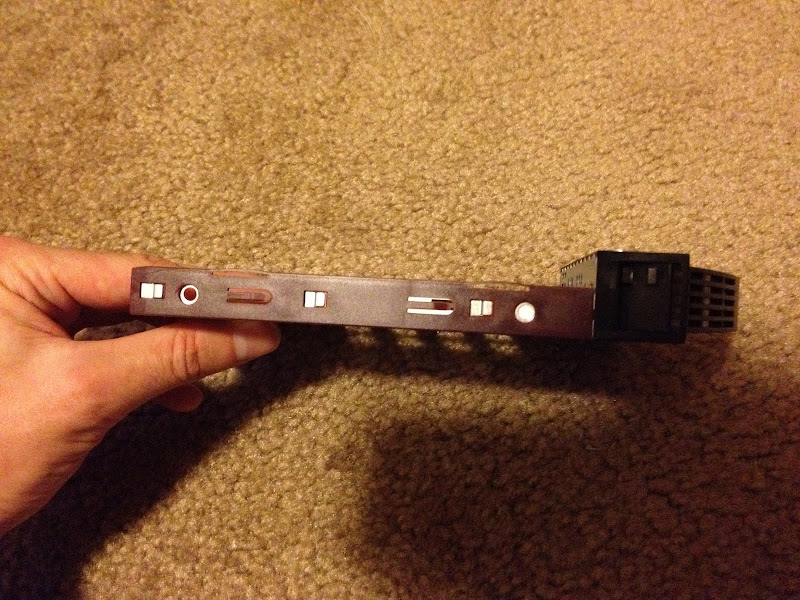
New drive trays in this revision too.
IMG_0090.JPG


No vents that open or close.
IMG_0092.JPG
 
just got an email response from Norco. The switches on the backplanes are for the drive activity LED's.
 
Hmm.. not sure I like their decision to do away with the closable vents. If the case is fully populated it isn't a big deal, but if not then common sense says the air will find the path of least resistance and there will be reduced airflow over the trays with drives compared to the empty ones.

I do wish they would have created a 120mm fan plate for those of us who have the older version :( I replaced the stock fans on mine with some other 80mm fans, but my drives still run around 45C.. which is a little warm in my opinion, especially for the "green" drives.

Maybe someday I'll have the funds to buy an updated version with the 120mm fan plate.
 
Looks like the server is coming along nicely. Can't wait to see the end product. :)
 
Ordered the motherboard, CPU, and RAM today. Got the power supply and a couple of 80mm quiet fans already. Will take more pics when the new stuff arrives. :)
 
It's similar to the 4220 I received about 11 months ago. I did order and install the 120mm fan plate for that one. Let's see differences:

Your backplane board screws are purple instead of silver?
The backplane PCB color has changed, as you mentioned, mine are green.
But my backplane does have the SAS ports in roughly the center, though yours might be 3/4" or so closer to the power connectors.
No activity light switches on mine. Kind of an odd feature, though I recently bought a 6 2.5" in 1 5.25" bay that had a drive activity switch. I'm guessing they must've gotten a good deal on a manufacturing run that came with the switches.

The trays, in addition to lacking the vent door, also look like they may no longer have proper mounting holes for 2.5" disks. There's some approximately in the right place, but they don't look like they form a complete rectangle. Maybe Norco got tired of people asking them where they could find the correct screws for 2.5" drives :rolleyes: I ordered 2 extra trays a week ago, and I received the style that matched my 11 month old case. So the old ones are still available if needed.

Good luck with the build.
 
Thanks for the info! I heard that the new yellow backplanes are supposed to fix some stability problems that some people were experiencing in the past. They are also supposed to fit in there a little more snugly. The updated trays are supposed to enable locking and unlocking drives from the slots easier. Before people were complaining that it was very hard to slide a bay out if it had a drive in it, but I haven't experienced that at with these new trays.

Not sure why they would decide to change the color of the backplane screws to purple, but oh well :)

It's similar to the 4220 I received about 11 months ago. I did order and install the 120mm fan plate for that one. Let's see differences:

Your backplane board screws are purple instead of silver?
The backplane PCB color has changed, as you mentioned, mine are green.
But my backplane does have the SAS ports in roughly the center, though yours might be 3/4" or so closer to the power connectors.
No activity light switches on mine. Kind of an odd feature, though I recently bought a 6 2.5" in 1 5.25" bay that had a drive activity switch. I'm guessing they must've gotten a good deal on a manufacturing run that came with the switches.

The trays, in addition to lacking the vent door, also look like they may no longer have proper mounting holes for 2.5" disks. There's some approximately in the right place, but they don't look like they form a complete rectangle. Maybe Norco got tired of people asking them where they could find the correct screws for 2.5" drives :rolleyes: I ordered 2 extra trays a week ago, and I received the style that matched my 11 month old case. So the old ones are still available if needed.

Good luck with the build.
 
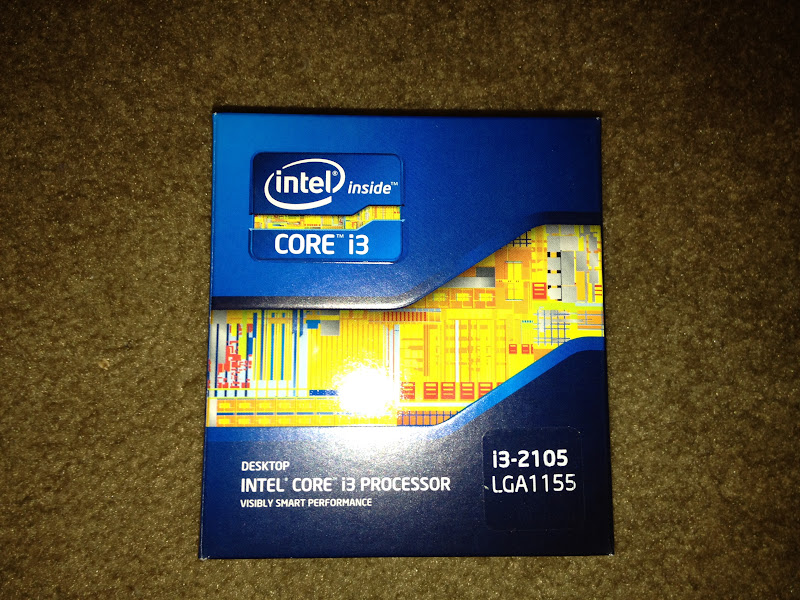
Got the motherboard and CPU. Also got 8gigs of RAM.
IMG_0106.JPG


IMG_0105.JPG
 
Last edited:
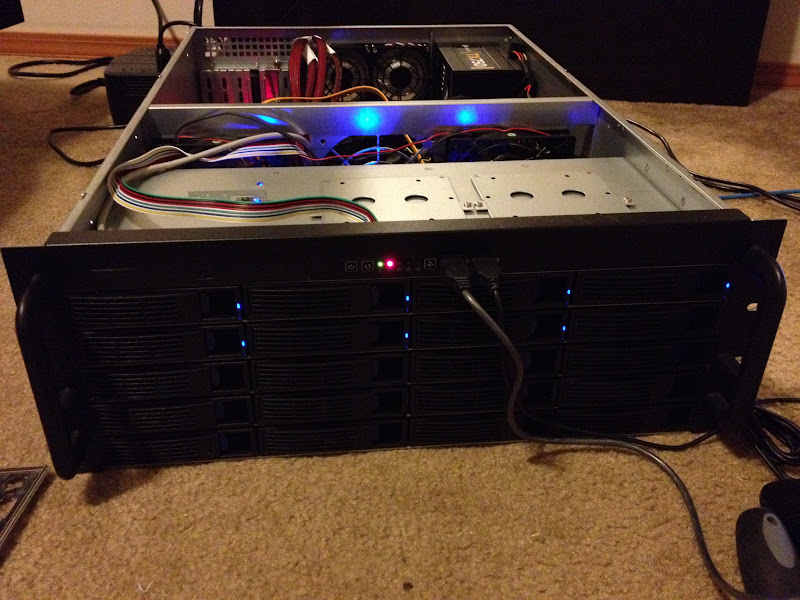
Everything is hooked up. Cable management not done yet! :)

IMG_0108.JPG


The SATA hard drive connected to the motherboard for now is a 1TB drive for the OS. Need to get an SSD to put in there still.

It's Alive!
IMG_0109.JPG


7x 2TB drives in RAID 5.
 
man those HDs cost must have been brutal! Nice job. I wish I had the need/space to build a massive ZFS based high performance NAS. My little 4TB HP Micro server ZFS does the job. ;)
 
Not with 2TB drives imho. The array is vulnerable to a second drive failure during the rebuild after a first failed drive. If a second drive fails during the rebuild, you lose the entire array. The length of rebuild is proportional to the size of the drives, and at 2TB this will take many hours, possibly an entire day depending on your RAID controller.

Keep in mind that if one drive out of a batch fails, statistically it's quite likely that another one is not far behind. RAID 6 will give you the ability to have 2 drives fall out of the array before losing everything, which is less than half as likely to happen in that configuration. If you are going to use RAID 5, at least have a hot spare on standby to eliminate the delay between failure detection and the start of the rebuild.
 
All I store on there is my media files, so RAID 5 makes sense. Won't loose everything if one drive dies, and won't be the end of the world if multiple drives die. Luckily, I bought these drives while they were still cheap. :)
 
As long as you realize the approximate risk. Myself, I'd rather have 2TB less disk space and the security of RAID 6 (or buy the extra disc), because even though my 10TB of media rips isn't necessarily irreplaceable, it would represent at least hundreds of hours of my time.

RAID 5 does protect against a single disk failure, but most people don't realize just how seriously degraded the array is at this point. The remaining drives have to work quite hard during the rebuild, especially if the array is still in active use, and it will be in this state for many hours at least. Considering general drive failure rates, times 7, this is very likely to happen.
 
As long as you realize the approximate risk. Myself, I'd rather have 2TB less disk space and the security of RAID 6 (or buy the extra disc), because even though my 10TB of media rips isn't necessarily irreplaceable, it would represent at least hundreds of hours of my time.

RAID 5 does protect against a single disk failure, but most people don't realize just how seriously degraded the array is at this point. The remaining drives have to work quite hard during the rebuild, especially if the array is still in active use, and it will be in this state for many hours at least. Considering general drive failure rates, times 7, this is very likely to happen.

Agreed. I personally switched my server from a RAID 5 to 6 for these very reasons...
 
Yea, once I can afford it, I'm going to get two more drives since I'm out of space already. One of those drives will be to move me to raid 6.
 
ick! I remember my apartment days and those little closets for the "laundy room". I also remember how much heat and humidity built up in there when washing/drying clothes, but we always kept the doors closed.

Just make sure to leave the doors open when doing laundry to reduce the heat/humidity you are subjecting that equipment to...
 
ick! I remember my apartment days and those little closets for the "laundy room". I also remember how much heat and humidity built up in there when washing/drying clothes, but we always kept the doors closed.

Just make sure to leave the doors open when doing laundry to reduce the heat/humidity you are subjecting that equipment to...

There's also active ventilation in there, so it isn't too bad.
 
Thanks for the info! I heard that the new yellow backplanes are supposed to fix some stability problems that some people were experiencing in the past. They are also supposed to fit in there a little more snugly. The updated trays are supposed to enable locking and unlocking drives from the slots easier. Before people were complaining that it was very hard to slide a bay out if it had a drive in it, but I haven't experienced that at with these new trays.

Not sure why they would decide to change the color of the backplane screws to purple, but oh well :)

Hi

Do you have any link to the stability problem resolution? Do you know what version your backplane is? I vowed never to buy another Norco again due to the number of issues I had but I might relent if they have actual done something about their rubbish backplanes.
Thanks.
 
Back
Top