• Some users have recently had their accounts hijacked. It seems that the now defunct EVGA forums might have compromised your password there and seems many are using the same PW here. We would suggest you UPDATE YOUR PASSWORD and TURN ON 2FA for your account here to further secure it. None of the compromised accounts had 2FA turned on.
    Once you have enabled 2FA, your account will be updated soon to show a badge, letting other members know that you use 2FA to protect your account. This should be beneficial for everyone that uses FSFT.

sli with 2 monitors (3 gpu's)

Enjin

n00b
Joined
May 30, 2013
Messages
11
Is is possible to run an SLI setup for 1 monitor and have a 3rd, crappier, graphics card for a second monitor. Id like to get some high quality performance without sacrificing my second monitor.

Similar question with regards to this: If this is possible, can I run a 3rd monitor (TV) from the 3rd graphics card. That would be 2 gpu's in SLI for 1 monitor and 2 monitors in the 3rd gpu

Thanks
 
I run 2x GTX680 and 3 monitors (non-eyefinity/surround). Two are connected to my first GTX680, and the 3rd is connected to the integrated GPU. Only catch was that the integrated GPU is automatically disabled unless it is the primary graphics adapter. So I set it as primary, and my bios info, etc comes up on my 3rd monitor instead now when I boot, but everything is normal once windows loads.

The first part of your post makes it sound like you are concerned about your 2nd monitor causing performance issues. You can have 2 monitors hooked up to your Nvidia GPU and if you are just using the 2nd monitor for 2D content, it won't impact your performance in any way, shape, or form. 3 is where you would need an additional graphics adapter in most cases.
 
Last edited:
Interesting. I guess I was under the assumption that SLI was purely for 1 monitor and that plugging in a second monitor to either graphics card, while in SLI, would either a: not let the second monitor work, b:prevent SLI from doing its job, or c: not work at all.

So to sum up. I can use 2 cards in SLI with 2 monitors. Sweet!
 
Interesting. I guess I was under the assumption that SLI was purely for 1 monitor and that plugging in a second monitor to either graphics card, while in SLI, would either a: not let the second monitor work, b:prevent SLI from doing its job, or c: not work at all.

Oh hell no! SLI was mainly for multi monitor setups when a single GPU could not handle it, and to get maximum FPS in a games obviously. Now we have beast graphics cards that can power multiple monitors @1080p all by themselves.

I had 4 going at once when BF4 was a big hype. Triple screen gaming w/ the minimap on the 4th display. Of course this was with SLI cards ;)
 
You can absolutely plug multiple monitors into a SLI setup. Here's a Tool on Nvidia's website to help. Now on to your actual question, short answer is no. The way I've had it explained to me by NVidia reps is an either or scenario. Either you have SLI and all monitors plugged into that, or you have no SLI at all and plug monitors into whatever card you want. You can't have both in the same rig though (the non SLI card's essentially become physix cards).
 
The way I've had it explained to me by NVidia reps is an either or scenario. Either you have SLI and all monitors plugged into that, or you have no SLI at all and plug monitors into whatever card you want. You can't have both in the same rig though (the non SLI card's essentially become physix cards).

Op was talking about having a 3rd graphics adapter in the system, independent of the two cards in SLI, and plugging secondary monitors into that 3rd graphics adapter. You definitely can do that.
 
3 is where you would need an additional graphics adapter in most cases.

Why do you say this?

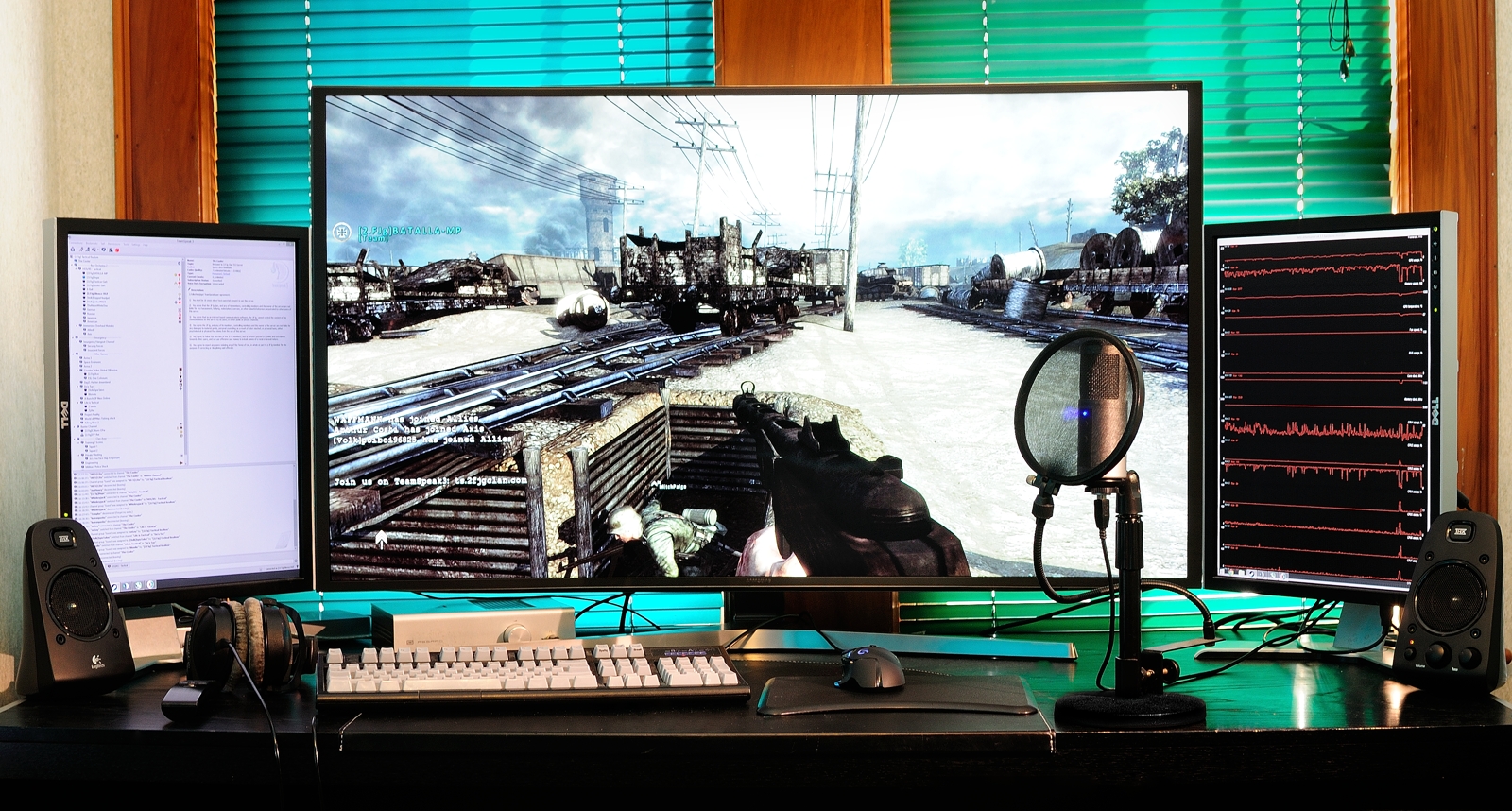
In my setup below, I have all three hooked up to my primary GPU, with two GPU's in SLI. (main screen directly using HDMI 2.0, two side screens using DP to DVI adapters


What has been said is accurate.

Scenario: You have two identical Nvidia GPU's.

Options:

1.) Disable SLI: Use any output on any GPU, but see no SLI performance benefits.

2.) Enable SLI: Only the outputs on the primary GPU are useable. The outputs on the secondary GPU go dead.


It's a little bit annoying, but these days now that GPU's have many oyutputs, it is less of an issue than back in the day when outputs were in limited supply.

In AMD's Crossfire you can freely use all outputs across any of the cards even when using crossfire (in fact, in some rare circumstances, balancing multi-mointor output between multiple cards can actually help performance, due to less shuttling of frame buffer data back and forth between the cards) but AMD has other issues :p
 
Zarathustra[H];1041732462 said:
Why do you say this?

In my setup below, I have all three hooked up to my primary GPU, with two GPU's in SLI. (main screen directly using HDMI 2.0, two side screens using DP to DVI adapters


What has been said is accurate.

Scenario: You have two identical Nvidia GPU's.

Options:

1.) Disable SLI: Use any output on any GPU, but see no SLI performance benefits.

2.) Enable SLI: Only the outputs on the primary GPU are useable. The outputs on the secondary GPU go dead.


It's a little bit annoying, but these days now that GPU's have many oyutputs, it is less of an issue than back in the day when outputs were in limited supply.

In AMD's Crossfire you can freely use all outputs across any of the cards even when using crossfire (in fact, in some rare circumstances, balancing multi-mointor output between multiple cards can actually help performance, due to less shuttling of frame buffer data back and forth between the cards) but AMD has other issues :p


#2 is not 100% true (just for the record) my setup has 4 monitors, and monitors 1-3 are plugged into DP's on cards 1-3 each respectively, monitor #4 is actually plugged into a second DP on card #2.
 
Back
Top