- Joined
- Jun 12, 2001
- Messages
- 4,194
Yep they really were! I was a high school senior (17) when Windows XP was first released in 2002!Simpler times.
Life mostly sucks now espically after losing both of my parents a year apart from one another
Follow along with the video below to see how to install our site as a web app on your home screen.
Note: This feature may not be available in some browsers.
Yep they really were! I was a high school senior (17) when Windows XP was first released in 2002!Simpler times.
with a Pentium Pro 200 with 2MB of Cache
I did see that. I thought I read it wrong after I ordered it.There was never a Pentium Pro that had 2 MB of cache. The highest were the black top 1 MB variants, you have the lowest tier 256 kb variant, as shown on your POST screen, and by the purple ceramic sitting under the heatsink. There was a mid tier version with 512k of cache. Both the 256k and 512k variants were in purple ceramic packages with gold lids.
I have a dual socket 8 board for wall art with two black top 1 MB Pentium Pro 200s.
View attachment 567147
These chips run HOT due to the dual 512k cache dies, each chip pulls about 51W. For comparison, the 256k variant only pulled about 35W.
I don't recommend getting a black top, unless you just want it for the cool factor. On average, the 1 MB version is only about 6% faster in most applications, while consuming almost twice the power, and originally costing almost twice as much as the 256k variant.
https://kva-pl.translate.goog/artyk...=en&_x_tr_hl=en&_x_tr_pto=wapp&_x_tr_sch=http
You can pick them up on the bay for about $100 if you really must have one.
epson still makes and sell them, lots of businesses still use old school triplicate paper...Can we get a dot matrix printer to go along with these retro builds? Anyone remember the old dot matrix printers that were so loud when printing. As a kid I remember printing long banners with them.
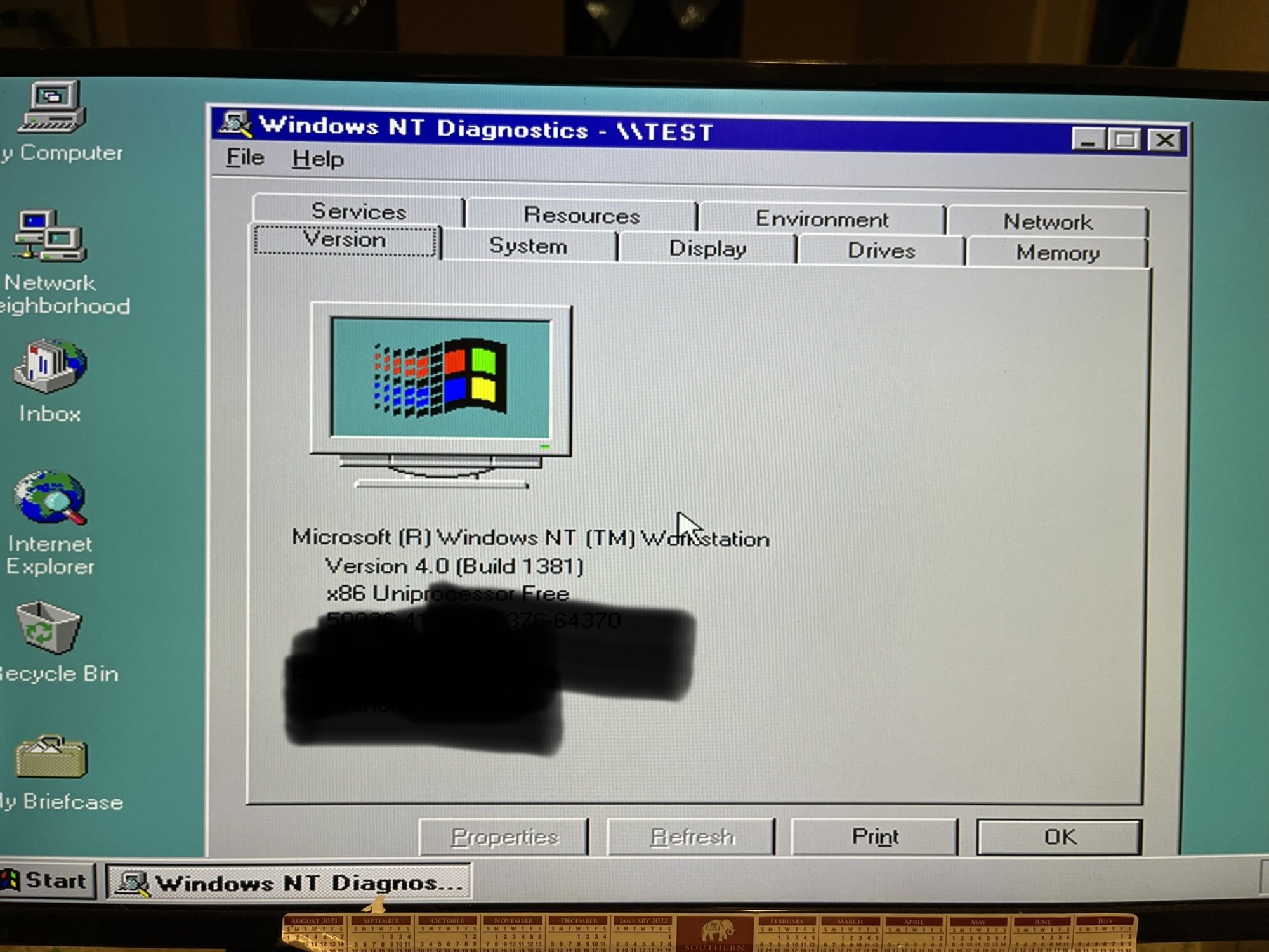
What ya hiding with the black marker?Well…it’s a start.
Private information.What ya hiding with the black marker?
LoLPrivate information.
make a new disk? could try copying it to c and run from thereOkay, so here is a melon scratcher: Windows NT 4 boots and installs off the CD, Windows 2000 boots and installs off the CD, Network works on both (Had to hard wire it for 10MB half as Auto at 1GB didn't catch on) I just can't get Windows 98SE to load at all. Works fine on my main desktop in a VM. Even when I have the W98 CD in the machine while NT or 2000 are booted, it says "Please insert disc" Not sure if the answer is staring me directly in the face or not. Kinda perplexed..Help [H]'ers Kinda itching for this now. LOL
View attachment 569112View attachment 569121View attachment 569122
Scrrrrreeeeaaacchhh, tick, hum, screeeeeeaaaaach.Can we get a dot matrix printer to go along with these retro builds? Anyone remember the old dot matrix printers that were so loud when printing. As a kid I remember printing long banners with them.
Win 98 was the first that could boot from cd if my memory is correct. Maybe it was ME, I really liked Windows ME. I used it for a long time, almost missed XP completely.At least with the several Win98 CDs I have used, I always had to boot off a floppy and get the CD drivers loaded to boot the CD.
Win 98 was the first that could boot from cd if my memory is correct. Maybe it was ME, I really liked Windows ME. I used it for a long time, almost missed XP completely.
We typically had to get our cables made custom, and there was a really good company that only specialized in scsi cables that were ungodly expensive and I happened to pick up some of them for dirt cheap a few years back. I bet they are long gone now too as a company, which makes me sad.Total pain to source cables for, though - so many connectors, SE vs. LVD vs. HVD for the higher speeds, and I lucked out in scoring the last few cables I really need at VCF East last weekend - HD50 to CN-50, and CN-50 to CN-50. (Gotta keep terminators handy for all of those, too!)
It was easier to set the irq, etc since you didn't have to open the system and mess with jumpers.What purpose does that ram serve on a sound card?
If you're doing midi, you MUST get the yamaha wavetable that worked with the awe32. We have this and it was on par with our yamaha keyboards in terms of sound which was killer to have back in that era.MIDI memory bank back in the day.
I was much older when xp came around, even older when I started using it over 98se.Yep they really were! I was a high school senior (17) when Windows XP was first released in 2002!
Life mostly sucks now espically after losing both of my parents a year apart from one another(2017 Mom and 2018 Dad)
![]()
THIS! 3DFX makes the most sense for this era and Matrox is the best choice for a pairing.Which Matrox card? Also for a P200 era machine are you sure you shouldn't be looking for a 3DFX card for 3D rather than swapping out the Matrox? Back around that time Matrox Millennium/preferably Millennium 2 was pretty top end for non-3D accelerated stuff, and 3DFX is what you wanted for 3D. In other words don't be so quick to toss that Matrox because what you want for 3D from that era doesn't do 2D.
XWing, Hexen/Heretic, and Doom are pre-P200 era games. I ran those on a 486. Or at least Doom, Hexen, and Heretic. They made way too many Star Wars games and I can't keep track of them all 20+ years later. I know I played some Star Wars games on my 486 back in the day, just not sure which ones anymore except for TIE Fighter.
I still have a bunch from retired hotel property management systems. Those okidata microlines are a beast! I still remember one that was swiped by a call accounting company that had been on 12yrs 24x7--the ML182. I also have an IBM Proprinter XL that we kept since we used it to print forms in 11x17 that we then could shrink to 8.5x11 for use. We used to make a lot of forms in PFS:Write for our hotel operations.Can we get a dot matrix printer to go along with these retro builds? Anyone remember the old dot matrix printers that were so loud when printing. As a kid I remember printing long banners with them.
This is what I always did. I would format and sys the c drive in another system, then copy the CD to it. Then move the HD to the system I wanted 98 on and run the setup off the HD--was much faster this way too.could try copying it to c and run from there
Can confirm.XWing, Hexen/Heretic, and Doom are pre-P200 era games. I ran those on a 486. Or at least Doom, Hexen, and Heretic. They made way too many Star Wars games and I can't keep track of them all 20+ years later. I know I played some Star Wars games on my 486 back in the day, just not sure which ones anymore except for TIE Fighter.
I vaguely recall at one point using a boot cd then swapping out CDs after it got me to a command prompt... I wish I could remember what or why.I ordered a new IDE to USB connector so that I can copy the Windows 98 SE CD onto it and get it up and running. Floppys don't even want to work.
Swapping CDs... this is kinda off topic but at least it involves Win98 on vintage hardware. It's also my origin story for a tradition of drinking during Windows installs. When I do a new desktop build I boot Linux as a smoke test, and if it comes up and sees all the hardware I go get a beer and start the Windows install.I vaguely recall at one point using a boot cd then swapping out CDs after it got me to a command prompt... I wish I could remember what or why.
All the win98 install needs is cd support to be able to access the drive. So almost literally any DOS boot that has CD support will work. But the problem is getting that boot on a system which has never booted. A bit of a chicken and egg problem. Hence my solution has always been to sys and format the drive in another system and then just move it over and boot up and install.I vaguely recall at one point using a boot cd then swapping out CDs after it got me to a command prompt... I wish I could remember what or why.
Also unrelated Epson actually still makes dot matrix printers. I want one.
Did you sys the drive? It won't boot without a format /s and sys c: done to it from bootable media.Update: So I got and IDE to USB converter for HDD. I am able to see the drive and copy the Windows 98 SE contents to it. But still have the boot issue. I tried to use a FreeDos (1.3) and then run the Windows 98 setup but it says it is missing HIMEM.SYS I need a way to Install Dos 6.22 then run the updater. Any suggestions?
Here is the problem: After I FDISK the drive, it asks to reboot. I reboot and I can't boot from the CD that contains DOS on it.Did you sys the drive? It won't boot without a format /s and sys c: done to it from bootable media.
Yeah, that's the chicken and egg problem. You need a DOS boot to be able to make something DOS bootable, but how do you do that without a DOS boot?Here is the problem: After I FDISK the drive, it asks to reboot. I reboot and I can't boot from the CD that contains DOS on it.
Having not worked with DOS for over 20 years, can I just copy from a bootable CD the DOS folder and have it boot from the drive that way?
The only kludge to somehow do this will be to boot a vm that is dos (so you have a bootable drive) and then have the hdd recognized by that vm and then fdisk and format /s the drive in that virtual machine. Then the hdd should be bootable if all goes well.So there is the other problem; the Floppy drive does work, but won't boot using the Win98 SE or MSDOS 622. Windows NT4/2000 work perfectly fine. The reason I don't want to use 2000 is because of DirectSound and how it negates my AWE32 and basically neuters it.
Is there a way (In Windows 10/11) to plug an IDE HDD into a USB3 converter and make it bootable? It's a 21.5GB HDD that Windows 98 SE will see and utilizes the full size. Kinda stumped when two OS's work perfectly fine but can't get 98 to work.
Yep: Floppy, CD, HDD.Did you set it to boot from floppy in the bios before the hard drive and CD?