![[H]ard|Forum](/styles/hardforum/xenforo/logo_dark.png)
Wingnut225
n00b
- Joined
- Nov 26, 2011
- Messages
- 22
As a first time PC builder, I am pleased to say that everything went well. All hardware went together nicely and software loaded with no problems. I do have a few questions and could use some help.
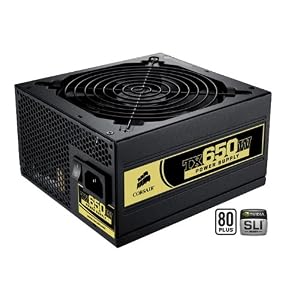
1) Should the power supply Corsair 650TX) be mounted in such a way that the fan points toward the bottom (it's bottom mounted) or should it pointed upward toward the inside of the case?
2) When I checked the bios of the ASUS P8Z68 V-Pro motherboard, it shows that the front fan is only spinning at around 430 RPM's and it shows this in red. All other fans are spinning around 550 RPM's and are shown in blue. The case is a Coolmaster HAF 922 and the front fan is plugged into the CHA_FAN2 on the motherboard.
3) How do I find out more about how to overclock the i5-2500k?
Here is the system that I built. All parts were purchased on the Black Friday sales so that did weigh in on my decision for certain parts over others:
Coolmaster HAF 922
Asus P8Z68 V-Pro
i5-2500k
Corsair Vengeance 8g (2x4g)
Corsair 650TX power supply
Hyper 212 plus cooler
Crucial M4 128gb SSD
Hitachi 750GB HDD
other HDD's for photo storage
Win 7 Home 64
1) Should the power supply Corsair 650TX) be mounted in such a way that the fan points toward the bottom (it's bottom mounted) or should it pointed upward toward the inside of the case?
2) When I checked the bios of the ASUS P8Z68 V-Pro motherboard, it shows that the front fan is only spinning at around 430 RPM's and it shows this in red. All other fans are spinning around 550 RPM's and are shown in blue. The case is a Coolmaster HAF 922 and the front fan is plugged into the CHA_FAN2 on the motherboard.
3) How do I find out more about how to overclock the i5-2500k?
Here is the system that I built. All parts were purchased on the Black Friday sales so that did weigh in on my decision for certain parts over others:
Coolmaster HAF 922
Asus P8Z68 V-Pro
i5-2500k
Corsair Vengeance 8g (2x4g)
Corsair 650TX power supply
Hyper 212 plus cooler
Crucial M4 128gb SSD
Hitachi 750GB HDD
other HDD's for photo storage
Win 7 Home 64