![[H]ard|Forum](/styles/hardforum/xenforo/logo_dark.png)
Navigation
Install the app
How to install the app on iOS
Follow along with the video below to see how to install our site as a web app on your home screen.
Note: This feature may not be available in some browsers.
More options
-
Some users have recently had their accounts hijacked. It seems that the now defunct EVGA forums might have compromised your password there and seems many are using the same PW here. We would suggest you UPDATE YOUR PASSWORD and TURN ON 2FA for your account here to further secure it. None of the compromised accounts had 2FA turned on.
Once you have enabled 2FA, your account will be updated soon to show a badge, letting other members know that you use 2FA to protect your account. This should be beneficial for everyone that uses FSFT.
You are using an out of date browser. It may not display this or other websites correctly.
You should upgrade or use an alternative browser.
You should upgrade or use an alternative browser.
Post your pc screen shots!
- Thread starter silentnight3985
- Start date
jhego said:Do you have a Mac? Or you are using a program? If so, how did u get those icons and the interactive background ( i'm interested on the calendar on your desktop.
No not using a mac....Just a good msstyle, the icons are using avedesk and the calendar,etc is using a avedesk plugin called sysstats...
Most of the stuff can be found here
http://www.dockex.com/?pageId=docklets&dkview=38
almostinsane1
Limp Gawd
- Joined
- Jul 13, 2004
- Messages
- 277

darktiger said:No not using a mac....Just a good msstyle, the icons are using avedesk and the calendar,etc is using a avedesk plugin called sysstats...
Most of the stuff can be found here
http://www.dockex.com/?pageId=docklets&dkview=38
How is it on the resource? Does it eat a lot of memory?
OK, so I lied...I changed my theme again...sort of.well, I got rid of Yz dock and replaced it with object dock, downloaded and then customized most of the icons so they match, then found a nice, simple skin to go along with it. Wallpaper....idea taken from someones at wincustomize (forget who, but there's the credit) but made from scratch (except the WMP logo, but it's edited too) and added my own touches.


DRJ1014
Supreme [H]ardness
- Joined
- Nov 11, 2003
- Messages
- 5,770


TSS Modder
2[H]4U
- Joined
- Jun 29, 2004
- Messages
- 2,316
wow.... now that is one BIG desktop... what skin is that for firefox? i really like that...

Thermite Paste
Supreme [H]ardness
- Joined
- Dec 17, 2003
- Messages
- 5,650


TSS Modder said:wow.... now that is one BIG desktop... what skin is that for firefox? i really like that...
That my friend, is a little theme called Pinstripe. Can't remember where I got it. Either DA or Mozilla.org
The wallpaper was a little too uncolorful for me (even though it was all blue) but I wanted it to match the visual style I have now. So, I opened up the wllpaper in photoshop and messed with it. I added a slight shadow on the bottom to make it seem as if the WMP logo was sitting on a shiny as hell reflective surface, and I made the gradient in the background more extreme. I figured that since the taskbar on the bottom is white, I'll make the bottom half of the background gradient intense blue for contrast, and make the top half white and make the objectdock background shiny blue. The whole theme matches really well. It's not pictured, but I opened up some windowblinds files in photoshop and edited the "more programs" window and made it a white-blue gradient as well.


- Joined
- Jun 26, 2002
- Messages
- 1,553

wallpaper by me, models me and my gf

- Joined
- Jun 26, 2002
- Messages
- 1,553
older ss

another

another
lesman said:The wallpaper was a little too uncolorful for me (even though it was all blue) but I wanted it to match the visual style I have now. So, I opened up the wllpaper in photoshop and messed with it. I added a slight shadow on the bottom to make it seem as if the WMP logo was sitting on a shiny as hell reflective surface, and I made the gradient in the background more extreme. I figured that since the taskbar on the bottom is white, I'll make the bottom half of the background gradient intense blue for contrast, and make the top half white and make the objectdock background shiny blue. The whole theme matches really well. It's not pictured, but I opened up some windowblinds files in photoshop and edited the "more programs" window and made it a white-blue gradient as well.
What visual style is that?

here it isjhego said:
Shoot, i cant find it anymore. I switched wallpaper and i forgot to save this wallpaper.
http://images.pyrospheric.net/wallpapers/Current_by_Eraxer
poopypants
Limp Gawd
- Joined
- Oct 14, 2004
- Messages
- 196
posted this on the earlier on the desktop bk ground thread
the story goes...someone screamed about taking a road trip and this was the result...

the story goes...someone screamed about taking a road trip and this was the result...

lesman said:start bar/programs list open

send feedback if you like how it's lookin'! or if you dont!
so messy!
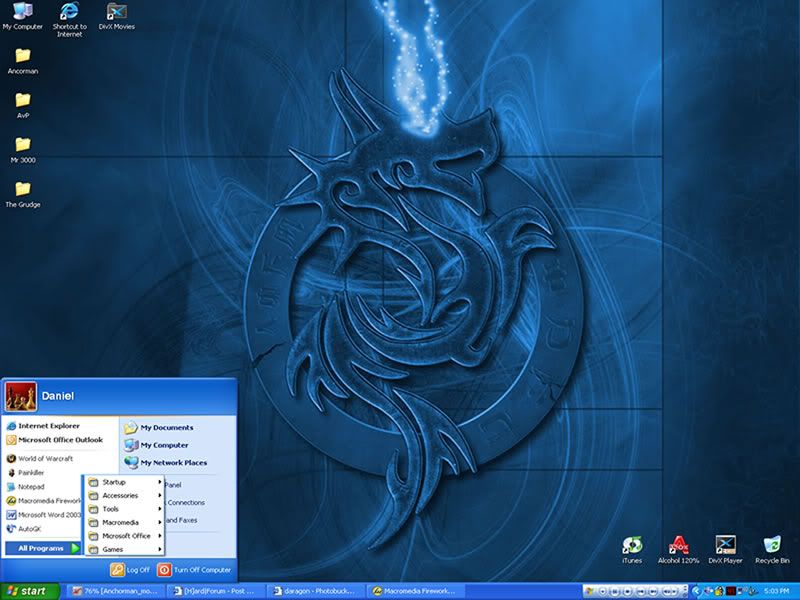
*waves hand* pay no attention to the 4 folder icons on the left
<edit>sorry about the small, illedgable text. Product of taking it from 5Mb to 100Kb


- Joined
- Jun 26, 2002
- Messages
- 1,553
lmfao thats greatpoopypants said:posted this on the earlier on the desktop bk ground thread
the story goes...someone screamed about taking a road trip and this was the result...

screwallyall
n00b
- Joined
- Sep 1, 2004
- Messages
- 42

JR_Rider said:this is my desktop, i finally found a wallpaper, and icons that i like, could anyone suggest a good theme to go with them, i dont want anything over the top, just plain and simple, and to match what i have so far
mmmmmust have wallpaper... mmmmm


- Joined
- Jun 26, 2002
- Messages
- 1,553
Heres my back up pc's screen shot


dolphumous
2[H]4U
- Joined
- Jul 6, 2004
- Messages
- 2,138

not my screenshot but a cool concept nonetheless.
Transparent Screens
I apologize if this is a repost.
Transparent Screens
I apologize if this is a repost.
How the hell is that done? Do they take a pictures of that area and then put it as their wallpaper and then cleverly place their screens to make it look transparent? I'm going to try that!Tenchi4U said:not my screenshot but a cool concept nonetheless.
Transparent Screens
I apologize if this is a repost.