• Some users have recently had their accounts hijacked. It seems that the now defunct EVGA forums might have compromised your password there and seems many are using the same PW here. We would suggest you UPDATE YOUR PASSWORD and TURN ON 2FA for your account here to further secure it. None of the compromised accounts had 2FA turned on.
    Once you have enabled 2FA, your account will be updated soon to show a badge, letting other members know that you use 2FA to protect your account. This should be beneficial for everyone that uses FSFT.

Network pics thread

I'm using PRTG commercial.

You might check these out first, they do most of what it does.

http://pandorafms.org/index.php?lng=en&sec=project&sec2=screenshots
http://www.opennms.org/
http://www.zabbix.com/
https://www.icinga.org/
http://www.softinventive.com/products/total-network-monitor/

If I would have known that PRTG was doubling it's licensing cost, I would have skipped it last year in favor of free.
My boss is an official reseller of PRTG. ;)

And I vouch for PRTG. If you haven't seen, used, or tried it -- it is a must. When properly and fully setup, nothing compares to its glory.
 
My boss is an official reseller of PRTG. ;)

And I vouch for PRTG. If you haven't seen, used, or tried it -- it is a must. When properly and fully setup, nothing compares to its glory.

I do love PRTG, but I don't love this.

Unlimited Single Server Version
Old Price: $5,000
New Price: $10,800

That kinda made me go WTF?!?!?
 
I do love PRTG, but I don't love this.

Unlimited Single Server Version
Old Price: $5,000
New Price: $10,800

That kinda made me go WTF?!?!?
*shrugs* PM me if you would like my bosses work e-mail to see if you think you can get a deal. ;o That's the only thing I can suggest.
 
My boss is an official reseller of PRTG. ;)

And I vouch for PRTG. If you haven't seen, used, or tried it -- it is a must. When properly and fully setup, nothing compares to its glory.

I disagree, but in the price range that's prolly true. (PRTG is an excellent product, regardless)

I do love PRTG, but I don't love this.

Unlimited Single Server Version
Old Price: $5,000
New Price: $10,800

That kinda made me go WTF?!?!?

LMAO.. you really really don't want to see what other products cost then.
 
I disagree, but in the price range that's prolly true. (PRTG is an excellent product, regardless)


LMAO.. you really really don't want to see what other products cost then.

We've priced others, they are a lot more. But they also work better and do A LOT more. For one, they do netflow much better.
 
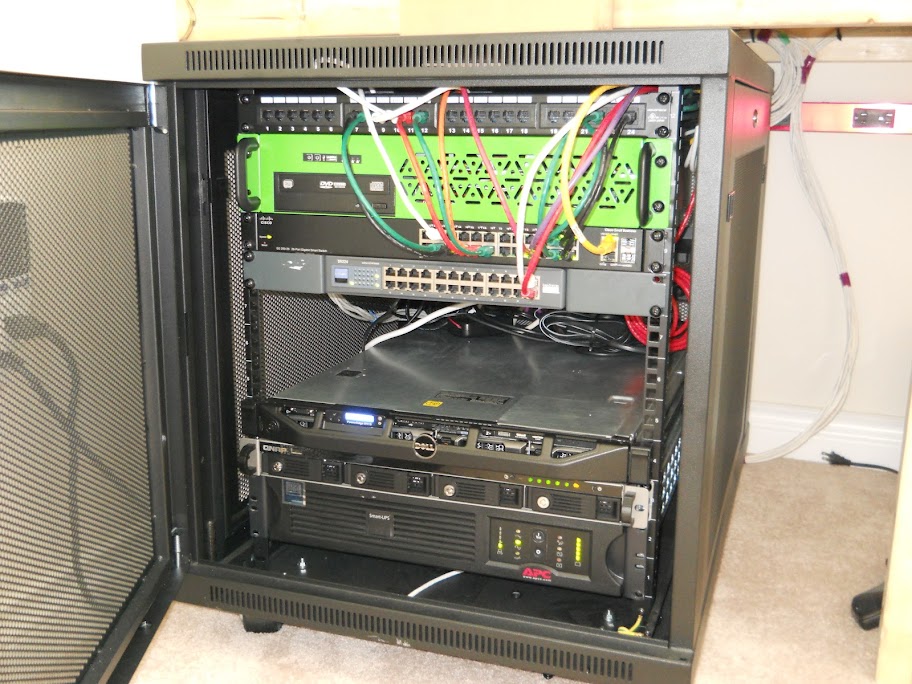
Some UPSs for you all... 1730W of inversion with 9000VA of batteries (basically). Yes, there is a second battery pack behind the rack... I almost flipped tables when I realized 4 units don't fit beside each other in a 19" rack...

NZN97l.jpg
 
I'm using PRTG commercial.

You might check these out first, they do most of what it does.

http://pandorafms.org/index.php?lng=en&sec=project&sec2=screenshots
http://www.opennms.org/
http://www.zabbix.com/
https://www.icinga.org/
http://www.softinventive.com/products/total-network-monitor/

If I would have known that PRTG was doubling it's licensing cost, I would have skipped it last year in favor of free.

What one would you use ? ( the free one ) simple and iphone / ipad support Assuming you need a app, or loging into a web browser would work... I'm planning to buy a APC network card so i can monitor it and have everything send me alerts & notifications...
 
What one would you use ? ( the free one ) simple and iphone / ipad support Assuming you need a app, or loging into a web browser would work... I'm planning to buy a APC network card so i can monitor it and have everything send me alerts & notifications...

I wouldn't use any of those. I'd use either Cacti(free) or Castle Rock SNMPc(rather expensive).
 
I wouldn't use any of those. I'd use either Cacti(free) or Castle Rock SNMPc(rather expensive).

Yup, I'm playing with cacti right now on my iPad, they have a app,

Now to inure out how to get it to monitor my servers and xen
 
On my water and ramen budget I was only able to afford a single 1000va unit lol. But All I need that for is to keep my hardware alive long enough for it to shut down in the event of a power loss.
 
So I made a visit to The Gathering 2012 this Easter:

The "northern" core Cisco Nexus 7000, hidden behind messy cabling:
corengw.jpg


The "southern" core Cisco Nexus 7000:
coresgw.jpg


The Huawei equipment racks from Altibox supplying the 200 Gbit Internet connection:
huawei.jpg
 
Last edited:
Do they really saturate a 200Gbps line? That's some insane hardware. The mess is excusable, they have a small time frame and it won't be there for long.
 
Do they really saturate a 200Gbps line? That's some insane hardware. The mess is excusable, they have a small time frame and it won't be there for long.

According to this video they peaked @ 70Gbps, not sure if it went higher later on.
 
The typical usage was about 10-15 Gbps, but it peaked at 63 Gbps at Saturday night when the tech crew encouraged everyone to download as much as possible.
 
Hooray SFP+....24 of them
IMG_20120413_142146.jpg


Also got two of these line cards for our Catalyst 4507. 12 port 10Gb/1Gb card. We are going to be getting new controllers for all of our EqualLogic's that have dual 10Gb connections.
IMG_20120413_142336.jpg
 
The typical usage was about 10-15 Gbps, but it peaked at 63 Gbps at Saturday night when the tech crew encouraged everyone to download as much as possible.

Ever wonder if these guys get credit for testing some of Cisco's hardware and get real case numbers for them? If you look at some of their admin packs and config files they public for people they do limit some stuff from people..
 
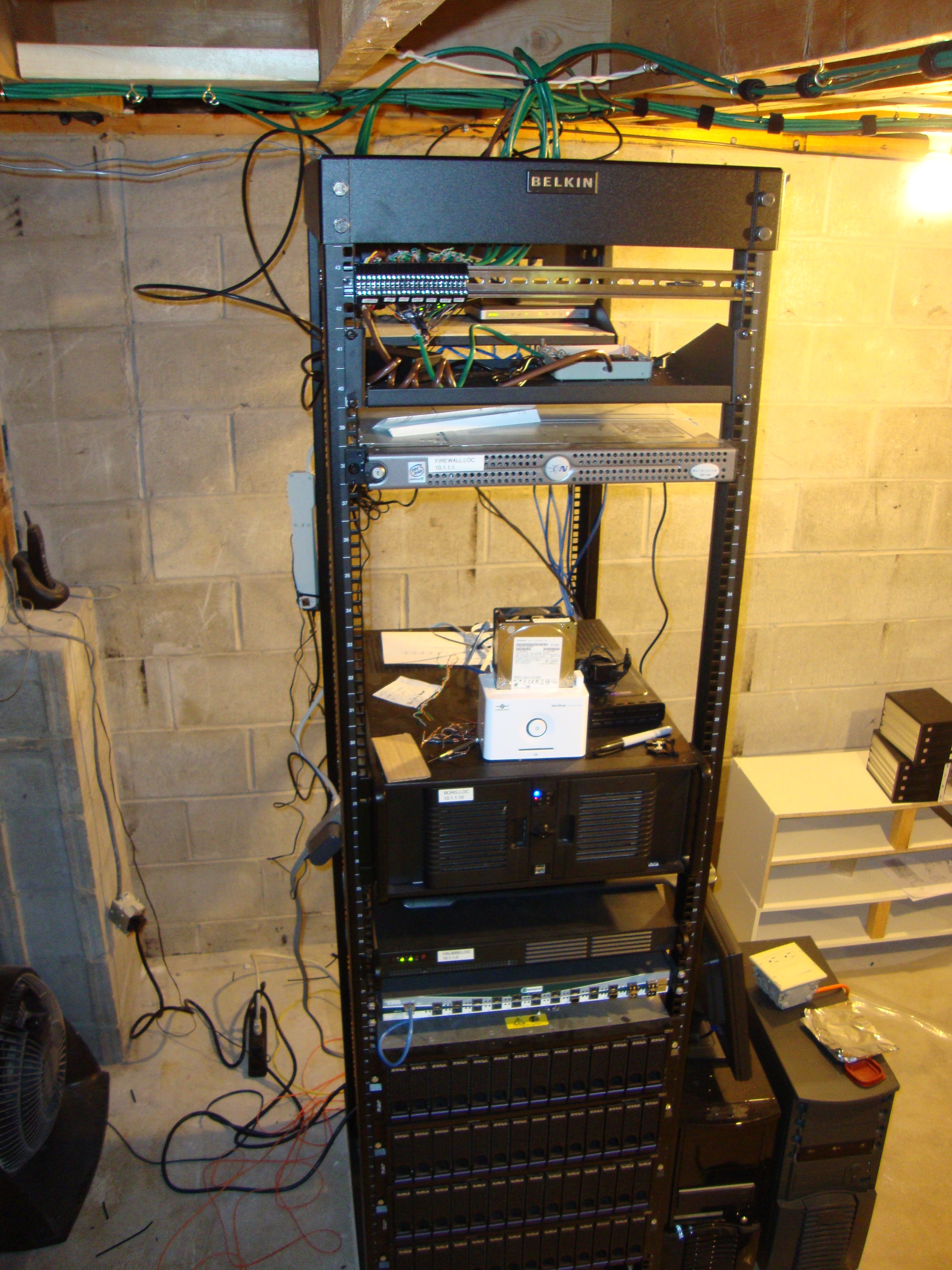
Have not posted a pic of my rack in a while, so here it is!


Top back (can't really see):
- Patch panel
- Shelf with DSL modem, couple switches, wifi router

Top Front:
- DIN Rail with a few terminal blocks for my hvac control system. May add more random electrical stuff there in the future, basically anything oddball that does not have a standard connection type that would go on the patch panel.
- Shelf with relay/temp sensor control board for my hvac system
- Pfsense Firewall

- HDD dock for my backups (I have a rotation setup with multiple drives, some go offsite)
- Main server. This is pretty much the most important server, it has all my dev/test environments for various projects, as well as all my actual data. Everything from word docs to code. Lot of VMs, movies, etc..... really, every file I own is on that box (and backed up in multiple places). I barely keep any data on my actual PC. It's all on there.
- Enviromental server, it's running the actual hvac system. I will be adding more stuff to it in the future such as a monitoring app for all my servers. I'd like to add some other devices to it to monitor things like battery voltages once I setup a better battery backup system. In a nut shell it's a monitor / enviromental control server.
- McData Fiber switch
- 4x IBM Fiber SAN enclosures

The fiber switch and SAN enclosures are not really used and more there for show. Got em for free. I can't put my own drives in those enclosures so I can only use those specific drives, when they die the thing is useless.

And lastly, two UPSes.

The stuff on the side is misc machines that arn't really doing anything but F@H. One is actually a storage box for I setup for my church, I should probably bring it back some day, just never think of it. :p

Right now I have poor cable management, but I've been brainstorming of a design to build an enclosure around the rack to make it look nicer, and on the back I want tons of power outlets, and cable ducts to make everything all neat and tidy. I'm thinking 2 power circuits per side. There will be 4 power cords at the bottom of the rack, and I can plug them into the UPS/Surge and have control over which outlets are protected by what UPS.

My biggest challenge is finding the neatest way to fit the row of outlets and the cable duct without making the rack ridiculously wide. I'm even thinking of having just a cable duct on one side, and outlets on the other.

I have lot of projects around the house to do before I do much with that room, but I'm hoping to at least do the cable management stuff in the next few months, as it should not cost that much. Basically a couple 2x6, 2x4's, some primer and paint, and then lot of junction boxes and outlets.
 
Oh it's still sitting on my workbench lol. To be honest I did not get a chance to play much with it. :p Been busy with other stuff. I will probably put Asterisk on it and mess around with voip. I'm also debating of maybe replacing my firewall with it. Probably uses less power, and at least the drives are sata so I can easily buy new ones if they fail. My current firewall box uses a SCSI drive. If it dies I'm without a firewall for a while till I figure out what to do.
 
To be honest I don't recall measuring it. I do know that my whole setup uses about 320watts. My guess is it's pulling 150watts or so on it's own. I'd have to measure it and measure the other server to see the difference.
 
To be honest I don't recall measuring it. I do know that my whole setup uses about 320watts. My guess is it's pulling 150watts or so on it's own. I'd have to measure it and measure the other server to see the difference.

My whole setup is pulling 318 right now,
 
Red, what solution are you using for backups that allows you to swap drives out of that dock? Are you doing USB passthrough to a VM running Veeam?
 
I wrote a bash script that mounts by name, so I name all the disks the same. On each drive there is a "pointer" script that points to a job script that is stored on the server. Basically it just uses rsync. For stuff like SQL I have separate scripts that run and back that up locally. The backup jobs then just grab those prebacked up files over.

The drive is connected via sata. I tried USB over ethernet once as I wanted the drive in my office, but it was bloody slow. esata is pretty quick. It's a decent setup though as I can just add drives to the pool as I please. When a job is done is sends me an email and a broadcast message if I'm sshed in the server, so I know to go turn it off and remove the drive. It also puts the date in a text file on the drive itself, but I also use a spreadsheet to keep track.

What I want to do eventually is make it tell me what drive to put in, based on retention periods. In the future I also want to not make it use the disk label, as right now I can only run one job at once.
 
My whole rack is 180 watts.. Using a HP DL320 G4 w/ 8gb ram and 2 sata drives, vmware esx
 
Back
Top