![[H]ard|Forum](/styles/hardforum/xenforo/logo_dark.png)
Navigation
Install the app
How to install the app on iOS
Follow along with the video below to see how to install our site as a web app on your home screen.
Note: This feature may not be available in some browsers.
More options
You are using an out of date browser. It may not display this or other websites correctly.
You should upgrade or use an alternative browser.
You should upgrade or use an alternative browser.
Network pics thread
- Thread starter BobSutan
- Start date

IEC C14 to IEC C15.
http://www.stayonline.com/power-iec320-c14-c15-cords.aspx
http://www.stayonline.com/power-iec320-c14-c15-cords.aspx

Shadowspawn
[H]ard|Gawd
- Joined
- Sep 17, 2002
- Messages
- 1,870
Whee, I love 3750's. Great switches. You know they will only reproduce faster when you leave them like that, right? What kind of "burn in" do you run on them? I've never had a new Cisco switch die on me...only older models or external circumstances (power surges and such).
That's good; it looked like you didn't have nearly enough incoming cable area, nor enough power in there. Doesn't look like they're mounted; the one on the bottom must be hating life.They will not be staying in that rack, we just stuck them in there for ios upgrade, configuration and burn-in.
That's good; it looked like you didn't have nearly enough incoming cable area, nor enough power in there. Doesn't look like they're mounted; the one on the bottom must be hating life.
Was trying to be a smart ass and find a diagram of the physics of 'bottom screw' but this will have todo:

jeffmoss26
2[H]4U
- Joined
- Aug 1, 2002
- Messages
- 2,267
nice switches!
Oh, they're in there, I didn't see 'em. I mistook them for the nubbin between the top and bottom screw holes on the ear.Was trying to be a smart ass and find a diagram of the physics of 'bottom screw' but this will have todo:
Yeah, each one has two screws, one on each side in the bottom hole.
Good call on the pivot picture
We just leave them running 48 hours before deploying them. We got one about a year ago where the power supply quit working after about 4 hours, but just leaving them running gives them time to bake, and allow tacacs and our other automation pick them up prior to deployment in production.
Those 8xT1 connections on the 3945 will be replaced by a DS3 within the next two weeks. Once our permanent racks arrive we will get the other "half" of that network stack racked and configured (another 3945 with a second DS3, 1x 5508-250, 1x 3750G-24 copper, 6x 3750G-12 fiber (as stack members of the 3750G-24s, and 1x 3750G-48)
Good call on the pivot picture
We just leave them running 48 hours before deploying them. We got one about a year ago where the power supply quit working after about 4 hours, but just leaving them running gives them time to bake, and allow tacacs and our other automation pick them up prior to deployment in production.
Those 8xT1 connections on the 3945 will be replaced by a DS3 within the next two weeks. Once our permanent racks arrive we will get the other "half" of that network stack racked and configured (another 3945 with a second DS3, 1x 5508-250, 1x 3750G-24 copper, 6x 3750G-12 fiber (as stack members of the 3750G-24s, and 1x 3750G-48)
Those 8xT1 connections on the 3945 will be replaced by a DS3 within the next two weeks. Once our permanent racks arrive we will get the other "half" of that network stack racked and configured (another 3945 with a second DS3, 1x 5508-250, 1x 3750G-24 copper, 6x 3750G-12 fiber (as stack members of the 3750G-24s, and 1x 3750G-48)
That's not enough T1s.

Red Squirrel
[H]F Junkie
- Joined
- Nov 29, 2009
- Messages
- 9,223
uggh, more 3750s just keep showing up

They will not be staying in that rack, we just stuck them in there for ios upgrade, configuration and burn-in.
They will be deployed to IDF cabinets around a new building.
I was going to say, damn, is that running skynet or something?
I don't think I've ever seen that many switches in a single rack. It must make an interesting sound when they're all on. And OMG @ rotherad. That is a lot of equipment. How much did that whole shipment cost? I'm going to guess 10 mil? Or way more? That's something I'll never get to see, every customer we have are penny pinchers, and so is my company, which ironicly is also an ISP.
aaronearles
[H]ard|Gawd
- Joined
- Aug 31, 2006
- Messages
- 2,016
Vito_Corleone
[H]ard|Gawd
- Joined
- Dec 17, 2006
- Messages
- 1,730
Some new toys arrived the other day at work.... time to get learning IOS-XR
http://networkbroadcast.co.uk/downloads/asr1.JPG[IMG]
[IMG]http://networkbroadcast.co.uk/downloads/asr2.JPG
Very nice.

no flaming on ties but I hate taught cables like number 4**Awaits flaming for using cable ties on cables**
On another note, that is a VERY nice setup in that little cabinet, very tidy indeed!
Wish mine was that neat.....wish I had that much kit but that`s another story
no flaming on ties but I hate taught cables like number 4
I flamed the ties and lolled at the analog thermometer.
Yeah, I figured it was an ISP when I saw all the windows and the useless glass wall.Joys of working for an ISP
It's for our 10G rollout to supplement our current 2.5G ring


- Joined
- Nov 16, 2005
- Messages
- 21,598
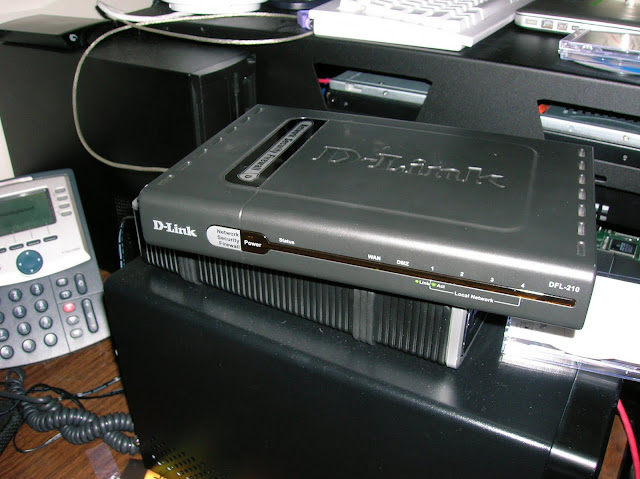
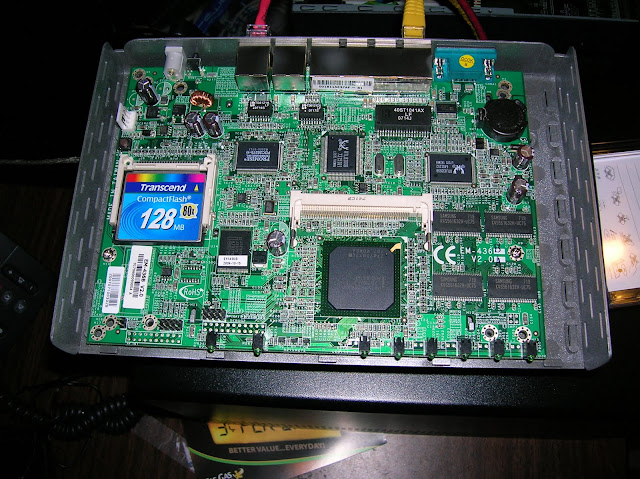
this just fell on my desk today
TZ-210


And to be on track, playing with new gear at the office. Not as fancy as some other stuff on here, just cisco SMB stuff.

And to be on track, playing with new gear at the office. Not as fancy as some other stuff on here, just cisco SMB stuff.
those look like the SG 300 series? I have a 10 port as my home/lab switch.
What are you going to do with them?
- Joined
- Nov 16, 2005
- Messages
- 21,598
those look like the SG 300 series? I have a 10 port as my home/lab switch.
What are you going to do with them?
200 series, 3 of them with PoE. The 300 series (also 50port w/PoE) is down hidden out of the picture to the left.
Oh, the downside to them, only half of the ports have PoE. They are marked this side is PoE, this side is not, etc. Only downside to it, yo need to place your PoE ports. I wish they would have just let you use whatever half you wanted and had it soft-disable the use of more. Would make my life easier... Now I need to track down where phones are. Not super difficult, but I'll need to look at the port #'s on the jacks.
timreichhart
Gawd
- Joined
- Feb 22, 2009
- Messages
- 928
Here is Nanobridge M2/5 on a custom EMT Mast that I built for testing the wireless for my WISP.

no flaming on ties but I hate taught cables like number 4
Lol that is a temp cable patched in the wrong port but didn't notice until I took the pic!
I flamed the ties and lolled at the analog thermometer.
Yeah, I figured it was an ISP when I saw all the windows and the useless glass wall.
Hey its good for a quick glance temp check unless you have a better solution for $2?
Ties will be going
Like I said there is still more to.come yet.
Last edited:
Yeah, I figured it was an ISP when I saw all the windows and the useless glass wall.
Yeah, that would be where the sales guys take customers to go "ooh look at all the blinky lights" without having to be in a noisy DC
CiscoInside
Gawd
- Joined
- Mar 26, 2010
- Messages
- 546
Little network upgrade:


My ESXi box is running an i7 with 24 gigs of DDR3... Have a direct crossover on a dedicated 1 gig nic to my storage server running Win Storage Server 2011 with another dedicated nic just for iSCSI traffic. Those datastores are on a hardware RAID 5 in that server.
After doing that upgrade I have much more resources on my ESXi box for more VMs.
In the rack the top is my lab for my CCNA.
My ESXi box is running an i7 with 24 gigs of DDR3... Have a direct crossover on a dedicated 1 gig nic to my storage server running Win Storage Server 2011 with another dedicated nic just for iSCSI traffic. Those datastores are on a hardware RAID 5 in that server.
After doing that upgrade I have much more resources on my ESXi box for more VMs.
In the rack the top is my lab for my CCNA.
CiscoInside
Gawd
- Joined
- Mar 26, 2010
- Messages
- 546
Cisco, do you mean WHS 2011 ?
Woops I meant Windows Storage Server 2008R2...
Woops I meant Windows Storage Server 2008R2...
Thats what i thought
You ever try freenas8 ? I have all my iscsi stuff running off it.
etothe3ric
Limp Gawd
- Joined
- Feb 4, 2009
- Messages
- 422
Some new toys arrived the other day at work.... time to get learning IOS-XR

We are using the same thing where I work for our 10G MPLS backbone. Thankfully we are moving to these and away from SONET.