![[H]ard|Forum](/styles/hardforum/xenforo/logo_dark.png)
jedihobbit
Gawd
- Joined
- Nov 3, 2005
- Messages
- 963
While not the most original name, Ive always been a big Jim Henson fan and this unit is slated for pcpers Folding Frogs!!
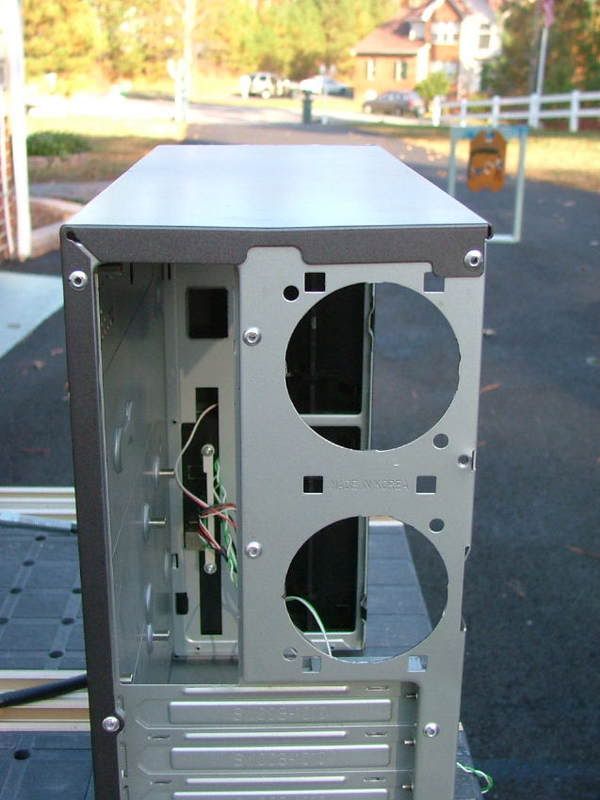
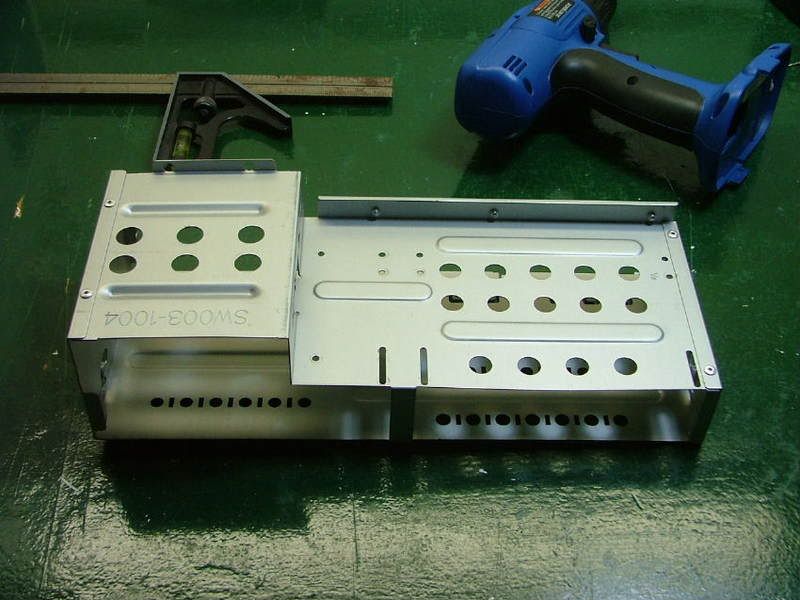
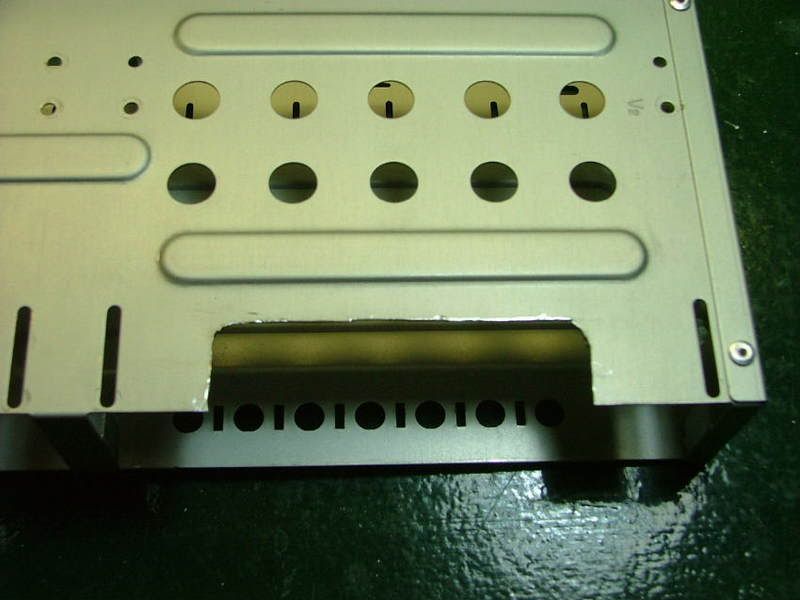
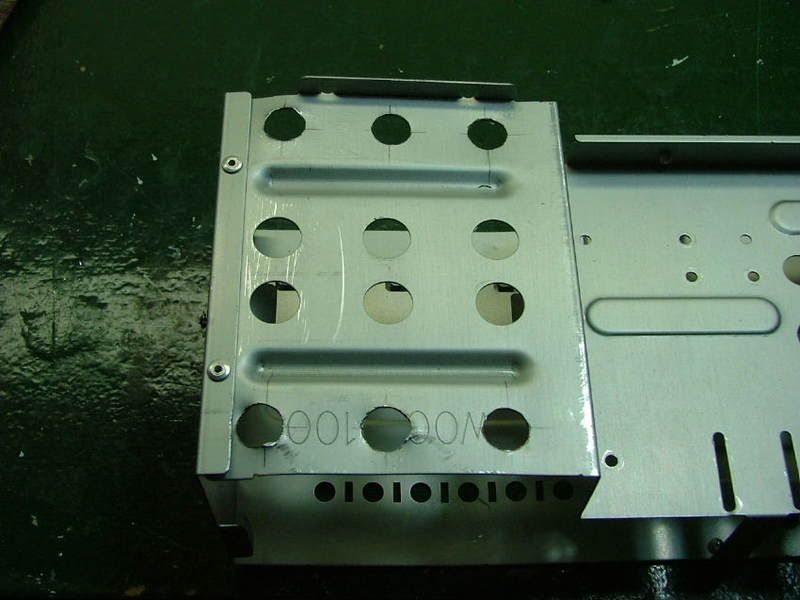
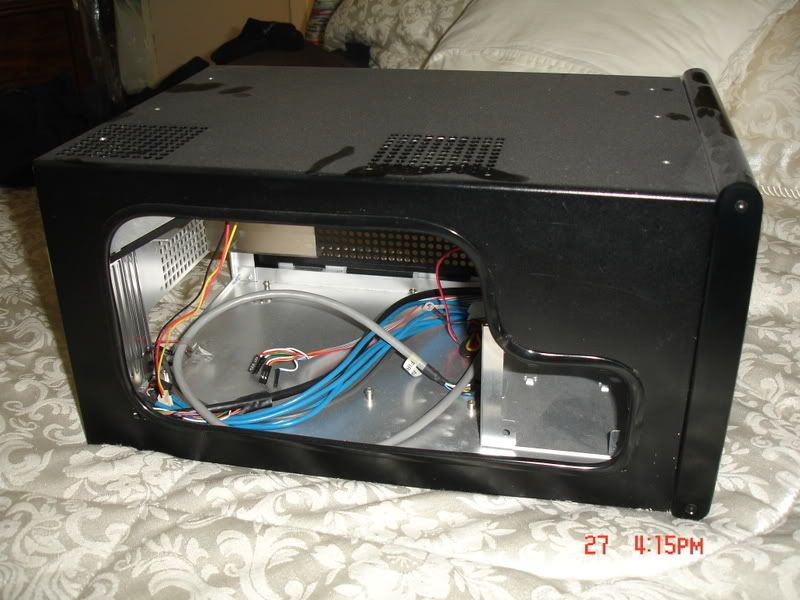
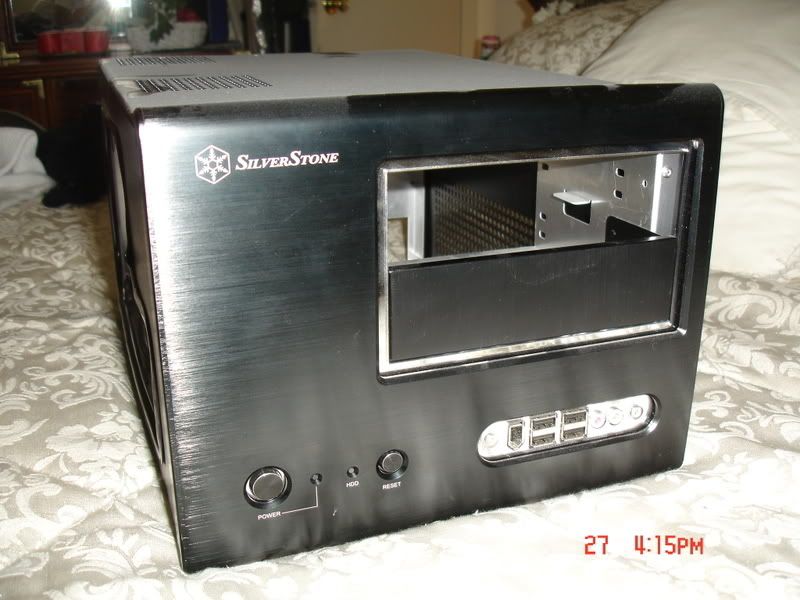
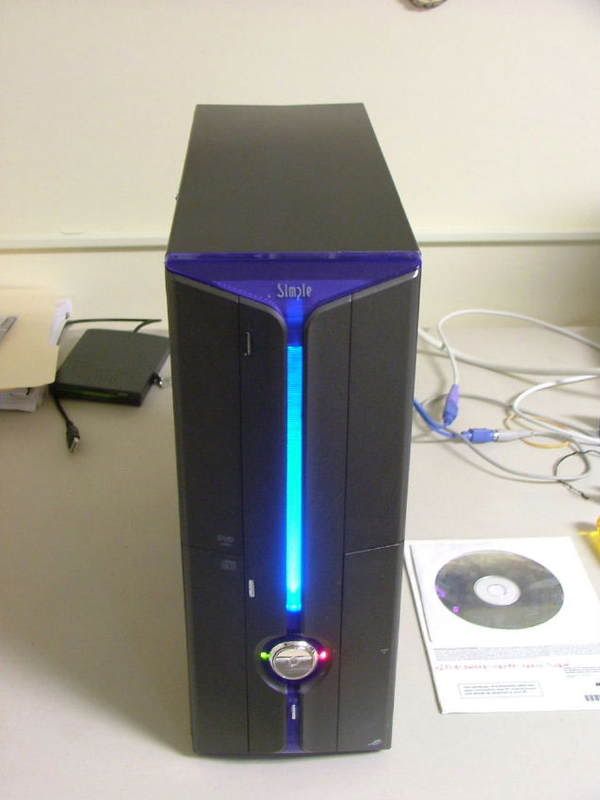
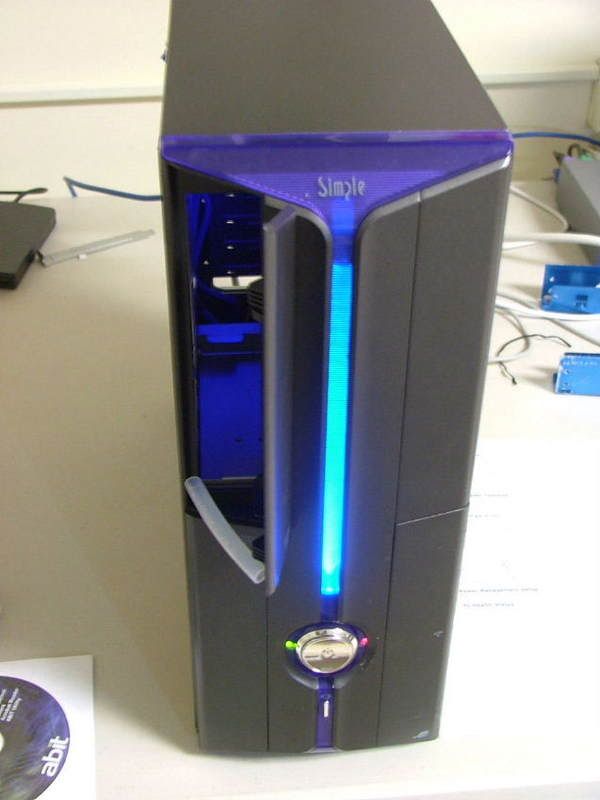
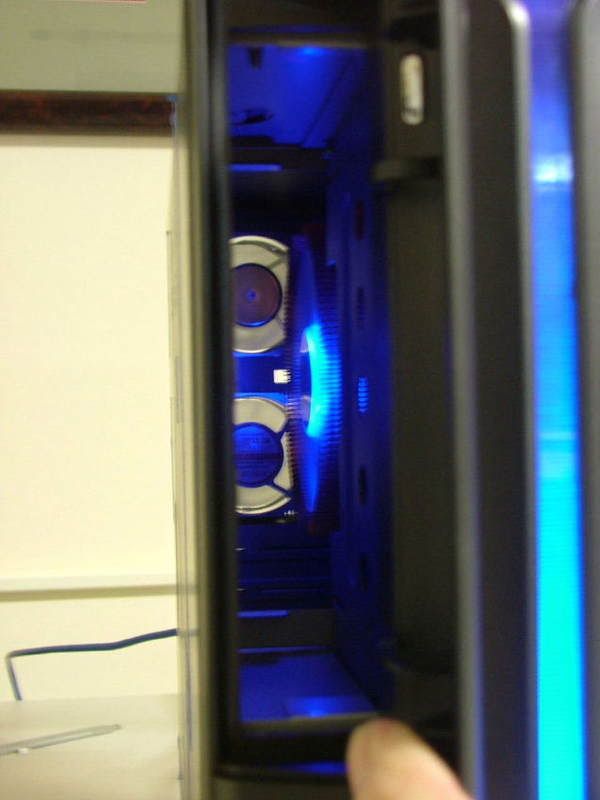
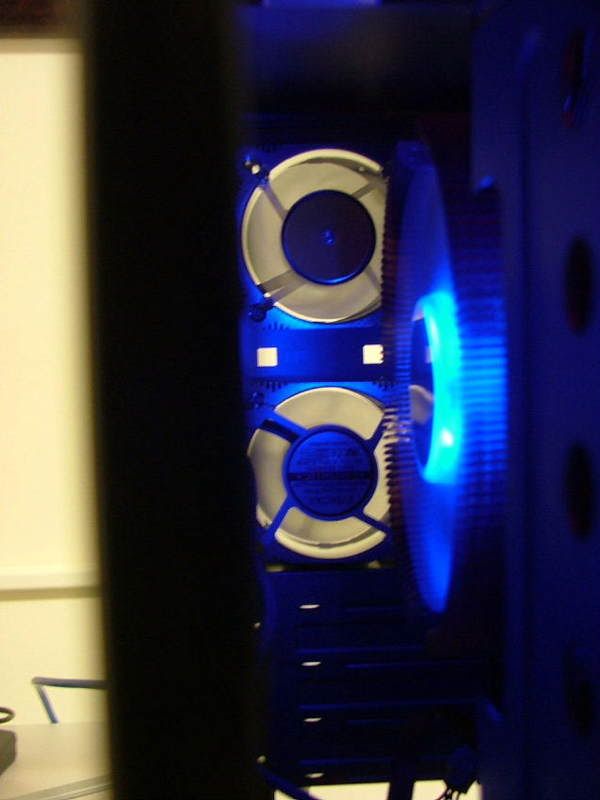
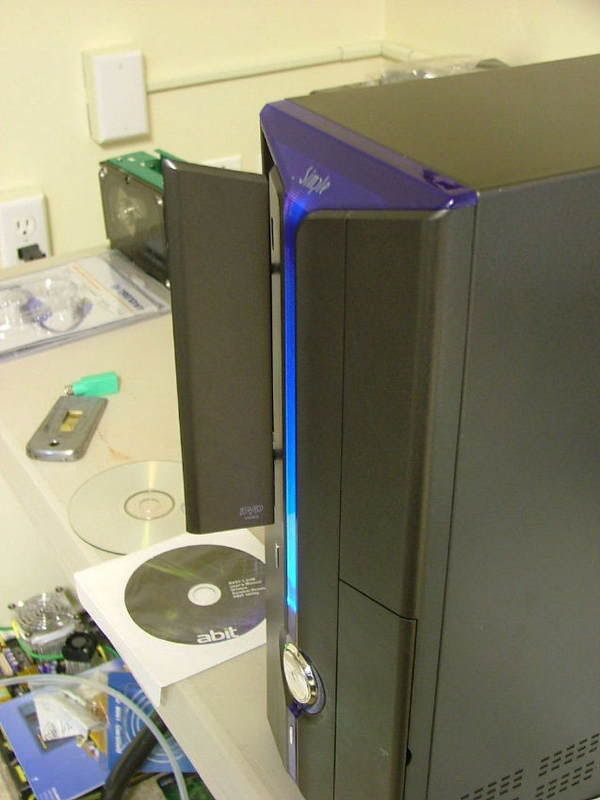
When I did the rebuild of a friends mATX system that was done for them years ago re-casing the components was part of the deal. So I ended up with the original case. At that time it was called a SimpleMax 101 but like a lot of unique computer components it no longer exists. Big Bruin did a nice review for the SimpleMax 101 a while back. It will explain the case structure a lot better than I can. If you review it prior to continuing youll understand some of the issues I may (will!!) encounter.
Going from ..
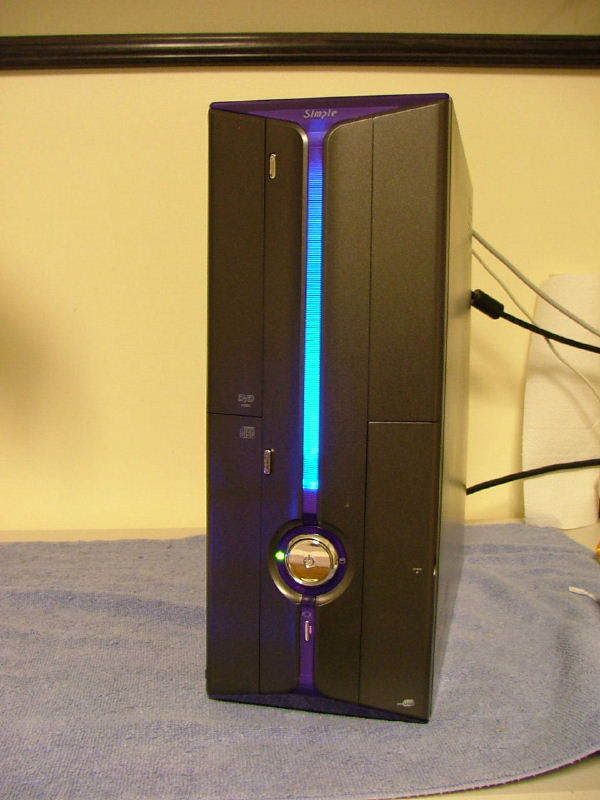
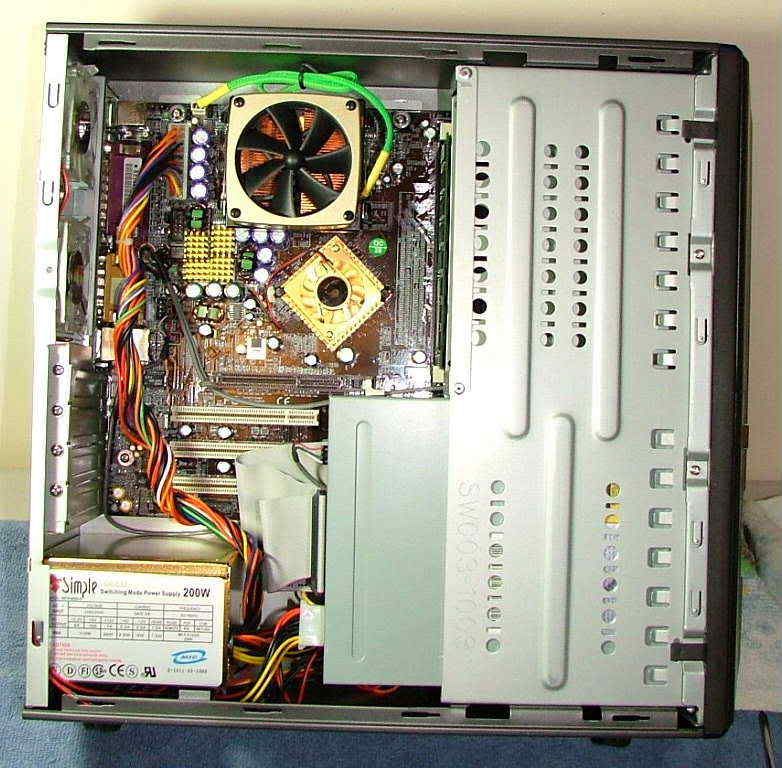
to...............
So with the case as my primary stating point Ive decided to attempt to create a micro-folder system. Sadly (or typically) this will have to be a clandestine build hidden from the wife. Therefore I will attempt to use what is in house for components. This is what I have so far:
Case: Simple 101
PSU: silenX iXtrema Micro 350W (replaces original 200W)
Mobo: Abit NF-AM2 nView
CPU: Opty 1210 (CCB6F 0741MPMW)
HSF: TBD Zalman
Memory: 2 x 1024 - Corsair CMX1024-6400C4 or OCZ OCZ2P800R22GK
GPU: On Board 6150 (for now!)
Audio: On Board
HDD: WD800JD 80GB SATA II
Optical: Sony NEC Optiarc DVD Burner Combo Drive
One of the first upgrades I did when I got this wild hair this spring was to sneak a PSU upgrade passed this wife. The original 200W was fine when I was running the Chaintech 7NIF2 / 2500+ Barton but felt I needed more. Because of the space being so limited I jumped on the silenX iXtrema Micro 350W as it is modular. Unfortunately not that much space is saved as the cables plug into a secondary module making the PSU actually two components. Also kinda wonder how far down the food chain Ill have to go for a GPU that wont kill the system. Kinda wish I had sprang for the 400W as it has 20A vs. 18A for the +12V.
The PSU
Initial when I started the project I had ordered the 300W version. This introduced me to one of my major complaints about silenX their packaging sucks the big one!!! As it turns out it was a drop ship from the factory. They just do not protect the components all that well. As you will see later the unit itself has a very attractive (to me anyway) Metallic Titanium mirror finish. When the unit arrived it looked like some one had played soccer with it! It arrived with multiple scratches / scraps and with several noticeable dents in the case. Contacted their customer service department (why not it was dropped shipped) and got a pleasant surprise a responds in less than 48 hours. They allowed me to rma the unit and after thought sent them an additional 20 and updated to the 350W.
BTW please excuse the quality of some of the pics as the auto setting on the camera managed to occasionally become off position.
On arrival one ends up with just a plain white box with Micro 350W on the out side. Inside you have:
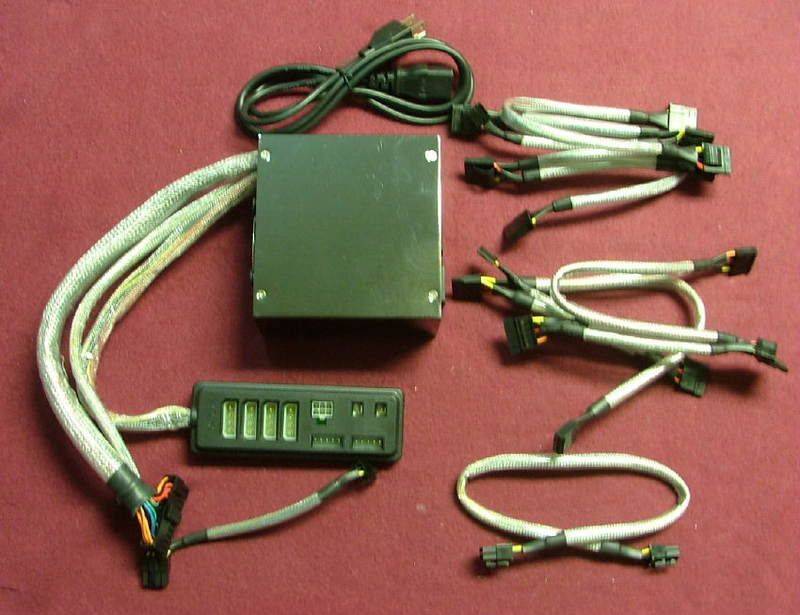
The assortment of cables .. starting from the top:
1. 2 x Molex power cables (2 molex connectors with the usual FDD power connector each)
2. 2 x SATA power cables (2 connectors and the FDD thingy each)
3. 1 x 6-pin GPU power connector (someone dreaming?)
Besides having the plug-in module, the usual power connector, and an interesting 8-pin to 6-pin mobo connector. Here is a better view of the plug-in unit.
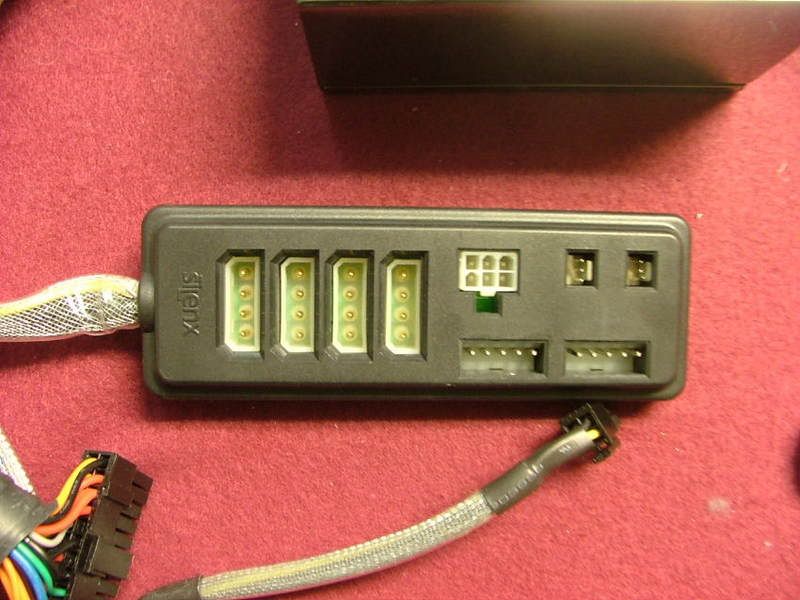
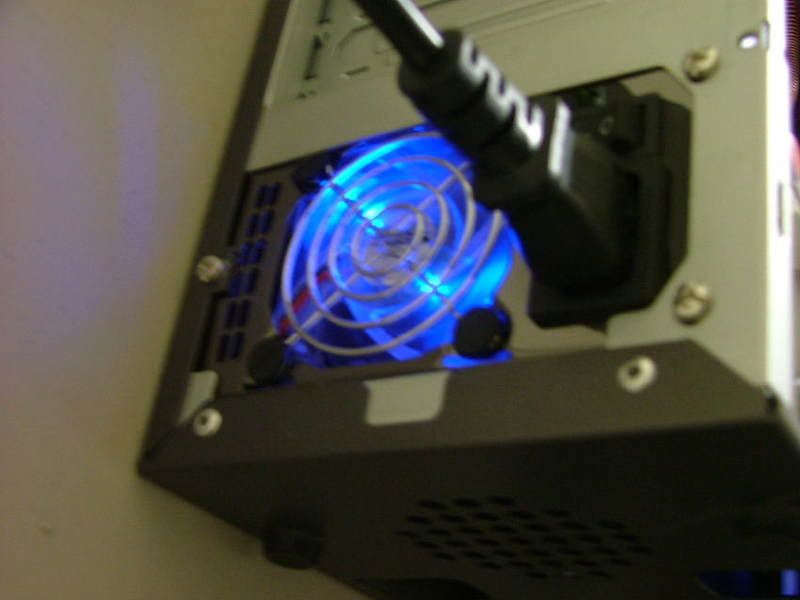
For cooling the unit comes with what appears to be two 60mm fans the factory rates at 14dB each. Also youll notice the fans and grills use rubber isolators to work on noise control . Front and rear views.
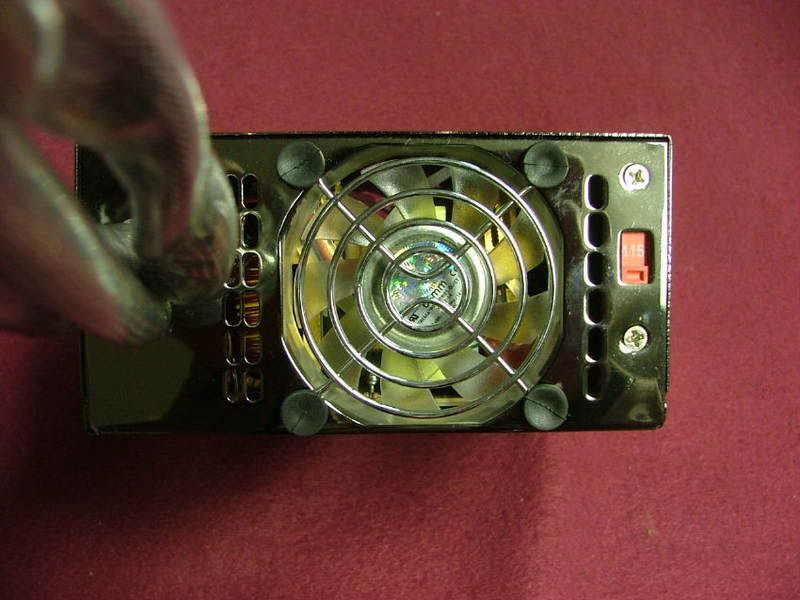
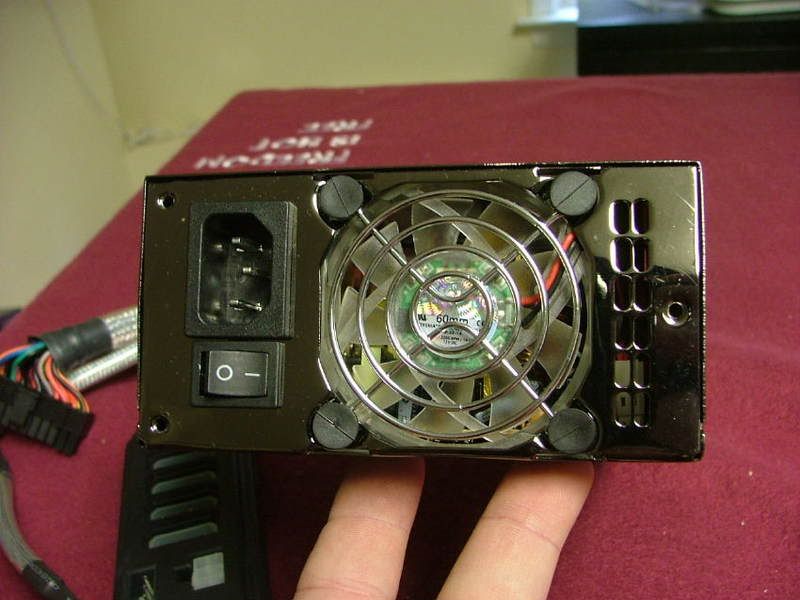
And did I mention the mirror-like finish??????
Choosing the HSF
As the Opty is to be oced, needing a low profile, and being a Z fan boy Ive narrowed my hsf choice down to three, the CNPS-7500 CU, 8000, or the 8700.
No sure how (eBay anyone?) but Ive managed to have one of each on hand! From left to right..... 8000, 8700, and 7500.
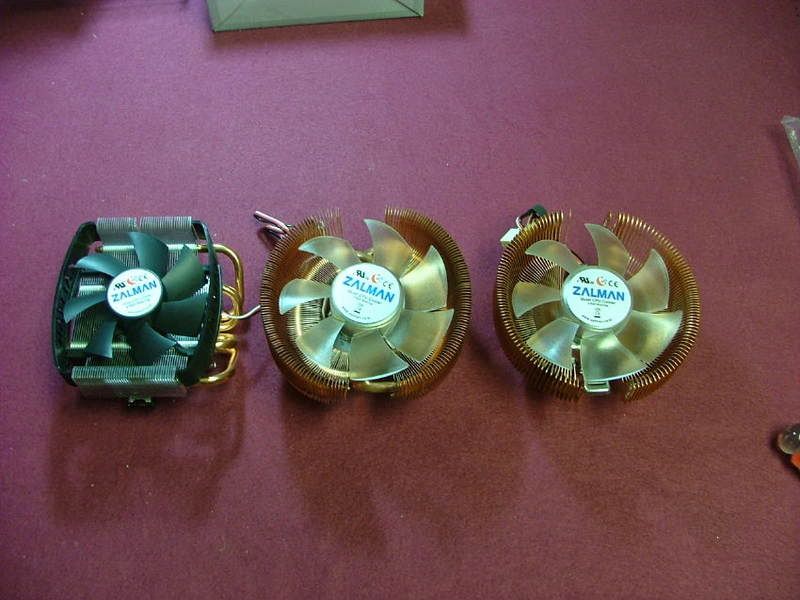
I guess as far as choice the bigger the better would probably be the answer. However need to find which will fit in the case the best. Already know what the CNPS-8000 is capable of as I used when I test bedded another nView / Opty 1210 setup. The major caveat however is this was done on an open tech station. Also had some experience with 8700 when I did a friends MicroFly build. That only leaves the behemoth of the 7500 to wonder about.
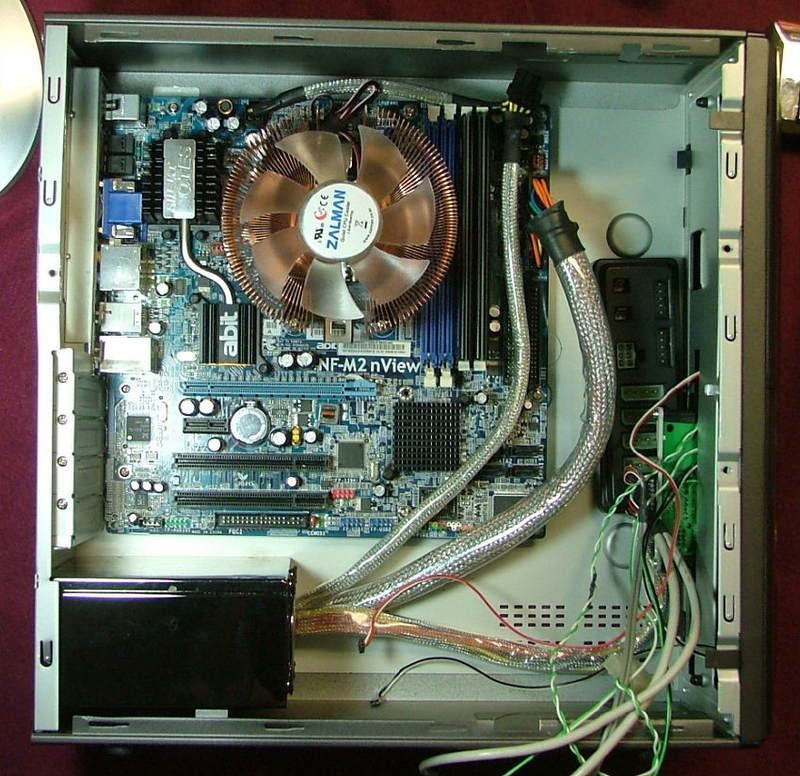
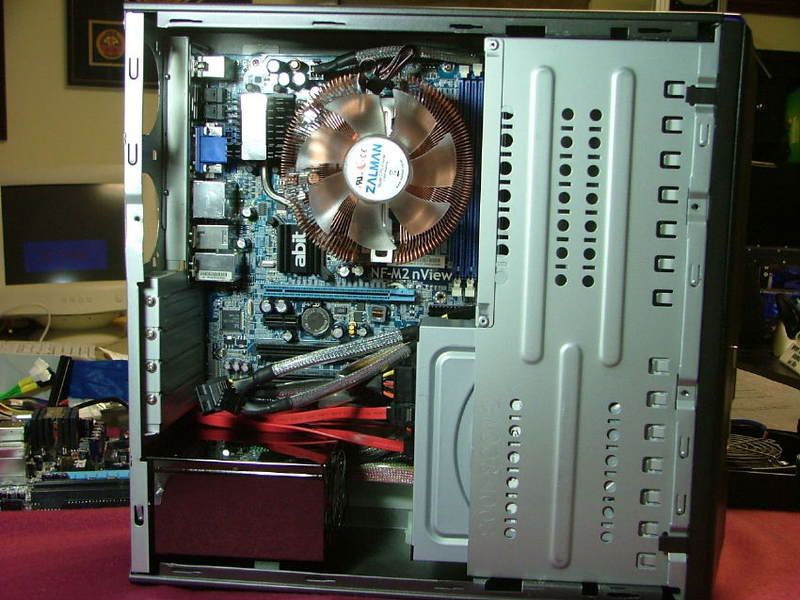
To get a feel for what dermal work may be necessary I mounted a spare dead nView in the case.
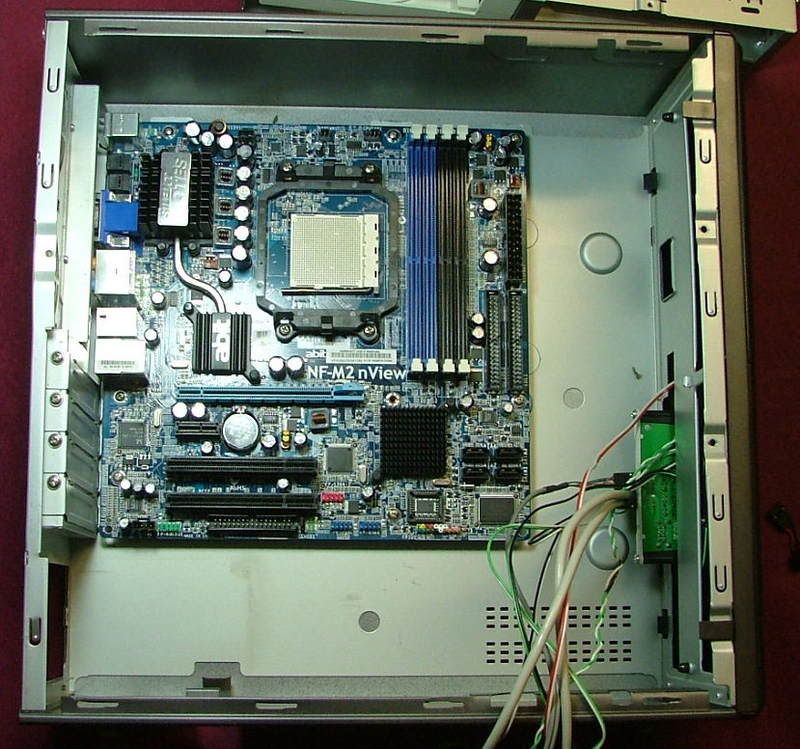
Then literally just started sitting the Zalmans in place to see what happens. What you see is the progression from the 8000 to the 7500 for fitting. One of the things that became apparent right from the start is the fact the optical drive needed to go into the secondary mount slot. The 8700 wasnt shown as it is very close to the 7500.
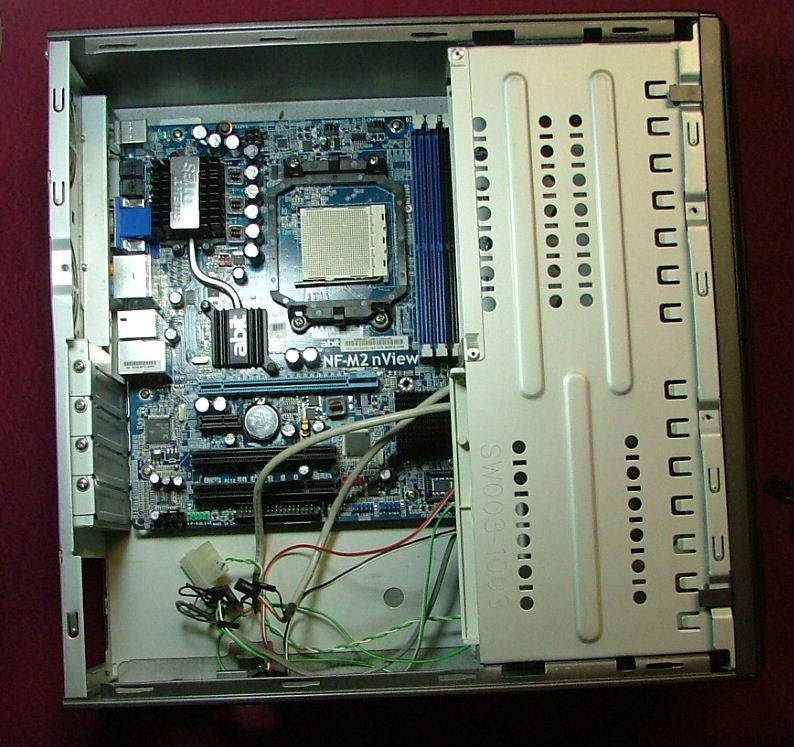
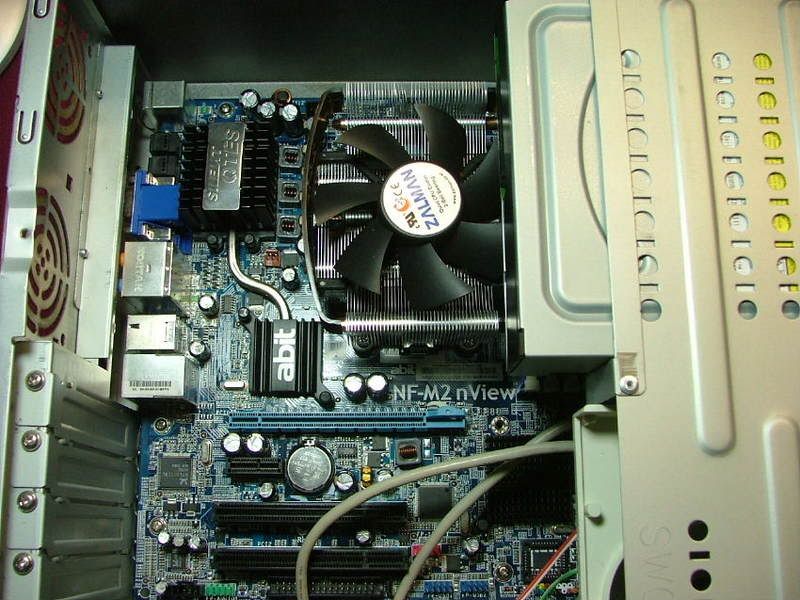
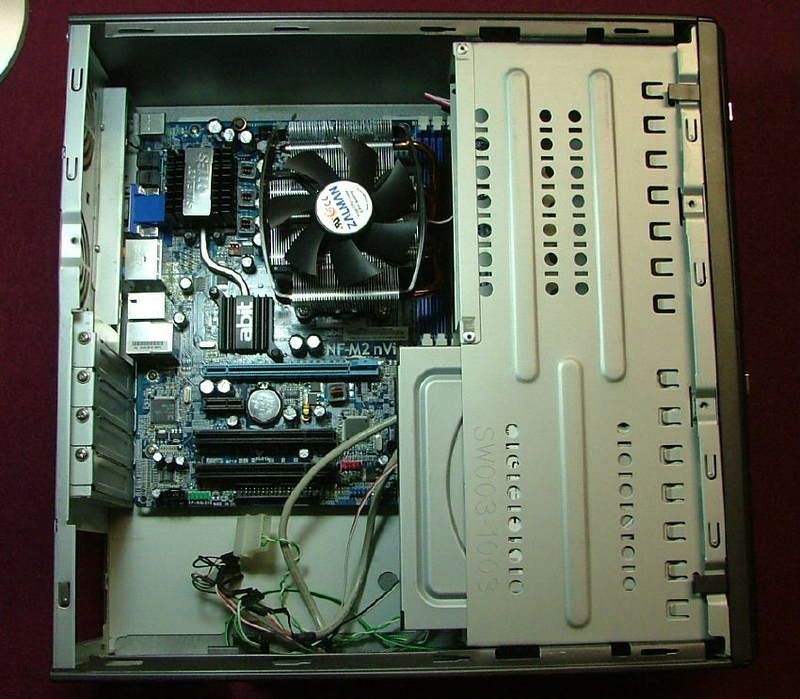
As you can see the 8000 would not require any hammer, grind, or file to suit to work. However the 8700 and the 7500 needs a clearance cutout so 1. It doesnt touch the drive rack, and 2. The rack can be removed without removing the HSF. The drive rack needs to slide to rear about 1/8 to ¼ before it can be rotated up and out.
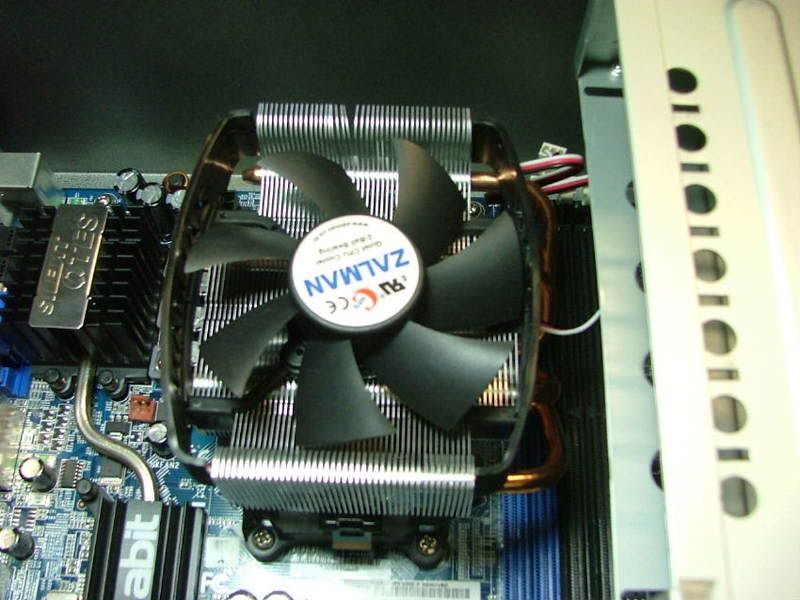
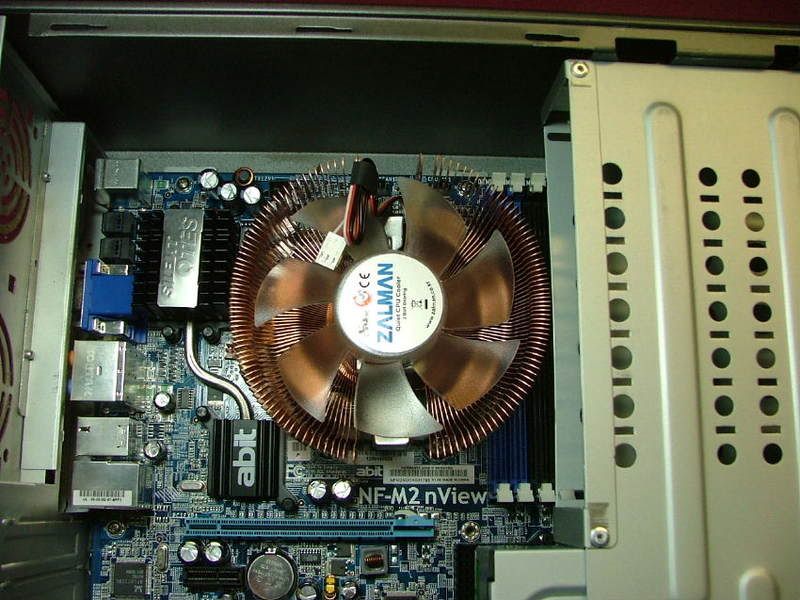
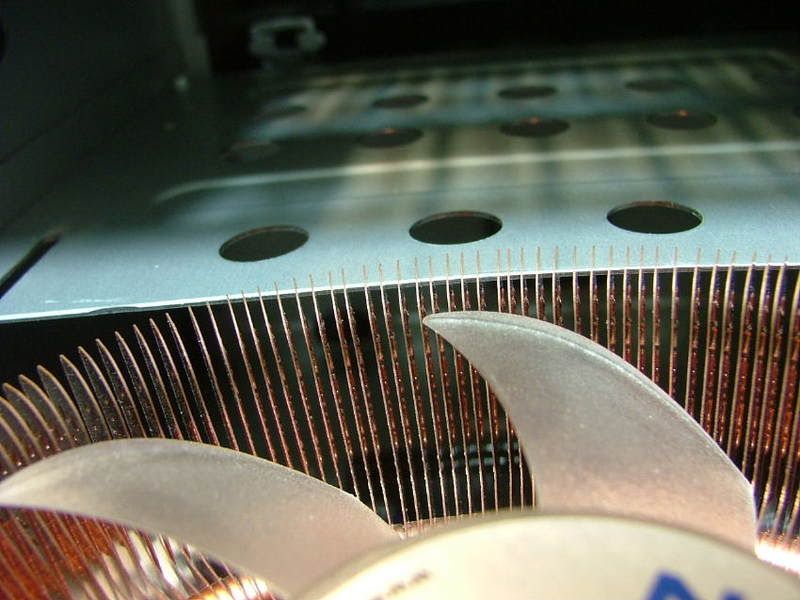
Unless someone suggest otherwise this leads me to believe I should go the route of the CNPS-7500 and just hope the mobo can handle its 848g weight!!
Well back to the real stuff (honey dos) and look at how the PSU fit in later!!
Looking at PSU Fit
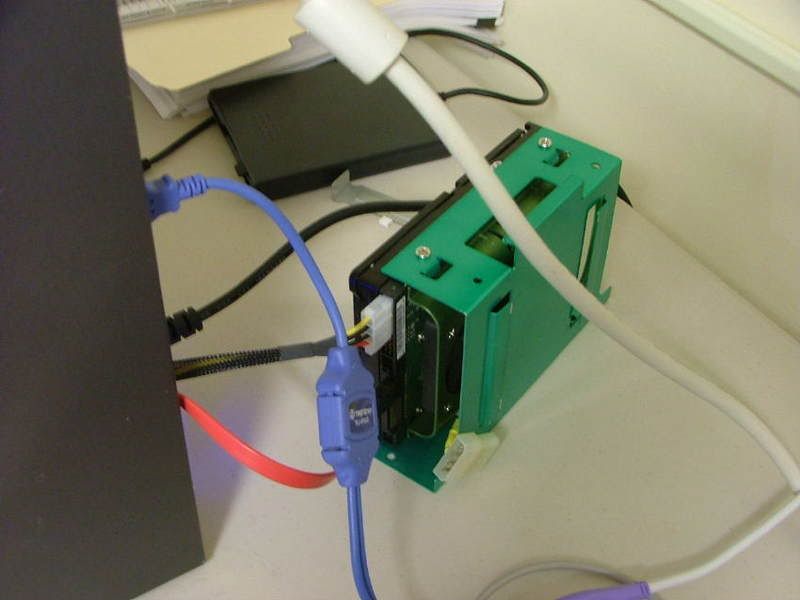
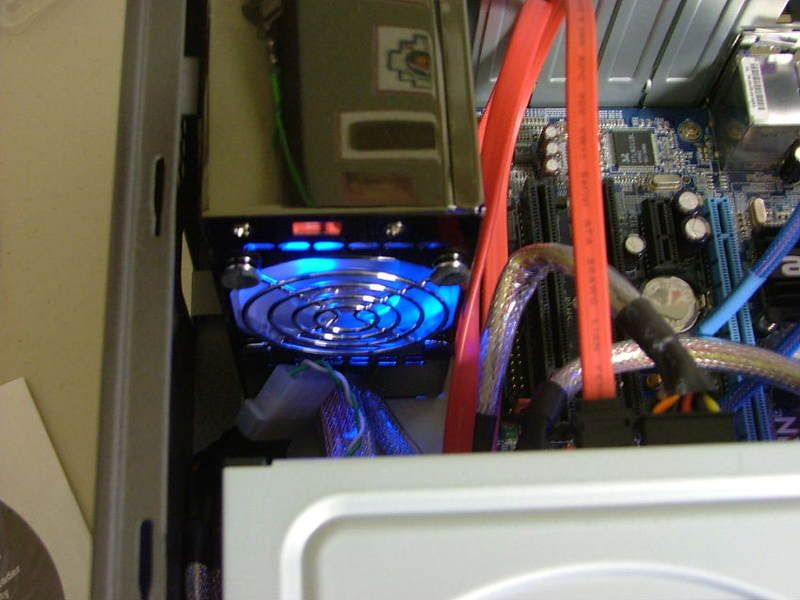
Well now on to see how the PSU physically works with the case. Mounted and one of the first things that showed up is the fact the mobo power cables almost didnt make it!! If the 6-pin cable hadnt of been a two parter it would have not reached. Also to reach it has to go across the SATA ports on the board. This could prove to be interesting when I start setting up that cabling later. The primary cable makes it but could pose a problem as it wants to touch the power/rest header.
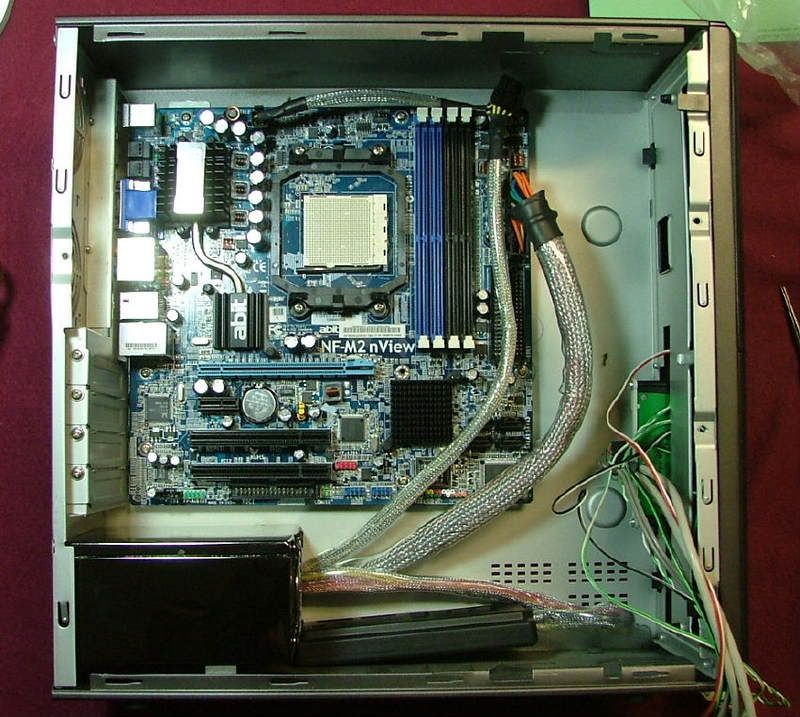
Initially I wanted to place the modular block on the bottom so as not to block any of the factory cooling holes.
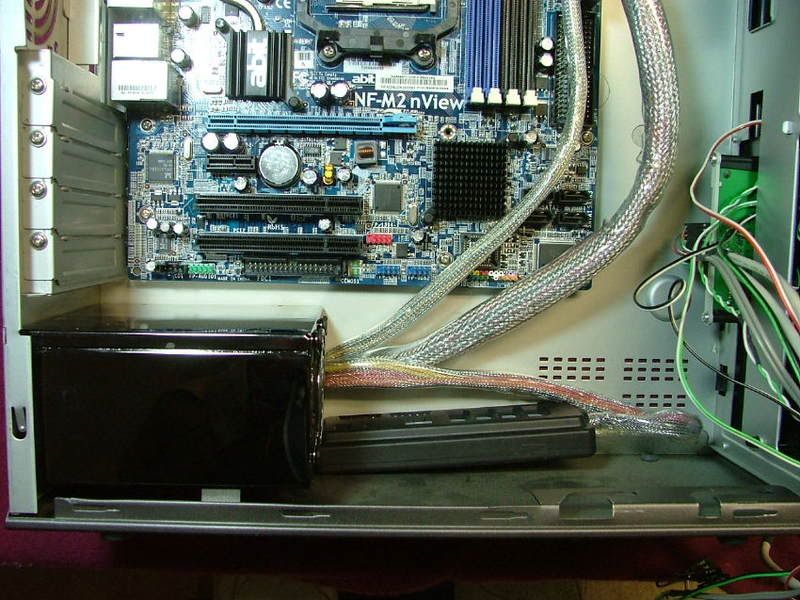
However this may not happen without some more moding! It seems when the drive cage is mounted and youre trying to close it, it drags on the edge of the block.
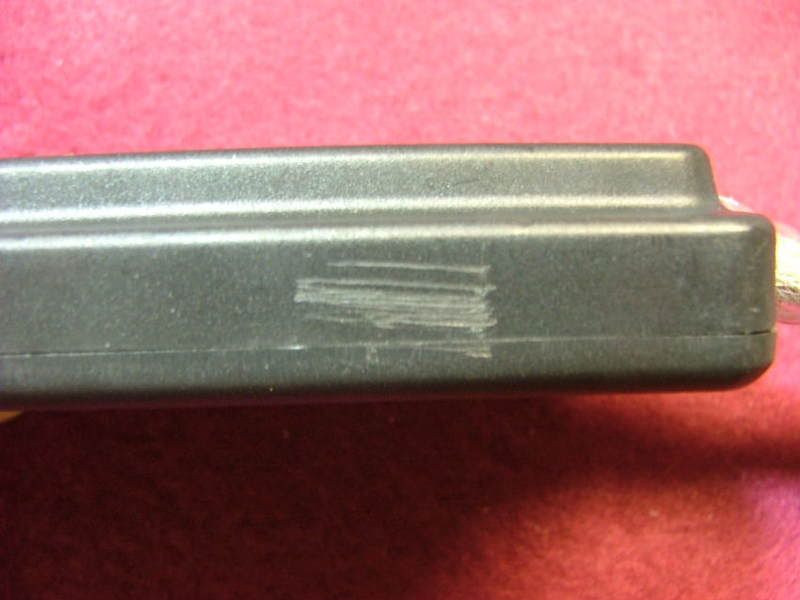
Turns out it is a rivet head on the bottom of the cage. Guess I could drill it out and try for a smaller rivet or actually move where it is riveted. The other option is to place the block on the case side and block a few holes.
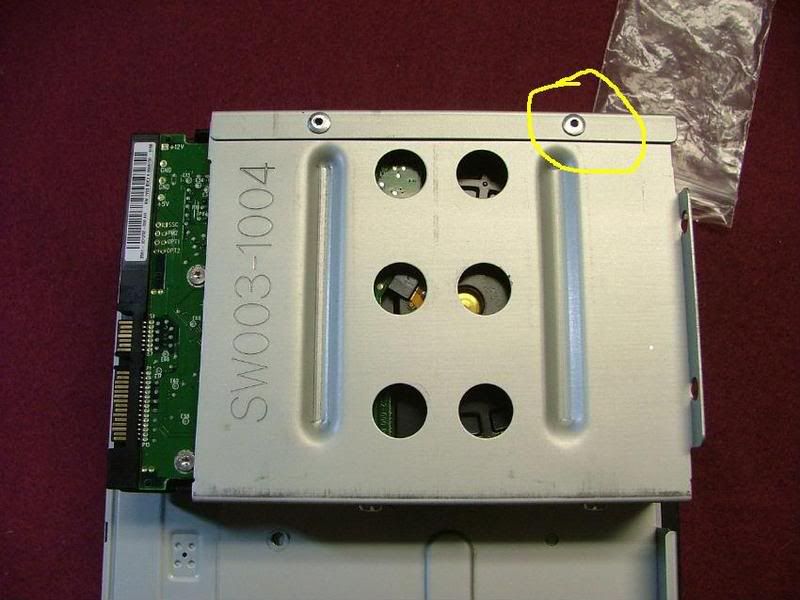
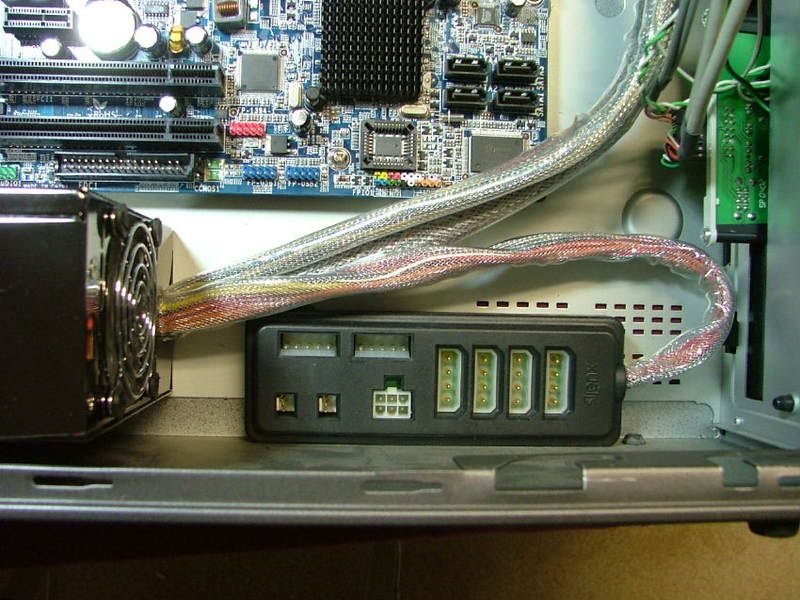
Know what is easiest, but just not sure I want to go that way!
Back to the honey dos and then a long look at some case cooling issues ..
Case Cooling
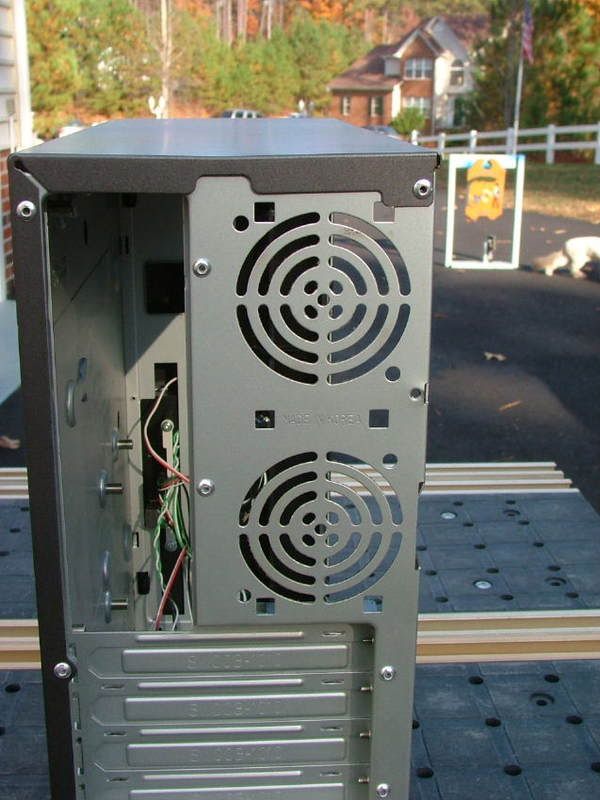
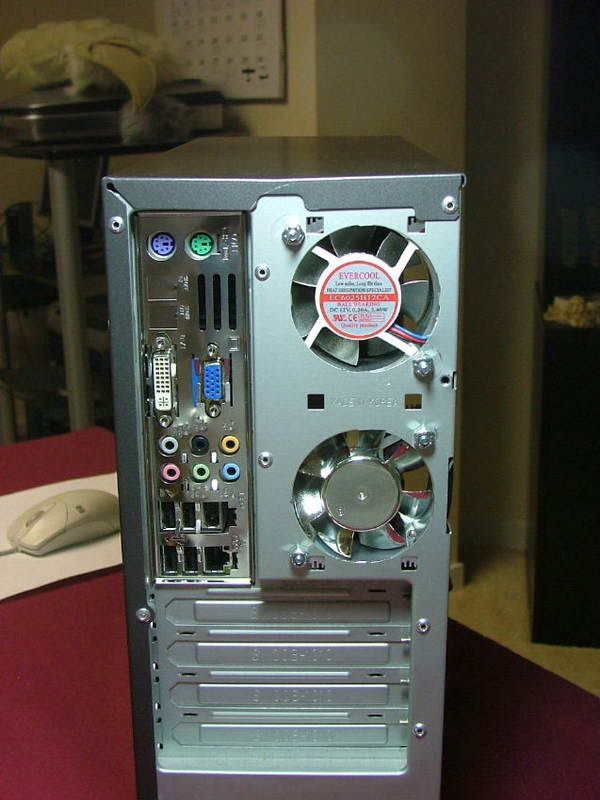
The really big issue is how to improve case cooling as it pretty much sucks! Stock cooling originally was provided by two thin 60mm fans similar to what is used on some HDD coolers. Supposedly one in and one out, but as you can see by this rear view it would seem they would fight each other!!
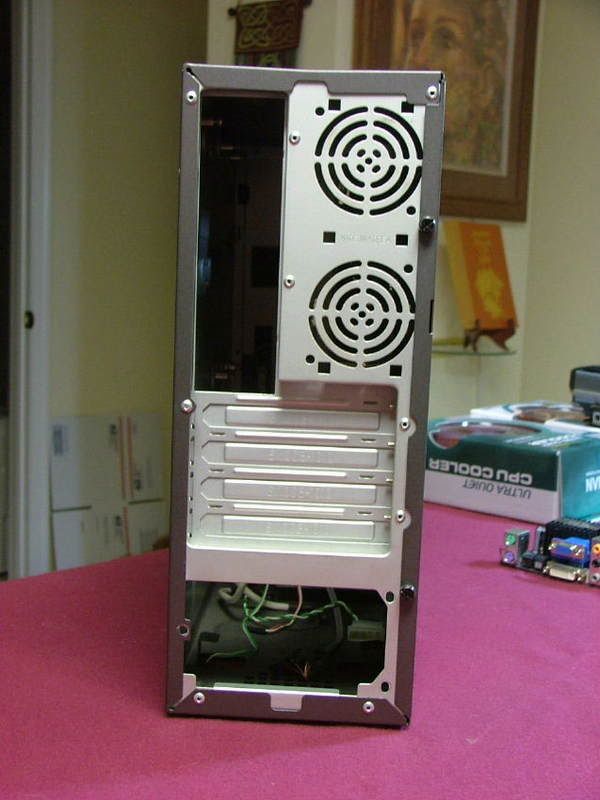
From the get go the stamped grills will go and Im replacing the stock fans with more noisy Evercool aluminum 60mm x 25mm Case Fans. Again these are from the parts box, therefore paid for, and no one said the folder would be silent!!
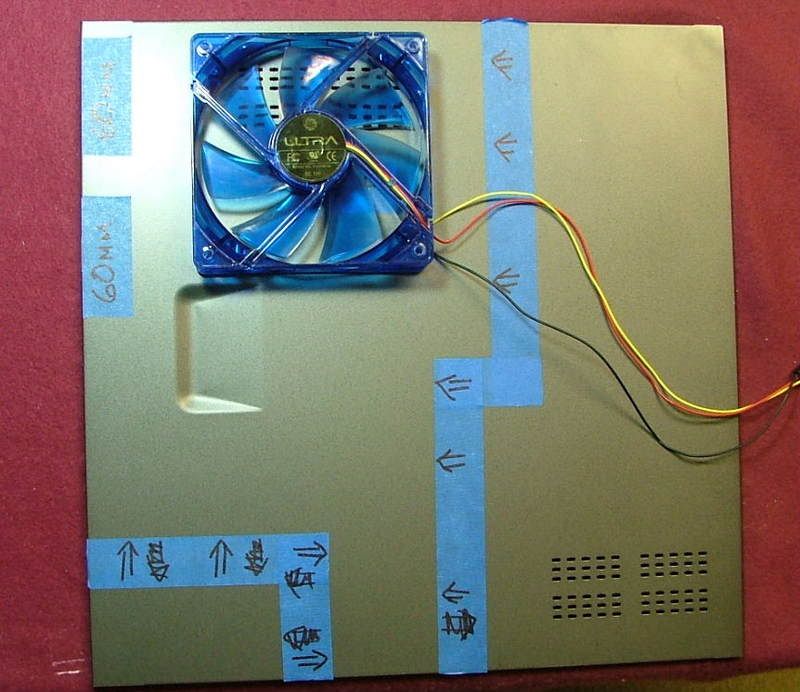
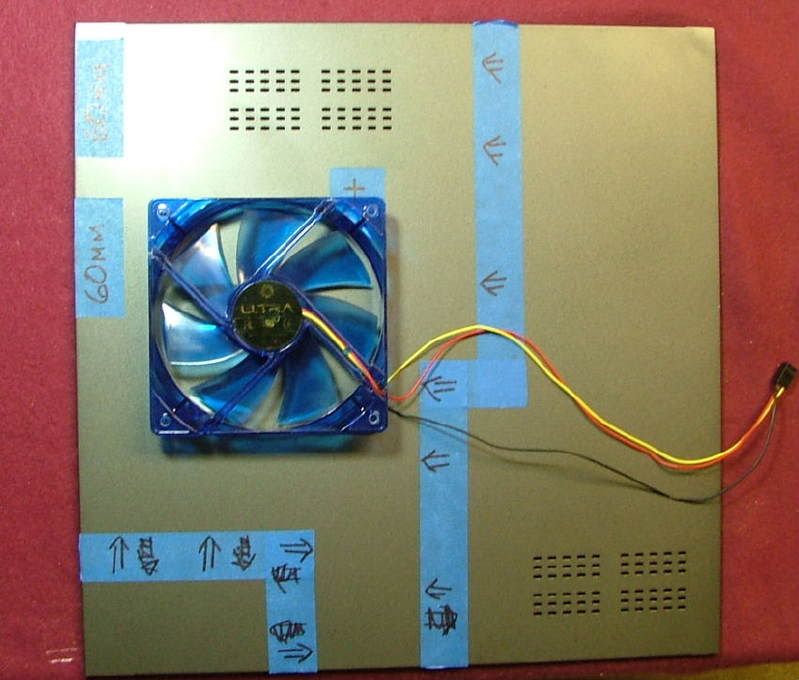
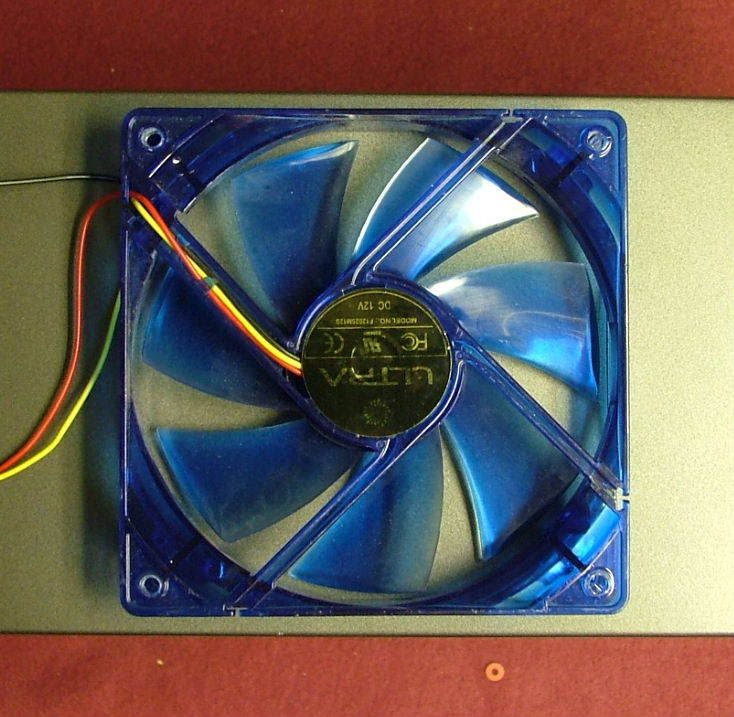
Also Im looking at how to add maybe a 120mm intake fan, but space is hard to find. In the first picture I taped off the available space for a fan. Everywhere else for all intents and purposes the internal components touch the side. Up top center is the approximate center of the hsf fan.
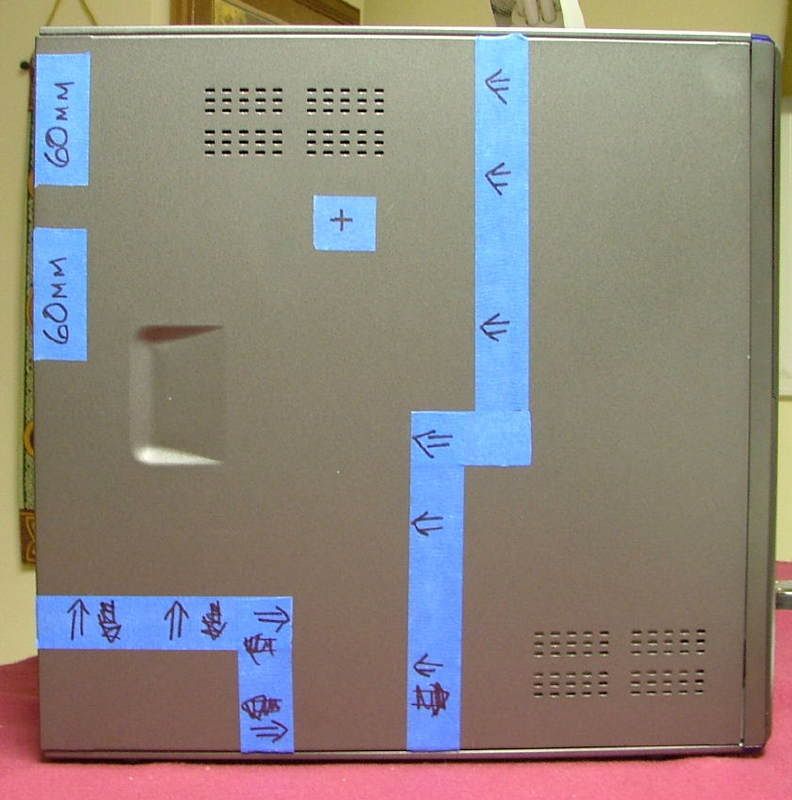
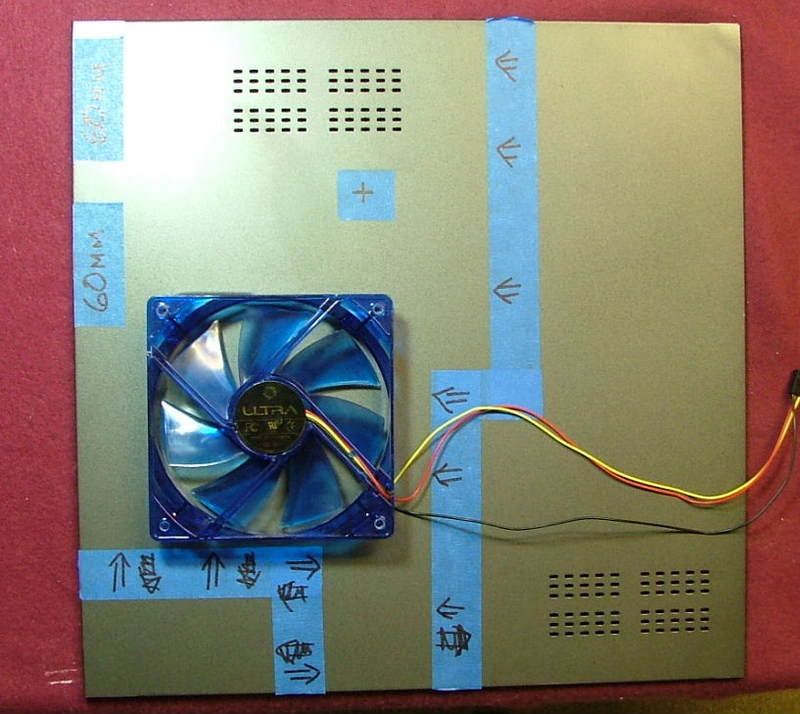
For a top fan I would be limited to a 92mm as the mobo offset will hit anything else and then it would need to be 20mm or less thick and have to be most likely offset. As the last pic shows a 120mm is as wide as the case!
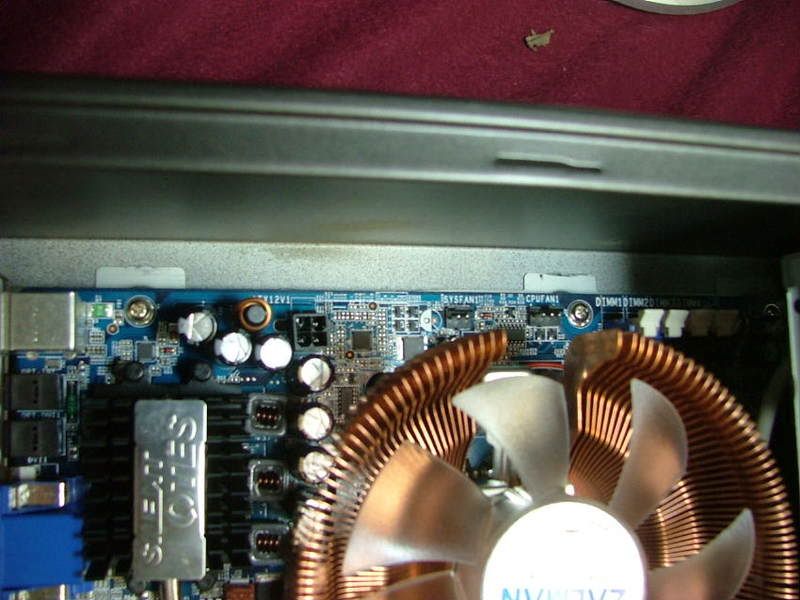
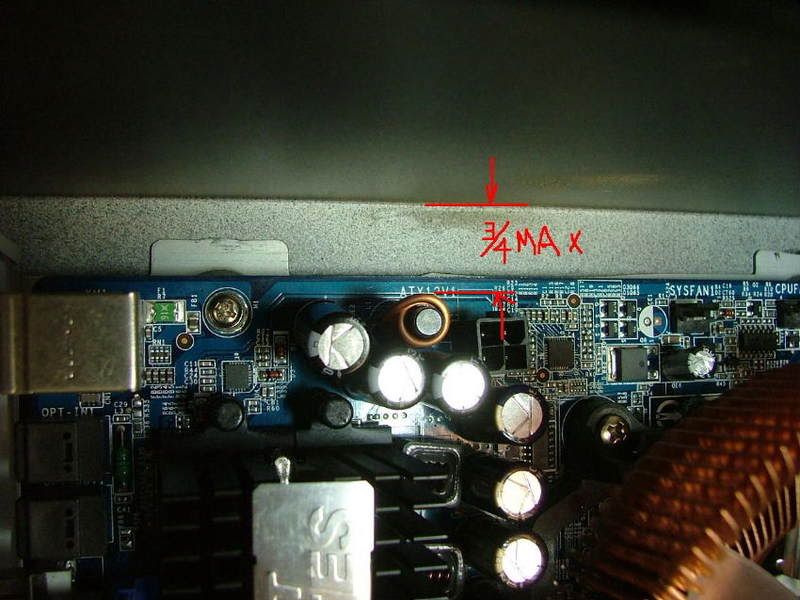
Well this is all the pre-engineering Ive had time for and any input would be greatly appreciated! If I have the time this week end I hope to may set the mobo/cpu/hsf/mem assemble up on my tech station and see what I can do on the OC side.
Oh, by the way if I were to add a low profile GPU it would run right above the point where the front tape does the dog leg for what it is worth!
Speaking of GPU
On a side note Ive been wondering if I could slip a decent folding GPU into the already cramped interior. Also the biggest concern initially was what the 350W psu could power and wondered if any of the 8400 8600s would work with the 18A and fold at a reasonable rate..
As it turns out there is a more important consideration .size!
Tossed in an old 9700 without its hsf to see if height would be an issue. Nope, looks like length is it!! By moving the optical drive to the lower bay I pretty much doomed having a stand alone GPU. The caps and power connector on the old 9700 smack right into the drive. Also the card itself almost touches the frame.
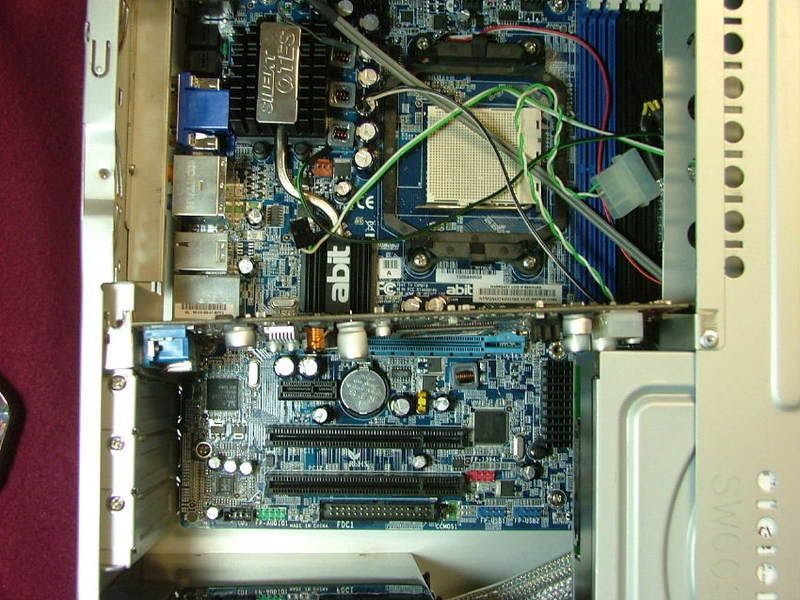
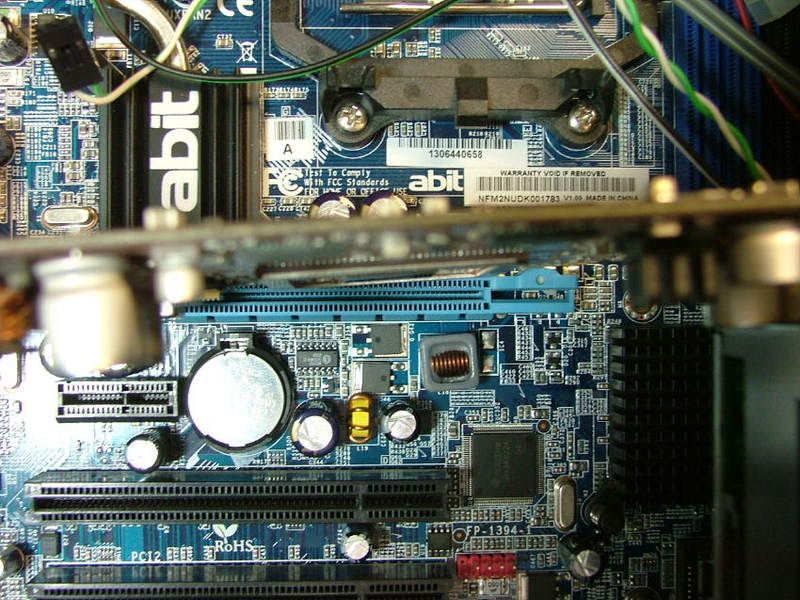
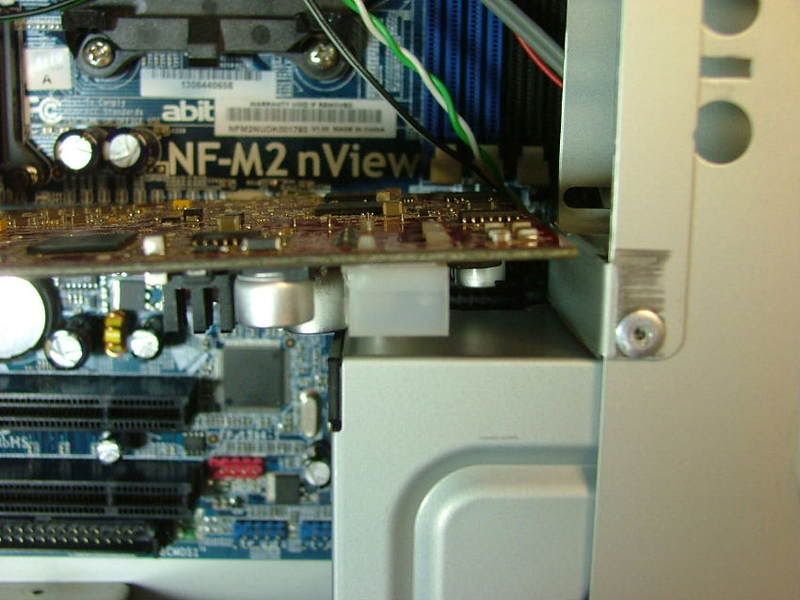
Height from the top of the gpu connector to the bottom of the drive is a tight 2 3/8 so even a low profile most likely wouldnt work. Just curious would a low profile card fold worth a snit????
Maybe like the Galaxy 8500GT? Course it depends where that top cap falls as it is roughly 3 3/16 tall! Not sure of the height of this one but it looks like the Chaintech 8600GTs layout might let it squeeze in.
Then again I could possibly sneak the $27 with MIR for the 8500GT passed the wife as opposed to the $68ish after MIR for the 8600GT.
Oh well this part is potentially future anyway, but should be part of the engineering. Again any comments are welcome.
When I did the rebuild of a friends mATX system that was done for them years ago re-casing the components was part of the deal. So I ended up with the original case. At that time it was called a SimpleMax 101 but like a lot of unique computer components it no longer exists. Big Bruin did a nice review for the SimpleMax 101 a while back. It will explain the case structure a lot better than I can. If you review it prior to continuing youll understand some of the issues I may (will!!) encounter.
Going from ..
to...............
So with the case as my primary stating point Ive decided to attempt to create a micro-folder system. Sadly (or typically) this will have to be a clandestine build hidden from the wife. Therefore I will attempt to use what is in house for components. This is what I have so far:
Case: Simple 101
PSU: silenX iXtrema Micro 350W (replaces original 200W)
Mobo: Abit NF-AM2 nView
CPU: Opty 1210 (CCB6F 0741MPMW)
HSF: TBD Zalman
Memory: 2 x 1024 - Corsair CMX1024-6400C4 or OCZ OCZ2P800R22GK
GPU: On Board 6150 (for now!)
Audio: On Board
HDD: WD800JD 80GB SATA II
Optical: Sony NEC Optiarc DVD Burner Combo Drive
One of the first upgrades I did when I got this wild hair this spring was to sneak a PSU upgrade passed this wife. The original 200W was fine when I was running the Chaintech 7NIF2 / 2500+ Barton but felt I needed more. Because of the space being so limited I jumped on the silenX iXtrema Micro 350W as it is modular. Unfortunately not that much space is saved as the cables plug into a secondary module making the PSU actually two components. Also kinda wonder how far down the food chain Ill have to go for a GPU that wont kill the system. Kinda wish I had sprang for the 400W as it has 20A vs. 18A for the +12V.
The PSU
Initial when I started the project I had ordered the 300W version. This introduced me to one of my major complaints about silenX their packaging sucks the big one!!! As it turns out it was a drop ship from the factory. They just do not protect the components all that well. As you will see later the unit itself has a very attractive (to me anyway) Metallic Titanium mirror finish. When the unit arrived it looked like some one had played soccer with it! It arrived with multiple scratches / scraps and with several noticeable dents in the case. Contacted their customer service department (why not it was dropped shipped) and got a pleasant surprise a responds in less than 48 hours. They allowed me to rma the unit and after thought sent them an additional 20 and updated to the 350W.
BTW please excuse the quality of some of the pics as the auto setting on the camera managed to occasionally become off position.
On arrival one ends up with just a plain white box with Micro 350W on the out side. Inside you have:
The assortment of cables .. starting from the top:
1. 2 x Molex power cables (2 molex connectors with the usual FDD power connector each)
2. 2 x SATA power cables (2 connectors and the FDD thingy each)
3. 1 x 6-pin GPU power connector (someone dreaming?)
Besides having the plug-in module, the usual power connector, and an interesting 8-pin to 6-pin mobo connector. Here is a better view of the plug-in unit.
For cooling the unit comes with what appears to be two 60mm fans the factory rates at 14dB each. Also youll notice the fans and grills use rubber isolators to work on noise control . Front and rear views.
And did I mention the mirror-like finish??????
Choosing the HSF
As the Opty is to be oced, needing a low profile, and being a Z fan boy Ive narrowed my hsf choice down to three, the CNPS-7500 CU, 8000, or the 8700.
No sure how (eBay anyone?) but Ive managed to have one of each on hand! From left to right..... 8000, 8700, and 7500.
I guess as far as choice the bigger the better would probably be the answer. However need to find which will fit in the case the best. Already know what the CNPS-8000 is capable of as I used when I test bedded another nView / Opty 1210 setup. The major caveat however is this was done on an open tech station. Also had some experience with 8700 when I did a friends MicroFly build. That only leaves the behemoth of the 7500 to wonder about.
To get a feel for what dermal work may be necessary I mounted a spare dead nView in the case.
Then literally just started sitting the Zalmans in place to see what happens. What you see is the progression from the 8000 to the 7500 for fitting. One of the things that became apparent right from the start is the fact the optical drive needed to go into the secondary mount slot. The 8700 wasnt shown as it is very close to the 7500.
As you can see the 8000 would not require any hammer, grind, or file to suit to work. However the 8700 and the 7500 needs a clearance cutout so 1. It doesnt touch the drive rack, and 2. The rack can be removed without removing the HSF. The drive rack needs to slide to rear about 1/8 to ¼ before it can be rotated up and out.
Unless someone suggest otherwise this leads me to believe I should go the route of the CNPS-7500 and just hope the mobo can handle its 848g weight!!
Well back to the real stuff (honey dos) and look at how the PSU fit in later!!
Looking at PSU Fit
Well now on to see how the PSU physically works with the case. Mounted and one of the first things that showed up is the fact the mobo power cables almost didnt make it!! If the 6-pin cable hadnt of been a two parter it would have not reached. Also to reach it has to go across the SATA ports on the board. This could prove to be interesting when I start setting up that cabling later. The primary cable makes it but could pose a problem as it wants to touch the power/rest header.
Initially I wanted to place the modular block on the bottom so as not to block any of the factory cooling holes.
However this may not happen without some more moding! It seems when the drive cage is mounted and youre trying to close it, it drags on the edge of the block.
Turns out it is a rivet head on the bottom of the cage. Guess I could drill it out and try for a smaller rivet or actually move where it is riveted. The other option is to place the block on the case side and block a few holes.
Know what is easiest, but just not sure I want to go that way!
Back to the honey dos and then a long look at some case cooling issues ..
Case Cooling
The really big issue is how to improve case cooling as it pretty much sucks! Stock cooling originally was provided by two thin 60mm fans similar to what is used on some HDD coolers. Supposedly one in and one out, but as you can see by this rear view it would seem they would fight each other!!
From the get go the stamped grills will go and Im replacing the stock fans with more noisy Evercool aluminum 60mm x 25mm Case Fans. Again these are from the parts box, therefore paid for, and no one said the folder would be silent!!
Also Im looking at how to add maybe a 120mm intake fan, but space is hard to find. In the first picture I taped off the available space for a fan. Everywhere else for all intents and purposes the internal components touch the side. Up top center is the approximate center of the hsf fan.
For a top fan I would be limited to a 92mm as the mobo offset will hit anything else and then it would need to be 20mm or less thick and have to be most likely offset. As the last pic shows a 120mm is as wide as the case!
Well this is all the pre-engineering Ive had time for and any input would be greatly appreciated! If I have the time this week end I hope to may set the mobo/cpu/hsf/mem assemble up on my tech station and see what I can do on the OC side.
Oh, by the way if I were to add a low profile GPU it would run right above the point where the front tape does the dog leg for what it is worth!
Speaking of GPU
On a side note Ive been wondering if I could slip a decent folding GPU into the already cramped interior. Also the biggest concern initially was what the 350W psu could power and wondered if any of the 8400 8600s would work with the 18A and fold at a reasonable rate..
As it turns out there is a more important consideration .size!
Tossed in an old 9700 without its hsf to see if height would be an issue. Nope, looks like length is it!! By moving the optical drive to the lower bay I pretty much doomed having a stand alone GPU. The caps and power connector on the old 9700 smack right into the drive. Also the card itself almost touches the frame.
Height from the top of the gpu connector to the bottom of the drive is a tight 2 3/8 so even a low profile most likely wouldnt work. Just curious would a low profile card fold worth a snit????
Maybe like the Galaxy 8500GT? Course it depends where that top cap falls as it is roughly 3 3/16 tall! Not sure of the height of this one but it looks like the Chaintech 8600GTs layout might let it squeeze in.
Then again I could possibly sneak the $27 with MIR for the 8500GT passed the wife as opposed to the $68ish after MIR for the 8600GT.
Oh well this part is potentially future anyway, but should be part of the engineering. Again any comments are welcome.